Wave: Small Business Software

Wave: Small Business Software

Download on App StoreDownload on Google Play
Spark by MWM logo
Logo of Wave: Small Business Software

Wave: Small Business Software for Smarter Invoicing and Bookkeeping

The mobile-first solution for solopreneurs and freelancers to send professional invoices, scan receipts, and get paid up to 2 days faster.

Download on App Store

Publisher

Wave Financial Inc

Category

Business

Downloads

1M+

User Rating

4.4/5

Total Ratings

9K+

Locales

1

Your Business, Visualized

Discover the interface used by 1M+ users.
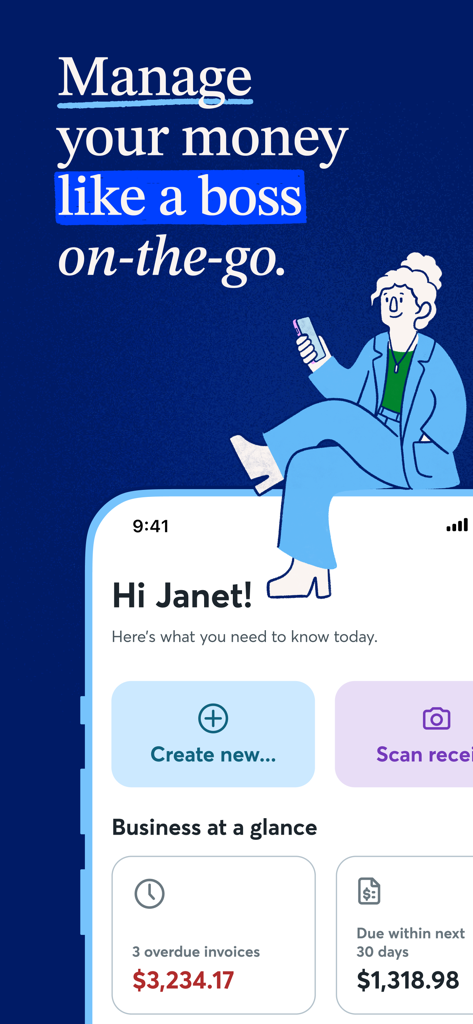
A mobile app interface for Wave showing a business dashboard with overdue invoices and a button to scan receipts.

A mobile app interface for Wave showing a business dashboard with overdue invoices and a button to scan receipts.

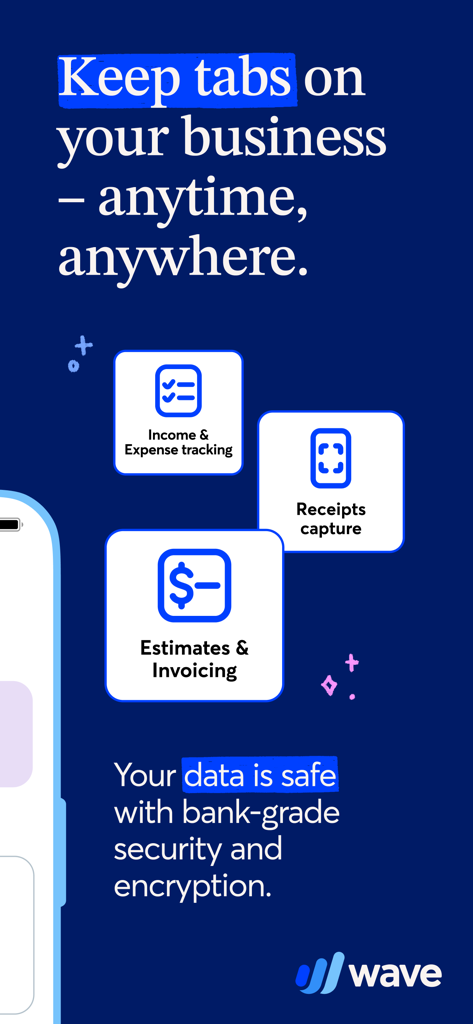
Overview of Wave app features including income tracking receipts capture and invoicing for small businesses

Overview of Wave app features including income tracking receipts capture and invoicing for small businesses

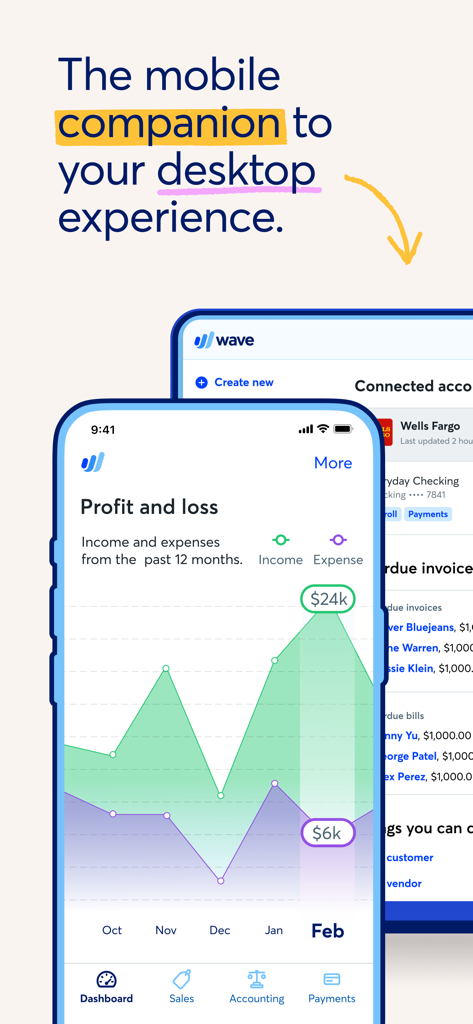
Wave app mobile dashboard showing profit and loss report

Wave app mobile dashboard showing profit and loss report

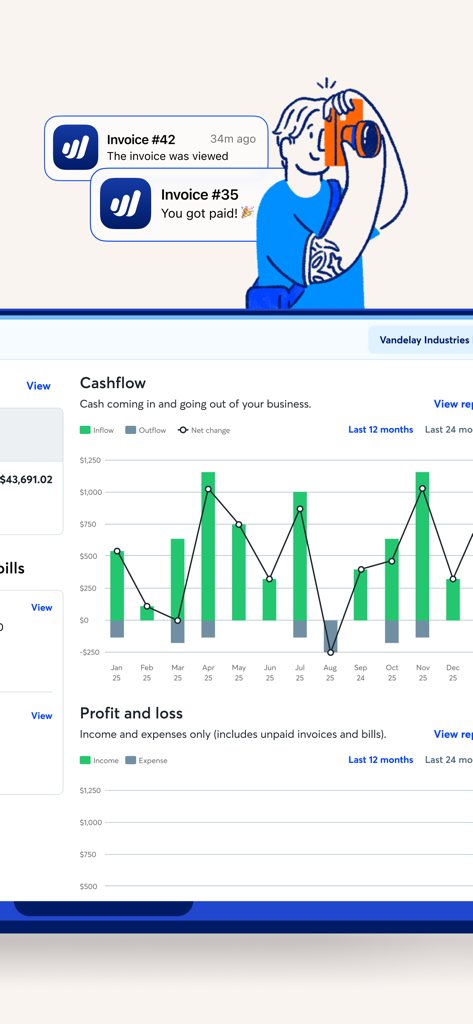
A mobile dashboard showing a cashflow bar chart and notifications for viewed and paid invoices

A mobile dashboard showing a cashflow bar chart and notifications for viewed and paid invoices

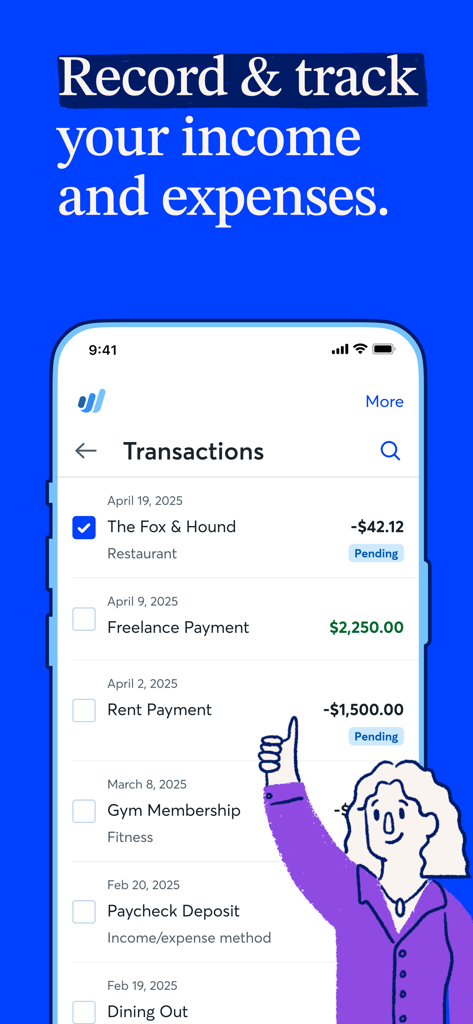
Wave app screen showing business income and expense transactions

Wave app screen showing business income and expense transactions

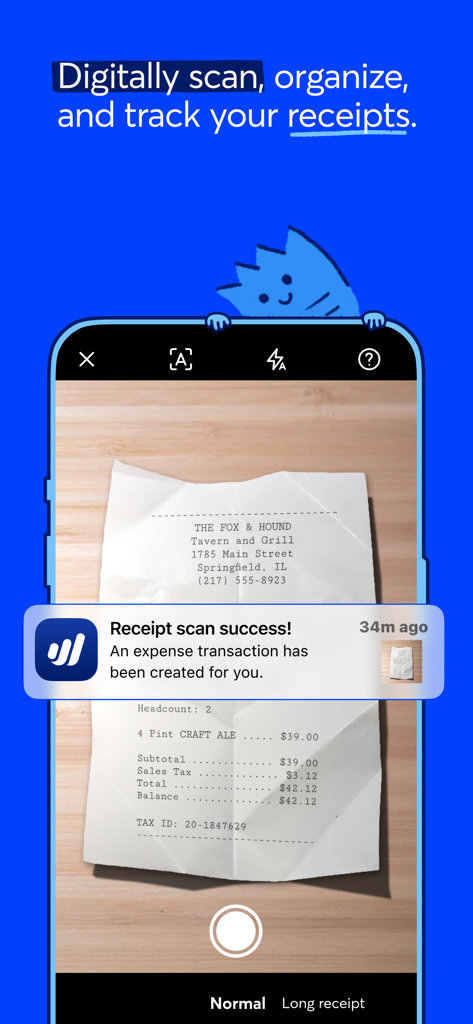
Wave app mobile interface showing a successful receipt scan for business expense tracking

Wave app mobile interface showing a successful receipt scan for business expense tracking

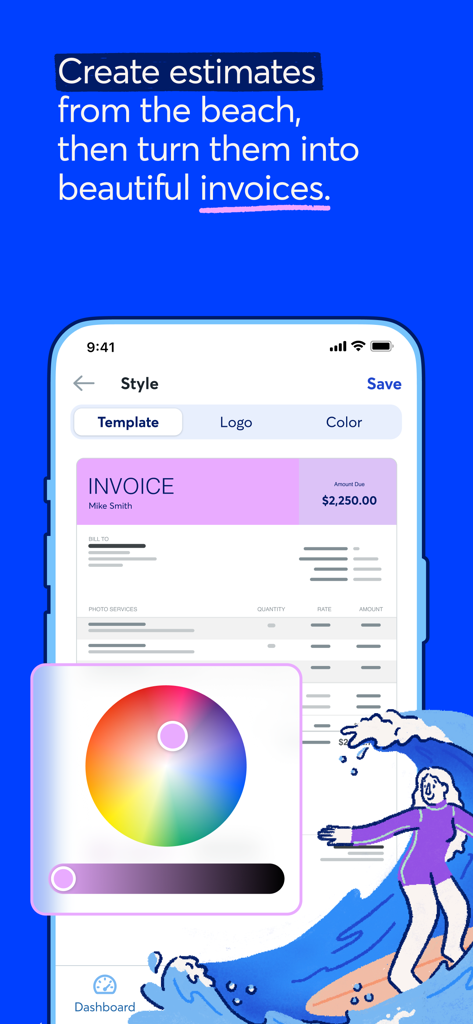
The Wave app showing a color picker and customization options to create professional brand-consistent invoices on a smartphone.

The Wave app showing a color picker and customization options to create professional brand-consistent invoices on a smartphone.

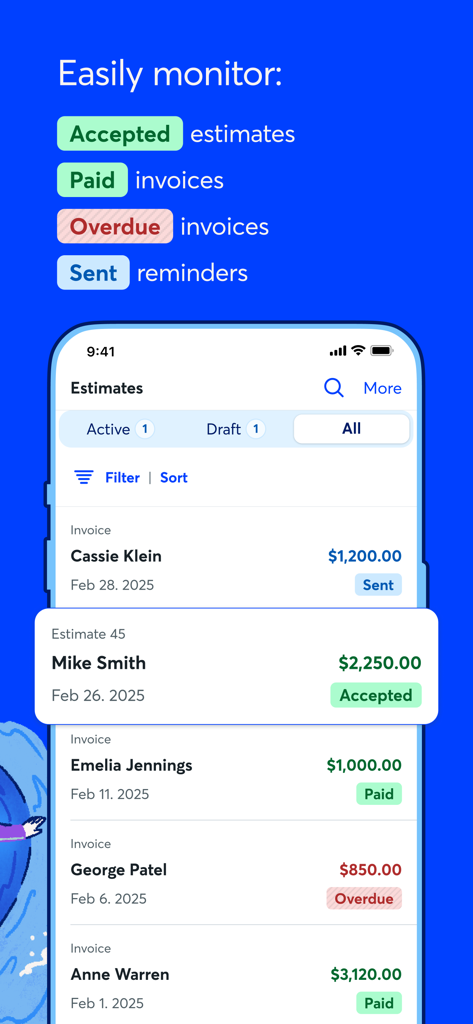
Wave mobile app interface showing business estimates and invoice statuses including paid and overdue.

Wave mobile app interface showing business estimates and invoice statuses including paid and overdue.

Smart Tools for the Modern Solopreneur

The tools that make this app stand out, trusted by 1M+ users.

Get Paid Twice as Faster

Create professional, branded invoices in seconds and accept credit cards to see funds in your account in as little as two days.

📸

Scan Receipts on the Go

Stop the manual data entry. Snap a photo of your receipts and our OCR technology automatically tracks and categorizes every expense.

📈

Real-Time Cash Flow Insights

Monitor your profit, loss, and payment status at a glance with a mobile dashboard designed for your busy lifestyle.

Loved by users worldwide

Trusted by 1M+ people who love this app.

"

"As a solo graphic designer, Wave has been a total game-changer for my business. I can send professional, branded invoices from my phone before I even leave a client meeting. It makes me look like a full-scale agency, and the instant payment notifications give me such peace of mind."

Sarah Jenkins, Freelance Creative
"

"I'm always on the move between job sites, so I need my office to be in my pocket. Scanning receipts with the OCR feature and sending estimates on the fly has saved me hours of paperwork every weekend. Getting paid in two days or less has kept my cash flow healthier than ever."

Marcus Thorne, Owner of Thorne Electric

Review Analysis

Insights from user reviews.

Sentiment Score

26%
Negative

Summary

The mobile app garners largely negative sentiment, with users appreciating its simplicity and ease of use for basic accounting, invoicing, and estimates, often preferring it over alternatives like QuickBooks. However, the experience is significantly marred by frequent app instability, including crashes, freezes, and functionality issues, particularly after iOS updates (e.g., iOS 16 and 18.6.1). A major source of frustration is the poor and often non-existent customer support, characterized by unhelpful chatbots, lack of human contact, and extreme delays in resolving critical payment processing issues, such as held funds and payroll errors. Furthermore, many users report dissatisfaction with the app's paid features, noting a disparity where functionalities free on the web platform are paywalled in the mobile application.

Common Themes

Customer Support(19)
App Stability & Bugs(19)
Payment Processing(10)
Ease of Use(8)
Feature Discrepancy (App vs Web)(8)
Payroll Management(4)
iOS Compatibility(3)

About the app

Everything you need to know about Wave: Small Business Software.

Description

Wave’s mobile app is an integrated, on-the-go solution for small business owners, creators, freelancers, consultants, and contractors in the US and Canada and the perfect companion to your desktop experience. Send customized, professional invoices and estimates and keep track of your business expenses in one place! Add optional online credit card and bank payment processing to get paid even faster. Plus, subscribe to our Pro Plan to access even more bookkeeping and invoicing features. Our receipts feature is included for free in the Pro Plan or easy to add-on to the Starter Plan. You can capture unlimited receipts with optical character recognition to track your business expenses. Bookkeep better with the Pro Plan Want to look more polished, save more time, and conquer cash flow? With our Pro Plan, you get access to the following features: Capture unlimited receipts and track expenses at no additional cost Option to accept online payments* at a discounted rate Auto-import bank transactions** Auto-merge and categorize bank transactions Add additional users to your account Automate late payment reminders Access live-person chat and email support And more! You’re in good company Wave’s software has helped more than 300K North American small business owners manage their money, so you know we’ve got your back. Dashboard Easily monitor what’s going on in your business with Wave’s intuitive dashboard, which includes: At-a-glance business insights, like profit and loss statements Quick access to invoicing metrics, like amounts overdue and upcoming payments Access to accounting reports for understanding your business, filing taxes, and more Mobile invoicing Create and send professional, customized invoices with your logo Receive notifications when you've been paid Check invoice status (sent, viewed, overdue, paid) Record payments Send invoice reminders and payment receipts Get paid even faster with Wave’s online payments feature to accept credit cards and bank payments Synchronize instantly with your Wave account on desktop Estimates Instantly create and send estimates and land that dream customer quicker Convert an estimate into an invoice in seconds Customize estimates with your brand colors and logo Access your estimates from anywhere, anytime Designed to get you paid faster Wave invoice templates and email messages are designed to help you get paid faster Sending professional easy-to-read invoices inspires confidence from your clients, encouraging prompt payment and repeat business Receipt scanning Organize and manage your receipts in one place with Wave’s subscription-based mobile receipts feature Don’t waste time manually managing your expenses—let our app capture receipt details in seconds using OCR technology Get peace of mind and breeze through tax season with updated books and reports, synced with our accounting feature Upload receipts from your desktop or via email Manage and categorize transactions on-the-go or on desktop—everything stays synced! Accept online payments in seconds Wave’s invoicing software works seamlessly to accept online payments via direct integration with our online payments feature: Getting started is as easy as a few clicks*. You’ll be able to select the invoices where you want to accept all major credit cards (Visa®, MasterCard®, American Express®, Discover®) for a competitive, per transaction fee. Most Wave invoices paid by credit card and bank payment get paid in 2 days or less! Create your Wave account right in the Wave mobile app, or visit waveapps.com. *Approval is subject to eligibility criteria, including identity verification and credit review. **Not all financial institutions are supported. Learn more here: https://support.waveapps.com/hc/en-us/articles/115005541303-Understanding-bank-connections Privacy: https://www.waveapps.com/legal/privacy-policy Terms of Use: https://www.waveapps.com/legal/terms-of-use Terms of Service: https://www.waveapps.com/legal/legal-disclosures

Latest Version

4.11.0

Size

105.8 MB

First Released

Jun 19, 2014

Ready to professionalize your business?

Join over 300,000 North American solopreneurs who use Wave to send professional invoices, track expenses on the go, and get paid in two days or less.

Download on App StoreDownload on Google Play
FAQ

Frequently Asked Questions

Everything you need to know about Wave: Small Business Software

What is the Wave mobile app designed for?

The Wave mobile app is an integrated solution for small business owners, creators, freelancers, and contractors. It manages invoicing, estimates, and expense tracking on-the-go.

Who can use the Wave: Small Business Software app?

The Wave app is for small business owners, creators, freelancers, consultants, and contractors in the US and Canada. It serves as a mobile companion to the desktop experience.

What core features does the Wave app offer for small businesses?

The Wave app offers professional invoicing, customizable estimates, expense tracking, and optional online credit card and bank payment processing. It helps manage business finances.

How does receipt scanning work in the Wave app?

The Wave app uses optical character recognition (OCR) technology to capture receipt details instantly. Users can track business expenses by scanning receipts from mobile or uploading from desktop/email.

Is receipt scanning free with the Wave app?

No, receipt scanning is included for free with the Pro Plan. For the Starter Plan, it is available as an easy add-on, allowing unlimited receipt capture.

What are the benefits of the Wave Pro Plan for small businesses?

The Pro Plan provides unlimited receipt capture, discounted online payment rates, auto-import/categorize bank transactions, additional users, automated late payment reminders, and live support.

Can the Wave app accept online payments from clients?

Yes, the Wave app integrates with online payments to accept major credit cards (Visa, MasterCard, Amex, Discover) and bank payments for a per-transaction fee.

How quickly do payments process through the Wave app?

Most Wave invoices paid by credit card and bank payment process in 2 days or less. This feature helps businesses get paid faster.

Is financial data secure when using the Wave app?

Yes, Wave states that user data is safe with bank-grade security and encryption. This protects sensitive financial information for small businesses.

Does the Wave mobile app synchronize with the desktop version?

Yes, the Wave mobile app synchronizes instantly with the user's Wave account on desktop. It acts as a companion to the desktop experience.

What invoicing features does the Wave app provide?

The Wave app allows creating professional, customized invoices with logos. Users receive payment notifications, check invoice status (sent, viewed, overdue, paid), and send reminders and receipts.

How do I create estimates with the Wave app?

Users create and send estimates instantly from the Wave app, customizing them with brand colors and logos. Estimates convert into invoices in seconds.

How does the Wave app help manage business expenses?

The Wave app tracks business expenses by capturing unlimited receipts via OCR technology. It allows categorizing transactions on-the-go or on desktop, keeping everything synced.