
Web Inspector



Inspect the DOM, debug JavaScript, and monitor network traffic directly on your iPhone and iPad—no Mac required.
Publisher
Category
Developer ToolsDownloads
269K+User Rating
Total Ratings
200Locales
1Discover the interface used by 269K+ users.
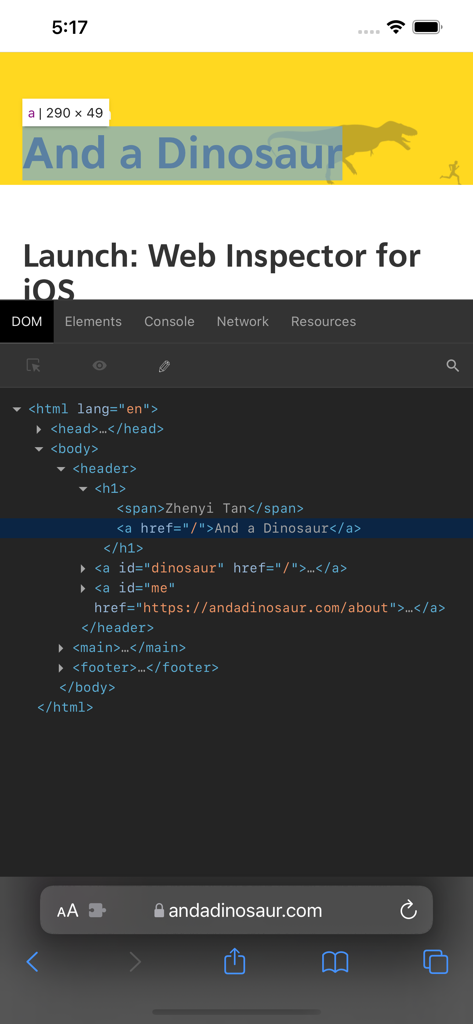
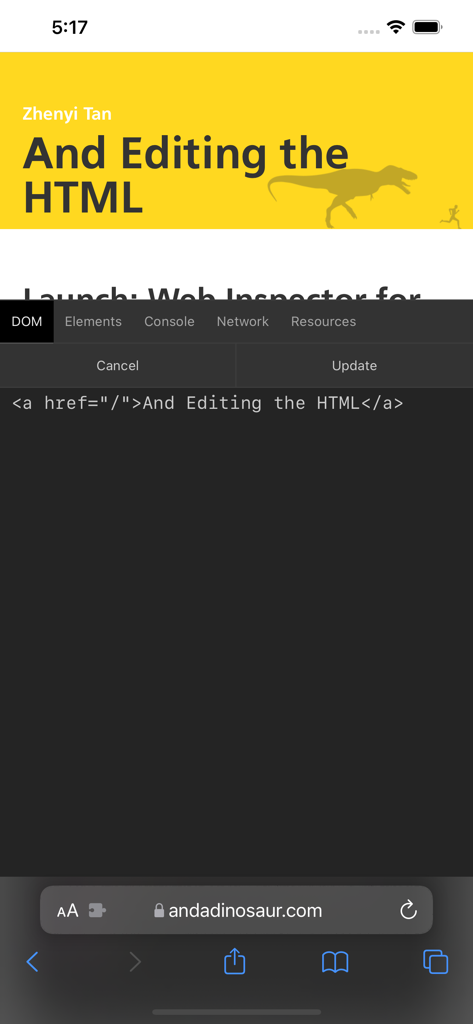
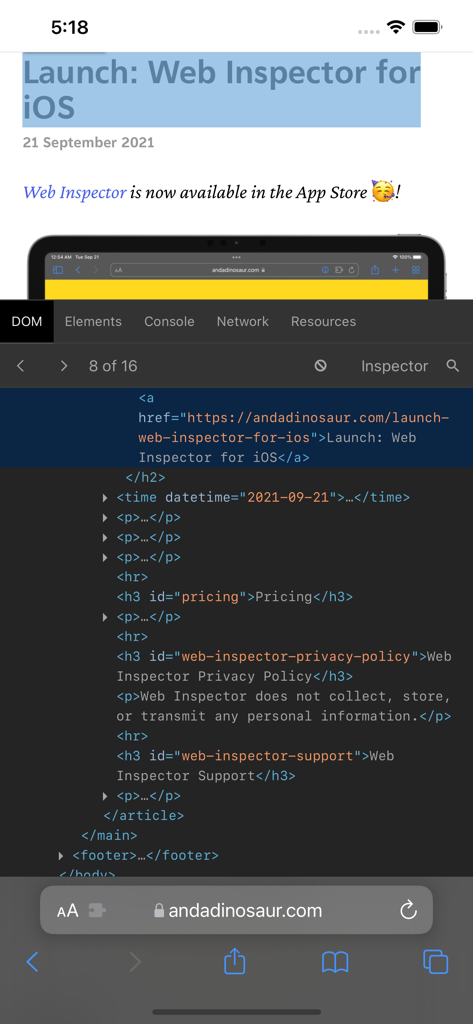
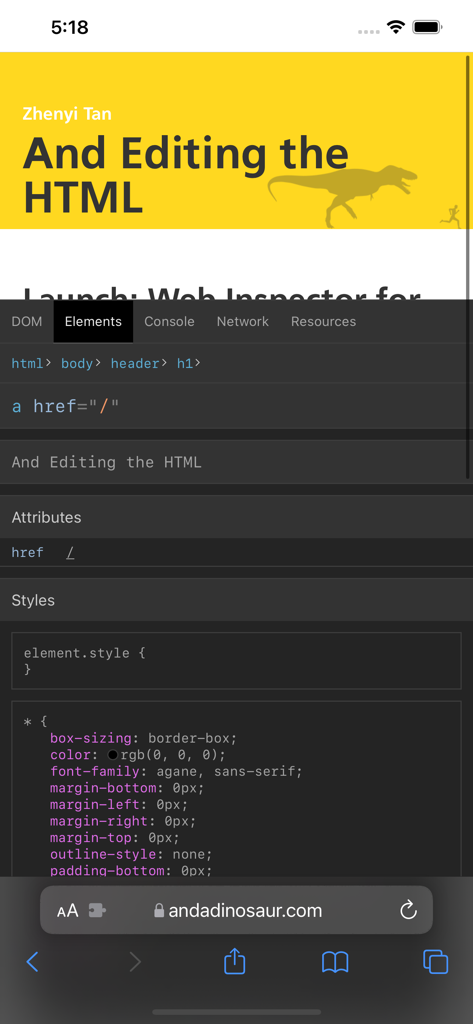
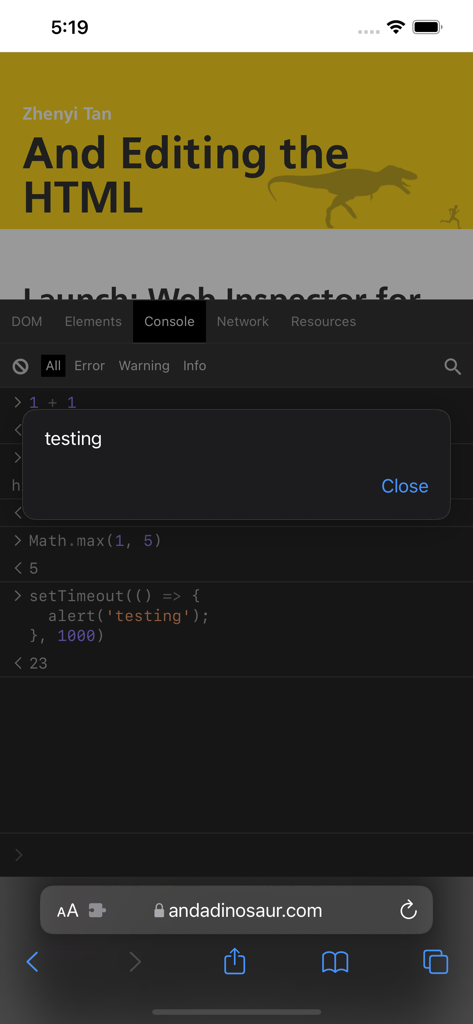
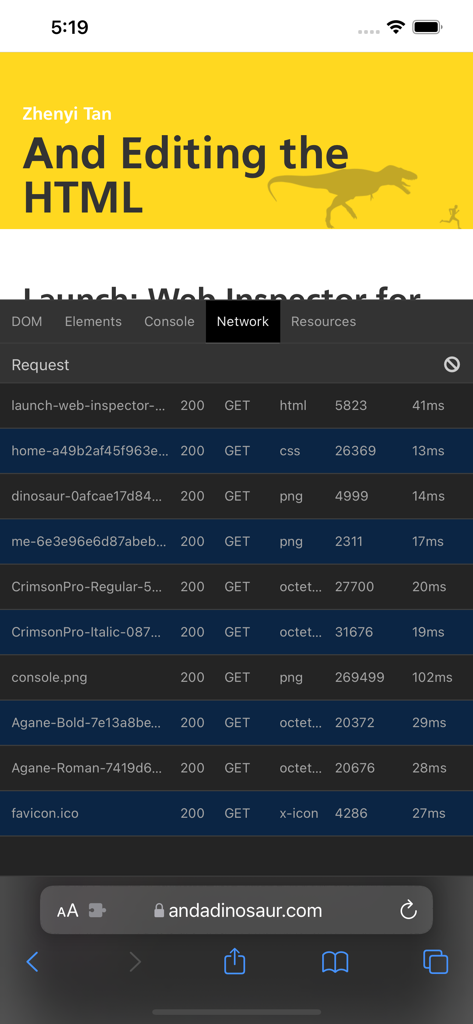
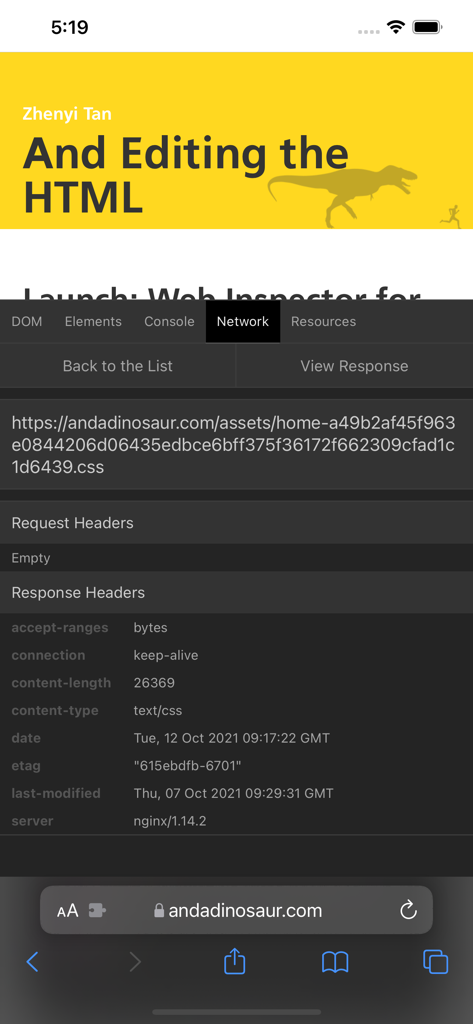
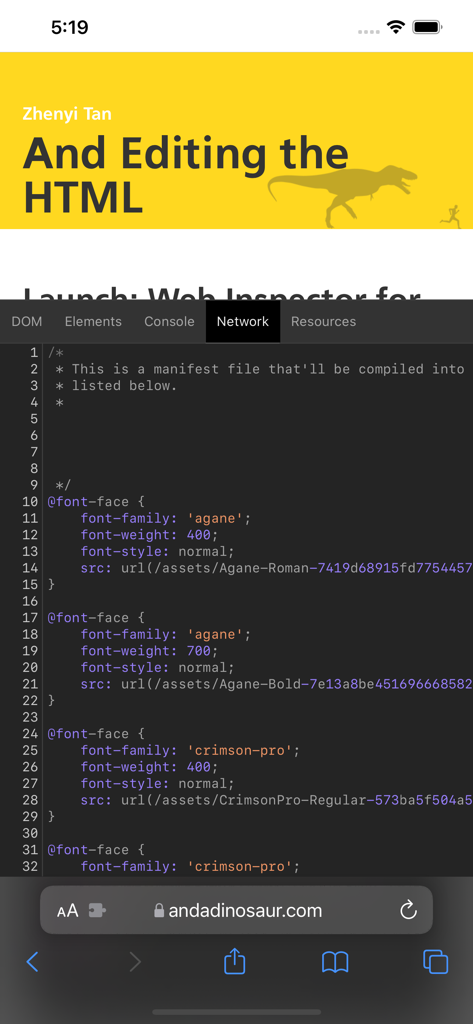
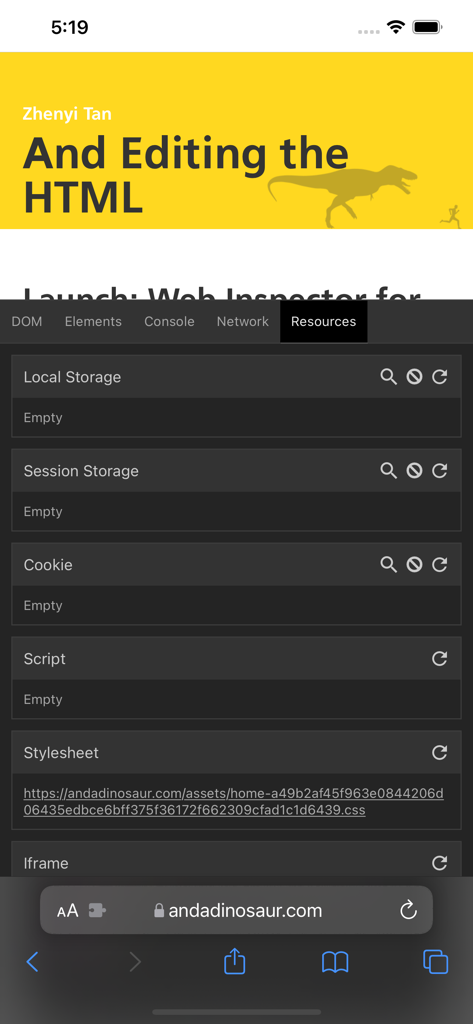
The tools that make this app stand out, trusted by 269K+ users.
Identify and fix layout glitches instantly by inspecting elements and modifying styles in real-time directly within Safari.
Execute scripts, view errors, and debug complex issues on the go with a functional console optimized for mobile productivity.
Monitor API requests and manage cookies or local storage to troubleshoot performance and data persistence without a desktop computer.
Trusted by 269K+ people who love this app.
"Web Inspector has completely changed my mobile workflow. I no longer have to tether my iPhone to my Mac just to debug a CSS glitch or check a console log. It finally makes the iPad feel like a legitimate development workstation. Essential for any web professional on the go."
"Testing mobile-specific bugs used to be a massive headache, but this app makes it seamless. Being able to inspect network requests and edit the DOM directly in Safari is a lifesaver for troubleshooting live site audits. It is easily the most useful utility in my dev toolkit."
Everything you need to know about Web Inspector.
Description
Latest Version
1.2.7
Size
2.6 MB
First Released
Sep 16, 2021
Join over 269,000 developers who inspect DOM, debug JavaScript, and monitor network traffic directly in Safari on iPhone and iPad.
Everything you need to know about Web Inspector
Web Inspector is an app that expands Mobile Safari with a suite of web development tools. It enables users to inspect and debug webpages directly on their iOS device.
Yes, Web Inspector allows users to edit elements within the Document Object Model (DOM) of a webpage. This includes viewing, inspecting, and modifying HTML structures.
Web Inspector offers DOM, Elements, Console, Network, and Resource tools. These functionalities are designed for inspecting, debugging, and modifying web content within Mobile Safari.
No, Web Inspector does not collect, store, or transmit any personal information. This policy ensures user privacy while using the web development tools on iOS.
Web Inspector provides a Console tool where users can type JavaScript commands for debugging, modification, and information retrieval. It also displays logs, errors, and warnings emitted from a webpage.
Yes, Web Inspector includes a Network tool. It provides a detailed list of all network requests and responses made from a webpage, allowing for comprehensive analysis and debugging.
Yes, the Elements tool in Web Inspector displays details about a webpage's nodes and styles. This allows developers to inspect and understand the CSS applied to specific HTML elements.
The Resources tool in Web Inspector reveals details about data stored by a webpage. This includes cookies, local storage, and session storage, offering insights into client-side data management.
Apps with similar features and user experience

Proxyman LLC

Punch Through Design LLC

Minimalist Network Co., Ltd.

Hangzhou OrangeJuice Technology Co., Ltd.

Stephen Bove

Vuong Anh

Ahammam Lahcen

Stream Lab Inc.

Surge Networks Inc.