Whats-App Web Scanner

Whats-App Web Scanner

Download on App Store
Spark by MWM logo
Logo of Whats-App Web Scanner
Whats-App Web Scanner: The Powerful Dual Messenger for iPhone and iPad

Seamlessly sync your chats across all your devices, save disappearing stories, and message anyone instantly without adding them to your contacts.

Publisher

Sudhir Donga

Category

Social Networking

Downloads

160K+

User Rating

4.5/5

Total Ratings

1000

Locales

8

Dual Messaging Perfected

Discover the interface used by 160K+ users.
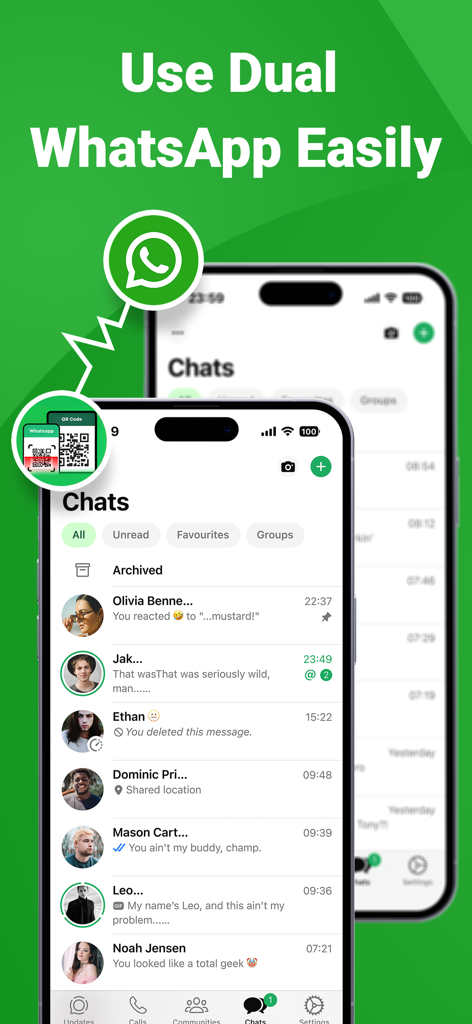
Interface of the WhatsApp clone app showing dual account messaging on two iPhones.

Interface of the WhatsApp clone app showing dual account messaging on two iPhones.

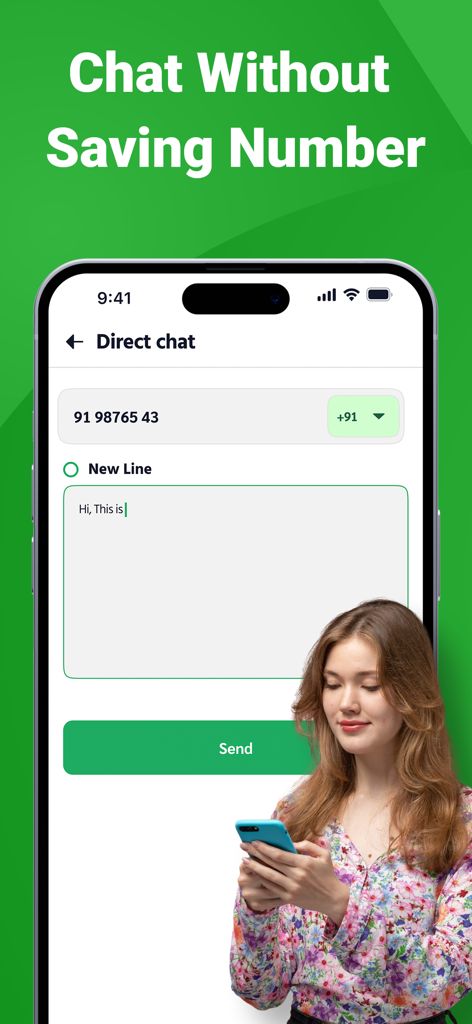
Smartphone displaying the direct chat feature to send messages without saving contacts

Smartphone displaying the direct chat feature to send messages without saving contacts

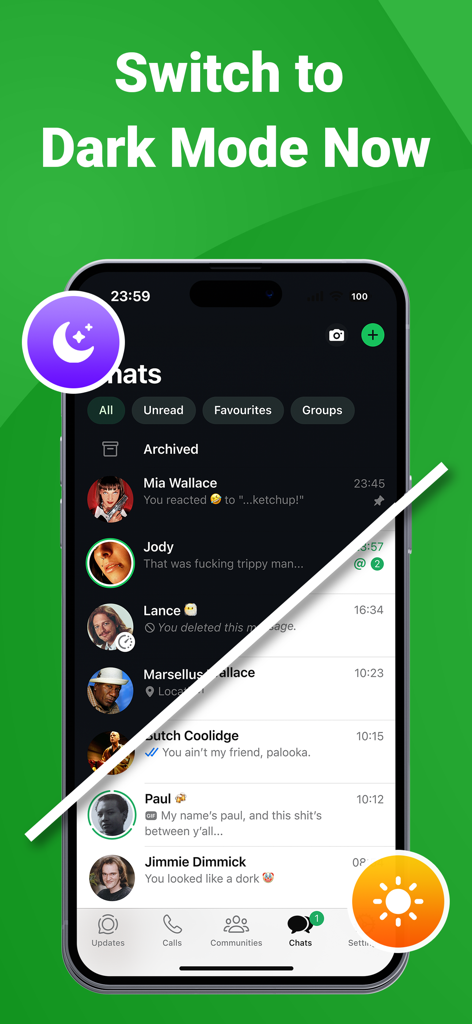
A split screen demonstration of the app interface in both dark and light modes.

A split screen demonstration of the app interface in both dark and light modes.

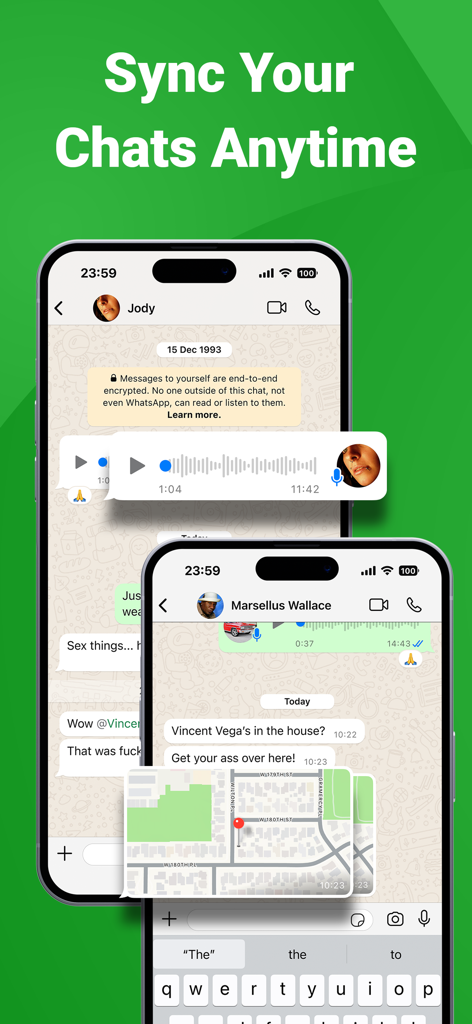
Mobile app interface showing synchronized chat messages and location sharing on two smartphones

Mobile app interface showing synchronized chat messages and location sharing on two smartphones

Master Your Messaging Experience

The tools that make this app stand out, trusted by 160K+ users.

📱

Dual Messenger for iPad

Finally, a seamless way to use WhatsApp on your iPad. Clone your account in seconds and enjoy real-time syncing across all your Apple devices.

Direct Contactless Chat

Stop cluttering your address book. Message clients or marketplace sellers instantly without the need to save temporary phone numbers to your contacts.

💾

Smart Status Downloader

Archive important updates, business assets, or personal memories. Save high-quality photos and videos from statuses directly to your device permanently.

Loved by users worldwide

Trusted by 160K+ people who love this app.

"

"Finally, a way to use WhatsApp on my iPad that actually feels native! The connection is super stable, and the Direct Chat feature is a lifesaver for my business—I no longer have to save dozens of temporary contacts just to send one message."

James L., Small Business Owner
"

"I've tried several clone apps, but this one is by far the fastest. I love being able to mirror my chats on my secondary device when I travel, and the status saver works perfectly for archiving memories from my friends' stories."

Sarah M., Digital Nomad

About the app

Everything you need to know about Whats-App Web Scanner.

Description

Clone App for WhatsApp Web Dual Messenger! Whats-App Web Scan Clone App is an instant messaging app for IPhone to keep in touch with all of your contacts from WhatsApp web. Have you been looking for a dual messenger for WhatsApp? Wa web clonar app is the best clone app to your WhatsApp account and instant messaging to other phones, open Whats Web for WhatsApp for IPad in a few seconds. With Whats Web Clone app you will have two different mobile devices with the same WhatsApp account. With dual messenger story saver watshapp web, you can save WhatsApp web Stories to your device to keep them forever or share them with your friends and family. Whats web CloneApp Messenger - Dual messenger for WhatsApp Web & Status Saver - the original application for cloning your personal Whats chat account to another IPhone or IPad, Whats web for WhatsApp for ipad. This application is also for instant communication with contacts from your WhatsApp history. zap clone is a great cloner utility for storing all your data from watshapp web. With this app you can view your history and save statuses and media files in various available convenience formats. - Fast and Stable Connection Scan the QR code in Whats Web and you can easily log in to the account. It works smoothly after logging in, no need to worry about unexpected logouts. - Instantly Sync WhatsApp Messages You can read, reply and download all messages of cloned accounts in real time. Never miss a message. - Direct Chat Want to send a message but find out he's not in your contacts? With Direct Chat, you can directly send messages on WhatsApp or WhatsApp Business without adding contacts. Premium users have access to all the features described above. Once the signature is done, you don't have to worry about the renewal being done automatically. If you change your mind, you can cancel the subscription or turn off auto-renew at any time in your iTunes account (As long as it is done at least 24 hours before the subscription renewal). the value of the current signature cannot be returned and the service cannot be interrupted in case of withdrawal during the validity period. You can manage your subscription with your iTunes account. To access your account: iTunes> iTunes Store> Your Account> Settings> Manage Subscriptions. Terms of use : https://sites.google.com/view/whats-web-whatscan-for-web/home Privacy & Policy : https://sites.google.com/view/whatscan-for-web/home EULA : https://sites.google.com/view/whatsweb-whatscanforwebeula/home Disclaimer: This app is created by us, and it not an official WhatsApp application and not associated with WhatsApp Inc.

Latest Version

4.0

Size

21.6 MB

First Released

Mar 22, 2023

Ready to Master Your Messaging Across All Devices?

Join over 160,000 power users who have upgraded their iPad and iPhone experience. Download now to sync your chats, save stories, and message directly without the clutter.

Download on App Store
FAQ

Frequently Asked Questions

Everything you need to know about Whats-App Web Scanner

What is Whats-App Web Scanner?

Whats-App Web Scanner is an instant messaging app for iPhone that functions as a dual messenger for WhatsApp. It allows users to clone their WhatsApp account to another iPhone or iPad, enabling access to chats and features on multiple devices.

Can I use Whats-App Web Scanner to manage two WhatsApp accounts on one device?

Yes, Whats-App Web Scanner acts as a dual messenger, allowing you to have the same WhatsApp account on two different mobile devices. It clones your personal WhatsApp chat account to another iPhone or iPad.

How does Whats-App Web Scanner connect to my WhatsApp account?

Whats-App Web Scanner connects by requiring users to scan a QR code from WhatsApp Web. This provides a fast and stable connection, allowing easy login and real-time synchronization of messages.

Does Whats-App Web Scanner allow direct messaging without saving contacts?

Yes, Whats-App Web Scanner features a "Direct Chat" function. This enables users to send messages directly on WhatsApp or WhatsApp Business without the need to first add the contact to their phonebook.

Can I save WhatsApp stories with Whats-App Web Scanner?

Yes, Whats-App Web Scanner includes a story saver feature. With the dual messenger story saver, you can save WhatsApp web Stories to your device to keep them or share them with others.

Does Whats-App Web Scanner support Dark Mode?

Yes, Whats-App Web Scanner supports Dark Mode. Users can switch to Dark Mode, providing an alternative visual theme for the application interface.

How do I manage my subscription for Whats-App Web Scanner?

You manage your subscription for Whats-App Web Scanner through your iTunes account. You can access it via iTunes > iTunes Store > Your Account > Settings > Manage Subscriptions to cancel or turn off auto-renew.

Does Whats-App Web Scanner sync all my WhatsApp messages?

Yes, Whats-App Web Scanner instantly syncs WhatsApp messages. Users can read, reply to, and download all messages from cloned accounts in real time, ensuring no messages are missed.