
WPS会议
Zhuhai Kingsoft Office Software Co.,Ltd



Elevate your professional productivity with high-quality video conferencing and integrated document editing. Join instantly from any device and collaborate securely with your team, anywhere in the world.
Publisher
Category
BusinessDownloads
124K+User Rating
Total Ratings
100Locales
4Discover the interface used by 124K+ users.
The tools that make this app stand out, trusted by 124K+ users.
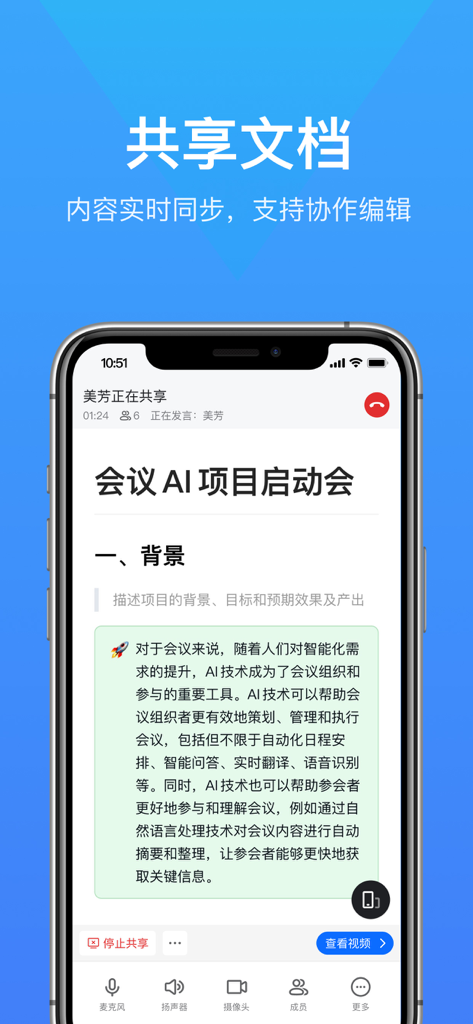
Sync views and edit documents in real-time with your team. No more passive screen sharing—collaborate directly within the call.
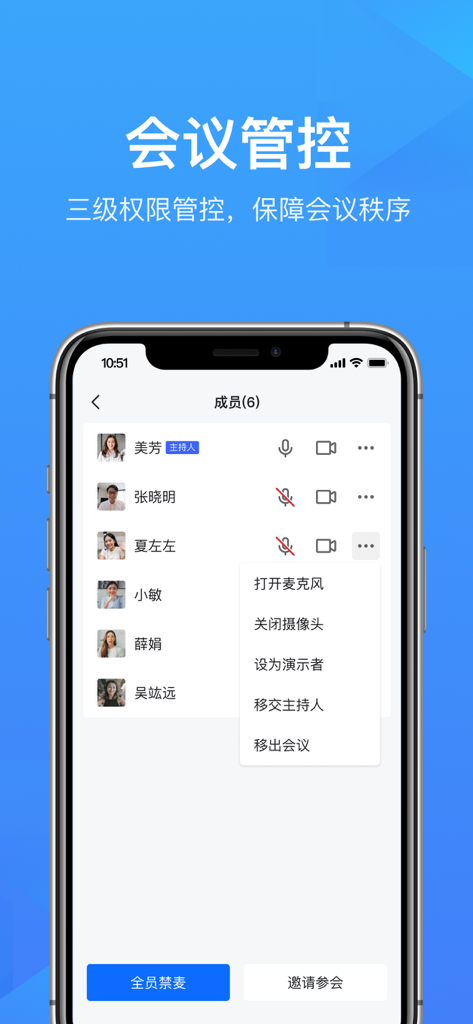
Keep your sessions secure and orderly with robust permission controls for hosts, presenters, and participants.
Jump into meetings from your iPhone, iPad, or browser in seconds. Stay connected across time zones and devices effortlessly.
Trusted by 124K+ people who love this app.
"WPS Meeting has completely streamlined my international project syncs. Being able to sync document viewing and collaborate on edits in real-time within the call is a game-changer. I no longer have to toggle between multiple apps; everything I need is right there."
"As someone who works mainly from my iPad, I love how lightweight and responsive this app is. The fast-join feature makes it so easy for my clients to hop on a call without any technical hurdles, and the permission controls keep my presentations professional and organized."
Everything you need to know about WPS会议.
Description
Latest Version
1.87.430
Size
244.5 MB
First Released
Mar 21, 2022
Join thousands of professionals bridging the gap between communication and creation. Download WPS Meeting to experience seamless video calls and collaborative document editing on your favorite devices.
Everything you need to know about WPS会议
WPS Meeting is an efficient, secure, and simple cloud meeting platform. It supports multi-person audio/video calls, synchronized document viewing, and collaborative editing to maximize communication efficiency.
Yes, WPS Meeting supports sharing documents during meetings. Attendees automatically sync with the presenter. They can also request editing permissions from the owner to collaborate on documents.
Yes, WPS Meeting provides a three-level permission control system including host, presenter, and audience. Hosts can designate presenters and manage attendees to ensure an orderly meeting.
WPS Meeting supports mobile phones, computers, and Web platforms. Users can quickly initiate and join meetings from any of these devices, making remote meetings convenient.
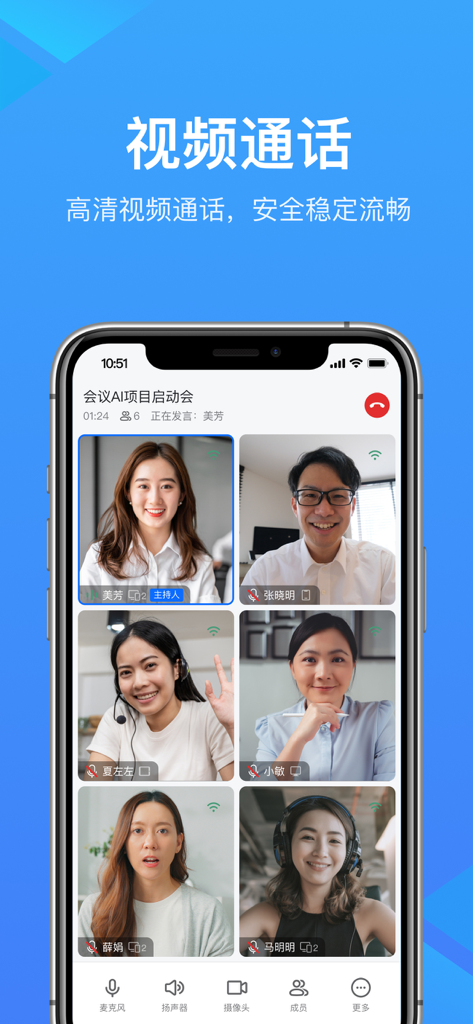
Yes, WPS Meeting offers high-definition video calls. The platform ensures secure, stable, and smooth video communication for all participants, enhancing the meeting experience.
Yes, WPS Meeting allows collaborative document editing. Attendees can request editing permissions from the document owner and then work together on the shared document, improving efficiency.
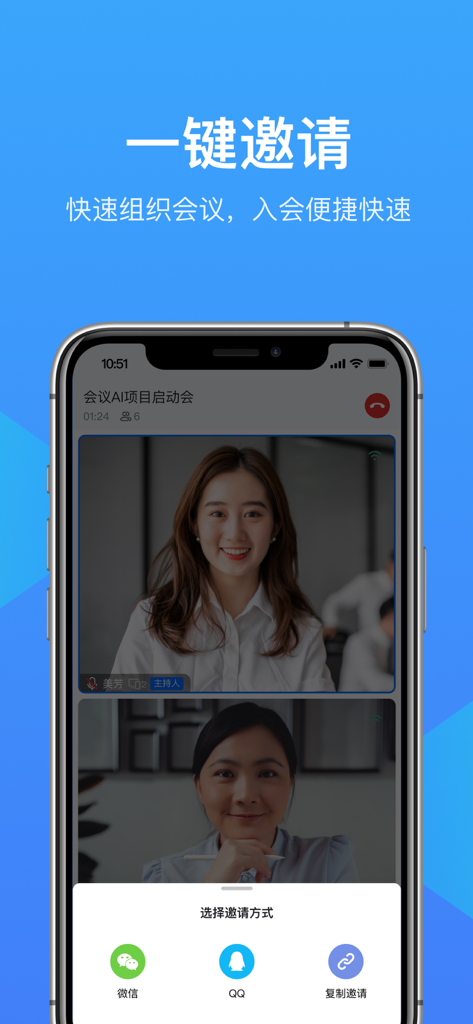
WPS Meeting offers quick invitation methods. Users can organize meetings and invite participants via popular messaging apps like WeChat and QQ, or by copying an invitation link.
Yes, WPS Meeting is a secure cloud meeting platform. Its features are designed to provide a safe and stable environment for multi-person audio and video communications.
Apps with similar features and user experience

Mega Limited

Microsoft Corporation

Box, Inc.

Zoho Corporation

Alibaba Cloud Computing Ltd.

Dropbox, Inc.

ARCTERA AM, LLC

SEATALK PRIVATE LIMITED

SIGNET TECHNOLOGY PLATFORM COMPANY LIMITED