WT Scan for Web 2026

WT Scan for Web 2026

Download on App Store
Spark by MWM logo
Logo of WT Scan for Web 2026
WT Scan for Web 2026: The Ultimate Dual Account & Productivity Toolkit

Master your communication with dual chat support, direct messaging without saving contacts, and powerful tools to separate work from life on your iPhone and iPad.

Publisher

Gaurang Radadiya

Category

Social Networking

Downloads

2M+

User Rating

4.6/5

Total Ratings

31K+

Locales

14

A Glimpse of Efficiency

Discover the interface used by 2M+ users.
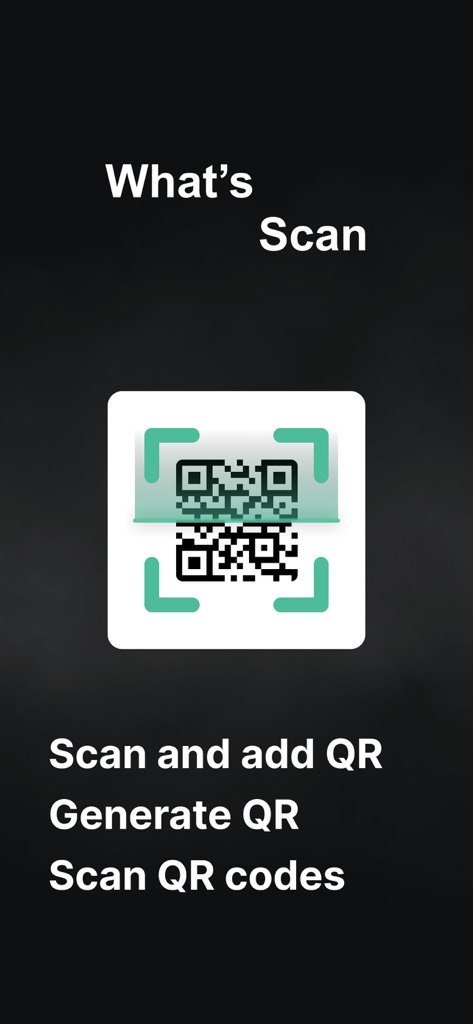
WT Scan for Web 2026 app screen showing QR code scanning and generation features

WT Scan for Web 2026 app screen showing QR code scanning and generation features

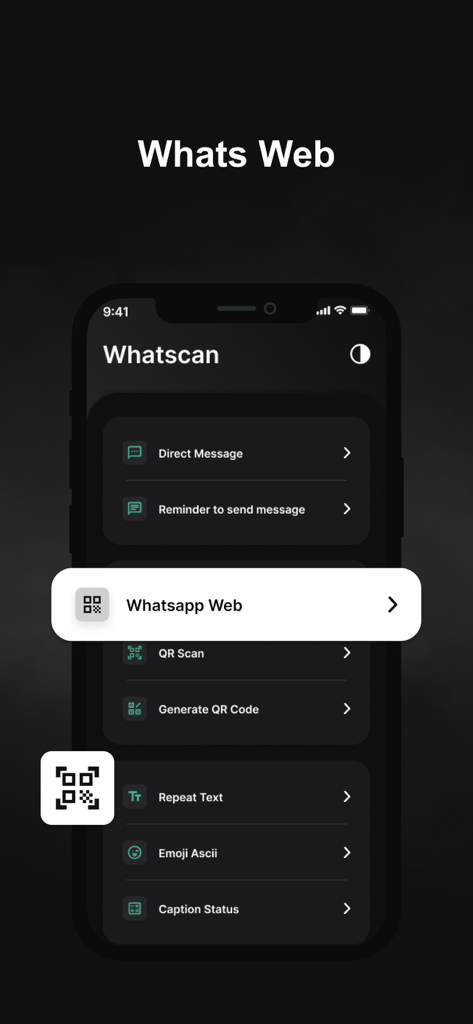
Interface of WT Scan for Web app showing features like Whatsapp Web and Direct Message in dark mode.

Interface of WT Scan for Web app showing features like Whatsapp Web and Direct Message in dark mode.

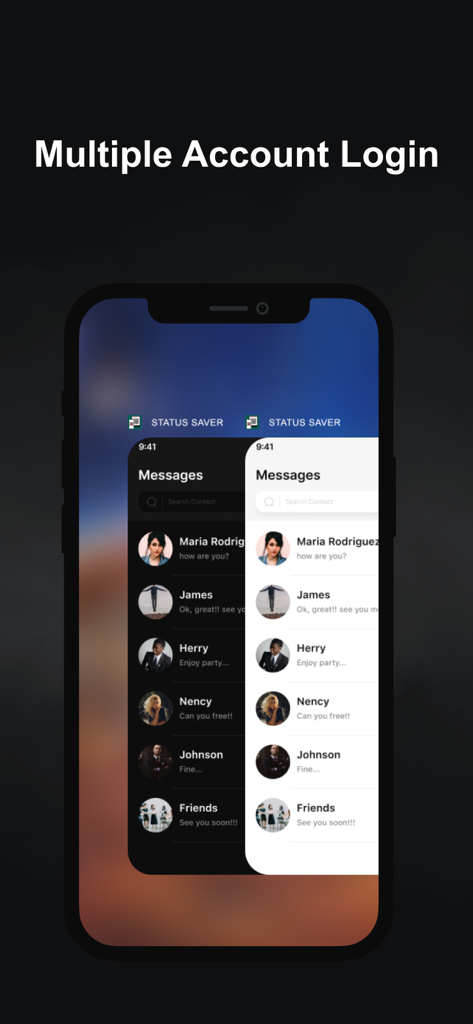
A smartphone display showing the multiple account login feature with overlapping dark and light mode chat screens.

A smartphone display showing the multiple account login feature with overlapping dark and light mode chat screens.

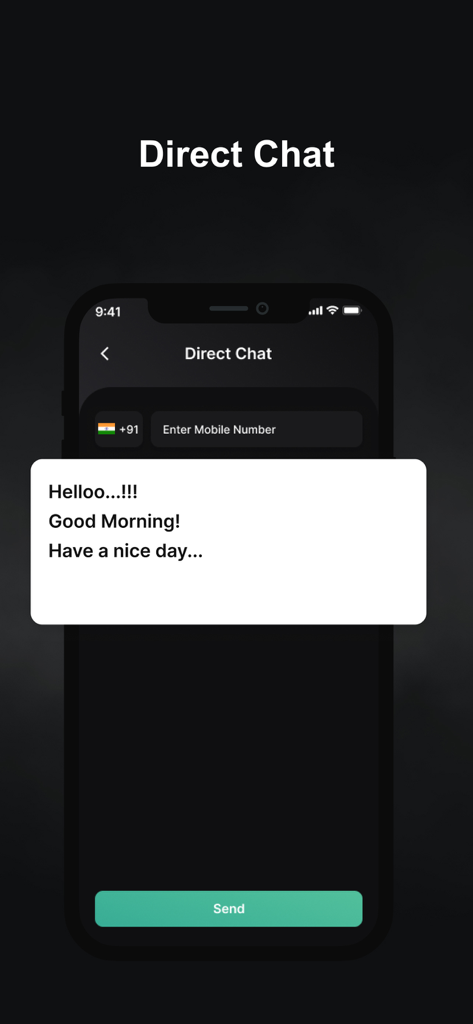
Direct Chat screen of the WT Scan for Web app showing a message box and phone number field

Direct Chat screen of the WT Scan for Web app showing a message box and phone number field

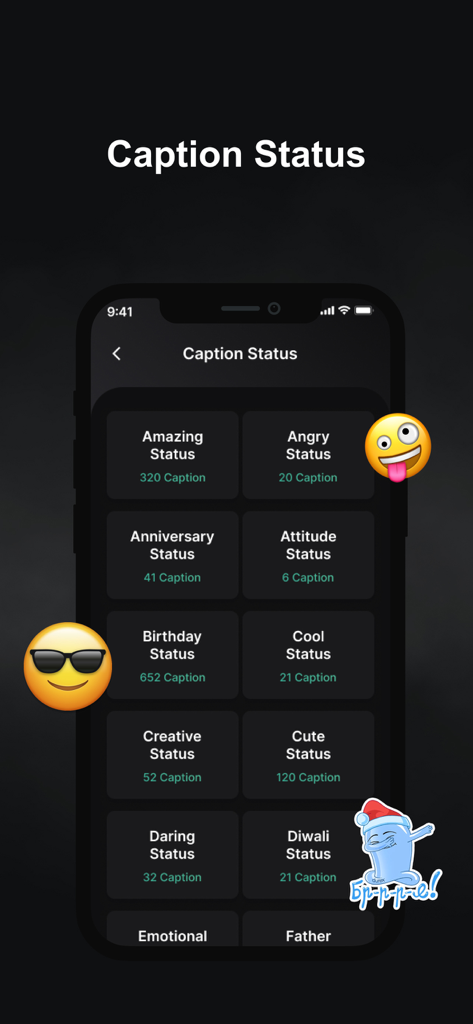
A list of caption categories for social media status within the WT Scan app including Amazing and Birthday themes.

A list of caption categories for social media status within the WT Scan app including Amazing and Birthday themes.

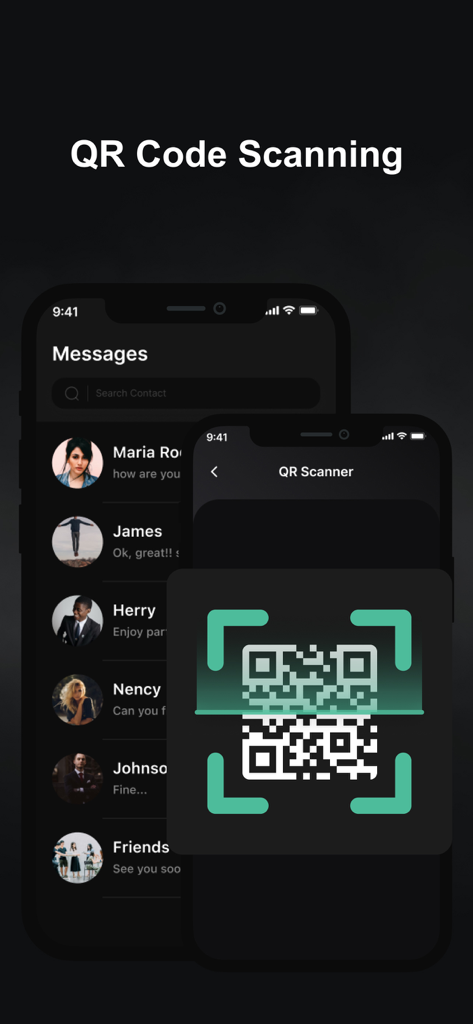
QR code scanner interface for linking accounts in the WT Scan for Web 2026 app

QR code scanner interface for linking accounts in the WT Scan for Web 2026 app

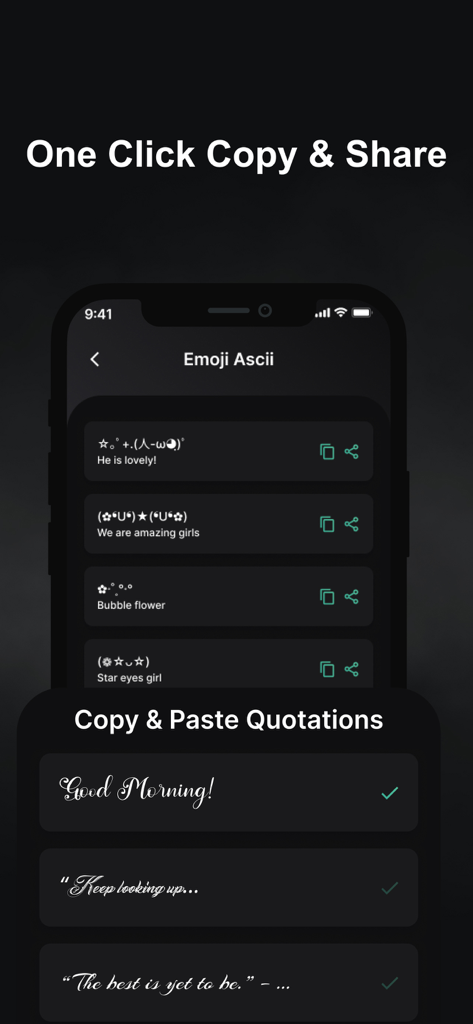
Screenshot of WT Scan for Web app showing ASCII emojis and copy-paste quotations with stylized fonts.

Screenshot of WT Scan for Web app showing ASCII emojis and copy-paste quotations with stylized fonts.

Master Your Communication Workflow

The tools that make this app stand out, trusted by 2M+ users.

👥

Dual Account Management

Effortlessly run two accounts on one device or sync your personal and business chats across your iPhone and iPad.

Instant Direct Message

Reach new clients or marketplace buyers immediately. Send messages to any number without the friction of saving it to your contacts.

🛠️

Professional Utility Suite

Generate custom QR codes and use advanced text tools to make your professional communication more efficient and engaging.

Loved by users worldwide

Trusted by 2M+ people who love this app.

"

"This app is a lifesaver for my freelance business. Being able to use two accounts on one device helps me keep my work and personal life separate. The direct message feature without saving numbers is exactly what I needed for quick client reach-outs."

Julian Martinez
"

"Finally, a way to get WhatsApp on my iPad perfectly! The QR scan is instant and the connection is stable. I also use the text-to-emoji and ASCII face tools all the time to spice up my group chats. Highly recommended for anyone wanting more features."

Sarah Chen

Review Analysis

Insights from user reviews.

Sentiment Score

31%
Negative

Summary

This app receives predominantly negative feedback, primarily due to persistent issues with functionality and stability. A widespread problem reported by users is a recurring prompt to update browsers like Chrome or Firefox, even when they are already current, which prevents app usage. Many subscribers, both monthly and yearly, experience the app ceasing to work, frequent logouts, or specific features becoming inaccessible after payment, leading to frustration and accusations of scamming. Key features such as WhatsApp Web access, archived chats, status, settings, and calls are frequently cited as non-functional. Despite these significant issues, a small number of users have found the app useful and report a positive experience.

Common Themes

App Stability(18)
Subscription Problems(17)
Browser Update Loop(8)
Positive Experience(8)
WhatsApp Web Access(4)
Feature Malfunctions(3)
Performance Issues(3)

About the app

Everything you need to know about WT Scan for Web 2026.

Description

With it you can separate your work from life and use pasteboard to send messages directly to your friends , also your favorite status. You can also use the QR code scanning tool to convert the QR code into a URL, which is more convenient to use. -> Whatscan Category - Easy to customize - Text repeater - Status Caption - Text to Emoji Creator - Create your own qr code - WA Web - Send WA message without saving number - Ascii Face Creator - Security so that you have your information safe Whatscan for WA Web allows you to open two accounts on the same device or the same account on multiple devices simply by scanning the WA web QR code. Too easy You just have to open WasaWeb and scan the other account's QR code and now you are done to use the dual chat feature with this web cloning app. All chat from your linked WA. You can view all messages and replay them with the help of Wasa web scan. Start testing it now: Follow these three steps and use the dual chat feature. 1) Open WA web scanning app where you get the QR code. 2) Open the WA application on another mobile device and go to the part in WA web settings. 3) Open the WA Web option and point to the previously opened QR code. SUBSCRIPTION AND TERMS: You may purchase an auto-renewing subscription through an In-App Purchase to enjoy all App Features without Ads: • Auto-renewable subscription • Weekly ($2.99), 1 month ($4.99) and 1 year ($29.49) durations • Your subscription will be charged to your iTunes account at confirmation of purchase and will automatically renew (at the duration selected) unless auto-renew is turned off at least 24 hours before the end of the current period. • Current subscription may not be cancelled during the active subscription period; however, you can manage your subscription and/or turn off auto-renewal by visiting your iTunes Account Settings after purchase. Read our full Terms of Service and our Privacy Policy at: * Link to Privacy Policy : https://whatscanwebappss.blogspot.com/2024/10/privacy-policy.html * Link to EULA : https://whatscanwebappss.blogspot.com/2024/10/end-user-license-agreement-agreement.html * Link to Terms of use : https://whatscanwebappss.blogspot.com/2024/10/terms-conditions.html NOTE: Disclaimer: This app is created by us, and it not an official WhatsApp application and not associated with WhatsApp Inc.

Latest Version

34.0

Size

48.9 MB

First Released

May 13, 2022

Ready to Master Your WhatsApp Workflow?

Join 2M+ professionals who use WT Scan to manage dual accounts, message without saving numbers, and reclaim their work-life balance.

Download on App Store
FAQ

Frequently Asked Questions

Everything you need to know about WT Scan for Web 2026

What is WT Scan for Web 2026?

WT Scan for Web 2026 is an app enabling dual WhatsApp accounts on one device or a single account across multiple devices. It achieves this by scanning the WhatsApp web QR code, facilitating seamless multi-device chat access.

How do I use the dual chat feature in WT Scan for Web 2026?

To use the dual chat, open WT Scan for Web 2026 for a QR code. On another device, access WhatsApp web settings and scan that QR code. This links the accounts, activating the dual chat feature.

Does WT Scan for Web 2026 include a QR code scanner and generator?

Yes, WT Scan for Web 2026 offers a QR code scanning tool to convert codes into URLs. It also provides functionality to create your own QR codes directly within the application for various uses.

Can I send WhatsApp messages without saving numbers using WT Scan for Web 2026?

Yes, WT Scan for Web 2026 allows users to send direct WhatsApp messages without the need to first save the recipient's contact number. This feature streamlines quick communications.

What are the subscription prices for WT Scan for Web 2026?

WT Scan for Web 2026 offers auto-renewing subscriptions at $2.99 weekly, $4.99 for one month, and $29.49 for one year. These subscriptions unlock all app features and remove advertisements.

How do I cancel my WT Scan for Web 2026 subscription?

You can manage your WT Scan for Web 2026 subscription and turn off auto-renewal by visiting your iTunes Account Settings after purchase. Active subscriptions cannot be canceled mid-period.

Is WT Scan for Web 2026 an official WhatsApp product?

No, WT Scan for Web 2026 is developed independently. It is not an official WhatsApp application and holds no association with WhatsApp Inc., according to the app's disclaimer.

Does WT Scan for Web 2026 offer text-related utility features?

Yes, WT Scan for Web 2026 includes several text utilities such as a Text Repeater, Status Caption options, and a Text to Emoji Creator for varied communication and expression needs.