Xequence AU | Keys

Xequence AU | Keys

Download on App Store
Spark by MWM logo
Logo of Xequence AU | Keys

Xequence AU | Keys: Professional Expressive MIDI Control for AUv3 Hosts

Elevate your mobile production with a scale-aware, highly customizable keyboard featuring deep MIDI CC integration and MPE-like expression for AUM, Cubasis, and beyond.

Download on App Store

Publisher

Alexander Ewering

Category

Music

Downloads

2K+

User Rating

4.9/5

Total Ratings

0

Locales

1

Precision Performance Visualized

Discover the interface used by 2K+ users.
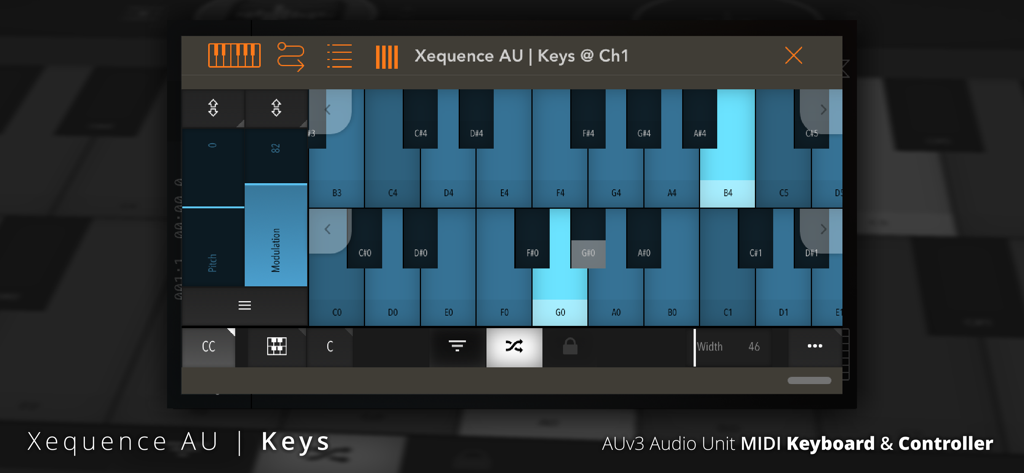
Dual keyboard interface with pitch and modulation ribbons and adjustable MIDI CC controls

Dual keyboard interface with pitch and modulation ribbons and adjustable MIDI CC controls

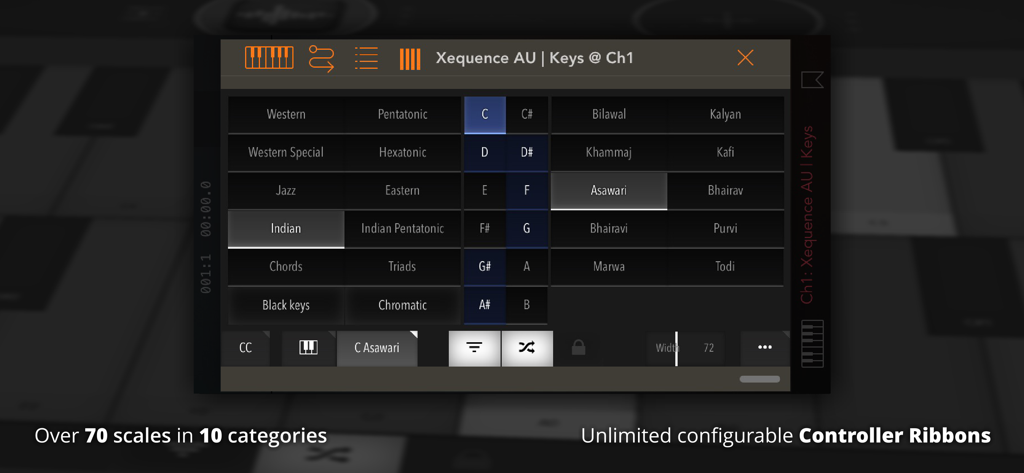
Interface of Xequence AU Keys app showing over 70 musical scales and categories for MIDI control

Interface of Xequence AU Keys app showing over 70 musical scales and categories for MIDI control

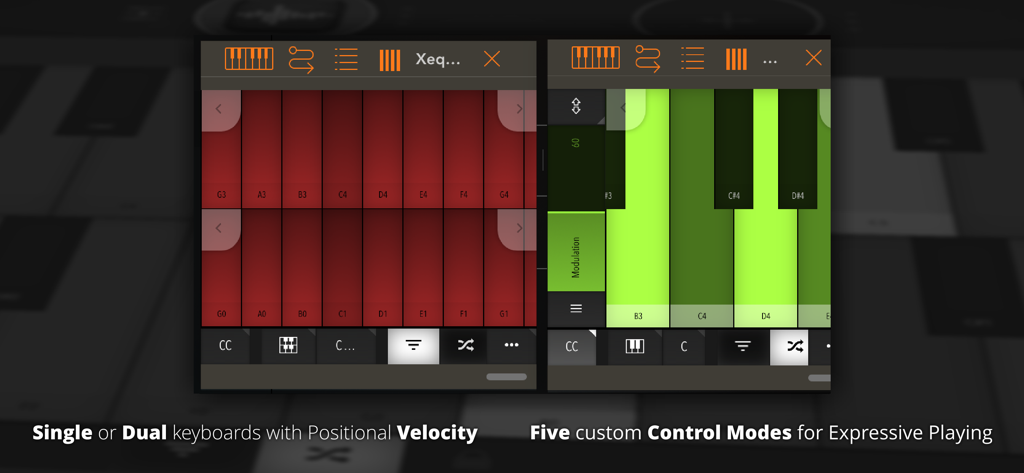
Xequence AU Keys interface showing dual keyboard layouts and expressive MIDI control modes for mobile music production

Xequence AU Keys interface showing dual keyboard layouts and expressive MIDI control modes for mobile music production

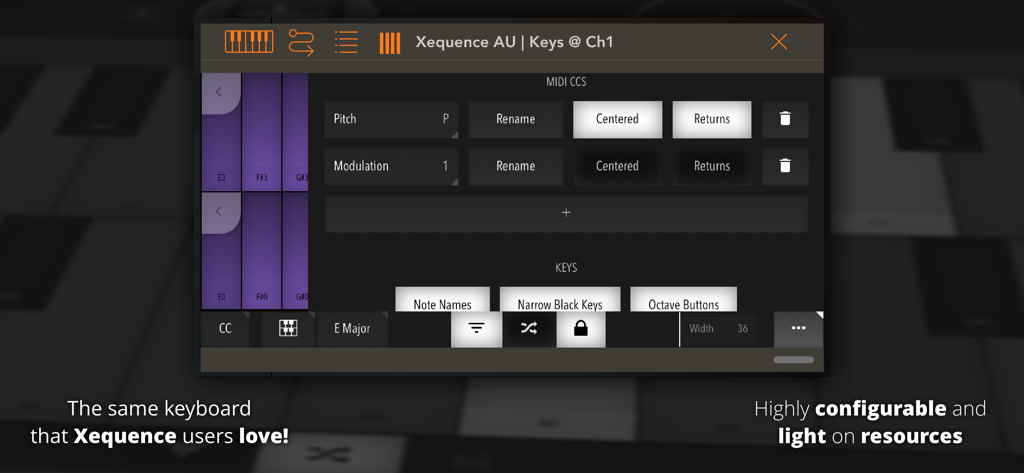
Settings menu for configuring MIDI CC and keyboard layouts in Xequence AU Keys.

Settings menu for configuring MIDI CC and keyboard layouts in Xequence AU Keys.

The Ultimate Tool for Mobile Composers

The tools that make this app stand out, trusted by 2K+ users.

🎹

Scale-Locked Performance

Eliminate wrong notes with over 70 included scales and a fully customizable keyboard layout that adapts to your playing style.

🔄

Expressive MIDI Control

Add life to your patches with MPE-like expression using device rotation, vertical touch ribbons, and velocity-sensitive key positioning.

Ultra-Light Pro Workflow

Built for speed and stability, supporting unlimited instances and instant state restoration within power-user hosts like AUM and Cubasis.

Loved by users worldwide

Trusted by 2K+ people who love this app.

"

"Xequence Keys has completely replaced my physical MIDI controller for on-the-go sessions. The scale-aware keyboard is incredibly intuitive, and since it’s AUv3, it integrates perfectly with AUM without wasting any system resources. It is the most stable and responsive keyboard utility I have found for the iPad."

Marcus T., Electronic Music Producer
"

"The expressivity you can get out of this app is insane. I love mapping the device rotation and key position to my synth filters—it gives my patches a movement that is usually impossible on a touchscreen. If you are serious about mobile sound design, this is a must-have tool for your AUv3 host."

Sarah J., Sound Designer & Composer

About the app

Everything you need to know about Xequence AU | Keys.

Description

IMPORTANT: This app is targeted at music production enthusiasts and requires an AUv3 Audio Unit Host to run! It does not do ANYTHING on its own! Xequence AU | Keys is a comprehensive and expressive keyboard controller for use inside AU (Audio Unit) hosts like AUM, Cubasis, apeMatrix, etc. It features the same, widely acclaimed keyboard that users of Xequence, our advanced MIDI workstation, have grown to love. HIGHLIGHTS: - Fully scale-aware, very playable single or dual keyboard - Extremely fast and light on resources - Over 70 scales in 10 categories included - Freely adjustable key width - "Glide" mode for triggering keys by sliding between them - Velocity emulation (via vertical position on key) - Automatically adapts to nearly any plugin window size or aspect ratio - Unlimited instances - Full support for AU presets (and state saving / restoration) in the host - Configurable keyboard color and MIDI channel CONTROLLERS: - Any number of MIDI CCs (controllers) can be freely configured and shown as touch ribbons next to the keyboard - A number of standard controller numbers (such as 74 = Cutoff, 7 = Volume etc.) are included and can be set with a single tap SPECIAL CONTROLLER MODES: The following special modes can be set per controller and give an "MPE-like" feel while being compatible with non-MPE synths: - DEVICE ROTATION - controller moves according to device rotation - GATE - controller can be set to a default position, and then tapped anywhere to toggle it to that position and back (think "Trance gates" when used with eg. CC 7 / Volume) - KEY POSITION - controller moves when touching a keyboard key, depending on vertical position - KEY SLIDE - controller moves along when one or more fingers are moved vertically while holding any number of keys - The above modes can also be combined - Note that this is NOT MPE - controllers are always sent for all notes at once, not per individual note! Please report any issues via our website, we provide quick and comprehensive support!

Latest Version

1.2.1

Size

2.7 MB

First Released

Feb 23, 2019

Transform Your Mobile Studio with Pro-Grade MIDI Control

Join thousands of AUv3 power users today. Add the most expressive, scale-aware keyboard controller to your AUM or Cubasis workflow.

Download on App Store