
XHelper



Stop switching to the browser for simple tasks. Convert Epoch timestamps, encode Base64, and generate SHA256 hashes instantly with a lightweight, privacy-first tool built for your Mac, iPhone, and iPad.
Publisher
Category
Developer ToolsDownloads
13K+User Rating
Total Ratings
0Locales
1Discover the interface used by 13K+ users.
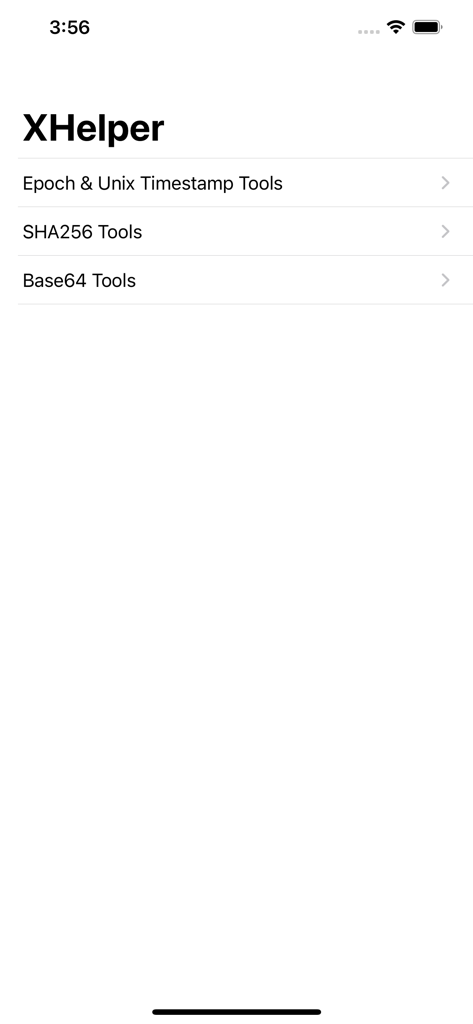
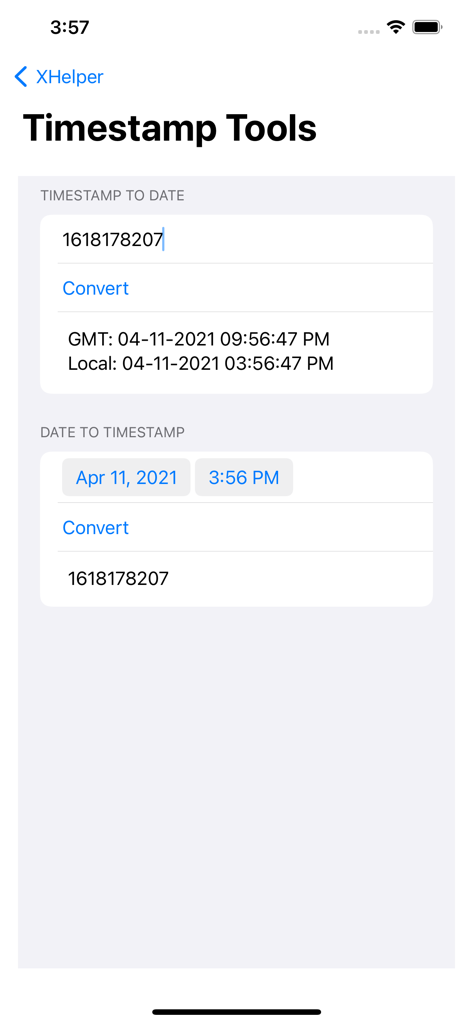
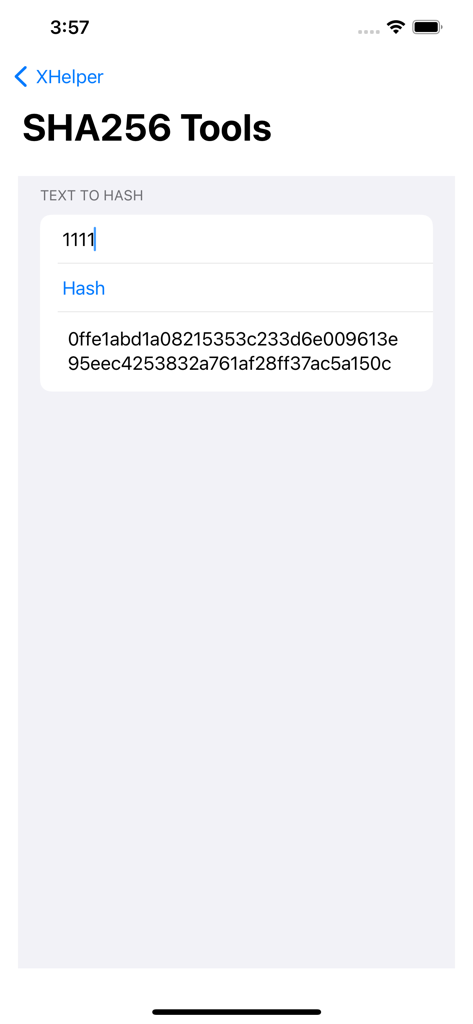
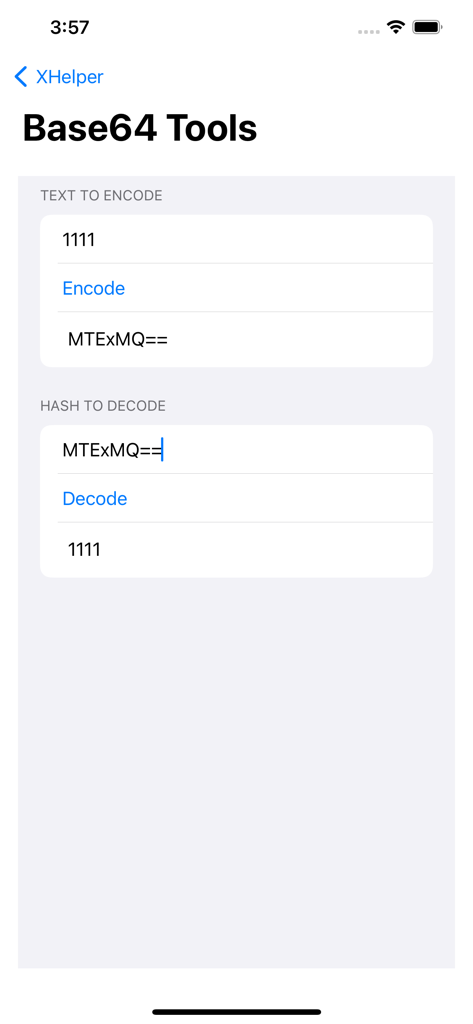
The tools that make this app stand out, trusted by 13K+ users.
Convert Unix timestamps to human-readable dates in seconds, eliminating manual calculations and friction during debugging.
Generate SHA256 hashes and Base64 strings locally on-device, ensuring sensitive production data never touches a browser.
A lightweight utility optimized for iPhone, iPad, and Mac that provides essential tools without ads, logins, or distractions.
Trusted by 13K+ people who love this app.
"As a backend engineer, I used to rely on sketchy web converters for Unix timestamps and Base64 strings. XHelper is a game-changer—it's fast, works offline, and the Mac integration fits perfectly into my workflow. Essential for anyone handling API debugging daily."
"This app is so much better than searching for converters online every five minutes. The UI is clean, lightweight, and does exactly what it says without any bloat. Being able to quickly hash strings or check Epoch times on my iPhone while away from my desk is incredibly handy."
Everything you need to know about XHelper.
Description
Latest Version
1.4.0
Size
1.0 MB
First Released
May 1, 2019
Stop relying on browser-based tools. Get fast, secure, and on-device utility for SHA256, Base64, and Unix timestamps across your iPhone, iPad, and Mac.
Everything you need to know about XHelper
XHelper is a simple utility application for developers. It provides tools for hashing strings using SHA256, converting Epoch and Unix timestamps, and encoding/decoding Base64 strings.
XHelper includes SHA256 hashing tools, Epoch and Unix timestamp conversion tools, and Base64 encoding and decoding functionalities. These are accessible from the main menu.
XHelper hashes strings using SHA256. Users access the "SHA256 Tools," input the desired text, and press "Hash." The application then displays the resulting SHA256 hash.
Yes, XHelper converts Epoch and Unix timestamps to dates. Users input the timestamp into the "TIMESTAMP TO DATE" section within the "Epoch & Unix Timestamp Tools," and the app displays GMT and local date.
To encode Base64 strings in XHelper, navigate to "Base64 Tools." Enter your text in the "TEXT TO ENCODE" field, and the app generates the Base64 encoded output.
Yes, XHelper decodes Base64 strings. Within the "Base64 Tools" section, users input the Base64 hash into the "HASH TO DECODE" field, and the app displays the original decoded text.
XHelper offers conversion between Epoch/Unix timestamps and human-readable dates. It can convert a timestamp to a date (GMT and local) and convert a date/time into a timestamp.
Top-ranked apps in the same category

Apple Inc.

Replit, Inc

GitHub

Shenzhen VeePai IoT Intelligent Technology LLC

Apple Inc.

650 Industries, Inc.

Simon Stovring

Apple Inc.

Versa AI, Inc.