Yard Planner

Yard Planner

Download on App Store
Spark by MWM logo
Logo of Yard Planner

Yard Planner: Design Your Dream Landscape with Ease

Visualize your perfect outdoor space before you dig. Join over 360,000 homeowners using our intuitive drag-and-drop tools and Google Maps integration to create professional landscape layouts in minutes.

Publisher

Home Outside, Inc.

Category

Lifestyle

Downloads

362K+

User Rating

3.2/5

Total Ratings

900

Locales

1

Visualize Your Outdoor Oasis

Discover the interface used by 362K+ users.
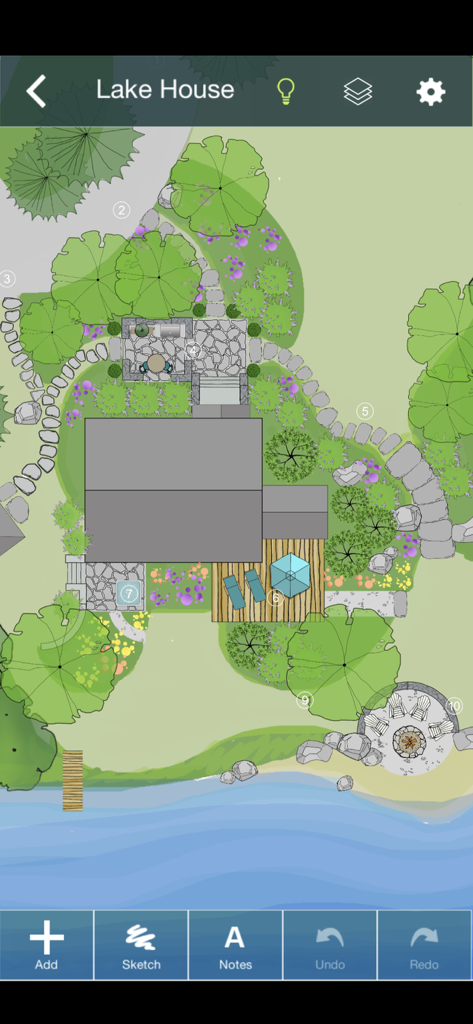
Top down view of a 2D landscape design for a lake house showing trees stone paths a deck and a fire pit

Top down view of a 2D landscape design for a lake house showing trees stone paths a deck and a fire pit

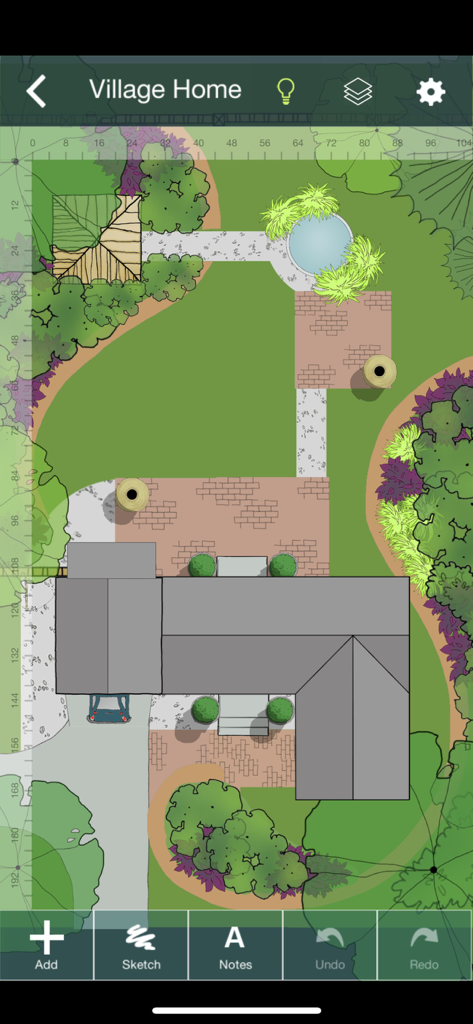
Top-down 2D landscape design of a property in the Yard Planner app

Top-down 2D landscape design of a property in the Yard Planner app

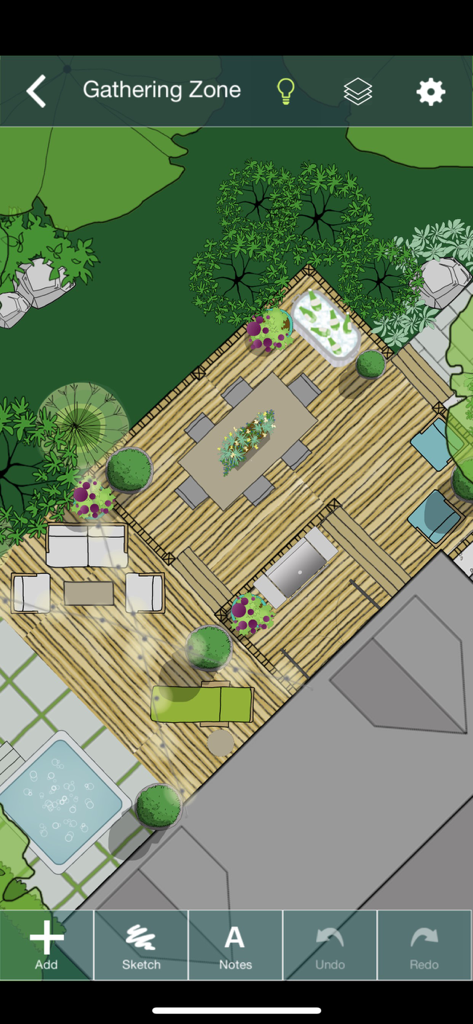
Top-down 2D landscape design of a backyard gathering area featuring a deck, dining table, and hot tub in the Yard Planner app.

Top-down 2D landscape design of a backyard gathering area featuring a deck, dining table, and hot tub in the Yard Planner app.

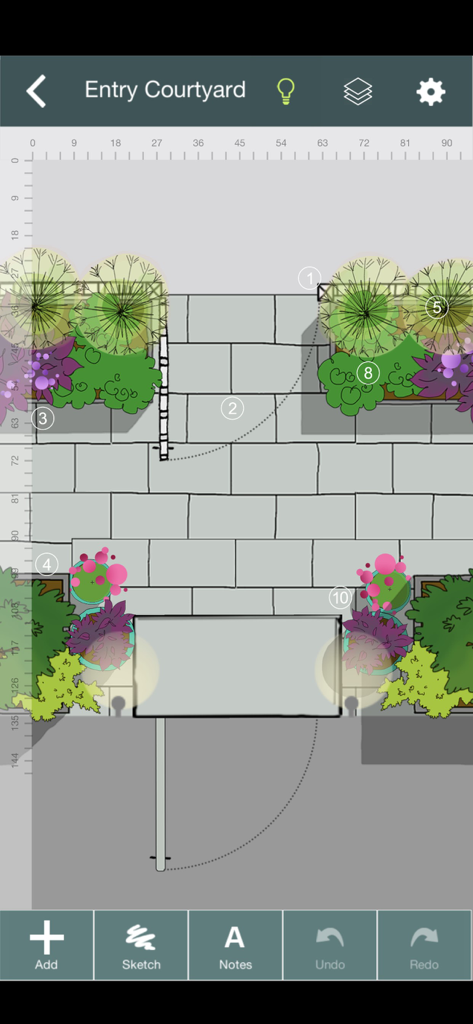
2D landscape design of an entry courtyard with stone paths and garden beds in Yard Planner

2D landscape design of an entry courtyard with stone paths and garden beds in Yard Planner

Design Your Dream Outdoor Living Space

The tools that make this app stand out, trusted by 362K+ users.

📍

Precision Property Mapping

Import your actual lot boundaries using our Google Maps integration to ensure every tree and patio fits perfectly on your land.

🌳

Drag-and-Drop Creativity

Bring your vision to life instantly with over 800 hand-drawn elements, from seasonal gardens and pools to patios and driveways.

🤝

Collaborate with Confidence

Share editable designs with spouses or landscape contractors to get accurate quotes and ensure everyone is aligned on the final vision.

Loved by users worldwide

Trusted by 362K+ people who love this app.

"

"As a first-time homeowner, I was terrified of making an expensive mistake with our landscaping. Yard Planner was a lifesaver! I used the Google Maps tool to pull in our actual property lines and spent hours 'planting' trees and placing a patio to see what looked best. It turned my vague ideas into a concrete plan that I could actually show to our contractor. It is so much easier to use than professional CAD software."

Sarah M., Homeowner
"

"I run a small landscaping business and Yard Planner has become my go-to tool for initial client consultations. I can pull out my iPad and create a beautiful, hand-drawn mockup of a garden or pool area right in front of the client. It helps them visualize the potential of their space instantly and has significantly increased my booking rate. The ability to email editable designs to my team is the icing on the cake."

David L., Landscape Designer

About the app

Everything you need to know about Yard Planner.

Description

YARD PLANNER is a simple drag-and-drop 2D landscape design app with all the tools you need to mock up your property, create new designs, and share them with friends and family. YARD PLANNER is ideal for homeowners who want to try out fresh ideas for their yard. Useful for landscape professionals to share designs with clients and contractors. Also perfect for children and adults alike to exercise their imagination and creativity! Use YARD PLANNER to select and place over 800 beautiful hand-drawn elements including trees, gardens, pools, patios, hammocks, driveways, houses and sheds, solar panels, and just about anything you might want for your property–even parties and weddings! Features include: • Sample designs to inspire or get you started • Simple drag-and-drop functionality • 34 palettes (800+ hand-drawn elements) to create your landscape design layout • Resize, Rotate, Undo/Redo, Duplicate, Flip, Group • Rotate elements with “Snap to 90” or turn off to rotate more precisely • Snap to grid (elements stick to a re-sizeable grid of guidelines, turn on/off in Settings) • Rulers (visible at edges of design; zoom in to the single unit; user selects feet/meters; can be turned on/off) • Choose from 15 different background colors • Sketch Tool (allows users to draw garden beds and other free-form shapes with an eraser and brushes of different colors, widths and opacity) • Map Tool (This highly accurate mapping tool based on Google Maps allows you to drop pins at the corners of your property and import the map image with measurements into the app as a background.) • North arrow (appears with Map Tool) • Site Analysis palettes to mark the locations of your site’s utilities and light and moisture conditions • Notes (allows users to tag elements in their designs with typed comments or descriptions) • Light/Dark mode (changes Note tags and North arrow from white to black for visibility against light backgrounds.) • Animated Figures (a palette of animated elements—a person, dog, cat, bird, and car—that move through your design on a looped or repeating path, adjustable speed, play and stop animation) • Import a Photo as a background (useful for importing a digital image of your property plan) • Create different Layers of elements in your design. Add, delete, rename layers, make each layer visible/invisible, lock/unlock for editing, and reorder layer position. • In-app step-by-step guide to creating your Property Plan. • Designs automatically save to the app’s Saved Designs gallery • Share designs on social media • Email an editable design so friends can edit one another’s designs and email them back and forth ***As featured in The New York Times, Fox News, USA Today, Gardenista, and more. “Home Outside allows you to create intricate and varied landscapes…And when you’re finished designing your yard or indulging in a little dreamscaping, you can email results to friend.” –Kate Murphy, The New York Times “The app gives you drag and drop tools to create a garden design idiosyncratic to your garden [and] allows you to choose hardscape materials, design paths and patios, and arrange furniture in your outdoor space.” –Dalilah Arja, Gardenista “I can’t imagine a designer who wouldn’t want to have this on their phone or tablet. I’ve tried this app … it’s a great tool for a ‘quickie’ design that you can show clients … and then refine as you like.” –Jane Berger, Garden Design Online

Latest Version

3.6.2

Size

761.7 MB

First Released

Jun 1, 2011

Ready to Design Your Dream Yard?

Join over 362,000 homeowners and professionals who use Yard Planner to visualize their perfect outdoor space. Start your design today on iPhone or iPad and see your property's potential before you ever pick up a shovel.

Download on App Store