
ZArchiver: UnZip, UnRar, 7Z



Bridge the gap between mobile and desktop. Extract any format, create secure password-protected archives, and manage your storage with the speed and precision that power users demand.
Publisher
Category
UtilitiesDownloads
477K+User Rating
Total Ratings
2K+Locales
7Discover the interface used by 477K+ users.
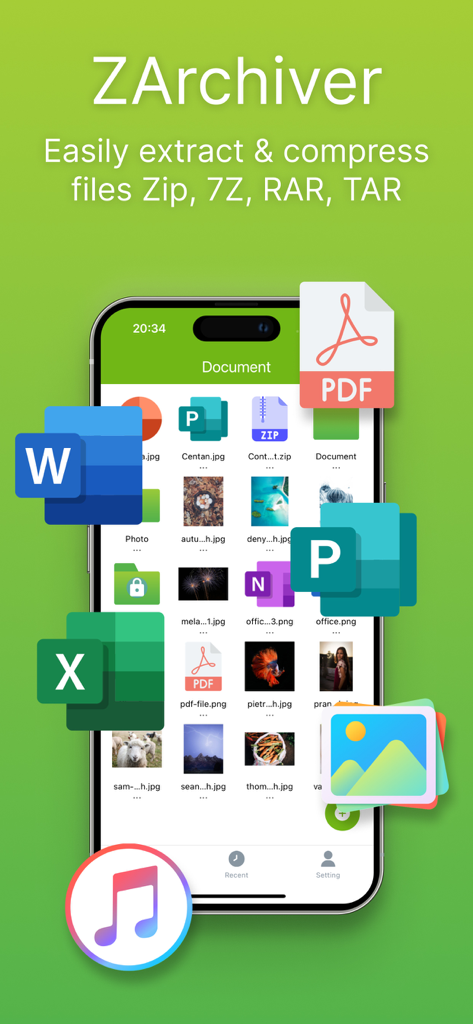
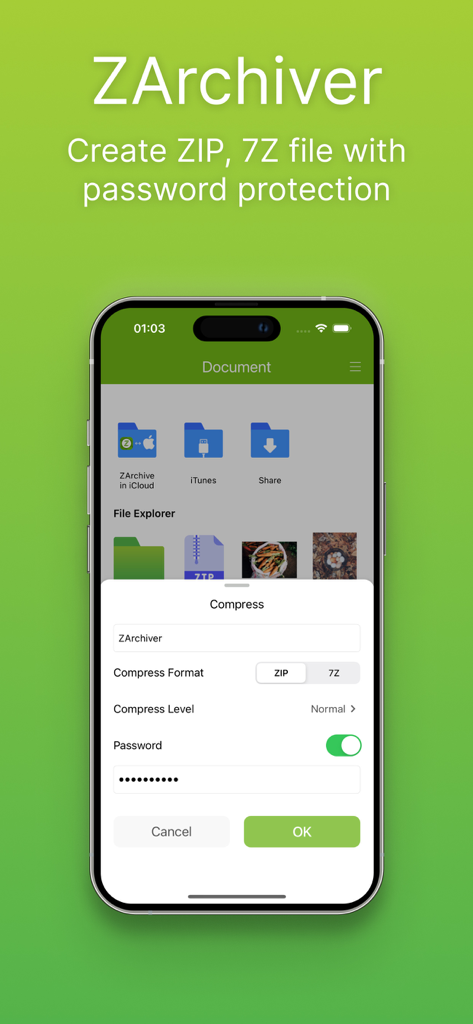

The tools that make this app stand out, trusted by 477K+ users.
Instantly open and extract ZIP, RAR, 7Z, and TAR files. Finally, a way to handle every format your iPhone can't open natively.
Protect sensitive contracts or private photos with password-protected archives and locked folders to keep your data truly private.
Bundle large high-res videos and photos into a single archive to reclaim phone storage and share files without losing original quality.
Trusted by 477K+ people who love this app.
"Finally, a way to handle RAR and 7Z files on my iPhone without the headache. As a freelance designer, I often need to pack high-res assets for clients while on the move, and this app keeps the quality perfect every time. The interface is intuitive and the compression is incredibly fast!"
"A must-have utility for any student. I use it daily to extract study materials and manage my downloads. The password-protected folders are a huge plus for keeping my personal documents secure, and the iCloud sync is seamless. Best file manager on the App Store!"
Everything you need to know about ZArchiver: UnZip, UnRar, 7Z.
Description
Latest Version
21
Size
68.2 MB
First Released
Jun 28, 2024
Join over 477,000 power users managing ZIP, RAR, and 7Z files with ease. Download the desktop-grade extractor that keeps your data secure and your iPhone storage organized.
Everything you need to know about ZArchiver: UnZip, UnRar, 7Z
ZArchiver is a zip app for mobile users. It extracts files and creates archives in ZIP, RAR, 7Z, and TAR formats. It also unpacks numerous archive file types efficiently.
Yes, ZArchiver extracts RAR files. It is a stable unarchiver that supports multiple formats including RAR, ZIP, 7Z, and TAR for mobile users globally.
Yes, ZArchiver creates and decompresses password-protected archives. It supports protecting compressed files and creating ZIP files with a password for data security.
To compress files with ZArchiver, select the desired files, click 'Compress' from the menu, set the required options like format (ZIP/7Z) and level, then press OK.
To extract files using ZArchiver, click on the archive name and select a suitable option like 'Unarchive'. It can unZIP, unRAR, 7Z, and Tar with or without password protection.
The 'ZArchiver in iCloud' folder stores your ZArchiver data on iCloud. This protects your data from loss if the app is deleted or the phone is lost.
Yes, ZArchiver opens 7Z files for extraction. It also creates archives in the 7Z format, alongside ZIP, RAR, and TAR, supporting password protection for them.
ZArchiver compresses files for quick sharing, preserves original quality of photos and videos, saves memory space, and secures data through password protection.
Apps with similar features and user experience

Little Sweet Technology Co., Ltd.

书勇 贾

PENGHUI ZHAO

ComcSoft Corporation

FANGZHOU INTERACTIVE TECHNOLOGY CO., LIMITED

书敏 贾

琳 胡

瑞 胡

ComcSoft Corporation