Zebra: Photo & Video Editor

Zebra: Photo & Video Editor

Download on App Store
Spark by MWM logo
Logo of Zebra: Photo & Video Editor
Zebra: Your All-in-One Aesthetic Content Studio

The secret weapon for bloggers and creators. Master seamless carousels, AI object removal, and professional story editing with the intuitive tools used by the pros to elevate your feed.

Publisher

Dmitriy Biserov

Category

Photo & Video

Downloads

644K+

User Rating

4.9/5

Total Ratings

23K+

Locales

21

Your Feed, Elevated

Discover the interface used by 644K+ users.
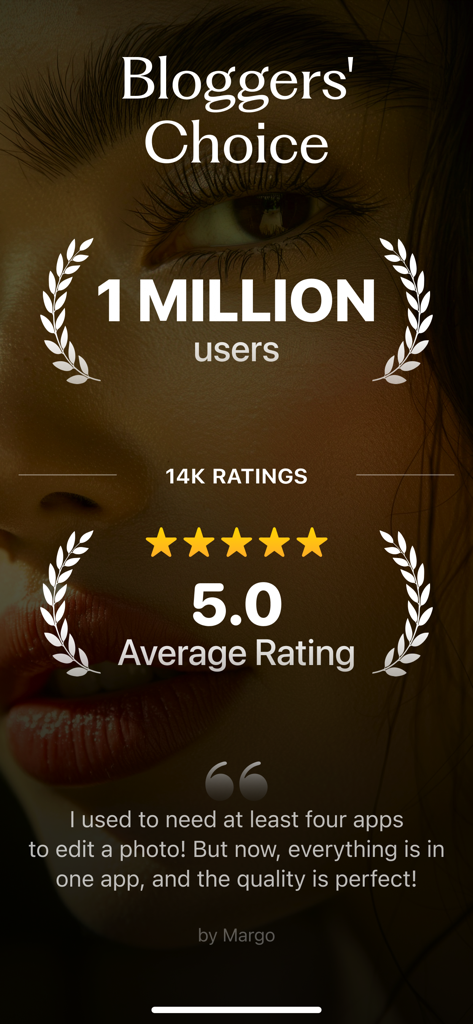
Social proof screen for Zebra photo editor showing a five star rating and a one million user milestone

Social proof screen for Zebra photo editor showing a five star rating and a one million user milestone

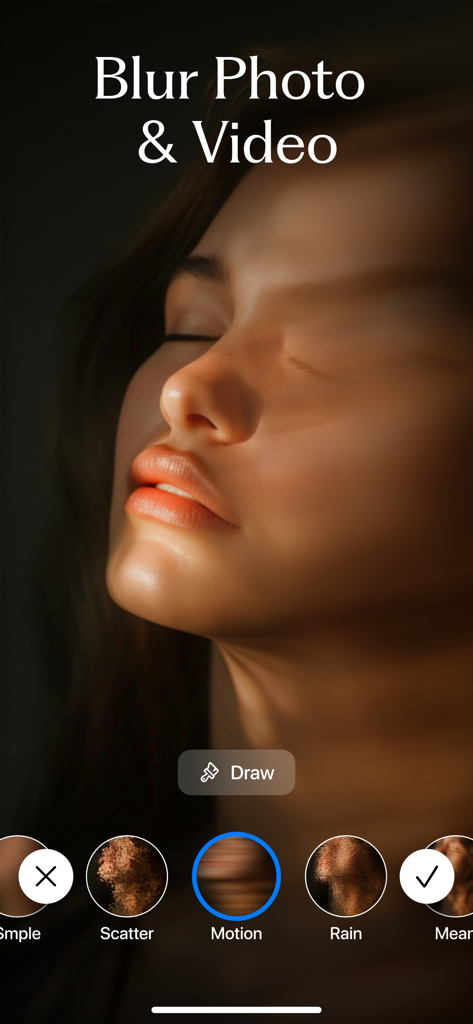
Zebra app interface showing a motion blur effect on a womans face with filter options like scatter and rain

Zebra app interface showing a motion blur effect on a womans face with filter options like scatter and rain

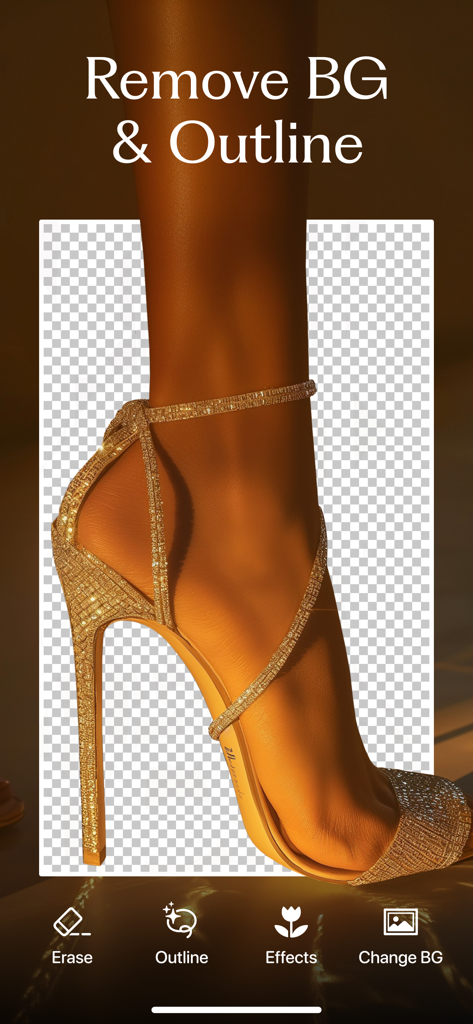
Zebra app interface showing background removal and outline tool for a fashion photo

Zebra app interface showing background removal and outline tool for a fashion photo

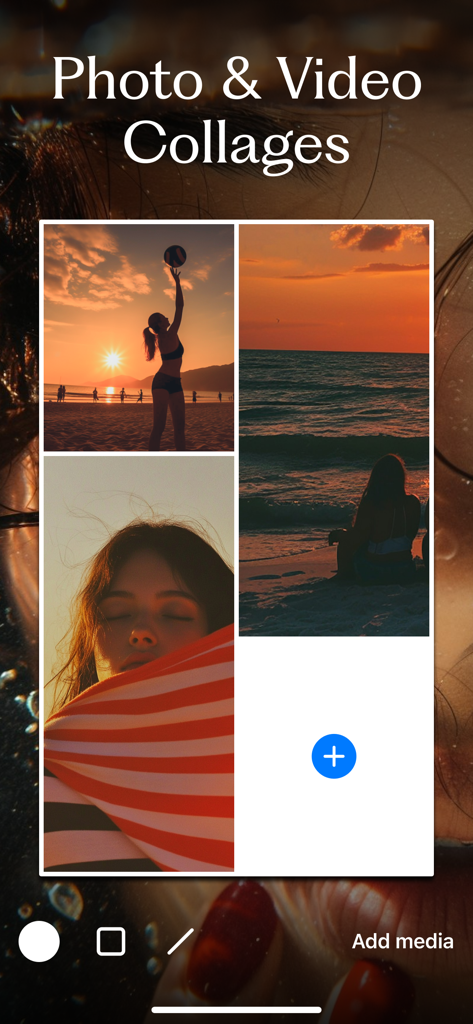
Interface showing the photo and video collage feature in the Zebra app

Interface showing the photo and video collage feature in the Zebra app

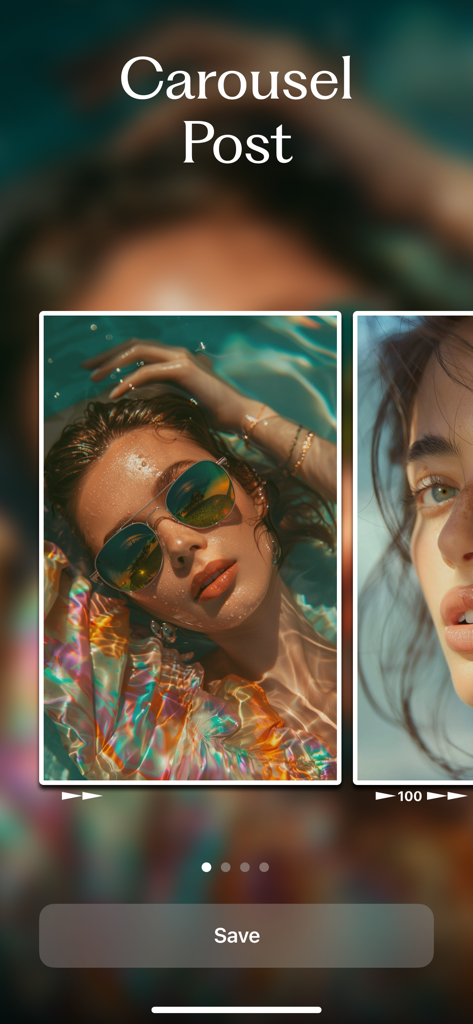
Preview of the seamless carousel post editing tool in the Zebra app

Preview of the seamless carousel post editing tool in the Zebra app

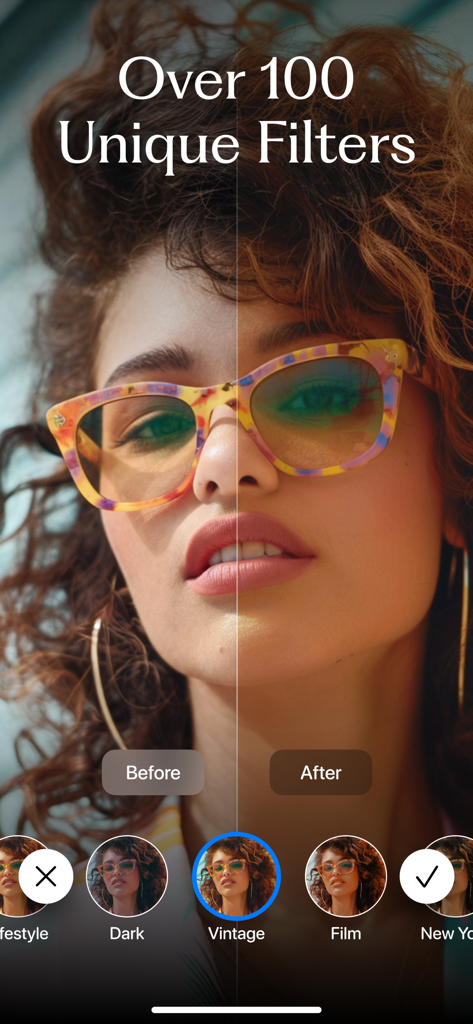
Before and after comparison of a vintage photo filter on a woman portrait in the Zebra app.

Before and after comparison of a vintage photo filter on a woman portrait in the Zebra app.

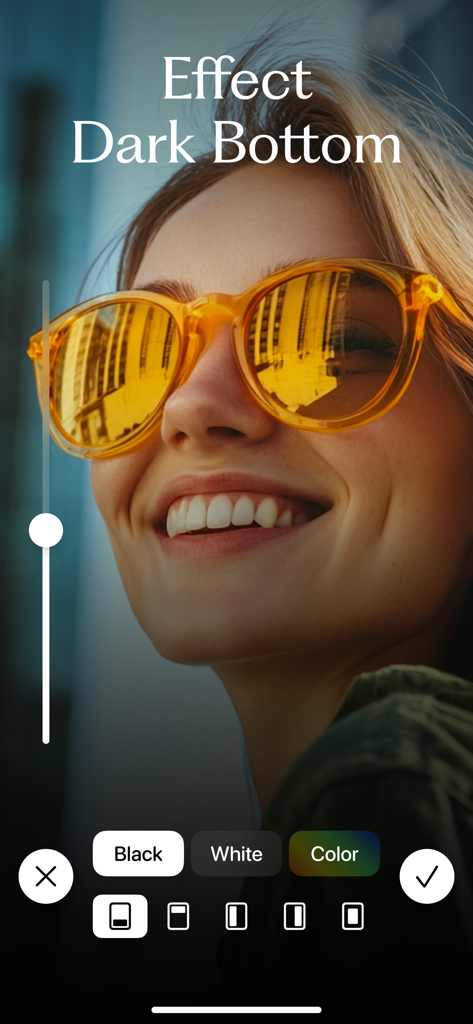
Applying a dark bottom overlay effect to a portrait photo in the Zebra editor

Applying a dark bottom overlay effect to a portrait photo in the Zebra editor

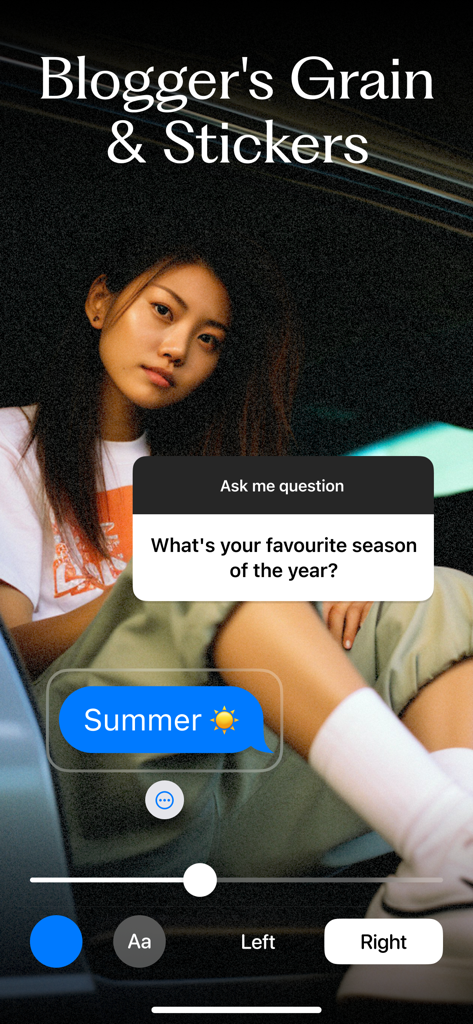
Zebra app interface showing a photo with a film grain effect and social media question stickers

Zebra app interface showing a photo with a film grain effect and social media question stickers

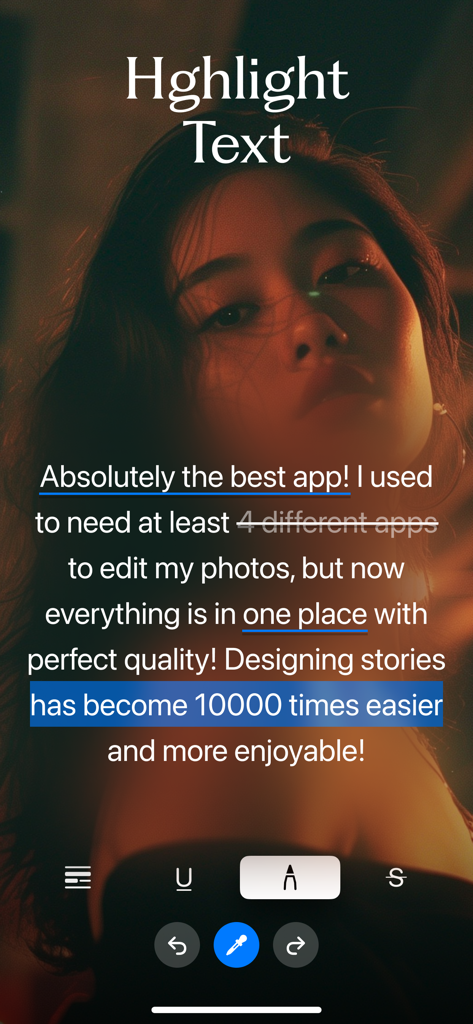
Demonstration of text highlighting and styling tools in the Zebra photo editor app for creating social media stories.

Demonstration of text highlighting and styling tools in the Zebra photo editor app for creating social media stories.

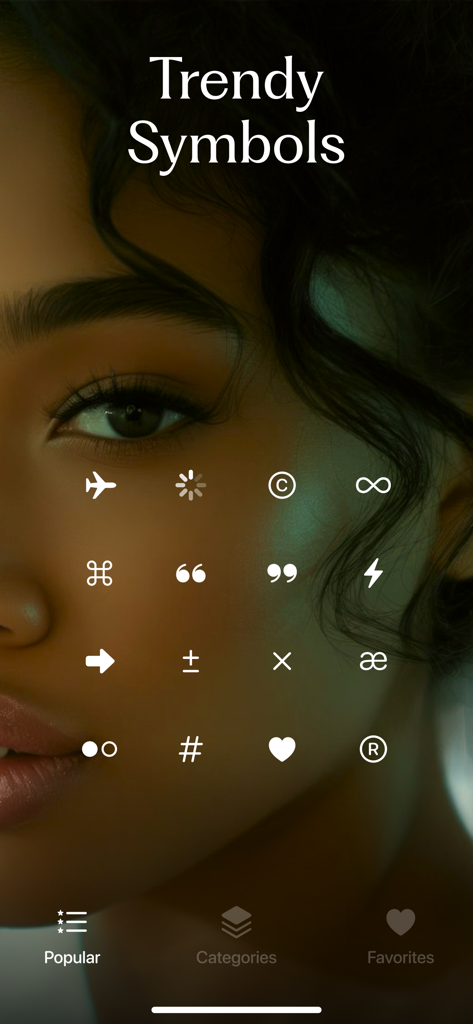
A selection of trendy white symbols and unicode icons for social media content creation displayed in the Zebra app interface.

A selection of trendy white symbols and unicode icons for social media content creation displayed in the Zebra app interface.

The Ultimate Creator's Toolkit

The tools that make this app stand out, trusted by 644K+ users.

🎞️

Seamless Carousels

Design high-engagement panoramic posts that keep your audience swiping without missing a single beat.

Blogger-Style Aesthetics

Apply cinematic grain, motion blur, and professional dark overlays to give your content that signature curated vibe.

🪄

AI-Powered Cleanup

Instantly erase unwanted objects or remove backgrounds with precision, turning any location into the perfect studio shot.

Loved by users worldwide

Trusted by 644K+ people who love this app.

"

"Zebra is literally my secret weapon for Instagram. I used to spend hours jumping between three different apps just to get that perfect moody film grain and those seamless carousels. Now, I can plan my entire story sequence and add those trendy dotted lines in seconds. It has made my aesthetic look so much more high-end without the extra effort."

Chloe Miller
"

"As a small business owner, I don't have time to learn complex desktop software. Zebra’s AI background remover and watermark tool are absolute game-changers for my product photos. I also use the video compressor daily to keep my phone storage under control—it’s the perfect all-in-one toolkit for anyone running a brand solo."

Elena Rodriguez

About the app

Everything you need to know about Zebra: Photo & Video Editor.

Description

Zebra is a simple, intuitive app I originally made for my wife (@VrednayaModa) to make her blogging life easier — and I hope it helps you too ◕‿◕ What’s inside? • Easy Story Editor Add your own fonts and stickers Highlight words (marker, underline, etc.) Blur or darken the background Draw dotted lines Plan out multiple connected stories for smooth storytelling • Text Drawing Turn trendy text effects into stories in under a minute • Collages Create photo and even video collages fast Only the most up-to-date templates • Smart Background Remover Remove backgrounds automatically or manually Add colored outlines with adjustable thickness • Object Removal (AI) Cleanly erase anything unwanted from your photos with AI • Seamless Post Carousels Create popular seamless carousels in just a minute • Dark Overlay for Photos & Videos Subtle “blogger-style” darkening Darken just parts of an image (like the bottom) to make text pop • One-Tap Blur (Photo & Video) 12 blur styles: from basic to motion and glass effects Blur only specific areas Focus blur for soft spotlighting Background blur for portrait-style photos • Grain Effect Add cinematic grain for a moodier, film-style look • Filters Custom filters by bloggers to make your content stand out Full-screen filter swiping like Reels Video filters too • Rounded Corners Quickly round off corners when needed • Custom Stickers Question sticker, Alert sticker, Calendar sticker — all fully customizable • Unicode Fonts Use stylish fonts in your bio, comments, or any app • Before / After Make quick before & after videos in seconds • Watermark Tool Easily add a watermark to protect your work Add text or logo, adjust transparency, or tile it like news outlets do • Shape Masks Crop your photo into a circle, heart, and more (30+ shapes) • Boomerang Effect Make the classic boomerang video in a tap • Video Speed Control Speed up or slow down your video • Video Compressor Shrink video file sizes to save space • Text from Video Extract text from any video — super handy for notes • Find Large Videos Quickest way to free up space: find and delete the biggest videos • Zip Archive Maker Need to send a bunch of files at once? Now you can zip them easily • QR Code Generator Make QR codes in seconds That’s it for now — but just for now. I keep improving Zebra and adding cool new features. Stay tuned! Thanks for reading this far :) Contact me anytime at: ZebraAppStore(at)gmail.com If you decide to try Premium (totally optional), payment will be charged to your iTunes account. You can cancel your subscription anytime in your Apple account settings. Privacy Policy: http://privacy.zebrablur.com Terms of Use: https://www.apple.com/legal/internet-services/itunes/dev/stdeula/

Latest Version

3.20

Size

160.3 MB

First Released

Apr 23, 2023

Ready to Level Up Your Aesthetic?

Join over 640k+ creators using the secret weapon for viral carousels, moody blurs, and effortless stories. Download Zebra today and start creating content that stands out.

Download on App Store
FAQ

Frequently Asked Questions

Everything you need to know about Zebra: Photo & Video Editor

What is Zebra: Photo & Video Editor?

Zebra is an intuitive photo and video editing app designed to simplify blogging tasks. It offers features like story editing, collages, background removal, filters, and video tools, making content creation easier for users.

Can Zebra app remove backgrounds from photos and videos?

Yes, Zebra includes a Smart Background Remover that automatically or manually removes backgrounds from photos. Users can also add colored outlines with adjustable thickness to the subject.

Does Zebra offer tools for creating photo and video collages?

Yes, Zebra allows users to create photo and video collages quickly using up-to-date templates. This feature simplifies combining multiple visuals into one engaging piece of content.

How can I create seamless carousel posts with the Zebra app?

Zebra provides a Seamless Post Carousels feature that enables users to create popular seamless carousels in just a minute. This ensures smooth storytelling across multiple images.

What kind of blur effects are available in Zebra: Photo & Video Editor?

Zebra offers 12 blur styles, including basic, motion, and glass effects. Users can apply blur to specific areas, use focus blur for spotlighting, or background blur for portrait-style photos.

Can I remove unwanted objects from my photos using Zebra?

Yes, Zebra features an AI-powered Object Removal tool. This allows users to cleanly erase any unwanted elements from their photos with artificial intelligence assistance.

Does Zebra provide custom filters for photos and videos?

Yes, Zebra includes custom filters created by bloggers to enhance content. It offers full-screen filter swiping like Reels and also applies video filters.

How can I use custom stickers in the Zebra app?

Zebra provides fully customizable stickers, including Question stickers, Alert stickers, and Calendar stickers. These can be used to add interactive or informative elements to your content.

What is the purpose of the Dark Overlay feature in Zebra?

The Dark Overlay feature in Zebra adds a subtle 'blogger-style' darkening to photos and videos. It can also darken specific parts, like the bottom, to make text pop or create a moodier aesthetic.

How does Zebra assist with text editing for stories?

Zebra offers an Easy Story Editor. This allows users to add custom fonts and stickers, highlight words, blur or darken backgrounds, and plan multiple connected stories for smooth storytelling.

Can I extract text from videos using the Zebra app?

Yes, Zebra features a 'Text from Video' tool. This allows users to extract text from any video, which is particularly handy for taking notes or transcribing content.

Does Zebra offer video compression?

Yes, Zebra includes a Video Compressor tool. This feature helps users shrink video file sizes to save storage space on their device.

How can I cancel my Zebra Premium subscription?

Users can cancel their Zebra Premium subscription anytime through their Apple account settings. Payment for Premium is charged to your iTunes account.

Is Zebra: Photo & Video Editor a popular app?

Yes, Zebra is a popular choice, with 1 million users and an average rating of 5.0 based on 14K ratings. Many users find it a comprehensive tool for their editing needs.

Where can I find the Privacy Policy for Zebra?

The Privacy Policy for Zebra is available at http://privacy.zebrablur.com. Users can access this link for information regarding data handling and privacy.