
Zen Planner Member App



The all-in-one tool for boutique fitness enthusiasts. Reserve your spot, track your performance, and engage with your tribe from anywhere.
Publisher
Category
BusinessDownloads
2M+User Rating
Total Ratings
9K+Locales
6Discover the interface used by 2M+ users.

The tools that make this app stand out, trusted by 2M+ users.
Secure your spot in seconds and join waitlists instantly, ensuring you never miss a workout in your busy schedule.
Log your workout results, celebrate personal records, and engage with your community through social likes and gym-wide rankings.
Effortlessly handle payments, manage multiple gym memberships, and update your profile without ever needing to visit the front desk.
Trusted by 2M+ people who love this app.
"As a busy attorney, my morning CrossFit session is non-negotiable. This app makes booking my 6 AM spot effortless and I love seeing where I stand on the daily leaderboard before I even leave the house. It's the perfect tool for tracking my PRs and staying connected with my box community."
"Managing my BJJ membership and my weekend yoga classes in one place is a game changer. The waitlist notifications are super reliable, so I never miss a chance to train. Being able to see who else is signed up for the mats helps build that sense of tribe that I really value."
Everything you need to know about Zen Planner Member App.
Description
Latest Version
2.4.67
Size
21.4 MB
First Released
Jan 9, 2016
Join over 2 million members who manage their classes, track their progress, and stay connected with their gym community. Download the Zen Planner app today.
Everything you need to know about Zen Planner Member App
The Zen Planner Member App helps users manage their gym activities, view schedules, reserve classes, track workouts, and manage their membership details.
Yes, your gym, school, or studio must use Zen Planner for you to utilize the app. You must also log in with valid member credentials.
You access your account by signing in with your email address and password on the Zen Planner Member App login screen.
Yes, the Zen Planner Member App allows you to add and manage your saved credit cards directly within the application.
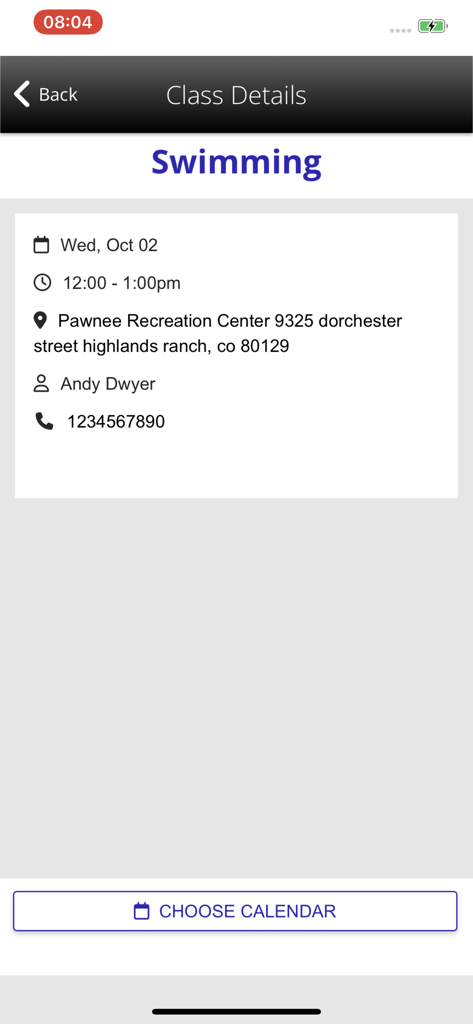
The Zen Planner Member App enables you to view your gym's calendar and see class details, including date, time, location, and instructor bios.
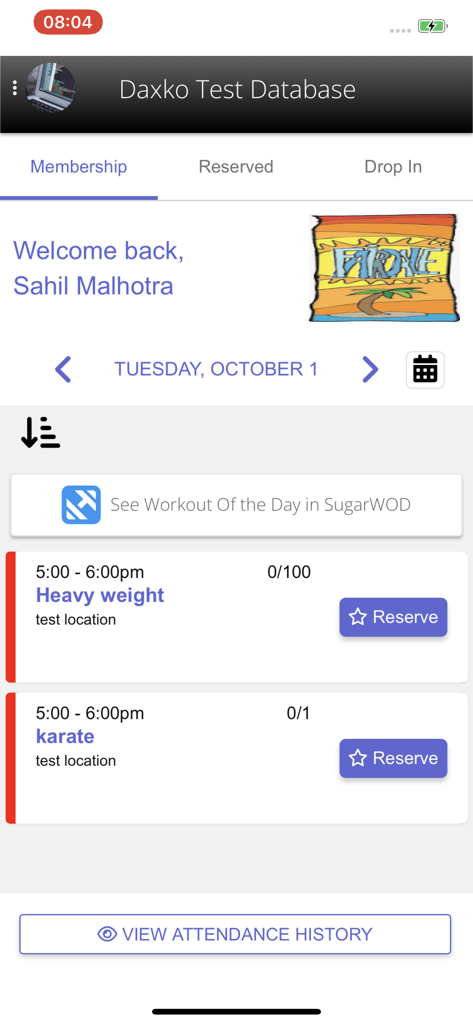
Yes, the Zen Planner Member App allows you to reserve your spot in a class or join a waitlist directly from the app's schedule view.
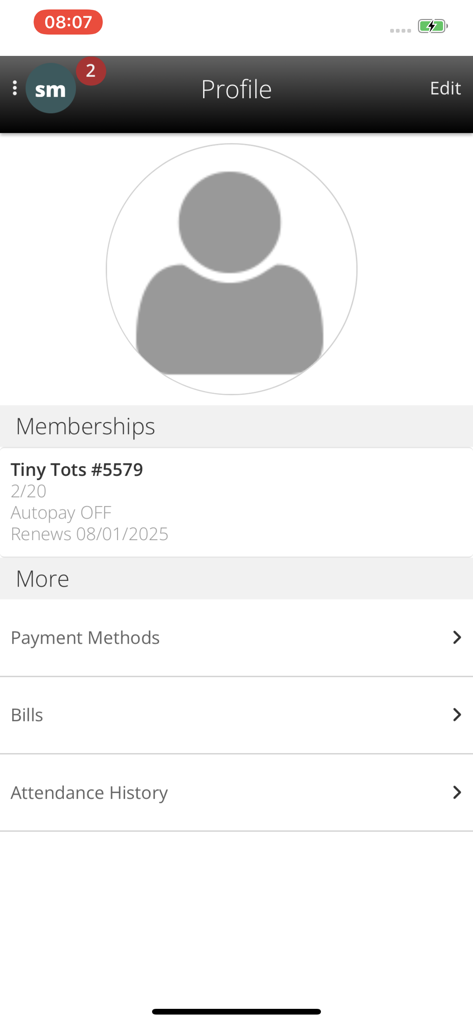
You can view details about your membership access, including renewal dates and autopay status, within the app's profile section.
Yes, if you go to multiple gyms that use Zen Planner, you can log in to all of your Zen Planner accounts in one place.
Yes, the app supports workout tracking, allowing you to view workouts, log results, view leaderboards, and interact with other members' results.
Yes, the Zen Planner Member App allows you to use your account balance to pay for items. You can hold money on your account for future use.
Apps with similar features and user experience

Planet Fitness Holdings, LLC

Smartfit Escola de Ginastica e Danca SA

DLG TECNOLOGIA LTDA

Momence, Inc.

PANOBIANCO S ACADEMIA DE GINASTICA LTDA

Prosistemas Produtos em Software Limitada EPP

Xponential Fitness LLC

Servico Social do Comercio
![[solidcore]](https://fastly.mwm-storage.mwmcdn.com/raw_files/16b6e0b0-adf4-41c5-84f8-e234f4d24f7e?height=160&format=webp)
Solidcore Holdings, LLC