Norton Family Parental Control

Norton Family Parental Control

Descargar en App Store
Spark by MWM logo
Logo de Norton Family Parental Control

Control Parental Norton Family: Fomenta hábitos saludables y exploración más segura

Gestiona el tiempo de pantalla, bloquea distracciones durante el horario escolar y mantente conectado con el seguimiento de ubicación, todo en una aplicación de confianza diseñada para familias modernas.

Descargar en App Store

Editor

Gen Digital Inc.

Categoría

Utilities

Descargas

10K+

Valoración

3.9/5

Total valoraciones

3K+

Idiomas

23

Protección que puedes ver

Descubre la interfaz utilizada por 10K+ usuarios.
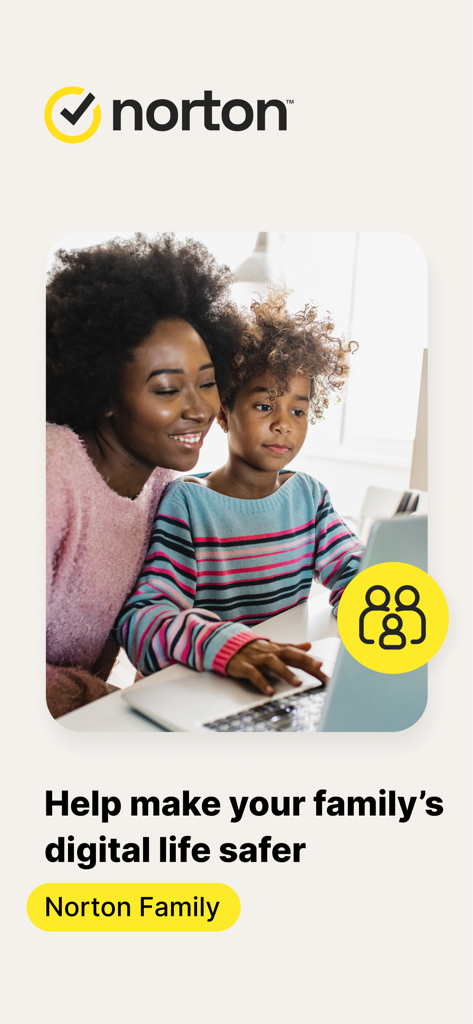
Madre e hijo mirando una computadora portátil juntos con la marca de la aplicación Norton Family

Madre e hijo mirando una computadora portátil juntos con la marca de la aplicación Norton Family

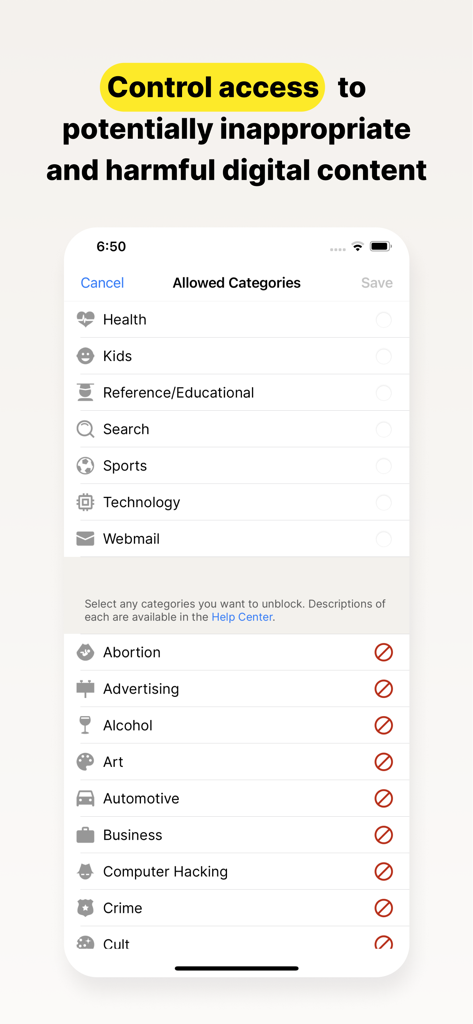
Pantalla de la aplicación Norton Family para controlar el acceso a categorías de contenido digital

Pantalla de la aplicación Norton Family para controlar el acceso a categorías de contenido digital

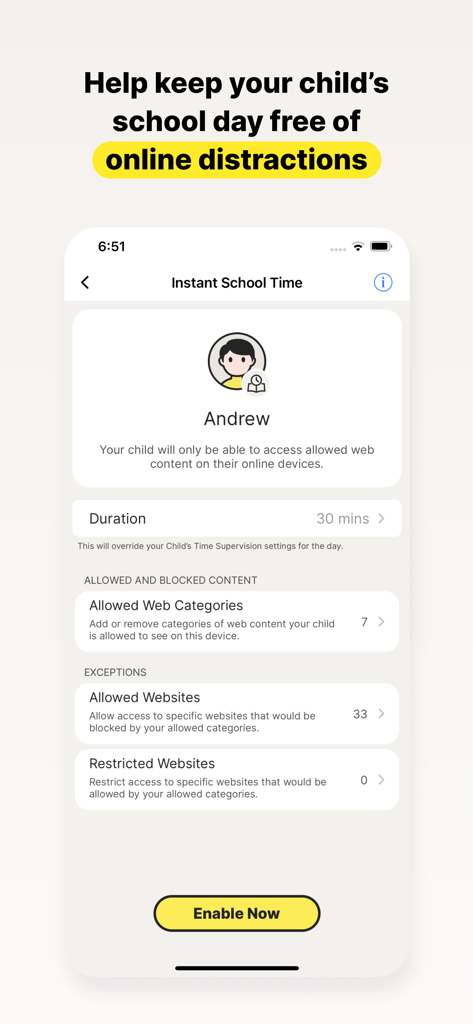
Captura de pantalla de la aplicación Norton Family que muestra la configuración de Tiempo Escolar Instantáneo para bloquear distracciones en línea para los niños durante el horario escolar

Captura de pantalla de la aplicación Norton Family que muestra la configuración de Tiempo Escolar Instantáneo para bloquear distracciones en línea para los niños durante el horario escolar

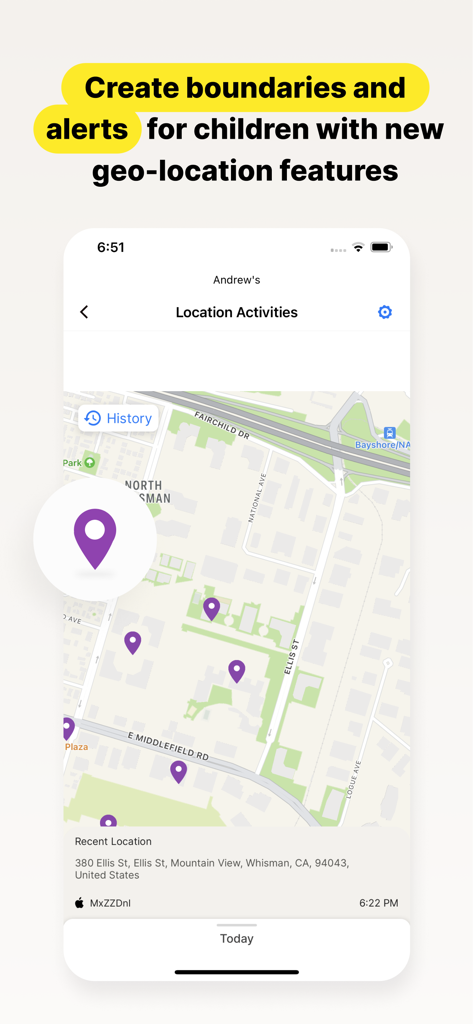
Interfaz de la aplicación Norton Family que muestra el historial de ubicación de un niño y actividades recientes en un mapa

Interfaz de la aplicación Norton Family que muestra el historial de ubicación de un niño y actividades recientes en un mapa

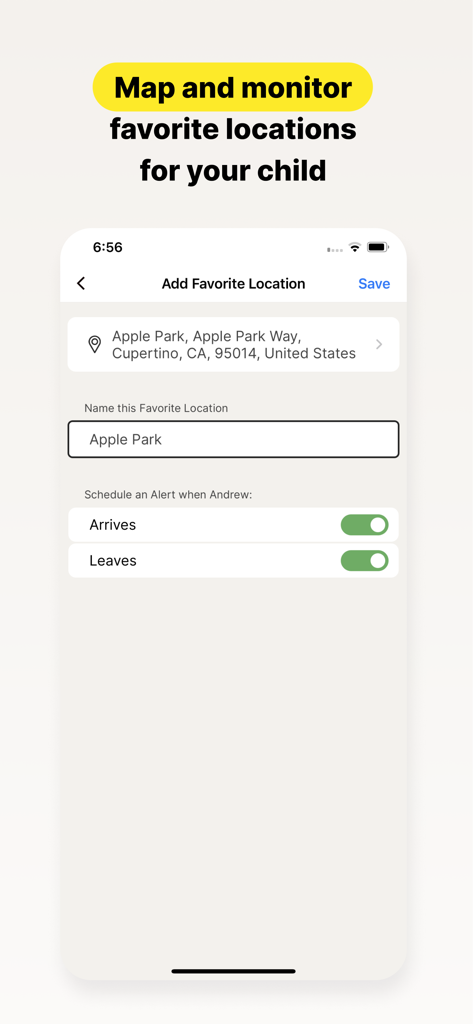
Interfaz de la aplicación Norton Family que muestra la configuración para agregar una ubicación favorita con alertas de llegada y salida para un niño

Interfaz de la aplicación Norton Family que muestra la configuración para agregar una ubicación favorita con alertas de llegada y salida para un niño

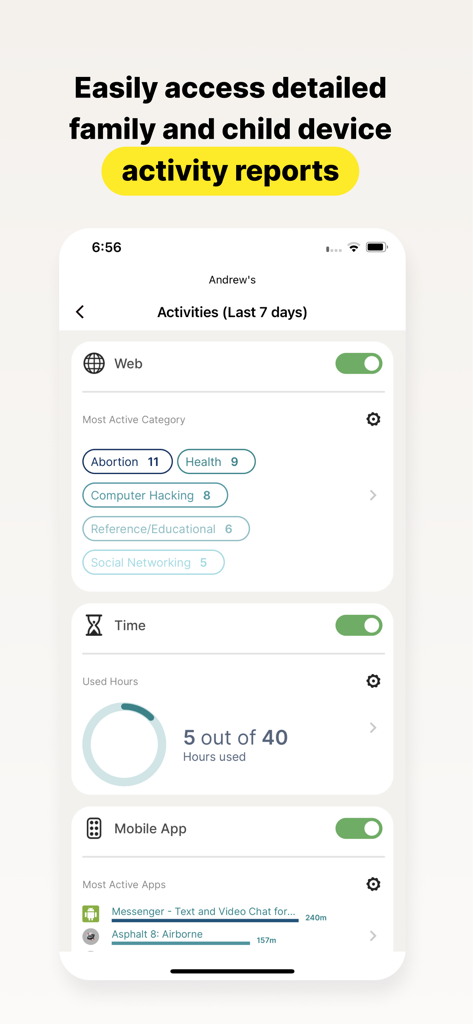
Un informe detallado de la actividad del niño en la aplicación Norton Family que muestra categorías web, tiempo de pantalla y uso de aplicaciones

Un informe detallado de la actividad del niño en la aplicación Norton Family que muestra categorías web, tiempo de pantalla y uso de aplicaciones

Herramientas inteligentes para la paternidad moderna

Las herramientas que hacen destacar esta app, elegida por 10K+ usuarios.

🎓

Maximiza la concentración con el tiempo escolar

Mantén a tu hijo concentrado en el aprendizaje a distancia gestionando el acceso a sitios web educativos mientras bloqueas redes sociales y juegos que distraen.

📍

Tranquilidad en el mundo real

Mantente informado de la ubicación física de tu hijo con alertas de geovallas que te notifican cuando llega de forma segura a la escuela o a actividades extracurriculares.

🛡️

Exploración segura y guiada

Protege a tus hijos de contenido inapropiado supervisando los términos de búsqueda y filtrando el tráfico web, convirtiendo los riesgos digitales en momentos de aprendizaje.

Amada por usuarios en todo el mundo

Con la confianza de 10K+ personas que aman esta app.

"

"Norton Family ha sido un salvavidas para nuestro hogar. La función Tiempo Escolar garantiza que mis hijos se mantengan concentrados en su aprendizaje a distancia sin que tenga que estar pendiente de ellos todo el día. Es perfecta para enseñarles a gestionar sus propios hábitos digitales, dándome la tranquilidad que necesito durante mi horario de trabajo."

Sarah M., Madre que trabaja a distancia
"

"Las alertas de geolocalización y Ubicaciones Favoritas son increíblemente precisas y útiles. Recibo una notificación en el momento en que mi hija llega a su clase de música, lo cual es un gran alivio. Combinado con la supervisión web que bloquea el contenido inapropiado, finalmente siento que tengo el control de su seguridad tanto en línea como fuera de ella."

David L., Padre suburbano

Análisis de reseñas

Información de las reseñas de usuarios.

Puntuación de sentimiento

7%
Negativo

Resumen

This app receives overwhelmingly negative feedback from users, who frequently describe it as unreliable, buggy, and difficult to use. A major point of frustration is its poor compatibility with iOS devices, where many expected features like screen time control or comprehensive tracking are either missing or non-functional compared to Android. Users also report significant challenges with the app's configuration, an unintuitive interface, and the ease with which children can bypass its controls, often rendering it ineffective. Additionally, there are notable complaints regarding billing practices, including unexpected subscription charges and difficulties managing accounts post-cancellation.

Temas comunes

Functionality & Reliability(28)
Screen Time & App Management(10)
iOS Compatibility(8)
Configuration & User Interface(8)
Child Bypassing Controls(8)
Subscription & Billing Issues(4)

Sobre la app

Todo lo que necesitas saber sobre Norton Family Parental Control.

Descripción

Norton Family provides tools that teach safe, smart, and healthy online habits. It also provides insights that help you foster a healthy online/offline balance for your children and their devices. At home, attending school, or on the go, Norton Family helps keep children focused on what’s most important. Norton Family empowers parents to keep track of their child’s online behavior. • Monitor the sites and content your child views Make the Web safer for your kids to explore — by keeping you informed of which sites your kids are visiting, and letting you block potentially harmful and inappropriate sites.‡ Norton Family also provides insights into the search terms and videos (3) that interest your kids and flags unsafe behavior so you can discuss online safety, as a family.‡ • Set limits on your child’s internet access Help your kids balance time spent online by scheduling screen time limits for their device usage.‡ This can helps you focus your child on schoolwork and avoid online distractions while remote learning or at bedtime.‡ • Stay informed about your child’s physical location Use geo-location features in the app to track your child’s location (4). Plus, receive alerts if you’re your child arrives in or goes beyond areas of interest established by you, using geo-location tools. • Access weekly/monthly reports Get detailed reports on what your kids are doing online, right in your Inbox or on the Parent Portal.‡ You can use these reports to foster dialog with your child about online safety. Here are some of the Norton Family features parents can use to help protect their child’s online activities. • School Time Remote learning requires the internet, so pausing the internet on your child’s device is not an option. Manage content access to relevant categories and websites to help your child maintain focus while school’s in session. • Favorite Locations This helps you establish approved boundaries for your child’s physical locations. When turned on, this feature will alert you when your child arrives in or goes beyond the permissible area or location established by you.1,2. • Web Supervision Let your kids explore the Web freely, with tools that help you block unsuitable websites while keeping you in the know about which sites they’re visiting. • Search Supervision See the words, terms, and phrases your kids are searching for to gain insights into their interests and help protect them from inappropriate content. ‡‡ Requires your device to have an Internet/data plan and be turned on. 1 Mobile app must be downloaded separately. However, parents can sign in to my.Norton.com or family.Norton.com and select Parental Control to view their child’s activity and manage settings from any supported browser on any device. 2 Location Supervision features are NOT available in all countries. Visit the feature support page here for details. To work, the child’s device must have Norton Family installed and be turned on. 3 Video Supervision monitors videos that your kids view on YouTube.com. It does not monitor or track YouTube videos that have been embedded in other websites or blogs. 4 Location Supervision requires parent activation before use. 5 Mobile app must be downloaded separately. Some features not available with in all countries. Privacy Statement Gen Digital respects your privacy and is dedicated to safeguarding your personal data. See https://www.gendigital.com/privacy​ for more information. No one can prevent all cybercrime or identity theft

Última versión

1.18.0

Tamaño

74.5 MB

Fecha de lanzamiento

8 ene 2019

Empieza a crear hábitos digitales saludables hoy mismo

Únete a los padres que confían en Norton para ayudar a sus hijos a mantenerse seguros, concentrados y equilibrados. Descarga la aplicación para gestionar el bienestar digital de tu familia desde cualquier lugar.

Descargar en App Store