Rekono OnePass

Rekono OnePass

Descargar en App Store
Spark by MWM logo
Logo de Rekono OnePass

Rekono OnePass: Tu Centro Digital de Identidad Todo en Uno y Seguro

Experimenta seguridad sin fricción con autenticación push ultrarrápida, pagos 3-D Secure fluidos y firma de documentos profesionales, todo protegido por tu biometría.

Editor

Rekono d.o.o.

Categoría

Utilities

Descargas

40K+

Valoración

4.8/5

Total valoraciones

5K+

Idiomas

1

Seguridad de un Vistazo

Descubre la interfaz utilizada por 40K+ usuarios.
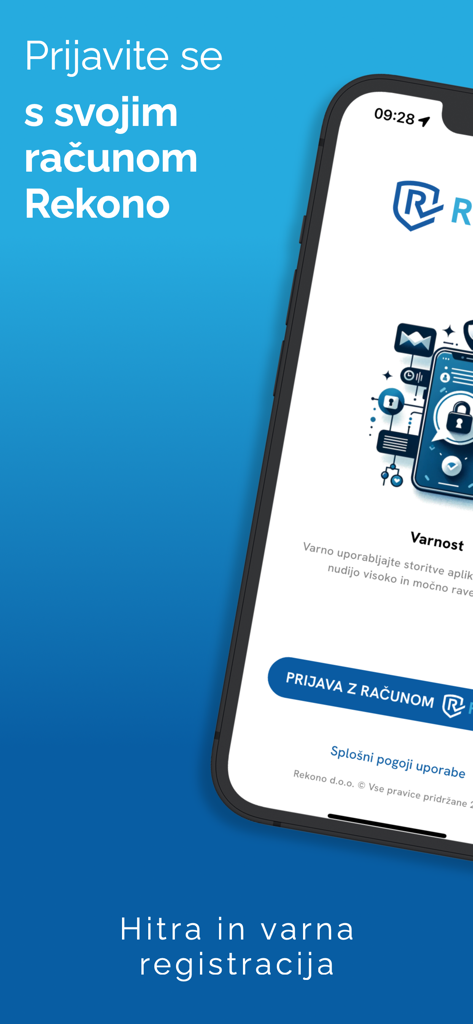
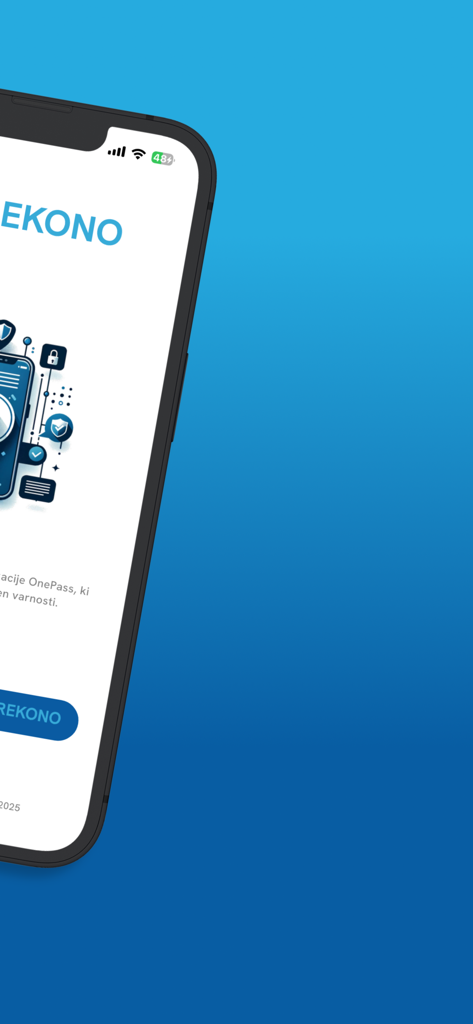
Pantalla de inicio de sesión de la aplicación móvil Rekono OnePass para identidad digital segura y autenticación

Pantalla de inicio de sesión de la aplicación móvil Rekono OnePass para identidad digital segura y autenticación

Pantalla de smartphone que muestra la interfaz de bienvenida de la aplicación de seguridad Rekono OnePass

Pantalla de smartphone que muestra la interfaz de bienvenida de la aplicación de seguridad Rekono OnePass

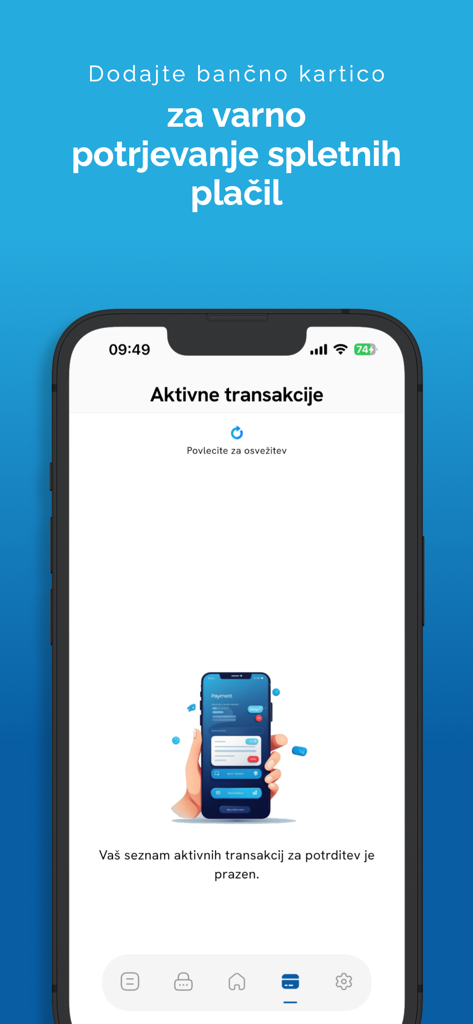
Smartphone mostrando la pantalla de transacciones activas de la aplicación Rekono OnePass para pagos en línea seguros

Smartphone mostrando la pantalla de transacciones activas de la aplicación Rekono OnePass para pagos en línea seguros

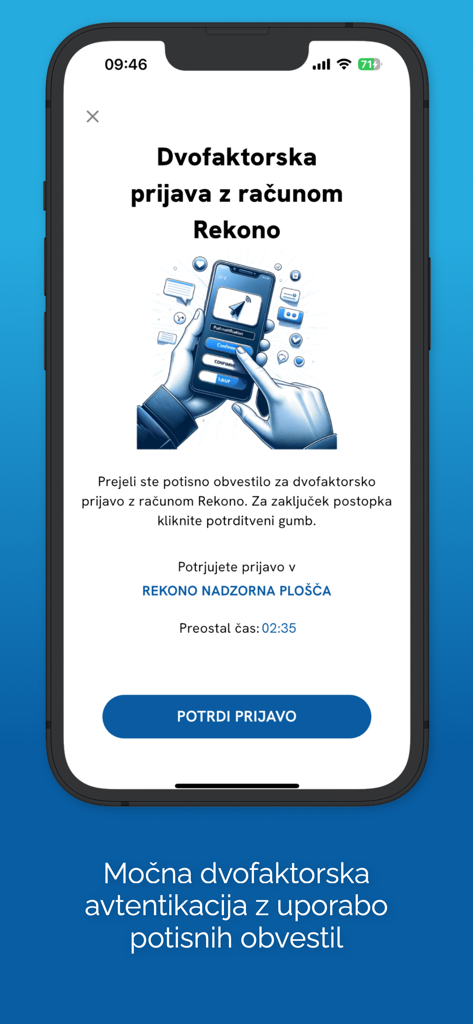
Pantalla de la aplicación Rekono OnePass mostrando una solicitud de autenticación de dos factores con un botón de confirmar en un iPhone.

Pantalla de la aplicación Rekono OnePass mostrando una solicitud de autenticación de dos factores con un botón de confirmar en un iPhone.

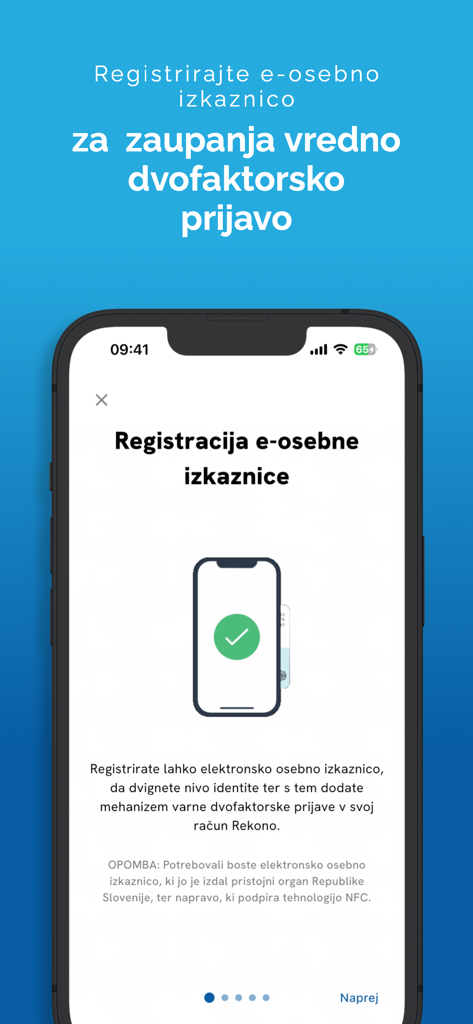
Pantalla de la aplicación Rekono OnePass para registrar una tarjeta de identificación electrónica para autenticación segura

Pantalla de la aplicación Rekono OnePass para registrar una tarjeta de identificación electrónica para autenticación segura

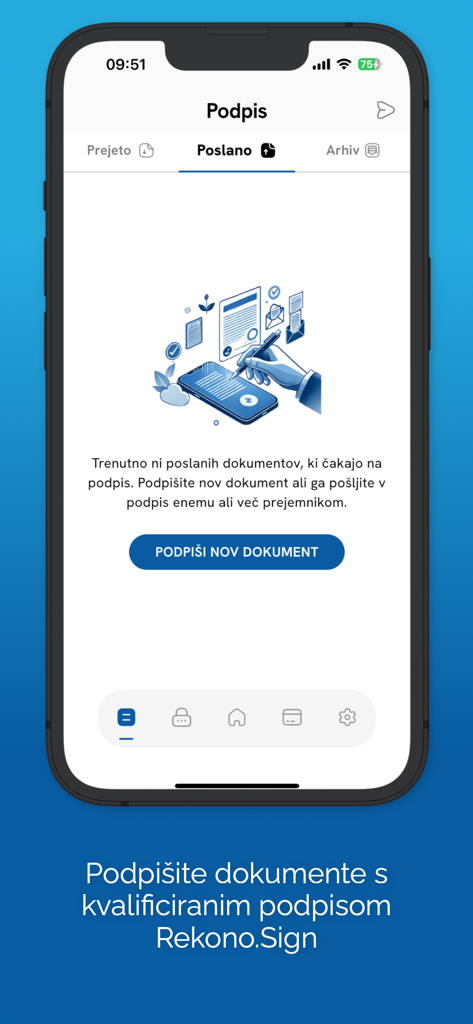
Pantalla de la aplicación móvil Rekono OnePass que muestra la sección de firma de documentos digitales con una opción para firmar nuevos documentos usando Rekono Sign.

Pantalla de la aplicación móvil Rekono OnePass que muestra la sección de firma de documentos digitales con una opción para firmar nuevos documentos usando Rekono Sign.

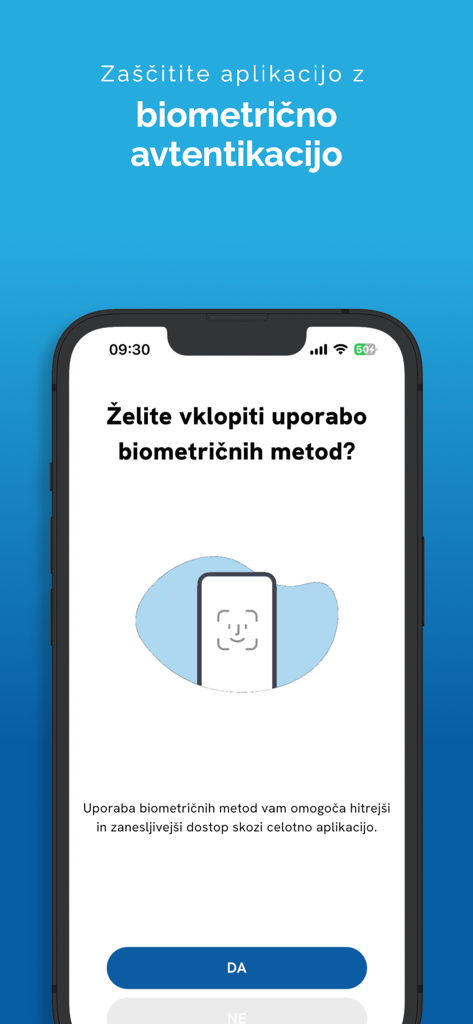
Pantalla de configuración de autenticación biométrica en la aplicación móvil Rekono OnePass

Pantalla de configuración de autenticación biométrica en la aplicación móvil Rekono OnePass

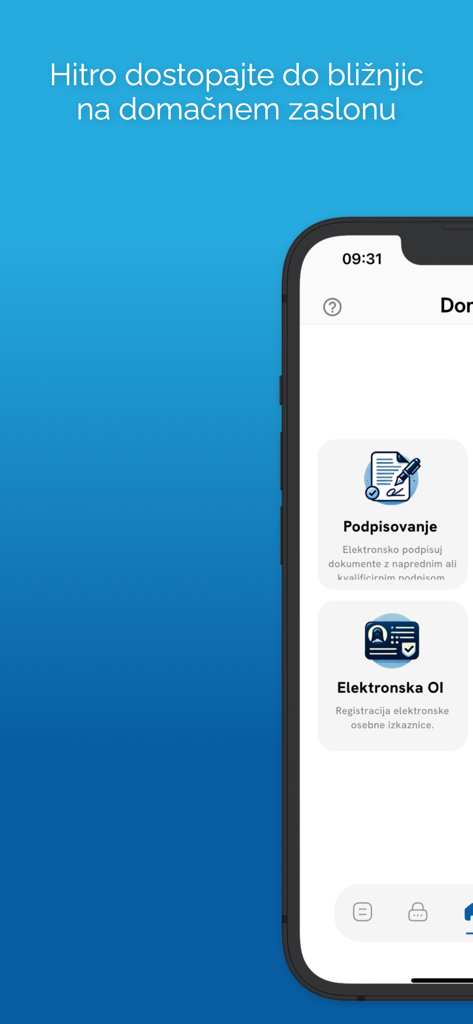
Interfaz móvil de Rekono OnePass mostrando las funciones de firma digital y tarjeta de identificación electrónica

Interfaz móvil de Rekono OnePass mostrando las funciones de firma digital y tarjeta de identificación electrónica

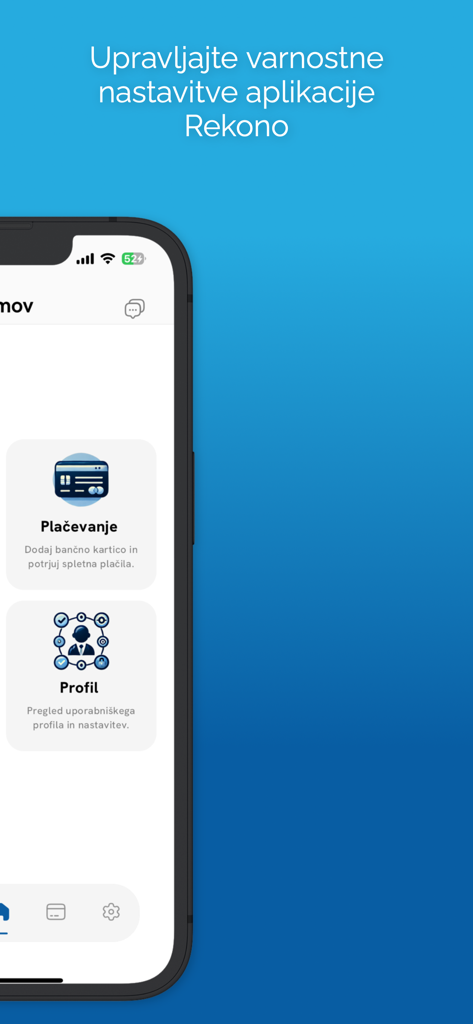
Interfaz de la aplicación móvil Rekono OnePass mostrando opciones de menú para la configuración de seguridad de pagos y perfiles

Interfaz de la aplicación móvil Rekono OnePass mostrando opciones de menú para la configuración de seguridad de pagos y perfiles

Domina tu Identidad Digital

Las herramientas que hacen destacar esta app, elegida por 40K+ usuarios.

Autenticación de un Toque

Omite los códigos OTP manuales. Aprueba inicios de sesión al instante mediante notificaciones push seguras y biometría FaceID o TouchID.

✍️

Firmas Legalmente Vinculantes

Firma contratos y documentos directamente desde el almacenamiento de tu dispositivo. Una solución de firma de nivel profesional en la palma de tu mano.

🛡️

Protege tus Pagos

Toma el control de tus transacciones en línea con alertas push 3-D Secure. Revisa y autoriza pagos bancarios con total confianza.

Amada por usuarios en todo el mundo

Con la confianza de 40K+ personas que aman esta app.

"

"Como consultora freelance en constante movimiento, Rekono OnePass me ha salvado la vida. Poder firmar contratos y NDA digitalmente directamente desde mi iPhone sin necesidad de abrir mi portátil o buscar una impresora ha optimizado enormemente mi flujo de trabajo. La integración biométrica hace que todo se sienta increíblemente seguro pero sin esfuerzo y rápido."

Sarah Jenkins
"

"He probado todas las aplicaciones 2FA que existen, pero Rekono OnePass es, con diferencia, la más intuitiva. El sistema de notificaciones push para confirmar pagos y inicios de sesión en línea es mucho mejor que escribir códigos manuales. Me da tranquilidad saber que mis transacciones financieras están protegidas por 3-D Secure sin la fricción habitual de las aplicaciones bancarias."

Michael Rivera

Sobre la app

Todo lo que necesitas saber sobre Rekono OnePass.

Descripción

Rekono OnePass application provides easier and faster access to your Rekono account, it’s management, features and usability. It is implemented to support the latest development standards, so it includes and utilizes all of the device’s functionalities and sensors (biometric authentication, QR code scanning using device’s camera, push notifications and other security features). Two-factor PUSH authentication You can now have much more control over your Rekono account as well as an improved and faster 2-factor authentication mechanism. With the implementation of push notifications, you can sign in to your Rekono accounts with your devices by simply clicking a button, which provides faster, if not even the fastest 2-factor authentication mechanism which is thoroughly secured by your device application’s PIN code or biometric authentication, if the device supports it. Rekono OnePass provides a simple and user-friendly design with a comfortable overview of your Rekono account information, OTP codes and settings, which you can freely adapt to your likes and needs. OTPs One-time passwords (OTPs) are now more clearly displayed on the main application screen when you log in to your Rekono account. By default, Rekono OTP code is automatically enrolled the moment you log in to the application and register your device, so OTP code cannot be deleted or erased. OTPs can now be added manually or automatically when scanning QR code with the QR code camera application scanner. This provides a simpler and faster way of adding OTP codes to the Rekono OnePass application. Manually adding OTPs is still supported in the application, when you must add OTP’s issuer shared secret and name with which OTP will be presented on the main screen. Due to various user’s likes and needs, you have the possibility to modify the application settings, themes, languages and security provisions to your own taste. Bank card enrollment using PIN/PAN You will now be able to enroll your bank provider for online transactions in the application by using your bank card credentials. The intuitive process of adding the bank is short and consists of simple understandable steps. 3-D Secure PUSH notifications With Rekono OnePass, you can now confirm online payments within the application, in quick and easy steps. To begin with, you make an online payment at a specific internet provider or merchant. After successfully executing the transaction, you then receive push notification to your device, which you click and navigate to the confirmation screen in the app. You then authenticate yourself with biometrics or a PIN code that you have set up in your application. A few moments later the transaction screen is displayed with all the information about the transaction. By confirming/rejecting the transaction, the 3-D Secure transaction process is completed. Local document signing and signing documents by using Push notifications One of the most prominent features in 2.0.0 release is the document signing. You can now digitally sign local documents right from the device's file system by simply selecting a file or a document from your device's storage and loading it in the app. With a click of a button the document will be securely signed by using Rekono Sign services on our secure servers. By means of PUSH notifications, you will be able to digitally sign documents on-the-fly when a service provider or a customer submits a document to the Rekono.Sign services. A few moments later you will receive a push notification informing you that there are documents waiting to be signed. After interacting with the notification, you will receive a detailed preview of the submitted documents, so you can decide to sign or reject the selected documents. After successful signing, the documents can be downloaded to your device or you can share them across other platforms or applications.

Última versión

4.5.2

Tamaño

106.1 MB

Fecha de lanzamiento

28 abr 2020

¿Listo para Optimizar tu Mundo Seguro?

Únete a miles de profesionales que utilizan Rekono OnePass para autenticarse, firmar documentos y autorizar pagos con un solo toque. Protege tu identidad digital hoy mismo.

Descargar en App Store