Scrivener

Scrivener

Descargar en App Store
Spark by MWM logo
Logo de Scrivener

Scrivener: El Centro de Comando Todo en Uno para Escritores Serios

Pasa de ideas desordenadas a un manuscrito pulido con herramientas diseñadas para proyectos largos. Organiza tu investigación, estructura tu historia y escribe sin distracciones en tu iPhone y iPad.

Editor

Literature & Latte Ltd

Categoría

Productivity

Descargas

464K+

Valoración

4.3/5

Total valoraciones

3K+

Idiomas

10

Tu Espacio de Trabajo, Visualizado

Descubre la interfaz utilizada por 464K+ usuarios.
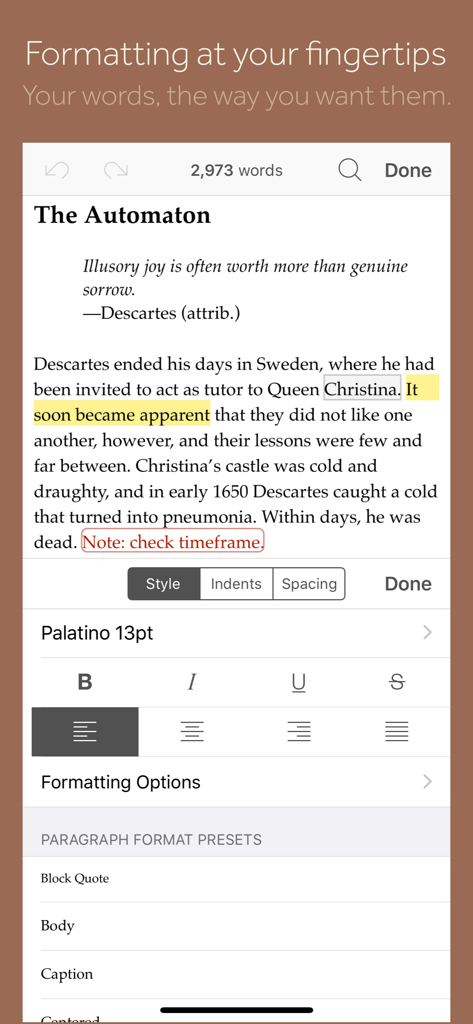
Vista móvil de la aplicación Scrivener que muestra un editor de texto con un panel de formato para estilos, fuentes y ajustes preestablecidos de párrafo.

Vista móvil de la aplicación Scrivener que muestra un editor de texto con un panel de formato para estilos, fuentes y ajustes preestablecidos de párrafo.

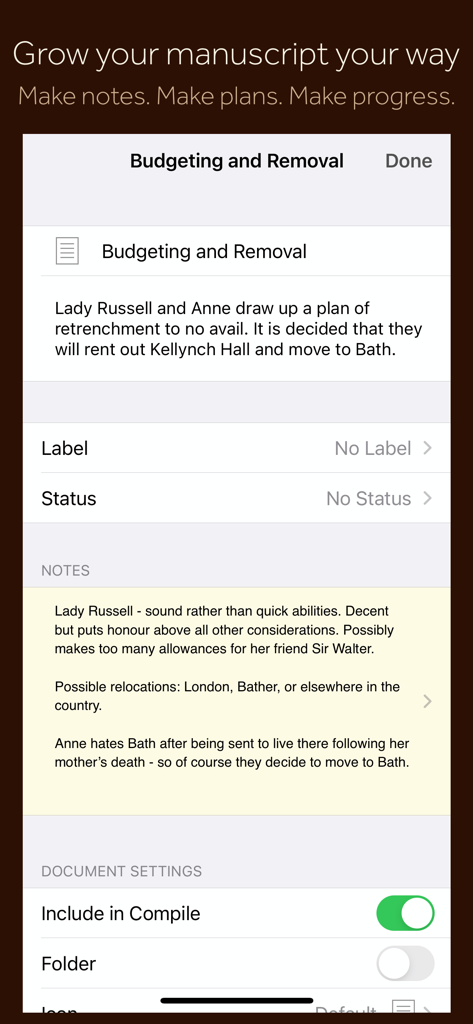
Interfaz de la aplicación móvil Scrivener que muestra notas de secciones del manuscrito, metadatos de planificación y configuraciones de documentos.

Interfaz de la aplicación móvil Scrivener que muestra notas de secciones del manuscrito, metadatos de planificación y configuraciones de documentos.

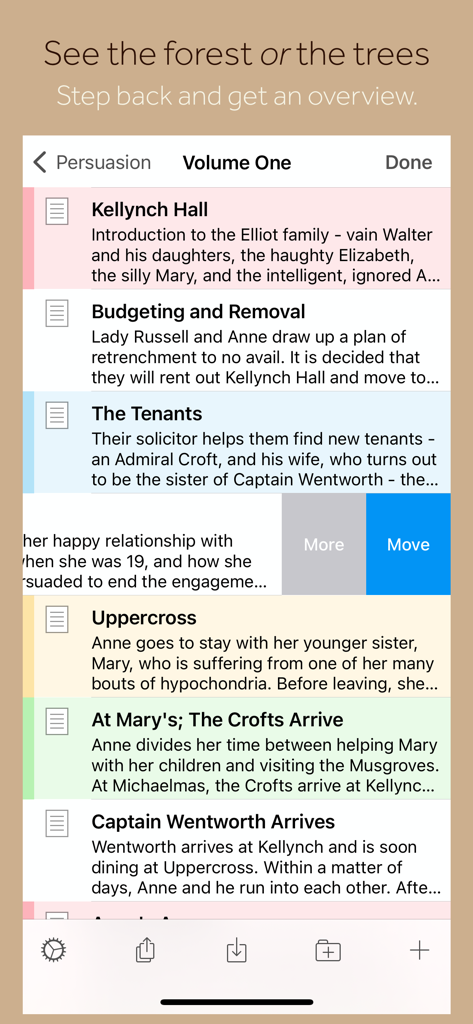
Interfaz de la aplicación Scrivener que muestra una lista de capítulos y resúmenes del manuscrito en iPhone.

Interfaz de la aplicación Scrivener que muestra una lista de capítulos y resúmenes del manuscrito en iPhone.

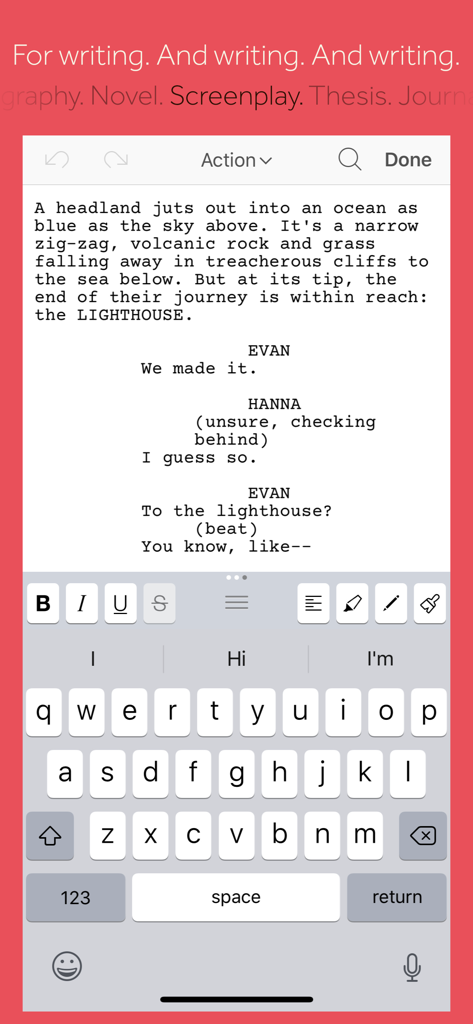
Aplicación móvil Scrivener que muestra el modo de escritura de guiones y herramientas de formato en un iPhone.

Aplicación móvil Scrivener que muestra el modo de escritura de guiones y herramientas de formato en un iPhone.

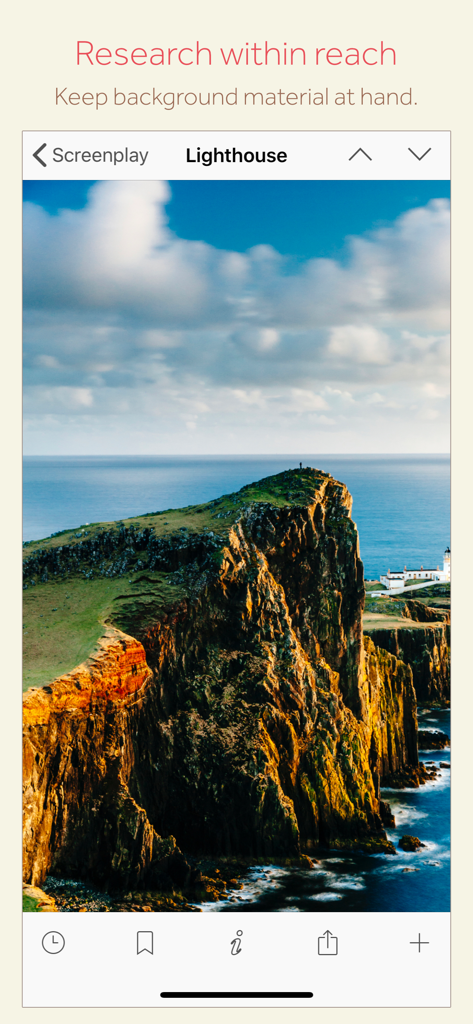
Interfaz de la aplicación móvil Scrivener que muestra una imagen de investigación de un faro para un proyecto de guion.

Interfaz de la aplicación móvil Scrivener que muestra una imagen de investigación de un faro para un proyecto de guion.

El Centro de Comando Definitivo para Escritores Serios

Las herramientas que hacen destacar esta app, elegida por 464K+ usuarios.

🗂️

Estructura Sin Estrés

Divide tu manuscrito en fragmentos manejables. Usa el Panel de Control (Binder) para reorganizar capítulos o escenas con un simple arrastrar y soltar, permitiendo que tu historia crezca orgánicamente.

📚

Tu Investigación, Siempre a Mano

Mantén tus bocetos de personajes, mapas y PDFs junto a tu borrador. En iPad, visualiza la investigación y la escritura lado a lado para mantener tu flujo sin cambiar de aplicación.

📤

Publicación Profesional en un Instante

¿Listo para compartir? Compila tu trabajo en formatos estándar de la industria como PDF, Word o libros electrónicos Kindle. Pasa de un borrador desordenado a un manuscrito pulido al instante.

Amada por usuarios en todo el mundo

Con la confianza de 464K+ personas que aman esta app.

"

"Scrivener es la única herramienta que puede seguir el ritmo de la complejidad de mis novelas. Me encanta que puedo hacer una lluvia de ideas en mi iPhone durante mi viaje al trabajo y luego usar el corcho (corkboard) del iPad para reestructurar toda mi trama en una cafetería. Ha convertido mis dispositivos móviles en un verdadero estudio de escritura profesional."

Elena Rodríguez, Autora de Ficción
"

"Para mis proyectos de investigación largos, esta aplicación es indispensable. Tener mis PDFs, notas y borradores en un solo proyecto autocontenido, y poder compilarlos en un documento perfectamente formateado para mi editor, me ahorra horas de trabajo manual. Es el estándar de oro para escritores serios."

Marcus Thorne, Periodista Freelance

Sobre la app

Todo lo que necesitas saber sobre Scrivener.

Descripción

“The biggest software advance for writers since the word processor.” —Michael Marshall Smith, bestselling author Typewriter. Ring-binder. Scrapbook. Scrivener combines all the writing tools you need to craft your first draft, from nascent notion to final full stop. Tailor-made for creating long manuscripts, Scrivener banishes page fright by allowing you to compose your text in any order, in sections as large or small as you like. Got a great idea but don’t know where it fits? Write when inspiration strikes and find its place later. Grow your manuscript organically, idea by idea. Whether you plan or plunge, Scrivener works your way: meticulously outline every last detail first, or hammer out a complete draft and restructure later. Or do a bit of both. All text sections in Scrivener are fully integrated with its outlining tools, so working with an overview of your manuscript is only ever a tap away, and turning Chapter Four into Chapter One is as simple as drag and drop. Need to refer to research? In Scrivener, your background material is always at hand. Write a description based on a photograph. Reference a video or PDF. Check for consistency with an earlier chapter. On the iPad, open two documents side-by-side; on the iPhone, flip between research and writing with just two taps. Once you’re ready to share your work with the world, simply compile everything into a single document for printing, or export to popular formats such as Word, PDF, Final Draft or plain text. You can even share using different formatting, so that you can write in your favorite font and still keep your editor happy. FEATURES Get Started • Interactive tutorial project • Keep each manuscript and supporting materials in a self-contained project • Import Word, RTF, Final Draft and plain text files • Easily split imported text into separate sections Get Writing • Write your manuscript in sections of any size • View all sections as a single text using the “Draft Navigator” (iPad only) • Quickly navigate sections using the “binder” sidebar • Format with fonts and presets • Comments, footnotes, links and highlights • Simple bullets and lists • Insert images • Pinch-zoom to resize text • Full-screen mode (iPad only) • Typewriter scrolling mode keeps typed text center-screen (iPad only) • Write a screenplay using scriptwriting mode • Live word and character counts • Set word and character count targets • Find and replace • Customizable keyboard row provides quick-access buttons for formatting, navigation and punctuation • Comprehensive keyboard shortcuts for external keyboard users • Dark mode Find Your Structure • Write in any order and reorganize later • Write a synopsis for any text section and see it in the outline • Expand, collapse and drill down into sections of your project • Rearrange sections as index cards on the corkboard (iPad only) • Project-wide search • Track ideas using labels and status • Apply custom icons to your sections Refer to Research • Import research material such as image, PDF and media files • View research files or other sections right alongside your writing (iPad only) • Every section has its own notes area for jotting down ideas • Supports multitasking split screen mode (supported devices only) Share Your Work • Compile to a single document for sharing or printing • Use different formatting in your exported or printed document • Export to Word, RTF, Final Draft, PDF or plain text • Convert rich text to Markdown for sharing with Markdown apps • Create and email zipped backups of your projects Work Anywhere • Use Dropbox to sync between devices and with the macOS and Windows versions of Scrivener* • Copy projects between devices via iTunes * Requires a Dropbox account (not compatible with iCloud). SUPPORT You can contact us at ios.support@literatureandlatte.com, visit our forums at http://www.literatureandlatte.com/forum, or find us @scrivenerapp on Twitter.

Última versión

1.2.4

Tamaño

26.5 MB

Fecha de lanzamiento

20 jul 2016

Tu Estudio de Escritura Profesional, Donde Sea

Desde una noción incipiente hasta el punto final, lleva la herramienta de gestión de manuscritos más potente del mundo contigo. Descarga Scrivener para iOS y empieza a crear tu obra maestra hoy mismo.

Descargar en App Store