Speech Assist Switch

Speech Assist Switch

Descargar en App Store
Spark by MWM logo
Logo de Speech Assist Switch
Speech Assist Switch: Potenciando Tu Voz a Través del Control por Interruptores Eficiente

La solución profesional de CAA diseñada específicamente para usuarios de iPad con dificultades motoras. Comunícate con independencia utilizando patrones de escaneo personalizables, bibliotecas de frases personalizadas y voces de alta calidad adaptadas a tus necesidades únicas.

Editor

Ton Schalke

Categoría

Medical

Descargas

29K+

Valoración

1.0/5

Total valoraciones

0

Idiomas

4

El Empoderamiento Hecho Visible

Descubre la interfaz utilizada por 29K+ usuarios.
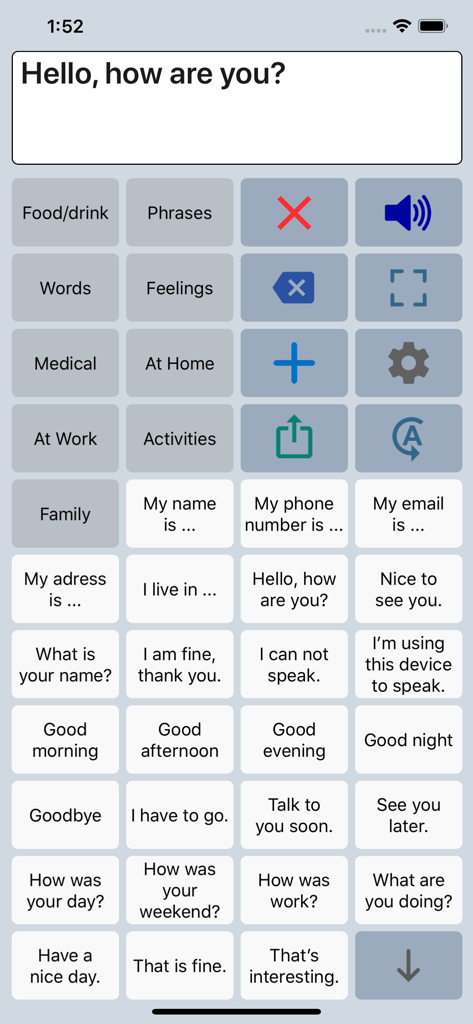
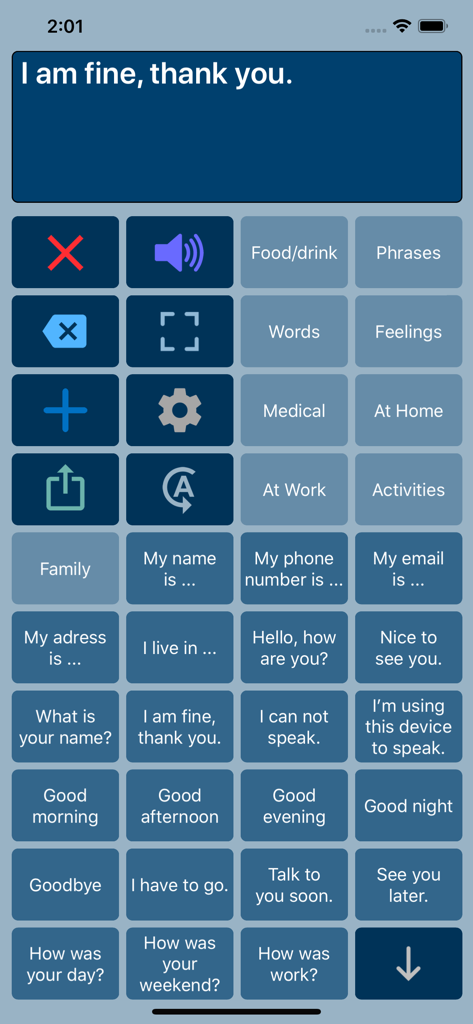
Interfaz de la app de CAA Speech Assist Switch con una cuadrícula de frases y categorías personalizables para asistencia del habla.

Interfaz de la app de CAA Speech Assist Switch con una cuadrícula de frases y categorías personalizables para asistencia del habla.

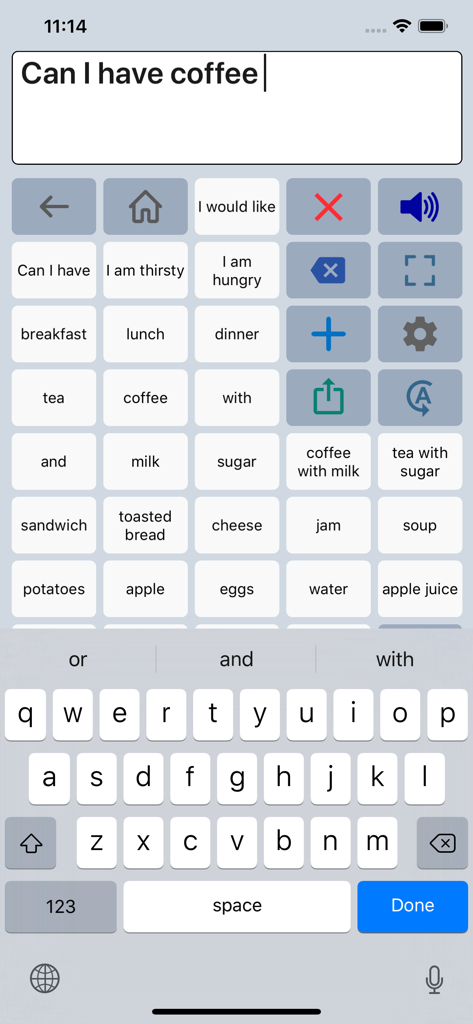
Interfaz de la app Speech Assist Switch que muestra una cuadrícula de frases y un teclado para la comunicación.

Interfaz de la app Speech Assist Switch que muestra una cuadrícula de frases y un teclado para la comunicación.

Interfaz de la app Speech Assist Switch que muestra una cuadrícula de botones de comunicación con frases comunes y opciones de categoría.

Interfaz de la app Speech Assist Switch que muestra una cuadrícula de botones de comunicación con frases comunes y opciones de categoría.

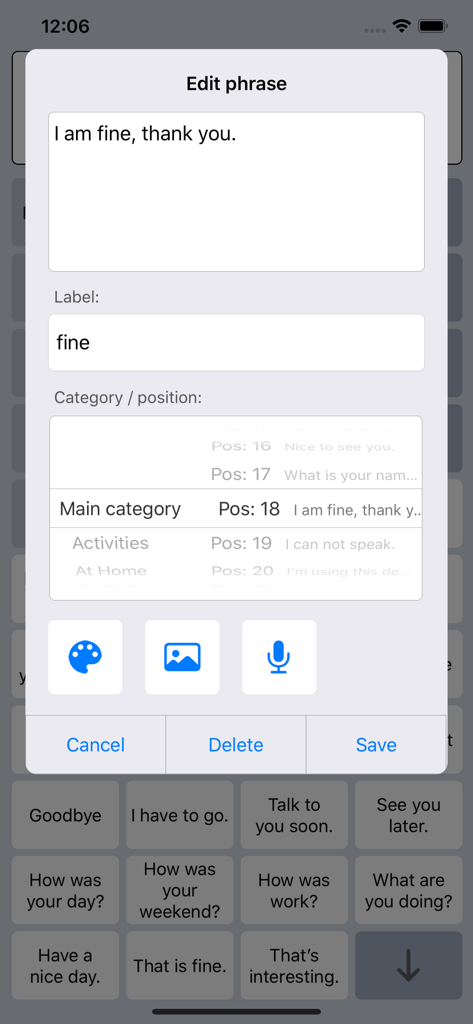
Interfaz para editar y personalizar frases en la app Speech Assist Switch.

Interfaz para editar y personalizar frases en la app Speech Assist Switch.

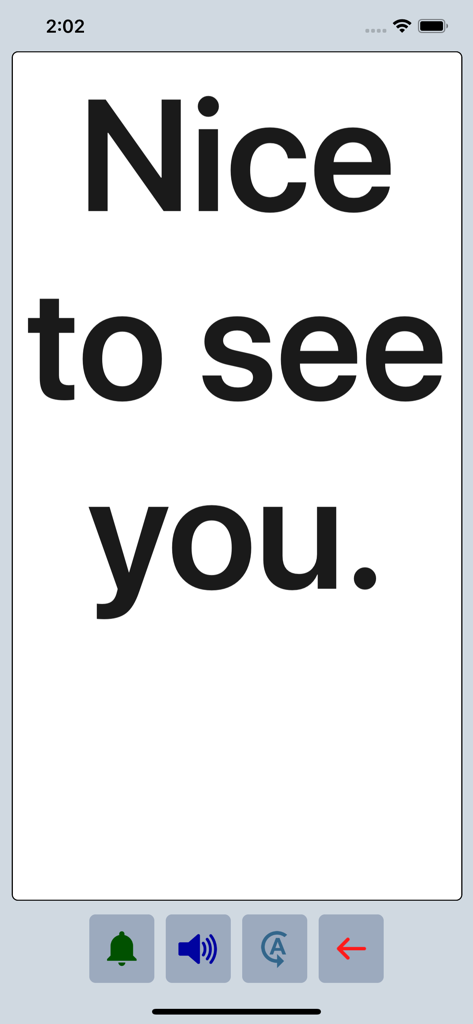
La app Speech Assist Switch mostrando la frase Nice to see you en texto grande y en negrita en modo de pantalla completa.

La app Speech Assist Switch mostrando la frase Nice to see you en texto grande y en negrita en modo de pantalla completa.

Potenciando Cada Voz con Precisión Accesible

Las herramientas que hacen destacar esta app, elegida por 29K+ usuarios.

🔘

Eficiencia de Escaneo Optimizada

Reduce la fatiga física con agrupaciones de filas y botones ajustables, diseñadas para minimizar las pulsaciones de interruptores necesarias para encontrar las palabras correctas.

📄

Navegación Sin Desplazamiento

Experimenta una interacción fluida utilizando botones dedicados de avance y retroceso de página, eliminando la dificultad de desplazarse para los usuarios con discapacidades motoras.

🗣️

Una Voz Que Es Verdaderamente Tuya

Elige entre más de 90 voces naturales de iOS y personaliza tu biblioteca con símbolos, fotos y categorías personalizadas adaptadas a tu vida diaria.

Amada por usuarios en todo el mundo

Con la confianza de 29K+ personas que aman esta app.

"

"Como Patóloga del Habla y del Lenguaje, es raro encontrar una app de CAA que realmente optimice el Control por Interruptores de iOS. La capacidad de personalizar los patrones de escaneo y utilizar la navegación por páginas en lugar del desplazamiento ha reducido significativamente la fatiga de comunicación de mis estudiantes. Es una herramienta de nivel profesional que ofrece un valor increíble para la comunidad de accesibilidad."

Sarah Miller, M.S., CCC-SLP
"

"Esta app me ha devuelto mi voz. El diseño es perfecto para mi configuración de interruptores, y finalmente puedo navegar por mis frases sin la frustración de desplazarme. Los símbolos personalizados y las voces de alta calidad hacen que se sienta personal y natural. Es fácilmente la herramienta de comunicación más confiable que tengo en mi iPad."

David Jenkins, Usuario y Defensor de la Discapacidad

Sobre la app

Todo lo que necesitas saber sobre Speech Assist Switch.

Descripción

Speech Assist Switch is an AAC app for people who are speech impaired and is designed to be used with iOS Switch Control. With Switch Control people with motor difficulties can operate their iPad with a switch. The app has special features for scanning with iOS Switch Control like the option to adjust the scanning pattern and has page up/down navigation buttons to avoid scrolling. If you don’t need these features, the original app ‘Speech Assistant AAC’ is the better choice. Key features • The app is designed for the iPad. • Easy to use and completely customizable to your needs and preferences. • Categories and subcategories to organize your phrases. • History for quick access to previously typed phrases. • Option to select photos from your Photo Library or Symbols on the buttons. • Option to record speech or use one of the many iOS text-to-speech voices. • Full screen button to show your message with a large font. • iCloud backup and restore (also for recordings). Special features for iOS Switch Control • The scanning pattern can be adjusted in the settings. • All the button are created in one large grid. • The buttons can be made very small, in the settings you can choose from 6 to 12 buttons per row on an iPad. • The category buttons can be placed anywhere and it is possible to create subcategories. • Navigation through the pages can be done with page up/down buttons. • A special optional bar for the keyboard with buttons to move the cursor a letter or word. Scanning pattern • When iOS Switch Control is enabled, the default scanning pattern scans row by row and then button by button. This is not always efficient and therefore the scanning pattern can be adjusted in the settings: • The number of rows that will be grouped during scanning. • The number of buttons in a row that will be grouped during scanning. Categories and phrases • Add, change or delete your own (sub)categories and phrases. • You can create an unlimited number of categories to organize your phrases for quick access. • Create users with their own categories, phrases and voice for different languages, persons or situations. • In the settings you can quickly and easily edit multiple phrases at once. • Backup and Restore your categories and phrases to iCloud, also convenient for transferring them to another iPhone/iPad. Fully Customizable • The size of the buttons, the textbox and the text can be adjusted. • The app has various color schemes and you can also create a personal color scheme. • Change the colors of the icons on the buttons. Full screen • Show your message full screen with a very large font. • Useful for communicating in a noisy environment. • Button to rotate the text to show your message to the person opposite of you. Speech • Pronunciation corrections can be defined in the settings. • The rate and pitch of the speech can be adjusted. • Option to speak each Word or Character directly while typing. • Optional highlighting of the spoken words. • Pause and resume speaking by tapping the speak button (optional setting). Other features • Connect a bluetooth keyboard and create shortcuts for the functions Speak, Clear, Show and Attention Sound. • Button to share your message to mail, text and social media. • Attention sound button on Main and Full screen. • Option to select symbols from the set of 3400 Mulberry Symbols (mulberrysymbols.org) to place on the buttons. About the app • This app is developed by ASoft. • Ben Fullerton, who has Cerebral Palsy, has been a great help with the special features for iOS Switch Control. • For feedback or questions, please contact: speechassistant@asoft.nl Voices • The voice can be selected in the settings of the app. • The app uses the built-in iOS text-to-speech voices. • There are 90 voices in 27 languages available, for instance 9 English US, 6 English UK and 4 Australian voices available.

Última versión

3.5.2

Tamaño

67.7 MB

Fecha de lanzamiento

3 may 2019

Dale a Tu Voz la Libertad Que Merece

Únete a miles de usuarios que recuperan su independencia con la solución de CAA especializada, co-diseñada para la eficiencia y el Control por Interruptores de iOS sin problemas. Descarga Speech Assist Switch en tu iPad hoy mismo.

Descargar en App Store