iBFD

iBFD

Télécharger sur App Store
Spark by MWM logo
Logo de iBFD

iBFD : Votre affichage de vol de secours essentiel et suite de sécurité

Améliorez la sécurité de votre cockpit avec des instruments de secours de qualité professionnelle sur votre iPhone ou iPad. Doté d'un indicateur d'attitude de précision, d'une technologie de fusion de capteurs et d'un enregistrement de données de vol intégré pour une tranquillité d'esprit ultime à chaque vol.

Éditeur

Tatsuo Saeki

Catégorie

Navigation

Téléchargements

106K+

Note

3.8/5

Nombre d'avis

0

Langues

1

Précision affichée

Découvrez l'interface utilisée par 106K+ utilisateurs.
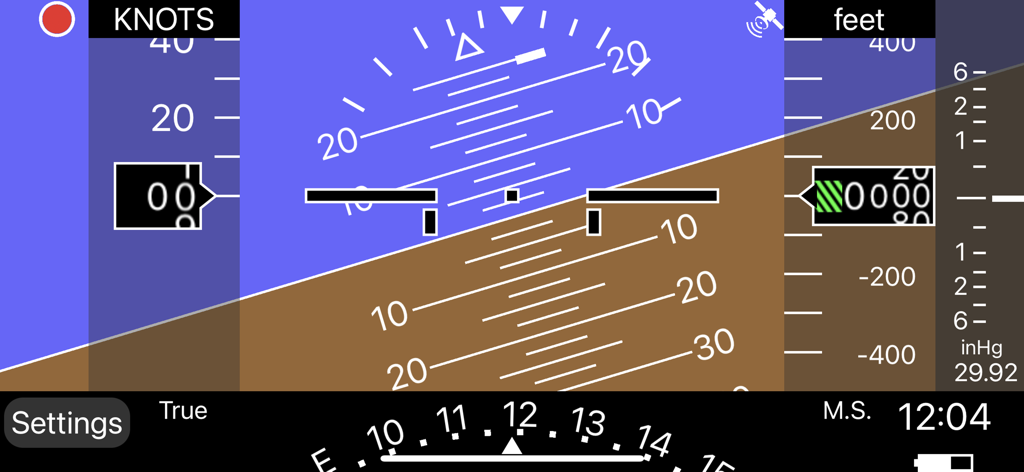
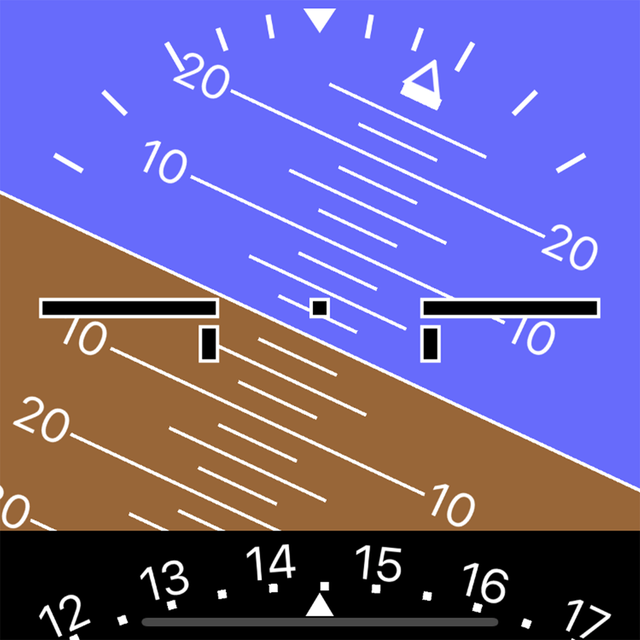
Interface d'affichage de vol de secours numérique avec indicateur d'attitude et altimètre

Interface d'affichage de vol de secours numérique avec indicateur d'attitude et altimètre

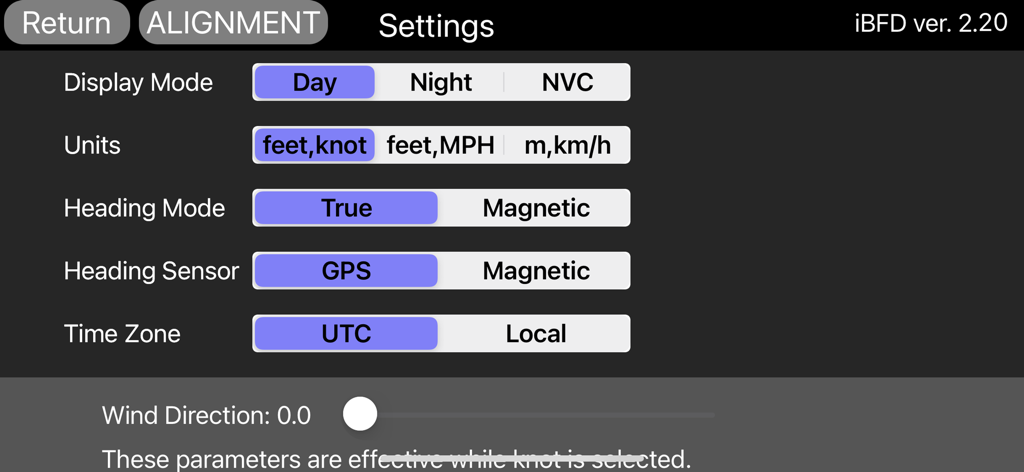
Écran des paramètres de l'application iBFD affichant les options de configuration pour l'affichage de vol, les unités et les capteurs.

Écran des paramètres de l'application iBFD affichant les options de configuration pour l'affichage de vol, les unités et les capteurs.

Instruments de secours de qualité professionnelle

Les outils qui font la différence, choisis par 106K+ utilisateurs.

🎛️

Suite de vol intégrée

Accédez à un panneau secondaire complet comprenant des indicateurs d'attitude, de cap et de vitesse verticale, alimentés par la précision avancée du filtre de Kalman.

⏺️

FDR & Enregistrement vocal du cockpit

Améliorez votre culture de la sécurité avec l'enregistrement intégré des données de vol et de la voix, fournissant une documentation essentielle pour chaque mission.

🛡️

Fiabilité prête à l'urgence

Restez préparé à tout scénario avec les modes Jour, Nuit et NVC, assurant une navigation à haute visibilité et un guidage aéroportuaire dans les moments critiques.

Plébiscitée par les utilisateurs du monde entier

Approuvée par 106K+ personnes qui adorent cette app.

"

"En tant que pilote privé volant sur un Cessna des années 1970 avec un seul système à vide, iBFD est ma tranquillité d'esprit ultime. Lors d'un récent vol transcontinental, il a servi de parfait complément à mes instruments principaux. L'indicateur d'attitude est remarquablement stable, et la fonction FDR est fantastique pour revoir mes manœuvres après le vol. C'est une pièce d'assurance numérique essentielle pour tout cockpit d'aviation générale."

David Miller, Pilote Privé (ASEL)
"

"La logique de fusion des capteurs d'iBFD est vraiment impressionnante par rapport à d'autres applications. Je le garde en fonctionnement sur mon iPhone monté sur la visière anti-reflet tout en utilisant mon iPad pour la navigation. La précision des données de tangage et de roulis est de premier ordre, et le mode NVC est un atout précieux pour préserver la vision nocturne lors des arrivées tardives en soirée. Un outil indispensable pour les pilotes qui privilégient la sécurité et la redondance."

Sarah Jenkins, Instructrice de Vol

À propos de l'app

Tout ce que vous devez savoir sur iBFD.

Description

integrated Backup Flight Display (iBFD) Pilots understand the risk of a primary flight instrument failure while flying. In certain situations the loss of the Attitude Indicator is perhaps the greatest risk a pilot can face. This iPhone based integrated Backup Flight Display (iBFD) is an inexpensive, easy to operate tool intended to reduce risk and improve safety if an instrument fails and no other backup is available. This application consists of an Attitude Indicator, Heading Indicator, Altimeter, Vertical Speed Indicator, speed Indicator, Side Slip Indicator, and Clock. Furthermore, in the portrait mode of the iPad, a Map is displayed below the Attitude Indicator, and when you enter an airport code such as KFTW, the direction and distance to the airport are displayed. It can also be used as Flight Data Recorder(FDR) and Cockpit Voice Recorder(CVR). This function is activated by touching the red circle in the upper left corner. Recording is stopped by touching the red circle again or it will be stopped automatically when large G is applied. iBFD uses the iPhone's 3 axis Gyro sensor as its primary sensor. Pitch and Roll angles are calculated using the Gyro data and the same algorithm as strap down Inertial Reference Systems (IRS). GPS and Accelerometer are used with Kalman filter as sensor fusion to prevent gyro drift and improve Accuracy. The iBFD performs noticeably better than other comparable applications on the market. Unfortunately the iBFD doesn't have FAA certification. It doesn't have enough reliability for use as Primary Flight Instruments, and neither our software nor your iPhone have been subjected to rigorous certification tests. And the accuracy of Map and Airport Information is not guaranteed. All information displayed on the iBFD is for reference only! Therefore, we are not responsible for any death, injury or damage as a result of using the iBFD. USE THIS DEVICE AT YOUR OWN RISK! Nevertheless, during an In Flight Emergency having an iBFD is far better than having no instrument at all. Particularly if in a limited visibility situation with an inoperative Attitude Indicator. Engine vibration can affect accuracy of the iBFD, so special consideration must be given to mounting the iPhone to the cockpit instrument panel or glare shield. Other features (1) There are three display color modes; Day, Night or NVC. (2) Altitude/Speed is selectable in units of feet/knots, feet/MPH or meter/kilometers per hour. (3) Airspeed is calculated using GPS Speed, Wind Direction, and Wind Velocity. Wind Direction and Velocity are obtained via ATIS and set manually. (4) Pitch angle zero can be adjusted manually by touching center of the display or slider setting. (5) Magnetic Heading or True Heading, and GPS or M.S.(Magnetic Sensor) are selectable. (6) Settings Window for entering parameters and user preferences. (7) Battery Icon indication. (8) Recorded data can be accessed by Files. (9) Magnetic Heading can be adjusted with the slider. (10) Function to correct roll angle. However, when performing this function, the iPhone needs to be correctly placed horizontally. (11) Local time or UTC is selectable. (12) GPS Altimeter and Barometric Altimeter. (13) Roll indication by Sky pointer and Ground pointer. Note: Initial roll and pitch angle are calculated using the accelerometer at the time of alignment (same as real IRS). Therefore, if acceleration due to motion is applied during alignment, an angle error will occur. However, such initial angle error automatically decreases with time and disappears after a few minutes in case of level flight.

Dernière version

2.30

Taille

12.9 MB

Date de sortie

1 mars 2017

Volez préparé. La redondance essentielle de votre cockpit commence ici.

Rejoignez plus de 100 000 pilotes d'aviation générale qui font confiance à iBFD pour la sauvegarde d'urgence et l'enregistrement de vol. Téléchargez dès aujourd'hui pour une tranquillité d'esprit ultime.

Télécharger sur App Store