Inkpad - Graphic Design

Inkpad - Graphic Design

Télécharger sur App Store
Spark by MWM logo
Logo de Inkpad - Graphic Design

Inkpad - Design Vectoriel Professionnel pour Votre iPad

Créez des illustrations vectorielles précises, des logos personnalisés et des fichiers SVG avec la puissance des outils de bureau et la simplicité intuitive de l'Apple Pencil.

Éditeur

Envoza Ltd

Catégorie

Graphics & Design

Téléchargements

406K+

Note

4.3/5

Nombre d'avis

900

Langues

11

Un chef-d'œuvre en devenir

Découvrez l'interface utilisée par 406K+ utilisateurs.
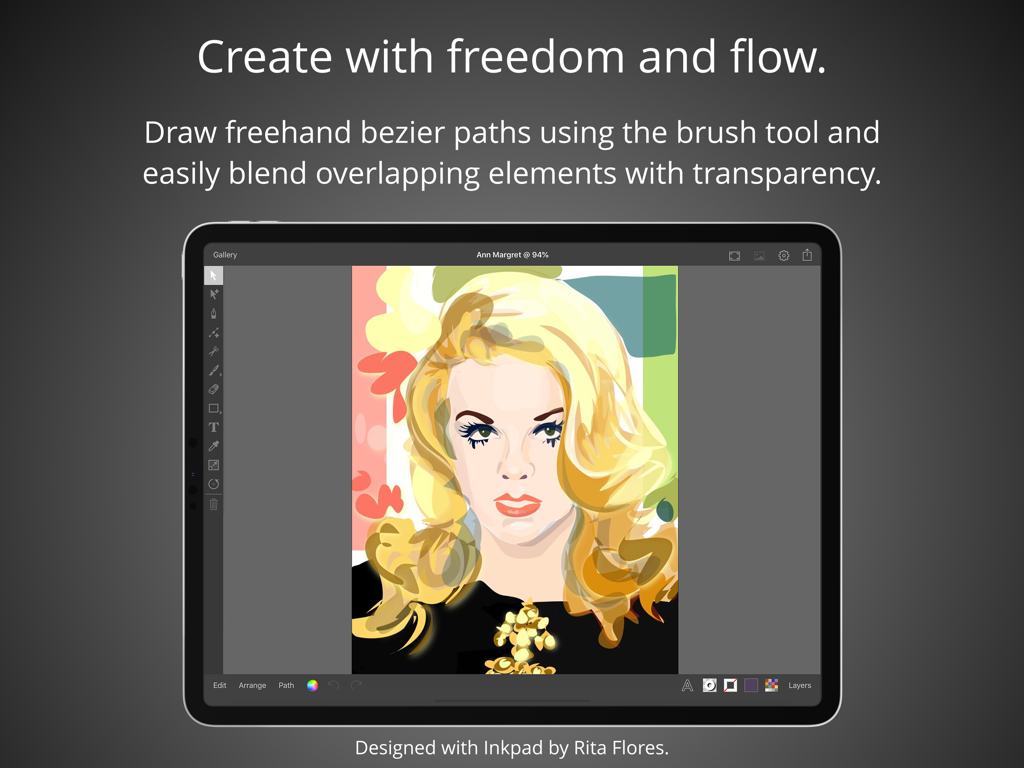
Illustration de portrait vectoriel sur iPad à l'aide de l'application de design graphique Inkpad

Illustration de portrait vectoriel sur iPad à l'aide de l'application de design graphique Inkpad

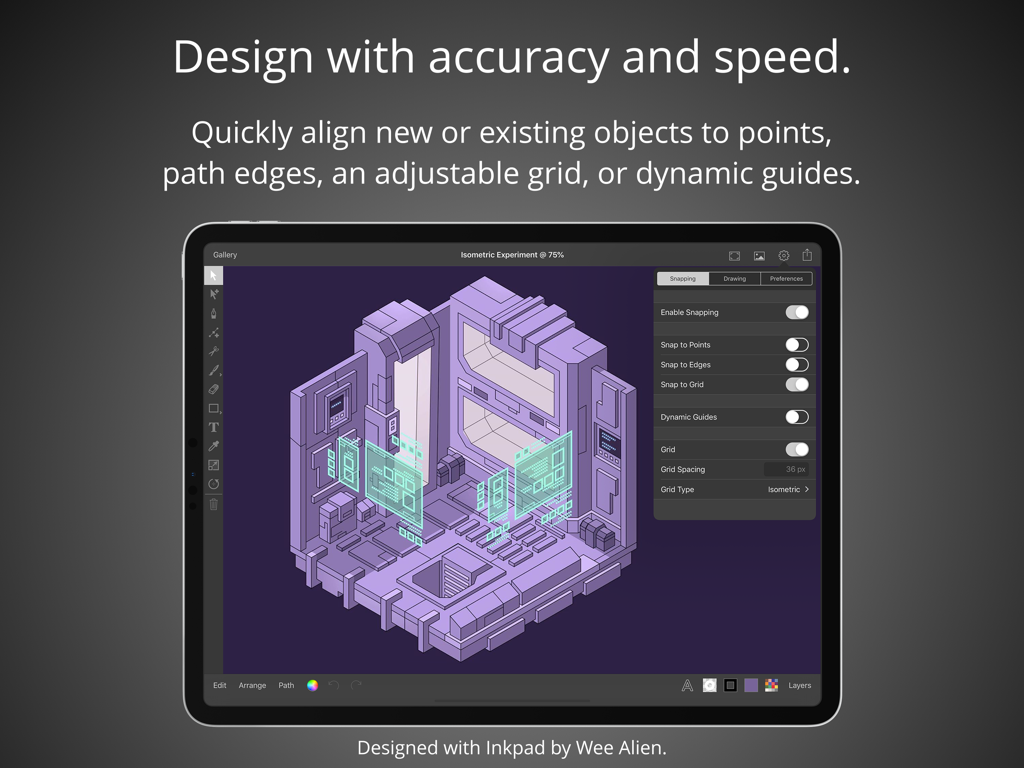
Application Inkpad pour iPad montrant un design vectoriel isométrique avec des outils d'alignement et de magnétisme

Application Inkpad pour iPad montrant un design vectoriel isométrique avec des outils d'alignement et de magnétisme

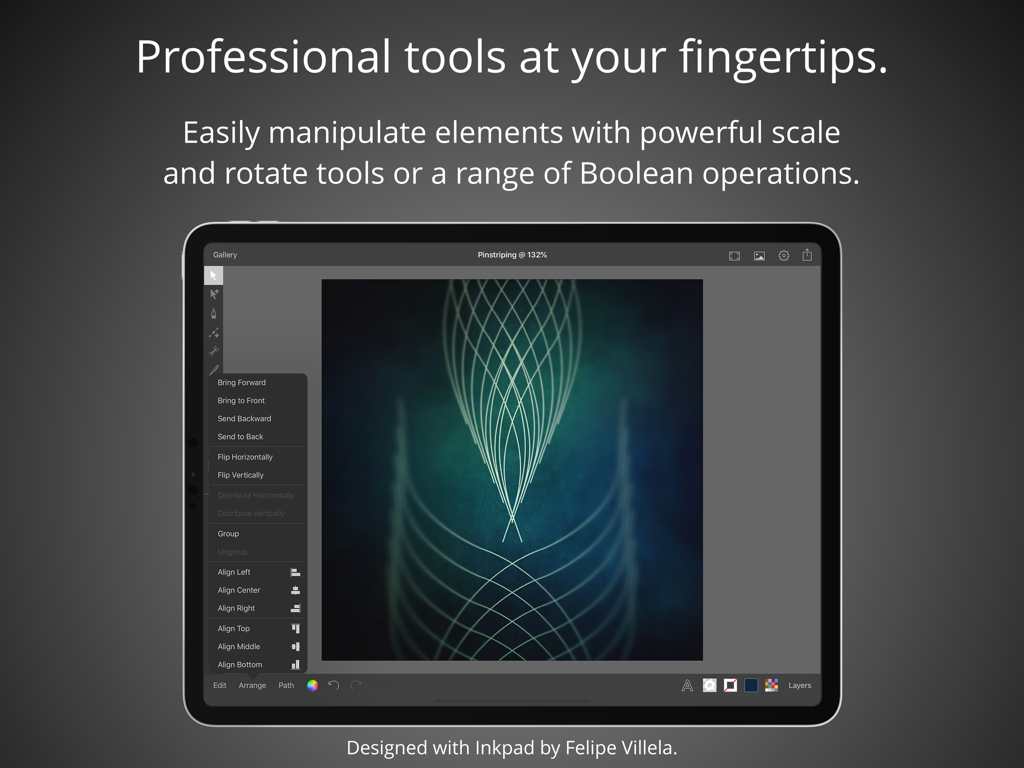
Outils de design vectoriel professionnel sur iPad montrant de l'art géométrique complexe et des menus d'édition

Outils de design vectoriel professionnel sur iPad montrant de l'art géométrique complexe et des menus d'édition

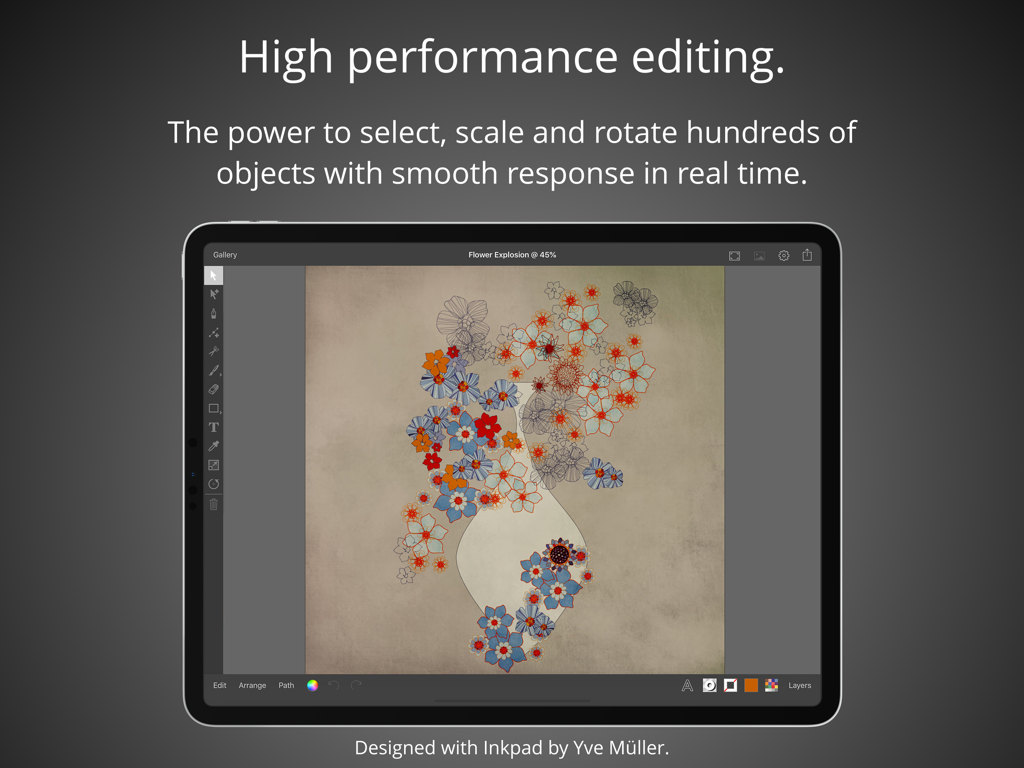
Application de design graphique Inkpad sur iPad montrant une illustration de fleur vectorielle avec des outils d'édition

Application de design graphique Inkpad sur iPad montrant une illustration de fleur vectorielle avec des outils d'édition

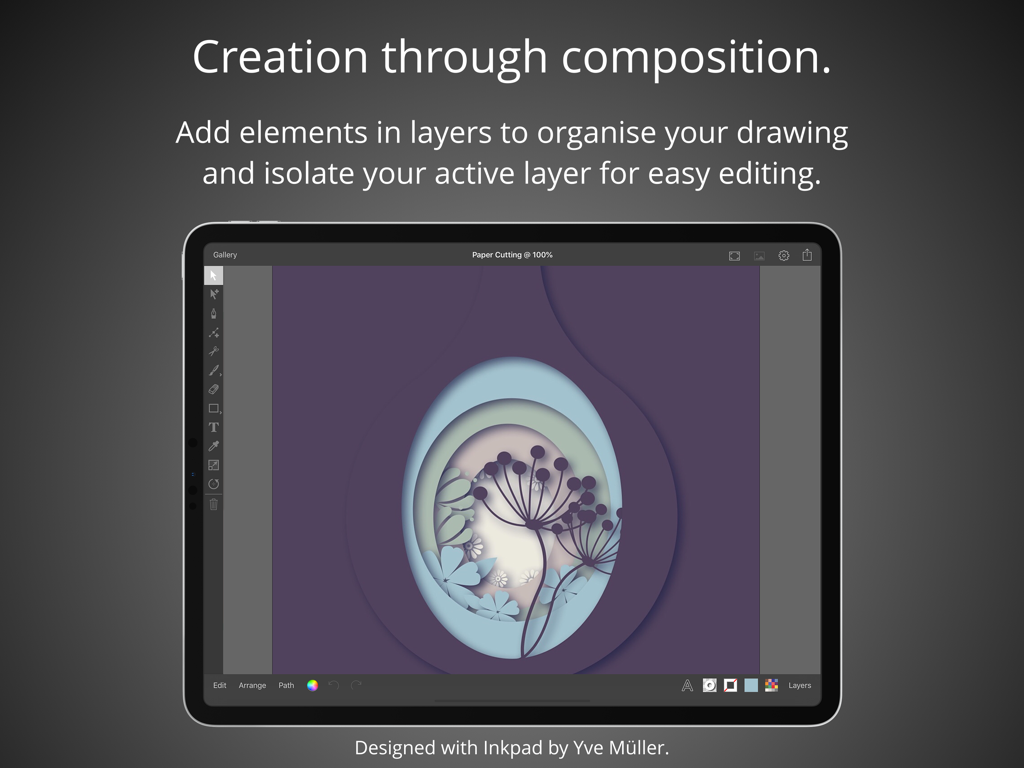
Application de design graphique Inkpad sur iPad montrant une œuvre vectorielle superposée de style papier découpé.

Application de design graphique Inkpad sur iPad montrant une œuvre vectorielle superposée de style papier découpé.

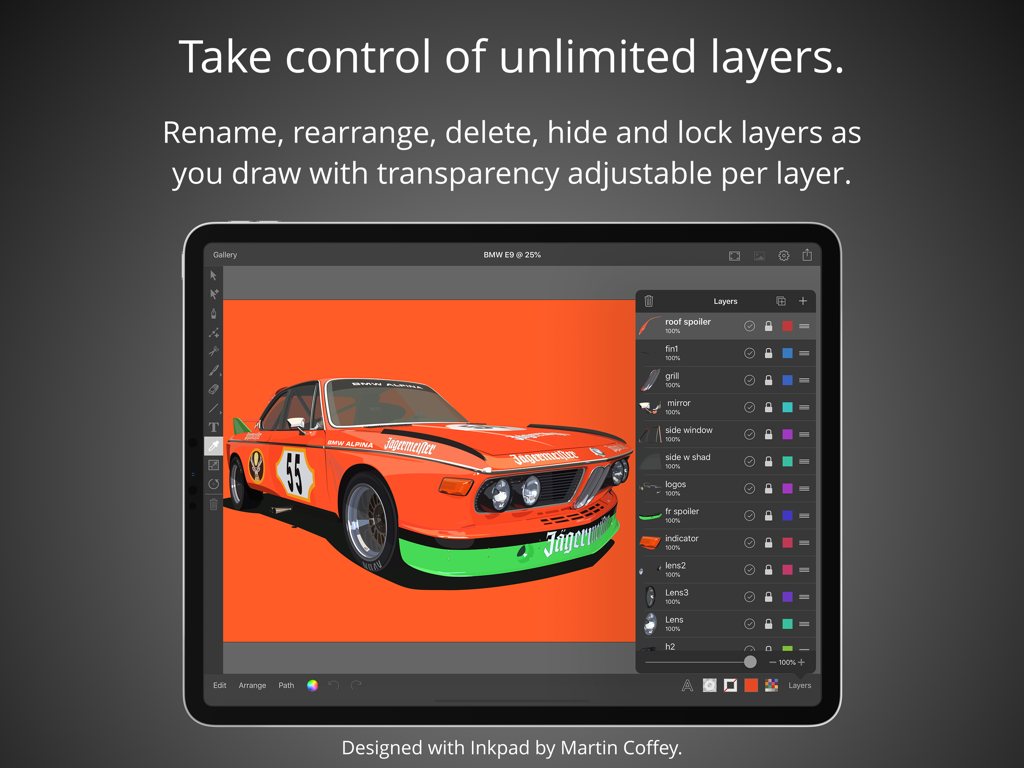
Écran d'iPad montrant l'interface de l'application Inkpad avec une illustration de voiture vectorielle et le panneau de gestion des calques.

Écran d'iPad montrant l'interface de l'application Inkpad avec une illustration de voiture vectorielle et le panneau de gestion des calques.

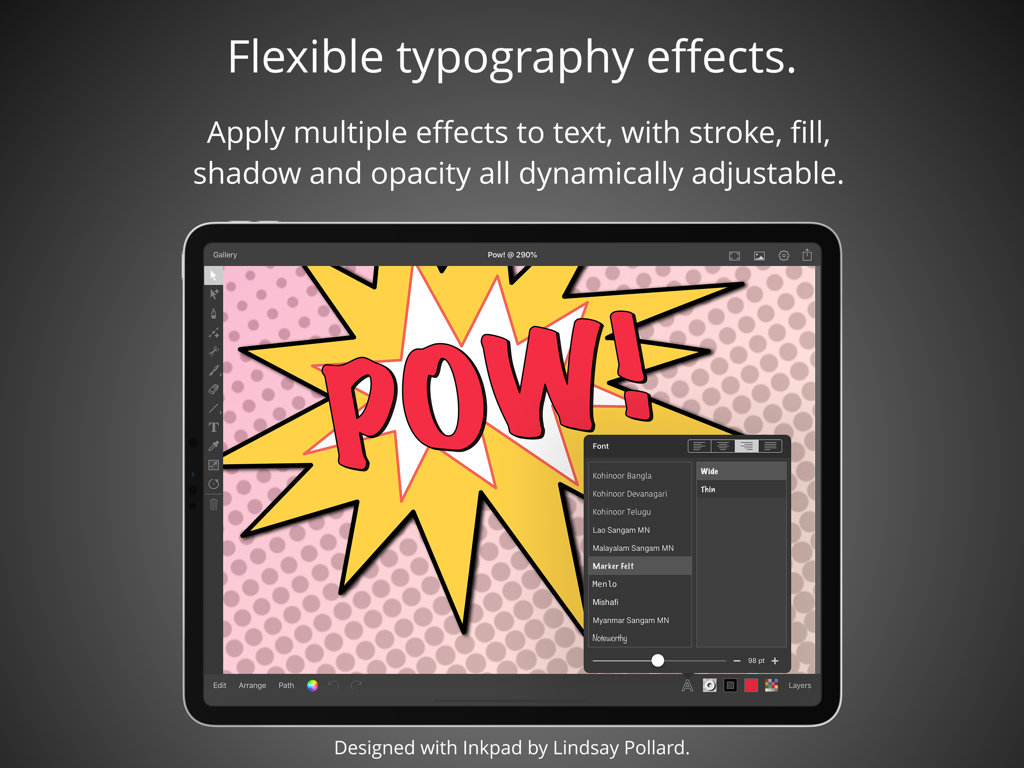
Capture d'écran de l'application Inkpad sur iPad démontrant des effets de typographie flexibles avec du texte de style bande dessinée

Capture d'écran de l'application Inkpad sur iPad démontrant des effets de typographie flexibles avec du texte de style bande dessinée

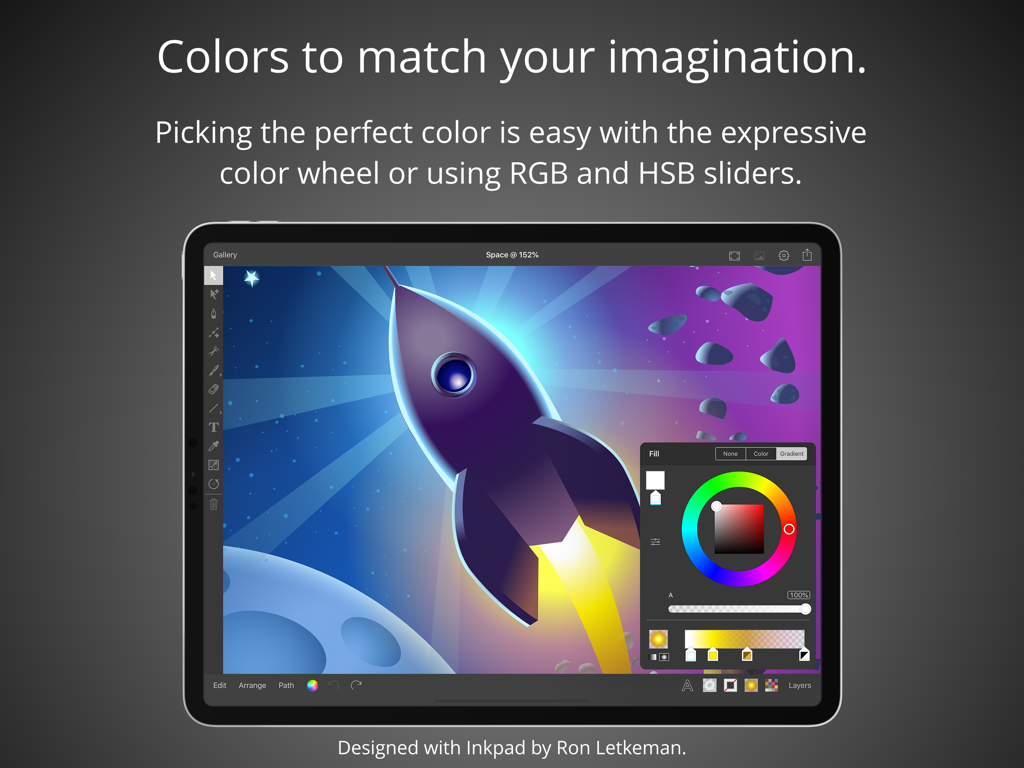
Interface de l'application Inkpad sur iPad montrant une roue chromatique et des curseurs sur une illustration vectorielle de fusée

Interface de l'application Inkpad sur iPad montrant une roue chromatique et des curseurs sur une illustration vectorielle de fusée

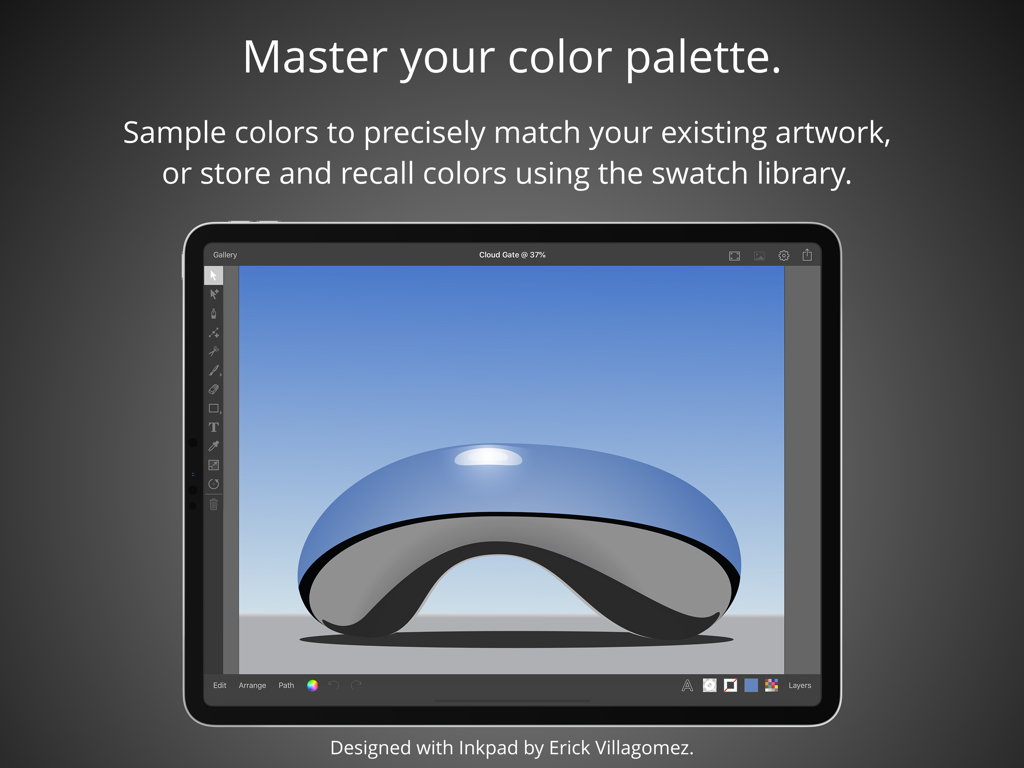
Application de design graphique Inkpad sur iPad montrant une illustration vectorielle d'une sculpture bleue réfléchissante et des fonctionnalités de palette de couleurs.

Application de design graphique Inkpad sur iPad montrant une illustration vectorielle d'une sculpture bleue réfléchissante et des fonctionnalités de palette de couleurs.

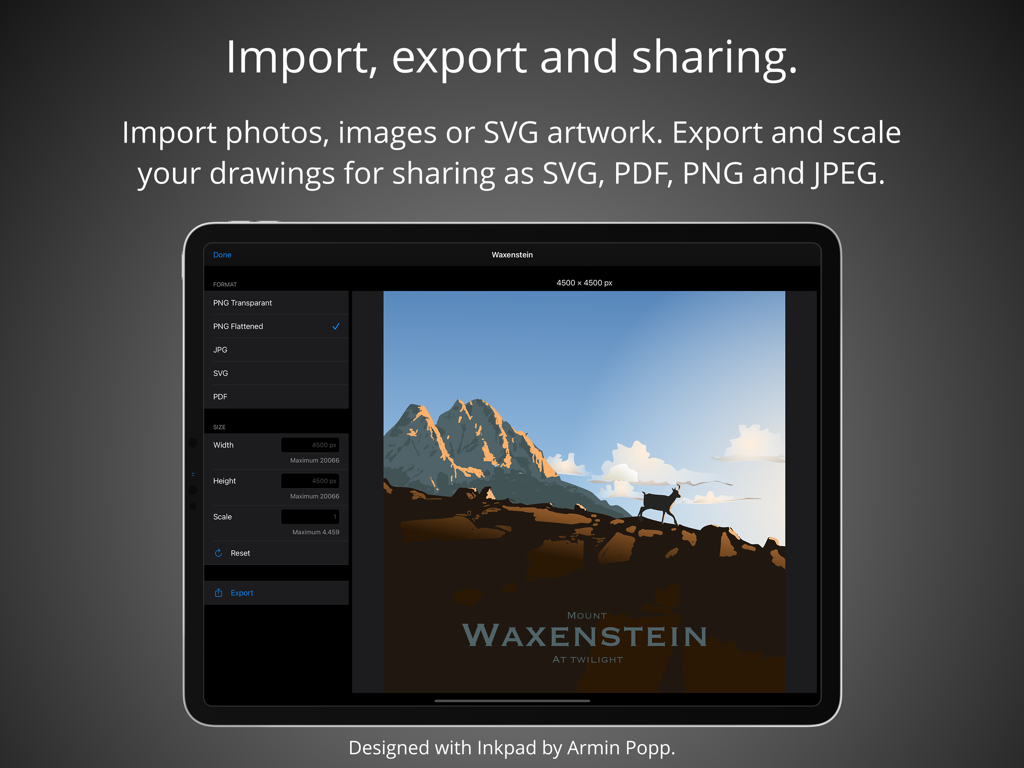
Interface de l'application Inkpad sur iPad montrant les paramètres d'exportation et de partage d'œuvres vectorielles

Interface de l'application Inkpad sur iPad montrant les paramètres d'exportation et de partage d'œuvres vectorielles

Le design vectoriel professionnel sans la complexité

Les outils qui font la différence, choisis par 406K+ utilisateurs.

🖋️

Précision de l'Apple Pencil

Dessinez avec une précision ultime. Que vous créiez des tracés de Bézier à main levée ou que vous vous aligniez sur une grille, chaque trait est optimisé pour une expérience iPad fluide et professionnelle.

📐

Outils Pro, Zéro Friction

Exploitez de puissantes opérations booléennes comme l'Union et la Soustraction. Gérez des calques illimités et une typographie complexe avec une interface raffinée qui ne vous gêne jamais.

📂

Exportation Prête pour la Création

Parfait pour les entrepreneurs Etsy et les designers. Exportez des fichiers SVG propres pour Cricut et Glowforge, ou des PDF haute résolution pour des actifs de marque professionnels et les réseaux sociaux.

Plébiscitée par les utilisateurs du monde entier

Approuvée par 406K+ personnes qui adorent cette app.

"

"Inkpad change la donne pour ma petite entreprise. Je crée tous mes designs SVG pour ma machine de découpe directement sur mon iPad Pro. La précision de l'Apple Pencil est incroyable, et l'exportation vers le cloud se fait sans effort. C'est puissant, mais tellement plus intuitif que les logiciels de bureau avec lesquels je galérais."

Sarah M., Propriétaire de boutique Etsy
"

"Enfin une application vectorielle qui n'a pas l'air encombrée. J'utilise Inkpad pour tous mes concepts de logos initiaux et mes wireframes en voyage. Elle offre un équilibre parfait entre fonctionnalités pro, comme les opérations booléennes et les calques illimités, sans courbe d'apprentissage difficile. C'est vraiment le meilleur outil vectoriel pour l'iPad."

David L., Designer de marque indépendant

À propos de l'app

Tout ce que vous devez savoir sur Inkpad - Graphic Design.

Description

Create beautiful vector artwork on your iPad with Inkpad. Draw with accuracy and speed. Quickly align new or existing objects either to a grid, points, or path edges. Alternatively draw freehand bezier paths using the brush tool. Select, scale and rotate hundreds of objects with high performance in real time. Cutout elements of artwork, photographs or patterns with masks. Flexible typography effects. Position text at any angle or to follow along paths. Apply multiple effects to text, with stroke, fill, shadow and opacity all dynamically adjustable. If the over seventy built in fonts don’t quite fit your design, you can import any of the millions of OpenType and TrueType fonts available. Take control with unlimited layers. Feel free to add as many or as few elements in each layer to organise your drawings. Rename, rearrange, delete, hide and lock layers as you draw. Isolate the active layer for easy editing. Adjust each layers transparency independently to get your ideal composition. Powerful editing at your fingertips. Easily manipulate single or multiple elements with powerful scale and rotate tools. Associate individual elements into groups. Interactively edit gradient fills on the canvas. Perform a range of Boolean operations on paths, including Unite, Intersect, Exclude and Subtract Front. Colors to match your imagination. Picking the perfect color is easy with the freedom of the expressive color wheel. Or modify colors using RGB and HSB sliders. Enter the hexadecimal value to precisely match existing artwork colors. Sample colors using the dropper. Store and recall colors from the swatch library. Import, export and sharing. Import drawings from desktop vector applications as SVG and include photos directly from your camera roll, or import PNG and JPEG images from cloud services. Export your drawings for sharing or importing into other apps as SVG, PDF, PNG and JPEG to all cloud storage services. Send drawings as photos directly to your camera roll. Light & dark modes. Light and dark mode system appearances with the option to override the system setting to light or dark mode for Inkpad. Apple Pencil. If you’ve got an iPad Pro or the 2018 iPad, Inkpad works great with the Apple Pencil. Praise for Inkpad. Some of the kind feedback received in emails and App Store reviews: “Works perfect on latest iPad Pro, Apple Pencil.” “It’s really beautiful to use with an iPad Pro.” “Inkpad is one of the killer apps for the iPad.” “Inkpad is my favorite graphics app on any platform. Inkpad is just the right balance of enough power without being too complicated.” “If you’ve worked with Illustrator or Inkscape, this is the vector drawing app to download for your iPad. Especially nice with the iPad Pro with Apple Pencil.” “I love this vector drawing app for its easy-to-use interface and pared-down tool bar. It covers the essentials perfectly and the developers are very responsive to questions.” “Inkpad is my main vector design tool for mobile. This is the app that Adobe Draw should be.” “Thank you guys, I use this app all the time.” “If you used to work with Inkpad in the past you should get this app to continue working with it.” Acknowledgements. Thank you to Martin Coffey, Rita Flores, Yve Müller, Armin Popp, David Rivera, Nicolas Saez, Erick Villagomez, Felipe Villela and Jason Wray for contributing artwork to the ‘Designed with Inkpad’ app preview video and screenshots. Please visit our website to see more of their artwork and for links to their portfolios. History. Inkpad was originally created by Steve Sprang in 2011, but it disappeared from the App Store in 2015. I took over development because my wife Lindsay uses Inkpad and I wanted to ensure the continued development and support of a product we and others enjoy so much. Terms and Conditions: http://inkpad.art/terms-and-conditions/ Privacy Policy: http://inkpad.art/privacy/

Dernière version

3.3.18

Taille

23.9 MB

Date de sortie

15 déc. 2015

Prêt à concevoir votre prochain chef-d'œuvre ?

Rejoignez plus de 400 000 créateurs qui ont transformé leur iPad en un studio vectoriel professionnel. Découvrez la puissance du design de bureau avec la simplicité du tactile.

Télécharger sur App Store