iProject Viewer

iProject Viewer

Télécharger sur App Store
Spark by MWM logo
Logo de iProject Viewer

iProject Viewer : Gestion professionnelle de Microsoft Project en déplacement

Ouvrez, modifiez et enregistrez des fichiers MPP avec des diagrammes de Gantt haute fidélité. La solution mobile complète pour que les chefs de projet restent maîtres de leurs projets, du bureau au terrain.

Télécharger sur App Store

Éditeur

Viewer Central Inc

Catégorie

Business

Téléchargements

129K+

Note

3.4/5

Nombre d'avis

100

Langues

1

Précision du projet, visualisée

Découvrez l'interface utilisée par 129K+ utilisateurs.
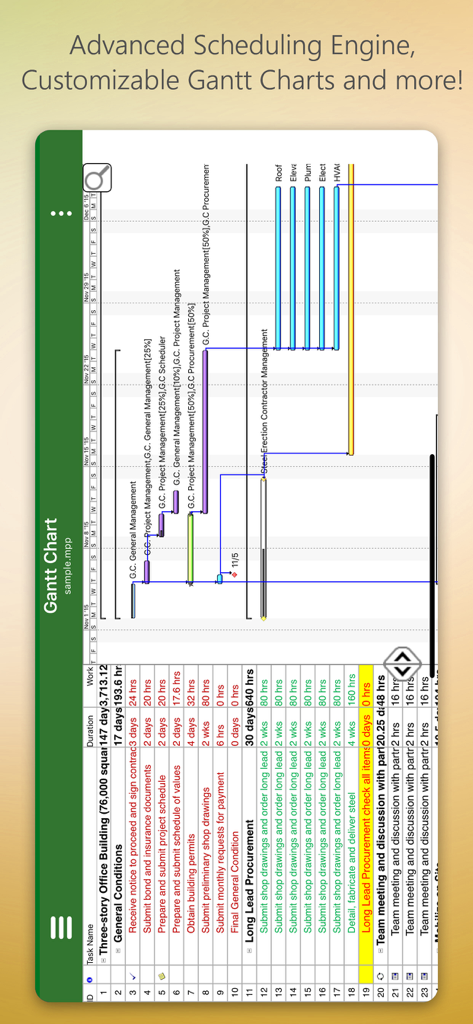
Interface mobile d'iProject Viewer montrant un diagramme de Gantt détaillé pour un projet de construction

Interface mobile d'iProject Viewer montrant un diagramme de Gantt détaillé pour un projet de construction

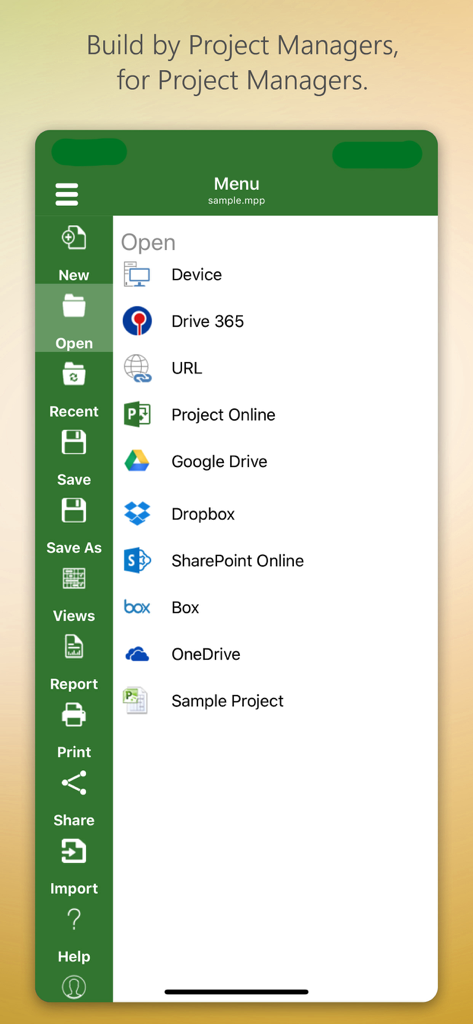
Menu de l'application iProject Viewer montrant les options d'ouverture de fichiers de projet à partir du stockage cloud comme Google Drive et SharePoint

Menu de l'application iProject Viewer montrant les options d'ouverture de fichiers de projet à partir du stockage cloud comme Google Drive et SharePoint

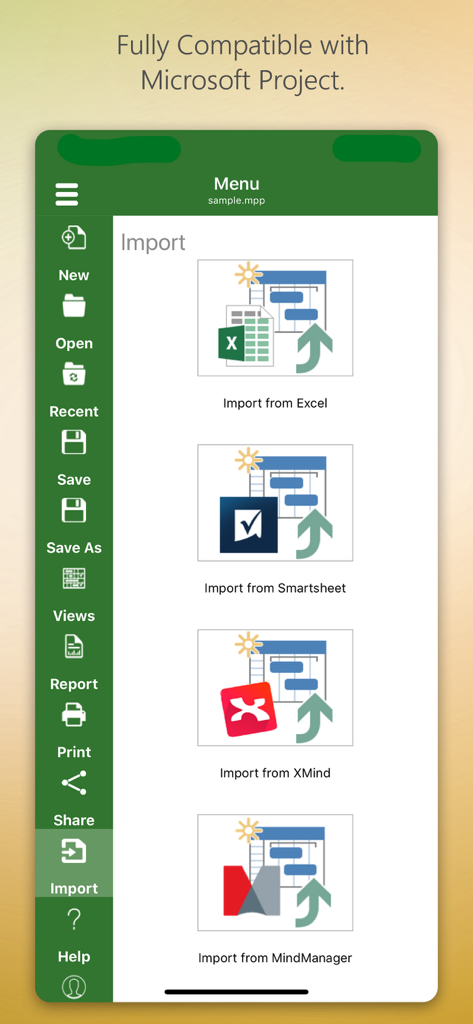
Interface de l'application iProject Viewer montrant les options d'importation à partir d'Excel, Smartsheet, XMind et MindManager.

Interface de l'application iProject Viewer montrant les options d'importation à partir d'Excel, Smartsheet, XMind et MindManager.

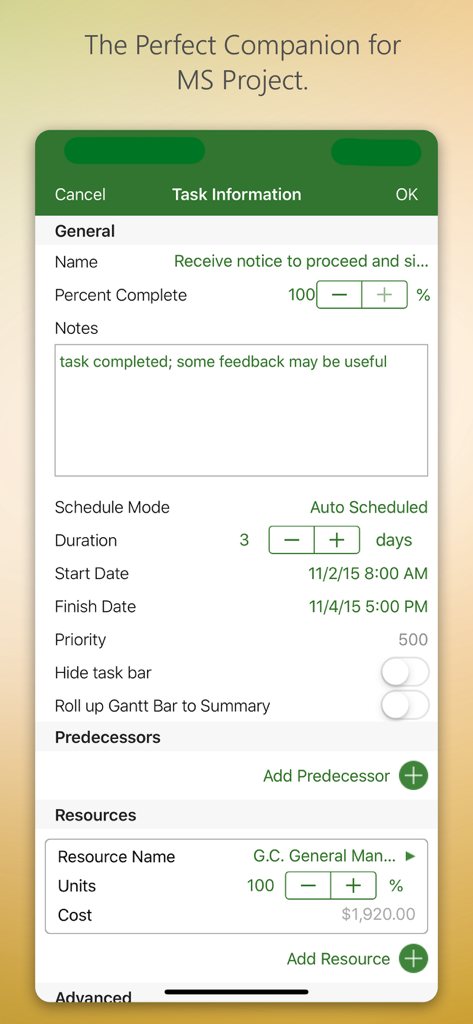
Interface de l'application iProject Viewer montrant les informations sur les tâches et la gestion des ressources

Interface de l'application iProject Viewer montrant les informations sur les tâches et la gestion des ressources

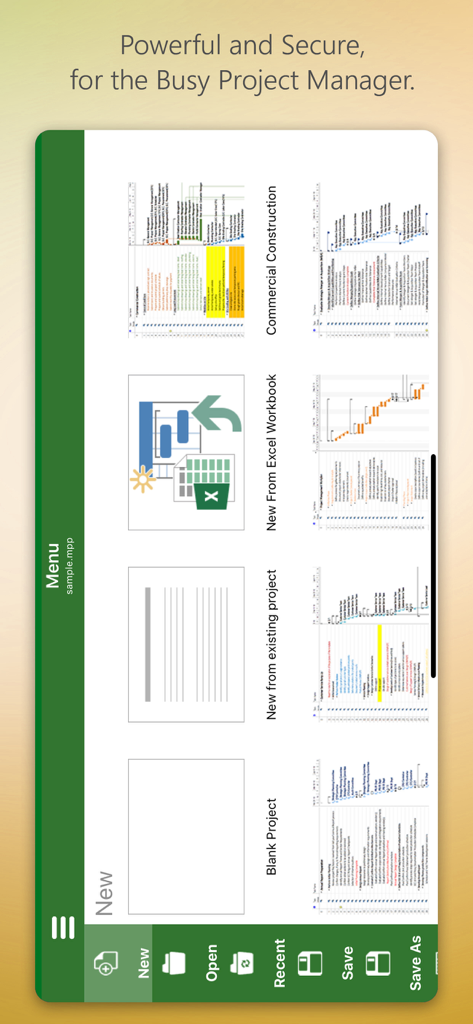
Écran du menu de l'application iProject Viewer avec des options pour créer de nouveaux projets à partir de zéro ou à partir de modèles

Écran du menu de l'application iProject Viewer avec des options pour créer de nouveaux projets à partir de zéro ou à partir de modèles

Maîtrisez votre calendrier de projet, où que vous soyez

Les outils qui font la différence, choisis par 129K+ utilisateurs.

📊

Diagrammes de Gantt haute fidélité

Profitez de visualisations d'une clarté cristalline. Visualisez les tâches, les dépendances et les ressources exactement comme elles apparaissent dans Microsoft Project, garantissant que vous ne manquez jamais un détail du chemin critique.

☁️

Intégration Cloud d'entreprise

Accédez en toute sécurité à vos fichiers .mpp depuis SharePoint, OneDrive ou Box. Synchronisez de manière transparente avec votre infrastructure d'entreprise existante sans transferts de fichiers manuels.

🏗️

Modification prête pour le terrain

Effectuez des mises à jour critiques du calendrier sur site. Créez ou modifiez des diagrammes de Gantt directement sur votre iPad et enregistrez les modifications au format MPP natif pour un véritable poste de travail mobile.

Plébiscitée par les utilisateurs du monde entier

Approuvée par 129K+ personnes qui adorent cette app.

"

"Enfin, un moyen d'accéder à mes fichiers MS Project en déplacement sans tracas. La possibilité de visualiser et de modifier des diagrammes de Gantt directement depuis mon iPad sur site a rationalisé l'ensemble de notre flux de travail de construction. Il s'intègre parfaitement à notre OneDrive, ce qui en fait un outil essentiel pour tout chef de projet sur le terrain."

Mark Thompson, Superviseur de la construction
"

"En tant que professionnel PMP constamment en réunion, pouvoir consulter un fichier MPP sur mon téléphone est une révolution. Le rendu est net et l'interface est incroyablement intuitive pour quiconque est habitué à la version de bureau. C'est la solution mobile la plus fiable pour gérer des calendriers de projet complexes que j'ai jamais utilisée."

Elena Rodriguez, Chef de projet informatique senior

Analyse des avis

Insights à partir des avis utilisateurs.

Score de sentiment

31%
Négatif

Résumé

This app receives a mixed to largely negative reception, primarily valued by users for its ability to open and view Microsoft Project (.MPP) files directly on iOS devices, which many find useful. However, a significant portion of feedback highlights severe issues including frequent crashes, unreliable saving, and difficulties with various cloud integrations like OneDrive and Dropbox. Users are also highly critical of the expensive subscription model, the app's often clunky user interface, and its limited editing capabilities, often functioning more as a viewer than a full-fledged project management tool. While a few users appreciate responsive developer support, many feel it's not worth the high annual cost given its stability and feature shortcomings.

Thèmes récurrents

Crashes and Bugs(13)
MPP File Viewing(10)
Cloud Integration(9)
User Interface(7)
Subscription Model(6)
Editing Limitations(4)
Customer Support(1)

À propos de l'app

Tout ce que vous devez savoir sur iProject Viewer.

Description

New!! Create Gantt charts and edit/save existing MS Project Plans in MPP file format! Housatonic’s Project Viewer 365 for iOS allows you to open MS Project Plans from cloud locations like Google Drive. Dropbox, OneDrive, SharePoint Online, Box, Basecamp, URL Links and email attachments.

 Housatonic Project Viewer 365 for iOS is compatible with Microsoft Project (MPP file format) 2016, 2013, 2010, 2007, 2003 and earlier versions. The interface is intuitive making Project Viewer simple for the end users.

 Now Microsoft Project Plans look better than ever on your iOS. Free view-only MS Project views like Gantt chart, Task Sheet and Resource Sheet are available along with basic project plan sorting, filters, zooming and time scale viewing capabilities.

 Additional features can be enabled by subscribing to in-app-purchase packages: In-App Option 1: Advanced View Only Enable advanced sorting capabilities, apply additional filter options, customize time scale 
Access additional project views like Calendar View, Resource and Task Usage, View Network Diagram
 View Multiple Project Reports and Print Project Info to PDF or Paper
 This in-app purchase option is offered on a yearly (1 year) basis for a price of $19.99 USD per year. In-App Option 2: Standard Editor Create new Gantt charts and modify existing project schedules in the same intuitive way as MS Project. Save and Share your plans (MPP files) from any storage or cloud location on any iOS device. Works with, or as an alternative to Microsoft Project. This in-app purchase option is offered on a yearly (1 year) basis for a price of $129.99 USD per year. Payment will be charged to iTunes Account at confirmation of purchase Subscription automatically renews unless auto-renew is turned off at least 24-hours before the end of the current period Account will be charged for renewal within 24-hours prior to the end of the current period, and identify the cost of the renewal Subscriptions may be managed by the user and auto-renewal may be turned off by going to the user's Account Settings after purchase No cancellation of the current subscription is allowed during active subscription period Any unused portion of a free trial period, if offered, will be forfeited when the user purchases a subscription to that publication, where applicable Terms and Conditions: http://housatonic.com/terms.html Privacy Policy: http://housatonic.com/privacy.html

Dernière version

25.14

Taille

94.4 MB

Date de sortie

16 sept. 2011

Emportez vos plans MS Project sur le terrain

Ne perdez plus de temps à attendre de retourner à votre bureau. Ouvrez, modifiez et partagez vos diagrammes de Gantt directement depuis votre iPhone ou iPad avec le lecteur et éditeur MPP leader du secteur.

Télécharger sur App Store