PDF Scanner App: Scan Document

PDF Scanner App: Scan Document

Télécharger sur App Store
Spark by MWM logo
Logo de PDF Scanner App: Scan Document
Application Scanner PDF : Numériser un document - Votre bureau mobile complet

Numérisez, signez et partagez des documents professionnels instantanément. Avec l'OCR intégré et une protection par code PIN sécurisée, c'est l'outil de productivité ultime dans votre poche.

Éditeur

Smart Tool Studio

Catégorie

Business

Téléchargements

900K+

Note

4.5/5

Nombre d'avis

11K+

Langues

11

Votre bureau, réinventé

Découvrez l'interface utilisée par 900K+ utilisateurs.
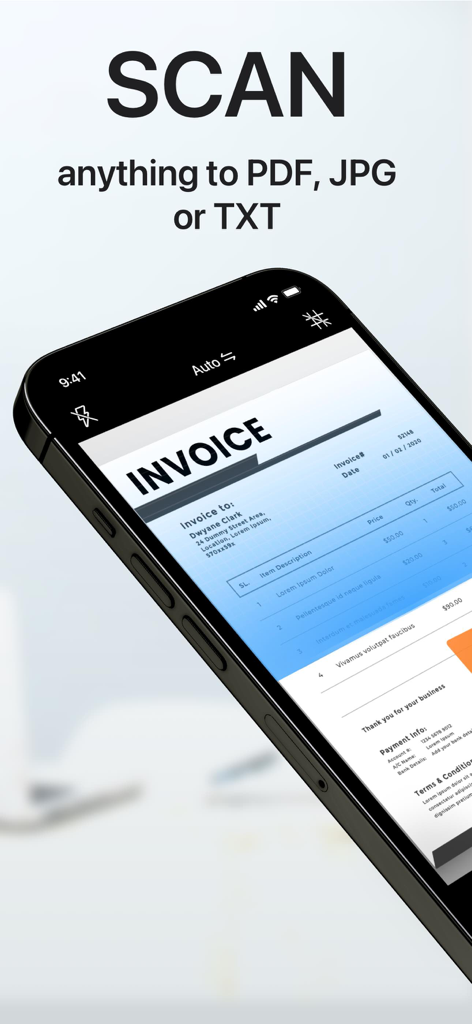
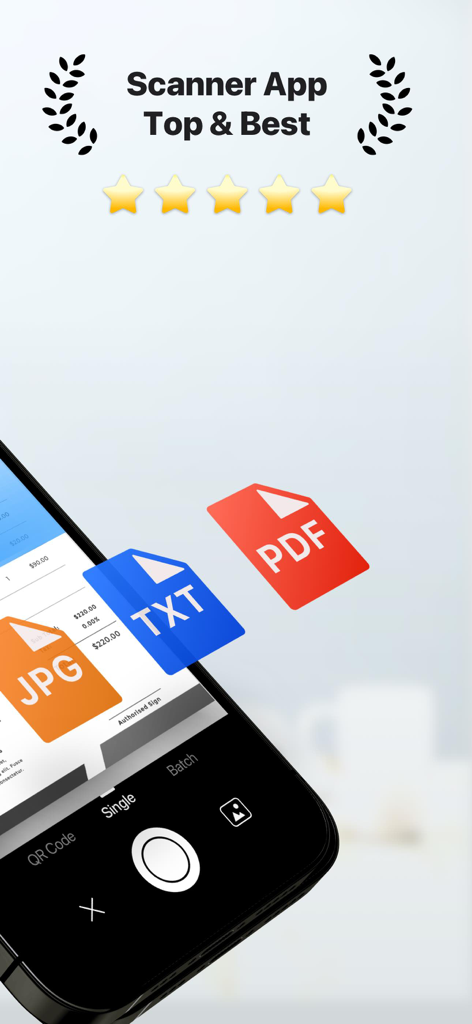
Un smartphone utilisant l'application Scanner PDF pour numériser une facture papier avec un texte superposé indiquant numériser n'importe quoi en PDF JPG ou TXT

Un smartphone utilisant l'application Scanner PDF pour numériser une facture papier avec un texte superposé indiquant numériser n'importe quoi en PDF JPG ou TXT

Application de scanner PDF mobile numérisant un document avec des options d'exportation JPG TXT et PDF.

Application de scanner PDF mobile numérisant un document avec des options d'exportation JPG TXT et PDF.

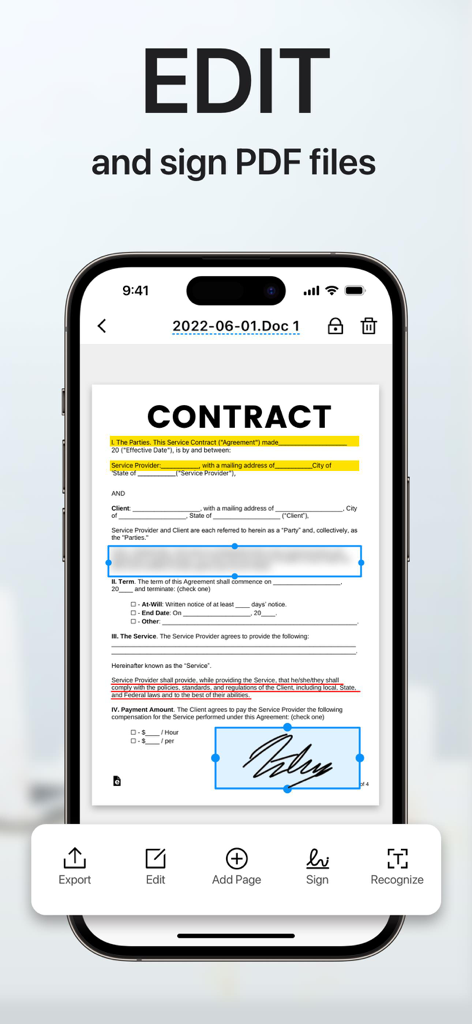
Écran d'iPhone montrant un document contractuel en cours d'édition et de signature avec une signature numérique dans l'application Scanner PDF.

Écran d'iPhone montrant un document contractuel en cours d'édition et de signature avec une signature numérique dans l'application Scanner PDF.

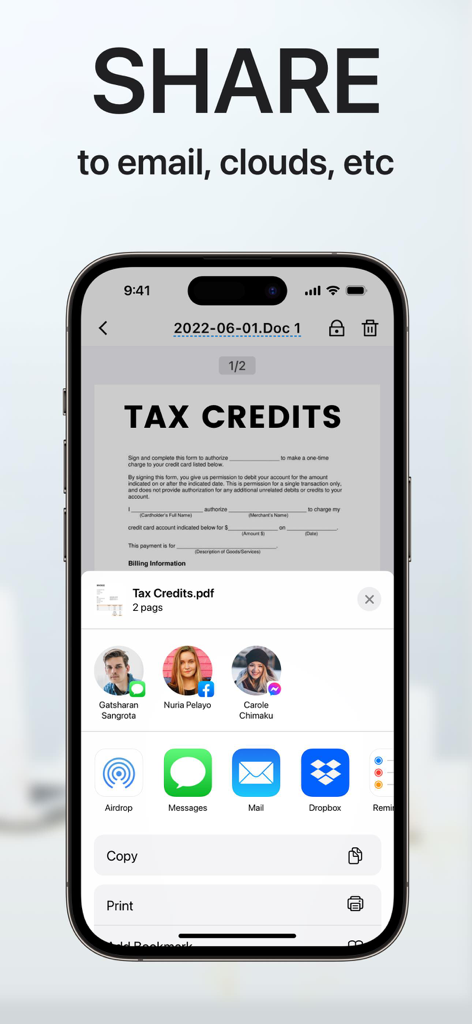
Interface d'application mobile montrant les options de partage de documents pour un document PDF numérisé vers la messagerie électronique et le stockage cloud.

Interface d'application mobile montrant les options de partage de documents pour un document PDF numérisé vers la messagerie électronique et le stockage cloud.

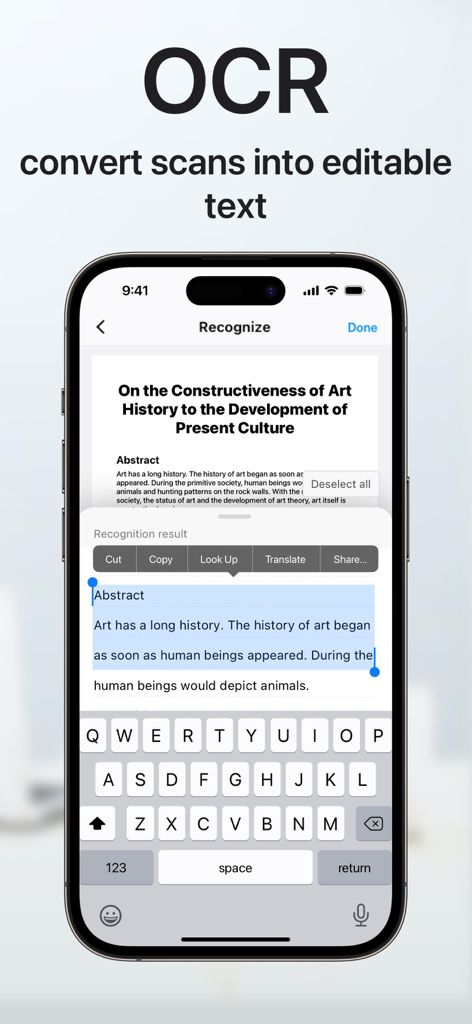
Écran d'iPhone démontrant la fonction OCR pour convertir des documents numérisés en texte modifiable avec des options pour copier et partager.

Écran d'iPhone démontrant la fonction OCR pour convertir des documents numérisés en texte modifiable avec des options pour copier et partager.

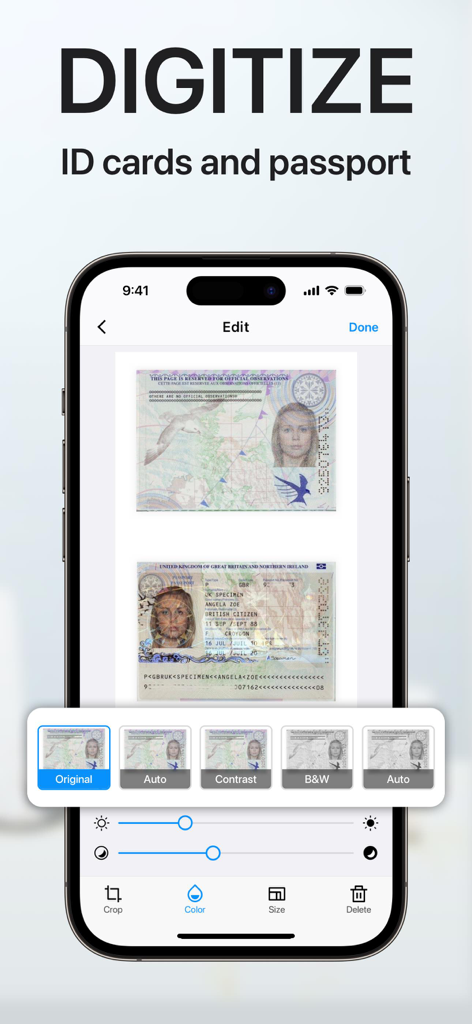
Une interface d'application mobile sur un iPhone montrant un passeport et des cartes d'identité numérisés avec des outils d'édition numériques et des filtres.

Une interface d'application mobile sur un iPhone montrant un passeport et des cartes d'identité numérisés avec des outils d'édition numériques et des filtres.

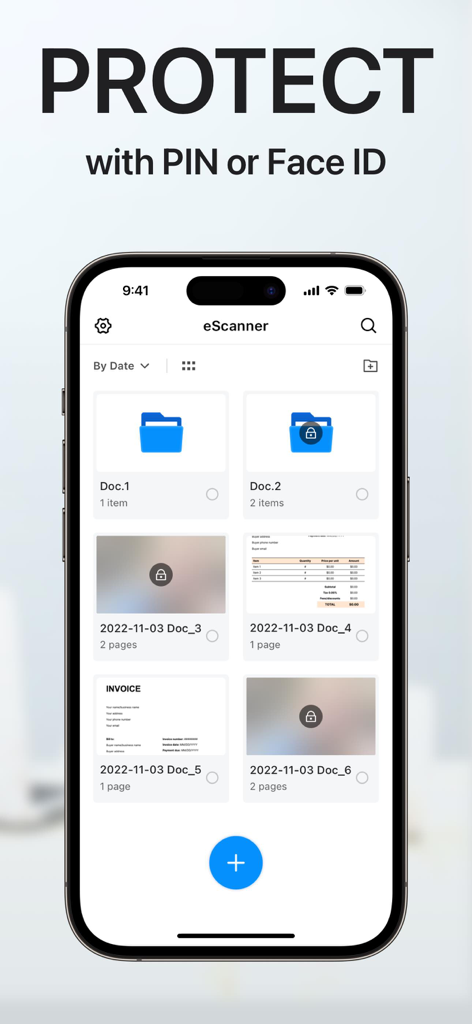
Interface de l'application Scanner PDF montrant la protection des documents avec des fonctionnalités de sécurité par code PIN ou Face ID.

Interface de l'application Scanner PDF montrant la protection des documents avec des fonctionnalités de sécurité par code PIN ou Face ID.

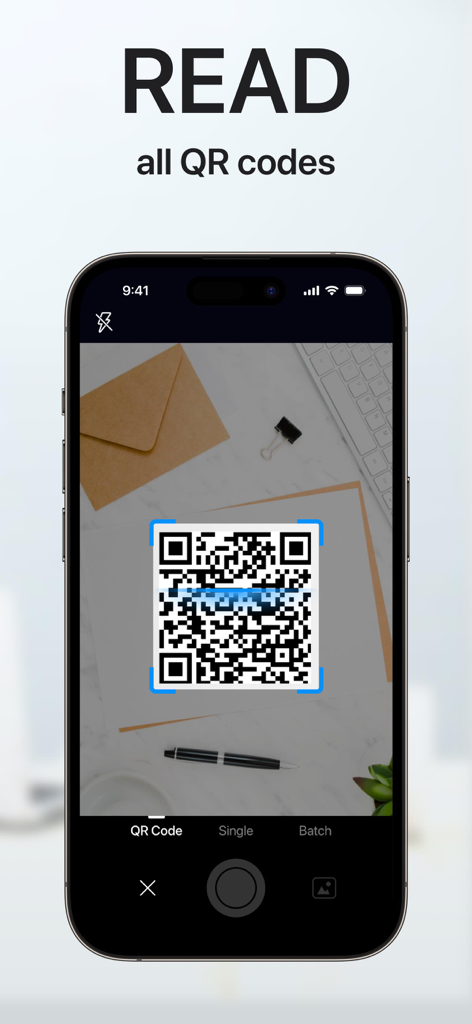
Écran de smartphone montrant l'application de scanner PDF numérisant un code QR sur un bureau

Écran de smartphone montrant l'application de scanner PDF numérisant un code QR sur un bureau

L'efficacité à portée de main

Les outils qui font la différence, choisis par 900K+ utilisateurs.

🚀

Numérisation mobile professionnelle

Transformez n'importe quel document papier en un fichier PDF ou TXT de haute qualité en quelques secondes grâce à la détection intelligente des bords.

✍️

Signatures électroniques instantanées

Concluez des affaires plus rapidement en signant numériquement des contrats et des accords à la volée, sans imprimante ni fax.

🔒

Coffre-fort sécurisé pour documents

Protégez les données sensibles des clients et les pièces d'identité avec des dossiers cryptés par code PIN et une organisation intelligente prête pour le cloud.

Plébiscitée par les utilisateurs du monde entier

Approuvée par 900K+ personnes qui adorent cette app.

"

"Cette application est une aubaine pour mon entreprise immobilière. Je peux numériser des contrats de plusieurs pages, y apposer ma signature électronique et les partager en tant que PDF professionnels directement depuis mon téléphone. Cela a complètement éliminé mon besoin d'un scanner de bureau encombrant."

Sarah Jenkins, Professionnelle de l'immobilier
"

"La fonction OCR change la donne pour mes études. Je peux instantanément convertir des documents imprimés en texte modifiable et conserver toutes mes recherches organisées dans des dossiers sécurisés et protégés par code PIN. C'est l'outil de bureau mobile le plus fiable que j'ai trouvé."

David Miller, Étudiant diplômé

Analyse des avis

Insights à partir des avis utilisateurs.

Score de sentiment

33%
Négatif

Résumé

This app receives highly mixed feedback, primarily leaning negative due to significant issues and aggressive monetization strategies. While some users praise its ease of use and good scanning capabilities, many report critical problems with its core functionality, such as poor scan quality, unreliable OCR, and failures in file export or sharing. A major source of user frustration stems from subscription and billing issues, including unexpected charges, difficulty canceling, and constant intrusive advertisements. Furthermore, many users are displeased with watermarks appearing on scanned documents and a generally confusing user interface.

Thèmes récurrents

Scan Quality & Functionality(15)
Subscription & Billing(10)
Ads & Watermarks(8)
User Interface Complexity(4)
Ease of Use(2)
Customer Support(1)

À propos de l'app

Tout ce que vous devez savoir sur PDF Scanner App: Scan Document.

Description

"Scanner APP" is the best scanner app that can turn your iPhone into a powerful mobile scanner. It enables you to quickly and easily scan, sign and share any document in PDF, JPEG, PNG or TXT format anywhere and anytime. Looking for a powerful digital office to help you be more productive? Scanner APP is a portable document scanner and PDF editor, various editing functions including e-signature to ensure your doc to become more professional! Use OCR (Optical Character Recognition) to recognize text in images and quickly convert images to text. And it also supports email, fax, print or save it to the cloud. Say goodbye to heavy paper documents and huge copiers, store all documents on your phone, and handle paperwork with ease. This free & powerful Scanner App is an indispensable tool for students and any corporate employees in their work and personal life as the accountant, manager, real estate agent, lawyer or doctor. With this PDF scanner, you can scan anything you need: receipts, contracts, paper notes, fax papers, books, and store your scans as multipage PDF or JPG files. Scanner App is an all-in-one scanner app that can be used not only as a PDF converter, but also as a fast & easy QR scanner. Use the camera on your mobile device to scan any type of qr codes & barcode, including product, URL, Wi-Fi, 2FA, ISBN, VCard, contact, calendar, email and many other formats. Scan Whatever U Want: - Passports, business cards, ID cards, business documents, agreements, letters - Photos, Books, Notes, Sketches - Certifications, contracts, invoices, orders, receipts, etc Innovative Document Scanner - Scan documents to high quality PDF, JPEG or TXT - Save scanned images in black and white or other filters - Automatic and correct edge detection of any scannable objects - Batch scan Document Editor - Add electronic signatures to scanned documents - OCR (convert any scan into text) - Import PDF for quick editing and saving - Crop, zoom in, zoom out, rotate images and save supported - Import files from other apps and edit File Sharing - Scan, save and send documents in just a few taps - Share your scanned documents via email - Save as JPEG to Gallery - Share and printe saved documents - Share and upload files to Dropbox File Manager - Create folder, move or copy documents - Protect your confidential files & folders with PIN - Sort documents by name, created date, or size - Batch share or delete QR Code Reader & Barcode Scanner -Auto-scan any QR code or barcode for product information -scan the promotion and coupon codes for shops to get discounts and save money -View QR E-Menu and order online -Scan Wi-Fi password, automatically connect to the wifi -Support 2FA authentication, get a verification code for your online account SUBSCRIPTION : Length of subscription: one month/one year/lifetime • Payment will be charged to iTunes Account at confirmation of purchase • Subscription automatically renews unless auto-renew is turned off at least 24 hours before the end of the current period • Account will be charged for renewal within 24 hours prior to the end of the current period, and identify the cost of the renewal • Subscriptions may be managed by the user and auto-renewal may be turned off by going to the user's Account Settings after purchase • Any unused portion of a free trial period, if offered, will be forfeited when the user purchases a subscription to that publication, where applicable • You can cancel a free trial or subscription anytime by turning off auto-renewal through your iTunes account settings. This must be done 24 hours before the end of a free trial or subscription period to avoid being charged. If you have any questions, please email us to mobileusercontact@gmail.com and we’ll help you figure it out. Privacy Policy: http://adpdf.mobilestudio.cc/privacy.html Terms of Use: http://adpdf.mobilestudio.cc/useragreement.html

Dernière version

1.8.6

Taille

91.8 MB

Date de sortie

23 août 2018

Prêt à transporter votre bureau dans votre poche ?

Rejoignez plus de 900 000 professionnels qui numérisent, signent et partagent des documents en déplacement. Commencez votre parcours sans papier dès aujourd'hui.

Télécharger sur App Store