TV Remote Control “Universo”

TV Remote Control “Universo”

Télécharger sur App Store
Spark by MWM logo
Logo de TV Remote Control “Universo”
Télécommande TV “Universo” : Le Centre de Commande Ultime pour Votre Maison Intelligente

Arrêtez de chercher vos télécommandes perdues et débarrassez-vous de l'encombrement. Transformez votre iPhone en une télécommande universelle de haute précision avec navigation par pavé tactile, saisie clavier facile et accès en un clic à tous les téléviseurs de votre maison.

Télécharger sur App Store

Éditeur

Nemo Apps LLC

Catégorie

Utilities

Téléchargements

464K+

Note

4.7/5

Nombre d'avis

8K+

Langues

23

Le Contrôle au Bout des Doigts

Découvrez l'interface utilisée par 464K+ utilisateurs.
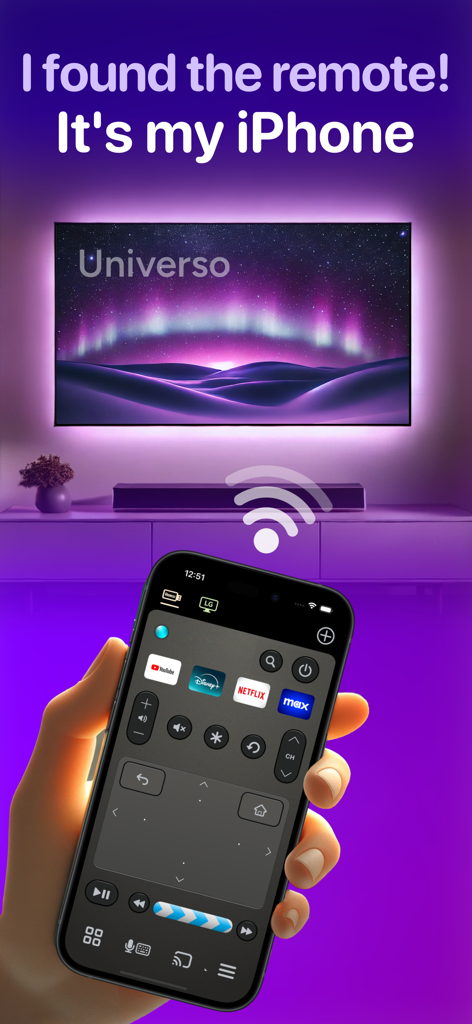
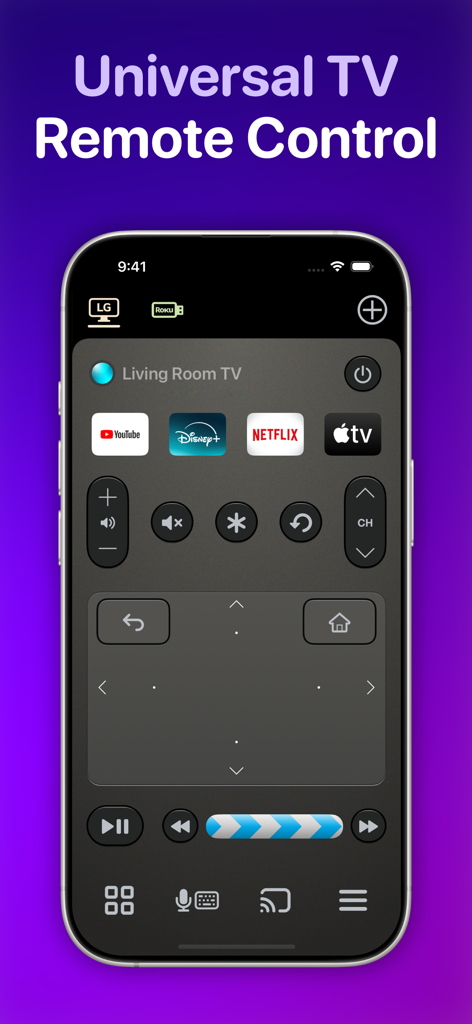
Écran d'iPhone montrant l'application de télécommande TV Universo avec un pavé tactile et des raccourcis de streaming.

Écran d'iPhone montrant l'application de télécommande TV Universo avec un pavé tactile et des raccourcis de streaming.

Interface de l'application de télécommande TV universelle Universo sur iPhone, dotée d'un pavé tactile et de raccourcis d'applications de streaming.

Interface de l'application de télécommande TV universelle Universo sur iPhone, dotée d'un pavé tactile et de raccourcis d'applications de streaming.

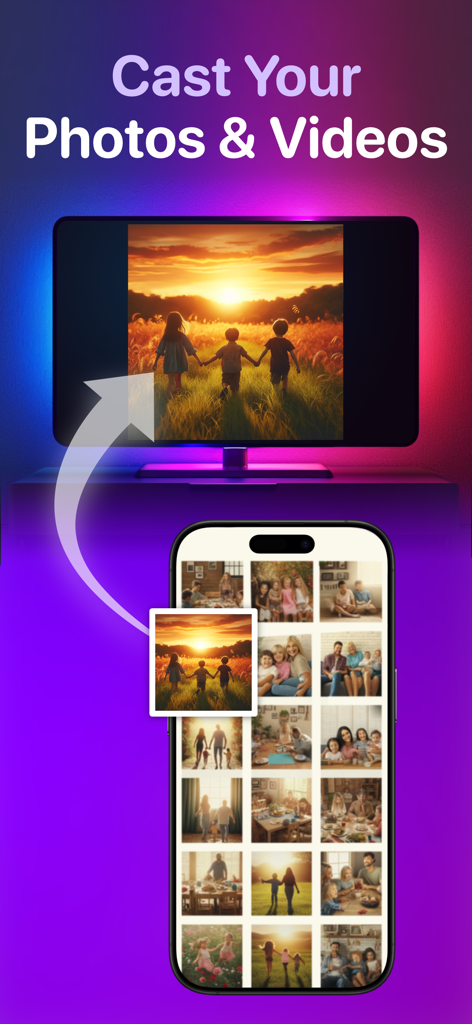
Interface d'application iPhone montrant la fonction de diffusion de photos et vidéos vers une Smart TV.

Interface d'application iPhone montrant la fonction de diffusion de photos et vidéos vers une Smart TV.

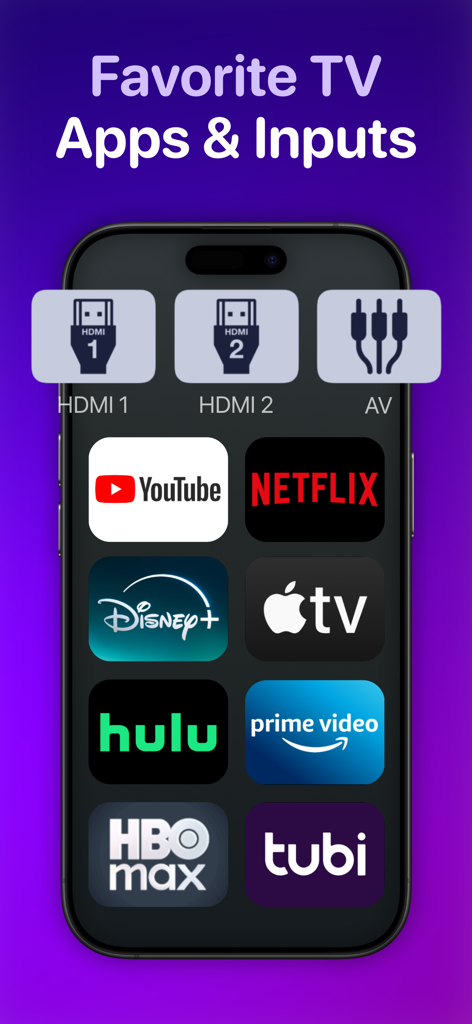
Écran de smartphone affichant des raccourcis pour les applications de streaming populaires et les entrées TV.

Écran de smartphone affichant des raccourcis pour les applications de streaming populaires et les entrées TV.

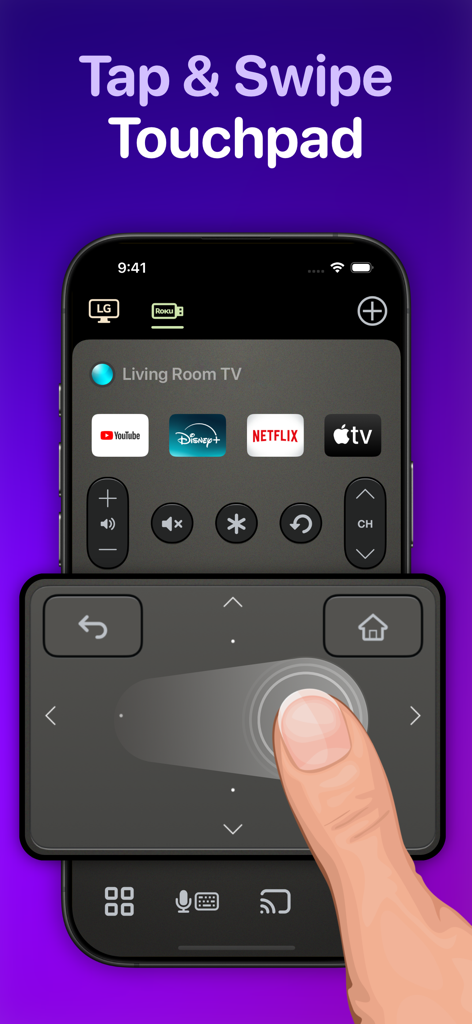
Utilisateur naviguant sur une Smart TV à l'aide du pavé tactile de l'application de télécommande Universo.

Utilisateur naviguant sur une Smart TV à l'aide du pavé tactile de l'application de télécommande Universo.

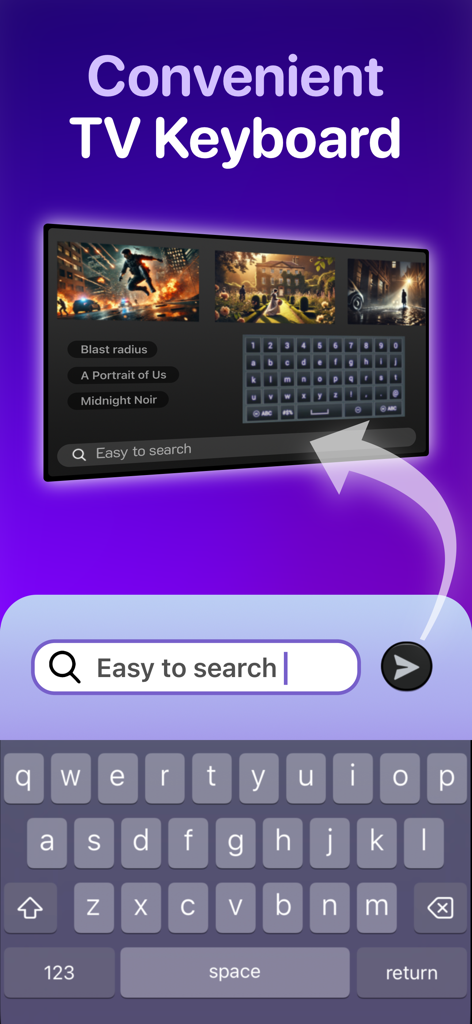
Clavier d'iPhone utilisé pour rechercher du contenu sur un écran de Smart TV.

Clavier d'iPhone utilisé pour rechercher du contenu sur un écran de Smart TV.

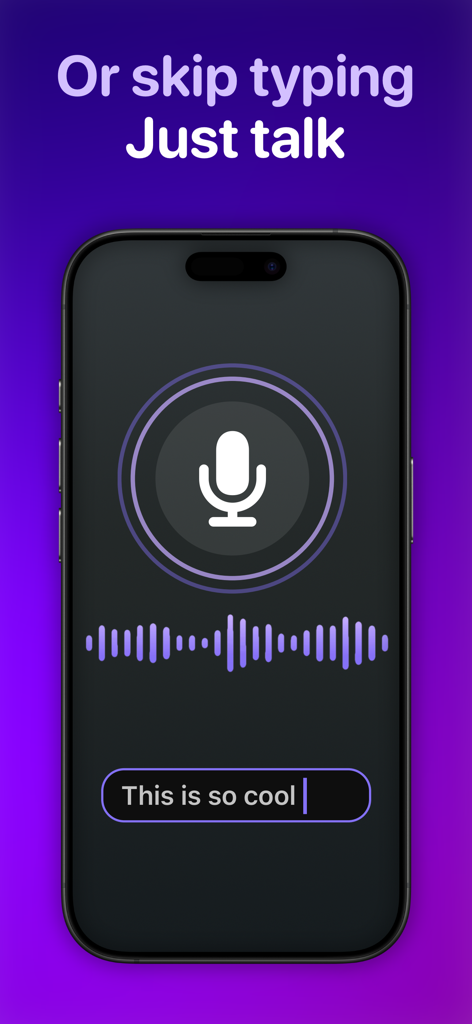
Écran d'iPhone montrant la fonction de transcription vocale pour une application de télécommande TV universelle.

Écran d'iPhone montrant la fonction de transcription vocale pour une application de télécommande TV universelle.

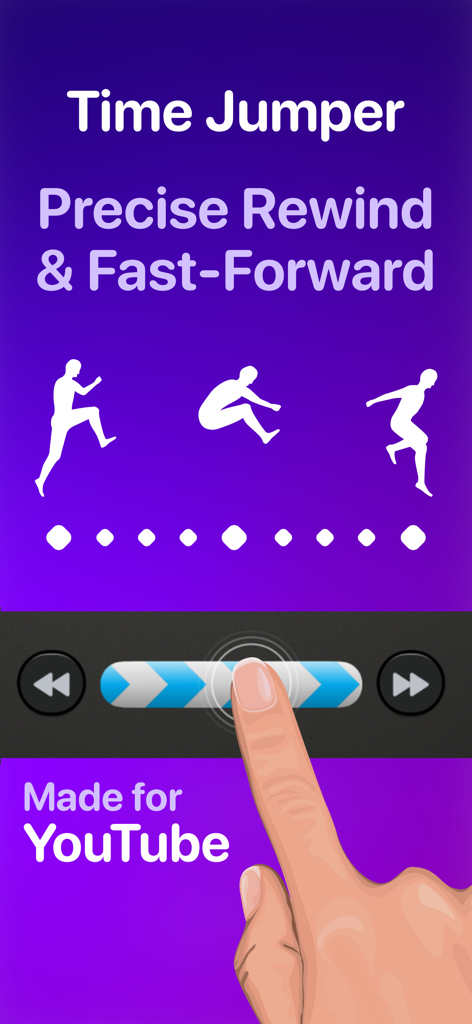
Interface montrant la fonction Time Jumper pour un rembobinage et une avance rapides précis sur YouTube.

Interface montrant la fonction Time Jumper pour un rembobinage et une avance rapides précis sur YouTube.

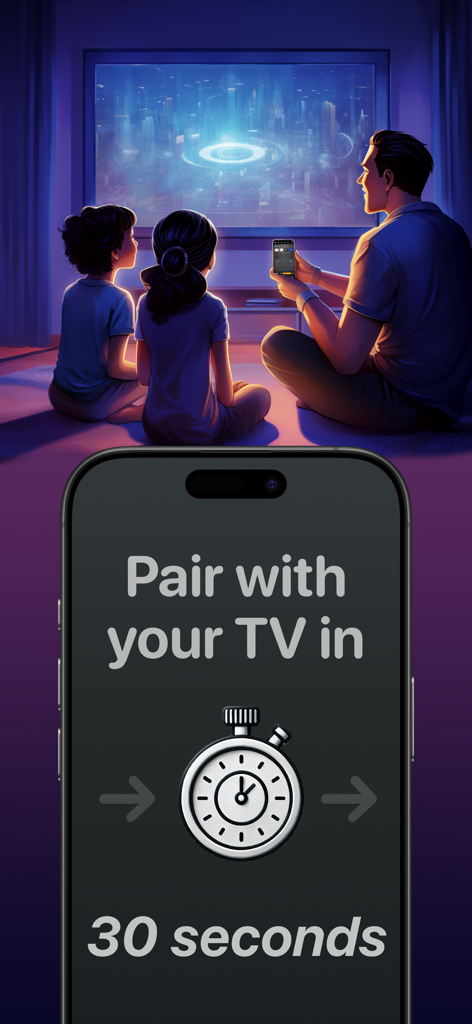
Une famille regardant la télévision avec un écran d'iPhone affichant un minuteur de jumelage de trente secondes pour l'application de télécommande Universo.

Une famille regardant la télévision avec un écran d'iPhone affichant un minuteur de jumelage de trente secondes pour l'application de télécommande Universo.

Maîtrisez Votre Divertissement à Domicile

Les outils qui font la différence, choisis par 464K+ utilisateurs.

⌨️

Recherchez à la Vitesse de la Pensée

Arrêtez de chercher des lettres sur un D-pad. Utilisez le clavier de votre iPhone ou la transcription vocale pour trouver des films et taper des mots de passe en quelques secondes.

🖐️

Contrôle de Précision Sans Regarder

Naviguez dans les menus à l'aide d'un spacieux pavé tactile conçu pour une utilisation à une main, afin de ne jamais avoir à baisser les yeux sur votre téléphone pendant que vous regardez.

🏠

Le Hub Universel Ultime

Basculez en toute transparence entre votre Samsung du salon, votre Roku de la chambre et vos consoles de jeux avec des raccourcis personnalisés pour vos applications préférées et vos entrées HDMI.

Plébiscitée par les utilisateurs du monde entier

Approuvée par 464K+ personnes qui adorent cette app.

"

"Enfin, une télécommande universelle qui semble vraiment haut de gamme. Entre mon Samsung dans le salon et le Roku dans la chambre, j'avais l'habitude de jongler avec trois télécommandes différentes. Maintenant, j'utilise simplement les boutons HDMI personnalisés pour accéder directement à ma PS5 ou à Netflix. La saisie au clavier est une aubaine pour se connecter aux applications de streaming !"

Sarah Miller
"

"La fonction Time Jumper change la donne pour regarder YouTube : je peux enfin faire défiler les vidéos avec une précision réelle. J'adore le pavé tactile car je peux naviguer dans les menus sans quitter la télévision des yeux. C'est beaucoup plus réactif que la télécommande physique fournie avec mon LG."

Jason Chen

À propos de l'app

Tout ce que vous devez savoir sur TV Remote Control “Universo”.

Description

Turn your iPhone into a universal remote control for smart televisions and streaming devices. Simplify Entertainment When you’re ready to relax at the end of a hard day, do you want to spend the next 10 minutes hunting for a lost TV remote in the sofa cushions? Place this app on all your iPhones, and a fully functional remote control is always one tap away. Designed to Keep Your Eyes on the TV • With a spacious swipe touchpad right under your thumb, you can navigate the user interface of your TV without needing to look down at your phone. • Make a long swipe to take several steps in one motion. • Tap a side of the pad to step once. • Long press a side of the pad to smoothly scroll through menus and program lists. • Built-in back and home buttons keep all navigation convenient in one spot. Skip to the Action • Introducing the Time Jumper. It’s a media “scrubber” that gives you precision control over the current play position in a video. Slowly shift it to rewind or advance 10 seconds at a time. Flick it rapidly to leap to a far-off scene in the video. • Time Jumper works great with YouTube and apps that implement rewind and fast forward similarly. • Our remote control includes standard playback buttons like play, pause, rewind and fast-forward. Multi-Device Support • Set up remote controls for multiple TV’s and streaming devices in one place. One tap switches between them. Cast Your Photos and Home Movies to Your TV • Make it family slideshow time by sharing photos and videos from your iPhone onto the big screen. Keyboard Input and Voice Search • Enter text on your TV easily with the standard iOS keyboard or with automatic voice transcription. Customizable App and Input Buttons • Launch apps like YouTube, Netflix, Max, and Disney with one tap. Switch TV inputs/sources like HDMI1, HDMI2, or Antenna (“Live TV”). • For your most-used apps and TV inputs, make quick access buttons on the main panel. For example, if you have a PlayStation on HDMI1, and an Xbox on HDMI2, make a button for each. Other Features offered on many TV’s: • Power on/off. This app uses Wake-on-LAN (WoL) to power on TV’s that support it. • Audio buttons for volume control and mute. • Inputs, settings, menu, caption buttons. • Change channels with channel up/down buttons and numpad. • Previous channel button to flip between two channels. Great for sports. • TV guide button to see an on-TV program list. • Haptic feedback when command is sent to TV. How Does This App Work? • This app connects with your TV securely on your home wireless network. It doesn’t use IR (Infrared) like a traditional remote control. • Wi-Fi connection is great. You don’t need to point your phone at the TV for it to work. Also, there is no cross-interference between two TV’s. • This app uses Apple Bonjour (zeroconf) and Universal Plug and Play (UPnP) discovery to detect devices on your home network automatically to make setup easy. Compatibility This app is compatible with the latest versions of most major TV platforms, including: • Samsung Tizen • LG WebOS • Sony Bravia • Vizio SmartCast • Roku • Fire TV OS • Google TV Supports devices including: • Chromecast • Roku Streaming Stick • Amazon Fire TV Stick • Nvidia Shield And many TV models from: • Samsung (2016+) • LG • Sony • Vizio (2016+) • TCL • Hisense • Sharp • Toshiba Also: Philips, Insignia, Panasonic, JVC, RCA, Onn, Element, Magnavox, Grundig, Onida, OnePlus, Realme, Xiaomi, Skyworth, Blaupunkt, Metz, XGIMI, Haier, Pioneer, Westinghouse This app is not affiliated with the TV brands mentioned here. All trademarks are property of their respective owners. We try to make the most out of the functionality offered by the TV platform for control by apps. But the capabilities offered vary by manufacturer and model. So some of the remote control features listed here may not be available for your TV. Terms of use: https://www.apple.com/legal/internet-services/itunes/dev/stdeula

Dernière version

3.4.0

Taille

112.7 MB

Date de sortie

4 mars 2024

Passez à la Télécommande Pro que Votre TV Mérite

Arrêtez de chercher vos télécommandes perdues et commencez à contrôler. Rejoignez plus de 464 000 utilisateurs qui ont transformé leur iPhone en centre de commande ultime pour chaque écran de leur maison.

Télécharger sur App Store