Desqueeze - Batch Resizer

Desqueeze - Batch Resizer

Scarica su App Store
Spark by MWM logo
Logo di Desqueeze - Batch Resizer

Desqueeze - Batch Resizer: Ridimensionamento Professionale di Foto e Video per i Creatori

Elabora in blocco file illimitati con una precisione di livello desktop. Esegui l'upscale fino a 8K, il de-squeeze di filmati anamorfici e ottimizza istantaneamente per i social media preservando la qualità HDR e i metadati.

Editore

Aliaksei Khutarshchykau

Categoria

Photo & Video

Download

125K+

Valutazione

4.7/5

Valutazioni totali

2K+

Lingue

5

Precisione in Ogni Pixel

Scopri l'interfaccia usata da 125K+ utenti.
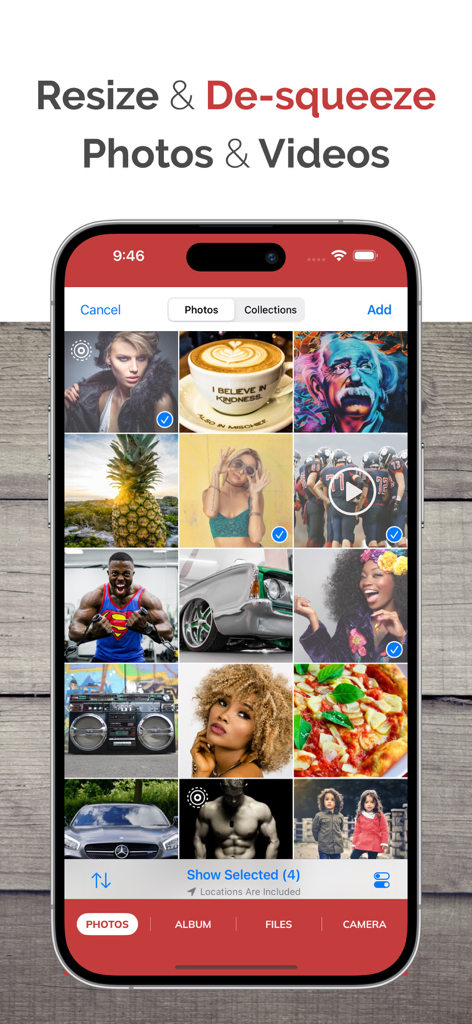
Schermata dell'iPhone che mostra l'interfaccia dell'app Desqueeze con una griglia di foto e video selezionati per il ridimensionamento in blocco

Schermata dell'iPhone che mostra l'interfaccia dell'app Desqueeze con una griglia di foto e video selezionati per il ridimensionamento in blocco

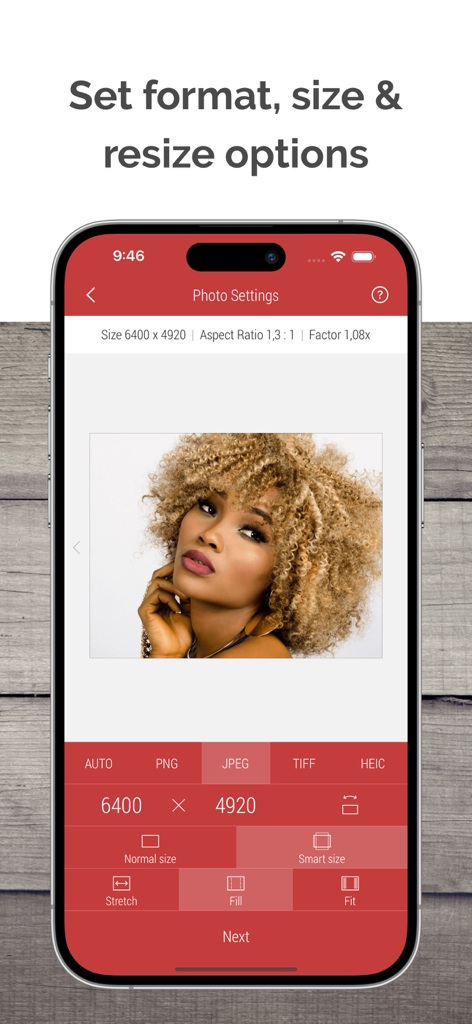
Interfaccia dell'app Desqueeze che mostra le opzioni di ridimensionamento delle foto, inclusi le dimensioni del formato e le impostazioni di stiramento

Interfaccia dell'app Desqueeze che mostra le opzioni di ridimensionamento delle foto, inclusi le dimensioni del formato e le impostazioni di stiramento

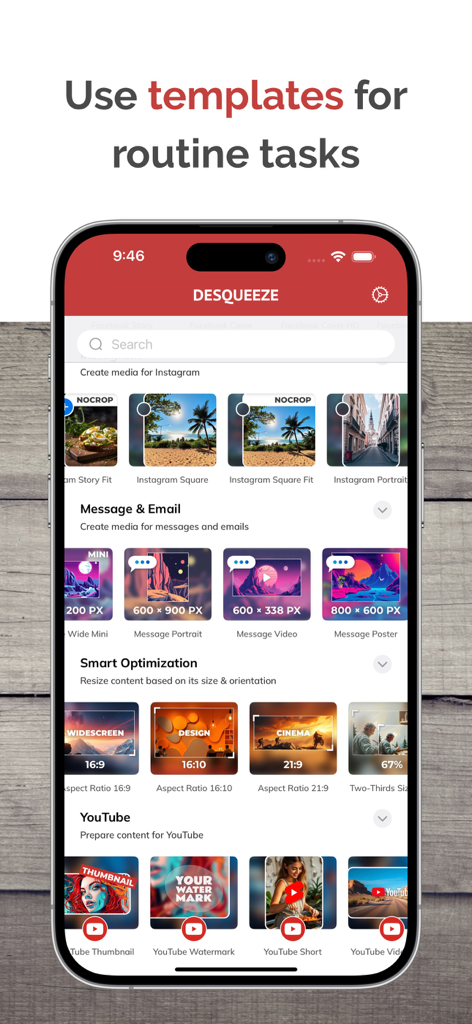
Interfaccia dell'app Desqueeze che mostra i template di ridimensionamento per i social media per Instagram e YouTube

Interfaccia dell'app Desqueeze che mostra i template di ridimensionamento per i social media per Instagram e YouTube

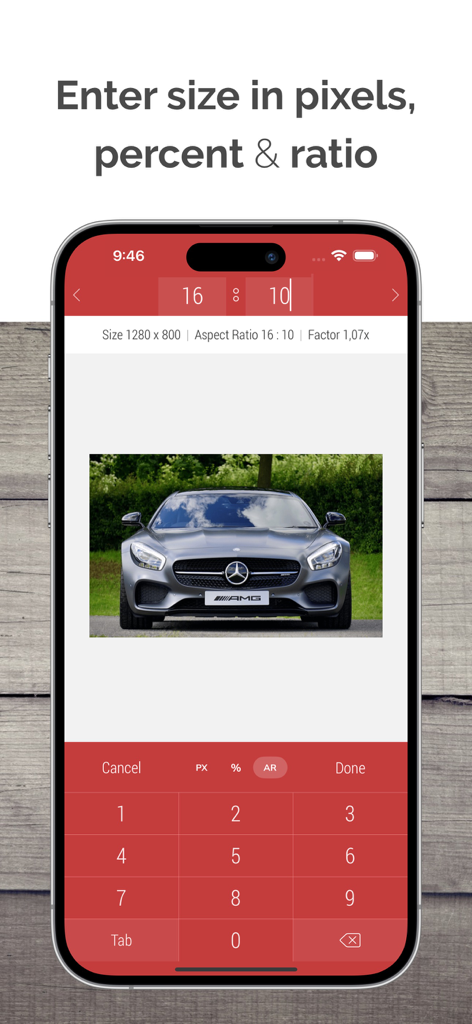
Interfaccia dell'app Desqueeze che mostra gli input personalizzati per pixel e proporzioni per il ridimensionamento delle foto

Interfaccia dell'app Desqueeze che mostra gli input personalizzati per pixel e proporzioni per il ridimensionamento delle foto

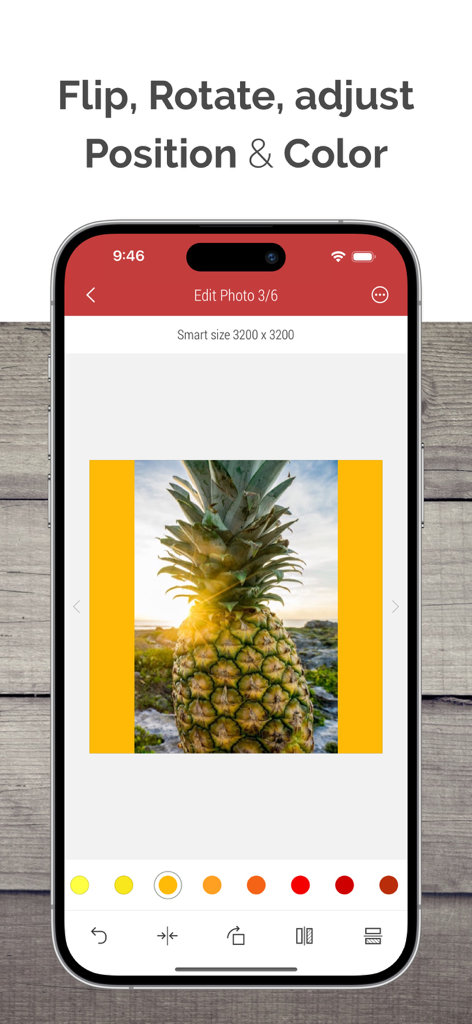
Schermata dell'app Desqueeze che mostra strumenti di editing fotografico per capovolgere, ruotare e regolare i colori

Schermata dell'app Desqueeze che mostra strumenti di editing fotografico per capovolgere, ruotare e regolare i colori

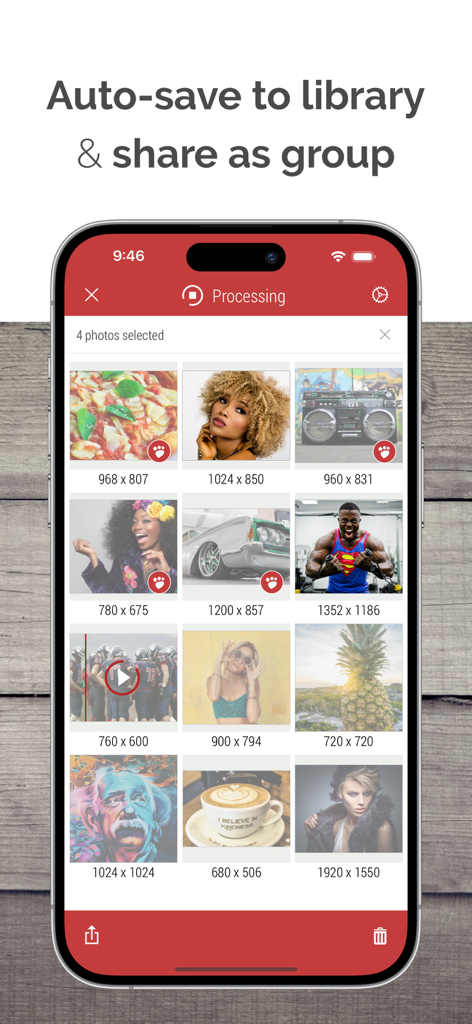
Un'interfaccia di app mobile che mostra una griglia di foto e video con dimensioni in pixel in fase di elaborazione per la condivisione e il salvataggio in blocco.

Un'interfaccia di app mobile che mostra una griglia di foto e video con dimensioni in pixel in fase di elaborazione per la condivisione e il salvataggio in blocco.

Potenza Professionale, Comodità Mobile

Gli strumenti che rendono questa app unica, scelti da 125K+ utenti.

Elaborazione in Blocco Illimitata

Risparmia ore di lavoro manuale ridimensionando e riformattando un numero illimitato di foto e video simultaneamente con un solo tocco.

💎

Controllo Qualità di Livello Professionale

Gestisci file enormi con supporto per video fino a 8K e foto fino a 18.000 px, preservando HDR, metadati e profili colore personalizzati.

🎬

Toolkit per Content Creator

Accedi a oltre 100 template pronti per le piattaforme e al de-squeeze anamorfico professionale per garantire che i tuoi contenuti appaiano perfetti su ogni schermo.

Amata dagli utenti di tutto il mondo

Scelto da 125K+ persone che amano questa app.

"

"Come social media manager che gestisce più clienti, Desqueeze è un vero toccasana. L'elaborazione in blocco e i template preimpostati per Instagram e TikTok mi fanno risparmiare ore ogni settimana. Posso finalmente ridimensionare centinaia di asset per diverse piattaforme in una sola volta senza perdere qualità. È diventato una parte fondamentale del mio flusso di lavoro mobile!"

Sarah J.
"

"Finalmente un'app che gestisce correttamente i filmati anamorfici su iPhone. La uso per tutti i miei progetti cinematografici per eseguire il de-squeeze dei file e l'upscale a 8K. Il livello di controllo su bitrate, profili colore e conservazione dei metadati non ha eguali. È praticamente un'elaborazione di livello desktop nel palmo della mia mano."

Marcus Chen

Info sull'app

Tutto quello che devi sapere su Desqueeze - Batch Resizer.

Descrizione

Resize, de-squeeze, and upscale your photos and videos — with batch processing, HDR, and Live Photo support. Apply 100+ templates for quick social media, optimization, and anamorphic results. Enter exact sizes up to 18,000 × 12,000 px for photos and 8K for videos for your custom results. Optimize format, file size, and color profile — while preserving high quality and metadata. DESQUEEZE FEATURES: Resize Photos and Videos • Enter a new size in pixels, aspect ratios, and percentages • Resize in three different ways: Stretch, Fill, and Fit • Choose between Normal and Smart size for more flexible resizing • Batch resize an unlimited number of photos and videos • Reuse up to 10 recent resizing tasks with one tap • De-squeeze anamorphic photos to achieve a natural look • Resize Live Photos while preserving their format, or convert them to still images Import Sources inside Desqueeze • Select photos and videos from the Photo Library • Select any full album from the Photo Library • Select multiple photos and videos from the Files app • Take a picture with the camera Reformat Photos • Choose between PNG, JPEG, HEIC, and TIFF image formats • Specify compression quality for JPEG, HEIC, and TIFF formats • Select Auto format to reuse the original image format when possible • Adjust image resolution with a new DPI, or keep the original DPI Reformat Videos • Choose between MP4, QuickTime (MOV), and M4V video formats • Select Auto format to reuse the original video format when possible • Choose video codec between Auto, H.264, and HEVC(H.265) • Specify video bitrate or use Automatic Edit Photos and Videos • Flip and rotate images or videos • Choose a background color for Fit mode • Specify default background color for photos and videos • Adjust position and offset for Fill and Fit modes Manage Colors for Photo and Video • Apply one of 12 Color Profiles, inlcuding Original (Automatic) • Process photos and videos while preserving HDR Templates • Use a universal set of 100+ standard templates to resize photos and videos for specific platforms and standards, including Instagram, YouTube, Facebook, and more • Create personal templates for your own tasks • Duplicate standard templates and modify personal templates • Customize standard Tempalate Library for your workflow and needs Photo Viewer and Video Player • Preview photos or play videos on the Result screen (long press a photo or video to preview) Share Photos and Videos • Save results to the Photo Library or Files app • Share results via Instagram, Mail, Facebook, Messages, etc • Use original or custom names for shared results ——— Basic (Free) version has some limitations. You can learn more about them inside the app. ——— Upgrade to PRO to unlock all features and remove all Basic version limitations (In-App Purchase) PRO version is available to other family members when Family Sharing is enabled.
PRO version can be canceled at any time. ——— Maximum target pixel size for photos and videos: Photos (8-bit): • Basic (Free) version: 4,032 x 3,024 px • PRO version: from 12,000 x 10,000 px (iPhone XR) up to 18,000 x 12,000 px (iPhone 16 Pro) Note: Maximum size for 16-bit photos is lower due to hardware limitations. Videos: • Basic (Free) version: 1920 x 1080 px • PRO version: 7680 x 4320 pixels (8K) ——— Contact & Links • Contact us by Email: contact@desqueeze.com • Follow us on Twitter and Facebook: @desqueeze • Visit our Website: http://desqueeze.com • Terms of Use: https://www.apple.com/legal/internet-services/itunes/dev/stdeula/ • Privacy Policy: http://desqueeze.com/privacy

Ultima versione

4.7.10

Dimensione

50.0 MB

Data di lancio

19 dic 2015

Domina il tuo flusso di lavoro con un ridimensionamento di livello professionale

Unisciti a oltre 125.000 creatori che ottimizzano i propri contenuti per ogni piattaforma. Ottieni oggi stesso la velocità dell'elaborazione in blocco e la qualità dell'8K.

Scarica su App Store