FAX from iPhone: Send Doc App

FAX from iPhone: Send Doc App

Scarica su App StoreScarica su Google Play
Spark by MWM logo
Logo di FAX from iPhone: Send Doc App

FAX from iPhone: App per Invio Documenti – Il Modo Professionale di Inviare Fax Ovunque

Trasforma il tuo iPhone in una macchina fax potente e sicura. Scansiona, invia e traccia documenti a livello globale in pochi secondi, senza bisogno di hardware o viaggi in ufficio.

Scarica su App Store

Editore

Municorn Limited

Categoria

Business

Download

6M+

Valutazione

4.8/5

Valutazioni totali

379K+

Lingue

8

Il Tuo Ufficio, Ovunque

Scopri l'interfaccia usata da 6M+ utenti.

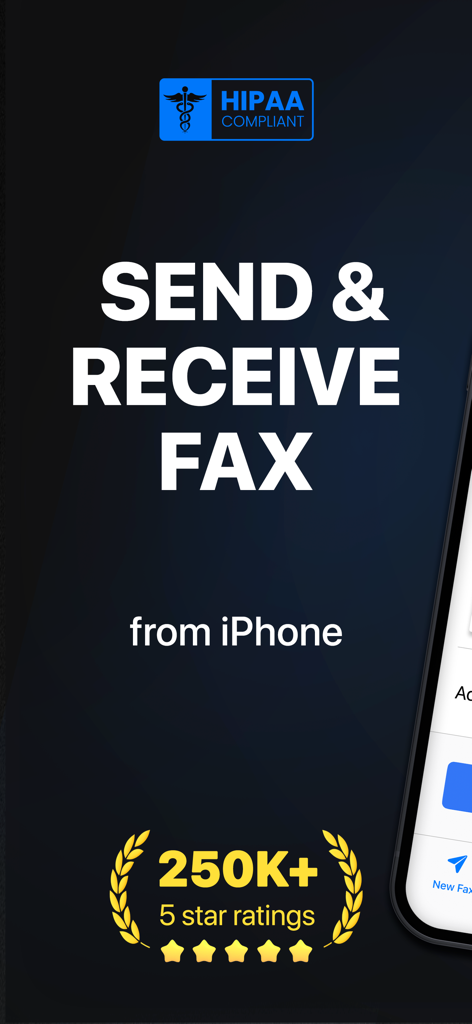
Schermata principale dell'app FAX from iPhone che mostra la conformità HIPAA e duecentocinquantamila valutazioni a cinque stelle.

Schermata principale dell'app FAX from iPhone che mostra la conformità HIPAA e duecentocinquantamila valutazioni a cinque stelle.

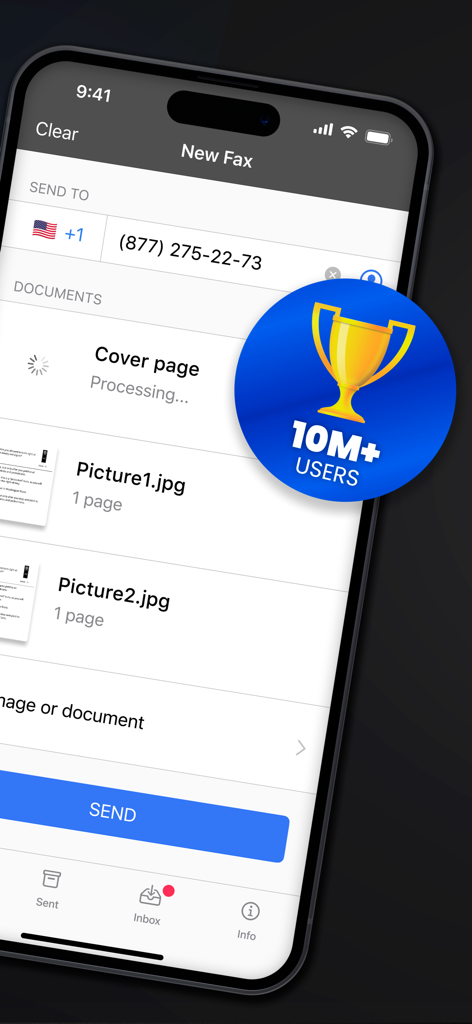
Interfaccia dell'app mobile che mostra la configurazione di un nuovo fax con immagini allegate e un badge di dieci milioni di utenti.

Interfaccia dell'app mobile che mostra la configurazione di un nuovo fax con immagini allegate e un badge di dieci milioni di utenti.

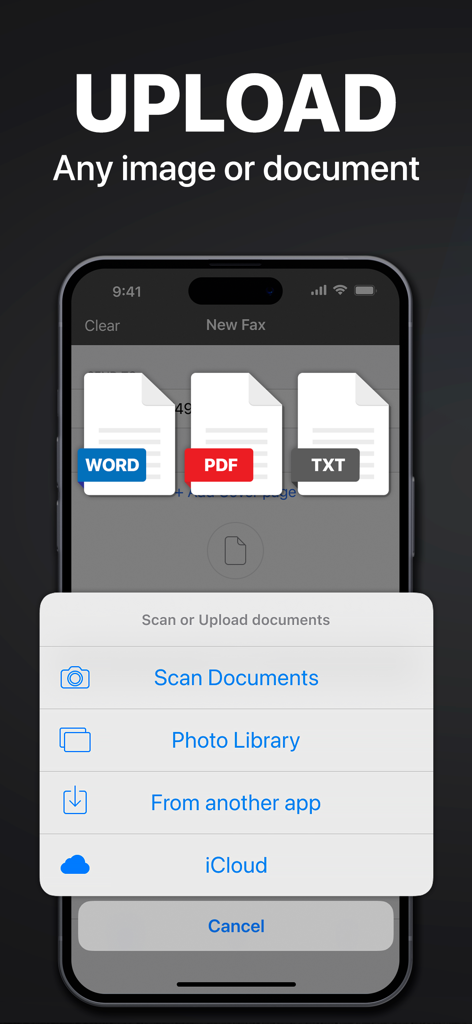
Interfaccia che mostra le opzioni per caricare documenti Word, PDF e di testo per inviare un fax da iPhone.

Interfaccia che mostra le opzioni per caricare documenti Word, PDF e di testo per inviare un fax da iPhone.

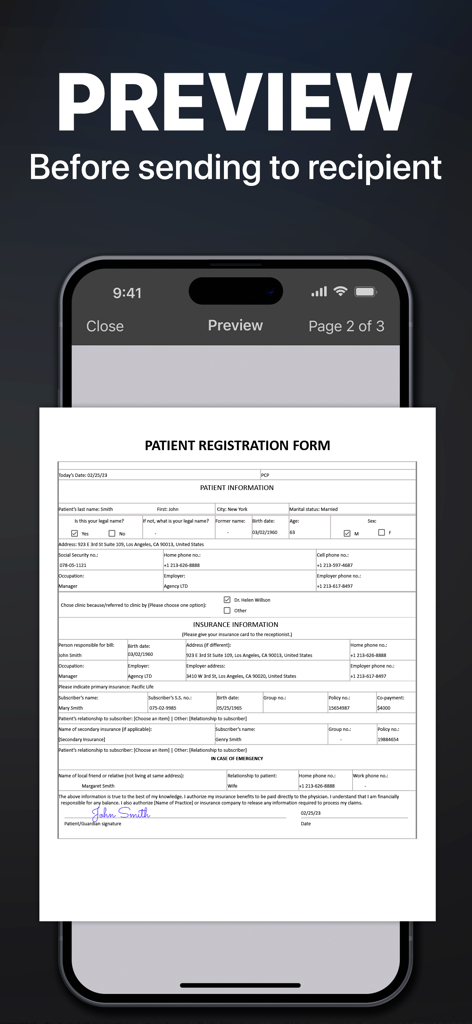
Modulo di registrazione paziente medico in anteprima sull'interfaccia dell'app FAX from iPhone prima dell'invio.

Modulo di registrazione paziente medico in anteprima sull'interfaccia dell'app FAX from iPhone prima dell'invio.

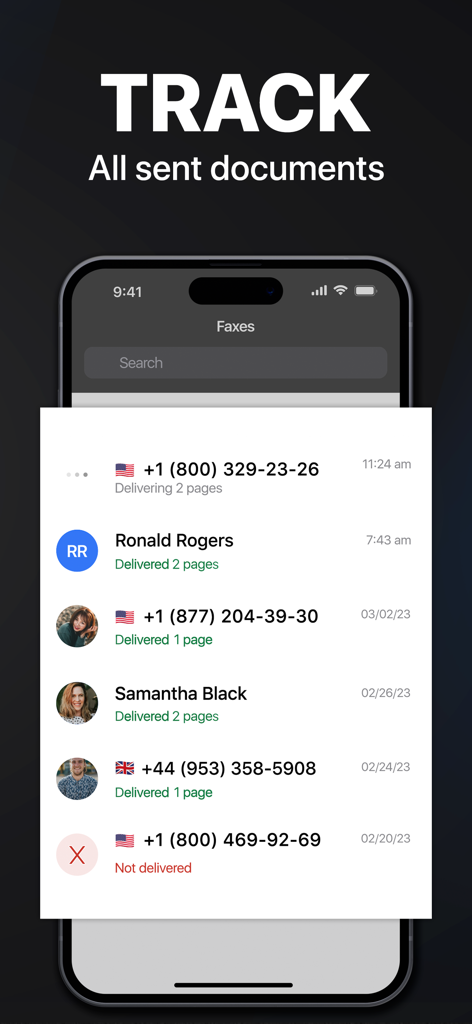
Schermata dello smartphone che mostra lo stato di tracciamento e la cronologia di consegna dei documenti fax inviati

Schermata dello smartphone che mostra lo stato di tracciamento e la cronologia di consegna dei documenti fax inviati

Il Kit di Strumenti Definitivo per i Professionisti Moderni

Gli strumenti che rendono questa app unica, scelti da 6M+ utenti.

📱

Una Macchina Fax in Tasca

Scansiona, firma e invia contratti o cartelle cliniche in oltre 90 paesi senza mai lasciare casa o ufficio.

🛡️

Consegna Certificata Sicura

Ottieni tracciamento in tempo reale e conferma di consegna per ogni documento, assicurando che i tuoi file sensibili raggiungano la destinazione in modo sicuro.

☁️

Integrazione Fluida del Flusso di Lavoro

Richiedi senza sforzo documenti da Google Drive, Dropbox o iCloud e combina più file in un unico fax professionale.

Amata dagli utenti di tutto il mondo

Scelto da 6M+ persone che amano questa app.

"

"Essendo un agente immobiliare, sono raramente alla scrivania. Questa app ha trasformato il mio iPhone in un ufficio mobile. Posso scansionare contratti e inviarli via fax alle società di mutui istantaneamente. La qualità del documento è cristallina e il tracciamento dello stato è un punto di svolta per il mio flusso di lavoro."

Sarah J., Agente Immobiliare
"

"Ero stanco di guidare fino al centro spedizioni locale ogni volta che dovevo inviare via fax un permesso per la mia attività. Questa app si è ripagata da sola nella prima settimana. È incredibilmente facile estrarre documenti da Google Drive e inviarli a livello globale. Nessun hardware, nessun problema."

Michael R., Proprietario di Piccola Impresa

Info sull'app

Tutto quello che devi sapere su FAX from iPhone: Send Doc App.

Descrizione

Send & receive faxes from iPhone or iPad on the go. Fast and easy! No Fax Machine Required! Send any document everywhere. NO need to use an old school fax machine or go to a fax office. Key Features: Powerful fax app: - Fax from iPhone in 90+ international countries; - Advanced document scanner & image processing; - Best possible quality achieved no matter what types of documents you use; - Combine multiple documents into a ​single fax; - Preview any document before sending; Receiving faxes: - Dedicated number to receive faxes; - Receive faxes from anywhere in the world; Upload any types of documents: - Send just about any file type as a fax (PDF, DOC, JPG, PNG & TIFF, HTML); - Create new documents with images as you go (Photo Gallery, Camera); - Import any types of documents (Dropbox, iCloud, Google Drive, Box or any other source). Try powerful tracking: - Track sent documents status via fax app. Note, please: ------------------ For free: 1. Download for free and streamline your faxing without ads; 2. Prepare and process documents at no charge; 3. Try it out by sending a demo fax to any number for free. Ongoing fax services require an Active subscription. *Opt for an annual subscription and save up to 52% compared to weekly payments. ------------------ Information about the auto-renewal of subscription: - Payment will be charged to iTunes Account at confirmation of purchase; - Subscription automatically renews unless auto-renew is turned off at least 24-hours before the end of the current period; - The account will be charged for renewal within 24-hours before the end of the current period. The cost depends on the selected plan; - Subscriptions may be managed by the user and auto-renewal may be turned off by going to the user’s Account Settings after purchase; Privacy Policy: https://comfax.com/privacy/ Terms of Use: https://comfax.com/terms/ For any questions or inquiries, please get in touch: support@comfax.com * iPhone and iPad are trademarks of Apple Inc.

Ultima versione

2.13.17

Dimensione

100.7 MB

Data di lancio

20 mag 2015

Pronto a Inviare il Tuo Prossimo Fax Senza Viaggi in Ufficio?

Unisciti a oltre 6 milioni di professionisti che hanno abbandonato la macchina fax. Inizia a inviare, ricevere e tracciare documenti sicuri direttamente dal tuo iPhone oggi stesso.

Scarica su App StoreScarica su Google Play
FAQ

Domande Frequenti

Tutto quello che devi sapere su FAX from iPhone: Send Doc App

Is the FAX from iPhone: Send Doc App HIPAA compliant?

Sì, l'app FAX from iPhone: Send Doc è conforme all'HIPAA. Ciò garantisce la gestione sicura delle informazioni sanitarie sensibili durante l'invio di fax.

Can I send faxes to international numbers using the FAX from iPhone app?

Sì, puoi inviare fax dall'app FAX from iPhone a oltre 90 paesi internazionali. L'app supporta funzionalità di invio fax globali.

Can I receive faxes with the FAX from iPhone: Send Doc App?

Sì, l'app FAX from iPhone: Send Doc fornisce un numero dedicato per ricevere fax da qualsiasi parte del mondo direttamente sul tuo dispositivo.

What file types does the FAX from iPhone: Send Doc App support for sending faxes?

L'app FAX from iPhone: Send Doc supporta l'invio di vari tipi di file come fax, tra cui PDF, DOC, JPG, PNG, TIFF e HTML.

Does the FAX from iPhone: Send Doc App allow tracking of sent fax documents?

Sì, l'app FAX from iPhone: Send Doc dispone di un potente sistema di tracciamento, che consente agli utenti di monitorare lo stato di tutti i documenti inviati direttamente all'interno dell'app.

Is the FAX from iPhone: Send Doc App free to use?

L'app è scaricabile gratuitamente e consente la preparazione di documenti e un fax dimostrativo gratuitamente. I servizi fax continuativi richiedono un abbonamento attivo.

How does the subscription renewal work for the FAX from iPhone app?

Gli abbonamenti si rinnovano automaticamente a meno che il rinnovo automatico non venga disattivato almeno 24 ore prima della fine del periodo corrente. Il pagamento viene addebitato sul tuo account iTunes.

Can I preview documents before sending them as a fax with the FAX from iPhone app?

Sì, l'app FAX from iPhone: Send Doc consente agli utenti di visualizzare in anteprima qualsiasi documento prima di inviarlo al destinatario, garantendo l'accuratezza.

How can I upload documents to the FAX from iPhone: Send Doc App for faxing?

Puoi caricare documenti dalla tua galleria fotografica, fotocamera, Dropbox, iCloud, Google Drive, Box o qualsiasi altra origine, e persino scansionarne di nuovi.

How many users does the FAX from iPhone: Send Doc App have?

L'app FAX from iPhone: Send Doc ha riscosso un notevole numero di utenti, superando i 10 milioni di utenti in tutto il mondo.