FileBrowser: Documents Manager

FileBrowser: Documents Manager

Scarica su App Store
Spark by MWM logo
Logo di FileBrowser: Documents Manager

FileBrowser: Gestore Documenti: Il Gestore File di Classe Desktop per Utenti Pro

Connettiti senza interruzioni ai tuoi server, NAS e cloud storage. Modifica documenti sul posto, riproduci media e trasforma il tuo iPad in una workstation ad alte prestazioni con navigazione multi-scheda.

Editore

Stratospherix

Categoria

Utilities

Download

518K+

Valutazione

4.7/5

Valutazioni totali

9K+

Lingue

9

Controllo di Classe Desktop

Scopri l'interfaccia usata da 518K+ utenti.
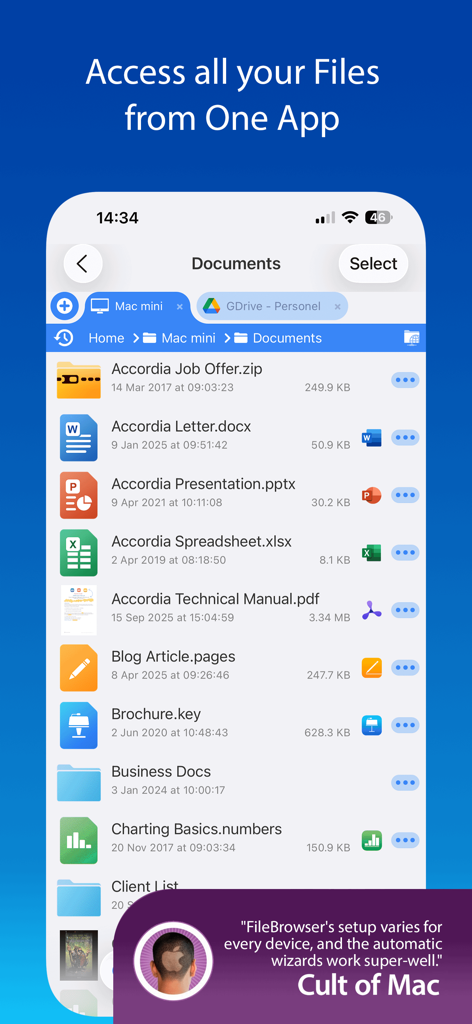
Interfaccia dell'app FileBrowser che mostra un elenco di documenti da archivi remoti e cloud su un iPhone.

Interfaccia dell'app FileBrowser che mostra un elenco di documenti da archivi remoti e cloud su un iPhone.

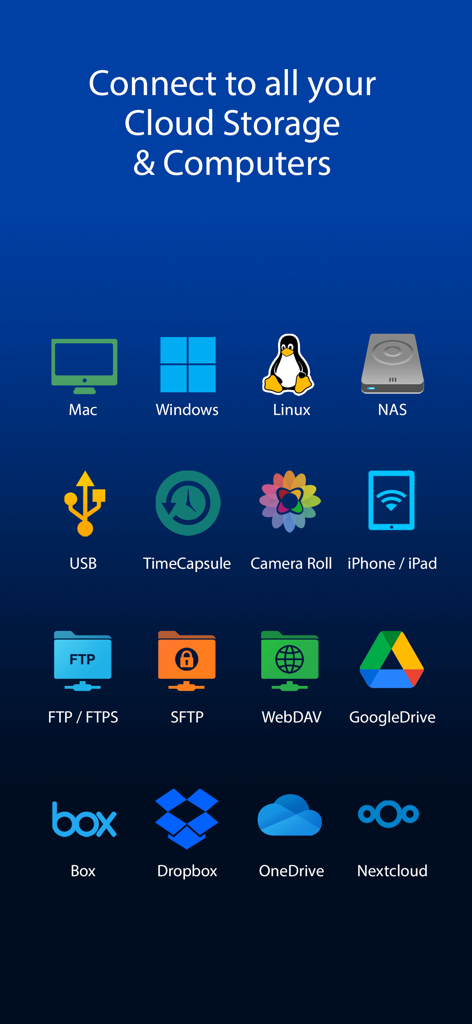
Icone dei cloud storage supportati e delle connessioni di rete, inclusi Mac Windows Linux NAS e Dropbox

Icone dei cloud storage supportati e delle connessioni di rete, inclusi Mac Windows Linux NAS e Dropbox

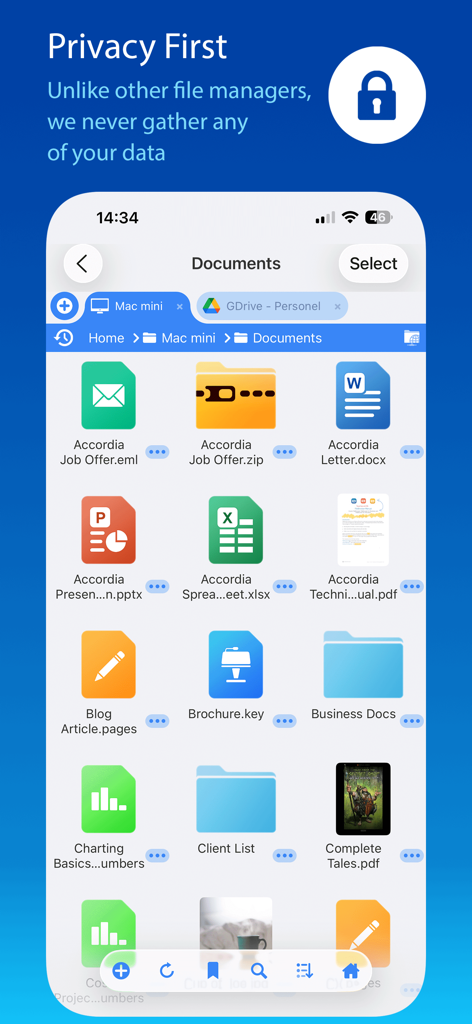
Interfaccia dell'app FileBrowser che mostra vari documenti e un banner di impegno per la privacy prima di tutto

Interfaccia dell'app FileBrowser che mostra vari documenti e un banner di impegno per la privacy prima di tutto

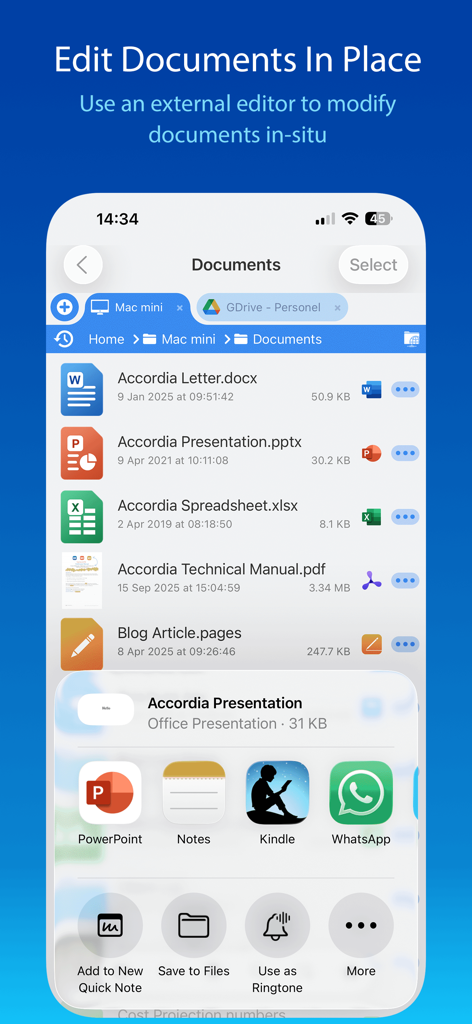
Screenshot dell'interfaccia dell'app FileBrowser che mostra un elenco di documenti con la funzione Modifica Documenti sul Posto e integrazione con app esterne

Screenshot dell'interfaccia dell'app FileBrowser che mostra un elenco di documenti con la funzione Modifica Documenti sul Posto e integrazione con app esterne

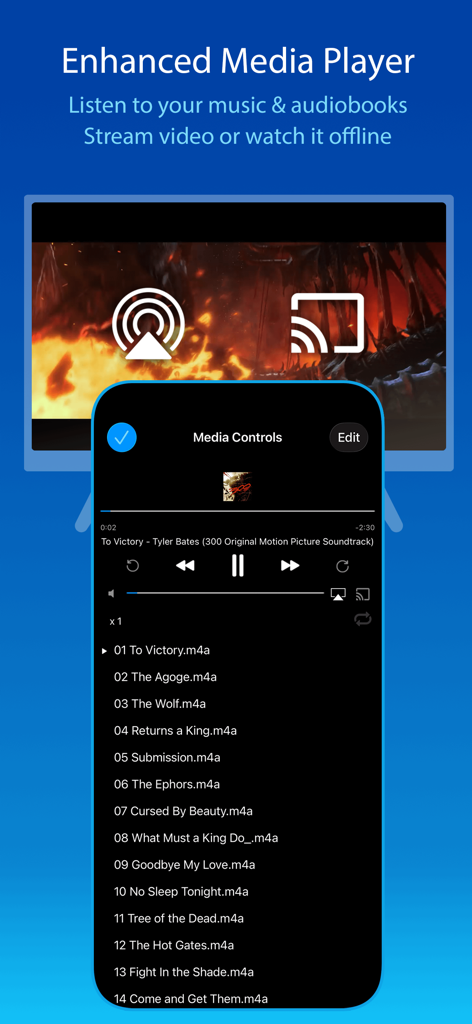
Lettore multimediale dell'app FileBrowser che mostra la playlist musicale e le opzioni di streaming per iPhone e iPad

Lettore multimediale dell'app FileBrowser che mostra la playlist musicale e le opzioni di streaming per iPhone e iPad

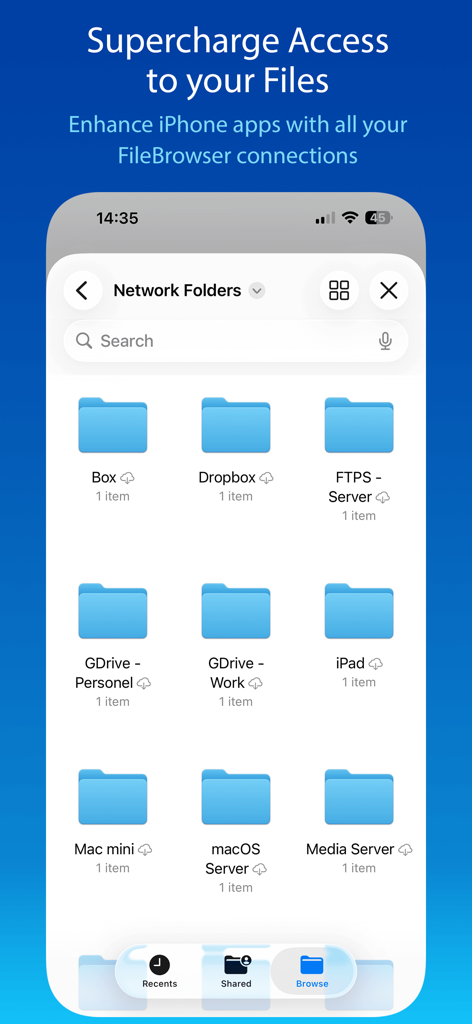
Interfaccia dell'app FileBrowser che mostra varie cartelle di rete e cloud storage su iPhone

Interfaccia dell'app FileBrowser che mostra varie cartelle di rete e cloud storage su iPhone

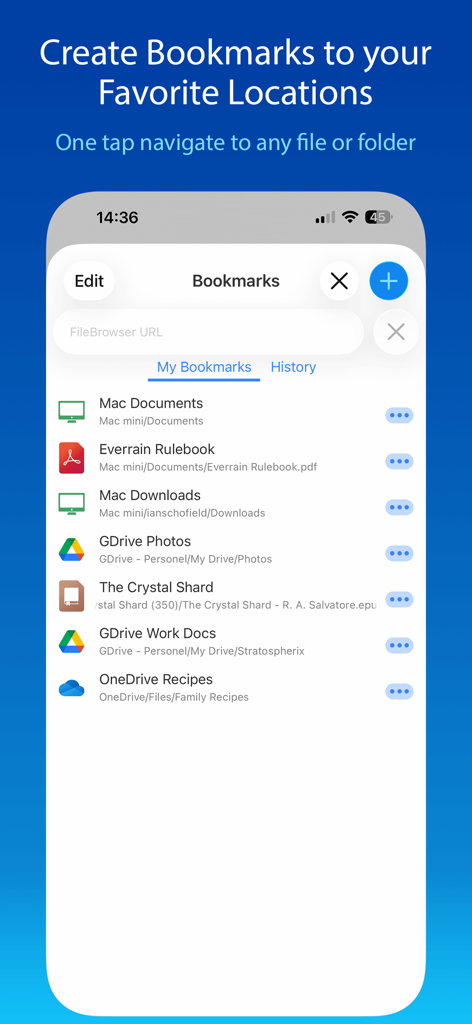
Schermata dei segnalibri dell'app FileBrowser che mostra varie scorciatoie per rete e cloud storage.

Schermata dei segnalibri dell'app FileBrowser che mostra varie scorciatoie per rete e cloud storage.

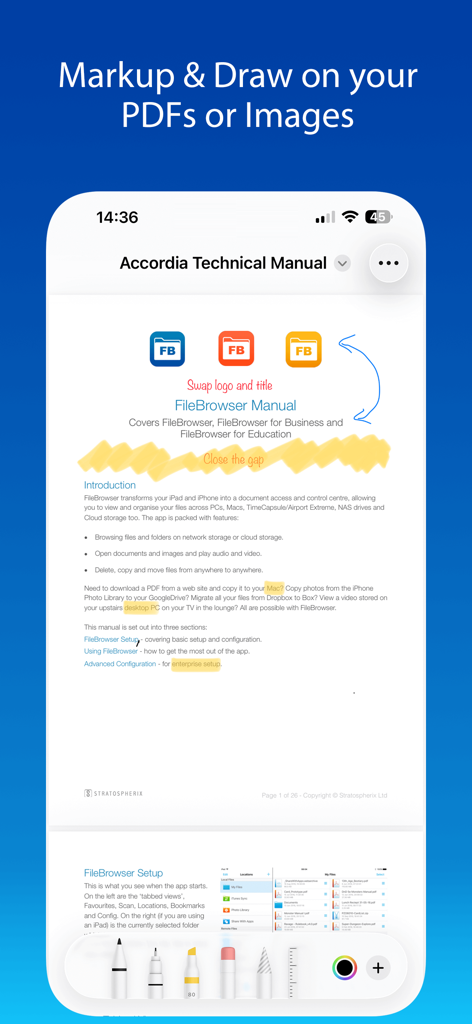
Screenshot dell'app FileBrowser che mostra gli strumenti di annotazione e disegno PDF utilizzati su un manuale tecnico.

Screenshot dell'app FileBrowser che mostra gli strumenti di annotazione e disegno PDF utilizzati su un manuale tecnico.

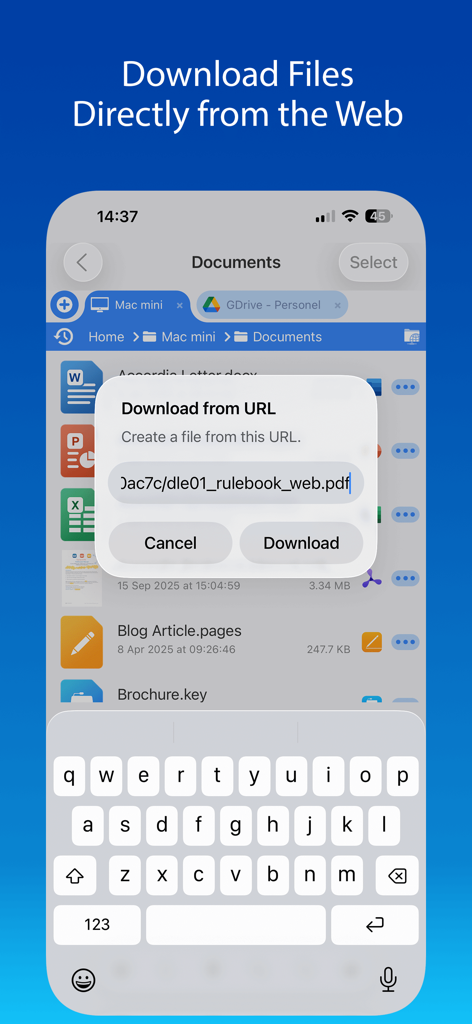
Schermata dell'iPhone che mostra la finestra di dialogo Scarica da URL dell'app FileBrowser per salvare un PDF direttamente dal web

Schermata dell'iPhone che mostra la finestra di dialogo Scarica da URL dell'app FileBrowser per salvare un PDF direttamente dal web

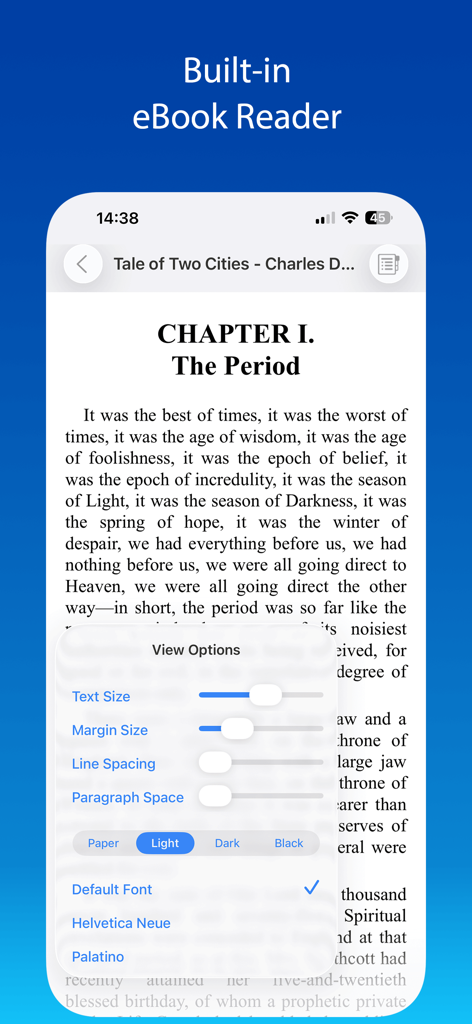
App FileBrowser che mostra un lettore di eBook integrato con impostazioni di testo e tema personalizzabili

App FileBrowser che mostra un lettore di eBook integrato con impostazioni di testo e tema personalizzabili

Gestione File di Grado Professionale

Gli strumenti che rendono questa app unica, scelti da 518K+ utenti.

🌐

Connettività Universale

Accedi al tuo NAS, server domestici e cloud professionali tramite SMB, FTP, SFTP e WebDAV. Collega la tua intera infrastruttura digitale in un'unica interfaccia unificata.

Efficiente 'Modifica sul Posto'

Modifica documenti di rete direttamente all'interno di Office, Pages o Numbers. Elimina il ciclo download-upload con salvataggi automatici e trasparenti alla tua origine originale.

📂

Produttività di Classe Desktop

Padroneggia i tuoi file con navigazione multi-scheda e supporto split-screen. Organizza, comprimi ed esegui drag-and-drop tra le posizioni con la precisione di un Mac o PC.

Amata dagli utenti di tutto il mondo

Scelto da 518K+ persone che amano questa app.

"

"FileBrowser ha completamente trasformato il mio flusso di lavoro. Spostare filmati 4K dal mio NAS al cloud è incredibilmente veloce e poter modificare i documenti sul posto mi fa risparmiare un sacco di tempo. È il gestore file di classe desktop che l'iPad Pro meritava."

Sarah J., Direttore Creativo
"

"Ho provato ogni gestore file sull'App Store e niente si avvicina a questo. La possibilità di connettermi ai miei server Linux tramite SFTP e riprodurre la mia libreria multimediale ad alta risoluzione sulla mia TV è impeccabile. È un must per ogni utente esperto."

James M., Consulente IT

Info sull'app

Tutto quello che devi sapere su FileBrowser: Documents Manager.

Descrizione

Use your iPad or iPhone to connect to your home computers, network drives and cloud storage. Easily upload/download/copy files and folders from one location to another, and browse your content using a variety of built-in viewers. *** FileBrowser remains the best option if you're looking for a file manager that supports a variety of external connections and also integrates deeply with iOS - Federico Viticci - MacStories *** *** FileBrowser's setup varies for every device, and the automatic wizards work super-well. Charlie Sorrel - Cult of Mac *** Ultra-fast browsing of your computers. Faster than Windows Explorer or Mac Finder and our users agree! GET ORGANIZED FileBrowser gives you everything you need to keep your files effortlessly organized: Move, edit, delete, rename, copy, zip and unzip. Download files from the web and paste them wherever you choose. MULTI-TABBED BROWSING Our FileBrowser suite of apps are the first file management apps to support multiple tabs. Connect to many of your locations at once and switch between them with ease. Use iPadOS split-screen mode to drag & drop between multiple windows. CONNECT TO Windows, Mac, Linux, Time Capsule, NAS drives, portable WiFi drives, SMB, Samba. Google Drive, Dropbox, Box, OneDrive, WebDAV, FTP and SFTP. Link to the same cloud storage with multiple accounts, if you have more than one Dropbox account, for example. EXTEND THE FILES APP FileBrowser allows you to access all your connections from the iOS Files app and other apps that use this as their document chooser, bringing network access to those apps. EDIT IN-PLACE No more copying of documents between apps. Launch an app to edit a network document in-place, such as Word or Pages or any of the Office and Mac suite. Changes are saved to the original document automatically. BLAZINGLY FAST Create bookmarks to your favorite locations & folders. Use a single tap to connect and browse to a favorite folder. PHOTO VIEWER Browse your photos wherever they are stored and display them on your TV or projector using AirPlay or Chromecast. Easily flick through holiday snaps or use the built-in slideshow feature. STREAM YOUR MOVIES / MUSIC Stream movie files or listen to music, both with AirPlay™ and Chromecast support. Use our built-in viewers or stream video to other apps. DOCUMENT VIEWER View Microsoft Office, Apple Pages, Numbers, KeyNote, PDF, text files, source code, HTML, and many more using the built-in viewers. ANNOTATE PDFS AND IMAGES Use the built-in annotation tools for PDFs and images, or use the iOS annotation tools to add notes, drawings or highlight text. SECURITY AND ENCRYPTION FileBrowser securely stores your passwords in the iOS keychain and uses iOS encryption features to protect your local content. Protect local files using a password, TouchID or FaceID. CONNECT ANYWHERE Connect to your Mac or PC when away from home. See our website for details: https://www.stratospherix.com/setupvpn TOO MANY FEATURES TO LIST FileBrowser has many features that we would like to tell you about. Check out our website. You'll be amazed! https://www.stratospherix.com/products/filebrowser FIRST CLASS SUPPORT User manuals and help are available at stratospherix.com/support with how-to articles and videos. You can also email us for fast, friendly support.

Ultima versione

25.12

Dimensione

63.5 MB

Data di lancio

3 apr 2010

Sblocca la Potenza di Classe Desktop per il Tuo iPad e iPhone

Unisciti a oltre 500.000 utenti esperti e professionisti appassionati. Sperimenta la massima libertà di gestire, modificare e riprodurre su ogni server e account cloud di tua proprietà.

Scarica su App Store