Heges 3D Scanner

Heges 3D Scanner

Scarica su App Store
Spark by MWM logo
Logo di Heges 3D Scanner

Heges 3D Scanner: Precisione Professionale per Maker e Ingegneri

Libera il pieno potenziale dei sensori LiDAR e FaceID del tuo iPhone. Acquisisci scansioni 3D ad alta fedeltà con una precisione di 0,5 mm ed esporta nei formati standard del settore STL, OBJ e PLY per la stampa 3D e CAD.

Editore

Marek Simonik

Categoria

Photo & Video

Download

292K+

Valutazione

3.2/5

Valutazioni totali

0

Lingue

2

La Precisione in Azione

Scopri l'interfaccia usata da 292K+ utenti.
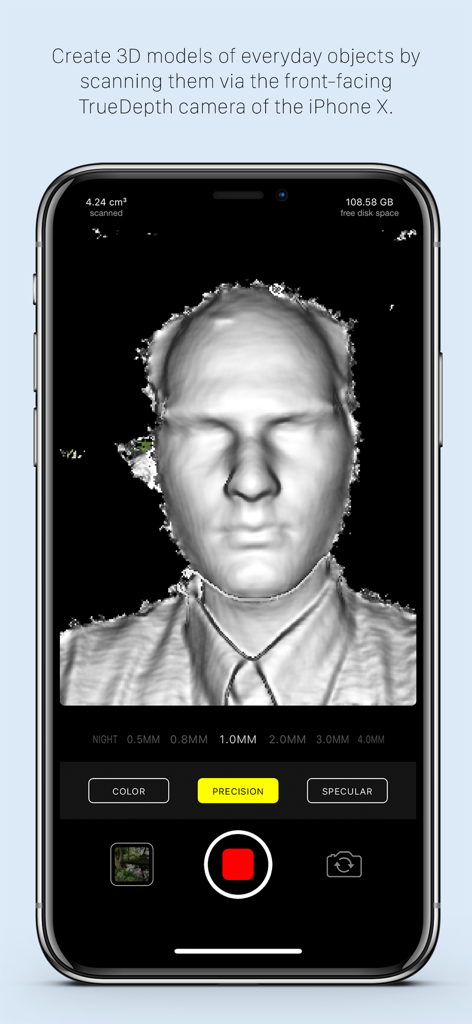
Una scansione facciale 3D viene creata con l'app Heges 3D Scanner su un iPhone utilizzando la fotocamera TrueDepth.

Una scansione facciale 3D viene creata con l'app Heges 3D Scanner su un iPhone utilizzando la fotocamera TrueDepth.

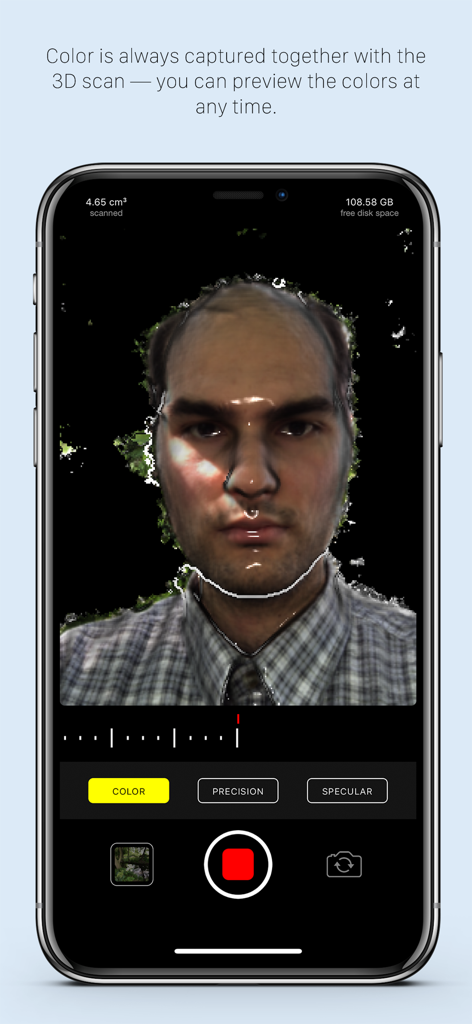
Una scansione 3D a colori ad alta precisione di un volto utilizzando l'app Heges 3D Scanner su iPhone

Una scansione 3D a colori ad alta precisione di un volto utilizzando l'app Heges 3D Scanner su iPhone

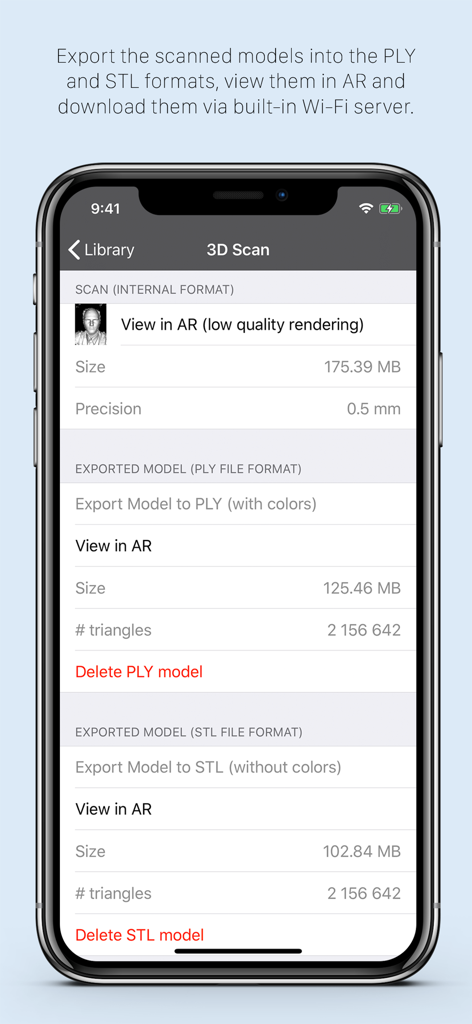
Interfaccia dell'app Heges 3D Scanner che mostra le opzioni di esportazione per i formati di file PLY e STL

Interfaccia dell'app Heges 3D Scanner che mostra le opzioni di esportazione per i formati di file PLY e STL

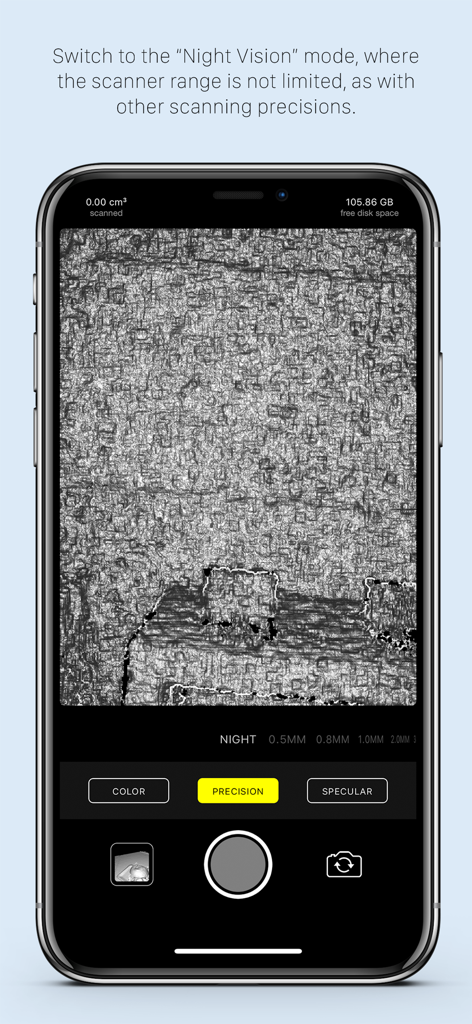
Interfaccia dell'app Heges 3D Scanner che visualizza la modalità visione notturna per la scansione di superfici al buio

Interfaccia dell'app Heges 3D Scanner che visualizza la modalità visione notturna per la scansione di superfici al buio

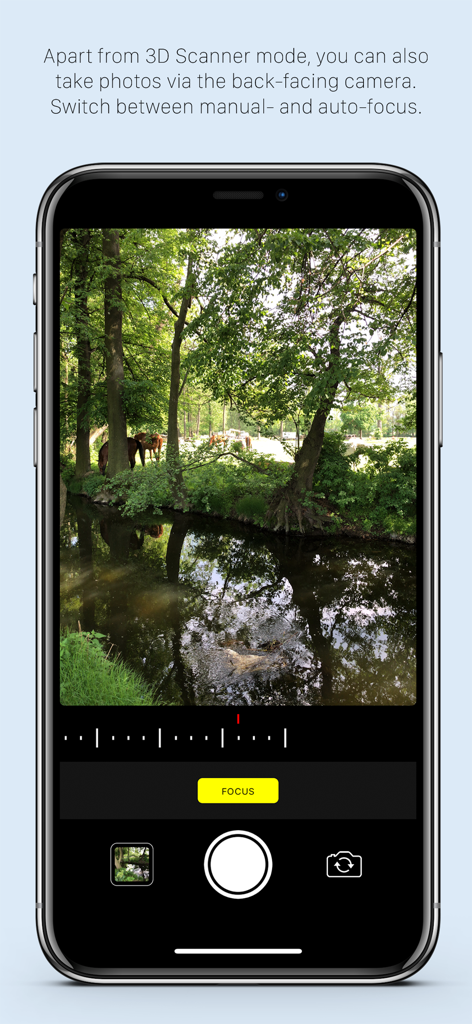
L'app Heges 3D Scanner visualizza la sua modalità fotocamera a colori con controlli di messa a fuoco manuale sullo schermo di un iPhone

L'app Heges 3D Scanner visualizza la sua modalità fotocamera a colori con controlli di messa a fuoco manuale sullo schermo di un iPhone

Scansione 3D di Precisione per Maker e Professionisti

Gli strumenti che rendono questa app unica, scelti da 292K+ utenti.

🎯

Precisione Sub-Millimetrica

Utilizza la fotocamera FaceID TrueDepth per impostazioni di precisione di 0,5 mm. Perfetto per catturare dettagli fini su piccoli oggetti per la modellazione CAD e la stampa 3D.

🏠

Acquisizione LiDAR Spaziale

Mappa rapidamente intere stanze, corridoi e mobili di grandi dimensioni utilizzando il sensore LiDAR posteriore. Trasforma gli spazi fisici in asset digitali in pochi secondi.

⚙️

Flusso di Lavoro di Esportazione di Livello Professionale

Esporta senza problemi le tue scansioni come file STL, OBJ o PLY. Pronto per l'uso immediato in Blender, AutoCAD o nel tuo slicer preferito senza abbonamenti.

Amata dagli utenti di tutto il mondo

Scelto da 292K+ persone che amano questa app.

"

"Come appassionato di stampa 3D, la precisione di 0,5 mm utilizzando la fotocamera FaceID è un punto di svolta. Ho scansionato un ingranaggio di plastica fuori produzione per il mio tornio vintage e ho ottenuto un file STL perfetto pronto per la mia stampante in pochi minuti. È facilmente lo scanner più accurato che abbia mai usato su un dispositivo mobile."

Liam S., Ingegnere Meccanico
"

"Heges è la mia scelta per i mockup di interior design. La modalità LiDAR cattura i layout delle stanze con notevole velocità e la possibilità di esportare direttamente in USDZ per le walkthrough AR mi fa risparmiare ore di modellazione manuale. Adoro la trasparenza dello sviluppatore e il modello di acquisto una tantum onesto."

Sarah Chen, Architetto Digitale

Info sull'app

Tutto quello che devi sapere su Heges 3D Scanner.

Descrizione

Create 3D scans using the 3D camera (FaceID or LiDAR) of your iPhone 17, 16, 15, 14, 13, 12, 11, XS, XR, X (and all their Pro/Max/Plus/Air variants) or iPad Pro! Export scans into STL, PLY, OBJ, USDZ, GLB (glTF), share them and more. On older devices, you can use the ordinary camera mode or the Screen Sharing feature. This app is *PAID* up-front. Why is it free-to-download? To protect people with unsupported devices from buying it (more details at the end). Heges is divided into two modes: = 3D Scanner (**PAID**, requires one-time In-App Purchase) ============================ - Available only for iPhones and iPad Pros with the selfie FaceID (TrueDepth) camera and/or LiDAR sensor as an In-App Purchase (Why? Read more at the bottom.) - Create 3D models by scanning everyday objects using the selfie TrueDepth camera (FaceID) and/or the rear LiDAR sensor - After scanning, export the models into PLY, OBJ, USDZ (all with colors), STL, GLB (both without colors) file formats - Share exported models e.g. via built-in Wi-Fi server or view them in the iOS Files app - Use the physical volume buttons to toggle scanning session - Double-tap anywhere in the live camera view to Share Screen with another iPhone/iPad, so that you can better see what you're scanning - View the models in AR - You can scan in pitch-dark environment and use Heges as a night vision camera! - Choose from the available scanning precisions — the higher the precision, the shorter the scanner range - To get the most accurate scans, you must use the selfie FaceID camera with 0.5MM Precision settings; do not use LiDAR if you need accurate scans - The selfie FaceID camera is much more accurate than LiDAR (approx. one order of magnitude), the models in the promo videos were scanned using the selfie FaceID camera of iPhone X - Use the selfie FaceID camera for scanning fine details (up to 2 millimeters accuracy with FaceID and 0.5MM Precision settings) - Use LiDAR for scanning large areas (e.g. houses, hallways, rooms, etc.), LiDAR is NOT suitable for scanning small objects with detail — use the selfie FaceID camera for this purpose - Objects in scanner range are highlighted in the live view - Switch to the passive Night Vision where there're no explicit restrictions on the scanner range Instructions for the 3D scanner: - Move slowly when scanning - Make sure that most of the captured scene is within the scanner range - Please read the FAQ at https://hege.sh/faq The scanner isn't perfect and can fail when moving too fast or scanning a challenging environment (e.g. glass surfaces cannot be captured due to the nature of the TrueDepth sensor). A NOTE FOR iPHONE 13 (and newer) users: Beginning with the iPhone 13 lineup, Apple introduced a new TrueDepth (FaceID) camera design, which produces (slightly) lower-accuracy results compared to older devices. To get best scan accuracy, consider using any iPhone 12 or older with FaceID. = Color camera mode ============================ - Available for all devices - Manual camera focus - Sharing photos via built-in Wi-Fi server = Why don't you make the app paid on the App Store? Why the annoying In-App Purchase? ============================ It's for protecting people with unsupported devices. (I wish I could make it paid directly on the App Store.) Heges needs the 3D-sensing selfie FaceID camera to capture 3D scans. But not all iPhones/iPads have the FaceID camera, so the app needs to check if your device has FaceID before it allows you to buy the app. The App Store does not allow developers to check if your iPhone/iPad has FaceID, so the only way to check is if you download and open the app. Once you open Heges on your device, it will check if your device is compatible and if isn't, then you will not be able to buy it. If you have any questions just drop me an email at support@hege.sh and I'll be happy to help you :)!

Ultima versione

1.8.3

Dimensione

17.3 MB

Data di lancio

31 mag 2018

Trasforma la tua realtà in modelli 3D ad alta precisione

Sblocca il pieno potenziale dei tuoi sensori LiDAR e FaceID. Unisciti a oltre 290.000 maker e ingegneri che utilizzano Heges per colmare il divario tra oggetti fisici e design digitale.

Scarica su App Store
FAQ

Domande Frequenti

Tutto quello che devi sapere su Heges 3D Scanner

Per cosa viene utilizzata l'app Heges 3D Scanner?

Heges 3D Scanner crea modelli 3D da oggetti di uso quotidiano utilizzando la fotocamera FaceID o LiDAR del tuo iPhone o iPad. Supporta l'esportazione in formati come STL, PLY, OBJ, USDZ, GLB e la visualizzazione in AR.

Quali dispositivi sono compatibili con Heges 3D Scanner per la scansione 3D?

Heges 3D Scanner è compatibile con gli iPhone da X in poi (varianti Pro/Max/Plus/Air) e i modelli di iPad Pro dotati di sensore FaceID o LiDAR. La modalità Scanner 3D richiede un acquisto in-app.

Heges 3D Scanner può utilizzare il LiDAR per la modellazione 3D?

Sì, Heges 3D Scanner utilizza il sensore LiDAR per creare modelli 3D, specialmente per aree ampie. Per oggetti piccoli e dettagli fini, si consiglia la fotocamera selfie FaceID per la sua maggiore precisione.

Quali formati di esportazione supporta Heges 3D Scanner per i modelli 3D?

Heges 3D Scanner esporta modelli 3D in PLY, OBJ, USDZ (con colori) e STL, GLB (senza colori). Gli utenti possono condividere questi file tramite il server Wi-Fi integrato o visualizzarli nell'app File di iOS.

L'app Heges 3D Scanner è gratuita?

No, Heges 3D Scanner è gratuito da scaricare ma richiede un acquisto in-app una tantum per la modalità Scanner 3D. Il download consente di verificare la compatibilità del dispositivo prima dell'acquisto.

Quale precisione può raggiungere Heges 3D Scanner con FaceID?

Heges 3D Scanner raggiunge una precisione fino a 2 millimetri per i dettagli fini quando si utilizza la fotocamera selfie FaceID con impostazioni di precisione 0,5 MM. FaceID è più preciso del LiDAR per oggetti piccoli.

Heges 3D Scanner include una funzione di visione notturna?

Sì, Heges 3D Scanner dispone di una modalità di visione notturna passiva. Gli utenti possono scansionare in ambienti bui e questa modalità non ha restrizioni esplicite sulla portata dello scanner.

Perché Heges 3D Scanner è scaricabile gratuitamente anziché a pagamento anticipato?

Heges 3D Scanner è scaricabile gratuitamente per proteggere gli utenti con dispositivi non supportati. Verifica la presenza di una fotocamera FaceID compatibile con sensore 3D all'apertura, impedendo acquisti in-app accidentali su hardware incompatibile.

Heges 3D Scanner può scattare foto normali?

Sì, Heges 3D Scanner include una modalità fotocamera a colori disponibile per tutti i dispositivi. Questa modalità utilizza la fotocamera posteriore, supporta la messa a fuoco manuale e consente di condividere le foto tramite un server Wi-Fi integrato.

Quale modello di iPhone offre la migliore precisione di scansione con Heges 3D Scanner?

Per una precisione di scansione ottimale con Heges 3D Scanner, si consiglia un iPhone 12 o un modello precedente con FaceID. Gli iPhone più recenti (13 e successivi) hanno un design della fotocamera TrueDepth con una precisione leggermente inferiore.