iBFD

iBFD

Scarica su App Store
Spark by MWM logo
Logo di iBFD

iBFD: Il Tuo Display di Volo di Backup Essenziale e Suite di Sicurezza

Migliora la sicurezza della tua cabina di pilotaggio con strumenti di backup professionali sul tuo iPhone o iPad. Caratterizzato da un Indicatore di Atteggiamento di precisione, tecnologia sensor-fusion e registrazione dati di volo integrata per la massima tranquillità in ogni volo.

Editore

Tatsuo Saeki

Categoria

Navigation

Download

106K+

Valutazione

3.8/5

Valutazioni totali

0

Lingue

1

Precisione in Mostra

Scopri l'interfaccia usata da 106K+ utenti.
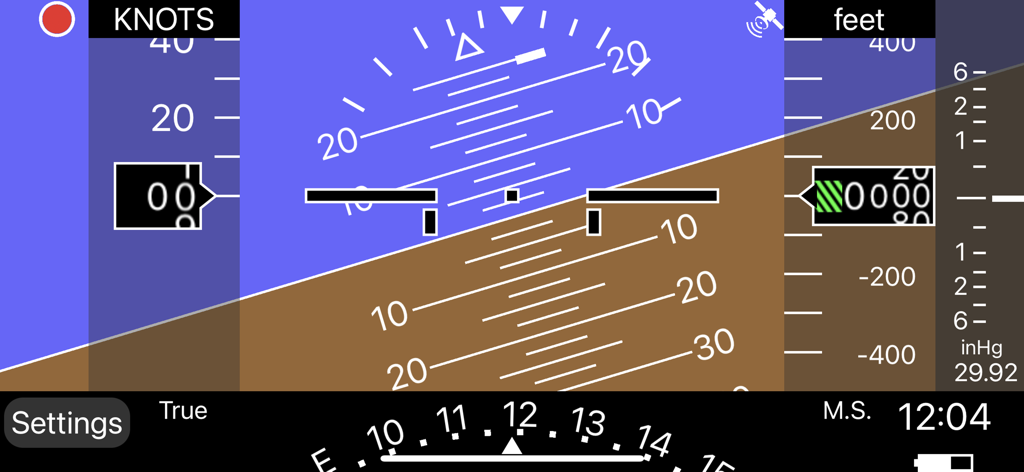
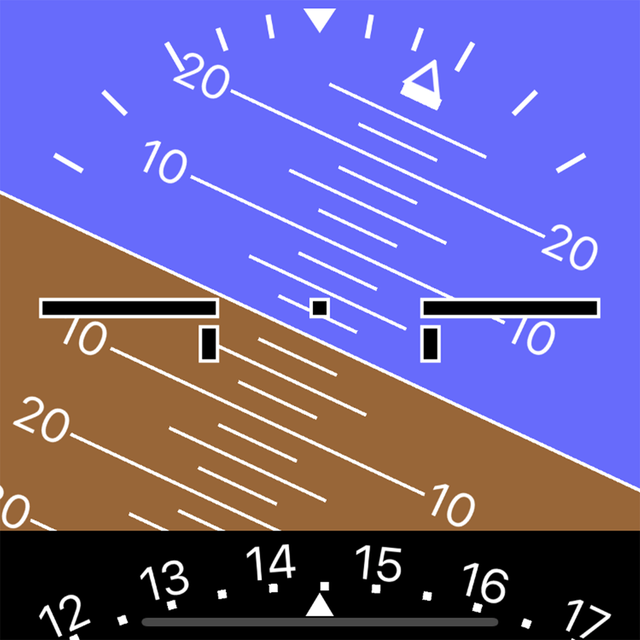
Interfaccia del display di volo di backup digitale con indicatore di assetto e altimetro

Interfaccia del display di volo di backup digitale con indicatore di assetto e altimetro

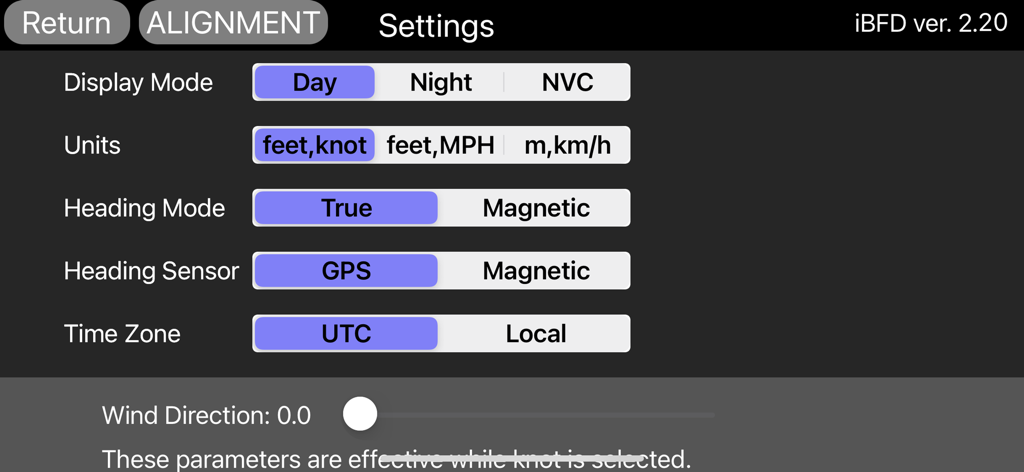
Schermata delle impostazioni dell'app iBFD che mostra le opzioni di configurazione per il display di volo, le unità e i sensori.

Schermata delle impostazioni dell'app iBFD che mostra le opzioni di configurazione per il display di volo, le unità e i sensori.

Strumenti di Backup Professionali

Gli strumenti che rendono questa app unica, scelti da 106K+ utenti.

🎛️

Suite di Volo Integrata

Accedi a un pannello secondario completo con indicatori di Atteggiamento, Direzione e Velocità Verticale alimentati dalla precisione avanzata del filtro di Kalman.

⏺️

Registrazione FDR e Vocale della Cabina di Pilotaggio

Migliora la tua cultura della sicurezza con la registrazione integrata dei dati di volo e della voce, fornendo documentazione essenziale per ogni missione.

🛡️

Affidabilità Pronta all'Emergenza

Rimani preparato per qualsiasi scenario con le modalità Giorno, Notte e NVC, garantendo una navigazione ad alta visibilità e una guida all'aeroporto nei momenti critici.

Amata dagli utenti di tutto il mondo

Scelto da 106K+ persone che amano questa app.

"

"Come pilota privato che vola con un Cessna degli anni '70 con un singolo sistema a vuoto, iBFD mi offre la massima tranquillità. Durante un recente volo transcontinentale, è servito come backup perfetto per i miei strumenti primari. L'Indicatore di Atteggiamento è notevolmente stabile e la funzione FDR è fantastica per rivedere le mie manovre dopo il volo. È un pezzo essenziale di assicurazione digitale per qualsiasi cabina di pilotaggio di aviazione generale."

David Miller, Pilota Privato (ASEL)
"

"La logica di sensor fusion in iBFD è veramente impressionante rispetto ad altre app. Lo tengo in esecuzione sul mio iPhone montato sul parasole mentre uso il mio iPad per la navigazione. L'accuratezza dei dati di beccheggio e rollio è di prim'ordine e la modalità NVC salva la vita per preservare la visione notturna durante gli arrivi in tarda serata. Uno strumento indispensabile per i piloti che danno priorità alla sicurezza e alla ridondanza."

Sarah Jenkins, Istruttrice di Volo

Info sull'app

Tutto quello che devi sapere su iBFD.

Descrizione

integrated Backup Flight Display (iBFD) Pilots understand the risk of a primary flight instrument failure while flying. In certain situations the loss of the Attitude Indicator is perhaps the greatest risk a pilot can face. This iPhone based integrated Backup Flight Display (iBFD) is an inexpensive, easy to operate tool intended to reduce risk and improve safety if an instrument fails and no other backup is available. This application consists of an Attitude Indicator, Heading Indicator, Altimeter, Vertical Speed Indicator, speed Indicator, Side Slip Indicator, and Clock. Furthermore, in the portrait mode of the iPad, a Map is displayed below the Attitude Indicator, and when you enter an airport code such as KFTW, the direction and distance to the airport are displayed. It can also be used as Flight Data Recorder(FDR) and Cockpit Voice Recorder(CVR). This function is activated by touching the red circle in the upper left corner. Recording is stopped by touching the red circle again or it will be stopped automatically when large G is applied. iBFD uses the iPhone's 3 axis Gyro sensor as its primary sensor. Pitch and Roll angles are calculated using the Gyro data and the same algorithm as strap down Inertial Reference Systems (IRS). GPS and Accelerometer are used with Kalman filter as sensor fusion to prevent gyro drift and improve Accuracy. The iBFD performs noticeably better than other comparable applications on the market. Unfortunately the iBFD doesn't have FAA certification. It doesn't have enough reliability for use as Primary Flight Instruments, and neither our software nor your iPhone have been subjected to rigorous certification tests. And the accuracy of Map and Airport Information is not guaranteed. All information displayed on the iBFD is for reference only! Therefore, we are not responsible for any death, injury or damage as a result of using the iBFD. USE THIS DEVICE AT YOUR OWN RISK! Nevertheless, during an In Flight Emergency having an iBFD is far better than having no instrument at all. Particularly if in a limited visibility situation with an inoperative Attitude Indicator. Engine vibration can affect accuracy of the iBFD, so special consideration must be given to mounting the iPhone to the cockpit instrument panel or glare shield. Other features (1) There are three display color modes; Day, Night or NVC. (2) Altitude/Speed is selectable in units of feet/knots, feet/MPH or meter/kilometers per hour. (3) Airspeed is calculated using GPS Speed, Wind Direction, and Wind Velocity. Wind Direction and Velocity are obtained via ATIS and set manually. (4) Pitch angle zero can be adjusted manually by touching center of the display or slider setting. (5) Magnetic Heading or True Heading, and GPS or M.S.(Magnetic Sensor) are selectable. (6) Settings Window for entering parameters and user preferences. (7) Battery Icon indication. (8) Recorded data can be accessed by Files. (9) Magnetic Heading can be adjusted with the slider. (10) Function to correct roll angle. However, when performing this function, the iPhone needs to be correctly placed horizontally. (11) Local time or UTC is selectable. (12) GPS Altimeter and Barometric Altimeter. (13) Roll indication by Sky pointer and Ground pointer. Note: Initial roll and pitch angle are calculated using the accelerometer at the time of alignment (same as real IRS). Therefore, if acceleration due to motion is applied during alignment, an angle error will occur. However, such initial angle error automatically decreases with time and disappears after a few minutes in case of level flight.

Ultima versione

2.30

Dimensione

12.9 MB

Data di lancio

1 mar 2017

Vola Preparato. La Ridondanza Essenziale della Tua Cabina di Pilotaggio Inizia Qui.

Unisciti a oltre 100.000 piloti di aviazione generale che si affidano a iBFD per il backup di emergenza e la registrazione di volo. Scarica oggi stesso per la massima tranquillità.

Scarica su App Store