NZBClient for NZBGet

NZBClient for NZBGet

Scarica su App Store
Spark by MWM logo
Logo di NZBClient for NZBGet

NZBClient per NZBGet: Il Centro di Comando Mobile Definitivo

Prendi il pieno controllo dei tuoi download Usenet dal tuo iPhone o iPad. Monitora la tua coda, gestisci più server e ricevi notifiche crittografate E2E in tempo reale.

Editore

Digital Tools Ltd

Categoria

Utilities

Download

31K+

Valutazione

4.5/5

Valutazioni totali

300

Lingue

1

Precisione a Colpo d'Occhio

Scopri l'interfaccia usata da 31K+ utenti.
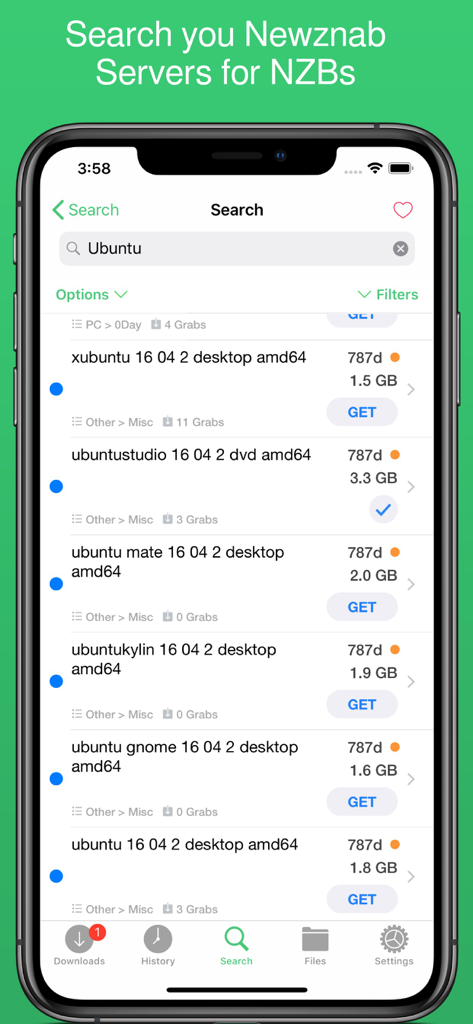
Schermata di ricerca dell'app NZBClient che mostra i risultati NZB per Ubuntu dai server Newznab

Schermata di ricerca dell'app NZBClient che mostra i risultati NZB per Ubuntu dai server Newznab

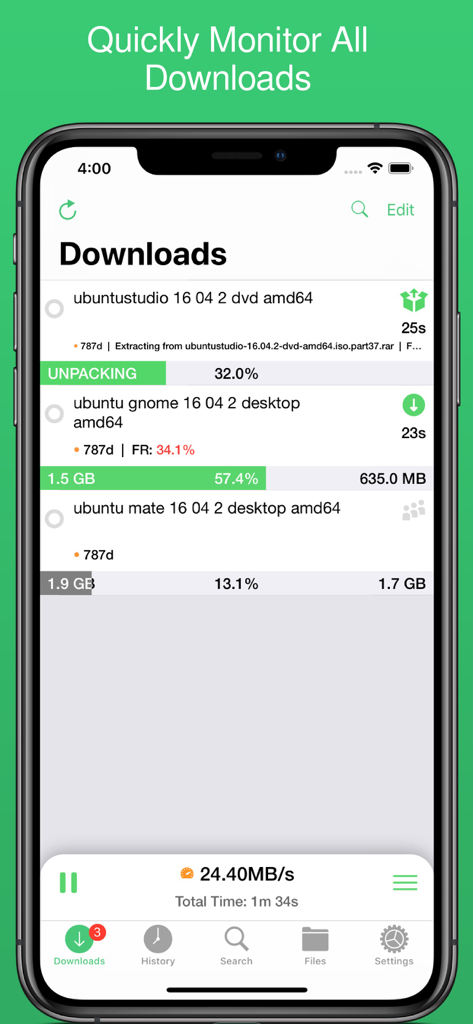
Interfaccia NZBClient che mostra l'avanzamento dei download attivi e le velocità del server

Interfaccia NZBClient che mostra l'avanzamento dei download attivi e le velocità del server

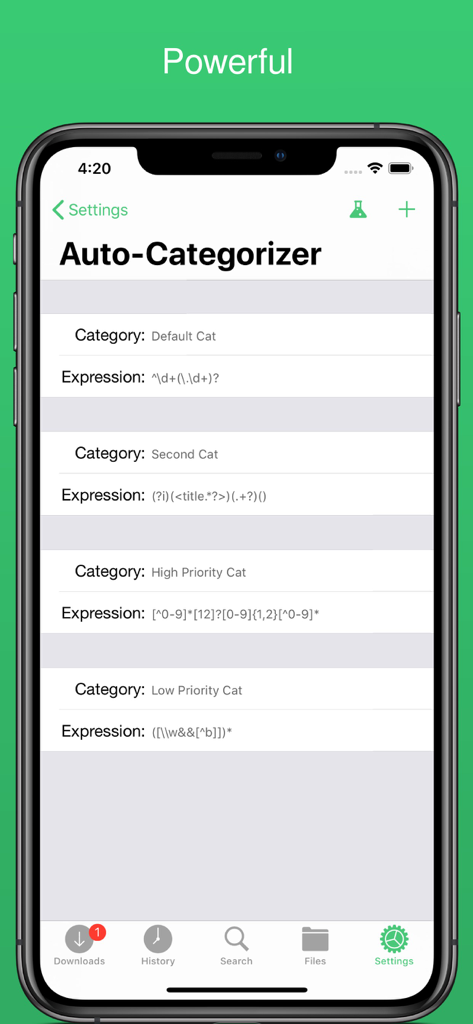
Schermata delle impostazioni dell'auto-categorizzatore in NZBClient che mostra regole personalizzate per organizzare i download

Schermata delle impostazioni dell'auto-categorizzatore in NZBClient che mostra regole personalizzate per organizzare i download

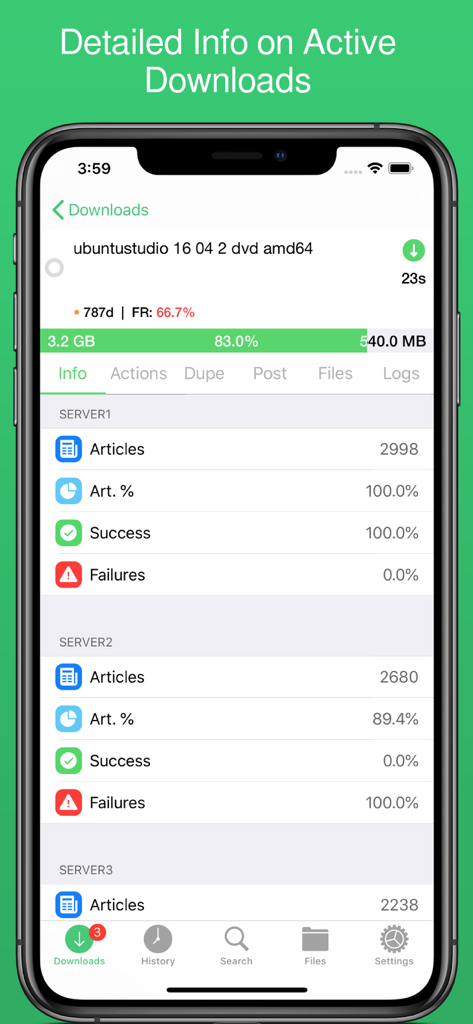
Schermata dettagliata dei download attivi in NZBClient che mostra l'avanzamento e i tassi di successo del server

Schermata dettagliata dei download attivi in NZBClient che mostra l'avanzamento e i tassi di successo del server

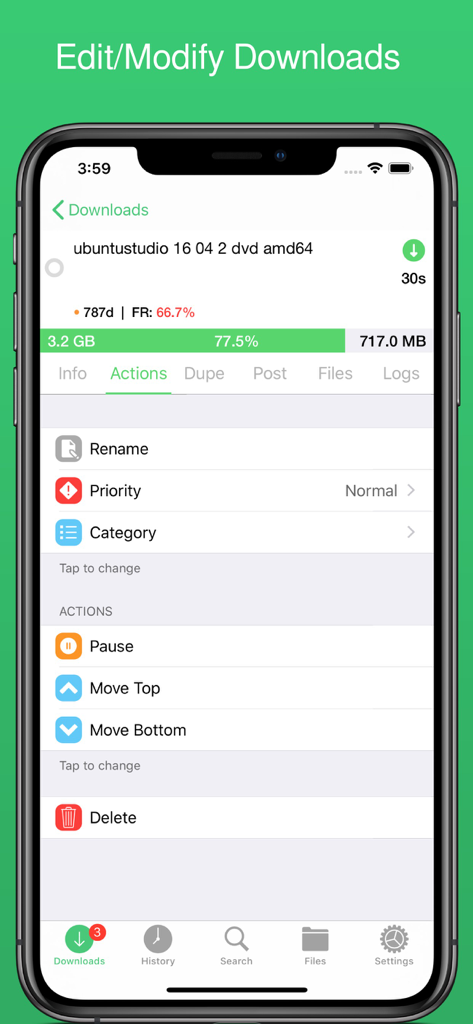
Interfaccia dell'app mobile NZBClient che mostra il menu delle azioni per gestire un download NZBGet attivo, inclusi rinomina e priorità.

Interfaccia dell'app mobile NZBClient che mostra il menu delle azioni per gestire un download NZBGet attivo, inclusi rinomina e priorità.

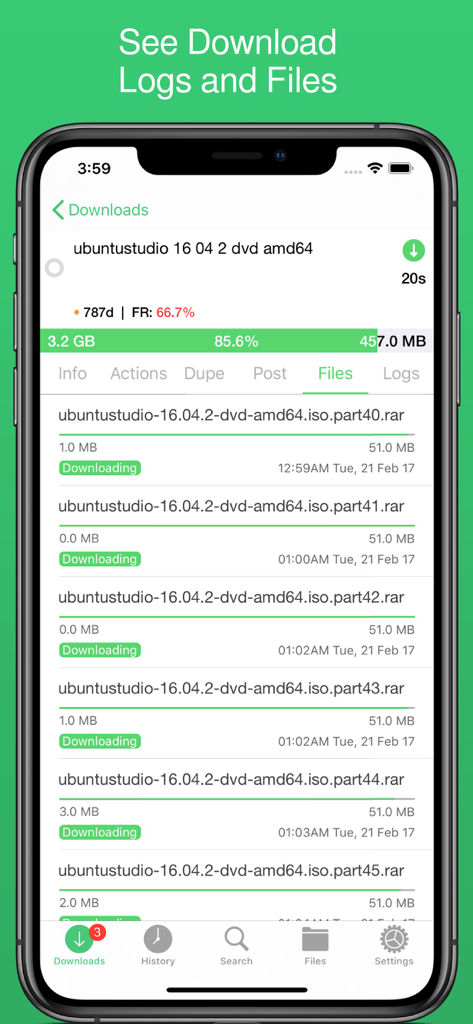
Interfaccia mobile di NZBClient che mostra le singole parti del file e l'avanzamento di un download in corso.

Interfaccia mobile di NZBClient che mostra le singole parti del file e l'avanzamento di un download in corso.

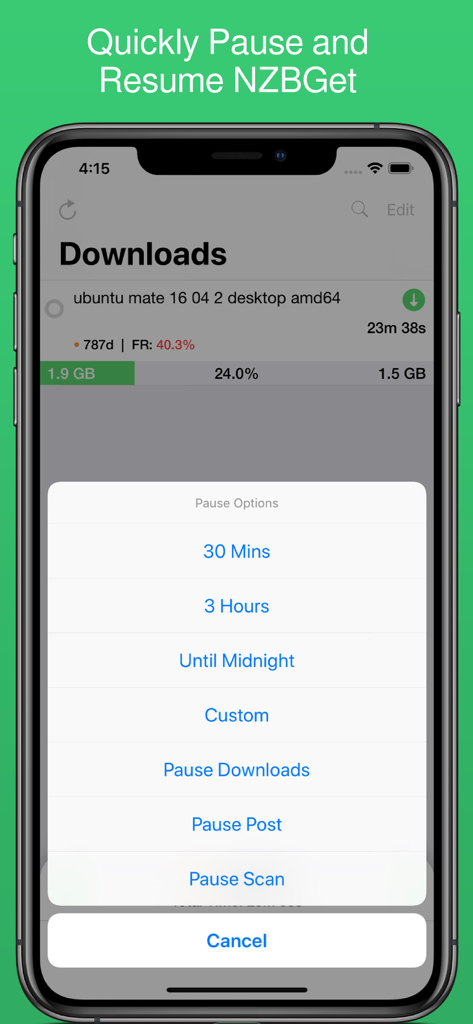
Screenshot dell'app mobile NZBClient che mostra l'avanzamento del download e un menu di opzioni di pausa con intervalli di tempo per NZBGet.

Screenshot dell'app mobile NZBClient che mostra l'avanzamento del download e un menu di opzioni di pausa con intervalli di tempo per NZBGet.

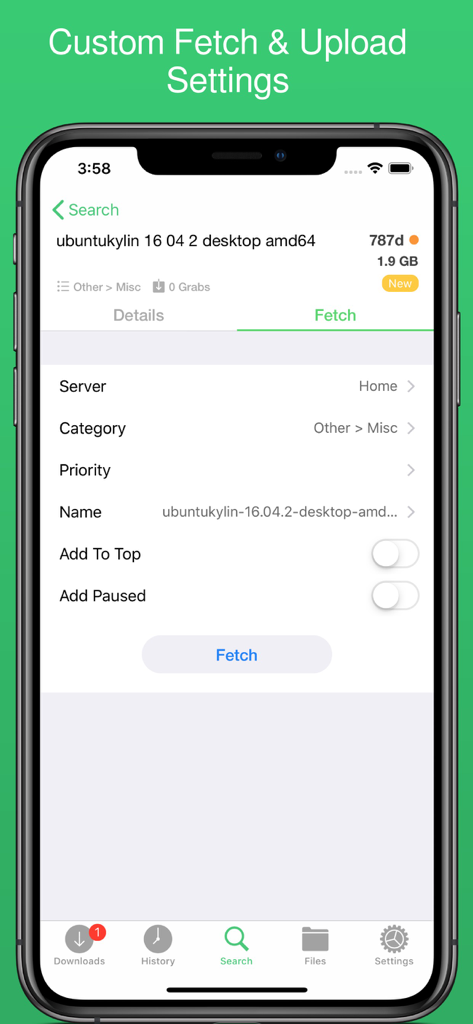
Interfaccia dell'app NZBClient per personalizzare le impostazioni di recupero e caricamento per un file di download

Interfaccia dell'app NZBClient per personalizzare le impostazioni di recupero e caricamento per un file di download

Padroneggia la Tua Coda Usenet da Ovunque

Gli strumenti che rendono questa app unica, scelti da 31K+ utenti.

🛠️

Gestione Granulare della Coda

Metti in pausa, riprendi e riordina i download con precisione. Regola i limiti di velocità e categorizza i file al volo per mantenere il tuo homelab in piena efficienza.

🔒

Notifiche Sicure E2E

Rimani informato con avvisi push crittografati end-to-end. Ricevi aggiornamenti istantanei al termine o al fallimento delle attività, assicurandoti che lo stato del tuo server sia sempre a portata di mano senza compromettere la privacy.

🌐

Accesso Remoto Unificato

Gestisci più server e cerca direttamente negli indici Newznab. Passa senza problemi tra configurazioni locali e remote tramite HTTPS/SSL per un controllo sicuro e ad alta velocità da qualsiasi luogo.

Amata dagli utenti di tutto il mondo

Scelto da 31K+ persone che amano questa app.

"

"Questo è di gran lunga il modo migliore per gestire NZBGet su iOS. Le notifiche crittografate E2E sono esattamente ciò che stavo cercando, e la possibilità di passare senza intoppi tra i miei server locali e remoti fa risparmiare un sacco di tempo per la mia configurazione homelab."

Marcus T., Ingegnere di Sistemi
"

"Finalmente, un client mobile che non sembra un wrapper web goffo. Adoro poter cercare nei server Newznab e gestire la mia coda mentre sono in viaggio. L'interfaccia utente è pulita, reattiva e rende la gestione del mio server multimediale effettivamente piacevole."

David L., Appassionato di Homelab

Info sull'app

Tutto quello che devi sapere su NZBClient for NZBGet.

Descrizione

Use NZBClient to manage your NZBGet Server on your iPhone or iPad. This app works as a client or front-end for your NZBGet server v13+. Monitor, delete and edit current downloads and items in your history. Including support for multiple servers with fast switching, great for local/remote access setups. Search or Browse Newznab based servers for new NZB's, then fetch or save them. Create custom searches then automatically search and fetch results. Get push notifications from NZBGet or any other service, when new NZB's are added to queue, deleted, fail, or downloaded. With custom settings and menus you can fully customisable the app to suit your needs. Features include: - Search, Browse & Fetch from Newznab servers, - Pause, Resume downloads - Push Notifications - E2E Encrypted Push Notifications - Delete history or active downloads - Upload .NZB files - Multiple Servers - HTTPS/SSL - Set Speed limit - Pause queue for set time, - Set Category when uploading - Set Priority when uploading - Add to top when uploading - Add paused when uploading - Change priority of NZB in queue, - Change category of NZB in Queue, - Pause resume single NZB file in queue, - Save NZB files locally on device - Re-upload local NZB files - Set Default server - View History - View Log files - Edit and delete Servers - Set Refresh time - See detailed overview of each active download - Mark History items as good/bad - Re-download and Re-Postprocess history items - View Hidden items in history - View server log - Open and Uncompress .zip files - Group upload NZB files - Set unpack password - RSS fetching - Search and filter Downloads and History - Full App customisation Note: Some features require a one-time in-app purchase or a monthly/yearly subscription to use, this helps support independent development. You need to have a Laptop, NAS or PC running NZBGet v13+ to use this app. NZBClient is a free download and offers a limited feature set for free forever! If you would like to unlock the full potential of the app and support independent development, you can purchase a one-time purchase of Premium to access some extra features, or subscribe (monthly or yearly) to Ultra to access all features. NZBClient has monthly and yearly subscription options available that unlock all features. Subscriptions can be canceled at any time at least 24 hours before the next billing cycle. Privacy policy: https://nzbclient.app/privacy Terms of use: https://nzbclient.app/terms

Ultima versione

2025.6

Dimensione

27.8 MB

Data di lancio

6 dic 2016

Prendi il Comando del Tuo Homelab

Unisciti a migliaia di prosumer che gestiscono i loro server NZBGet con precisione. Scarica NZBClient oggi stesso per il controllo remoto definitivo e notifiche crittografate.

Scarica su App Store