PDF Scanner App: Scan Document

PDF Scanner App: Scan Document

Scarica su App Store
Spark by MWM logo
Logo di PDF Scanner App: Scan Document
App Scanner PDF: Scansiona Documenti - Il Tuo Ufficio Mobile Completo

Scansiona, firma e condividi documenti professionali all'istante. Con OCR integrato e protezione PIN sicura, è lo strumento di produttività definitivo per la tua tasca.

Editore

Smart Tool Studio

Categoria

Business

Download

900K+

Valutazione

4.5/5

Valutazioni totali

11K+

Lingue

11

Il Tuo Ufficio, Reinventato

Scopri l'interfaccia usata da 900K+ utenti.
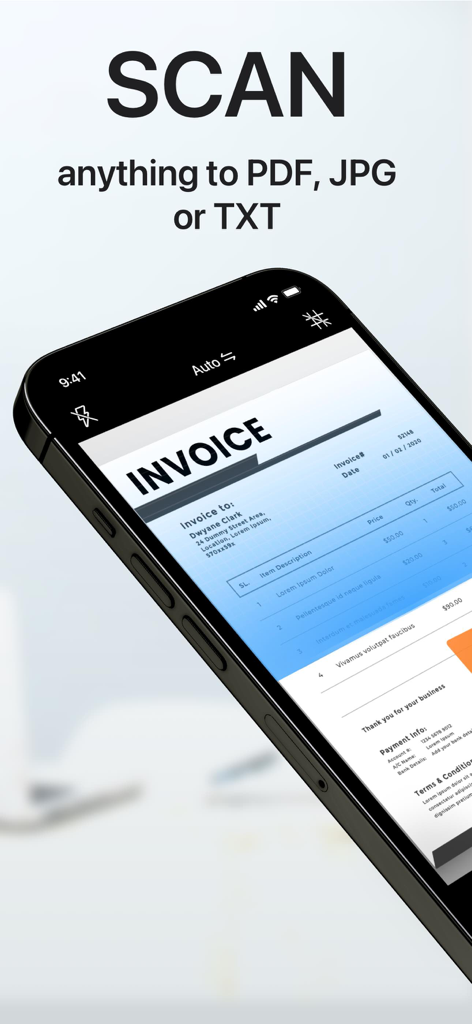
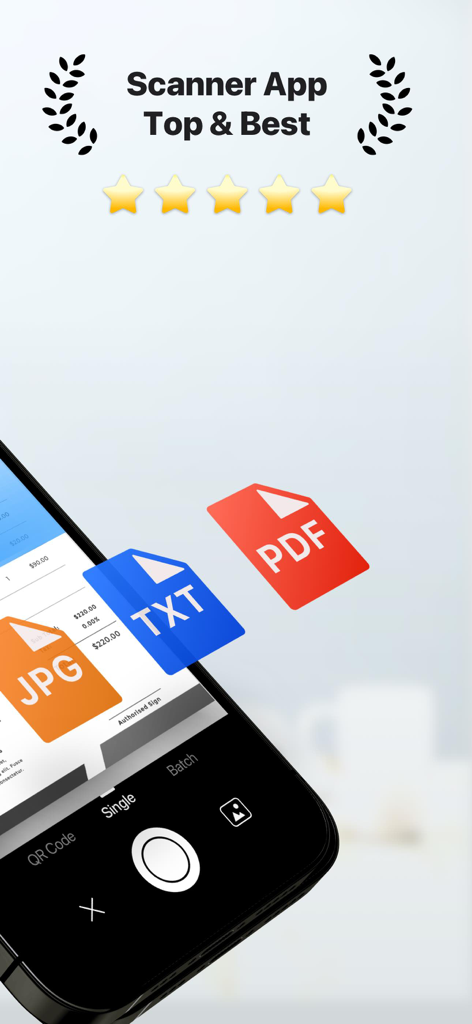
Uno smartphone che utilizza l'App Scanner PDF per scansionare una fattura cartacea con sovrapposizione di testo che dice scansiona qualsiasi cosa in PDF JPG o TXT

Uno smartphone che utilizza l'App Scanner PDF per scansionare una fattura cartacea con sovrapposizione di testo che dice scansiona qualsiasi cosa in PDF JPG o TXT

App scanner PDF mobile che scansiona un documento con opzioni di esportazione JPG TXT e PDF.

App scanner PDF mobile che scansiona un documento con opzioni di esportazione JPG TXT e PDF.

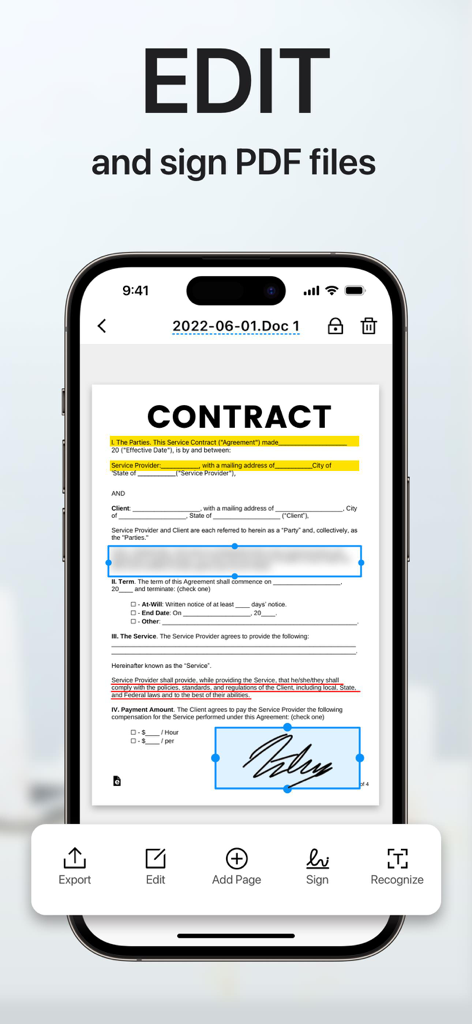
Schermata dell'iPhone che mostra un documento contrattuale in fase di modifica e firma con una firma digitale nell'App Scanner PDF.

Schermata dell'iPhone che mostra un documento contrattuale in fase di modifica e firma con una firma digitale nell'App Scanner PDF.

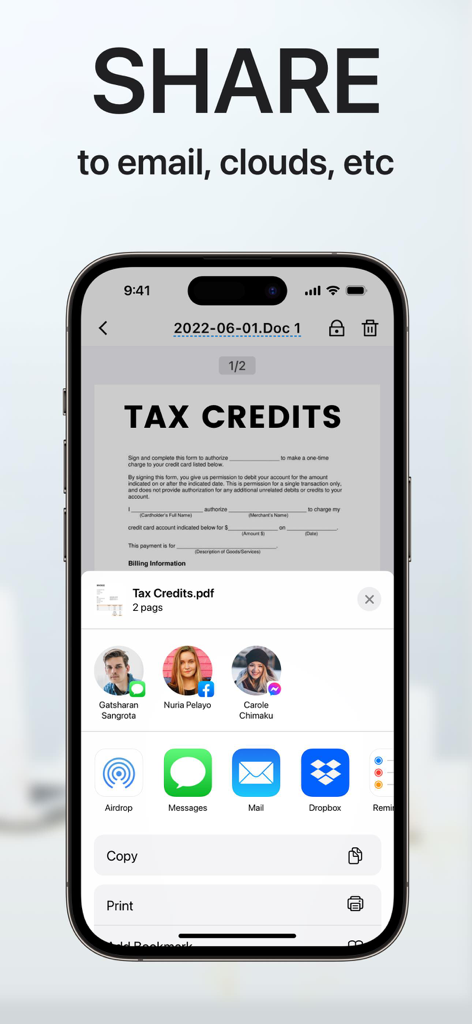
Interfaccia dell'app mobile che mostra le opzioni di condivisione dei documenti per un documento PDF scansionato via email e cloud storage.

Interfaccia dell'app mobile che mostra le opzioni di condivisione dei documenti per un documento PDF scansionato via email e cloud storage.

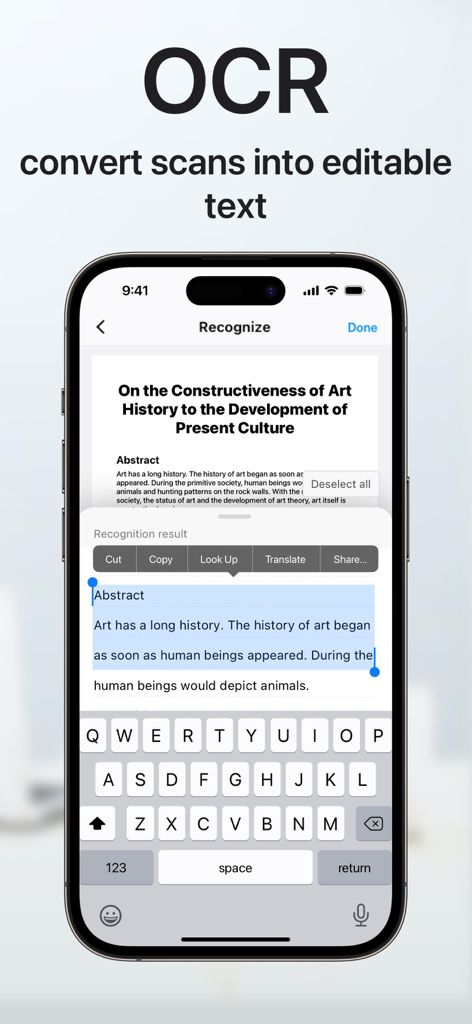
Schermata dell'iPhone che dimostra la funzione OCR per convertire documenti scansionati in testo modificabile con opzioni per copiare e condividere.

Schermata dell'iPhone che dimostra la funzione OCR per convertire documenti scansionati in testo modificabile con opzioni per copiare e condividere.

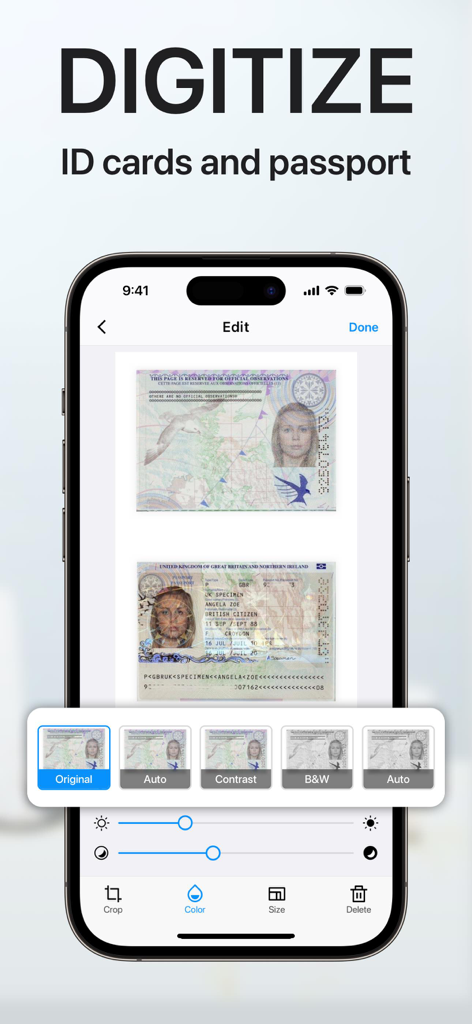
Un'interfaccia dell'app mobile su un iPhone che mostra un passaporto e documenti d'identità scansionati con strumenti di editing digitali e filtri.

Un'interfaccia dell'app mobile su un iPhone che mostra un passaporto e documenti d'identità scansionati con strumenti di editing digitali e filtri.

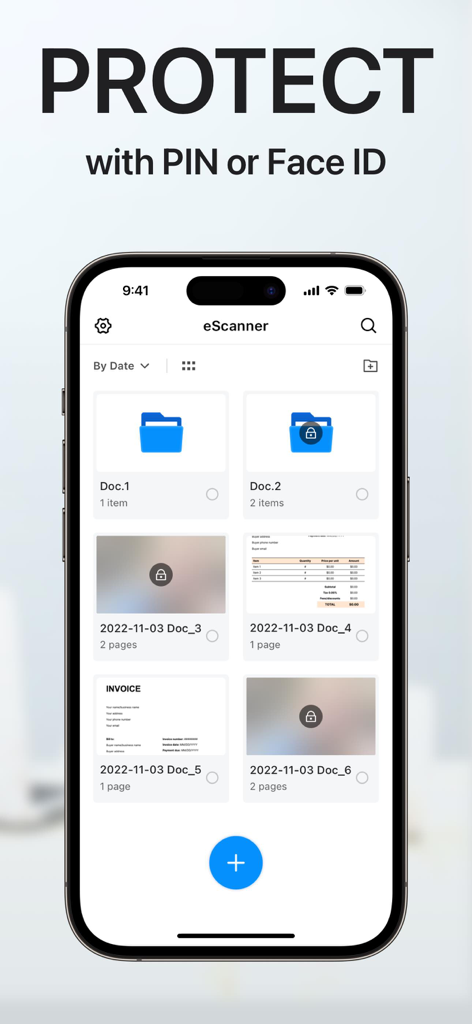
Interfaccia dell'app PDF Scanner che mostra la protezione dei documenti con funzioni di sicurezza PIN o Face ID.

Interfaccia dell'app PDF Scanner che mostra la protezione dei documenti con funzioni di sicurezza PIN o Face ID.

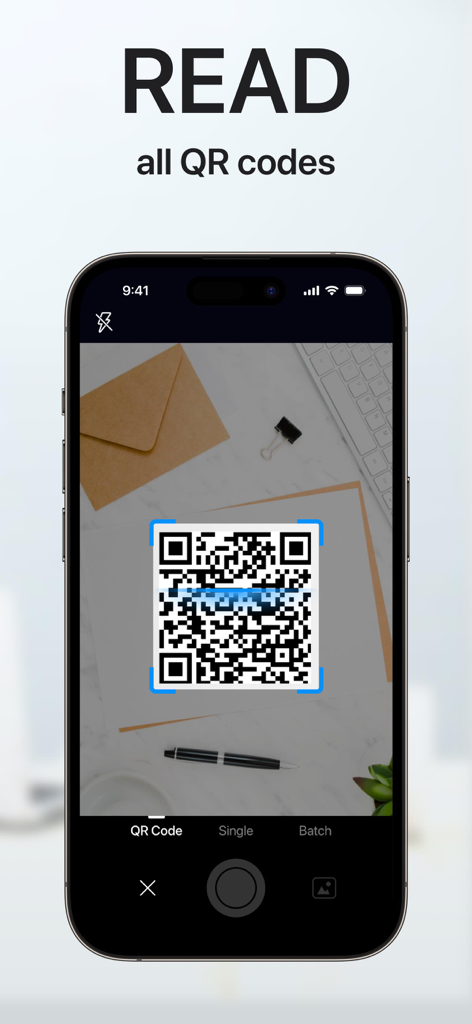
Schermata dello smartphone che mostra l'app scanner PDF che scansiona un codice QR su una scrivania

Schermata dello smartphone che mostra l'app scanner PDF che scansiona un codice QR su una scrivania

Efficienza a Portata di Mano

Gli strumenti che rendono questa app unica, scelti da 900K+ utenti.

🚀

Scansione Mobile Professionale

Trasforma qualsiasi documento cartaceo in un file PDF o TXT di alta qualità in pochi secondi con il rilevamento intelligente dei bordi.

✍️

Firme Elettroniche Istantanee

Chiudi accordi più velocemente firmando digitalmente contratti e accordi al volo, senza bisogno di stampante o fax.

🔒

Archivio Documenti Sicuro

Proteggi dati sensibili dei clienti e documenti d'identità personali con cartelle criptate con PIN e organizzazione intelligente pronta per il cloud.

Amata dagli utenti di tutto il mondo

Scelto da 900K+ persone che amano questa app.

"

"Questa app è stata un vero salvavita per la mia attività immobiliare. Posso scansionare contratti multipagina, applicare la mia firma elettronica e condividerli come PDF professionali direttamente dal mio telefono. Ha eliminato completamente la necessità di uno scanner desktop ingombrante."

Sarah Jenkins, Professionista Immobiliare
"

"La funzione OCR è un vero punto di svolta per i miei studi. Posso convertire istantaneamente dispense stampate in testo modificabile e mantenere organizzata tutta la mia ricerca in cartelle sicure e protette da PIN. È lo strumento d'ufficio mobile più affidabile che abbia trovato."

David Miller, Studente Universitario

Analisi recensioni

Approfondimenti dalle recensioni degli utenti.

Punteggio sentimento

33%
Negativo

Riepilogo

This app receives highly mixed feedback, primarily leaning negative due to significant issues and aggressive monetization strategies. While some users praise its ease of use and good scanning capabilities, many report critical problems with its core functionality, such as poor scan quality, unreliable OCR, and failures in file export or sharing. A major source of user frustration stems from subscription and billing issues, including unexpected charges, difficulty canceling, and constant intrusive advertisements. Furthermore, many users are displeased with watermarks appearing on scanned documents and a generally confusing user interface.

Temi comuni

Scan Quality & Functionality(15)
Subscription & Billing(10)
Ads & Watermarks(8)
User Interface Complexity(4)
Ease of Use(2)
Customer Support(1)

Info sull'app

Tutto quello che devi sapere su PDF Scanner App: Scan Document.

Descrizione

"Scanner APP" is the best scanner app that can turn your iPhone into a powerful mobile scanner. It enables you to quickly and easily scan, sign and share any document in PDF, JPEG, PNG or TXT format anywhere and anytime. Looking for a powerful digital office to help you be more productive? Scanner APP is a portable document scanner and PDF editor, various editing functions including e-signature to ensure your doc to become more professional! Use OCR (Optical Character Recognition) to recognize text in images and quickly convert images to text. And it also supports email, fax, print or save it to the cloud. Say goodbye to heavy paper documents and huge copiers, store all documents on your phone, and handle paperwork with ease. This free & powerful Scanner App is an indispensable tool for students and any corporate employees in their work and personal life as the accountant, manager, real estate agent, lawyer or doctor. With this PDF scanner, you can scan anything you need: receipts, contracts, paper notes, fax papers, books, and store your scans as multipage PDF or JPG files. Scanner App is an all-in-one scanner app that can be used not only as a PDF converter, but also as a fast & easy QR scanner. Use the camera on your mobile device to scan any type of qr codes & barcode, including product, URL, Wi-Fi, 2FA, ISBN, VCard, contact, calendar, email and many other formats. Scan Whatever U Want: - Passports, business cards, ID cards, business documents, agreements, letters - Photos, Books, Notes, Sketches - Certifications, contracts, invoices, orders, receipts, etc Innovative Document Scanner - Scan documents to high quality PDF, JPEG or TXT - Save scanned images in black and white or other filters - Automatic and correct edge detection of any scannable objects - Batch scan Document Editor - Add electronic signatures to scanned documents - OCR (convert any scan into text) - Import PDF for quick editing and saving - Crop, zoom in, zoom out, rotate images and save supported - Import files from other apps and edit File Sharing - Scan, save and send documents in just a few taps - Share your scanned documents via email - Save as JPEG to Gallery - Share and printe saved documents - Share and upload files to Dropbox File Manager - Create folder, move or copy documents - Protect your confidential files & folders with PIN - Sort documents by name, created date, or size - Batch share or delete QR Code Reader & Barcode Scanner -Auto-scan any QR code or barcode for product information -scan the promotion and coupon codes for shops to get discounts and save money -View QR E-Menu and order online -Scan Wi-Fi password, automatically connect to the wifi -Support 2FA authentication, get a verification code for your online account SUBSCRIPTION : Length of subscription: one month/one year/lifetime • Payment will be charged to iTunes Account at confirmation of purchase • Subscription automatically renews unless auto-renew is turned off at least 24 hours before the end of the current period • Account will be charged for renewal within 24 hours prior to the end of the current period, and identify the cost of the renewal • Subscriptions may be managed by the user and auto-renewal may be turned off by going to the user's Account Settings after purchase • Any unused portion of a free trial period, if offered, will be forfeited when the user purchases a subscription to that publication, where applicable • You can cancel a free trial or subscription anytime by turning off auto-renewal through your iTunes account settings. This must be done 24 hours before the end of a free trial or subscription period to avoid being charged. If you have any questions, please email us to mobileusercontact@gmail.com and we’ll help you figure it out. Privacy Policy: http://adpdf.mobilestudio.cc/privacy.html Terms of Use: http://adpdf.mobilestudio.cc/useragreement.html

Ultima versione

1.8.6

Dimensione

91.8 MB

Data di lancio

23 ago 2018

Pronto a Portare il Tuo Ufficio in Tasca?

Unisciti a oltre 900.000 professionisti che scansionano, firmano e condividono documenti in movimento. Inizia oggi il tuo viaggio senza carta.

Scarica su App Store