Philips HomeRun Robot App

Philips HomeRun Robot App

Scarica su App Store
Spark by MWM logo
Logo di Philips HomeRun Robot App
Philips HomeRun Robot App: Gestisci Casa e Giardino Senza Fatica

Prendi il controllo totale del tuo robot aspirapolvere, lavapavimenti e tosaerba da qualsiasi luogo. Imposta programmi di pulizia personalizzati, mappa il tuo spazio con precisione e riconquista il tuo tempo per una casa e un prato perfettamente mantenuti.

Editore

Versuni Netherlands B.V

Categoria

Lifestyle

Download

262K+

Valutazione

4.7/5

Valutazioni totali

17K+

Lingue

32

Controllo a Vista

Scopri l'interfaccia usata da 262K+ utenti.
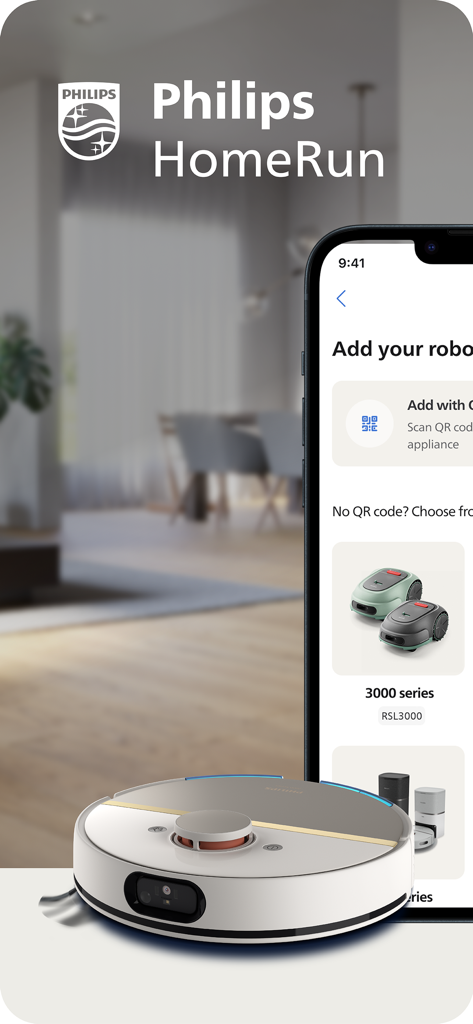
App Philips HomeRun che mostra le opzioni di configurazione del robot aspirapolvere e tosaerba

App Philips HomeRun che mostra le opzioni di configurazione del robot aspirapolvere e tosaerba

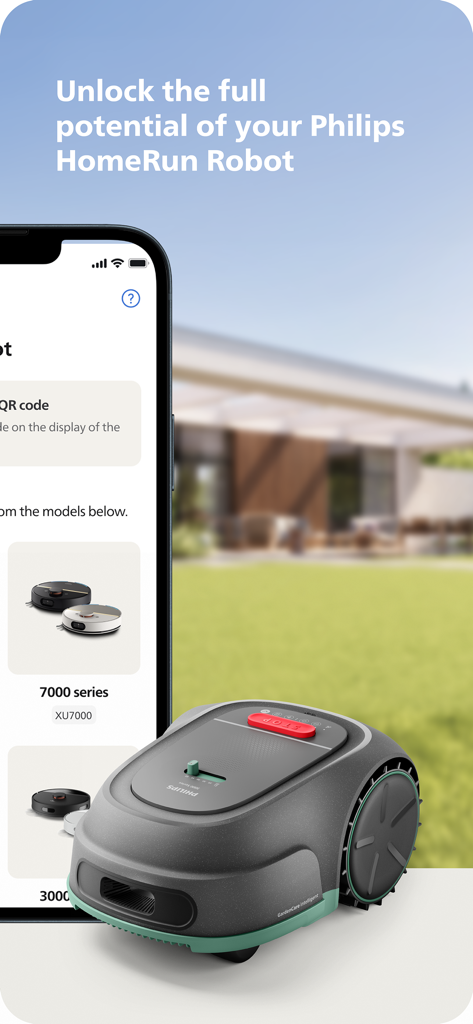
Smartphone che visualizza l'app Philips HomeRun Robot accanto a un robot tosaerba su un prato verde.

Smartphone che visualizza l'app Philips HomeRun Robot accanto a un robot tosaerba su un prato verde.

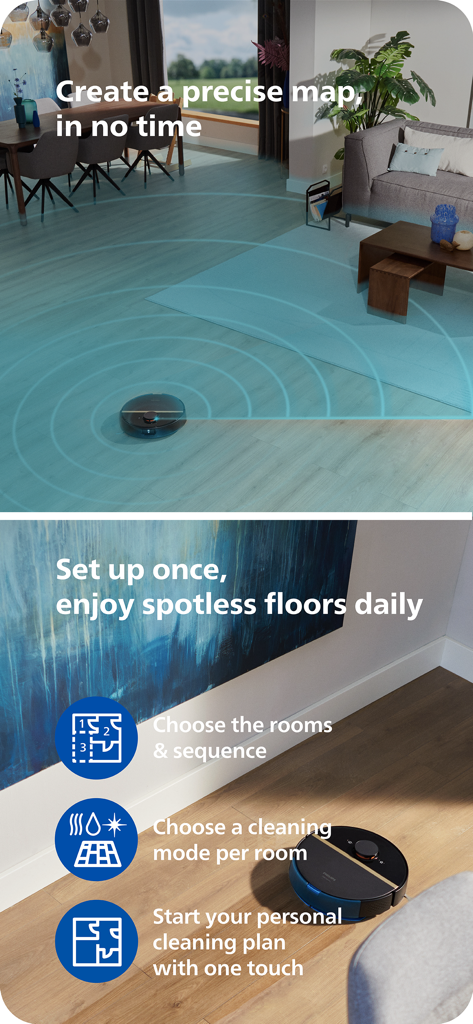
Robot aspirapolvere Philips HomeRun che mappa un soggiorno e pulisce un pavimento in legno con evidenziate le funzionalità dell'app

Robot aspirapolvere Philips HomeRun che mappa un soggiorno e pulisce un pavimento in legno con evidenziate le funzionalità dell'app

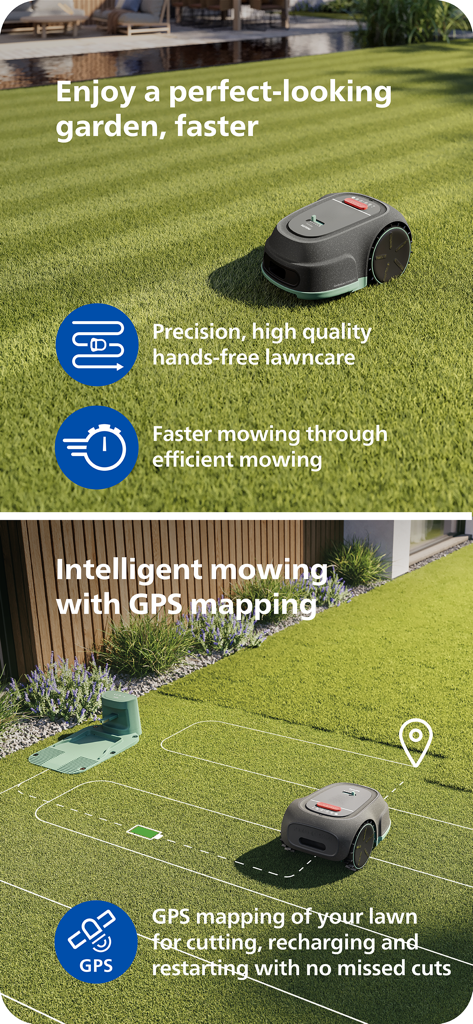
Robot tosaerba Philips HomeRun che utilizza la mappatura GPS per una cura del prato intelligente ed efficiente.

Robot tosaerba Philips HomeRun che utilizza la mappatura GPS per una cura del prato intelligente ed efficiente.

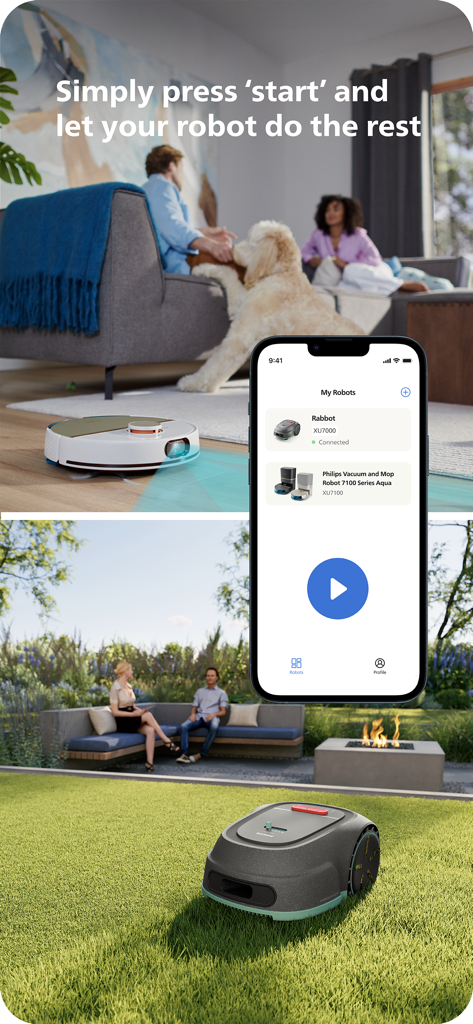
Interfaccia dell'app Philips HomeRun che mostra il controllo remoto per robot aspirapolvere e tosaerba

Interfaccia dell'app Philips HomeRun che mostra il controllo remoto per robot aspirapolvere e tosaerba

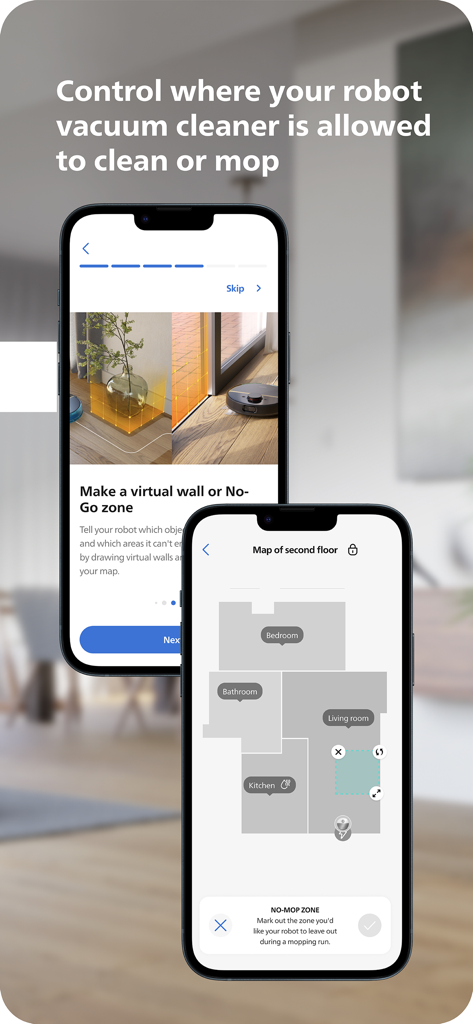
Interfaccia dell'app Philips HomeRun Robot che mostra la mappatura del pavimento e le zone virtuali vietate per la pulizia e il lavaggio

Interfaccia dell'app Philips HomeRun Robot che mostra la mappatura del pavimento e le zone virtuali vietate per la pulizia e il lavaggio

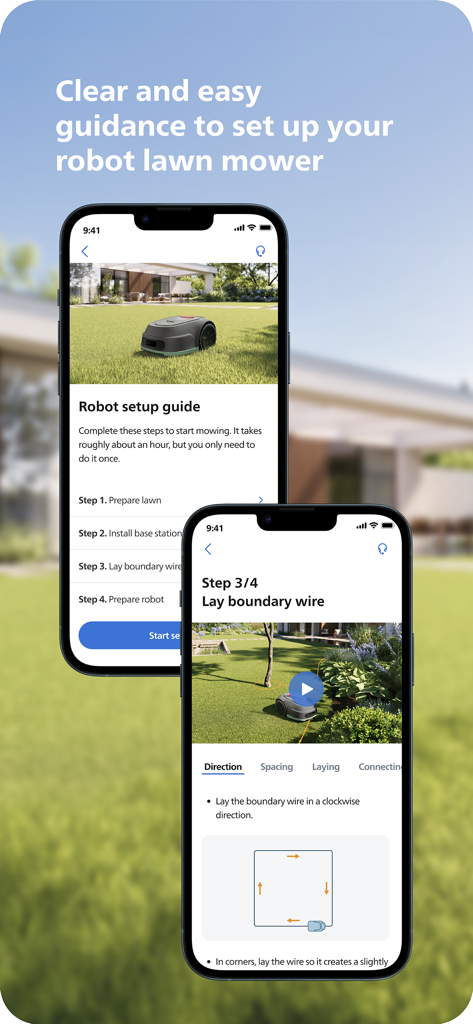
Schermate dello smartphone che mostrano una guida passo passo all'installazione di un robot tosaerba sull'app Philips HomeRun

Schermate dello smartphone che mostrano una guida passo passo all'installazione di un robot tosaerba sull'app Philips HomeRun

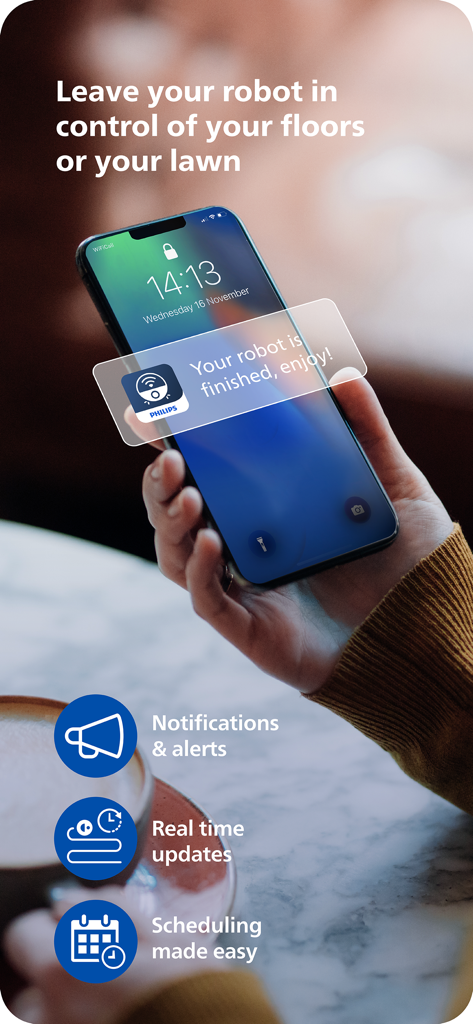
Una persona che tiene in mano uno smartphone che visualizza una notifica dell'app Philips HomeRun che dice: il tuo robot ha finito, goditi il tempo libero.

Una persona che tiene in mano uno smartphone che visualizza una notifica dell'app Philips HomeRun che dice: il tuo robot ha finito, goditi il tempo libero.

Automazione Intelligente per la Vita Moderna

Gli strumenti che rendono questa app unica, scelti da 262K+ utenti.

🏠

Controllo Unificato Casa e Giardino

L'unica app di cui hai bisogno per gestire contemporaneamente l'aspirazione interna e il taglio del prato esterno, garantendo una casa sempre pronta ad accogliere ospiti.

🗺️

Mappatura Intelligente delle Zone

Definisci modalità di pulizia personalizzate per diverse stanze e imposta confini precisi per il tuo tosaerba per proteggere le tue delicate aiuole e tappeti.

📅

Assistenza Remota e Automazione

Avvia, metti in pausa o programma i tuoi robot da qualsiasi luogo. Ricevi aggiornamenti sullo stato in tempo reale e avvisi di manutenzione direttamente sul tuo smartphone.

Amata dagli utenti di tutto il mondo

Scelto da 262K+ persone che amano questa app.

"

"Gestire un lavoro a tempo pieno e un grande giardino era un incubo per il fine settimana. Ora, programmo il tosaerba dal mio ufficio e torno a casa con un prato perfettamente curato. La mappatura è incredibilmente precisa, non manca mai un punto né colpisce le mie aiuole."

Mark Stevens
"

"Con due golden retriever, la 'Modalità Intensiva' è un toccasana per i pavimenti della mia cucina. Adoro poter impostare zone vietate per le ciotole dell'acqua dei cani direttamente nell'app. È lo strumento smart home più intuitivo che possiedo."

Sarah Jenkins

Info sull'app

Tutto quello che devi sapere su Philips HomeRun Robot App.

Descrizione

Unlock the full potential of your Philips HomeRun robot. Tell it exactly how and when to clean each room and mow your lawn. Then, relax. With the Philips HomeRun Robot app you can: ● Start, pause or stop cleaning and mowing remotely ● Make a precise map of your home to clean each room in no time ● Control where your robot cleans and mows ● Choose a cleaning mode per room and mowing mode per lawn ● Set up once, enjoy spotless floors and lawns daily ● Custom clean and mow for specific situations ● Receive progress updates on each clean and mow ● Keep your data secure Start, pause or stop your robot remotely Come home to clean floors and a perfect-looking garden every day by using your Philips HomeRun vacuum, mop, and lawn mowing robot in combination with the app. Set it up once—to clean each room and mow your lawn just the way you like it—touch ‘Start’, anytime, anywhere, and let your robot do the rest. On its first run, your robot will map your floor plan and garden. Now you have an interactive map of your home that you can use to tell your robot how and when to clean each room or to monitor how your lawn is mowed. The robot vacuum cleaner can store up to five maps. Control where your robot vacuum cleaner cleans Only want your robot to clean the kitchen, bathroom, living room? With the app, you can tell your robot which rooms you want cleaned, and in what order. If there are areas or things you’d like it to avoid—like precious items or a rug in an area you want to mop—you can tell it where not to go, or not to mop, as well. Choose a cleaning mode for each room and mowing mode for each lawn Give each room unique attention with one of the cleaning modes and mowing modes for your lawn. Use Dry mode to vacuum the bedroom and Wet & Dry mode to vacuum and mop hard floors. Put your robot on Quiet mode if, say, you have a meeting, or give the kitchen an extra thorough clean by using Intensive mode. Choose a mowing mode for your lawn to get the perfect looking garden. Set up once. Enjoy spotless floors and lawns every day Once you’ve created a cleaning and mowing plan, clean floors and perfectly mowed lawns are always a tap away. Tap ‘Start’ when you want your robot to begin - every day if you like, and at a time that suits your schedule. Custom clean for specific situations Had friends over and need an extra thorough clean? Or maybe the dog left paw prints in your hallway. Again. Schedule a custom clean and mow that targets specific rooms, areas. Get step-by-step guidance to setup easily From connecting to Wi-Fi to the first clean and mow, we’ll guide you through every step of getting started. You’ll find easy-to-follow instructions and how-to-videos as well. Always have support at your fingertips Have extra questions about the HomeRun app and robot? You’ll find a user manual in the app, answers to FAQs and easy access to Customer Care if need be. Receive progress updates As your robot cleans and mows, you’ll receive in-app updates. See where your robot currently is in your home and what the robot mowing progress is in your garden. Check on its battery levels and, most importantly, get notified as soon as the cleaning run or mowing is done Maintain high performance Get the best performance from your robot by replacing parts on time. Our app lets you know when it’s time to replace parts like filters, mops, and blades, and makes it easy to order them. Keep your data secure Philips adheres to a strict privacy policy. We recommend creating an account to ensure you can save your preferences. If you prefer, you can use the app as a guest. WiFi Philips HomeRun robot vacuum cleaners have dual band Wi-Fi so they are easy to connect to your home Wi-Fi, whether it's to 2.4 or 5.0GHz. Robot lawn mowers only connect to your 2.4GHz home Wi-Fi. Need help? Visit www.Philips.com to find answers to our most frequently asked questions, or get in touch with our Consumer Care team.

Ultima versione

1.4.3

Dimensione

168.9 MB

Data di lancio

17 gen 2024

Gestisci Casa e Giardino da Ovunque

Sperimenta la massima comodità di un maggiordomo digitale. Scarica l'app Philips HomeRun per automatizzare la pulizia e il taglio del prato, e torna allo stile di vita che meriti.

Scarica su App Store
FAQ

Domande Frequenti

Tutto quello che devi sapere su Philips HomeRun Robot App

Qual è la funzione principale dell'app Philips HomeRun Robot?

L'app Philips HomeRun Robot ti consente di controllare completamente il tuo robot Philips HomeRun, consentendo la pianificazione e l'esecuzione precise della pulizia delle stanze e del taglio del prato.

Posso controllare il mio robot Philips HomeRun da remoto tramite l'app?

Sì, l'app Philips HomeRun Robot ti consente di avviare, mettere in pausa o interrompere da remoto le operazioni di pulizia e taglio del prato del tuo robot Philips HomeRun da qualsiasi luogo.

Come crea le mappe l'app Philips HomeRun Robot?

Alla sua prima esecuzione, il tuo robot Philips HomeRun crea una mappa interattiva della tua casa e del tuo giardino, che puoi utilizzare all'interno dell'app per gestire le attività di pulizia e taglio del prato.

Quante mappe può memorizzare l'aspirapolvere robot Philips HomeRun?

L'aspirapolvere robot Philips HomeRun può memorizzare fino a cinque diverse mappe interattive della planimetria all'interno dell'app Philips HomeRun Robot per una pulizia personalizzata.

Posso impostare zone vietate con l'app Philips HomeRun Robot?

Sì, l'app Philips HomeRun Robot ti consente di definire muri virtuali o zone "vietate" per impedire al tuo robot di pulire o lavare aree specifiche o oggetti di valore.

Quali modalità di pulizia offre l'app Philips HomeRun Robot?

L'app Philips HomeRun Robot offre le modalità di pulizia a secco, umido e secco, silenziosa e intensiva. Puoi selezionare una modalità adatta per ogni stanza e modalità di taglio specifiche per il tuo prato.

L'app Philips HomeRun Robot fornisce indicazioni per la configurazione?

Sì, l'app Philips HomeRun Robot fornisce indicazioni chiare e passo-passo per una facile configurazione, inclusa la connessione Wi-Fi e l'operatività iniziale, spesso con video tutorial.

L'app Philips HomeRun Robot utilizza il GPS per il taglio del prato?

Sì, l'app Philips HomeRun Robot supporta il taglio intelligente del prato utilizzando la mappatura GPS. Ciò garantisce tagli precisi, ricariche efficienti e copertura continua senza punti persi.

Come protegge l'app Philips HomeRun Robot i dati degli utenti?

Philips aderisce a una rigorosa politica sulla privacy per garantire la sicurezza dei dati degli utenti nell'app HomeRun Robot. Gli utenti possono anche scegliere di utilizzare l'app come ospiti.

A quali frequenze Wi-Fi si connettono i robot Philips HomeRun?

Gli aspirapolvere robot Philips HomeRun si connettono al Wi-Fi dual-band (2,4 o 5,0 GHz). I robot tagliaerba si connettono esclusivamente al Wi-Fi domestico a 2,4 GHz tramite l'app Philips HomeRun Robot.