Photo Layers: Editor de fotos

Photo Layers: Editor de fotos

Scarica su App Store
Spark by MWM logo
Logo di Photo Layers: Editor de fotos
PhotoLeaf: Editing Foto Professionale Basato su Livelli a Portata di Mano

Il kit di strumenti creativo definitivo per creator di social media e designer mobile. Unisci immagini, scambia sfondi e padroneggia la correzione colore con precisione di livello desktop, senza dover imparare nulla di nuovo.

Scarica su App Store

Editore

Andor Communications Private Limited

Categoria

Photo & Video

Download

654K+

Valutazione

4.6/5

Valutazioni totali

6K+

Lingue

14

Creatività in Ogni Livello

Scopri l'interfaccia usata da 654K+ utenti.
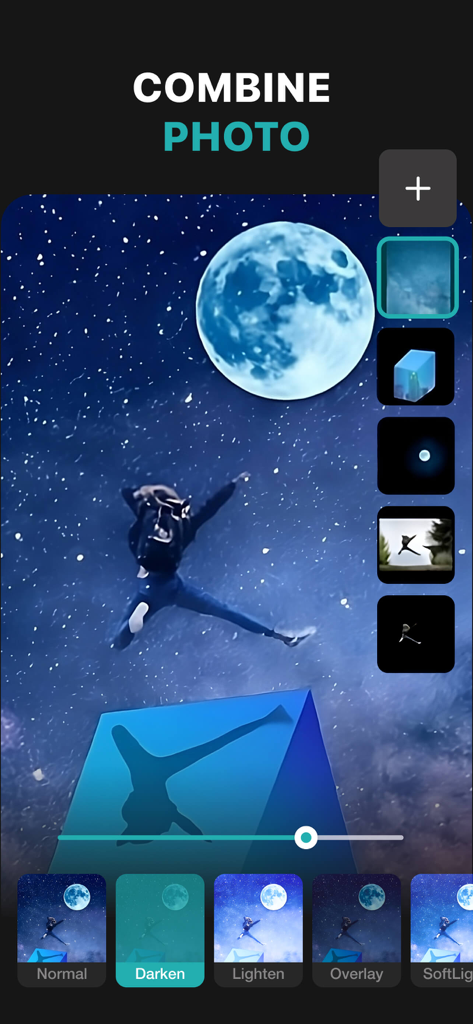
App mobile PhotoLeaf che mostra l'editing foto basato su livelli e le modalità di fusione su un'immagine notturna stellata

App mobile PhotoLeaf che mostra l'editing foto basato su livelli e le modalità di fusione su un'immagine notturna stellata

Screenshot dell'app PhotoLeaf che mostra la funzionalità di cambio sfondo con una donna che salta su diversi scenari

Screenshot dell'app PhotoLeaf che mostra la funzionalità di cambio sfondo con una donna che salta su diversi scenari

Interfaccia dell'app PhotoLeaf per il ridimensionamento delle foto con varie opzioni di proporzioni

Interfaccia dell'app PhotoLeaf per il ridimensionamento delle foto con varie opzioni di proporzioni

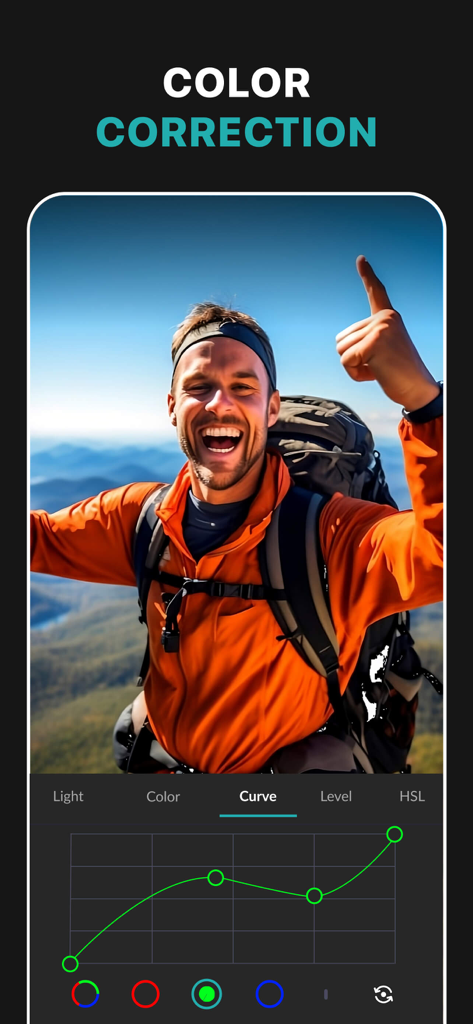
Screenshot dell'app PhotoLeaf che mostra lo strumento curve RGB per la correzione colore professionale su una fotografia di escursione

Screenshot dell'app PhotoLeaf che mostra lo strumento curve RGB per la correzione colore professionale su una fotografia di escursione

Un ritratto di donna modificato con lo strumento sfocatura sfondo di PhotoLeaf che mostra un confronto prima e dopo

Un ritratto di donna modificato con lo strumento sfocatura sfondo di PhotoLeaf che mostra un confronto prima e dopo

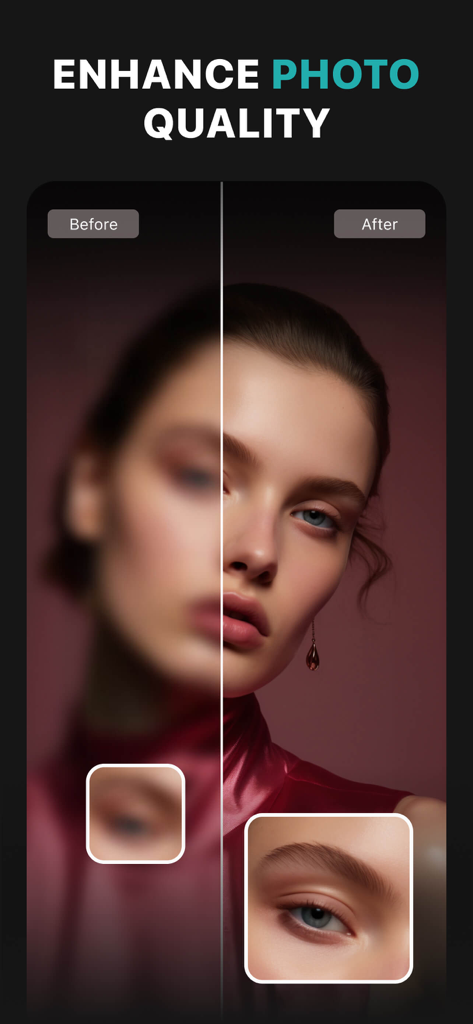
Confronto prima e dopo di un ritratto che mostra il miglioramento della qualità e l'affilatura della foto nell'app PhotoLeaf.

Confronto prima e dopo di un ritratto che mostra il miglioramento della qualità e l'affilatura della foto nell'app PhotoLeaf.

Schermata dell'app PhotoLeaf che mostra il confronto dei filtri fotografici prima e dopo

Schermata dell'app PhotoLeaf che mostra il confronto dei filtri fotografici prima e dopo

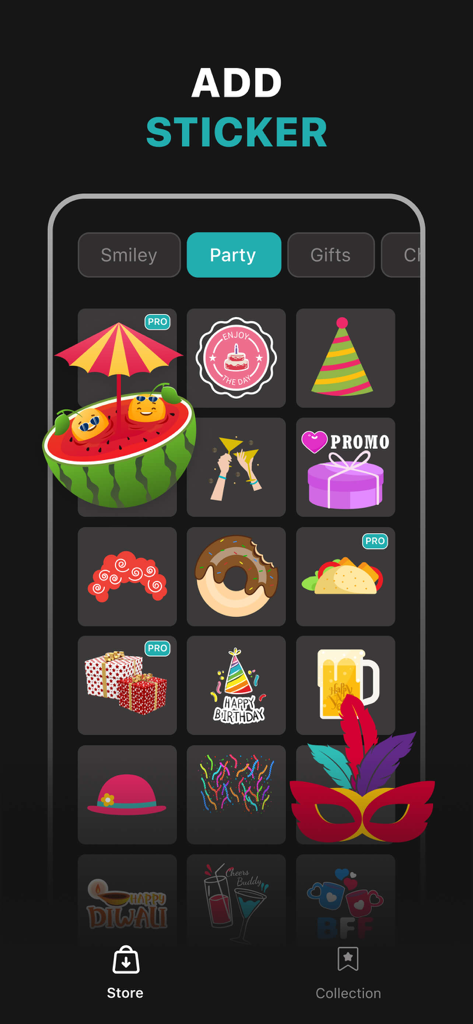
Screenshot dello store di adesivi dell'app PhotoLeaf che mostra grafiche a tema festa come torte, cappelli da festa e scatole regalo

Screenshot dello store di adesivi dell'app PhotoLeaf che mostra grafiche a tema festa come torte, cappelli da festa e scatole regalo

Potenza Professionale in Tasca

Gli strumenti che rendono questa app unica, scelti da 654K+ utenti.

🎭

Avanzate Modalità di Fusione Livelli

Combina più immagini con modalità di fusione e maschere di livello professionale per creare doppie esposizioni mozzafiato e composizioni artistiche.

✂️

Ritagli e Sfondi Senza Interruzioni

Utilizza il nostro strumento lazo intelligente per rimuovere istantaneamente gli sfondi, perfetto per scatti di prodotti professionali, adesivi personalizzati e grafiche virali.

🎨

Controllo Colore di Precisione

Padroneggia la tua palette con curve, livelli e maschere di luminanza accelerate via hardware per la gradazione colore professionale in movimento.

Amata dagli utenti di tutto il mondo

Scelto da 654K+ persone che amano questa app.

"

"Ho provato tutte le app fotografiche esistenti, ma PhotoLeaf è di un altro livello. Avere l'editing basato su livelli e le curve sul mio telefono è una svolta per il mio feed Instagram. Le doppie esposizioni e le modalità di fusione mi permettono di creare modifiche surreali che prima richiedevano ore sul mio computer desktop, ora le faccio in pochi minuti mentre sono in viaggio."

Chloe R., Influencer di Lifestyle
"

"Una vera salvezza per il mio negozio Etsy! Lo strumento lazo intelligente rende la rimozione degli sfondi dalle mie foto dei prodotti così facile e precisa. Posso sovrapporre i miei articoli su sfondi puliti e aggiungere testo di stile in pochi secondi. Mi ha onestamente fatto risparmiare un sacco di soldi sui costi di fotografia professionale."

Marcus T., Proprietario di Piccola Attività

Info sull'app

Tutto quello che devi sapere su Photo Layers: Editor de fotos.

Descrizione

PhotoLeaf : Explore creativity by sleight of hand 
PhotoLeaf is a powerful, full-featured, layer-based photo editing app at your fingertips. PhotoLeaf and a little imagination can make beautiful photo even more beautiful. PhotoLeaf is a photo editing app for everyone : whether you are novice, a pro user or mobile graphic designer. PhotoLeaf app will easily create amazing multi-layered creative with touch of your fingers. Enjoy All rendering, adjustments, brushes and filters are fully hardware accelerated. Overview: • Blend your photos, combine multiple images using layers • Superimpose photos using complex blending modes. • Remove unwanted objects from your image easily. • Custom overlay supported for more flexibility. • Add text layers, shapes and images to create stylish design creative. • Blur, sharpen, lighten, or darken portion/area of an image • Multiple mask modes can be applied on an area. Brush Mask, Color Mask, radial mask, Luminance mask Color correction Like A Pro: • Adjust the brightness and saturation of a color using Hue, Saturation, Lightness • Single-tap color correction presets with color balance, Temperature, Tint, Vibrance, Saturation. • Control the intensity of the respective color channels in the image with Curves: RGB, blue, red, green channels • Color correction with Levels • Tonal color correction with : Highlight and shadow tone, Tone balancing Light Adjustments: • Light: Exposure, Brightness, Contrast, Highlights, Shadows, Whites, Blacks, • Vignette: Amount, Highlights, Roundness General tools & features: 1. Cutout and Photo Background Changer • Use Lasso tool to recognise similar regions and change photo background • You can superimpose your cutout on any photo background and create new content 2. Color Splash Photo Effects • Selectively apply different color, light and gray photo effects on different regions of photos • Smart lasso tool to automatically select similar color splash regions • Powerful brush to selectively edit images 3. Merge photos • Mix photo to create impressive photo effects • Merge photos using different blend modes like darken blend, lighten blend to create double exposure, multiple exposure photo effects 4. Doodle and drawings • Use different doodle brush options to draw on your images • Change color, thickness and size of your doodle brush 5. Text on photo • Add different text on your images and create text memes as well • Option to change thickness, color, font, opacity of the added text 6. Blur Photo Editor • Apply different blur effects like lens blur, bokeh blur and use mask to blur background. • Apply vignette effect on inner and outer regions. 7. Unlimited social fun • Create your own stickers and cartoonize them • Superimpose stickers on different background images to wow your friends • Instantly share on Facebook,Twitter, WhatsApp, WeChat,Instagram and other social networks 8. Standard Editing • Apply global adjustments to your image by changing lighting, tonality and color of your image PHOTOLEAF PREMIUM SUBSCRIPTION : - You can subscribe PhotoLeaf premium subscription for unlimited access to all features within PhotoLeaf app. - Subscriptions are billed monthly, annually at the rate selected depending on the subscription plan. - Subscriptions auto-renew at the cost of the chosen package, unless cancelled 24-hours in advance prior to the end of the current period.  - The subscription fee is charged to your iTunes account at confirmation of purchase.  - You may manage your subscription and turn off auto-renewal by going to your Account Settings after purchase.  - Per Apple policy, no cancellation of the current subscription is allowed during active subscription period.  - Once purchased, refunds will not be provided for any unused portion of the term. - Terms of use: https://www.photoleaf.app/terms.html - Privacy policy: https://www.photoleaf.app/privacy.html

Ultima versione

1.1.3

Dimensione

171.3 MB

Data di lancio

2 set 2018

Dai Vita alla Tua Visione Creativa

Unisciti a oltre 650.000 creator che utilizzano PhotoLeaf per l'editing professionale basato su livelli. Scarica ora per iniziare a unire, mascherare e progettare come un professionista.

Scarica su App Store