Playback

Playback

Scarica su App Store
Spark by MWM logo
Logo di Playback

Playback: Il potente lettore MultiTrack creato per il culto

Migliora il tuo servizio domenicale con registrazioni master originali, integrazione senza interruzioni con Planning Center e automazione del palco di livello professionale pensata per ogni team di chiesa.

Editore

MULTITRACKS.COM, LLC

Categoria

Music

Download

465K+

Valutazione

4.7/5

Valutazioni totali

4K+

Lingue

6

Il centro di comando per il culto

Scopri l'interfaccia usata da 465K+ utenti.
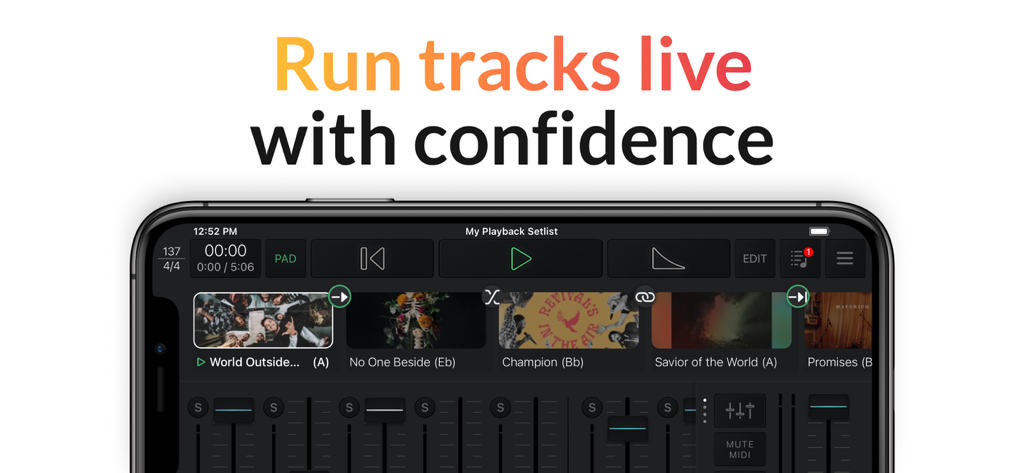
Interfaccia dell'app Playback su uno smartphone che mostra una scaletta musicale live e controlli del mixer audio

Interfaccia dell'app Playback su uno smartphone che mostra una scaletta musicale live e controlli del mixer audio

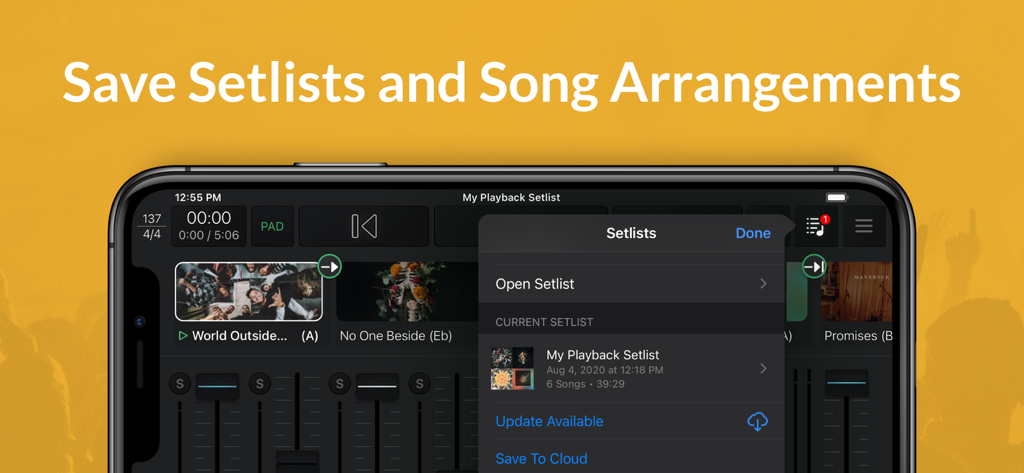
Screenshot dell'app Playback che mostra come salvare scalette e arrangiamenti di brani su un dispositivo mobile.

Screenshot dell'app Playback che mostra come salvare scalette e arrangiamenti di brani su un dispositivo mobile.

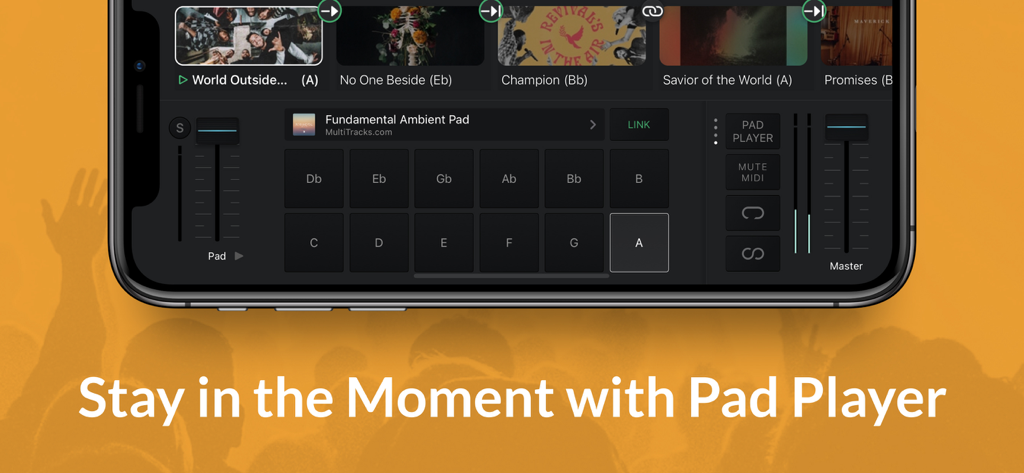
Interfaccia Pad Player dell'app Playback che mostra le chiavi ambientali e i controlli del volume per la musica di culto

Interfaccia Pad Player dell'app Playback che mostra le chiavi ambientali e i controlli del volume per la musica di culto

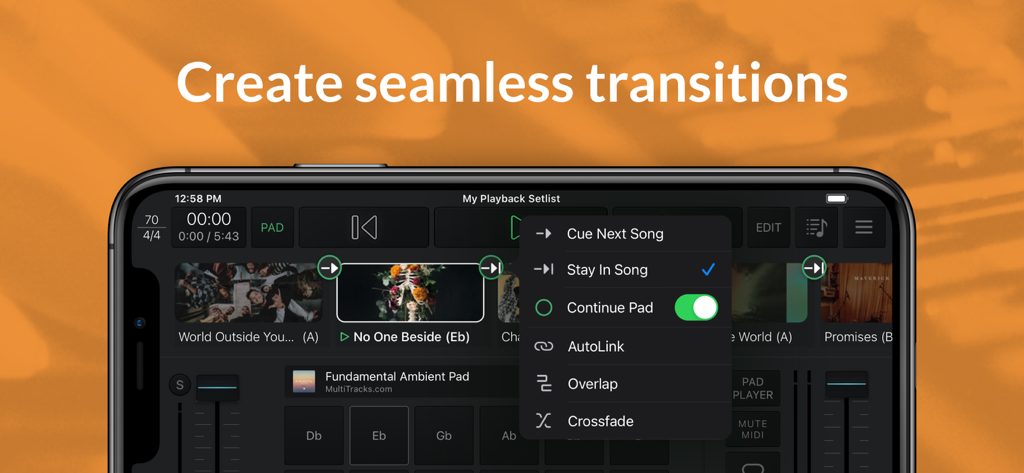
Interfaccia dell'app Playback che mostra le opzioni per transizioni fluide tra i brani e pad ambientali.

Interfaccia dell'app Playback che mostra le opzioni per transizioni fluide tra i brani e pad ambientali.

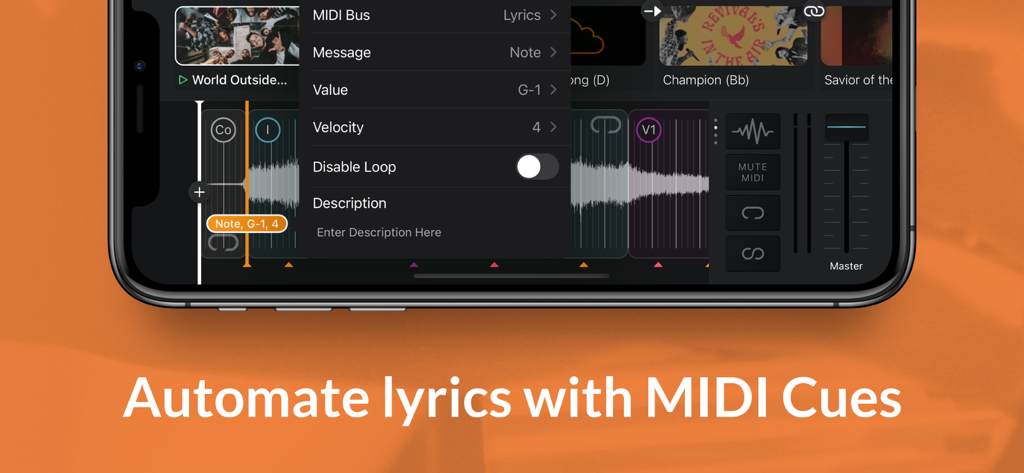
Interfaccia dell'app Playback che mostra il menu per automatizzare i testi con segnali MIDI

Interfaccia dell'app Playback che mostra il menu per automatizzare i testi con segnali MIDI

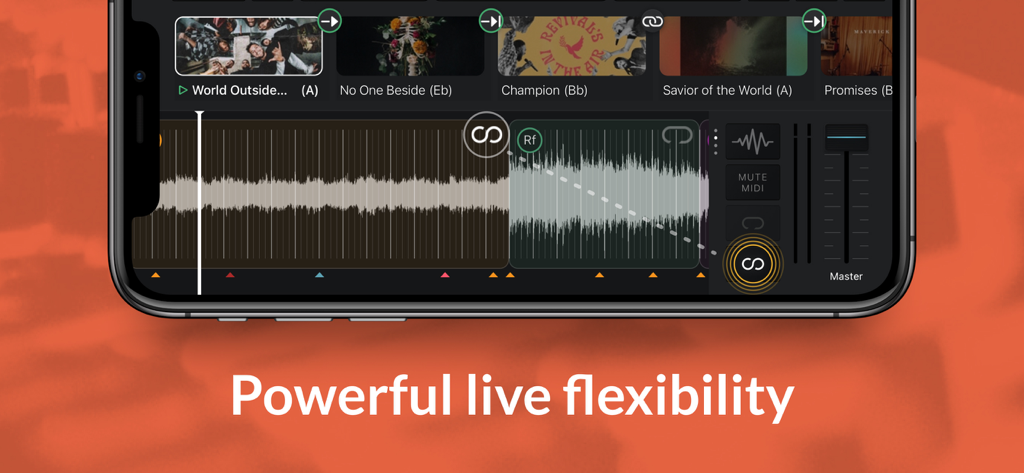
Smartphone che visualizza l'interfaccia dell'app Playback con forme d'onda audio e una scaletta di musica di culto

Smartphone che visualizza l'interfaccia dell'app Playback con forme d'onda audio e una scaletta di musica di culto

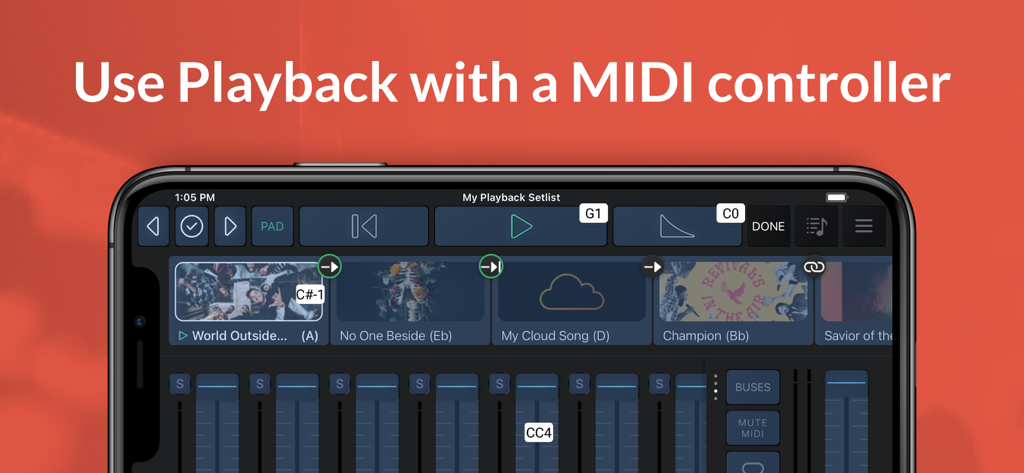
Interfaccia dell'app MultiTracks Playback su uno smartphone che mostra scalette musicali e mixer audio con supporto per controller MIDI

Interfaccia dell'app MultiTracks Playback su uno smartphone che mostra scalette musicali e mixer audio con supporto per controller MIDI

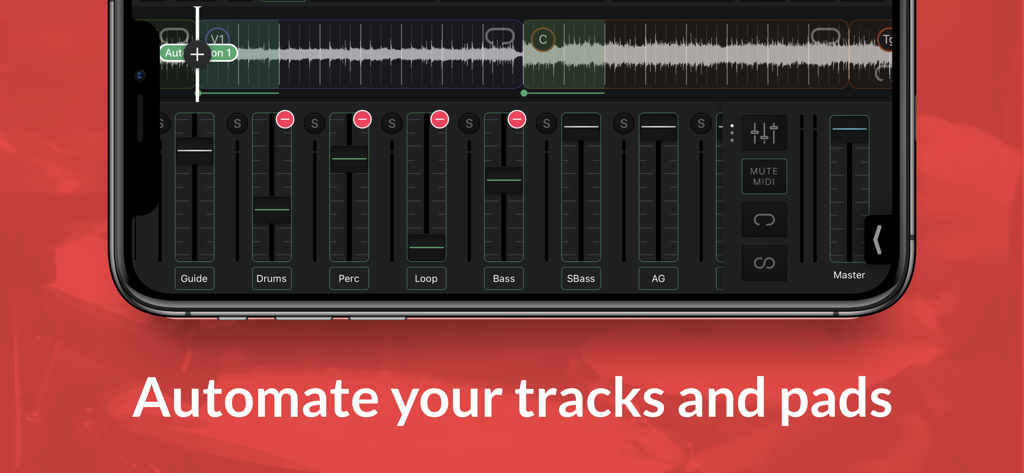
Interfaccia dell'app Playback che mostra controlli di missaggio audio multitraccia e automazione su uno smartphone.

Interfaccia dell'app Playback che mostra controlli di missaggio audio multitraccia e automazione su uno smartphone.

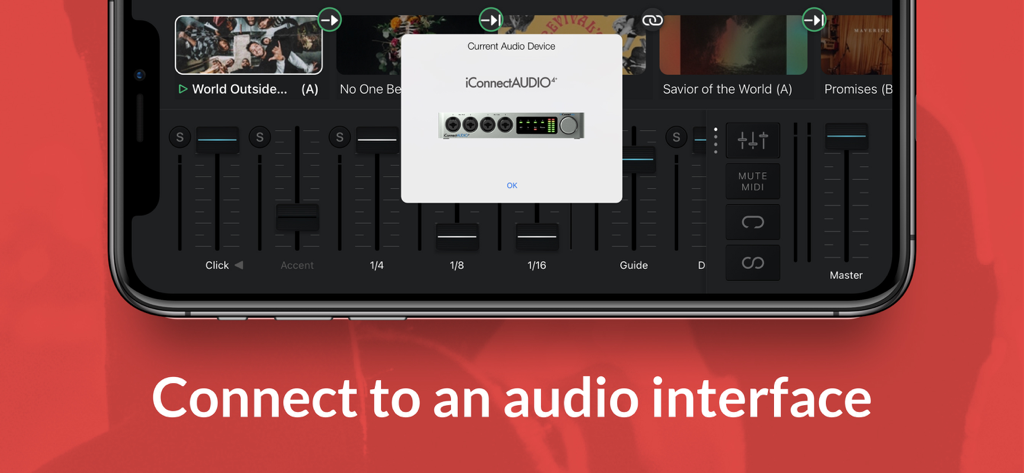
App Playback su iPhone che visualizza una connessione a un'interfaccia audio iConnectAUDIO4

App Playback su iPhone che visualizza una connessione a un'interfaccia audio iConnectAUDIO4

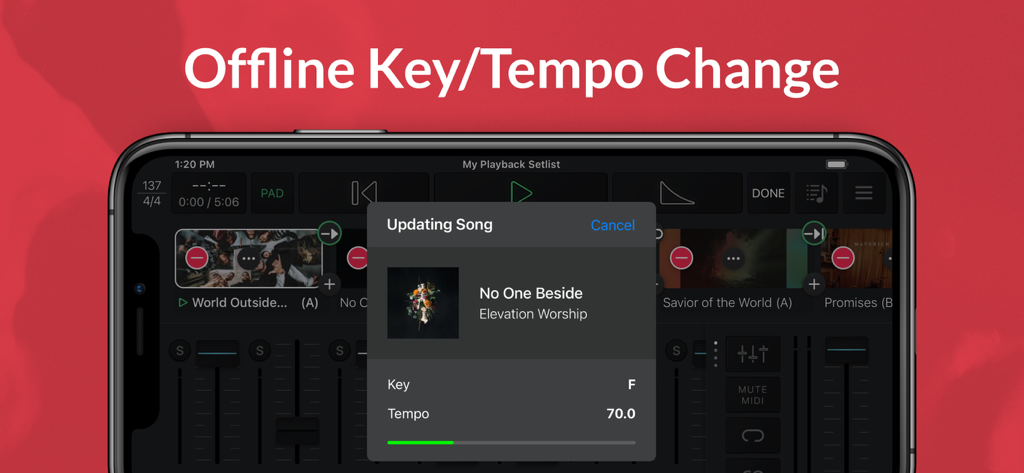
Interfaccia dell'app Playback che mostra un aggiornamento del brano per la regolazione offline della tonalità e del tempo su un iPhone.

Interfaccia dell'app Playback che mostra un aggiornamento del brano per la regolazione offline della tonalità e del tempo su un iPhone.

Produzione professionale, semplificata per il tuo team

Gli strumenti che rendono questa app unica, scelti da 465K+ utenti.

🎸

Registrazioni Master Originali

Accedi a oltre 24.000 tracce degli artisti di culto leader nel mondo per arricchire il tuo suono dal vivo con stem di qualità da studio.

🔗

Integrazione completa dell'ecosistema

Importa le scalette di Planning Center e automatizza i testi o le luci di ProPresenter per garantire un servizio domenicale privo di distrazioni.

🎛️

Controllo live intuitivo

Dirigi con sicurezza utilizzando arrangiamenti dinamici, mappatura MIDI e segnali Guide che mantengono i tuoi volontari perfettamente sincronizzati.

Amata dagli utenti di tutto il mondo

Scelto da 465K+ persone che amano questa app.

"

"Playback ha completamente trasformato i nostri servizi del fine settimana. L'integrazione senza interruzioni con Planning Center e la capacità di attivare i nostri testi ProPresenter tramite segnali MIDI hanno elevato la nostra produzione a un livello professionale senza aggiungere complessità al nostro team tecnico."

David Miller, Direttore Musicale
"

"Come leader di un piccolo team, Playback è la mia arma segreta. Le tracce master originali riempiono perfettamente il nostro suono quando ci manca un batterista o un tastierista. Inoltre, il Pad Player mantiene le nostre transizioni fluide e preghiere. È così intuitivo che anche i nostri volontari più nuovi possono usarlo con facilità."

Sarah Jenkins, Leader di culto

Info sull'app

Tutto quello che devi sapere su Playback.

Descrizione

Playback turns your Apple device into a simple, yet powerful MultiTrack player that works seamlessly with the rest of the MultiTracks.com ecosystem of products like ChartBuilder®, RehearsalMix®, and the Church Streaming License®. Link your Planning Center account and have setlists you create automatically appear in Playback. Pairing Playback with our ProPresenter Templates gives it access to pre-made MIDI Cues that perfectly sync lyrics to your tracks. Playback has been optimized to be the best tracks solution for a worship team. While it has powerful features like automation, custom song arrangements, MIDI in/out, and even support for SMPTE timecode, it’s easy and intuitive for new volunteers. A Playback Rentals subscription is an easy and affordable way to quickly access the MultiTracks from our ever expanding library of over 24,000 original master recordings. Any previous tracks purchases from MultiTracks.com are instantly available in your Playback library. Already have your own tracks? Upload them to your library with a Cloud Pro subscription so that they can be accessed in Playback. Playback Sync® automatically scrolls charts in the ChartBuilder app to always match where you are in a song. No extra cables needed since it’s all done over Wi-Fi. This ensures your team is literally all on the same page! Pad Player® lets you to stay in the moment with ambient pads underneath every song and transition in your setlist. INTRO (Free) - Build & save setlists - Solo, mute & adjust track volumes - Set custom start & end times - Tempo/key change to all 12 keys - Play ambient pads underneath songs - Access any song in the catalog with a Playback Rentals Subscription - Song transitions - AutoPan - Add click-and-pad-only songs to setlists - Adjust click track subdivisions - Live Crossfade between songs - Reference the original song mix PREMIUM (Starting at $9.99/mo | Visit MultiTracks.com/Pricing) - All “Intro” features - Add, remove, rearrange, rename, & TRIM song sections - MIDI Map controls to a MIDI Controller - Loop Song Sections - Infinite Loop Song Sections - Save Custom Song Arrangements w/Cloud Pro Intro or higher - Add an Infinite Click Track - Automation: Place cues anywhere in a song to trigger automations for track volumes, mute/unmute, Pad Player, & more! - Playback Remote - Send MIDI Cues to lyrics, lights & more with (Requires Live Bundle) - Live Re-Order: While audio is playing, jump to a particular Song Section - MIDI Map to a specific Song Section - Freely jump between Song Sections & Songs live using a MIDI Controller - Buses: Route your tracks out of 10 buses for better mix control - SmartRouting®: We’ve pre-assigned every track type to a bus. *Supported USB Audio Interfaces & Playback will automatically route your tracks to the available outputs - MultiOuts®: Route tracks & buses to multiple outputs with one of our *Supported USB Audio Interfaces. - Create & edit MIDI Cues directly in Playback. Save MIDI Cues to your Library with a Cloud Pro subscription - Advanced Pad Player Interface *Please Note* Because access is given to Original Artist Master MultiTracks through our free ”Demo Setlist” & "Play of the Week," account registration is required for you to verify your identity and ensure compliance with Terms of Use. Price may vary by location. Subscriptions will be charged to your credit card through your iCloud account. Subscription will automatically renew unless canceled at least 24 hours before the end of the current period. You won't be able to cancel the subscription once activated. Any unused portion of a free trial will be forfeited if you upgrade from a free subscription to a paid version. Manage your subscriptions in Account Settings after purchase. For more details on our Privacy Policy & Terms of Use for MultiTracks.com please visit: http://www.multitracks.com/privacy/ and http://www.multitracks.com/terms/

Ultima versione

8.5.1

Dimensione

137.9 MB

Data di lancio

23 nov 2013

Guida il tuo team con eccellenza questa domenica

Unisciti a oltre 465.000 leader di culto che si affidano a Playback per eseguire tracce di livello professionale, automatizzare il loro palco e creare ambienti privi di distrazioni per la loro congregazione.

Scarica su App Store