Scrivener

Scrivener

Scarica su App Store
Spark by MWM logo
Logo di Scrivener

Scrivener: Il centro di comando tutto-in-uno per scrittori seri

Passa da idee confuse a un manoscritto rifinito con strumenti progettati per progetti lunghi. Organizza la tua ricerca, struttura la tua storia e scrivi senza distrazioni sul tuo iPhone e iPad.

Editore

Literature & Latte Ltd

Categoria

Productivity

Download

464K+

Valutazione

4.3/5

Valutazioni totali

3K+

Lingue

10

Il tuo spazio di lavoro, visualizzato

Scopri l'interfaccia usata da 464K+ utenti.
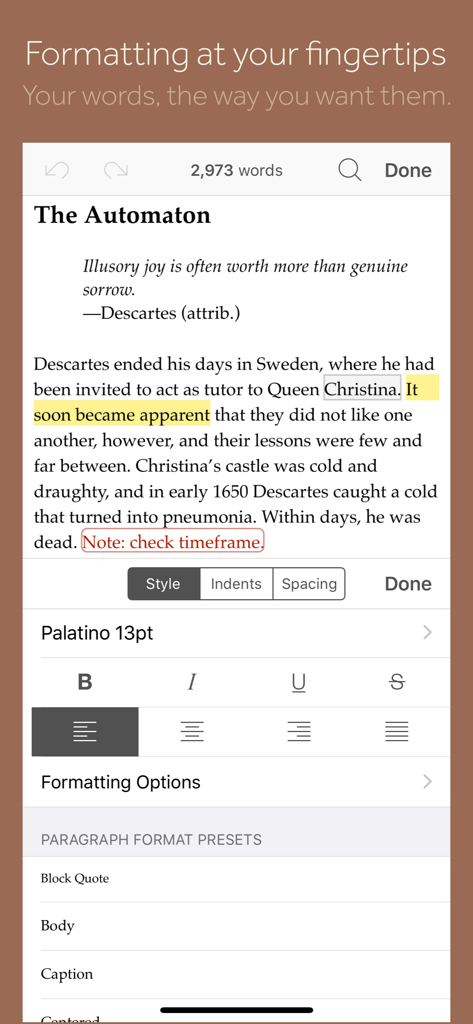
Vista mobile dell'app Scrivener che mostra un editor di testo con un pannello di formattazione per stili, font e preimpostazioni di paragrafo.

Vista mobile dell'app Scrivener che mostra un editor di testo con un pannello di formattazione per stili, font e preimpostazioni di paragrafo.

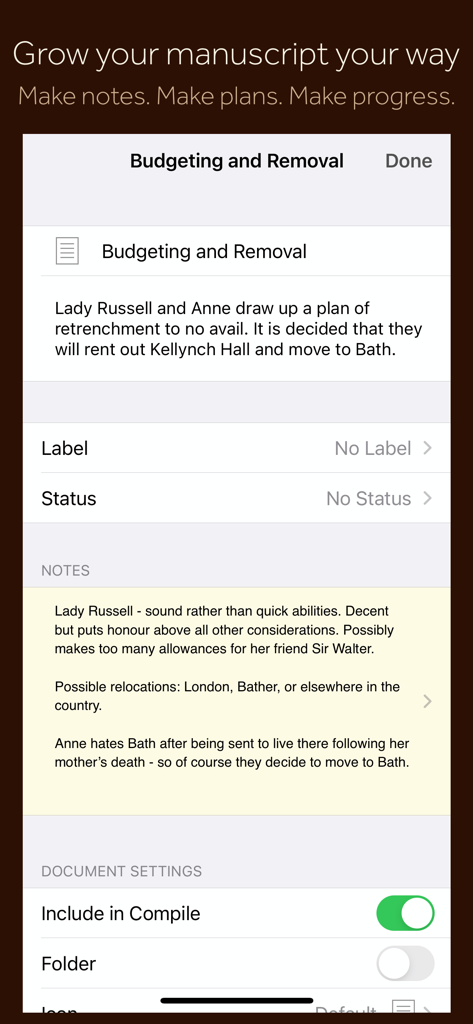
Interfaccia dell'app mobile Scrivener che mostra note sulle sezioni del manoscritto, metadati di pianificazione e impostazioni del documento.

Interfaccia dell'app mobile Scrivener che mostra note sulle sezioni del manoscritto, metadati di pianificazione e impostazioni del documento.

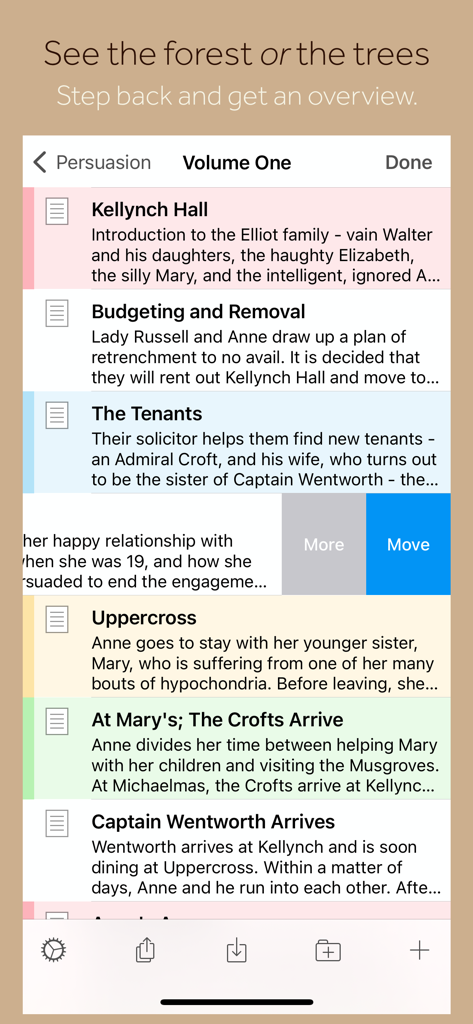
Interfaccia dell'app Scrivener che mostra un elenco di capitoli del manoscritto e riassunti su iPhone.

Interfaccia dell'app Scrivener che mostra un elenco di capitoli del manoscritto e riassunti su iPhone.

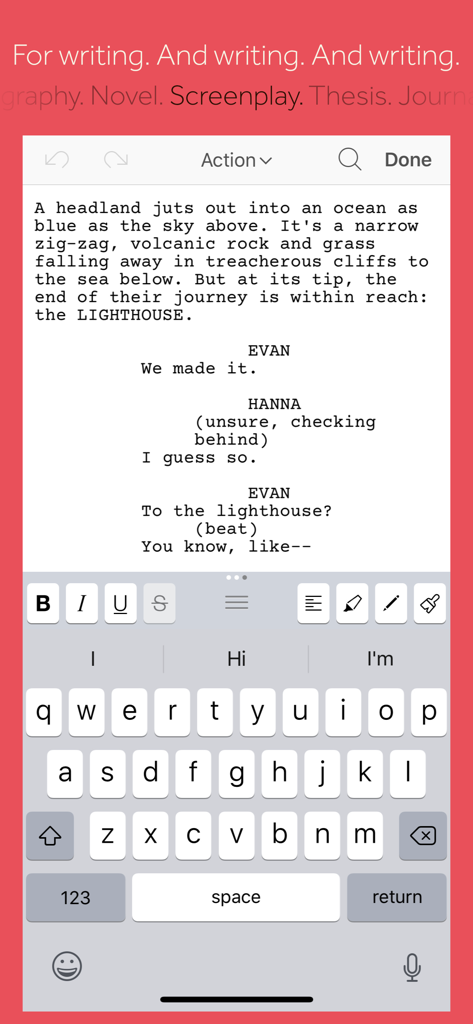
App mobile Scrivener che mostra la modalità di scrittura di sceneggiature e gli strumenti di formattazione su un iPhone

App mobile Scrivener che mostra la modalità di scrittura di sceneggiature e gli strumenti di formattazione su un iPhone

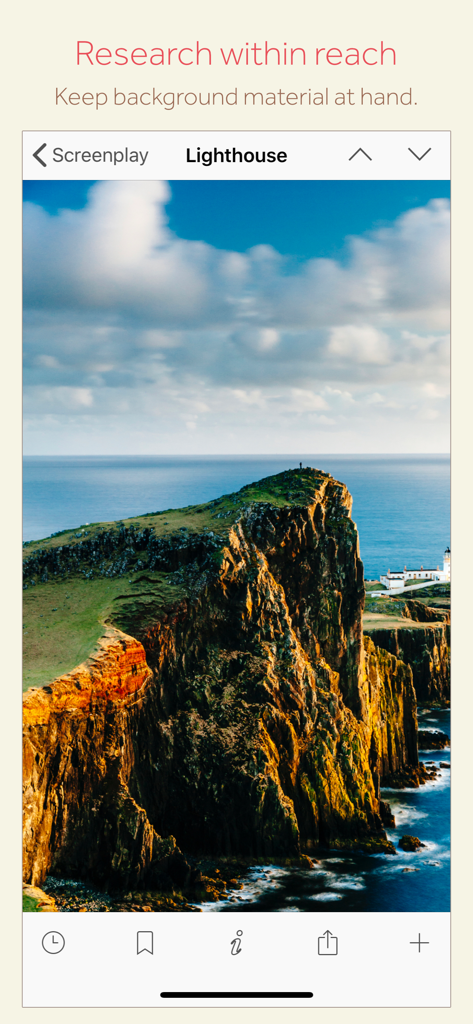
Interfaccia dell'app mobile Scrivener che mostra un'immagine di ricerca di un faro per un progetto di sceneggiatura.

Interfaccia dell'app mobile Scrivener che mostra un'immagine di ricerca di un faro per un progetto di sceneggiatura.

Il centro di comando definitivo per scrittori seri

Gli strumenti che rendono questa app unica, scelti da 464K+ utenti.

🗂️

Struttura senza stress

Suddividi il tuo manoscritto in blocchi gestibili. Usa il Binder per riorganizzare capitoli o scene con un semplice drag-and-drop, permettendo alla tua storia di crescere organicamente.

📚

La tua ricerca, sempre a portata di mano

Tieni i tuoi schizzi di personaggi, mappe e PDF accanto alla tua bozza. Su iPad, visualizza ricerca e scrittura fianco a fianco per mantenere il tuo flusso senza cambiare app.

📤

Pubblicazione professionale con un tocco

Pronto per condividere? Compila il tuo lavoro in formati standard del settore come PDF, Word o e-book Kindle. Passa da una bozza disordinata a un manoscritto rifinito istantaneamente.

Amata dagli utenti di tutto il mondo

Scelto da 464K+ persone che amano questa app.

"

"Scrivener è l'unico strumento che può tenere il passo con la complessità dei miei romanzi. Adoro poter fare brainstorming sul mio iPhone durante il tragitto e poi usare la lavagna di sughero dell'iPad per ristrutturare l'intera trama in un bar. Ha trasformato i miei dispositivi mobili in un vero studio di scrittura professionale."

Elena Rodriguez, Autrice di narrativa
"

"Per i miei progetti di ricerca lunghi, questa app è indispensabile. Avere i miei PDF, note e bozze in un unico progetto autonomo e poterli compilare in un documento perfettamente formattato per il mio editore mi fa risparmiare ore di lavoro manuale. È lo standard d'oro per gli scrittori seri."

Marcus Thorne, Giornalista freelance

Info sull'app

Tutto quello che devi sapere su Scrivener.

Descrizione

“The biggest software advance for writers since the word processor.” —Michael Marshall Smith, bestselling author Typewriter. Ring-binder. Scrapbook. Scrivener combines all the writing tools you need to craft your first draft, from nascent notion to final full stop. Tailor-made for creating long manuscripts, Scrivener banishes page fright by allowing you to compose your text in any order, in sections as large or small as you like. Got a great idea but don’t know where it fits? Write when inspiration strikes and find its place later. Grow your manuscript organically, idea by idea. Whether you plan or plunge, Scrivener works your way: meticulously outline every last detail first, or hammer out a complete draft and restructure later. Or do a bit of both. All text sections in Scrivener are fully integrated with its outlining tools, so working with an overview of your manuscript is only ever a tap away, and turning Chapter Four into Chapter One is as simple as drag and drop. Need to refer to research? In Scrivener, your background material is always at hand. Write a description based on a photograph. Reference a video or PDF. Check for consistency with an earlier chapter. On the iPad, open two documents side-by-side; on the iPhone, flip between research and writing with just two taps. Once you’re ready to share your work with the world, simply compile everything into a single document for printing, or export to popular formats such as Word, PDF, Final Draft or plain text. You can even share using different formatting, so that you can write in your favorite font and still keep your editor happy. FEATURES Get Started • Interactive tutorial project • Keep each manuscript and supporting materials in a self-contained project • Import Word, RTF, Final Draft and plain text files • Easily split imported text into separate sections Get Writing • Write your manuscript in sections of any size • View all sections as a single text using the “Draft Navigator” (iPad only) • Quickly navigate sections using the “binder” sidebar • Format with fonts and presets • Comments, footnotes, links and highlights • Simple bullets and lists • Insert images • Pinch-zoom to resize text • Full-screen mode (iPad only) • Typewriter scrolling mode keeps typed text center-screen (iPad only) • Write a screenplay using scriptwriting mode • Live word and character counts • Set word and character count targets • Find and replace • Customizable keyboard row provides quick-access buttons for formatting, navigation and punctuation • Comprehensive keyboard shortcuts for external keyboard users • Dark mode Find Your Structure • Write in any order and reorganize later • Write a synopsis for any text section and see it in the outline • Expand, collapse and drill down into sections of your project • Rearrange sections as index cards on the corkboard (iPad only) • Project-wide search • Track ideas using labels and status • Apply custom icons to your sections Refer to Research • Import research material such as image, PDF and media files • View research files or other sections right alongside your writing (iPad only) • Every section has its own notes area for jotting down ideas • Supports multitasking split screen mode (supported devices only) Share Your Work • Compile to a single document for sharing or printing • Use different formatting in your exported or printed document • Export to Word, RTF, Final Draft, PDF or plain text • Convert rich text to Markdown for sharing with Markdown apps • Create and email zipped backups of your projects Work Anywhere • Use Dropbox to sync between devices and with the macOS and Windows versions of Scrivener* • Copy projects between devices via iTunes * Requires a Dropbox account (not compatible with iCloud). SUPPORT You can contact us at ios.support@literatureandlatte.com, visit our forums at http://www.literatureandlatte.com/forum, or find us @scrivenerapp on Twitter.

Ultima versione

1.2.4

Dimensione

26.5 MB

Data di lancio

20 lug 2016

Il tuo studio di scrittura professionale, ovunque

Dall'idea iniziale all'ultima parola, porta con te lo strumento di gestione manoscritti più potente del mondo. Scarica Scrivener per iOS e inizia oggi stesso a creare il tuo capolavoro.

Scarica su App Store