向日葵远程控制-Sunlogin remotecontrol

向日葵远程控制-Sunlogin remotecontrol

Scarica su App Store
Spark by MWM logo
Logo di 向日葵远程控制-Sunlogin remotecontrol

Sunlogin Remote Control: L'Accesso Remoto ad Alte Prestazioni Definitivo per Professionisti e Gamer

Colma il divario tra i tuoi dispositivi con una latenza bassissima. Sperimenta gaming remoto 4K a 144Hz, gestione file senza interruzioni e strumenti IT professionali come CMD/SSH, tutto in un'unica potente soluzione multipiattaforma.

Scarica su App Store

Editore

Shanghai best oray information s&t co.,ltd

Categoria

Business

Download

13M+

Valutazione

4.8/5

Valutazioni totali

438K+

Lingue

3

La Potenza del Desktop in Tasca

Scopri l'interfaccia usata da 13M+ utenti.
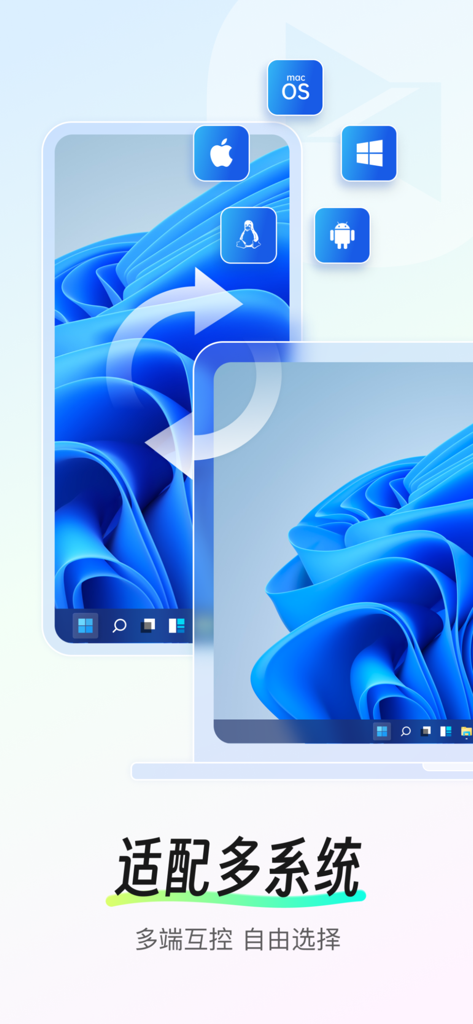
Interfaccia di Sunlogin Remote Control che dimostra la compatibilità multipiattaforma per Windows macOS Linux iOS e Android

Interfaccia di Sunlogin Remote Control che dimostra la compatibilità multipiattaforma per Windows macOS Linux iOS e Android

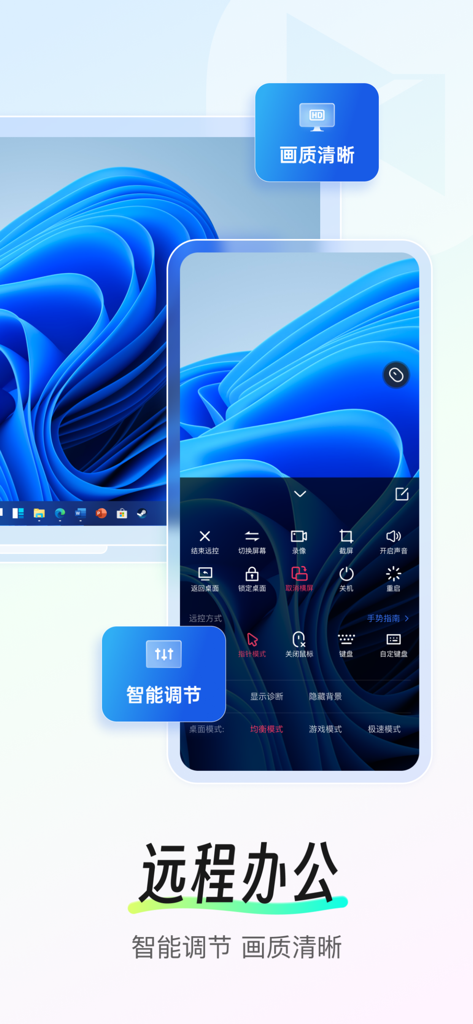
Interfaccia dell'app Sunlogin Remote Control su uno smartphone che mostra l'accesso remoto a un computer Windows con chiara qualità d'immagine

Interfaccia dell'app Sunlogin Remote Control su uno smartphone che mostra l'accesso remoto a un computer Windows con chiara qualità d'immagine

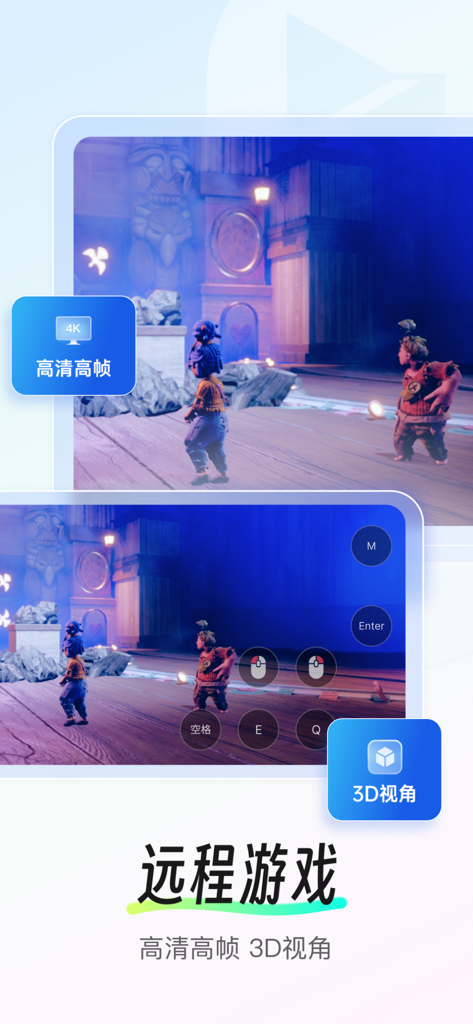
Screenshot dell'app Sunlogin Remote Control con gaming remoto 4K con prospettiva 3D e controlli touch.

Screenshot dell'app Sunlogin Remote Control con gaming remoto 4K con prospettiva 3D e controlli touch.

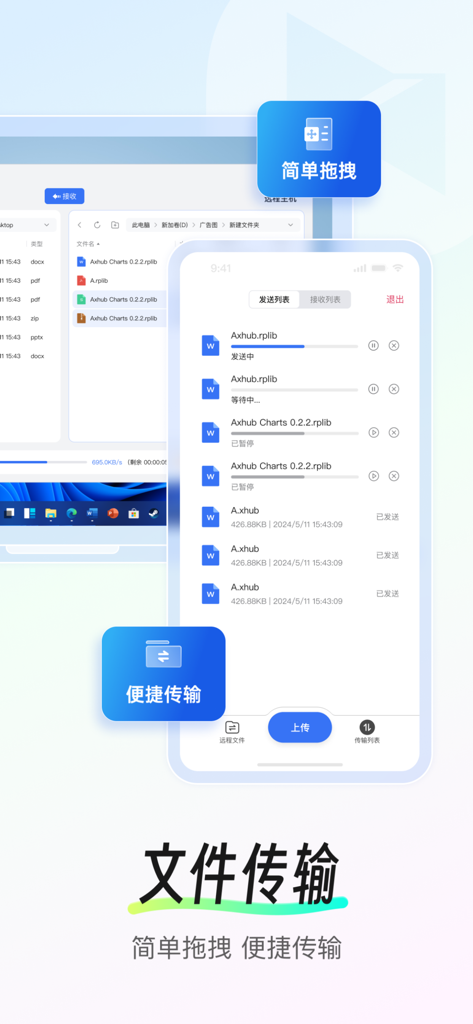
Interfaccia dell'app Sunlogin Remote Control che mostra l'avanzamento del trasferimento file tra uno smartphone e un computer desktop.

Interfaccia dell'app Sunlogin Remote Control che mostra l'avanzamento del trasferimento file tra uno smartphone e un computer desktop.

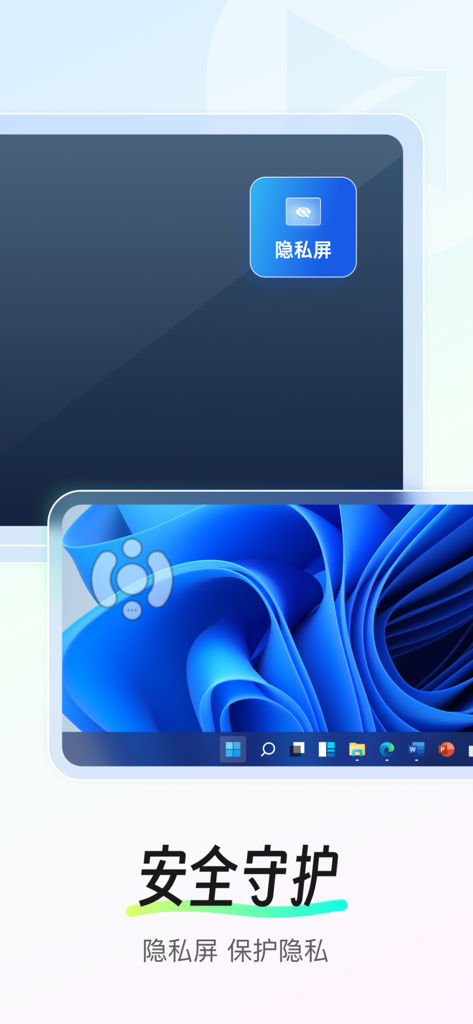
App Sunlogin Remote Control che mostra la funzione schermo privacy per proteggere la privacy dell'utente durante l'accesso remoto a un desktop Windows

App Sunlogin Remote Control che mostra la funzione schermo privacy per proteggere la privacy dell'utente durante l'accesso remoto a un desktop Windows

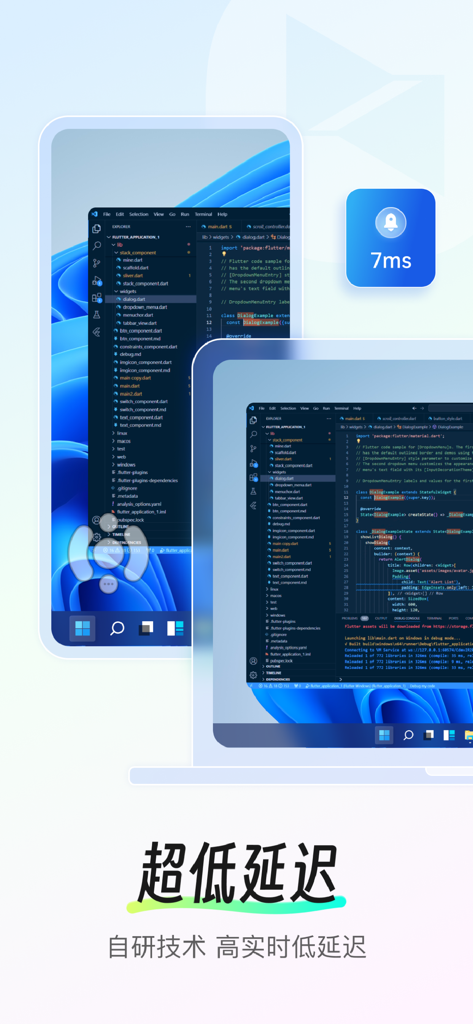
Interfaccia dell'app Sunlogin Remote Control che mostra un ambiente di codifica con un indicatore di latenza ultra bassa di 7ms

Interfaccia dell'app Sunlogin Remote Control che mostra un ambiente di codifica con un indicatore di latenza ultra bassa di 7ms

Il Tuo Potente Desktop, Ovunque Tu Sia

Gli strumenti che rendono questa app unica, scelti da 13M+ utenti.

🎮

Prestazioni Estreme per Gaming e Design

Sperimenta una risoluzione 4K senza lag e frame rate elevati a 144Hz. Gioca ai tuoi titoli AAA preferiti o renderizza complessi progetti 3D direttamente dal tuo dispositivo mobile.

💻

Controllo Totale Multi-Dispositivo

Gestisci file senza interruzioni, accedi a terminali CMD/SSH e controlla sistemi Windows, Mac o Linux. È il coltellino svizzero definitivo per professionisti IT e lavoratori da remoto.

Wake-up Remoto e Controllo Intelligente

Smetti di preoccuparti che il tuo PC sia spento. In combinazione con il nostro hardware intelligente, puoi accendere da remoto la tua macchina e gestire dispositivi non presidiati da qualsiasi parte del mondo.

Amata dagli utenti di tutto il mondo

Scelto da 13M+ persone che amano questa app.

"

"L'alto frame rate a 144Hz e la mappatura dei gamepad rendono Sunlogin lo strumento migliore per il gaming remoto. Posso giocare a tutta la mia libreria di PC sul mio iPhone da qualsiasi luogo con una latenza praticamente nulla. Ha completamente sostituito la mia necessità di una console portatile dedicata."

Marcus Thorne
"

"Potere accendere da remoto la mia workstation d'ufficio con l'integrazione della presa intelligente è un vero salvavita. Sia che abbia bisogno di recuperare un file dimenticato o eseguire un comando rapido da terminale tramite SSH, questa app fornisce la connessione più stabile e di alta qualità che abbia mai utilizzato."

Sarah Jenkins

Analisi recensioni

Approfondimenti dalle recensioni degli utenti.

Punteggio sentimento

20%
Negativo

Riepilogo

This mobile app receives predominantly negative feedback, reflected in a global sentiment score of 19.5 out of 100. Users are highly critical of the app's intrusive advertisements, frequently reporting splash screen ads that trigger easily, and even ads for paid members. Many experience severe performance issues, including significant lag, unresponsiveness, frequent disconnections, and occasional crashes. While some users praise the app for its ease of use, speed, and seamless remote control capabilities, others express frustration with the VIP subscription model, which often fails to resolve performance problems or remove ads, alongside specific bugs like game black screens, keyboard malfunctions, and limited cross-platform file transfer.

Temi comuni

Ease of Use(9)
Remote Control Features(4)
Performance(2)
Connection Stability(1)
Cost & Free Access(1)

Info sull'app

Tutto quello che devi sapere su 向日葵远程控制-Sunlogin remotecontrol.

Descrizione

Sunlogin remote control is a software that supports cross-system and cross-device remote control, supports a variety of system desktop devices and mobile devices, and can be used for remote management, remote assistance, remote equipment maintenance, remote training, remote office, mobile office and other scenarios. The perfect choice for IT operations, after-sales/technical support, gamers, designers, freelancers and business people. 【Main functions】 1. Remote desktop/Remote assistance: mobile phone remote control computer, remote desktop connection, support screen recording and other audit functions. 2. Mobile screen projection: Project the mobile screen to the computer screen and TV screen. 3. Remote control of mobile phone: mobile phone control, help others to debug mobile phone remotely. 【Only some mobile phones are supported】 4. Remote games: Mobile phones/computers can control remote computer games, enjoy remote games anytime and anywhere. 5. Remote camera monitoring: In addition to the camera on the computer PC, you can also use the idle mobile phone to call the mobile phone camera. 6. Remote file management: Transfer files between mobile phones, computers and other devices anytime and anywhere. 7. Remote switch: With Sunlogin remote smart plug, realize remote switch of computer, to help you solve the trouble of "how to remote switch when the computer is shut down". 8.CMD/SSH 【Warm reminder】 If you encounter problems, please open the Sunlogin APP- My - Contact us, click on the bottom of the page [online customer service] or [customer work order priority processing] for feedback. 【Automatic renewal of Seed Membership】 -Pumpkin member rights and interests: high-speed file transfer, 2K HD picture quality, remote mobile devices, remote RDP, multi-screen control multi-screen, and other value-added rights and interests.
-Subscription period: 1 month (monthly), 3 months (seasonal), 12 months (annual).
-Subscription price: subject to iAP application information, such as RMB 25 per month for continuous monthly products, RMB 55 per quarter for continuous quarterly products, and RMB 128 per year for continuous annual products.
-Payment: When the user confirms the purchase and pays, it is credited to the iTunes account.
-Cancel Renewal: To cancel renewal, manually turn off automatic renewal in iTunes/Apple ID Settings Management 24 hours before the current subscription period expires.
-Renewal: The Apple iTunes account will be charged within 24 hours before the expiration date, and the subscription period will be extended by one subscription period after the payment is successful. - privacy policy: https://service.oray.com/question/11872.html - user agreement: https://service.oray.com/question/33418.htmll - automatic renewal membership service agreements: https://service.oray.com/question/36365.html 【Automatic Renewal of Super Member】 -Super member benefits: all the function of Seed Membership, 144 high frame remote control, support 3D mouse, gamepad mapping,4K HD image quality, and other value-added benefits. -Subscription period: 1 month (monthly), 3 months(seasonal), 12 months (annual). -Subscription price: subject to iAP application information -Payment: the same as Seed Membership -Cancel Renewal: the same as Seed Membership Renewal: the same as Seed Membership -- privacy policy/user agreement/automatic renewal membership service agreements are as the same as Seed Membership 【Automatically Renew of Global Membership】 -Global member rights and interests: all the function of Super Member, global quality line. -Subscription period: 1 month (monthly), 3 months (seasonal), 12 months (annual). -Subscription price: subject to iAP application information -Payment: the same as Seed Membership -Cancel Renewal: the same as Seed Membership Renewal: the same as Seed Membership -- privacy policy/user agreement/automatic renewal membership service agreements are as the same as Seed Membership

Ultima versione

15.5.0

Dimensione

152.9 MB

Data di lancio

28 ago 2012

Pronto a Liberarti dalla Tua Scrivania?

Unisciti a 13 milioni di power user che si affidano a Sunlogin per desktop remoto ad alte prestazioni, gaming a 144Hz e gestione IT professionale. Scarica ora e resta connesso a ciò che conta.

Scarica su App Store
FAQ

Domande Frequenti

Tutto quello che devi sapere su 向日葵远程控制-Sunlogin remotecontrol

Cos'è il controllo remoto Sunlogin?

Il controllo remoto Sunlogin è un software per il controllo remoto inter-sistema e inter-dispositivo, che offre funzionalità come desktop remoto, trasferimento file e proiezione dello schermo mobile. Supporta Windows, macOS, Linux, iOS e Android per vari scenari remoti.

Quali dispositivi e sistemi operativi supporta il controllo remoto Sunlogin?

Il controllo remoto Sunlogin supporta vari dispositivi, inclusi computer desktop e dispositivi mobili, su sistemi operativi come Windows, macOS, Linux, iOS e Android per un accesso remoto completo.

Posso controllare il mio computer da remoto usando il mio telefono cellulare con il controllo remoto Sunlogin?

Sì, il controllo remoto Sunlogin consente agli utenti di controllare il proprio computer da remoto utilizzando un telefono cellulare. Ciò include connessioni desktop remoto e funzioni di registrazione dello schermo per scopi di audit.

Il controllo remoto Sunlogin offre funzionalità di trasferimento file?

Sì, il controllo remoto Sunlogin include la gestione remota dei file. Gli utenti possono trasferire file tra telefoni cellulari, computer e altri dispositivi connessi in qualsiasi momento e ovunque.

Qual è il prezzo dell'abbonamento Seed di Sunlogin remote control?

L'abbonamento Seed di Sunlogin remote control costa 25 RMB per un abbonamento mensile, 55 RMB trimestrale e 128 RMB per un abbonamento annuale. I prezzi sono soggetti alle informazioni sull'applicazione iAP.

Come posso annullare il rinnovo automatico dell'abbonamento Sunlogin remote control?

Per annullare il rinnovo automatico dell'abbonamento Sunlogin remote control, disattiva manualmente il rinnovo automatico in iTunes/Gestione impostazioni ID Apple almeno 24 ore prima della scadenza del periodo di abbonamento corrente.

Il controllo remoto Sunlogin può essere utilizzato per il gioco da remoto?

Sì, il controllo remoto Sunlogin supporta il gioco da remoto. Telefoni cellulari o computer possono controllare giochi su computer remoti, offrendo funzionalità come qualità dell'immagine 4K HD e visualizzazione 3D per un'esperienza migliorata.

Il controllo remoto Sunlogin ha una funzione di schermo privacy?

Sì, il controllo remoto Sunlogin dispone di una funzione di schermo privacy, identificata come "隐私屏" (Schermo Privacy), per migliorare la sicurezza e proteggere la privacy dell'utente durante le sessioni remote.

Quali vantaggi offre l'abbonamento Super Member di Sunlogin remote control?

I vantaggi di Super Member includono tutte le funzioni di Seed Membership, controllo remoto a 144 frame al secondo, supporto per mouse 3D, mappatura gamepad e qualità dell'immagine 4K HD per un controllo remoto avanzato.

Il controllo remoto Sunlogin può accendere un computer da remoto?

Sì, il controllo remoto Sunlogin offre una funzione di interruttore remoto. Se abbinato a una presa intelligente remota Sunlogin, può accendere da remoto un computer spento.