SwiftScan AI Document Scanner

SwiftScan AI Document Scanner

Scarica su App Store
Spark by MWM logo
Logo di SwiftScan AI Document Scanner
SwiftScan AI: Lo Scanner Mobile Più Intelligente per Professionisti Produttivi

Trasforma il tuo dispositivo in una centrale elettrica di livello desktop. Scansiona PDF di alta qualità, usa l'IA per riassumere istantaneamente documenti lunghi e invia via fax o sincronizza al cloud con totale privacy ed efficienza con un solo tocco.

Scarica su App Store

Editore

Maple Media Apps, LLC

Categoria

Utilities

Download

5M+

Valutazione

4.7/5

Valutazioni totali

201K+

Lingue

23

Efficienza in Ogni Tocco

Scopri l'interfaccia usata da 5M+ utenti.
Valutazioni e premi dell'app SwiftScan AI Document Scanner da App Store CNN e PCMag

Valutazioni e premi dell'app SwiftScan AI Document Scanner da App Store CNN e PCMag

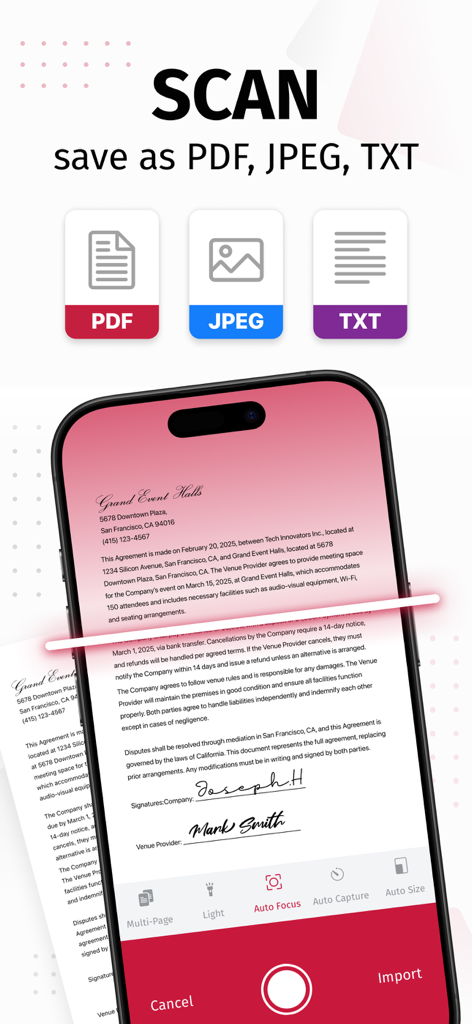
App mobile SwiftScan AI che scansiona un documento con opzioni per salvare in formato PDF, JPEG o TXT

App mobile SwiftScan AI che scansiona un documento con opzioni per salvare in formato PDF, JPEG o TXT

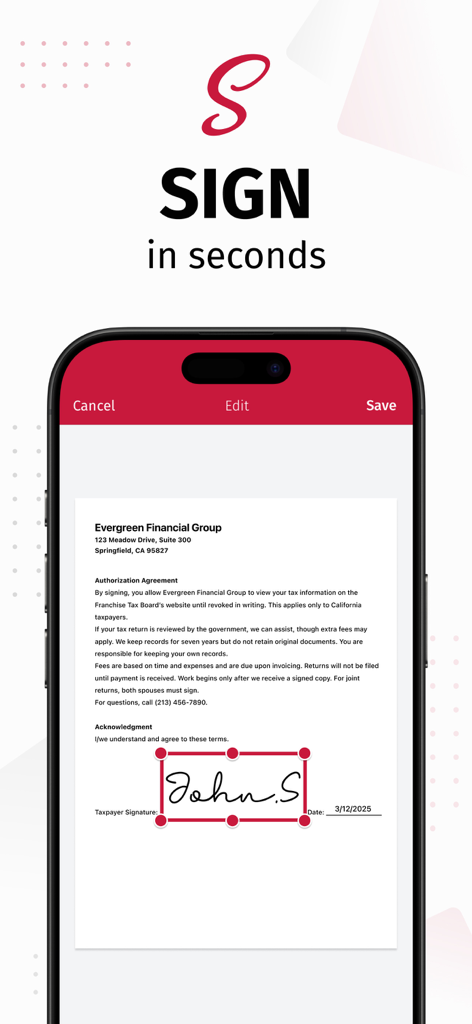
Interfaccia dell'app SwiftScan AI che mostra l'aggiunta di una firma digitale a un documento su un iPhone

Interfaccia dell'app SwiftScan AI che mostra l'aggiunta di una firma digitale a un documento su un iPhone

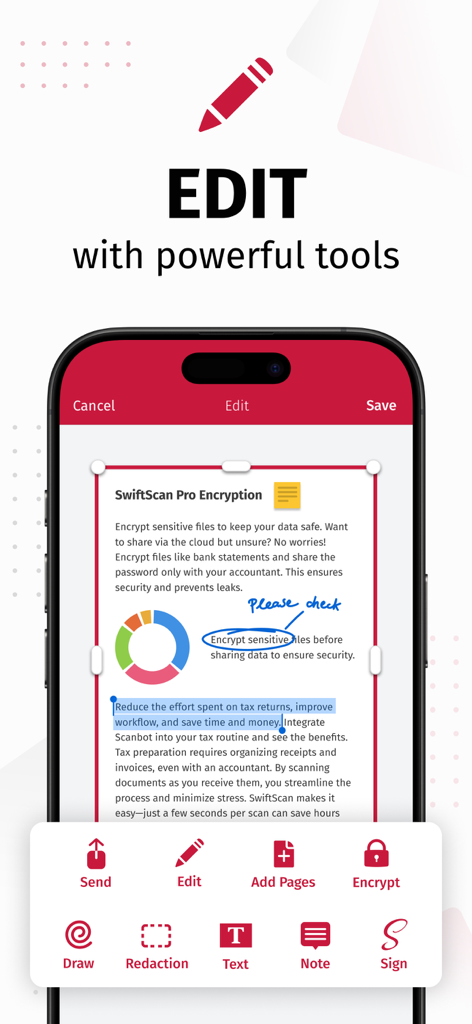
Interfaccia dell'app SwiftScan AI che dimostra le funzionalità di modifica dei documenti come disegno, redazione e firma elettronica.

Interfaccia dell'app SwiftScan AI che dimostra le funzionalità di modifica dei documenti come disegno, redazione e firma elettronica.

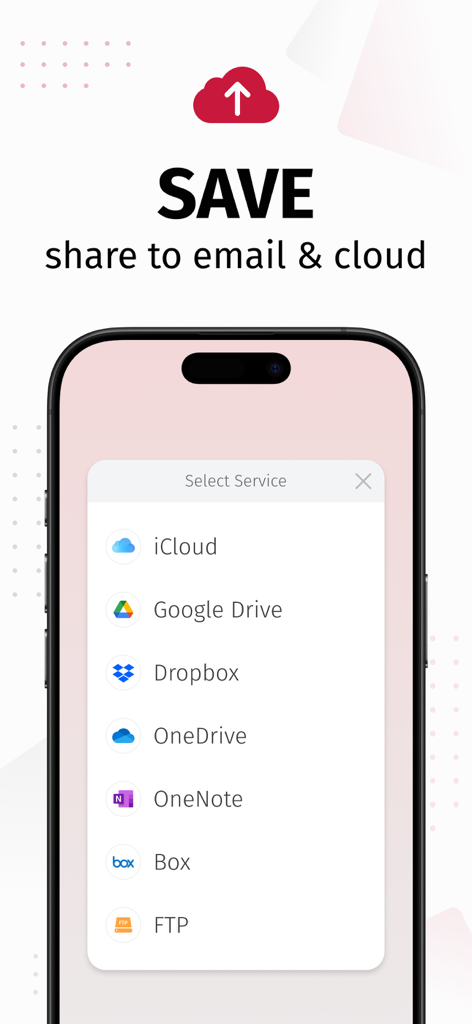
Interfaccia dell'app SwiftScan AI che mostra opzioni per salvare e condividere documenti scansionati su servizi cloud come iCloud, Google Drive e Dropbox

Interfaccia dell'app SwiftScan AI che mostra opzioni per salvare e condividere documenti scansionati su servizi cloud come iCloud, Google Drive e Dropbox

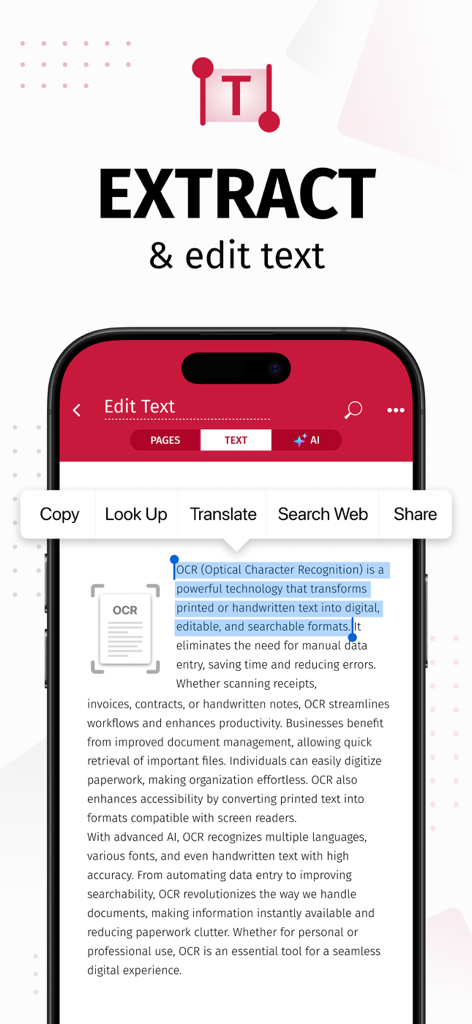
Schermata dello smartphone che visualizza l'app SwiftScan AI che estrae e modifica testo da un documento scansionato utilizzando OCR

Schermata dello smartphone che visualizza l'app SwiftScan AI che estrae e modifica testo da un documento scansionato utilizzando OCR

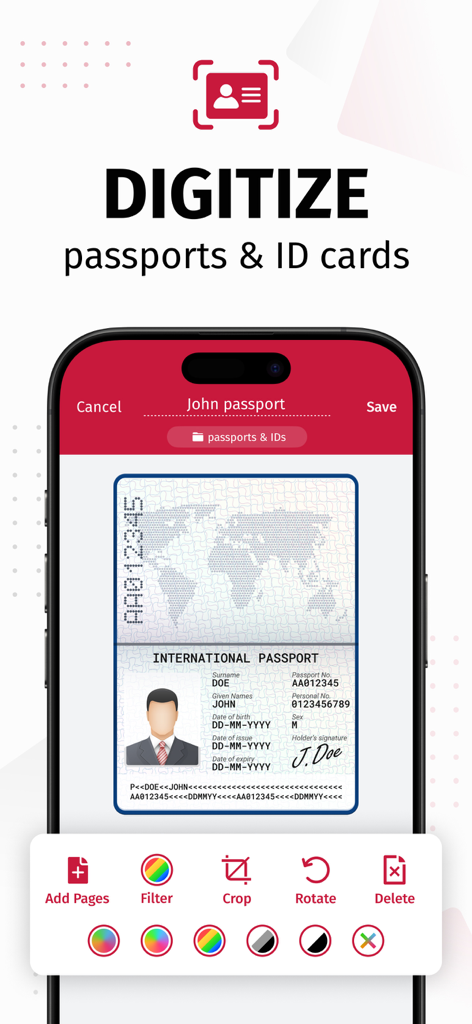
Interfaccia dell'app SwiftScan AI che mostra un passaporto digitalizzato con strumenti di modifica come ritaglio e filtro

Interfaccia dell'app SwiftScan AI che mostra un passaporto digitalizzato con strumenti di modifica come ritaglio e filtro

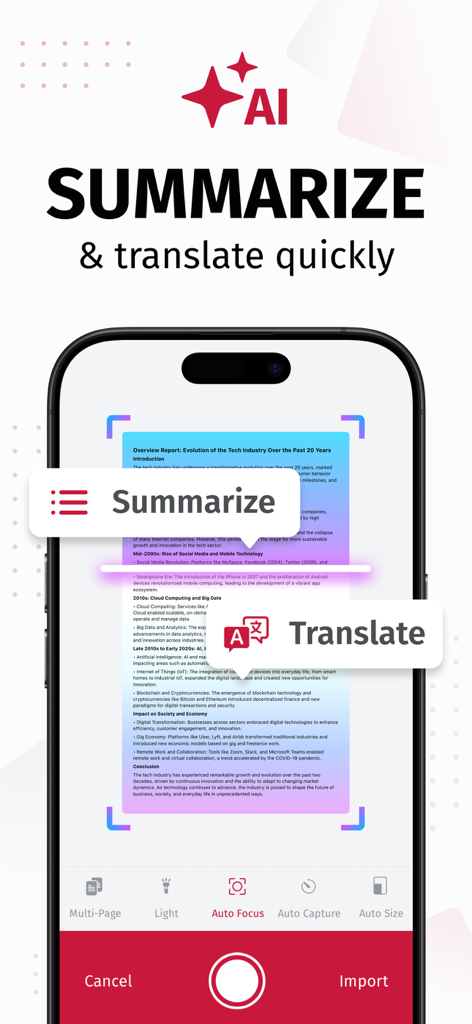
Schermata dell'iPhone che mostra lo scanner di documenti SwiftScan AI con strumenti di riassunto e traduzione AI

Schermata dell'iPhone che mostra lo scanner di documenti SwiftScan AI con strumenti di riassunto e traduzione AI

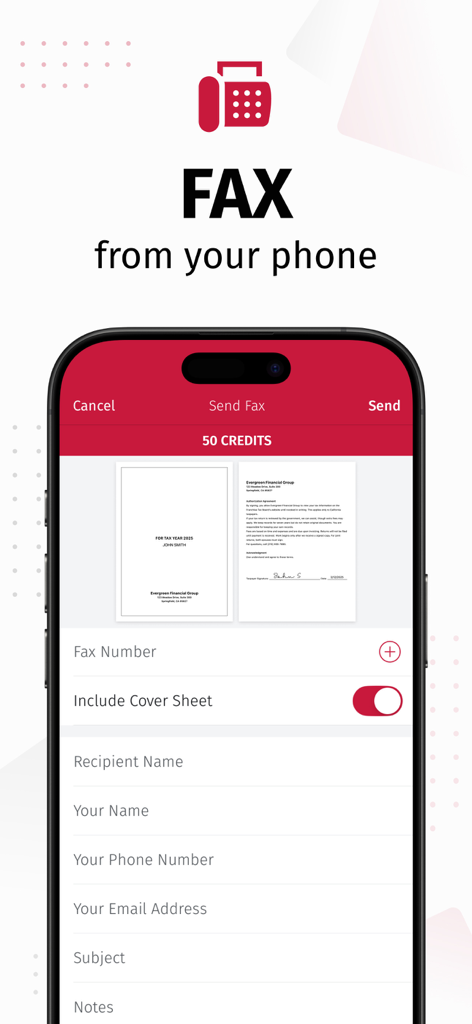
Schermata dello smartphone che visualizza la funzionalità di invio fax dell'app SwiftScan con anteprime dei documenti

Schermata dello smartphone che visualizza la funzionalità di invio fax dell'app SwiftScan con anteprime dei documenti

Scansione Professionale Incontra l'Intelligenza AI

Gli strumenti che rendono questa app unica, scelti da 5M+ utenti.

🤖

Approfondimenti Potenziati dall'IA

Risparmia ore di lettura utilizzando l'IA per generare riassunti istantanei di lunghi contratti o tradurre documenti in decine di lingue al volo.

Precisione di Livello Desktop

Acquisisci scansioni di alta qualità a 200 DPI con rilevamento automatico dei bordi ed elaborazione velocissima che sostituisce il tuo ingombrante scanner da ufficio.

🔒

Sicurezza Prima di Tutto per la Privacy

I tuoi dati sensibili rimangono sul tuo dispositivo. Proteggi file riservati con crittografia di livello bancario e protezione FaceID per la massima tranquillità.

Amata dagli utenti di tutto il mondo

Scelto da 5M+ persone che amano questa app.

"

"Come agente immobiliare, gestisco costantemente contratti sensibili in movimento. SwiftScan AI è un vero salvavita: la qualità di 200 dpi è incredibilmente professionale e la possibilità di inviare documenti via fax direttamente dal mio iPhone mentre sono sul posto è un vero punto di svolta. Sapere che i miei dati rimangono privati sul mio dispositivo mi dà, e ai miei clienti, vera tranquillità."

Sarah Jenkins, Professionista Immobiliare
"

"Gestisco più progetti e una montagna di scartoffie ogni giorno. Lo strumento di riassunto AI è pura magia; mi fa risparmiare ore distillando lunghi report dei fornitori in panoramiche rapide e attuabili. Il rilevamento dei bordi è velocissimo e il flusso di lavoro con un solo tocco verso Google Drive mantiene il mio ufficio digitale perfettamente organizzato senza disordine."

Marcus Thorne, Project Manager Freelance

Analisi recensioni

Approfondimenti dalle recensioni degli utenti.

Punteggio sentimento

34%
Negativo

Riepilogo

The app receives largely negative feedback, primarily due to recent aggressive monetization strategies, including high subscription fees, removal of previously free features, and intrusive ads even for paying users. Users frequently report app instability, such as crashes and slowness, especially after updates or when not on Wi-Fi; specific issues include a black logo on iOS 17.7.2, sync problems on iPad mini 7, and reports of the app not functioning on iPhone 17 Pro Max. While some positive remarks highlight its initial ease of use and effective scanning quality, many long-term users express frustration over restricted core functionalities, concerns about privacy, and unresponsive customer support.

Temi comuni

Scanning Quality & Automation(4)
Ease of Use & Interface(3)
Overall Functionality (Historical/General)(2)
App Performance(1)
Monetization & Subscription Model(1)

Info sull'app

Tutto quello che devi sapere su SwiftScan AI Document Scanner.

Descrizione

SwiftScan AI is the best mobile scanner app for documents and QR codes. Create free, high-quality PDF or JPG scans with just one tap. Use smart AI Tools to translate scans into other languages, or to summarize into brief overviews or generate longer reports. Send files via email or as a fax. Save files to iCloud Drive, Box, Dropbox, Evernote and other cloud services. SwiftScan AI packs all the power of a desktop scanner into one tiny scanner app! SwiftScan AI Features – Scan, sign, edit, save & send, summarize, translate, fax, and more! - Scan premium quality PDFs or JPGs with 200 dpi and higher - Advanced AI Tools to summarize your documents for quick comprehension, or even translate documents to another language - OCR: AI-powered OCR can extract the text of your scans to search, copy, and lookup to find things fast - Fax: send your documents as a fax right from SwiftScan - Cloud integration: save files to iCloud Drive, Dropbox, Google Drive and other cloud services - Scan QR codes: URLs, Contacts, Phone Numbers - Home Screen Widget: Shortcut widget provides instant access to scan, search, or view recent documents - Lightning fast: automatic edge detection and scanning - Scan single & multi-page documents - Enhance your scans: apply color, grayscale or black & white filters with automatic optimization - Add text, comments, annotations, or draw on documents - Insert e-signature, redact text, add pages - WebDAV and FTP, sFTP and FTPs - Edit documents: Move, rotate, add or delete pages - Encryption: PDF password protection - Passcode protection with Touch/Face ID support - Beautiful themes: select your preferred look and feel - Smart file naming based on tags you select, like dates, keywords, and more - One-tap email and print workflows Scan PRIVACY SAFE SwiftScan AI values your privacy. We will never store or save your documents, or use them for any purpose. All document-related activity happens on your device, or with the cloud backup provider you choose. Scan HIGH-QUALITY SwiftScan AI uses the most advanced scanning technology. Scans start at 200 dpi, premium quality comparable to desktop scanners. Various color modes, auto-optimization and blur-reduction help you to get the most out of your scans. Scan QUICKLY SwiftScan AI is lightning fast and incredibly easy. Hold your iPhone over any document, receipt, whiteboard, notebook, or QR code to scan and save it as a PDF or JPG quickly. The edges of the document are automatically identified so that only the document itself is scanned. It captures the best possible image in the perfect moment. Scan ANYTHING SwiftScan AI works with any type of document, from paper documents to business cards, QR codes, barcodes, notes- even whiteboards or post-its. It saves the documents that are important for you and gets rid of paper clutter. --- CONTACT & SUPPORT --- Learn more: https://maplemedia.io/ Get in touch: support@swiftscanapp.com --- LEGAL --- Terms of Service: https://maplemedia.io/terms-of-service/ Privacy Policy: https://maplemedia.io/privacy/ Subscription Terms: Payment for subscriptions will be charged to your Apple Account at confirmation of purchase. Subscription automatically renews unless auto-renew is turned off at least 24-hours before the end of the current period. Account will be charged for renewal within 24-hours prior to the end of the current period, and identify the cost of the renewal. Subscriptions may be managed by the user and auto-renewal may be turned off by going to the user's Account Settings after purchase. Any unused portion of a free trial period will be forfeited when the user purchases a subscription to that publication.

Ultima versione

9.6.77

Dimensione

488.6 MB

Data di lancio

3 apr 2014

Metti uno Scanner AI di Livello Desktop in Tasca

Unisciti a oltre 5 milioni di professionisti che utilizzano SwiftScan AI per scansionare, firmare e riassumere documenti con totale privacy. Scarica ora e abbandona il disordine cartaceo.

Scarica su App Store