Vermeer's Lens: AR Drawing

Vermeer's Lens: AR Drawing

Scarica su App Store
Spark by MWM logo
Logo di Vermeer's Lens: AR Drawing
L'Obiettivo di Vermeer: Padroneggia l'Arte del Disegno Realistico con la Realtà Aumentata

Dimentica la frustrazione delle linee di costruzione e passa direttamente alla gioia dello schizzo. Proietta qualsiasi foto sulla carta per tracciare proporzioni perfette e catturare toni realistici per risultati professionali a casa tua.

Editore

zhiyang law

Categoria

Graphics & Design

Download

93K+

Valutazione

2.6/5

Valutazioni totali

0

Lingue

1

Dallo Schermo allo Schizzo

Scopri l'interfaccia usata da 93K+ utenti.
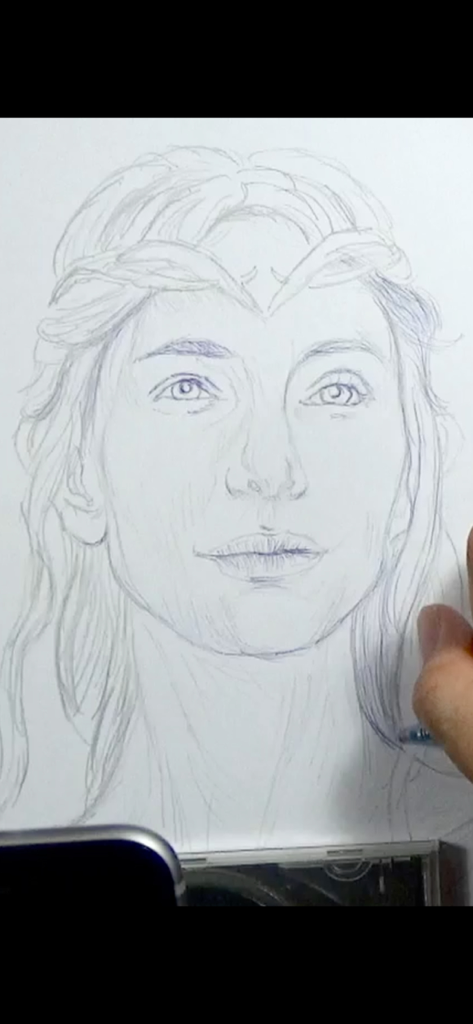
Una mano che schizza un ritratto realistico su carta utilizzando l'app di disegno AR L'Obiettivo di Vermeer.

Una mano che schizza un ritratto realistico su carta utilizzando l'app di disegno AR L'Obiettivo di Vermeer.

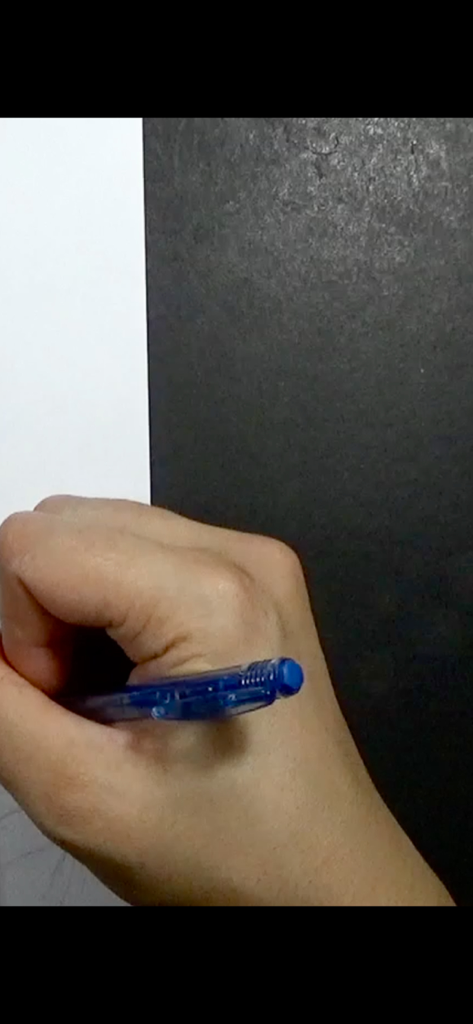
Primo piano di una mano che impugna una penna blu per disegnare su carta bianca

Primo piano di una mano che impugna una penna blu per disegnare su carta bianca

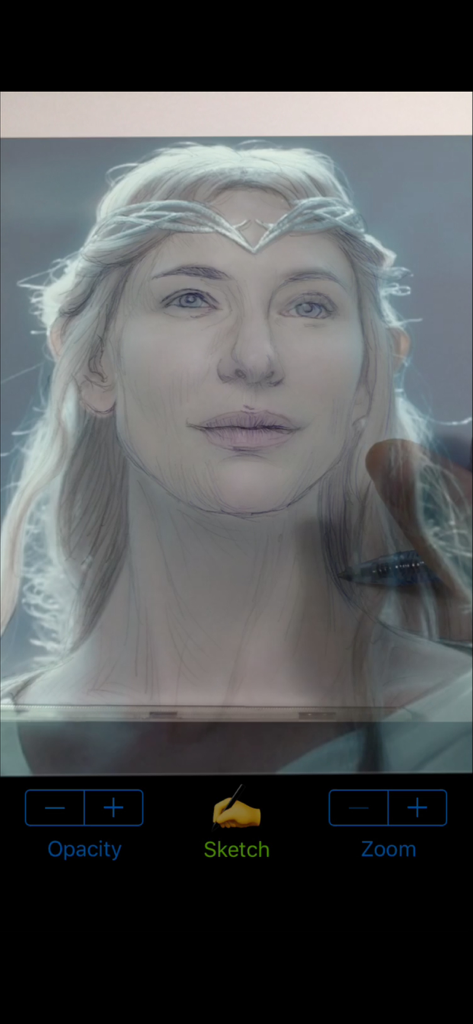
Un utente che schizza un ritratto di Galadriel su carta utilizzando la sovrapposizione dell'app di disegno AR L'Obiettivo di Vermeer

Un utente che schizza un ritratto di Galadriel su carta utilizzando la sovrapposizione dell'app di disegno AR L'Obiettivo di Vermeer

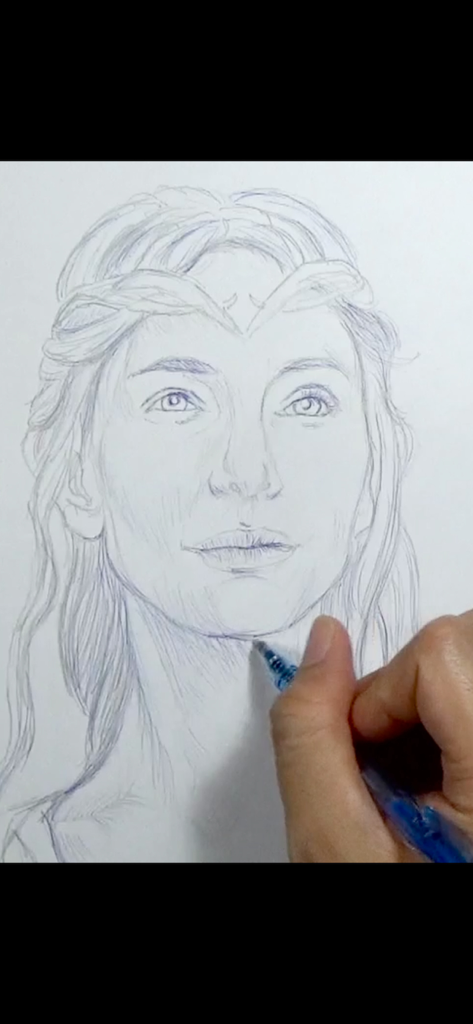
Mano che disegna un ritratto dettagliato su carta utilizzando l'app L'Obiettivo di Vermeer

Mano che disegna un ritratto dettagliato su carta utilizzando l'app L'Obiettivo di Vermeer

Una persona che usa l'app AR L'Obiettivo di Vermeer per ricalcare la foto di un ritratto su carta fisica con una matita

Una persona che usa l'app AR L'Obiettivo di Vermeer per ricalcare la foto di un ritratto su carta fisica con una matita

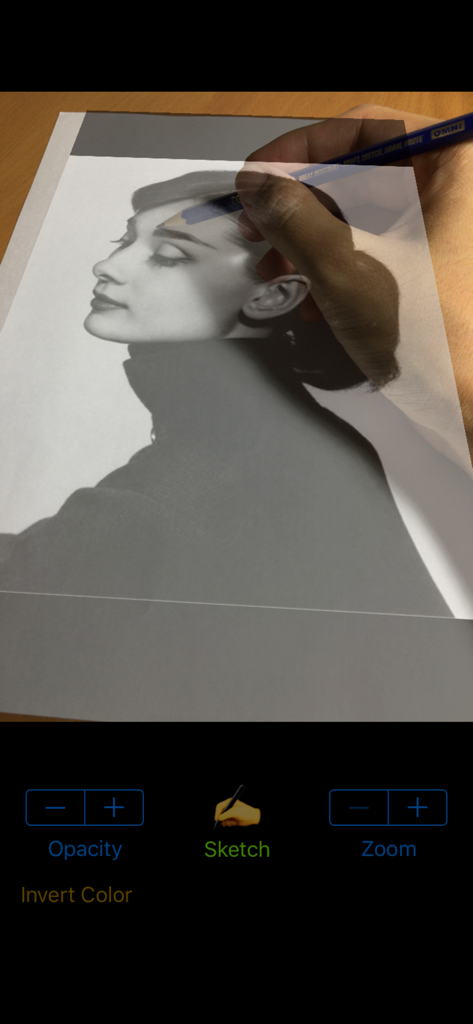
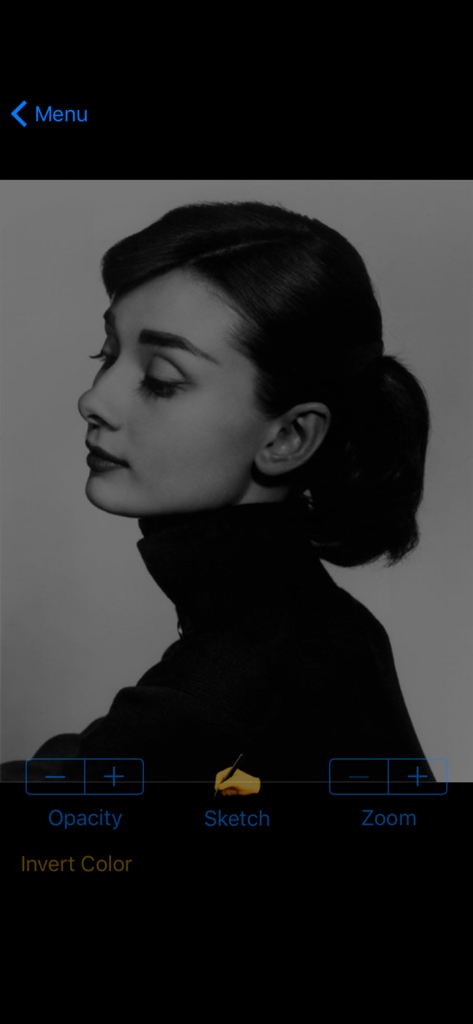
Interfaccia dell'app L'Obiettivo di Vermeer che mostra un ritratto in bianco e nero con controlli per schizzo e opacità

Interfaccia dell'app L'Obiettivo di Vermeer che mostra un ritratto in bianco e nero con controlli per schizzo e opacità

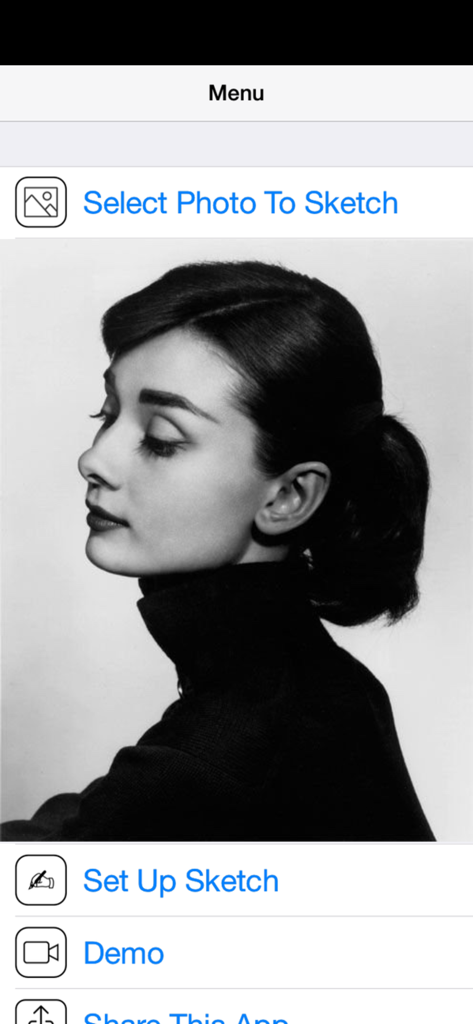
Menu principale dell'app di disegno AR L'Obiettivo di Vermeer che mostra un ritratto in bianco e nero e le opzioni per selezionare una foto da schizzare.

Menu principale dell'app di disegno AR L'Obiettivo di Vermeer che mostra un ritratto in bianco e nero e le opzioni per selezionare una foto da schizzare.

Padroneggia il Disegno Realistico con la Realtà Aumentata

Gli strumenti che rendono questa app unica, scelti da 93K+ utenti.

📽️

Proiezione AR di Precisione

Sovrapponi qualsiasi foto alla tua carta per tracciare proporzioni perfette senza sforzo, anche su dispositivi più vecchi senza ARKit.

📐

Prospettiva Dinamica

Disegna da qualsiasi angolazione. I nostri algoritmi intelligenti trasformano l'immagine per allinearla perfettamente alla posizione e all'inclinazione del tuo blocco da disegno.

🎭

Cattura Toni Realistici

Vai oltre i semplici contorni. Identifica sottili linee di contorno e aree di ombreggiatura per ottenere una profondità professionale ed effetti 3D realistici.

Amata dagli utenti di tutto il mondo

Scelto da 93K+ persone che amano questa app.

"

"Ho sempre voluto disegnare ritratti della mia famiglia, ma ho lottato con le proporzioni per anni. L'Obiettivo di Vermeer funge da supporto perfetto. Mi permette di concentrarmi sulla gioia delle sfumature e dei dettagli senza la frustrazione di dover cancellare continuamente. Il mio ultimo schizzo di mio nipote gli somiglia davvero!"

Sarah Miller
"

"Come persona che ama creare fan art ma non possiede le tecnologie più recenti, questa app è incredibile. Funziona perfettamente sul mio vecchio telefono. Poter proiettare foto di riferimento direttamente sul mio album da disegno mi ha aiutato a migliorare la coordinazione occhio-mano e a velocizzare notevolmente il mio flusso di lavoro."

Leo Thompson

Info sull'app

Tutto quello che devi sapere su Vermeer's Lens: AR Drawing.

Descrizione

* A quick sketch of Galadriel (played by Cate Blanchett) from "The Lord Of The Rings" film series; done using Vermeer's Lens, a 2B pencil and blue ballpoint pen on an A4 printer paper. ◉ Vermeer's Lens is no ordinary drawing app. It is a drawing app that helps you make real sketches on paper. ◉ Vermeer's Lens is an augmented reality drawing app that works like an AR projector. It projects any photo you've selected from your photo library on any paper or sketch books you prefer drawing on. ◉ Vermeer's Lens allows you to trace out the images you want to draw before shading. But it is more than a tracing tool, as it also allows you to capture areas of different tones and highlights - achieving a more lifelike picture.  ◉ Vermeer's Lens is a great tool for portrait drawing. ◉ Vermeer's Lens can also be used in short drawing/sketching practices for beginners. ◉ Vermeer's Lens enables even beginners to make stunning drawings. ◉ Through its precise algorithms, what is traditionally difficult, such as portraits, can now be done without the need of construction lines. ◉ This app works on most phones without using Apple's ARKit which can only run on newer high performance chips. It's a simple effective tool for a simple hobby. *** See "Developer's website" below for a video demo *** A Youtube channel (see "Developer's website") is set up to provide you with examples of Vermeer's Lens in action. Content will be regularly uploaded so long as there are people interested in this app. *** This app works on most phones without using Apple's ARKit which can only run on newer high performance chips. It is simple, reliable and stable. ________________________________________________________ How it works : > a photo is chosen from your photo library and “projected” over the paper to draw on. > This projection is achieved by imaging the paper on the phone screen, and overlaying the translucent photo onto it. > With the phone held in a phone-holder, you can use its screen as a lens, through which you trace out the photo onto the paper. > Phone can be tilted and rotated to the angle most comfortable to you, while Vermeer’s Lens transforms the photo to match the perspective of the paper. > Not just the outlines, even the different subtle tones and contours of a face could be captured, to get that 3-D effect. > Opacity of the overlaying photo could be adjusted to allow close comparison between your drawing and the photo. > The overlaying photo responds to on-screen gesture: you could move, scale and rotate the photo during sketching. > A zoom option allows you to zoom in on your drawing for delicate pencil work. in addition : > A Vermeer’s Lens channel is also created on youtube to provide our users with additional "instructions & tutorials"on the use of this app to create art (videos updated regularly). This is linked directly to the app via the “Demo” button. > You can email us for support/feedback directly via the “Contact Us” button on the main menu of the app. Or leave a message (go to the “about” tab) on our youtube channel (see “Developer’s website” below). For more info and demo: > See “Developer’s website” below

Ultima versione

1.3

Dimensione

14.3 MB

Data di lancio

9 mar 2016

Pronto a Disegnare il Tuo Primo Splendido Ritratto?

Scarica L'Obiettivo di Vermeer ora e unisciti a migliaia di appassionati che trasformano le loro foto preferite in vera arte a matita. Non è richiesto hardware costoso: bastano il tuo telefono e la carta davanti a te.

Scarica su App Store