Background Eraser: AI Remove

Background Eraser: AI Remove

ダウンロード: App Store
Spark by MWM logo
ロゴ: Background Eraser: AI Remove
Background Eraser: AI Remove - 数秒でプロ仕様の切り抜き

AIを使用して背景を即座に削除し、エッジを滑らかにし、ショップ、ソーシャルメディア、プレゼンテーション用の高解像度PNGをエクスポートするAIを1500万人以上のクリエイターが利用しています。

開発元

SUNWOONG JANG

カテゴリ

Photo & Video

ダウンロード

15M+

ユーザー評価

4.5/5

評価数

195K+

対応言語

1

すべてのピクセルに精度を

このインターフェースを利用する 15M+ 人のユーザー.

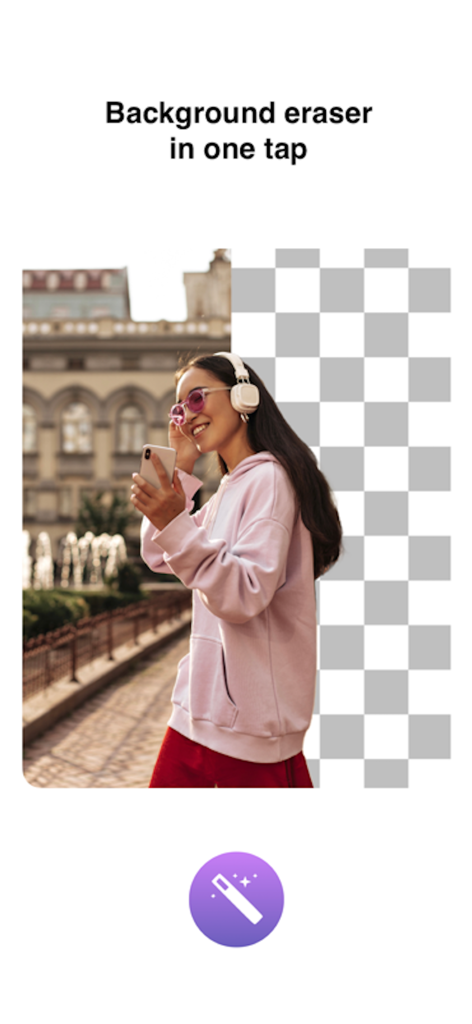
ワンタップ背景削除効果を示す女性のポートレート

ワンタップ背景削除効果を示す女性のポートレート

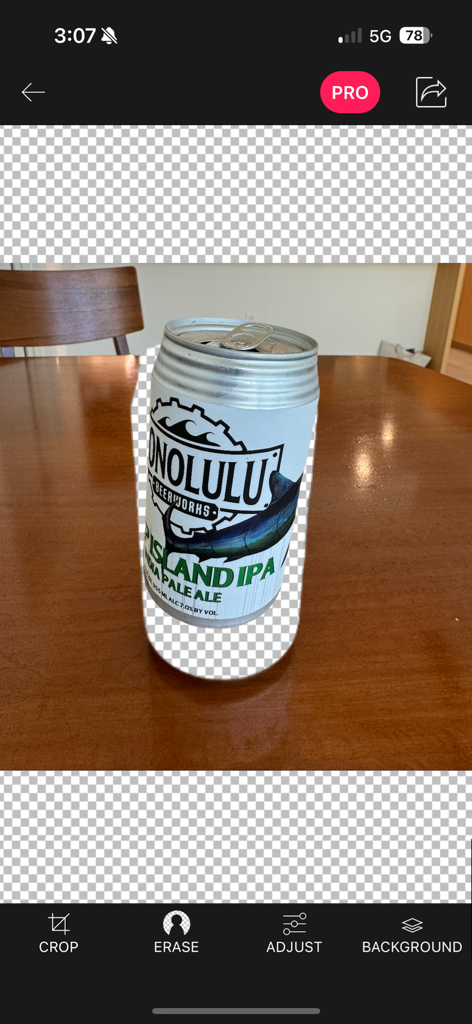
エラーツールを使用して背景から分離されたビール缶を示すモバイルアプリのインターフェイス

エラーツールを使用して背景から分離されたビール缶を示すモバイルアプリのインターフェイス

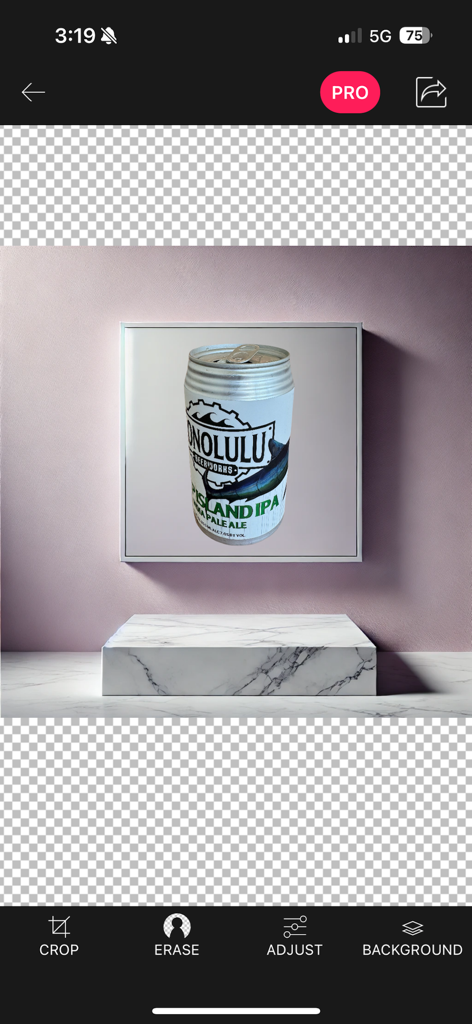
背景削除ツールを使用して大理石の台座に置かれたビール缶製品写真を示す Background Eraser アプリのインターフェイス

背景削除ツールを使用して大理石の台座に置かれたビール缶製品写真を示す Background Eraser アプリのインターフェイス

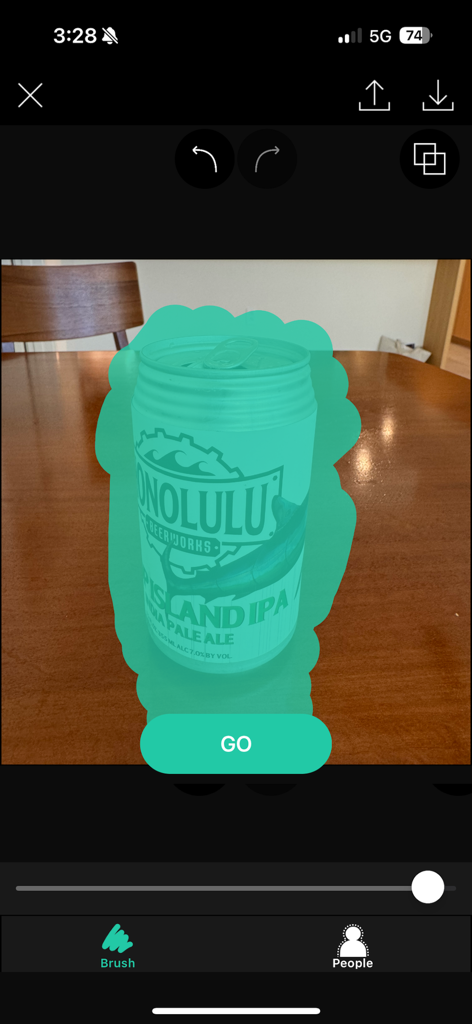
切り抜きのために缶を選択するブラシツールを備えた Background Eraser アプリのインターフェイス

切り抜きのために缶を選択するブラシツールを備えた Background Eraser アプリのインターフェイス

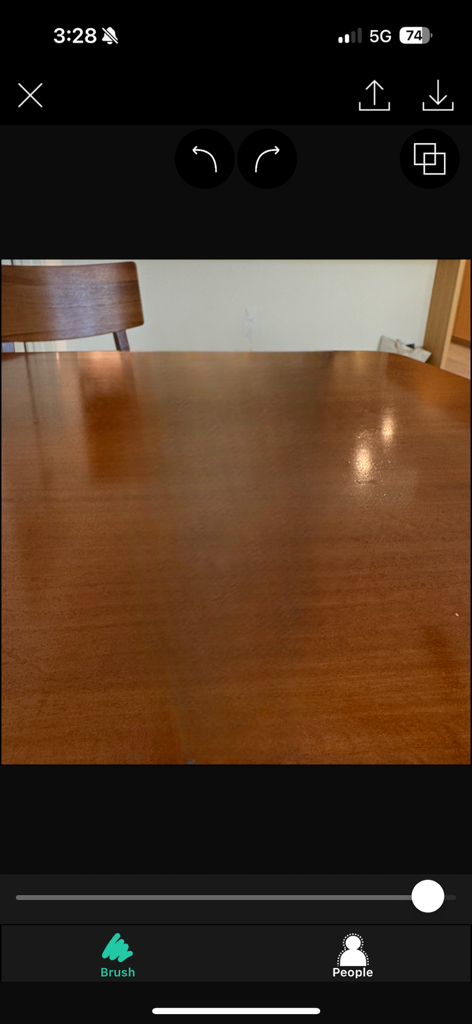
木製のテーブルの写真とブラシや人物検出などの編集ツールを示す Background Eraser アプリのインターフェイス

木製のテーブルの写真とブラシや人物検出などの編集ツールを示す Background Eraser アプリのインターフェイス

完璧な切り抜きに必要なすべて

このアプリを際立たせるツール、 15M+ 人のユーザーが選択.

🪄

ワンタップAIイレーサー

インテリジェントなカラーマッチング技術で背景を自動検出・削除し、数秒で瞬時に透明化します。

🎯

プロフェッショナルな精度

ズームおよびスムージングツールを使用してピクセルレベルで作業し、ブランドアセットのためにすべてのエッジが完全にクリーンであることを保証します。

💎

スタジオ品質の出力

超高解像度でエクスポートし、製品リストやソーシャルメディアコンテンツをどのプラットフォームでもシャープに見せます。

世界中のユーザーに愛されています

Trusted by 15M+ 人がこのアプリを愛用しています.

"

"フルタイムのPoshmarkセラーとして、このアプリは私のビジネスにとってまったくのゲームチェンジャーです。数秒で商品写真の乱雑な背景を削除でき、「スムーズ」ツールは私のリスティングをプロのスタジオ写真のように見せます。毎週何時間もの手動編集を節約できました!"

Sarah J.、ブティックオーナー
"

"数え切れないほどの背景リムーバーを試しましたが、ピクセル化なしで高解像度品質を維持できるのはこれだけです。AIは信じられないほど正確で、CanvaデザインやInstagramストーリーに直接透明PNGをエクスポートできる柔軟性が気に入っています。デジタルクリエイターにとって本当に必需品です。"

Marcus K.、コンテンツストラテジスト

アプリについて

について知っておくべきこと Background Eraser: AI Remove.

説明

This app helps to remove the background of any picture of yours and maintain transparency with just few taps. Just touch where you want to remove. "Target" function removes the area of similar color automatically. The image which one maintaining transparency background can be used with other apps ex) Keynote. Pages, etc. #Cut Out Tools – Cut images (Zoom in to work for fine pixel-level accuracy) ___#Erase/Restore : Erase/Restore the area you touched ___#Target Area Auto remove tool (Area/Color) : Remove similar color area automatically ___#Reverse tool : Reverse removed area #Crop – Crop your photos with 15 different presets feature quickly and easily. #Adjust Effect - 9 ADJUSTMENT tools (Smooth, brightness, contrast, saturation, exposure, highlights, shadows, temperature, vignette) **”Smooth” - Smoothing image edge #Add Background Photo - Remove & Change your photo background #Full Resolution - Selecting size of output picture (HQ 3264 x 3264 pixel , Normal 1600 x 1600 pixel, LQ 800 x 600 pixel) #PNG/ JPEG File Selection - Selecting size of output picture (PNG_transparent background,JPEG_white background) #Share Instagram, Facebook, Twitter, Mail, Other Apps Terms of Use: https://sites.google.com/view/noonus-ltd/terms-condition Privacy Policy: https://sites.google.com/view/noonus-ltd/privacy-policy SUBSCRIPTION INFO: • Subscription for Background Eraser for full access to all features. • Subscription length: 12 months. • Your payment will be charged to your iTunes Account as soon as you confirm your purchase. • You can manage your subscriptions and turn off auto-renewal from your Account Settings after the purchase. • Your subscription will renew automatically, unless you turn off auto-renew at least 24 hours before the end of the current period. • The cost of renewal will be charged to your account in the 24 hours prior to the end of the current period. • When canceling a subscription, your subscription will stay active until the end of the period. Auto-renewal will be disabled, but the current subscription will not be refunded. • Any unused portion of a free trial period, if offered, will be forfeited when purchasing a subscription.

最新バージョン

2.4.0

サイズ

363.0 MB

リリース日

Feb 18, 2014

プロのように作成する準備はできましたか?

AIを使用して数秒でピクセルパーフェクトな切り抜きを取得する1500万人以上のクリエイターの仲間入りをしましょう。今すぐダウンロードして、あなたのサイドハッスルにプロフェッショナルなエッジを与えましょう。

ダウンロード: App Store
FAQ

よくある質問

について知っておくべきこと Background Eraser: AI Remove

「Background Eraser: AI Remove」アプリは何をするアプリですか?

「Background Eraser: AI Remove」アプリは、数回のタップで写真の背景を削除します。ユーザーは透明度を維持したり、写真に新しい背景を追加したりできます。

「Background Eraser: AI Remove」には自動背景削除機能がありますか?

はい、「Background Eraser: AI Remove」には、類似した色の領域を自動的に削除する「Target Area Auto remove tool」が含まれています。ユーザーはタッチして特定の領域を削除することもできます。

「Background Eraser: AI Remove」はどのようなファイル形式で出力をサポートしていますか?

「Background Eraser: AI Remove」は、透明な背景の場合はPNGファイル、白い背景の場合はJPEGファイルとして画像をエクスポートすることをサポートしています。ユーザーが希望の形式を選択します。

「Background Eraser: AI Remove」で新しい背景を追加できますか?

はい、「Background Eraser: AI Remove」では、元の背景を削除した後、新しい背景写真を追加できます。この機能は編集ツールの一部です。

「Background Eraser: AI Remove」のすべての機能にアクセスするにはサブスクリプションが必要ですか?

はい、「Background Eraser: AI Remove」のすべての機能にフルアクセスするにはサブスクリプションが必要です。サブスクリプションは12ヶ月間有効です。

「Background Eraser: AI Remove」のサブスクリプションを管理するにはどうすればよいですか?

購入後、iTunesアカウント設定から「Background Eraser: AI Remove」のサブスクリプションを管理し、自動更新をオフにすることができます。

「Background Eraser: AI Remove」アプリで利用できる調整ツールは何ですか?

「Background Eraser: AI Remove」アプリには9つの調整ツールがあります。これには、スムージング、明るさ、コントラスト、彩度、露出、ハイライト、シャドウ、色温度、ビネットが含まれます。

「Background Eraser: AI Remove」から直接画像を共有できますか?

はい、「Background Eraser: AI Remove」では画像の直接共有が可能です。編集した写真をInstagram、Facebook、Twitter、メールなどのアプリケーションに共有できます。

「Background Eraser: AI Remove」ではどのような出力解像度が提供されますか?

「Background Eraser: AI Remove」では、複数の出力解像度が提供されます。オプションには、HQ(3264x3264ピクセル)、Normal(1600x1600ピクセル)、LQ(800x600ピクセル)があります。

「Background Eraser: AI Remove」で精密な編集に使用できる切り抜きツールは何ですか?

「Background Eraser: AI Remove」には、精密な編集のためのいくつかの切り抜きツールがあります。これには、Erase/Restore、Target Area Auto remove、および削除された領域を管理するためのReverseツールが含まれます。