Capture 365 Journal

Capture 365 Journal

ダウンロード: App Store
Spark by MWM logo
ロゴ: Capture 365 Journal

Capture 365 Journal:人生の旅路を記録する洗練されたデジタルアーカイブ

プロフェッショナル級の自動化、マルチデバイス同期、安全な暗号化により、あなたの世界をシームレスに記録します。ソーシャルメディアのフィードから個人的な内省まで、あらゆる節目をiPhone、iPad、Macに保存しましょう。

開発元

Sockii Pty Ltd

カテゴリ

Lifestyle

ダウンロード

212K+

ユーザー評価

4.0/5

評価数

300

対応言語

2

あなたの人生を可視化

このインターフェースを利用する 212K+ 人のユーザー.

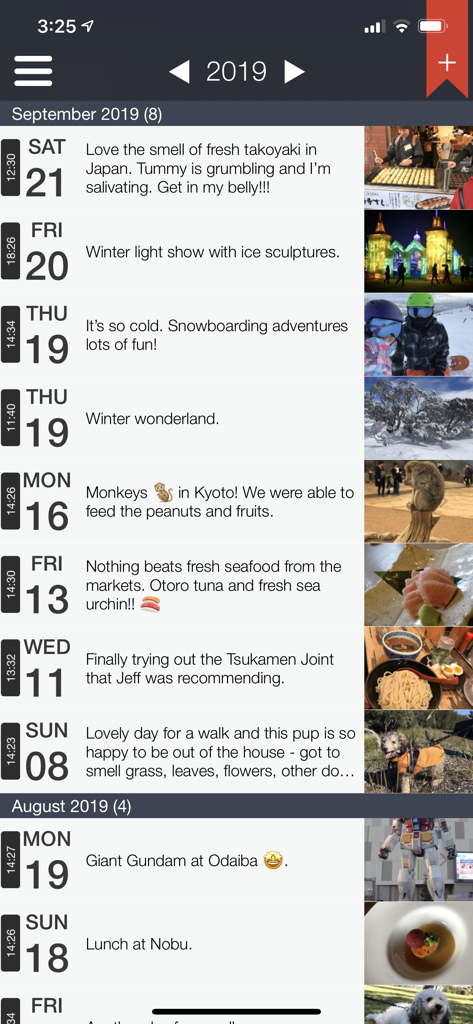
旅行の思い出や写真を表示するCapture 365 Journalのエントリのタイムラインビュー

旅行の思い出や写真を表示するCapture 365 Journalのエントリのタイムラインビュー

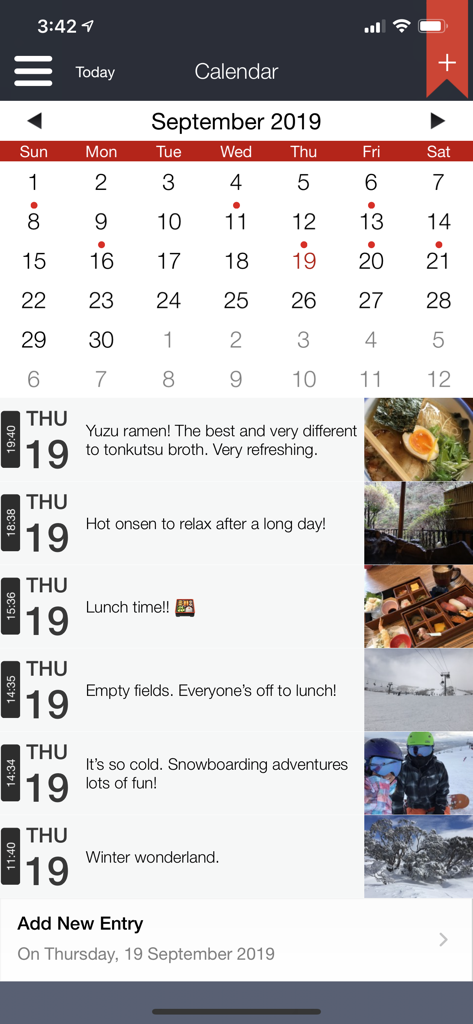
写真と説明付きのエントリの月間カレンダービューと日次タイムラインを表示するCapture 365 Journalアプリ

写真と説明付きのエントリの月間カレンダービューと日次タイムラインを表示するCapture 365 Journalアプリ

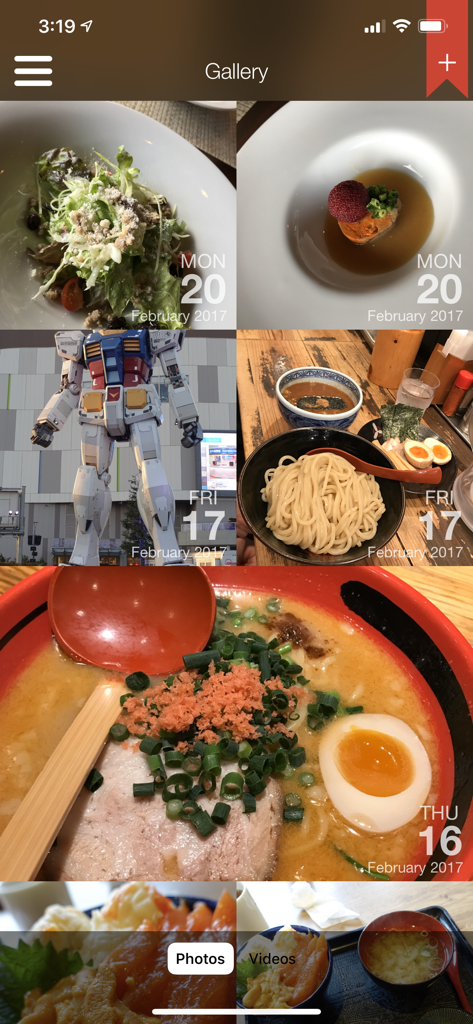
日付入りの思い出がグリッド状に並ぶCapture 365 Journalアプリのフォトギャラリービュー

日付入りの思い出がグリッド状に並ぶCapture 365 Journalアプリのフォトギャラリービュー

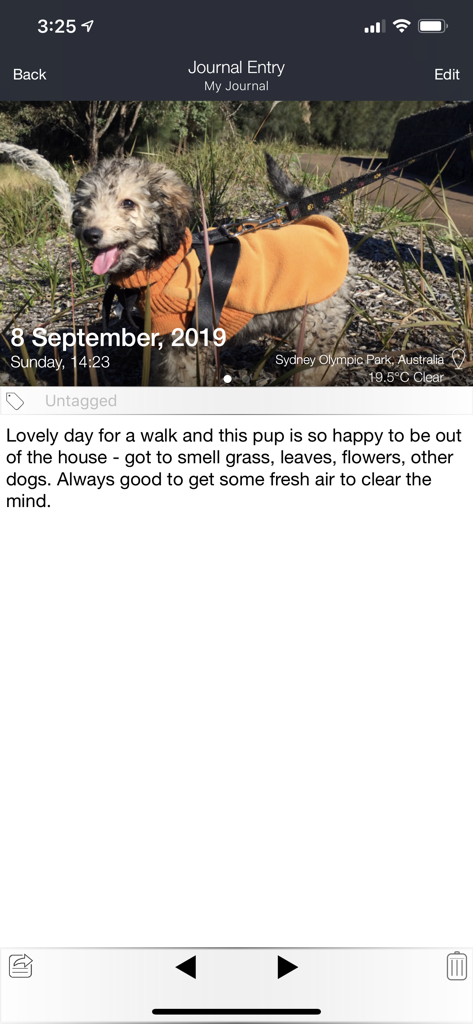
自動的な天気と位置情報のタグ付けが行われた写真エントリを表示するCapture 365 Journalのモバイルビュー

自動的な天気と位置情報のタグ付けが行われた写真エントリを表示するCapture 365 Journalのモバイルビュー

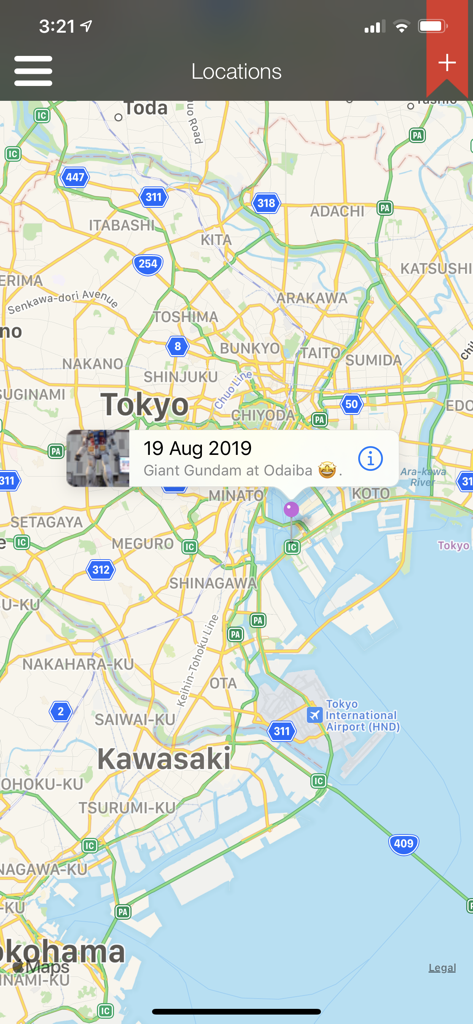
東京にピン留めされた写真付きの旅行記を表示するCapture 365 Journalのマップビュー

東京にピン留めされた写真付きの旅行記を表示するCapture 365 Journalのマップビュー

人生の旅路を、手間なくキャプチャ

このアプリを際立たせるツール、 212K+ 人のユーザーが選択.

スマートな自動化

ソーシャルメディアの投稿、カレンダーのイベント、位置情報をプライベートなタイムラインに自動的にインポートすることで、「白紙のページ」問題を解消します。

💻

シームレスなAppleエコシステム

パワーユーザー向けに設計。iPhoneで日記を書き始め、Apple Watchから写真を追加し、Macで思考を仕上げる。iCloudの即時同期で可能です。

🔒

プライベートで暗号化

あなたの内面の世界は安全です。Touch ID、Face ID、業界標準の暗号化で思い出を保護し、詮索好きな目からデータを守ります。

世界中のユーザーに愛されています

Trusted by 212K+ 人がこのアプリを愛用しています.

"

"365+の自動化は、私のような忙しいプロフェッショナルにとって本当に助かる機能です。位置情報や写真を自動的に取り込んでくれるので、日記を書く際の手間ではなく、自分の思考に集中できます。プライバシー機能もしっかりしており、すべてのデバイスで個人の日記が安全に守られているので安心です。"

Sarah Jenkins
"

"エコシステムの統合が完璧です。ハイキング中にApple Watchで書き始め、帰宅してからMacで仕上げることがよくあります。1年分すべてをプロフェッショナルなPDFドキュメントとして書き出せる機能は、旅行の思い出を高品質な形式で保存するためにまさに探していたものでした。"

David Miller

アプリについて

について知っておくべきこと Capture 365 Journal.

説明

Capture 365 Journal is a beautiful and easy to use diary/journal. You will have complete access to your journals all the time, allowing you capture your thoughts and special moments throughout the day. KEY FEATURES - Sync with iCloud, Dropbox or 365 Direct Sync. - Sync with Capture 365 Journal Mac. - Shared Syncing with other people.* - Cloud Sync service data encryption. - Location and Weather. - Multiple photos and videos. - Add multiple journal entries each day - Multiple journal tags per entry. - Automatically import events and social media posts* to your journals. - Passcode & Touch ID protection. - Automated backups. - Export your journals as email, PDF or RTF by dates and tags. - Custom font style and sizing. - Search and view your journals by tags and locations. - Reminders. - Supports right to left writing direction. - User customisable templates. - Rich text support. - Multiple journal support. - 365+ Automation (Automatic Journaling)* Sync Support Sync and store your data on cloud services such as iCloud or Dropbox. Alternatively, sync using 365 Direct Sync. 365 Direct Sync will transmit directly to your other devices over your local network. Keep your journals in sync - no matter if you're on the Mac, iPad or iPhone. Shared Syncing* Create, edit, view and sync your journal entries with your family and friends. Multiple Photos and Videos Attach multiple photos and videos to each of your journal entries. Location and Weather Add a location to your journal entry, so you will always remember where the event took place. Records weather conditions for the location as well. 365+ Automation (Automatic Journaling)* Automatically create entries based on places you have visited throughout your day. Photos taken will be imported into corresponding entries. Feed Support Automatically import Calendar events and posts from Facebook*, Twitter*, Flickr* and Instagram* into your journal. *feature requires in-app purchase Exporting Export journals - filtered by date and tags - as a beautifully generated PDF or RTF document, which can be emailed out. Backups Automated system that handles the data backups for you, which can be stored on iCloud. SUPPORT Please write to us instead of submitting bugs or questions in an App Store review. Visit us at www.sockii.com Contact us at support@sockii.com *The 365+ Automation feature includes access to all Feeds and shared syncing. This feature is subscription based. The duration of this subscription is for 1 year (US$4.49). Payment will be charged to iTunes Account at confirmation of purchase. Subscription automatically renews unless auto-renew is turned off at least 24-hours before the end of the current period. Account will be charged for renewal within 24-hours prior to the end of the current period, and identify the cost of the renewal. Subscriptions may be managed by the user and auto-renewal may be turned off by going to the user's Account Settings after purchase. No cancellation of the current subscription is allowed during active subscription period. Privacy Policy: http://capture365journal.com/privacy.html Terms of Use: http://capture365journal.com/terms.html

最新バージョン

3.7.10

サイズ

78.0 MB

リリース日

Sep 23, 2015

あなたの人生のストーリーをアーカイブする準備はできましたか?

日記をシームレスな習慣にしている何千人ものプロフェッショナルたちの仲間入りをしましょう。今日からiPhone、iPad、Macでデジタルな遺産作りを始めましょう。

ダウンロード: App Store