Contacts Sync: Google & More

Contacts Sync: Google & More

ダウンロード: App Store
Spark by MWM logo
ロゴ: Contacts Sync: Google & More
連絡先同期:Googleなど:iPhoneとワークアカウントのための究極の双方向同期

Google、Outlook、iPhoneのギャップを埋める#1同期アプリを信頼する1000万人以上のプロフェッショナルに加わりましょう。連絡先を簡単にマージし、グループを同期し、信頼性の高い24時間年中無休のバックグラウンド自動化で重複を排除します。

開発元

Playa Apps

カテゴリ

Productivity

ダウンロード

7M+

ユーザー評価

4.5/5

評価数

52K+

対応言語

11

一目でわかるシームレスなコントロール

このインターフェースを利用する 7M+ 人のユーザー.

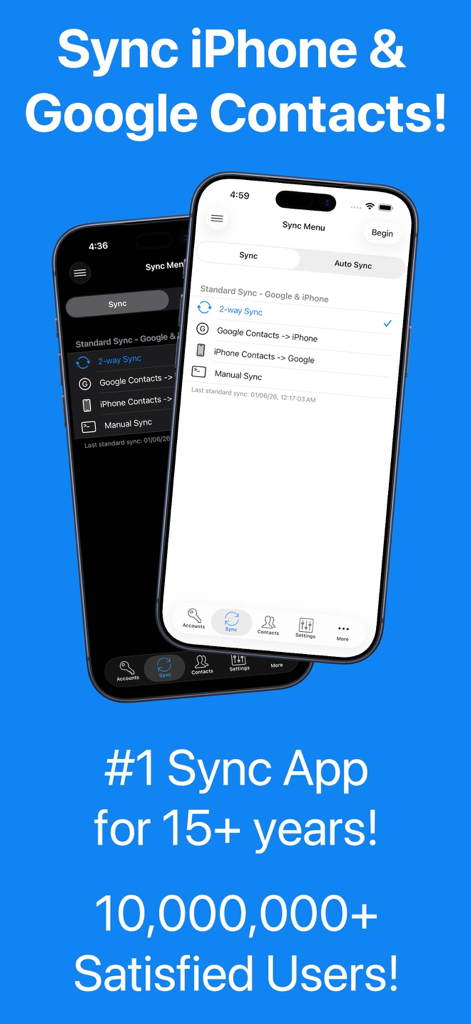
連絡先同期アプリのインターフェース。GoogleとiPhoneの連絡先間の双方向同期オプションが表示されています。

連絡先同期アプリのインターフェース。GoogleとiPhoneの連絡先間の双方向同期オプションが表示されています。

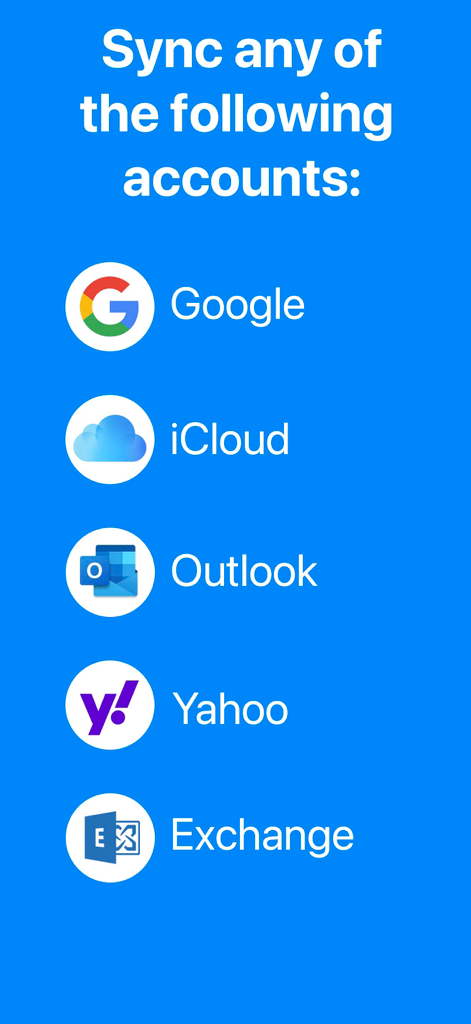
Google、iCloud、Outlook、Yahoo、Exchangeを含む、サポートされている同期アカウントのリスト

Google、iCloud、Outlook、Yahoo、Exchangeを含む、サポートされている同期アカウントのリスト

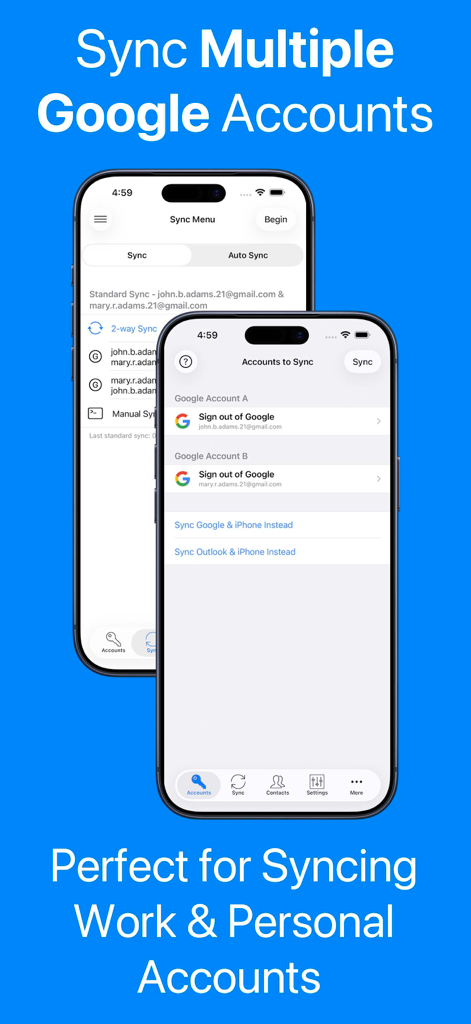
連絡先同期アプリをiPhoneで使用して、複数のワークアカウントとプライベートアカウントのGoogle連絡先を同期する方法を示すスクリーンショット。

連絡先同期アプリをiPhoneで使用して、複数のワークアカウントとプライベートアカウントのGoogle連絡先を同期する方法を示すスクリーンショット。

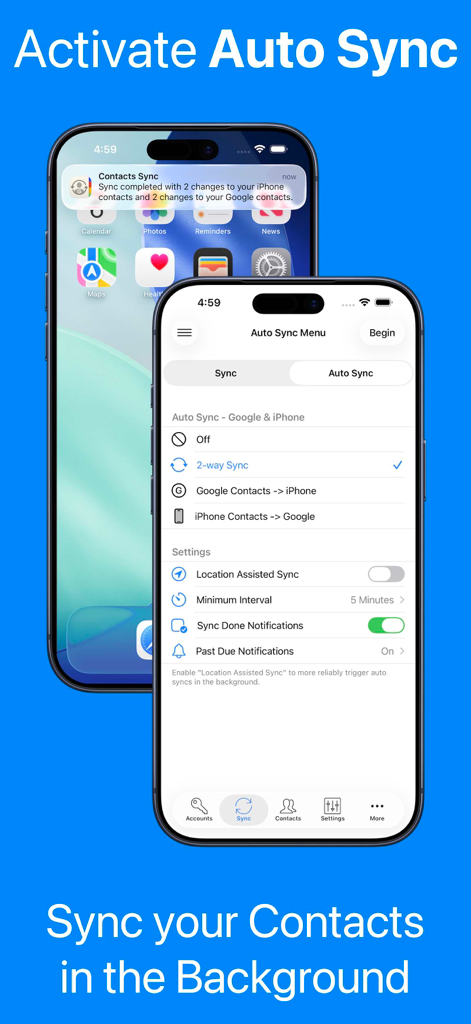
連絡先同期アプリの自動同期設定と、iPhoneでのバックグラウンド同期通知を示すスクリーンショット。

連絡先同期アプリの自動同期設定と、iPhoneでのバックグラウンド同期通知を示すスクリーンショット。

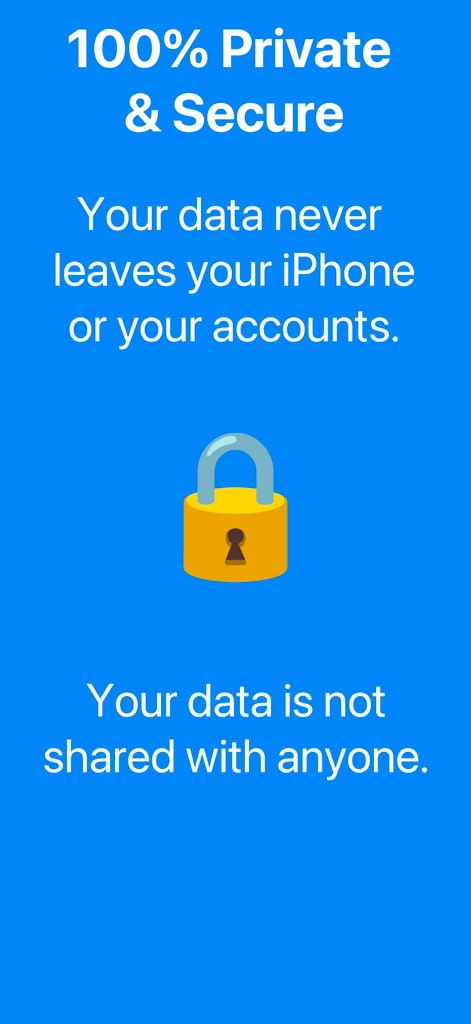
アプリは100%プライベートで安全であることを示す青い情報画面。黄色の南京錠アイコンが付いています。

アプリは100%プライベートで安全であることを示す青い情報画面。黄色の南京錠アイコンが付いています。

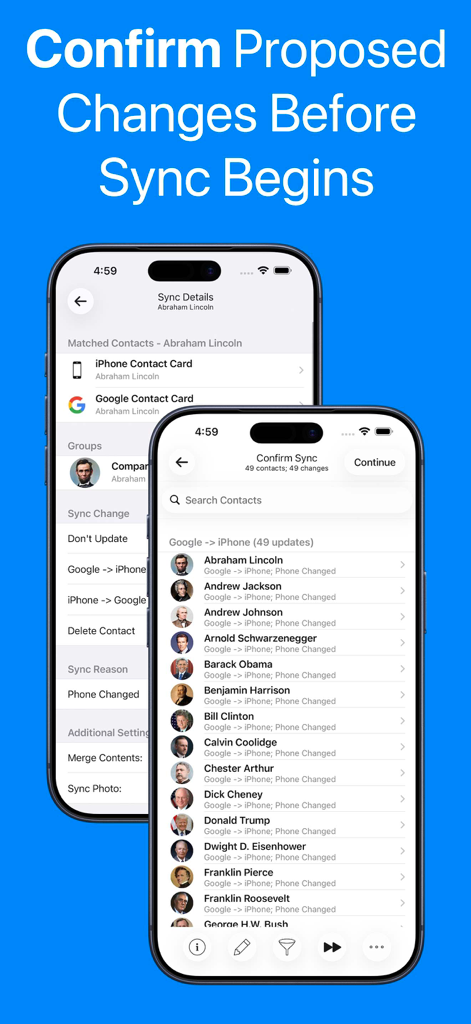
連絡先更新リストと同期詳細が表示され、GoogleアカウントとiPhoneアカウントを同期する前に変更を確認するインターフェース。

連絡先更新リストと同期詳細が表示され、GoogleアカウントとiPhoneアカウントを同期する前に変更を確認するインターフェース。

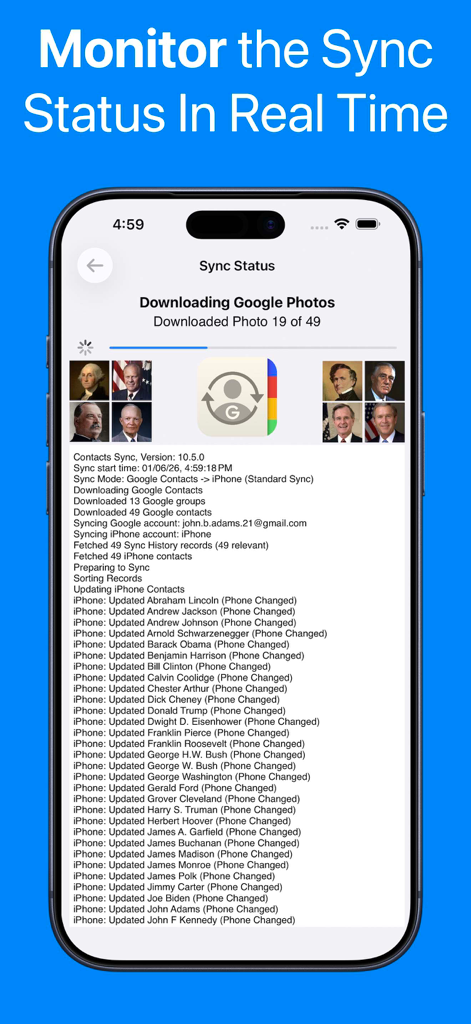
進捗バーと詳細な連絡先更新ログを示すリアルタイム同期ステータス画面。

進捗バーと詳細な連絡先更新ログを示すリアルタイム同期ステータス画面。

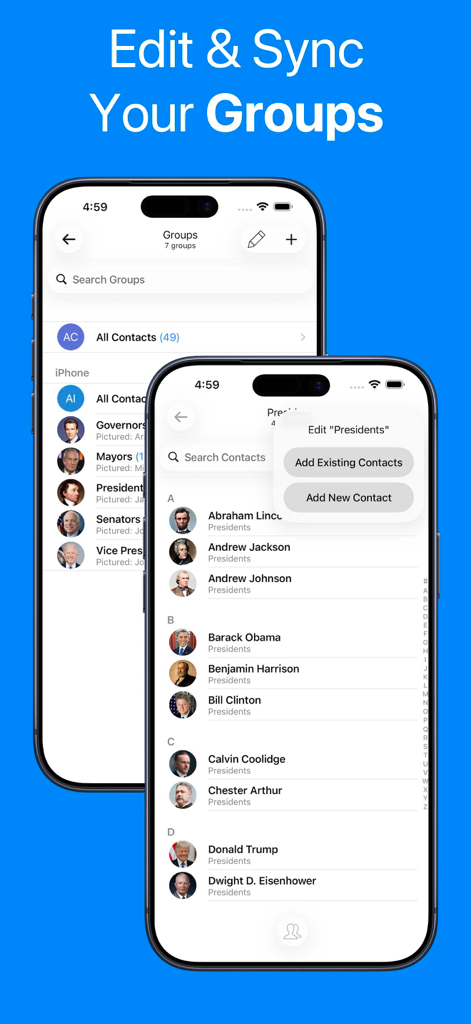
iPhoneで連絡先グループ管理と同期機能を示すモバイルアプリインターフェース。

iPhoneで連絡先グループ管理と同期機能を示すモバイルアプリインターフェース。

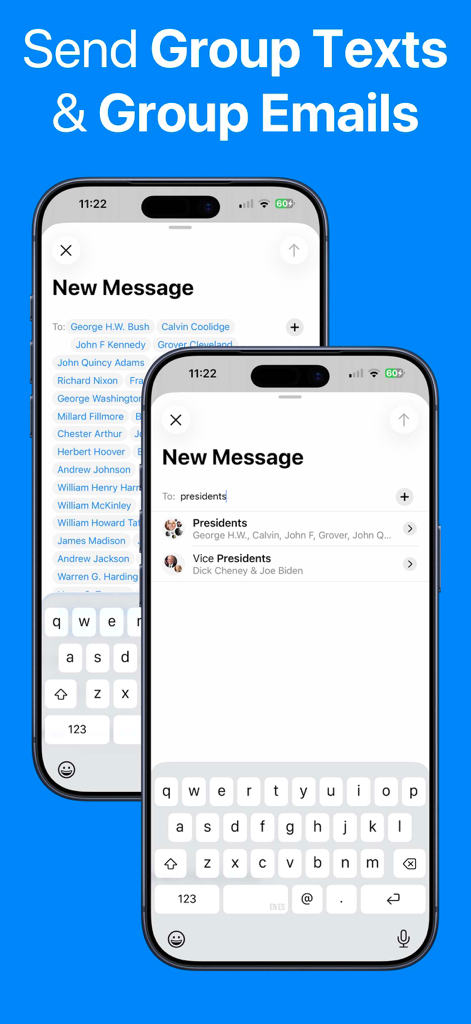
同期された連絡先グループを使用してグループテキストやメールを送信する機能を示すiPhone画面。

同期された連絡先グループを使用してグループテキストやメールを送信する機能を示すiPhone画面。

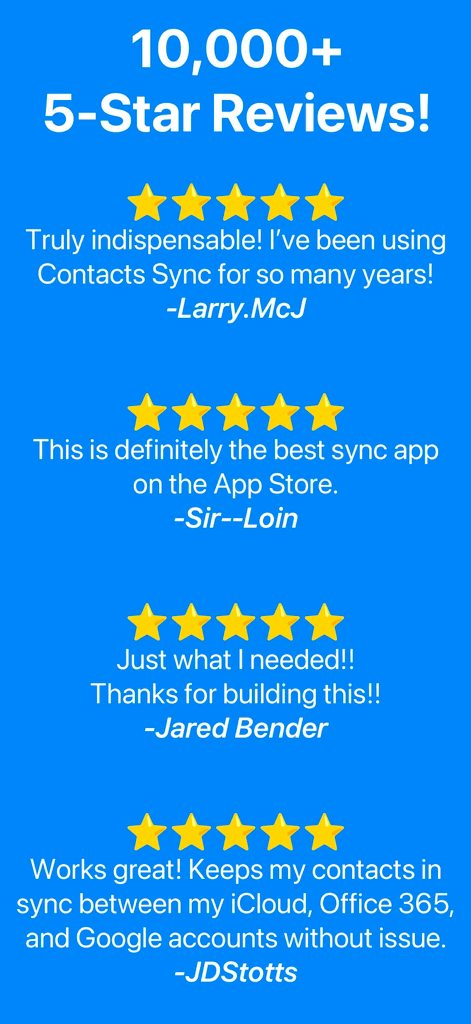
連絡先同期アプリの5つ星のユーザーレビューのコレクション。10,000件以上のレビューがあり、その信頼性と人気を示しています。

連絡先同期アプリの5つ星のユーザーレビューのコレクション。10,000件以上のレビューがあり、その信頼性と人気を示しています。

よりスマートに同期、より楽に

このアプリを際立たせるツール、 7M+ 人のユーザーが選択.

🔄

真の双方向同期

デスクトップで連絡先を更新すると、iPhoneに即座に反映されます。Google、Outlook、iCloud間の完璧な双方向ハーモニーを体験してください。

👥

グループとラベルの同期

GoogleラベルとOutlookカテゴリは、iPhoneグループとして自動的に変換されます。外出先でも、クライアントやチームにグループメッセージやメールを簡単に送信できます。

🛡️

設定して忘れるだけ

バックグラウンド同期と重複削除機能が24時間年中無休でデジタル整理を行います。アドレス帳が完璧に保たれるように、私たちはバックグラウンドで作業します。あなたはビジネスに集中してください。

世界中のユーザーに愛されています

Trusted by 7M+ 人がこのアプリを愛用しています.

"

"不動産業者として、クライアントへの迅速な連絡のために、Googleの連絡先ラベルをiPhoneのグループとして反映させる必要があります。このアプリは、グループメッセージを即座に送信できる完璧な同期を処理できる唯一のアプリです。手作業でのデータ入力を何時間も節約してくれました。"

Sarah M., Senior Realtor
"

"私はOutlookでプロフェッショナルな生活を管理し、iPhoneでプライベートな生活を管理しています。双方向同期は完璧で、重複削除機能がついに私の散らかったアドレス帳をきれいにしました。これは、バックグラウンドで機能する真の「設定して忘れる」ソリューションです。"

David L., Project Manager

アプリについて

について知っておくべきこと Contacts Sync: Google & More.

説明

••• SYNC GOOGLE, ICLOUD, & OUTLOOK! ••• #1 SYNC APP FOR 15+ YEARS! ••• TRUSTED BY 10,000,000+ USERS! With Contacts Sync, you can quickly & easily sync your Google or Outlook contacts with iPhone, giving you access to your contacts wherever you go. This app distinguishes itself with its reliability, ease of use, speed, and with a true "2-way sync" that merges changes made to either account. This is the #1 app for syncing contacts both in terms of downloads & reviews. Also of significance, this app syncs your Google labels or Outlook categories with your iPhone lists. For instance, you may have organized your Google contacts into groups such as "friends," "family," and "coworkers." After a sync, your iPhone and Google groups will match. With your groups configured on iPhone, you can easily send group emails or group messages. SYNC THE FOLLOWING ACCOUNTS: • Sync Google with iPhone • Sync Outlook with iPhone • Sync 2 Google accounts SYNC ANY IPHONE ACCOUNT: • Choose to sync all of your iPhone contacts, or choose to sync contacts from a specific iPhone account, such as iCloud, a local iPhone address book, Outlook, or a CardDAV account SYNC TYPES: • Choose from one of the following sync types: 2-Way Sync, 1-Way Sync, and Manual Sync • Choose a 2-Way Sync to sync changes in both directions • Choose a 1-Way Sync to transfer changes in one direction only • Choose a Manual Sync to sync specific contacts only SYNCS ALL FIELDS: • Syncs all fields including names, phonetic names, nicknames, email addresses, phone numbers, postal addresses, company names, job titles, departments, birthdays, anniversaries, events, notes, web page addresses, relationships, instant messaging accounts, & social profiles • Syncs contact photos • Syncs custom labels & custom fields INITIAL SYNC: • During the initial sync, the contents of matching contacts will be merged CONFIRM CHANGES BEFORE SYNCING: • Review each change before the sync actually begins AUTOMATIC SYNC: • Automatically syncs contacts in the background 24/7 APPLY FILTERS INCLUDING GROUP FILTER: • Apply the group filter, new contact filter, and more! DUPLICATE CONTACTS: • Eliminate duplicate contacts in Google directly from the app, and then sync to remove the same duplicates from iPhone SUBSCRIPTIONS: • Contacts Sync offers a "Premium" subscription which unlocks all of the premium features in the app, including the ability to sync an unlimited numbers of contacts and to auto sync in the background. • Without an upgrade, the app will sync no more than 40 contacts • The "Premium" subscription is priced at $1.99 USD per week, $2.99 USD per month, or $9.99 USD per year • Payment will be charged to iTunes Account at confirmation of purchase • Subscription automatically renews unless auto-renew is turned off at least 24-hours before the end of the current period • Account will be charged for renewal within 24-hours prior to the end of the current period • Subscriptions may be managed by the user and auto-renewal may be turned off by going to the user's Account Settings after purchase • Any unused portion of a free trial period, if offered, will be forfeited when the user purchases a subscription to that publication, where applicable • Terms of use: https://playaapps.zendesk.com/hc/articles/360004197333 • Privacy Policy: https://playaapps.zendesk.com/hc/articles/226767688

最新バージョン

10.5.0

サイズ

32.2 MB

リリース日

Aug 22, 2011

二度と手動で同期しない1000万人のプロフェッショナルに加わる

世界で最も信頼されている双方向同期でアドレス帳を管理しましょう。時間を節約し、重複を排除し、ビジネスを24時間年中無休で推進し続けましょう。

ダウンロード: App Store
FAQ

よくある質問

について知っておくべきこと Contacts Sync: Google & More

Contacts Syncとは何ですか?どのような機能がありますか?

Contacts Syncは、iPhoneとGoogle、iCloud、Outlookなどのサービス間で連絡先を同期するiOSアプリです。連絡先データを信頼性高く、高速かつ簡単に、双方向同期できます。

Contacts Syncは複数のGoogleアカウントの同期をサポートしていますか?

はい、Contacts Syncは複数のGoogleアカウントとiPhoneとの同期をサポートしています。この機能により、仕事用と個人用のアカウントの両方の連絡先をシームレスに管理および統合できます。

Contacts Syncはどのような同期タイプを提供していますか?

Contacts Syncは、双方向の変更に対応する2方向同期、一方通行の変更に対応する1方向同期、特定の連絡先に対応する手動同期の3種類の同期を提供します。

Contacts Syncは連絡先を自動的に更新できますか?

はい、Contacts Syncには自動同期機能が含まれています。これにより、アプリはバックグラウンドで継続的に連絡先を同期し、24時間年中無休で最新の状態を保つことができます。

Contacts Syncではユーザーデータはプライベートで安全ですか?

はい、Contacts Syncは100%のプライバシーとセキュリティを保証します。サーバーやクラウドストレージを使用せず、データを再販せず、すべてのユーザーデータをiPhone上にのみ保持します。

Contacts Syncは連絡先グループと連携しますか?

はい、Contacts SyncはGoogleラベルまたはOutlookカテゴリをiPhoneリストと同期することで、連絡先グループと連携します。これにより、ユーザーはグループメールやメッセージを簡単に送信できます。

Contacts Syncはどのような連絡先情報を同期しますか?

Contacts Syncはすべての連絡先フィールドを同期します。これには、名前、電話番号、メールアドレス、住所、会社情報、誕生日、写真、カスタムラベル、カスタムフィールドが含まれます。

Contacts Sync Premiumサブスクリプションの料金はいくらですか?

Contacts Sync Premiumサブスクリプションは、週1.99ドル、月2.99ドル、年9.99ドルです。このサブスクリプションにより、無制限の連絡先同期と自動同期機能が利用可能になります。

Contacts Syncが開始する前に変更を確認できますか?

はい、Contacts Syncでは、同期プロセスが開始される前に提案されたすべての変更を確認できます。この機能により、すべての連絡先更新についてユーザーの確認が得られます。

Contacts SyncでPremiumサブスクリプションがない場合の連絡先同期の制限はありますか?

Premiumサブスクリプションがない場合、Contacts Syncでは同期は最大40件の連絡先に制限されます。Premiumにアップグレードすると、この制限がなくなり、自動同期などの追加機能が利用可能になります。