DJM-REC: DJ live/recording app

DJM-REC: DJ live/recording app

ダウンロード: App Store
Spark by MWM logo
ロゴ: DJM-REC: DJ live/recording app
DJM-REC:プロ品質のDJレコーディングとライブストリーミングをシンプルに

Pioneer DJミキサーにケーブル1本で接続し、高忠実度のセットを録音。トラックリストを自動作成し、クラブで再生可能なミックスをSoundCloud、Mixcloud、Twitchに直接共有。

開発元

AlphaTheta Corporation

カテゴリ

Entertainment

ダウンロード

66K+

ユーザー評価

3.2/5

評価数

1000

対応言語

12

プロブースをポケットサイズに

このインターフェースを利用する 66K+ 人のユーザー.

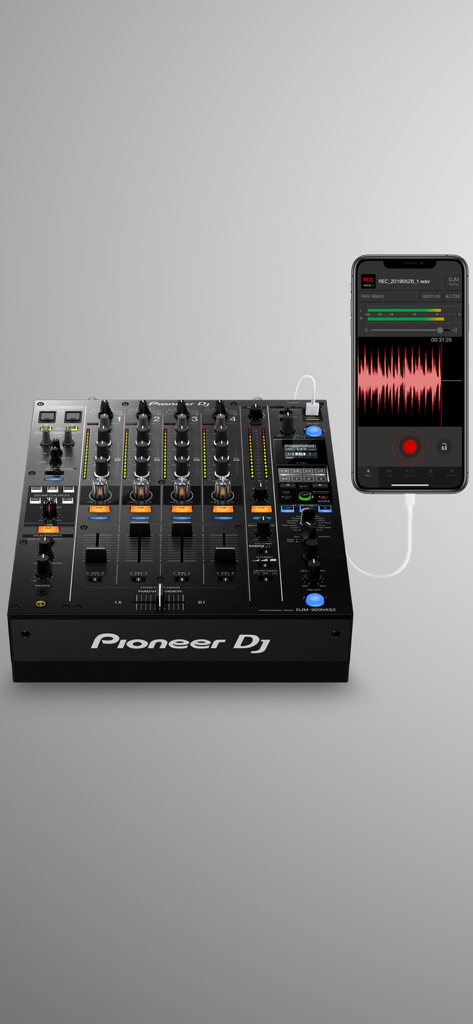
Pioneer DJミキサーに接続されたiPhoneが表示され、録音中のDJM-RECアプリのインターフェイスを示しています

Pioneer DJミキサーに接続されたiPhoneが表示され、録音中のDJM-RECアプリのインターフェイスを示しています

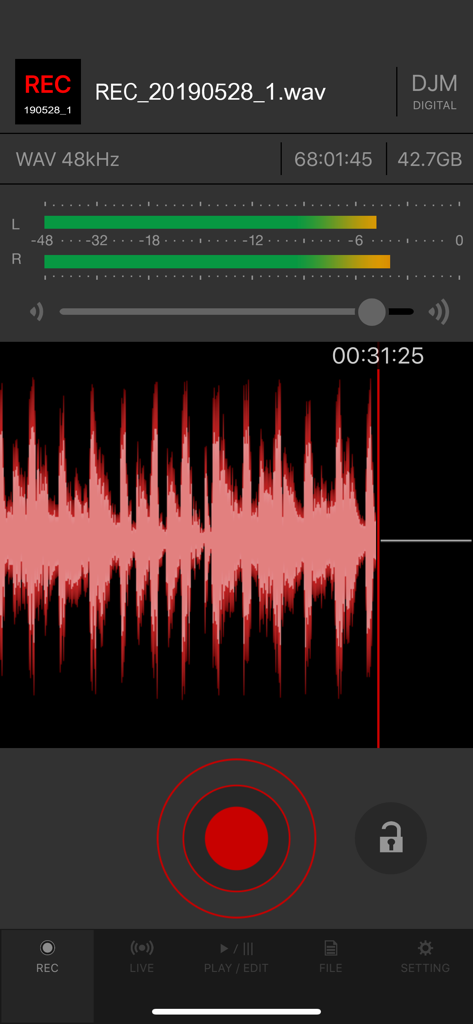
DJM-RECアプリの録音画面、赤い波形とオーディオレベルメーターが表示されています

DJM-RECアプリの録音画面、赤い波形とオーディオレベルメーターが表示されています

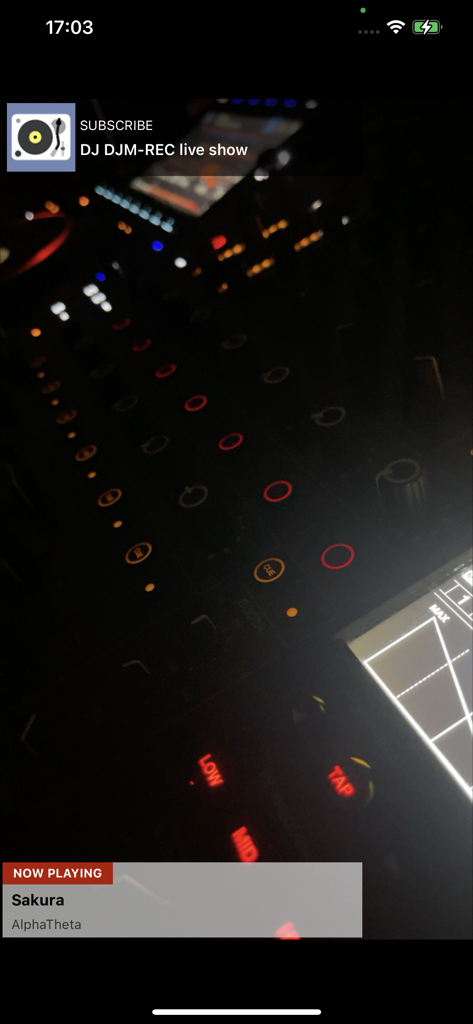
DJM-RECアプリのライブショーインターフェイス、トラック情報とプロフェッショナルDJミキサーが表示されています

DJM-RECアプリのライブショーインターフェイス、トラック情報とプロフェッショナルDJミキサーが表示されています

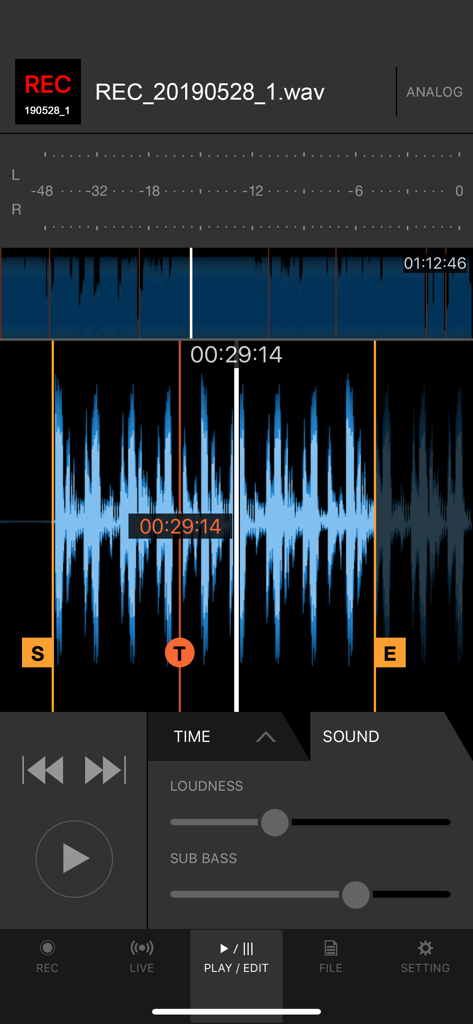
DJM-RECアプリのインターフェイス、録音を編集するためのラウドネスとサブベーススライダーが表示されたオーディオ波形を示しています

DJM-RECアプリのインターフェイス、録音を編集するためのラウドネスとサブベーススライダーが表示されたオーディオ波形を示しています

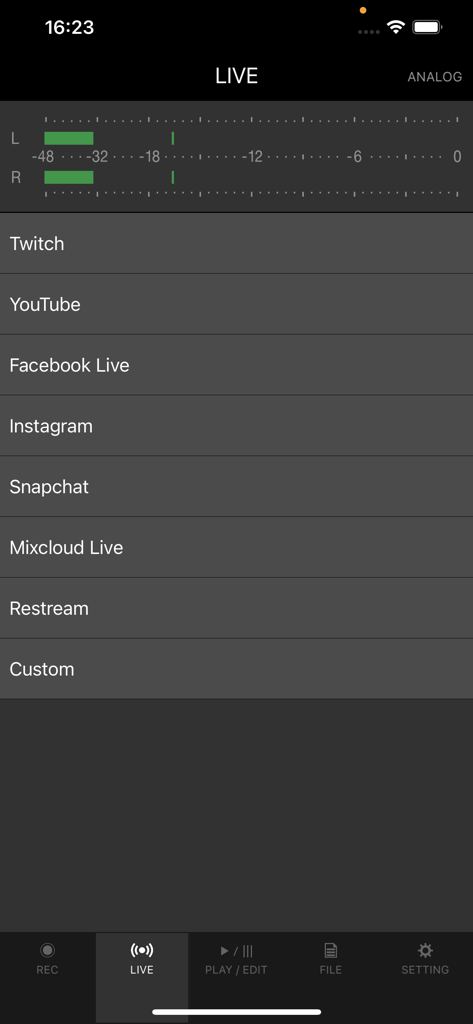
DJM-RECアプリのインターフェイス、ライブストリーミングプラットフォームのオプションとオーディオレベルメーターが表示されています

DJM-RECアプリのインターフェイス、ライブストリーミングプラットフォームのオプションとオーディオレベルメーターが表示されています

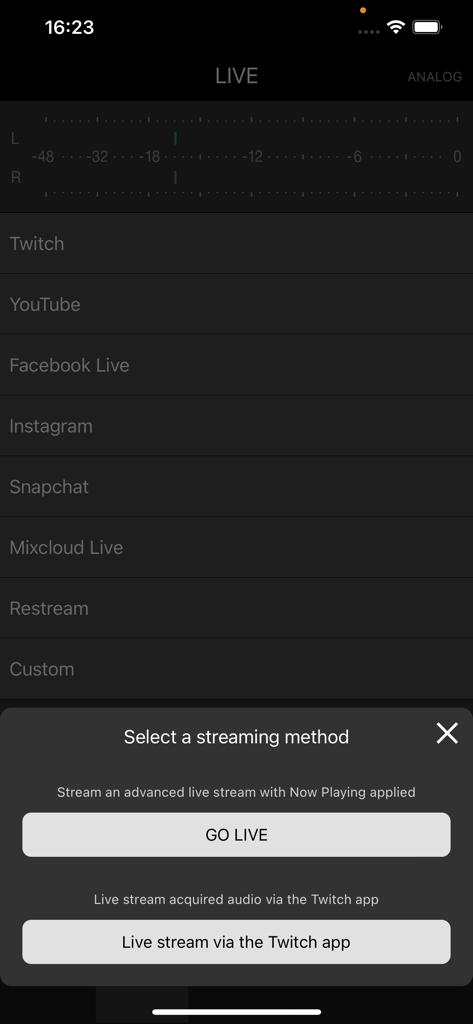
TwitchやYouTubeなどのプラットフォームへのライブストリーミング方法を選択するためのDJM-RECアプリ画面

TwitchやYouTubeなどのプラットフォームへのライブストリーミング方法を選択するためのDJM-RECアプリ画面

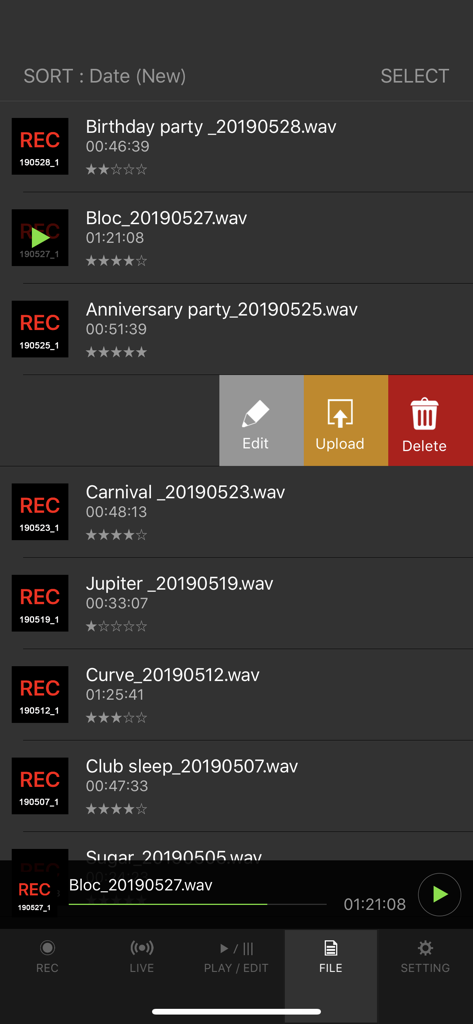
DJM-RECアプリのインターフェイスに録音されたDJセットのリストが表示され、ファイルを編集、アップロード、または削除するオプションがあります

DJM-RECアプリのインターフェイスに録音されたDJセットのリストが表示され、ファイルを編集、アップロード、または削除するオプションがあります

あなたのサウンドをキャプチャし、ブランドを構築する

このアプリを際立たせるツール、 66K+ 人のユーザーが選択.

🎚️

スタジオ品質のレコーディング

USBケーブル1本でクリアなデジタルサウンドを実現。内蔵リミッターとラウドネス処理により、プロフェッショナルなサウンドをあらゆるスピーカーで再現します。

📝

自動トラックリスト作成

ミックスに集中し、面倒な作業は不要に。アプリがトラックの変更を自動検出し、タイムスタンプ付きのリストを生成するため、ファンはすべてのトラックを識別できます。

🚀

インスタントグローバル配信

完璧なレベルでTwitchやInstagramでライブ配信したり、録音停止後すぐにSoundCloudやMixcloudに完成したセットをアップロードしたりできます。

世界中のユーザーに愛されています

Trusted by 66K+ 人がこのアプリを愛用しています.

"

"フォロワーを増やしたいベッドルームDJにとって、このアプリは救世主です。ケーブル1本でのセットアップは非常に簡単で、音質は他のどのモバイル録音ソリューションよりも格段に優れています。さらに、自動トラックリスト作成機能は、セッションごとに数時間の作業を節約してくれます。"

Alex Rivera
"

"プロフェッショナルにとって信じられないほどのツールです。DJM-RECを使用して、ライブセットをTwitchに直接ストリーミングしています。内蔵リミッターによりオーディオがピークに達することはなく、DJM-V10への直接接続は、私のリスナーが期待するあの pristine なデジタルサウンドを提供します。"

Sarah Jenkins

レビュー分析

ユーザーレビューの分析.

感情スコア

32%
ネガティブ

概要

The mobile app receives predominantly negative feedback from recent users, largely due to critical bugs following updates to iOS 26 (including versions like 26.1 and 26.2). Users frequently report issues with recordings being sped up, slowed down, distorted, or containing unwanted external noise, often rendering sets unusable; additional complaints include problems with SoundCloud uploads and file corruption. While the app is praised for its user-friendly interface and previously reliable recording functionality on older iOS versions (like iOS 17), many users express frustration over paying for an app that no longer works as intended and urgently request necessary updates and bug fixes.

主なテーマ

Recording Quality(9)
User Interface(3)
App Stability(2)
Streaming & Uploads(2)
iOS Compatibility(2)
Value for Money(2)

アプリについて

について知っておくべきこと DJM-REC: DJ live/recording app.

説明

Share your DJ sets in high quality with people around the world. DJM-REC makes live streaming and recording easy – simply download the app and connect your device to a DJ mixer via one cable to get started. All features are free for 30 days. ◇High-quality live streaming and DJ mix recording made simple ・Connect your iPhone/iPad and DJ mixer with a single USB cable. ・High-quality sound comes from the direct connection. ・Easily create great-sounding mixes with the limiter function, which prevents distortion, and a loudness processing function that improves sound pressure after you’ve finished recording. ◇Live streaming on various social networks ・Directly live stream to services such as Mixcloud Live and Restream from DJM-REC. ・Seamless integration with popular apps such as Twitch, YouTube, Facebook Live, Instagram and Snapchat. ・If you’re using supported DJ equipment, you can display track information (Artist/Title) on-screen in real time while you stream. ◇Share your mix right after recording it ・Just press the [Upload] button after you finish recording and your mix will be immediately uploaded to your chosen cloud service, such as Mixcloud, SoundCloud, or Dropbox. ・Make a tracklist effortlessly. DJM-REC automatically detects when you switch songs according to the fader position and records the timing of the track changeover in the description section. All you need to do then is enter the track names. ・If you’re using compatible DJ equipment that supports track info. DJM-REC can generate complete tracklists automatically timestamps and track names included, no manual input is required. ◇Try all features free now ・Use all the app’s features free for 30 days. ・You can buy the app anytime if you like it. ◇Other handy uses ・Use the recording function to convert analog records to digital files. ・Live stream and record with the built-in (or externally connected) microphone of an iPhone or iPad. ・Connect to an audio interface and live stream or record from a DJ controller. ◇Compatible with Pioneer DJ mixers The following DJ mixers are supported by DJM-REC. ・DJM-V10 ・DJM-V10-LF ・DJM-TOUR1 ・DJM-A9 ・DJM-900NXS2 ・DJM-750MK2 ・DJM-450 *Make sure the mixer’s firmware has been updated to the latest version before use. https://www.pioneerdj.com/support/software/ ◇Supported DJ equipment combinations for track info (Artist/Title): DJ Players: ・CDJ-3000X ・CDJ-3000 DJ Mixers: ・DJM-V10 ・DJM-V10-LF ・DJM-A9 ◇ Supported Audio Formats for Recording ・WAV 44.1kHz ・WAV 48kHz ・AAC 64kbps ・AAC 128kbps ・AAC 192kbps ・AAC 256kbps ・AAC 320kbps For WAV files, the maximum recording time is approximately 6 hours. Please use AAC for recordings longer than 6 hours. Pioneer DJ website [https://www.pioneerdj.com/]. DJM-REC web page [https://www.pioneerdj.com/product/software/djm-rec/dj-app/overview/].

最新バージョン

1.5.8

サイズ

66.2 MB

リリース日

Jan 11, 2018

最高のセットをプロ品質のリリースに

歪んだブース録音に妥協するのはやめましょう。Pioneer DJミキサーを接続し、30日間の無料トライアルを開始して、世界に高忠実度のサウンドを即座に共有しましょう。

ダウンロード: App Store