Explain Everything Whiteboard

Explain Everything Whiteboard

ダウンロード: App Store
Spark by MWM logo
ロゴ: Explain Everything Whiteboard

Explain Everything ホワイトボード:授業とコラボレーションのための受賞歴のあるインタラクティブツール

iPadを強力な教室スタジオに変身させましょう。魅力的なビデオレッスンの録画、リアルタイムのコラボレーションの実施、無限のキャンバスとインタラクティブなゲームで生徒のインスピレーションを刺激します。

開発元

Promethean Ltd.

カテゴリ

Education

ダウンロード

1M+

ユーザー評価

4.6/5

評価数

9K+

対応言語

15

あなたの最高のアイデアのためのキャンバス

このインターフェースを利用する 1M+ 人のユーザー.

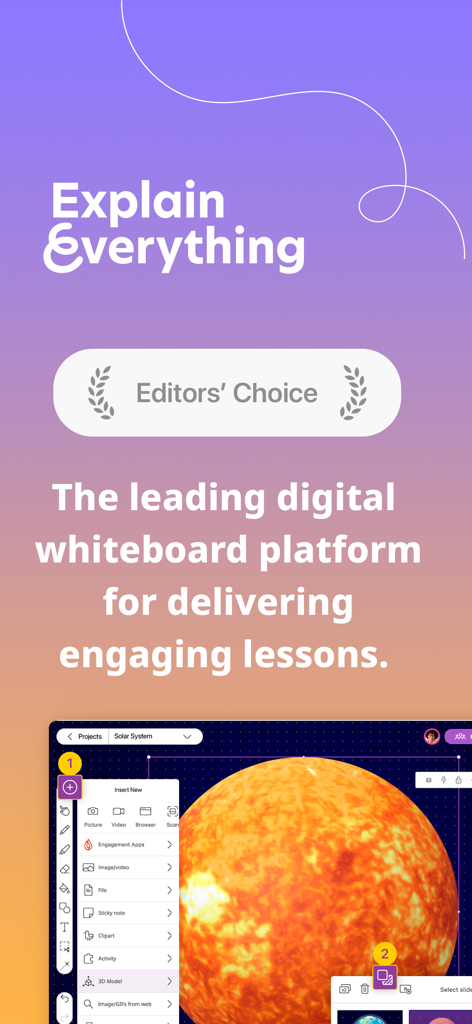
Explain Everything ホワイトボードアプリのインターフェース。Editors Choice賞の表示と、太陽の3Dモデルを使用したデジタルレッスンが表示されている

Explain Everything ホワイトボードアプリのインターフェース。Editors Choice賞の表示と、太陽の3Dモデルを使用したデジタルレッスンが表示されている

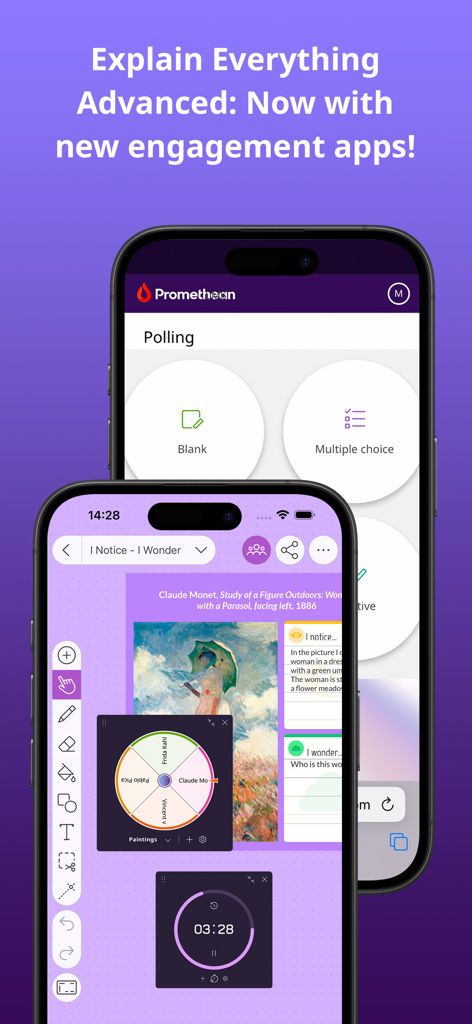
2台のスマートフォン上のExplain Everything ホワイトボードアプリのインターフェース。投票機能、ランダムスピナー、タイマーが表示されている

2台のスマートフォン上のExplain Everything ホワイトボードアプリのインターフェース。投票機能、ランダムスピナー、タイマーが表示されている

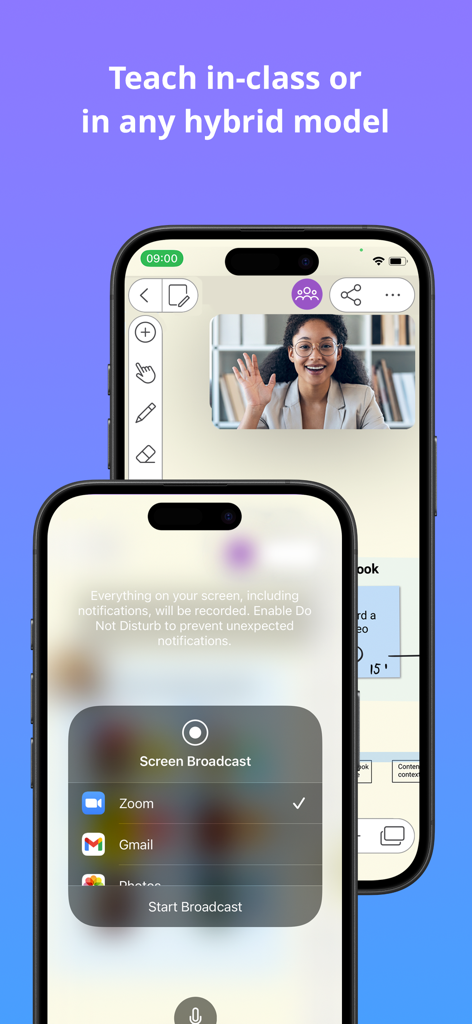
ハイブリッド授業のためにZoomに画面配信を行っているExplain Everything ホワイトボードアプリのインターフェース

ハイブリッド授業のためにZoomに画面配信を行っているExplain Everything ホワイトボードアプリのインターフェース

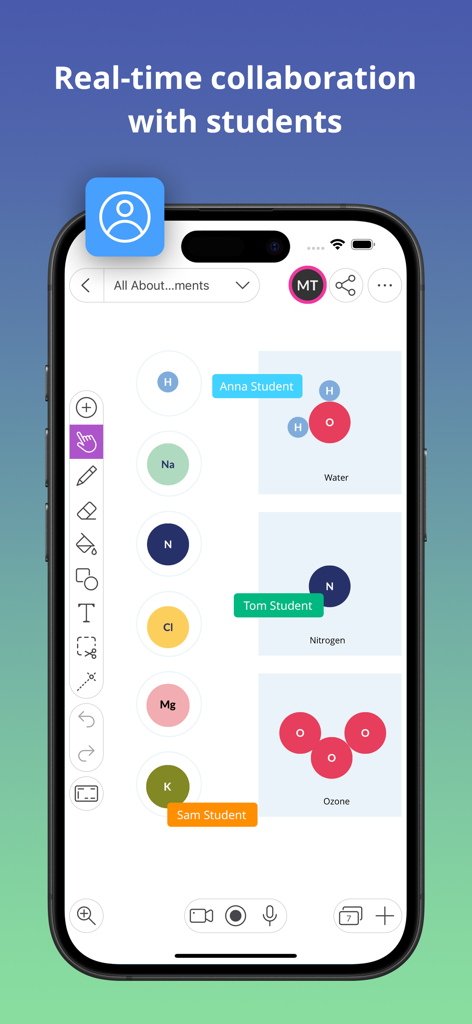
化学の授業中に、デジタルホワイトボード上で生徒たちがリアルタイムでコラボレーションしている様子を表示するスマートフォン

化学の授業中に、デジタルホワイトボード上で生徒たちがリアルタイムでコラボレーションしている様子を表示するスマートフォン

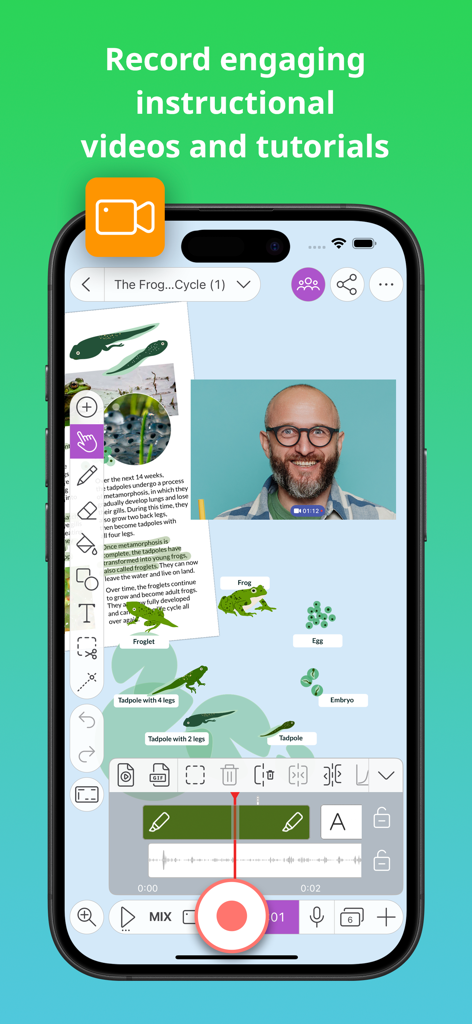
デジタルホワイトボードでの教育ビデオの録画の様子を表示するモバイルインターフェース

デジタルホワイトボードでの教育ビデオの録画の様子を表示するモバイルインターフェース

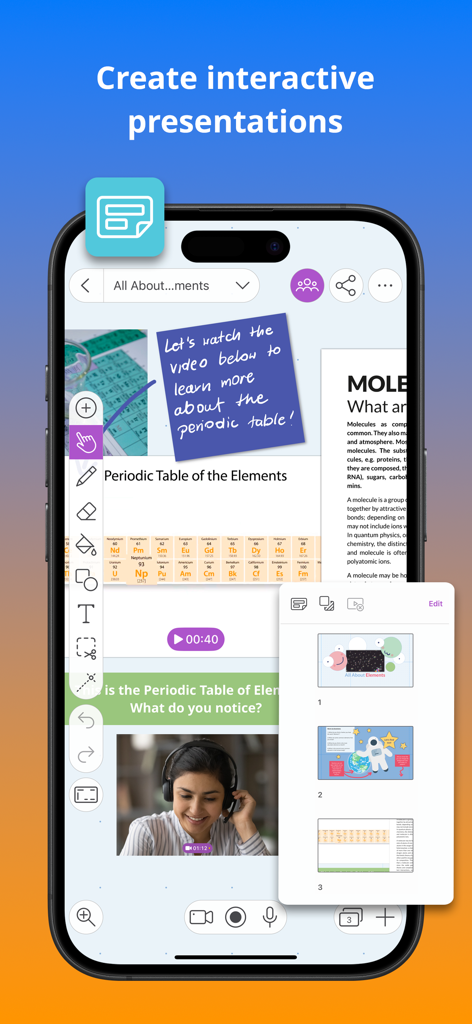
ビデオとスライドナビゲーションを備えた、インタラクティブな周期表レッスンのExplain Everything ホワイトボードアプリを表示するスマートフォンの画面

ビデオとスライドナビゲーションを備えた、インタラクティブな周期表レッスンのExplain Everything ホワイトボードアプリを表示するスマートフォンの画面

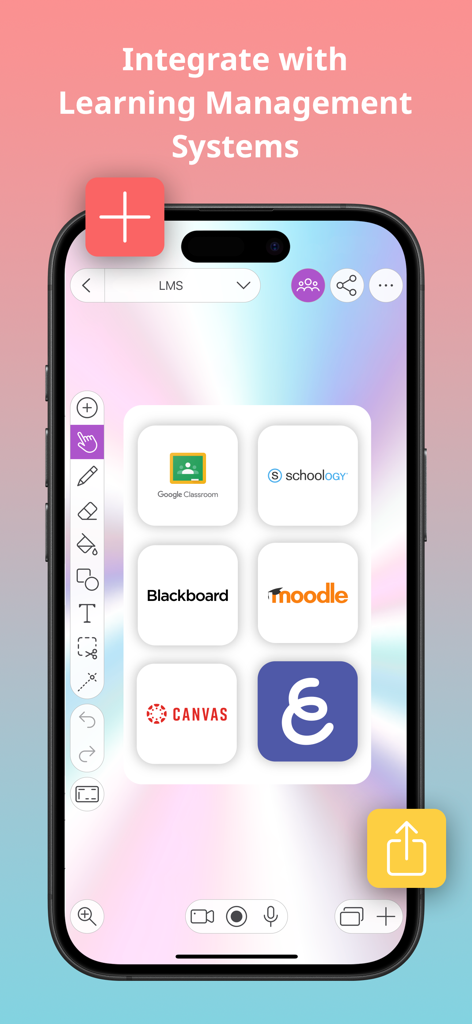
Google Classroom、Canvas、BlackboardなどのLMSプラットフォームとの統合を紹介するExplain Everything ホワイトボードアプリのインターフェース

Google Classroom、Canvas、BlackboardなどのLMSプラットフォームとの統合を紹介するExplain Everything ホワイトボードアプリのインターフェース

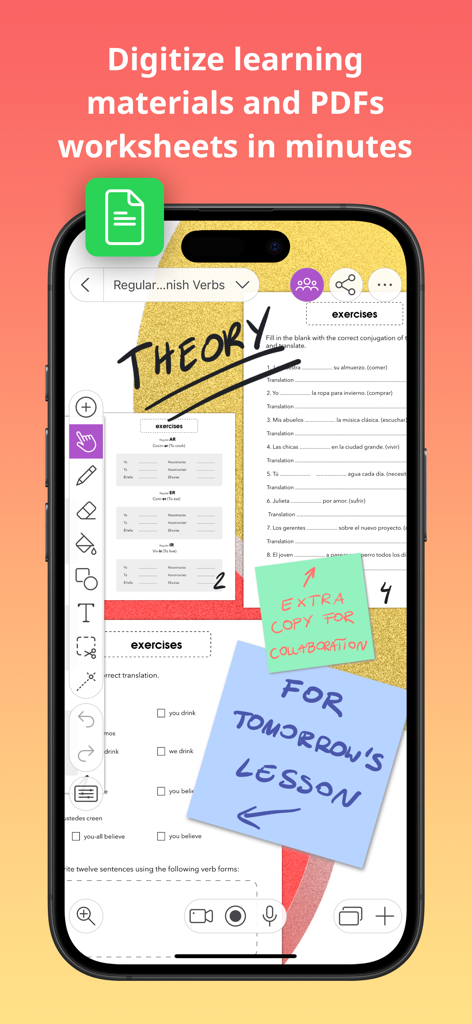
デジタルホワイトボードのインターフェースに表示された、デジタル化されたワークシートと教師のメモ

デジタルホワイトボードのインターフェースに表示された、デジタル化されたワークシートと教師のメモ

1つのツール。学習のための無限の可能性。

このアプリを際立たせるツール、 1M+ 人のユーザーが選択.

🎥

プロレベルのレッスンを録画・編集

高品質な動画チュートリアルを簡単に作成。無限のキャンバス上で音声と動きを録画し、すぐに編集してお気に入りのクラウドドライブに共有できます。

🎮

インタラクティブなアクティビティでエンゲージメントを向上

授業を遊びに変えましょう。クロスワードやマッチングゲームなどの内蔵ゲームに加え、ライブ投票を使用して、すべての生徒の集中力と参加を維持します。

🤝

無限のキャンバスでコラボレーション

リアルタイムで一緒に作業。グループプロジェクトでも個別指導でも、PDFへの注釈、3Dモデルの追加、境界のないブレインストーミングが可能です。

世界中のユーザーに愛されています

Trusted by 1M+ 人がこのアプリを愛用しています.

"

"Explain Everythingは、私の中学1年生の数学のクラスにおいて、文字通りゲームチェンジャーとなりました。無限のキャンバスを使ってレッスンのビデオを録画し、新しい投票機能を使って生徒をリアルタイムで飽きさせないようにしています。学校のGoogleドライブとシームレスに連携しているので、授業の準備と配布がこれまで以上に速くなりました。"

ジェシカ・L、K-12教育者
"

"このアプリは、スケッチノートやビジュアルラーニングのための究極のツールです。3Dモデルをインポートしたり、Apple PencilでPDFに注釈を付けたりできるため、大学の研究プロジェクトが非常に整理されました。リアルタイムのコラボレーション機能は、勉強グループとのブレインストーミングに最適です。"

デビッド・R、大学院生

アプリについて

について知っておくべきこと Explain Everything Whiteboard.

説明

The iPad App Store Trend of the Year 2020 award-winning interactive whiteboard and note taking app for iPad. With over 25 million downloads across the globe, Explain Everything helps teachers and students with every day learning. Explain Everything Advanced, Promethean's award-winning cloud-based plan, is one of the most dynamic, easy-to-use, and powerful lesson creation and delivery tools on the market today. Explain Everything is an interactive whiteboard, built to create notes and make drawings, explain concepts and share boards anywhere. Make notes and draw together on the infinite canvas. Use sticky notes, work with imported documents, and annotate PDFs. Easily record whiteboard videos and share the entire process of explaining a lesson. Use real-time collaboration to stay on the same page with your students or team. Our customers love using Explain Everything to: • Record and edit whiteboard video lessons, then share them automatically with your preferred cloud drive! • Capture ideas, create interactive presentations, and use PDF annotation for teaching purposes. • Use engagement apps such as Polling, Timer, and Spinner to promote student participation and deep focus. • Draw, write, sketchnote, visualize, and scribble using Apple Pencil then easily present materials both in-classroom or online. • Enrich your materials with images and GIFs, Sticky Notes, Clipart, 3D Models, Shapes, Web Browser, Equations, hyperlinks, text boxes and notes grid. • Digitize and store materials in one place thanks to the Explain Everything Drive cloud; available from any device, anywhere. • Collaborate with students by hosting group assignments in the classroom and in the cloud. • Broadcast through SharePlay or popular conferencing tools, including Zoom or Microsoft Teams. New Activities within Advanced Plan We’re coming with new activities to enhance your lessons and create some fun throughout your classroom. Launch and play activities right from your whiteboard canvas. Crossword – Add a list of words, provide image or text clues, and Explain Everything will generate a crossword for you. Memory game – Turn a set of images into a randomized memory pair-finding game. Matching game – Build a matching game from a collection of images, shapes, and text. Promethean Engagement Apps We’ve enhanced our Explain Everything Advanced plan with other new features, including Promethean’s ever-popular Spinner, Timer, and Polling apps; all to improve your teaching experience in the classroom. Polling – ask questions and receive responses from students instantly. Timer – use clock and stopwatch to measure time and improve executive functioning skills. Spinner – randomly select items from the built-in templates or your own lists to add excitement to any class. If you enjoy using Explain Everything please leave us a review! https://explaineverything.com/terms-of-use/

最新バージョン

9.0.4

サイズ

291.2 MB

リリース日

Feb 1, 2016

教室を変える準備はできましたか?

2,500万人の教育者や生徒と一緒に、無限のキャンバスを体験しましょう。受賞歴のあるホワイトボードをダウンロードして、インスピレーションを与え、惹きつけ、記憶に残るレッスンの作成を始めましょう。

ダウンロード: App Store