Google Family Link

Google Family Link

ダウンロード: App Storeダウンロード: Google Play
Spark by MWM logo
ロゴ: Google Family Link

Google ファミリー リンク:健全なデジタル習慣を育むための家族へのサポート

利用時間の制限、アプリの権限管理、リアルタイムの現在地確認で、いつでもつながりを持てます。現代のデジタル社会でお子様を導くために必要なツールで、安心を手に入れましょう。

ダウンロード: App Store

開発元

Google LLC

カテゴリ

Utilities

ダウンロード

34M+

ユーザー評価

4.6/5

評価数

1M+

対応言語

56

安全性を一目で確認

このインターフェースを利用する 34M+ 人のユーザー.

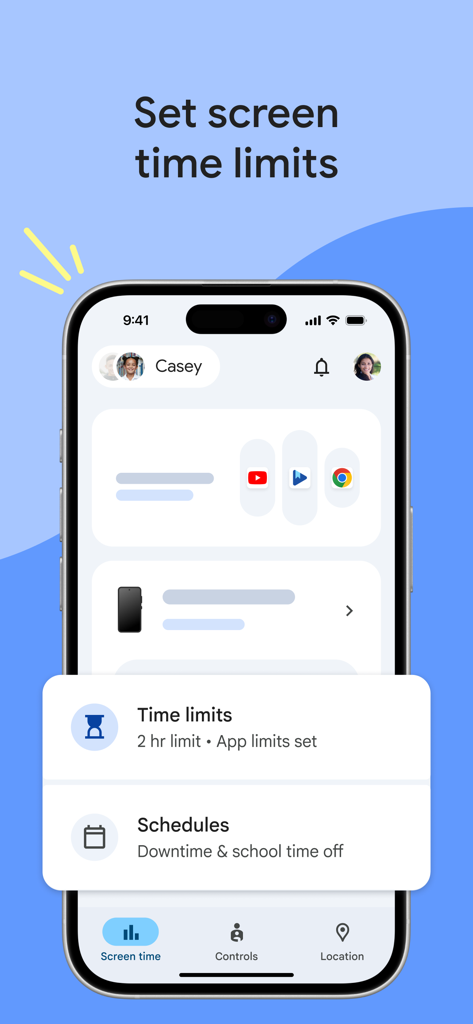
お子様の1日の利用時間制限とスケジュールを表示している Google ファミリー リンクのインターフェース

お子様の1日の利用時間制限とスケジュールを表示している Google ファミリー リンクのインターフェース

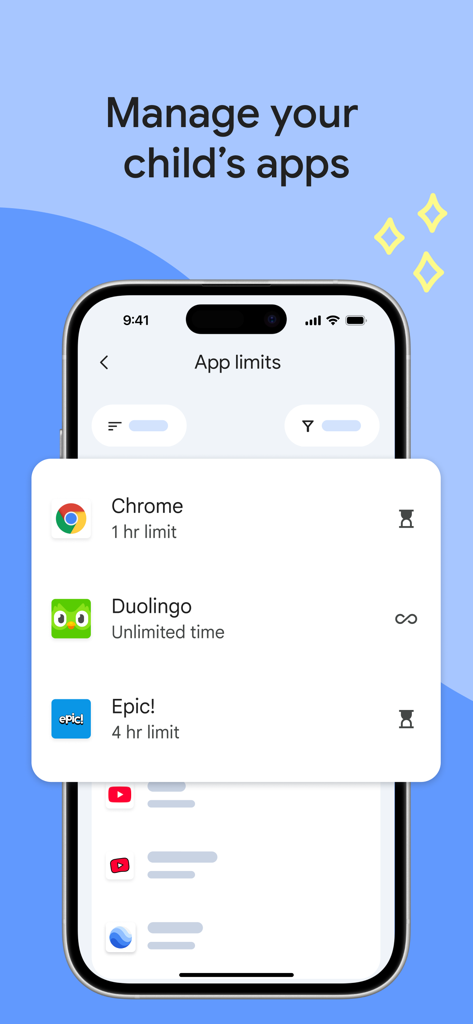
お子様のアプリ利用時間制限の保護者向け管理機能を表示している Google ファミリー リンクのインターフェース

お子様のアプリ利用時間制限の保護者向け管理機能を表示している Google ファミリー リンクのインターフェース

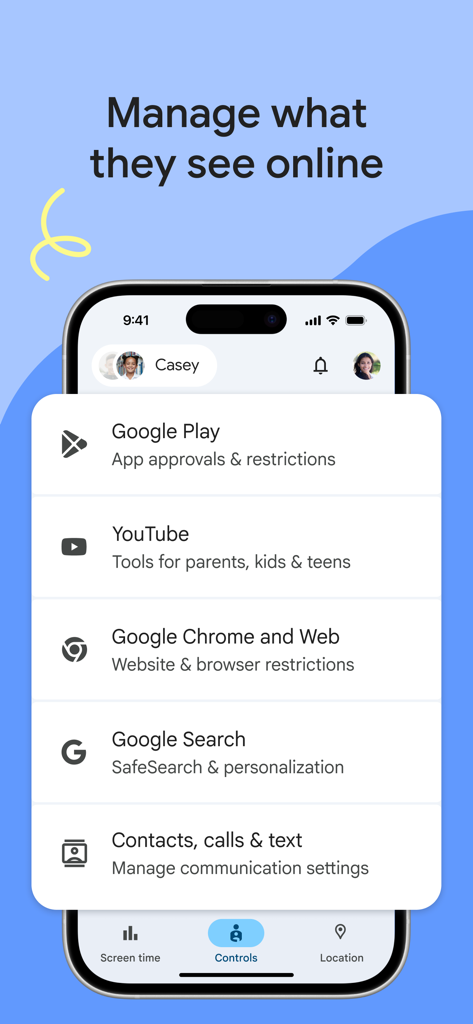
YouTube と Google 検索の保護者向け管理設定を表示している Google ファミリー リンク アプリのインターフェース

YouTube と Google 検索の保護者向け管理設定を表示している Google ファミリー リンク アプリのインターフェース

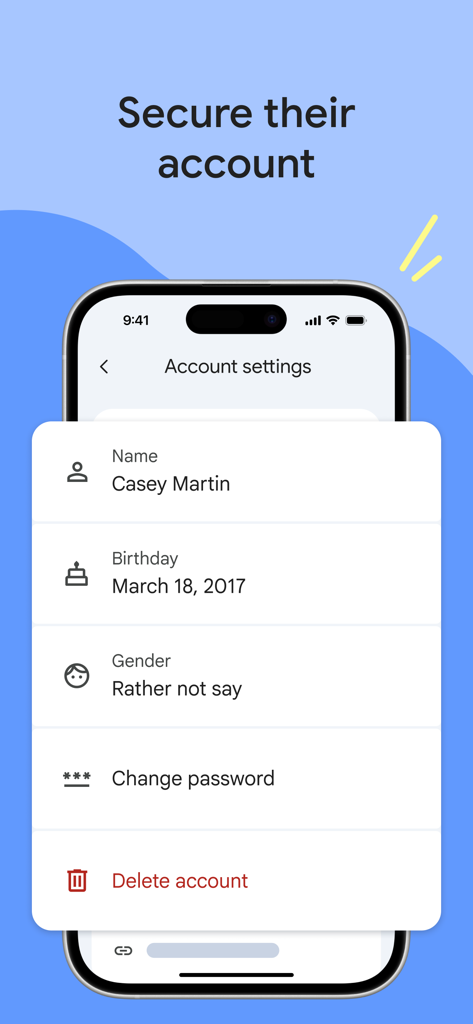
パスワードやプライバシー設定を含む、お子様のプロファイルを管理するための Google ファミリー リンクのアカウント設定が表示されたスマートフォン

パスワードやプライバシー設定を含む、お子様のプロファイルを管理するための Google ファミリー リンクのアカウント設定が表示されたスマートフォン

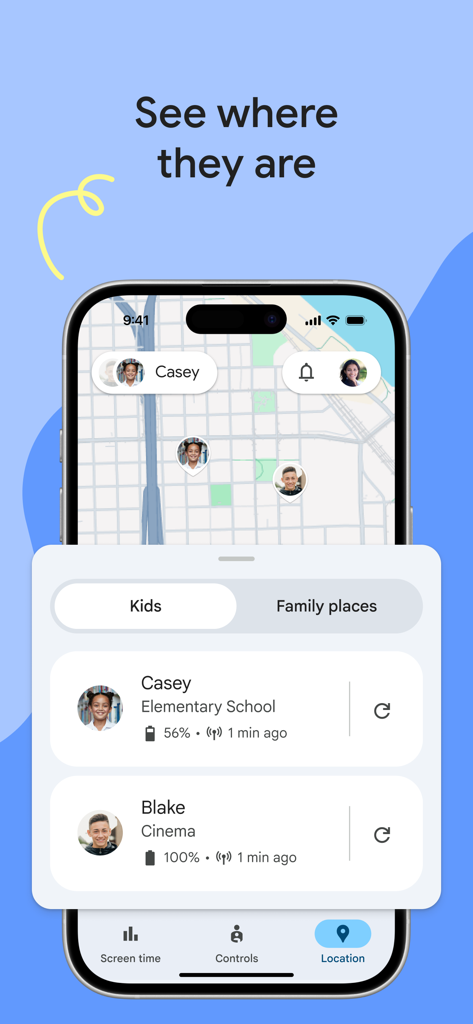
お子様のリアルタイムな GPS 現在地とバッテリー状態を地図上に表示している Google ファミリー リンク アプリのインターフェース

お子様のリアルタイムな GPS 現在地とバッテリー状態を地図上に表示している Google ファミリー リンク アプリのインターフェース

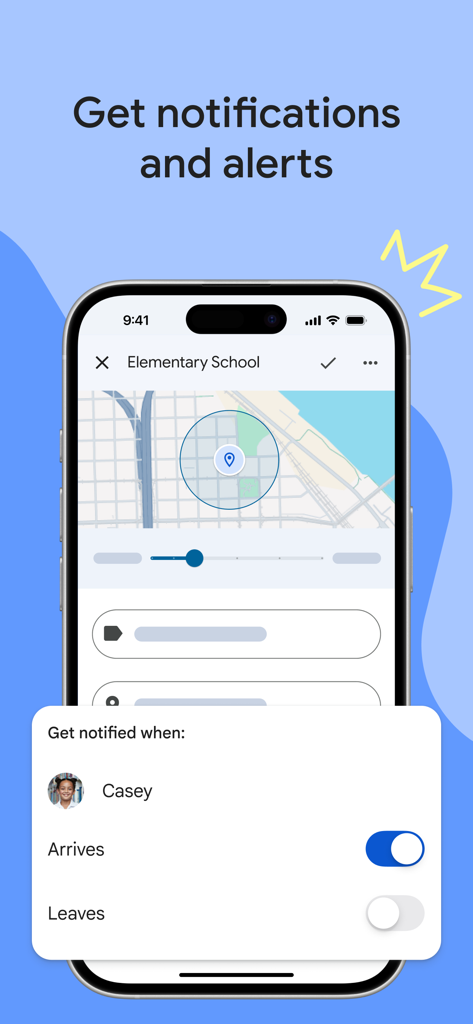
お子様が特定の場所に到着または出発した際に通知を受け取るための設定と地図を表示している Google ファミリー リンクのインターフェース

お子様が特定の場所に到着または出発した際に通知を受け取るための設定と地図を表示している Google ファミリー リンクのインターフェース

健全なデジタル習慣を一緒に育む

このアプリを際立たせるツール、 34M+ 人のユーザーが選択.

スマートな利用時間制限

1日の利用上限や「おやすみ時間」のスケジュールを設定し、テクノロジーが睡眠、学習、家族の時間に影響を与えないようにします。

📍

リアルタイムの現在地確認

プライベートな地図上でお子様の現在地を確認。よく行く場所に到着したり、そこを出発したりした際に通知を受け取ることができます。

アプリとコンテンツの管理

アプリのダウンロードをリモートで承認またはブロックし、ウェブコンテンツをフィルタリングすることで、年齢に応じた安全なデジタルの遊び場を作ります。

世界中のユーザーに愛されています

Trusted by 34M+ 人がこのアプリを愛用しています.

"

"ファミリー リンクは私たちの家族にとって、まさに画期的なものでした。娘がサッカーの練習場所に無事に着いたことを確認できるので、とても安心です。また、1日の制限時間を設定することで、夕食時にスマホを片付けるタイミングを巡って言い争うこともなくなりました。"

サラ・ジェンキンス
"

"ITに詳しい親として、自分のデバイスからアプリの承認を簡単に管理できるのが気に入っています。息子がタブレットで興味のあることを探求している間も、年齢に合ったコンテンツにしかアクセスしていないと分かっているので安心です。デジタル世界に慣れるための、完璧な補助輪のような存在です。"

デビッド・チェン

アプリについて

について知っておくべきこと Google Family Link.

説明

Google Family Link is a parental controls app that helps you keep your family safer online. Every family’s relationship with technology is unique, so we built tools for you to choose the right balance for your family, and help them create healthy digital habits. You can use the app to see how your child is spending time on their device, see their device location, manage privacy settings, and more. With Family Link, you can: Establish digital ground rules • Set screen time limits — Find the screen time that works best for your child. Family Link lets you set daily time limits, with school time and downtime schedules for their devices, so you can help your child find a healthy balance. • Manage your child’s apps — Give your child the flexibility they need when it comes to app usage. Set individual app time limits, and unlimited time for educational or regularly used apps. You can block apps, too. Manage content filters and security & privacy • Manage what they see online — Set up parental controls on Google services like Chrome, Play, YouTube, and Search. Family Link allows you to block inappropriate sites, require approval for new apps, manage permissions for apps and websites, and more. • Secure their account — Family Link gives you access to manage your child’s account and data settings. As a parent, you can help change or reset your child’s password if they forget it, edit their personal information or even delete their account if you feel necessary.* *Children over the applicable age can manage their own account. Stay connected on the go • See where they are — It’s helpful to be able to find your family when they’re on the go. With Family Link, you can locate your children on one map, as long as they’re carrying their device. • Get notifications and alerts — Family Link delivers critical notifications including when your child arrives or leaves a certain location. You can also ring devices and view the device’s remaining battery life. Important Information • Family Link’s tools vary depending on your child’s device. See a list of compatible devices at https://families.google/familylink/device-compatibility/ • While Family Link helps you manage your child’s purchases and downloads from Google Play, they will not need approval to install app updates (including updates that expand permissions), apps you have previously approved, or apps that have been shared in Family Library. In addition, purchase approvals will apply only when your child makes a purchase through Google Play’s billing system and will not apply to purchases made through alternate billing systems. Parents should regularly review their child’s installed apps and app permissions in Family Link. • You should carefully review the apps on your child’s supervised device and disable those you don’t want them to use. Note that you may not be able to disable some pre-installed apps such as Play, Google, etc. • To see the location of your child or teen’s device, the device must be powered on, recently active, and connected to the internet through data or wifi. • Family Link parental controls are only available for supervised Google accounts. With supervised Google Accounts, children get access to Google products like Search, Chrome, and Gmail, and parents can set up basic digital ground rules to supervise them. • While Family Link provides tools to manage your child’s online experience and keep them safer online, it does not make the internet safe. Family Link can not determine the content on the internet, but it can give parents the opportunity to make decisions about how their child spends time on their device, and determine what path to online safety looks best for your family.

最新バージョン

2.69.34421

サイズ

205.0 MB

リリース日

Apr 13, 2017

ご家族のデジタルバランスを整える準備はできましたか?

3,400万人以上の保護者が利用する Google ファミリー リンクに参加して、より安全なオンライン環境を整え、お子様のために適切なルールを今すぐ設定しましょう。

ダウンロード: App Storeダウンロード: Google Play
FAQ

よくある質問

について知っておくべきこと Google Family Link

Google Family Linkとは何ですか?

Google Family Linkは、保護者が子供のオンライン体験を管理するのに役立つように設計されたペアレンタルコントロールアプリです。これにより、保護者はスクリーンタイムの制限を設定したり、アプリを管理したり、コンテンツをフィルタリングしたり、デバイスの場所を追跡したり、子供のGoogleアカウントを保護したりできます。

Google Family Linkでスクリーンタイムの制限を設定できますか?

はい、保護者はGoogle Family Linkを使用して、1日のスクリーンタイム制限を設定できます。このアプリでは、子供のデバイスの特定の学校の時間と就寝時間の設定も可能です。

Google Family Linkは子供のアプリをどのように管理しますか?

Google Family Linkを使用すると、保護者はアプリごとに時間制限を設定したり、教育アプリに無制限の時間を与えたり、子供のデバイスで特定のアプリケーションをブロックしたりできます。

Google Family Linkはオンラインコンテンツフィルターを管理できますか?

はい、Google Family LinkはChrome、Play、YouTube、SearchなどのGoogleサービスにペアレンタルコントロールを設定するためのツールを提供します。不適切なサイトをブロックしたり、新しいアプリの承認を要求したりできます。

Google Family Linkで子供のデバイスの場所を追跡できますか?

はい、Google Family Linkを使用すると、保護者は地図上で子供の居場所を見つけることができます。ただし、子供のデバイスの電源が入っていて、最近アクティブで、インターネットに接続されている必要があります。

Google Family Linkは子供のGoogleアカウントをどのように保護しますか?

Google Family Linkを使用すると、保護者は子供のアカウント設定を管理できます。保護者は子供のパスワードを変更またはリセットしたり、個人情報を編集したり、必要に応じてアカウントを削除したりできます。

Google Family Linkはすべてのアプリ購入に承認が必要ですか?

いいえ、購入の承認は、子供がGoogle Playの課金システムを通じて購入した場合にのみ適用されます。アプリの更新、以前に承認されたアプリ、または代替課金システムを通じて行われた購入には適用されません。

Google Family Linkはどのような通知を提供しますか?

Google Family Linkは、子供が特定の場所に到着または出発したときのアラートなど、重要な通知を提供します。保護者はデバイスを鳴らしたり、デバイスのバッテリー残量を確認したりすることもできます。

Google Family Linkはすべてのデバイスと互換性がありますか?

いいえ、Google Family Linkのツールは子供のデバイスによって異なります。互換性のあるデバイスのリストは、Google Familiesのウェブサイトで入手できます。

Google Family Linkは子供のインターネット安全を保証しますか?

いいえ、Google Family Linkはインターネット安全を保証しません。保護者が子供のオンライン体験を管理し、決定を下すためのツールを提供しますが、インターネット上のすべてのコンテンツを特定することはできません。