Inkpad - Graphic Design

Inkpad - Graphic Design

ダウンロード: App Store
Spark by MWM logo
ロゴ: Inkpad - Graphic Design

Inkpad - iPadのためのプロフェッショナルなベクターデザイン

デスクトップツールのパワーとApple Pencilの直感的な使いやすさで、精密なベクターアートワーク、カスタムロゴ、SVGファイルを作成できます。

開発元

Envoza Ltd

カテゴリ

Graphics & Design

ダウンロード

406K+

ユーザー評価

4.3/5

評価数

900

対応言語

11

傑作の誕生

このインターフェースを利用する 406K+ 人のユーザー.

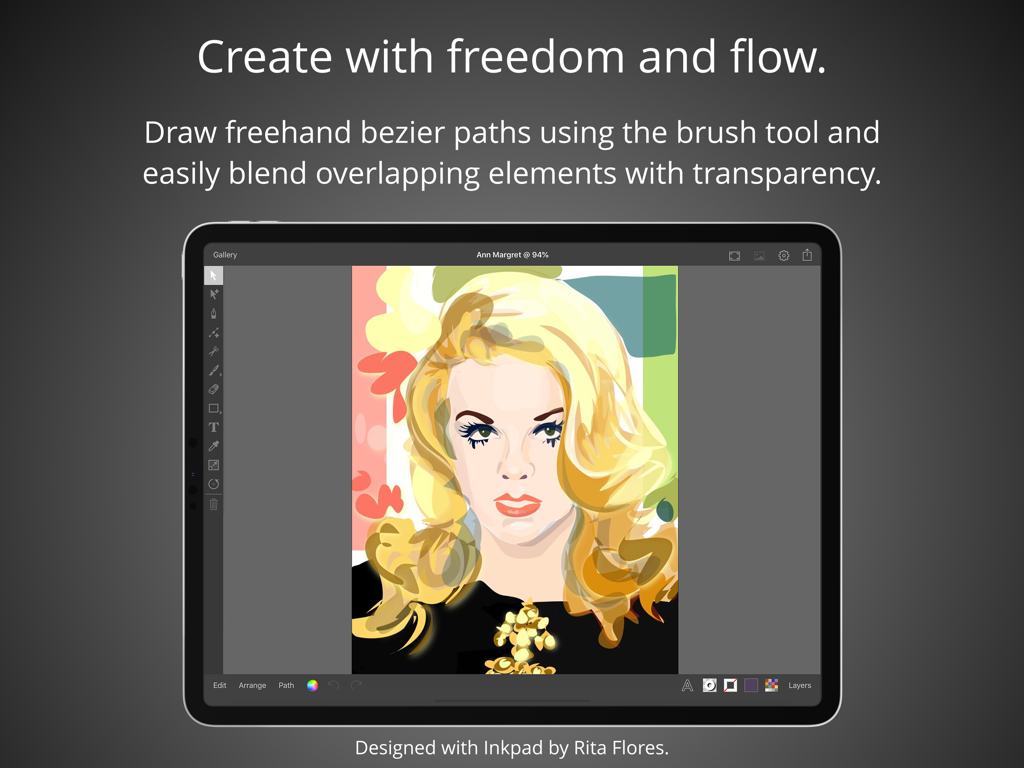
グラフィックデザインアプリInkpadを使用してiPadで作成されたベクターポートレートイラスト

グラフィックデザインアプリInkpadを使用してiPadで作成されたベクターポートレートイラスト

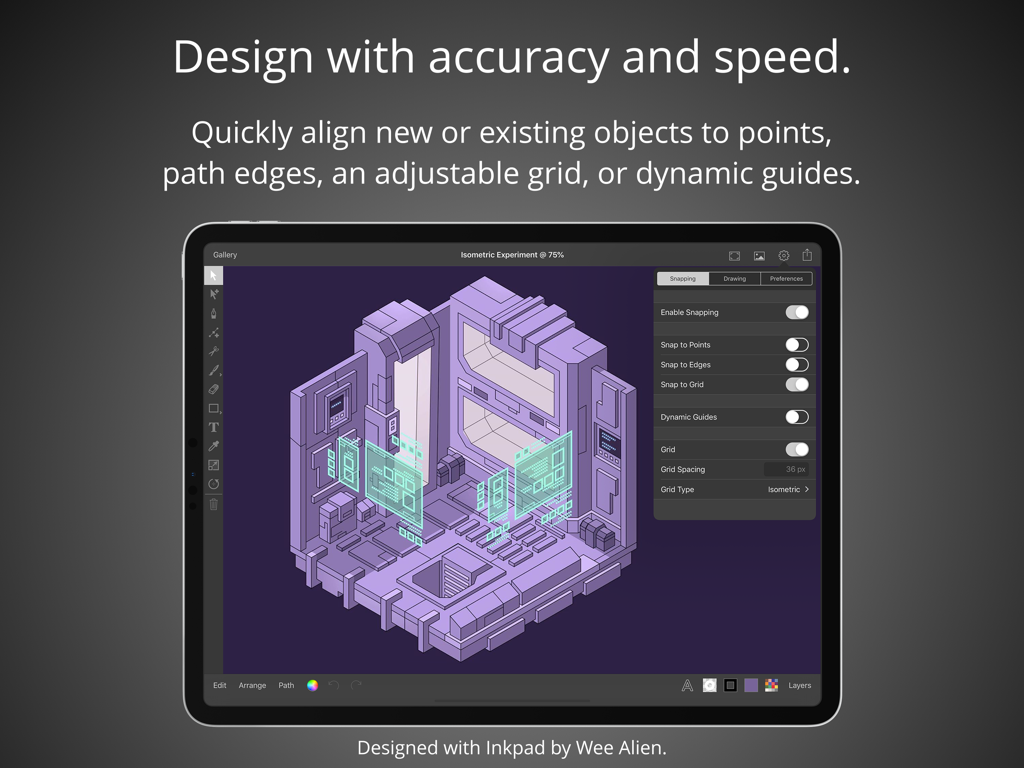
配置・スナップツールを使用したアイソメトリックベクターデザインを表示するInkpad iPadアプリ

配置・スナップツールを使用したアイソメトリックベクターデザインを表示するInkpad iPadアプリ

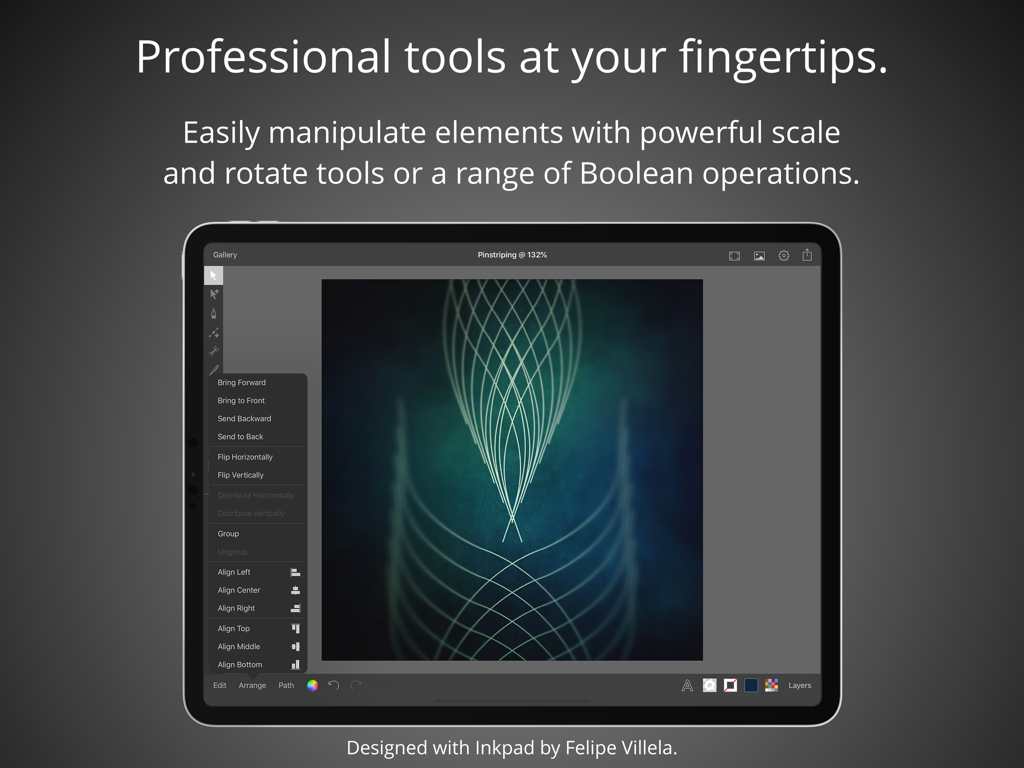
複雑な幾何学アートと編集メニューを表示するiPad上のプロフェッショナルなベクターデザインツール

複雑な幾何学アートと編集メニューを表示するiPad上のプロフェッショナルなベクターデザインツール

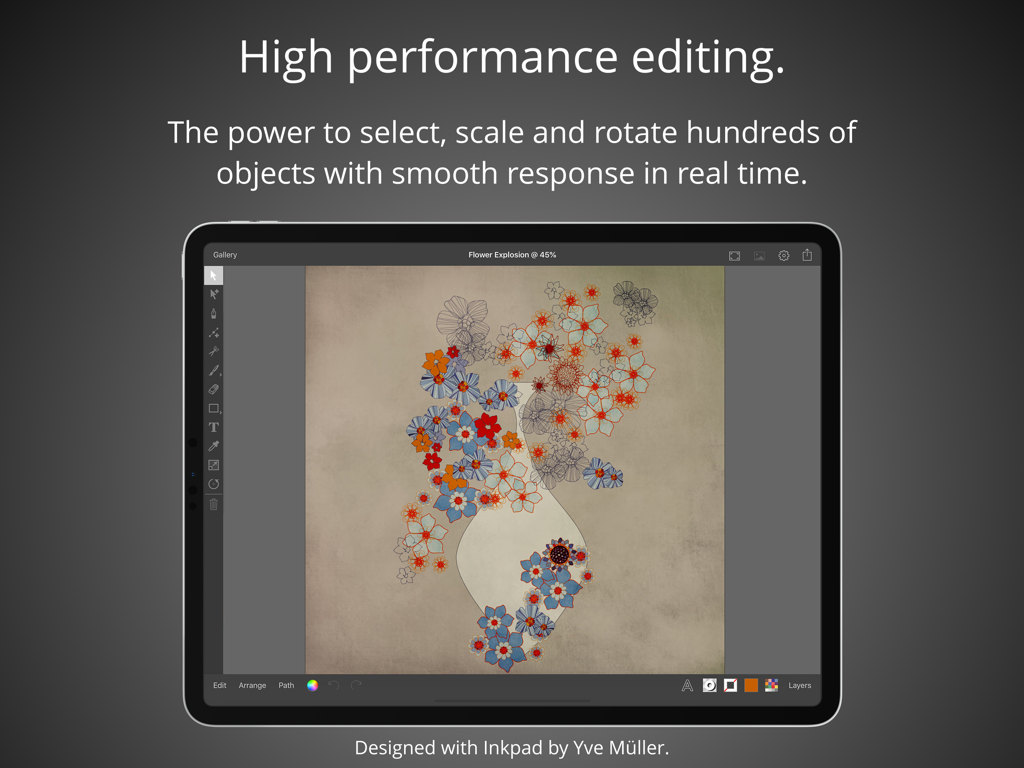
編集ツールを使用してベクターの花のイラストを表示するiPad上のInkpadグラフィックデザインアプリ

編集ツールを使用してベクターの花のイラストを表示するiPad上のInkpadグラフィックデザインアプリ

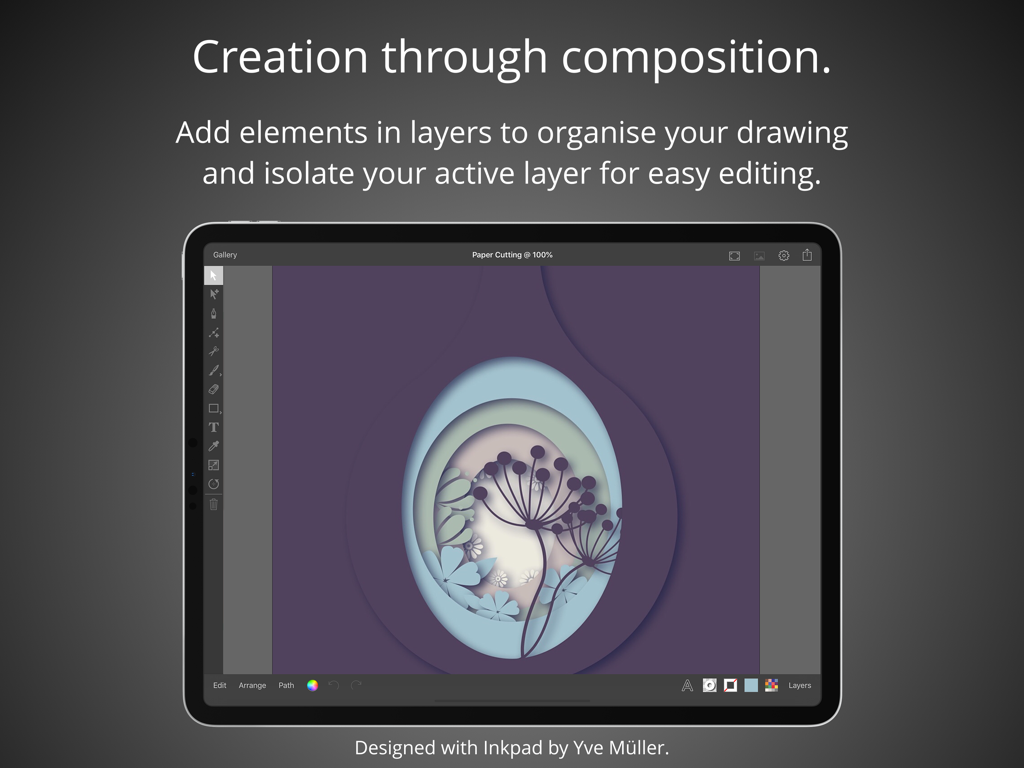
切り絵スタイルのレイヤー化されたベクターアートワークを表示するiPad上のInkpadグラフィックデザインアプリ

切り絵スタイルのレイヤー化されたベクターアートワークを表示するiPad上のInkpadグラフィックデザインアプリ

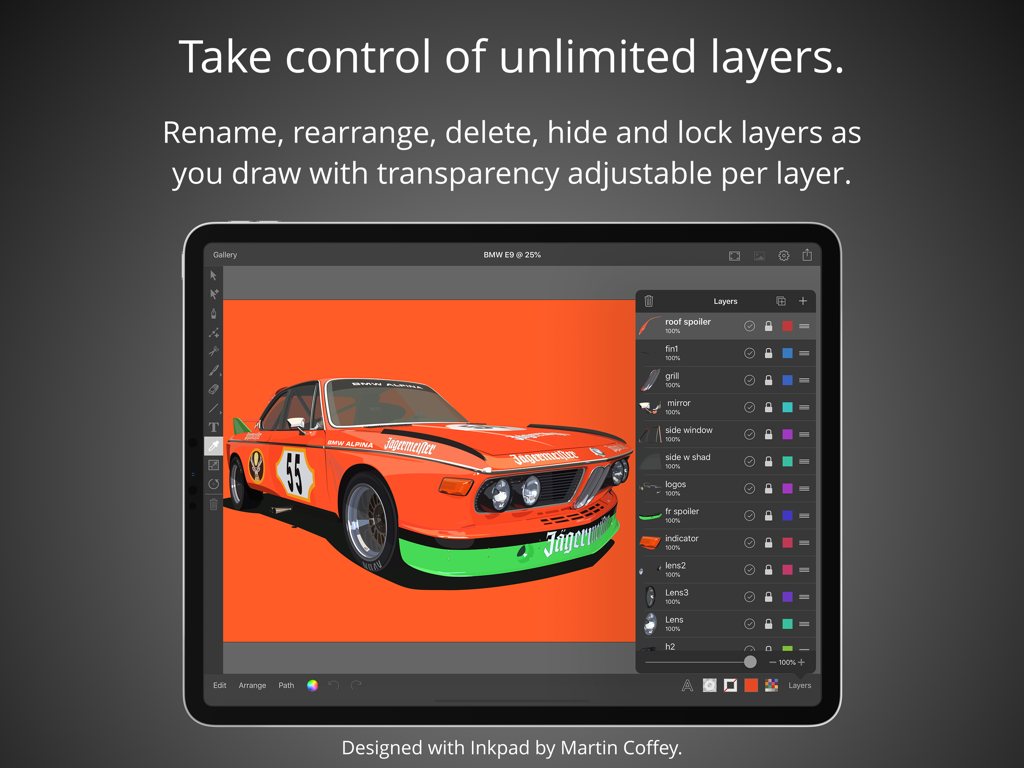
ベクターの車のイラストとレイヤー管理パネルを表示するInkpadアプリのインターフェースのiPad画面

ベクターの車のイラストとレイヤー管理パネルを表示するInkpadアプリのインターフェースのiPad画面

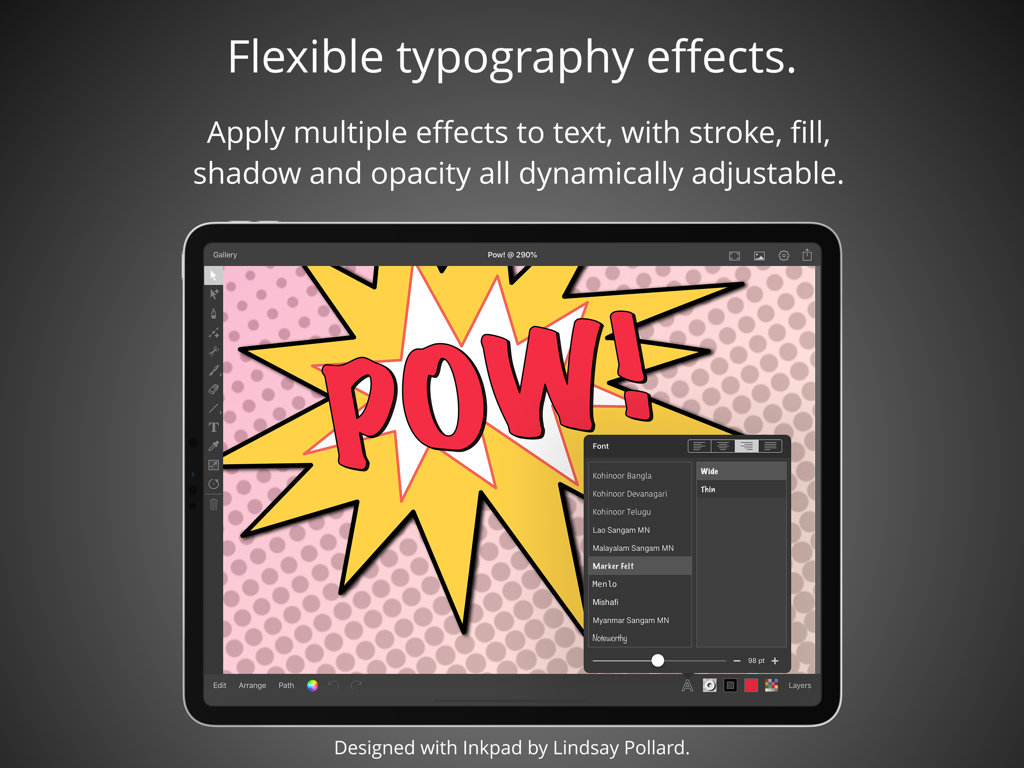
コミック風のテキストで柔軟なタイポグラフィ効果を実演するiPad上のInkpadアプリのスクリーンショット

コミック風のテキストで柔軟なタイポグラフィ効果を実演するiPad上のInkpadアプリのスクリーンショット

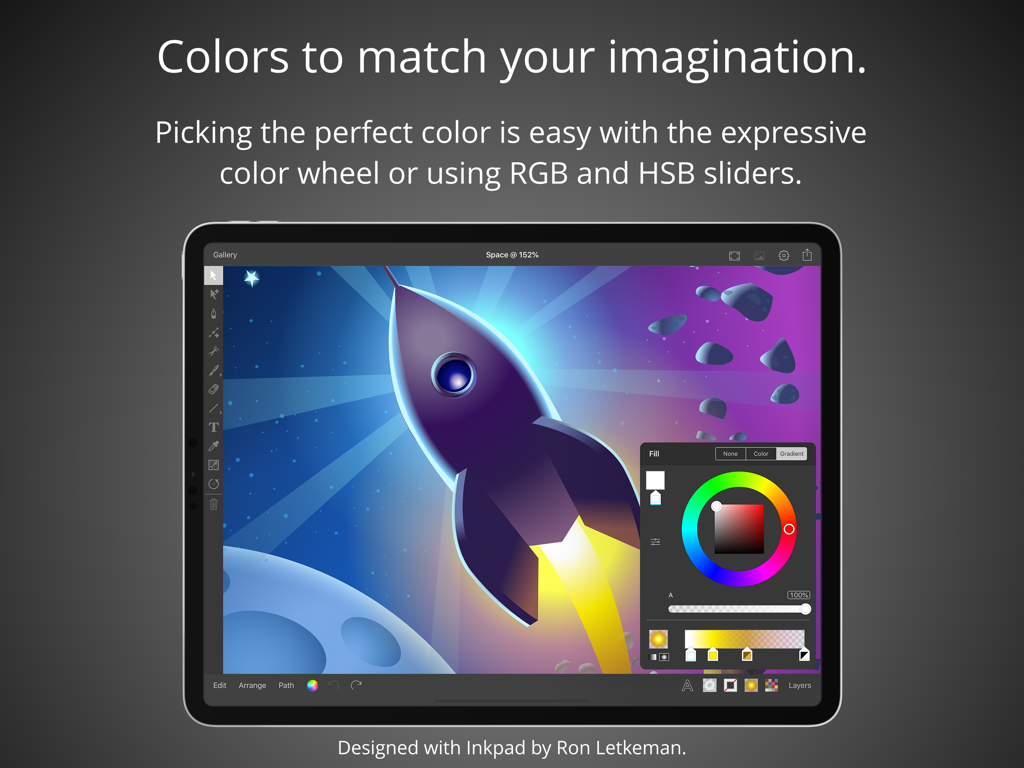
ロケットのベクターイラストの上にカラーホイールとスライダーを表示するiPad上のInkpadアプリのインターフェース

ロケットのベクターイラストの上にカラーホイールとスライダーを表示するiPad上のInkpadアプリのインターフェース

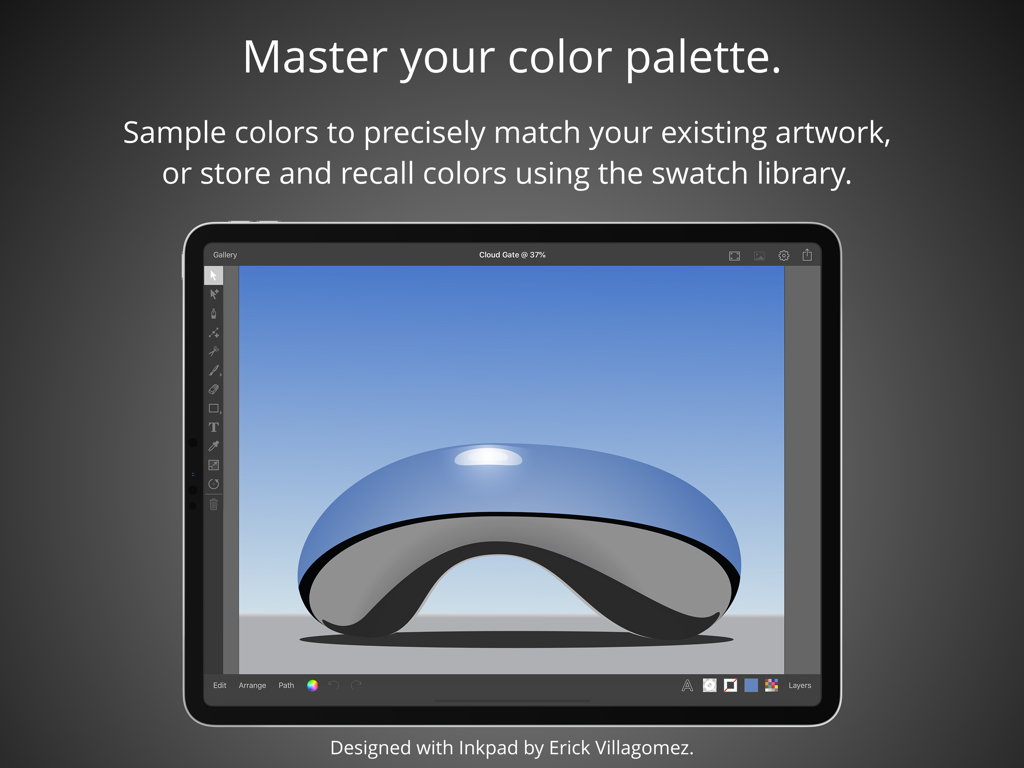
反射する青い彫刻のベクターイラストとカラーパレット機能を表示するiPad上のInkpadグラフィックデザインアプリ

反射する青い彫刻のベクターイラストとカラーパレット機能を表示するiPad上のInkpadグラフィックデザインアプリ

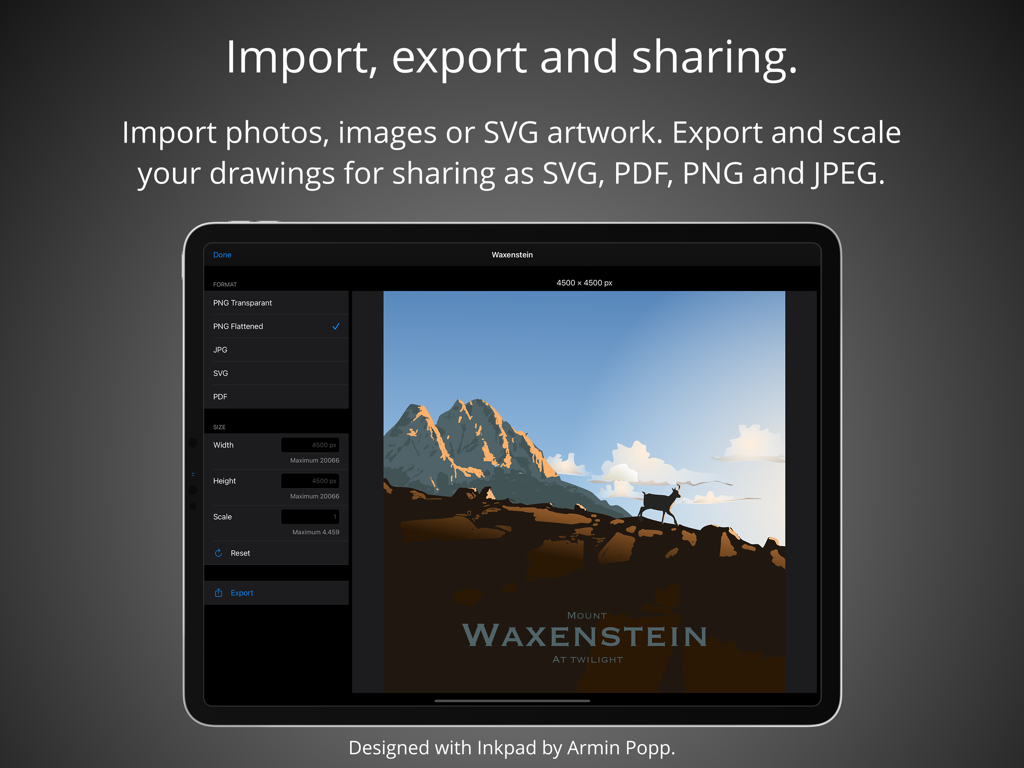
ベクターアートワークの書き出しと共有設定を表示するiPad上のInkpadアプリのインターフェース

ベクターアートワークの書き出しと共有設定を表示するiPad上のInkpadアプリのインターフェース

複雑さを排除したプロフェッショナルなベクターデザイン

このアプリを際立たせるツール、 406K+ 人のユーザーが選択.

🖋️

Apple Pencilの精度

究極の正確さで描画。フリーハンドのベジェパス作成でもグリッドへの吸着でも、すべてのストロークが滑らかでプロフェッショナルなiPad体験のために最適化されています。

📐

摩擦ゼロのプロツール

結合や型抜きなどの強力なブーリアン演算を活用。洗練されたインターフェースにより、無制限のレイヤーや複雑なタイポグラフィの管理もスムーズに行えます。

📂

ものづくりに最適な書き出し

Etsyの起業家やデザイナーに最適。CricutやGlowforge用のクリーンなSVG、あるいはプロ仕様のブランド資産やソーシャルメディア用の高解像度PDFを書き出せます。

世界中のユーザーに愛されています

Trusted by 406K+ 人がこのアプリを愛用しています.

"

"Inkpadは私のスモールビジネスにとって画期的な存在です。カッティングマシン用のSVGデザインはすべてiPad Proで作成しています。Apple Pencilの精度は素晴らしく、クラウドへの書き出しもスムーズです。強力でありながら、かつて苦労していたデスクトップソフトよりもずっと直感的に使えます。"

サラ・M、Etsyショップオーナー
"

"ようやく、ごちゃごちゃしていないベクターアプリに出会えました。旅行中のロゴコンセプト作成やワイヤーフレームにはすべてInkpadを使っています。ブーリアン演算や無制限のレイヤーといったプロ向け機能と、使いやすさのバランスが完璧です。iPadにとって真に最高のベクターツールです。"

デビッド・L、フリーランスブランドデザイナー

アプリについて

について知っておくべきこと Inkpad - Graphic Design.

説明

Create beautiful vector artwork on your iPad with Inkpad. Draw with accuracy and speed. Quickly align new or existing objects either to a grid, points, or path edges. Alternatively draw freehand bezier paths using the brush tool. Select, scale and rotate hundreds of objects with high performance in real time. Cutout elements of artwork, photographs or patterns with masks. Flexible typography effects. Position text at any angle or to follow along paths. Apply multiple effects to text, with stroke, fill, shadow and opacity all dynamically adjustable. If the over seventy built in fonts don’t quite fit your design, you can import any of the millions of OpenType and TrueType fonts available. Take control with unlimited layers. Feel free to add as many or as few elements in each layer to organise your drawings. Rename, rearrange, delete, hide and lock layers as you draw. Isolate the active layer for easy editing. Adjust each layers transparency independently to get your ideal composition. Powerful editing at your fingertips. Easily manipulate single or multiple elements with powerful scale and rotate tools. Associate individual elements into groups. Interactively edit gradient fills on the canvas. Perform a range of Boolean operations on paths, including Unite, Intersect, Exclude and Subtract Front. Colors to match your imagination. Picking the perfect color is easy with the freedom of the expressive color wheel. Or modify colors using RGB and HSB sliders. Enter the hexadecimal value to precisely match existing artwork colors. Sample colors using the dropper. Store and recall colors from the swatch library. Import, export and sharing. Import drawings from desktop vector applications as SVG and include photos directly from your camera roll, or import PNG and JPEG images from cloud services. Export your drawings for sharing or importing into other apps as SVG, PDF, PNG and JPEG to all cloud storage services. Send drawings as photos directly to your camera roll. Light & dark modes. Light and dark mode system appearances with the option to override the system setting to light or dark mode for Inkpad. Apple Pencil. If you’ve got an iPad Pro or the 2018 iPad, Inkpad works great with the Apple Pencil. Praise for Inkpad. Some of the kind feedback received in emails and App Store reviews: “Works perfect on latest iPad Pro, Apple Pencil.” “It’s really beautiful to use with an iPad Pro.” “Inkpad is one of the killer apps for the iPad.” “Inkpad is my favorite graphics app on any platform. Inkpad is just the right balance of enough power without being too complicated.” “If you’ve worked with Illustrator or Inkscape, this is the vector drawing app to download for your iPad. Especially nice with the iPad Pro with Apple Pencil.” “I love this vector drawing app for its easy-to-use interface and pared-down tool bar. It covers the essentials perfectly and the developers are very responsive to questions.” “Inkpad is my main vector design tool for mobile. This is the app that Adobe Draw should be.” “Thank you guys, I use this app all the time.” “If you used to work with Inkpad in the past you should get this app to continue working with it.” Acknowledgements. Thank you to Martin Coffey, Rita Flores, Yve Müller, Armin Popp, David Rivera, Nicolas Saez, Erick Villagomez, Felipe Villela and Jason Wray for contributing artwork to the ‘Designed with Inkpad’ app preview video and screenshots. Please visit our website to see more of their artwork and for links to their portfolios. History. Inkpad was originally created by Steve Sprang in 2011, but it disappeared from the App Store in 2015. I took over development because my wife Lindsay uses Inkpad and I wanted to ensure the continued development and support of a product we and others enjoy so much. Terms and Conditions: http://inkpad.art/terms-and-conditions/ Privacy Policy: http://inkpad.art/privacy/

最新バージョン

3.3.18

サイズ

23.9 MB

リリース日

Dec 15, 2015

次の傑作をデザインする準備はできていますか?

iPadをプロのベクタースタジオに変えた40万人以上のクリエイターの仲間入りをしましょう。タッチ操作のシンプルさと、デスクトップ級のデザインのパワーを体感してください。

ダウンロード: App Store