ListenMe - Text to Speech

ListenMe - Text to Speech

ダウンロード: App Store
Spark by MWM logo
ロゴ: ListenMe - Text to Speech

ListenMe:あらゆる文書を自然で人間らしい音声体験に変換

生産性を劇的に向上させ、画面の疲労から解放されます。PDF、記事、メモを高品質な音声に変換し、通勤中、ワークアウト中、またはマルチタスク中に聴きましょう。

開発元

SCALEUP YAZILIM HIZMETLERI ANONIM SIRKETI

カテゴリ

Productivity

ダウンロード

148K+

ユーザー評価

4.6/5

評価数

1K+

対応言語

9

内部のぞき見

このインターフェースを利用する 148K+ 人のユーザー.

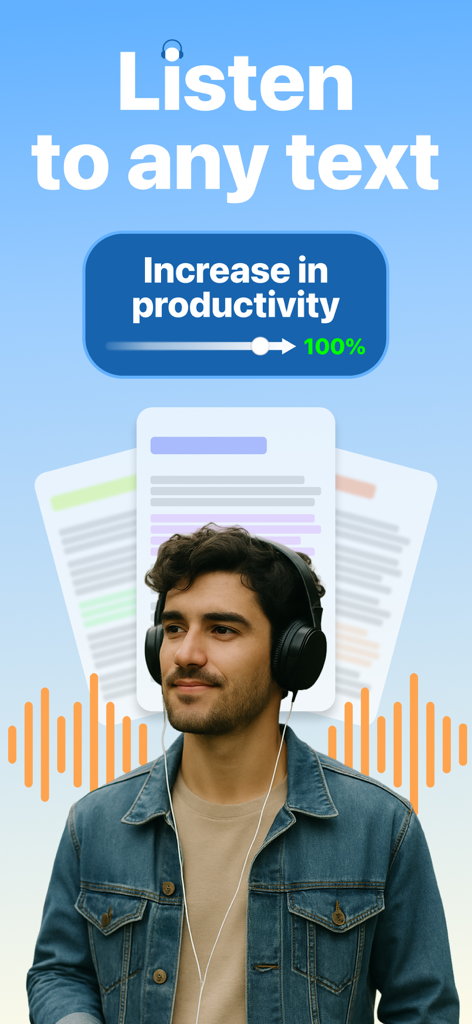
ヘッドフォンを着用し、生産性向上のためにテキストを聴いている男性

ヘッドフォンを着用し、生産性向上のためにテキストを聴いている男性

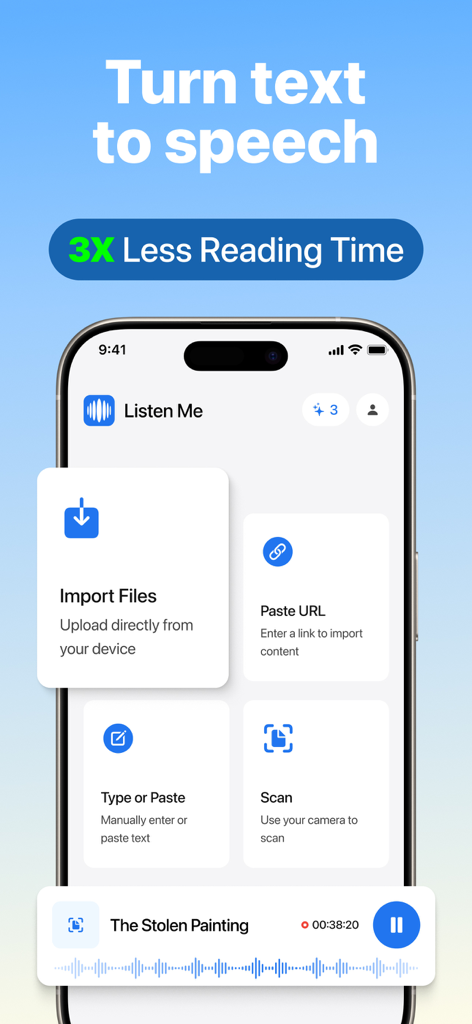
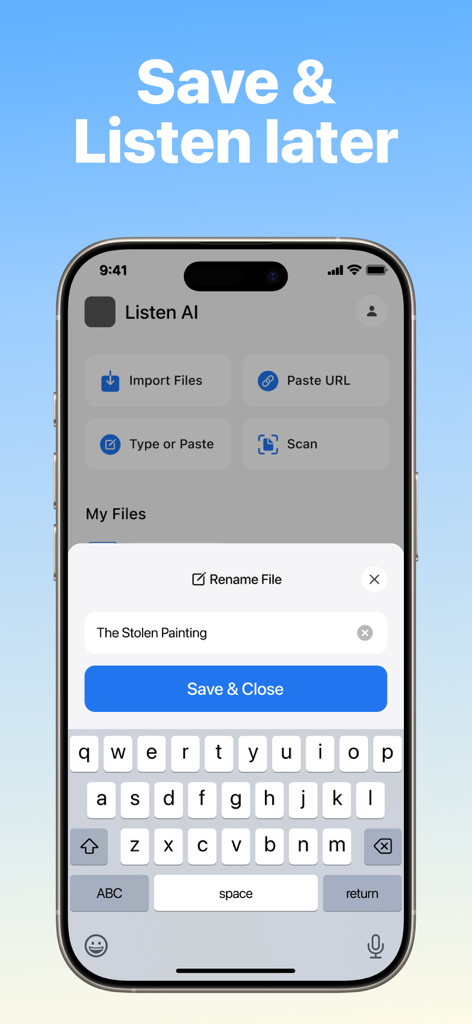
ListenMeアプリのインターフェース。ファイルインポート、URL貼り付け、ドキュメントスキャン、テキスト読み上げ変換のオプションが表示される

ListenMeアプリのインターフェース。ファイルインポート、URL貼り付け、ドキュメントスキャン、テキスト読み上げ変換のオプションが表示される

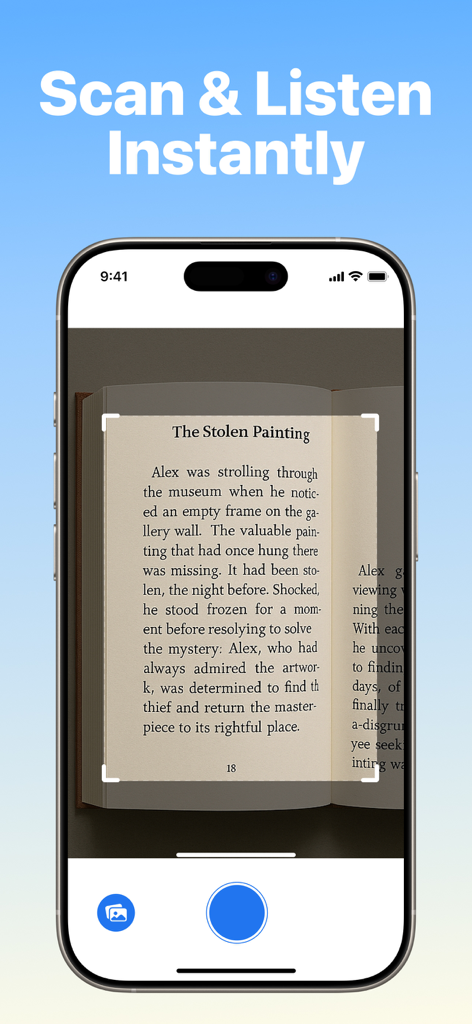
ListenMeアプリが書籍のページをスキャンし、書かれたテキストを瞬時に音声に変換しているスマートフォン画面

ListenMeアプリが書籍のページをスキャンし、書かれたテキストを瞬時に音声に変換しているスマートフォン画面

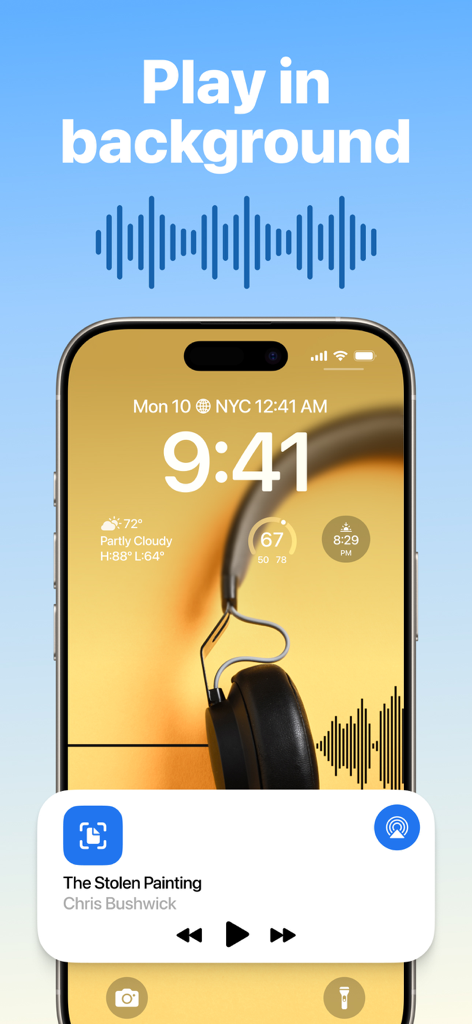
iPhoneのロック画面で、ListenMeアプリがバックグラウンドでテキスト読み上げオーディオを再生している

iPhoneのロック画面で、ListenMeアプリがバックグラウンドでテキスト読み上げオーディオを再生している

ListenMeアプリのインターフェース。ファイルインポート、URL貼り付け、ドキュメントスキャン、テキスト読み上げ変換のオプションが表示される

ListenMeアプリのインターフェース。ファイルインポート、URL貼り付け、ドキュメントスキャン、テキスト読み上げ変換のオプションが表示される

ハンズフリー読書で生産性を解き放つ

このアプリを際立たせるツール、 148K+ 人のユーザーが選択.

📄

瞬時の文書変換

あらゆるPDF、ウェブ記事、またはスキャンされた文書を高品質なオーディオブックに変換します。画面を見つめることなく、「後で読む」リストを楽に消化できます。

最適化された学習速度

再生速度を調整して、時間を管理しましょう。業界レポートや学習資料を最大3倍速で読み進め、効率を最大化します。

🎧

究極の通勤コンパニオン

「無駄な時間」をアクティブな学習時間に変換します。運転中でもジムでも、最も重要な文書をハンズフリーでオフラインで聴きましょう。

世界中のユーザーに愛されています

Trusted by 148K+ 人がこのアプリを愛用しています.

"

"ListenMeは私の朝の通勤を完全に変えました。以前は「後で読む」記事や業界レポートに圧倒されていましたが、今ではURLやPDFをアプリに共有し、運転中に聴いています。音声は信じられないほど自然で、再生速度を上げられる機能は毎週数時間を節約してくれました。忙しいプロフェッショナルにとって究極の生産性向上ハックです。"

Sarah Miller
"

"ADHDを持つ学生として、長い研究論文に集中し続けることはかつて苦労でした。ListenMeは私の学習においてゲームチェンジャーです。教科書をスキャンしたり、PDFをアップロードしたりすると、アプリが注意を引きつけ続けるような方法で読み上げてくれます。通常の目の疲れやデジタル疲労なしに、情報をより速く処理するのに役立ちます。オーディオでより良く学習する人には強くお勧めします。"

David Chen

レビュー分析

ユーザーレビューの分析.

感情スコア

30%
ネガティブ

概要

User feedback for this app is overwhelmingly negative, with many reviews labeling it a "scam" due to misleading subscription practices, unexpected charges, and difficulties canceling. Core functionalities like file uploading (particularly for PDFs and ePubs) and text-to-speech playback are widely reported as non-functional, buggy, or having poor quality with issues like lagging and skipping words. Users also frequently criticize restrictive file size limits (3-5MB) and the app's overall unreliability. A specific bug on ListenMe v.1.0.7 on iPadOS'26.2 notes issues with the playback button and editing stored text titles.

主なテーマ

Subscription & Pricing(24)
Voice & Playback Quality(14)
File Upload & Compatibility(13)
General Performance & Reliability(11)
File Size Restrictions(4)
Customer Support & Refunds(3)
User Interface(1)

アプリについて

について知っておくべきこと ListenMe - Text to Speech.

説明

ListenMe – Convert Text to Speech & Listen Anywhere ListenMe is your all-in-one text-to-speech (TTS) solution that transforms any written content into natural, high-quality voice. Whether you're tired of endless reading, want to save time, or just prefer to listen while doing other tasks, ListenMey helps you turn text into smart, accessible audio. With offline playback, translation, note-taking, and customizable voice settings, you can enjoy a hands-free reading experience anytime, anywhere. Top Features of ListenMe • Text to Speech (TTS) – Turn any text into clear, human-like audio. • Import Text Easily – Add content by typing, uploading files (PDF, DOC, TXT), scanning documents, or sharing URLs. • Audio Speed Control – Slow down or speed up the audio to suit your pace and focus. • Accessibility-Friendly – Designed to support users with visual impairments, dyslexia, ADHD, and other reading difficulties. Who is ListenMe for? • Professionals who need to process large documents quickly • Students who prefer listening to studying • Language learners looking to improve comprehension • People with dyslexia, ADHD, or low vision • Anyone who wants to multitask while consuming content • Anyone tired of screen fatigue or long reading sessions Use ListenMe to: • Convert blog posts, emails, PDFs, notes, and articles into voice • Create MP3 versions of your reading list for mobile access • Improve focus by listening instead of reading • Turn written lectures and study materials into audio • Learn new languages with text to speech content Enjoy screen-free reading during workouts, chores, or commutes ListenMe gives you the freedom to listen rather than read, making content consumption more flexible and efficient. Whether you need a voice reader, a text to speech converter, or just an easy way to multitask with audio, ListenMe is the app you can rely on. With ListenMe, enjoy the most seamless text to speech experience tailored to your daily needs. Whether you’re looking for a reliable text reader to read text from articles, emails, or books, or you simply want a smart way to turn long documents into audio, ListenMe is your perfect companion. The app supports advanced text-to-speech technology to ensure every word sounds natural and clear. Easily transform your notes, webpages, or PDF files into engaging audio content — perfect for turning any PDF to audiobook in seconds. ListenMe is not just another text to speech tool; it’s your go-to text reader for multitasking, learning, or relaxation. Use it to read text aloud while commuting, or let it serve as a PDF to audiobook converter for your study sessions. With multiple text-to-speech voices and customizable reading speeds, you’re always in control. From quick reads to full-length documents, ListenMe makes every text to speech interaction smooth, smart, and efficient.No more staring at screens. No more lost time. Just open ListenMe, import your content, and hit play. ListenMe offers a powerful text to speech engine that makes it easy to listen to your favorite content anytime. Use it as your daily text reader to read text from books, notes, and websites with natural-sounding voices. Whether you're studying, commuting, or relaxing, ListenMe turns your routine into an audiobook experience. Instantly convert any PDF to audiobook and enjoy hands-free reading. The app’s smart text-to-speech features ensure smooth playback, even for long documents. With multiple voices, reading speeds, and offline support, ListenMe is more than just a text to speech app — it’s your all-in-one text reader and PDF to audiobook converter. Privacy Policy: https://listenme.co/privacy Terms of Service: https://listenme.co/terms Do you have a question for us? support@listenme.co

最新バージョン

1.0.7

サイズ

136.3 MB

リリース日

Jun 17, 2025

読書リストを毎日のプレイリストに

PDF、記事、または文書を高品質な音声に変換します。本日、時間を再確保し、集中力を高める148,000人以上のハイパフォーマーに加わりましょう。

ダウンロード: App Store
FAQ

よくある質問

について知っておくべきこと ListenMe - Text to Speech

ListenMeとは何ですか?

ListenMeは、あらゆる書かれたコンテンツを自然で高品質な音声に変換する、オールインワンのテキスト読み上げ(TTS)ソリューションです。さまざまな種類のコンテンツをハンズフリーで読み上げることができます。

ListenMeはどのようにテキストを音声に変換しますか?

ListenMeは、ユーザーが入力、ファイルのアップロード(PDF、DOC、TXT)、ドキュメントのスキャン、またはURLの共有を通じてコンテンツをインポートできるようにすることで、テキストを音声に変換します。クリアで自然なサウンドを実現するために、高度なTTSテクノロジーを使用しています。

ListenMeは物理的なドキュメントのスキャンをサポートしていますか?

はい、ListenMeはドキュメントのスキャンをサポートしています。ユーザーはデバイスのカメラを使用して、物理的なドキュメントや書籍から直接テキストをスキャンし、アプリ内で即座に音声に変換できます。

後で聞くためにListenMeにコンテンツを保存できますか?

はい、ListenMeでは変換された音声コンテンツを保存できます。ユーザーはアプリ内でファイルを管理し、後で聞くことができるため、コンテンツの消費に柔軟性があります。

ListenMeは読字障害のある人に適していますか?

ListenMeはアクセシビリティに配慮して設計されています。テキストを音声形式に変換することで、視覚障害、ディスレクシア、ADHD、その他の読字障害のあるユーザーをサポートし、理解と集中を助けます。

ListenMeで音声の速度を制御できますか?

はい、ListenMeではユーザーが音声の速度を制御できます。再生速度を遅くしたり速くしたりして、個人のペースや集中力に合わせて調整できるため、リスニング体験が向上します。

ListenMeはバックグラウンド再生を許可していますか?

はい、ListenMeはバックグラウンド再生をサポートしています。他のアプリを使用しているときや、デバイスの画面がロックされているときでもコンテンツを聞くことができるため、マルチタスクや連続したリスニングが可能です。

ListenMeはPDFをオーディオブックに変換しますか?

はい、ListenMeはPDFをオーディオブックに変換します。このアプリはPDFファイルを魅力的な音声コンテンツに変換し、ドキュメント、記事、書籍などをハンズフリーで簡単に聞くことができます。

ListenMeはオフラインでオーディオを再生できますか?

はい、ListenMeはオフライン再生を提供しています。この機能により、インターネット接続を必要とせずに、いつでもどこでもハンズフリーでコンテンツを聞くことができます。