Notes Writer - Note Taking

Notes Writer - Note Taking

ダウンロード: App Store
Spark by MWM logo
ロゴ: Notes Writer - Note Taking
Notes Writer:ノート、PDF、アイデアのためのオールインワンワークスペース

800万人以上の学生やプロフェッショナルがiPadとiPhoneをパワフルなデジタルオフィスに変えています。究極のセカンドブレインツールで、世界を書き込み、注釈を付け、整理しましょう。

開発元

Kairoos Solutions S.L.

カテゴリ

Productivity

ダウンロード

8M+

ユーザー評価

4.5/5

評価数

56K+

対応言語

10

あなたのワークフローを可視化

このインターフェースを利用する 8M+ 人のユーザー.

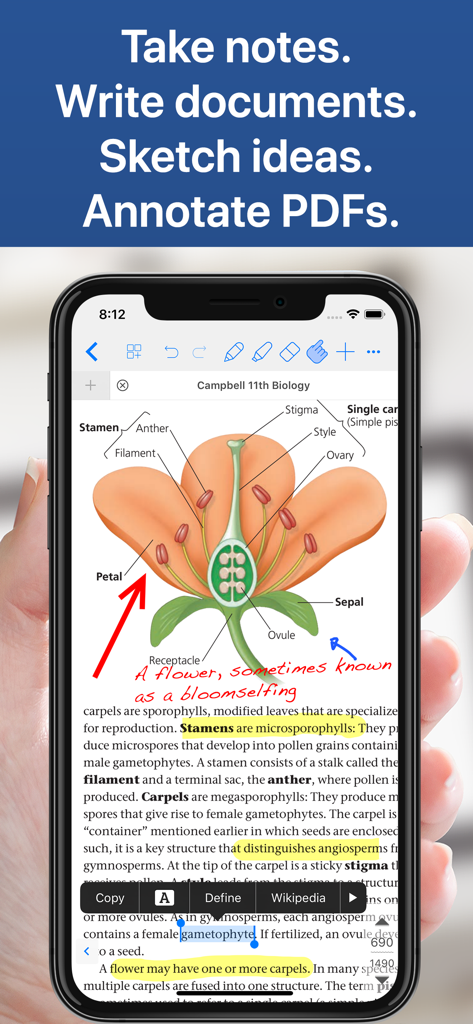
Notes WriterアプリがiPhoneに表示され、手書きのノートとハイライトが付いた生物学の教科書のPDFを表示しています

Notes WriterアプリがiPhoneに表示され、手書きのノートとハイライトが付いた生物学の教科書のPDFを表示しています

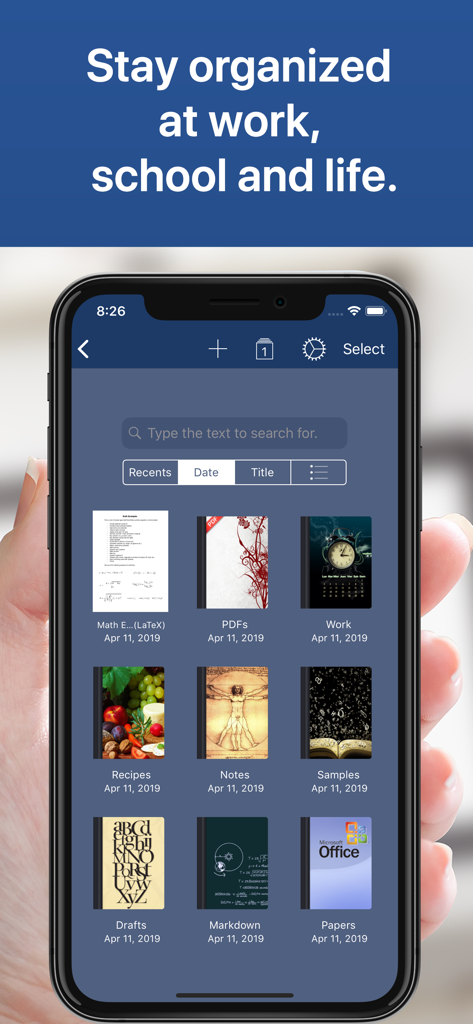
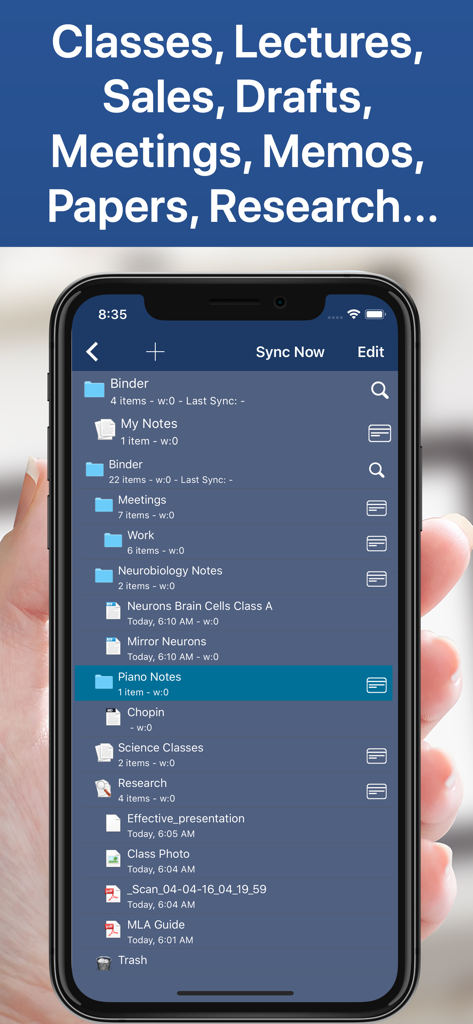
Notes Writerアプリのインターフェースが、スマートフォン上の整理されたノートブックとフォルダのライブラリを示しています

Notes Writerアプリのインターフェースが、スマートフォン上の整理されたノートブックとフォルダのライブラリを示しています

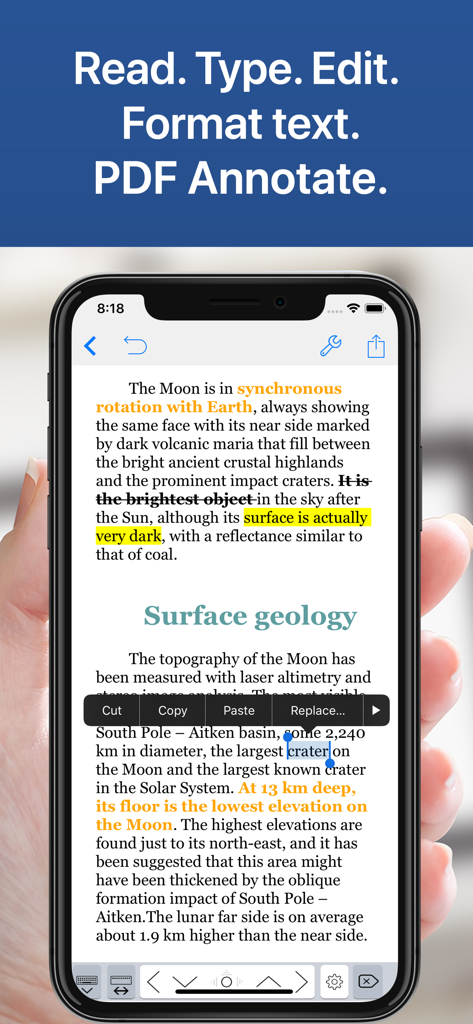
Notes WriterアプリのインターフェースがiPhoneに表示され、テキストフォーマットとPDF注釈を示しています

Notes WriterアプリのインターフェースがiPhoneに表示され、テキストフォーマットとPDF注釈を示しています

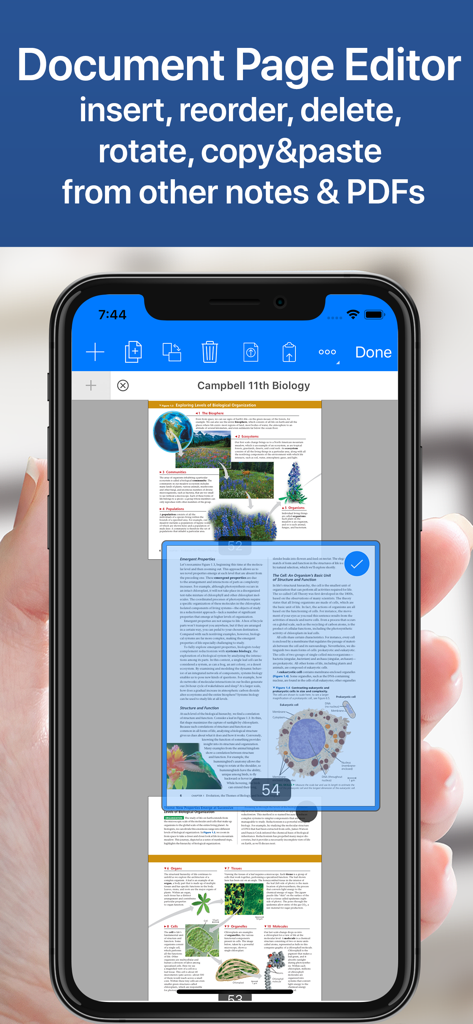
Notes WriterアプリのドキュメントページエディタインターフェースがiPhoneに表示され、生物学の教科書のPDFでページを並べ替えたり管理したりするオプションを示しています

Notes WriterアプリのドキュメントページエディタインターフェースがiPhoneに表示され、生物学の教科書のPDFでページを並べ替えたり管理したりするオプションを示しています

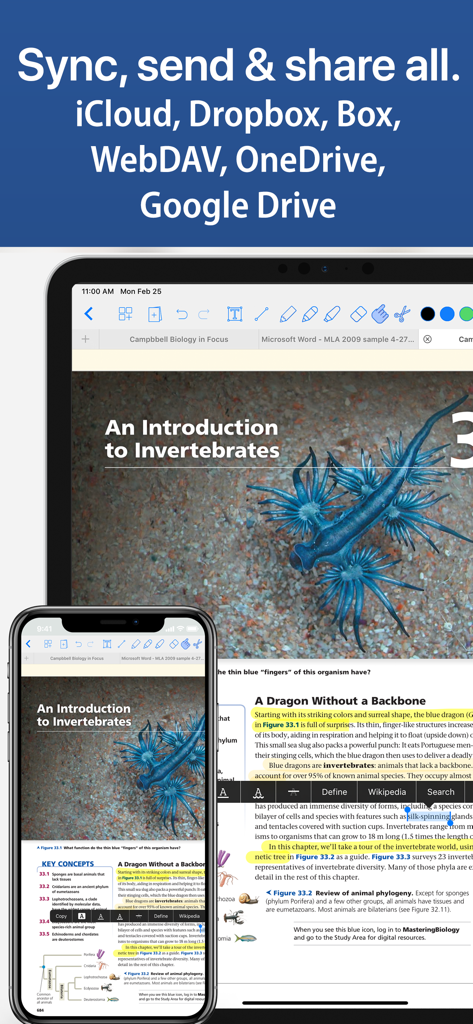
Notes WriterアプリのインターフェースがiPadとiPhoneに表示され、iCloudやGoogle Driveなどのクラウドサービス間でのドキュメント同期を示しています

Notes WriterアプリのインターフェースがiPadとiPhoneに表示され、iCloudやGoogle Driveなどのクラウドサービス間でのドキュメント同期を示しています

Notes Writerで学術用およびプロフェッショナル用のノートが整理されたフォルダを表示するスマートフォンの画面

Notes Writerで学術用およびプロフェッショナル用のノートが整理されたフォルダを表示するスマートフォンの画面

モバイルワークフローをマスターする

このアプリを際立たせるツール、 8M+ 人のユーザーが選択.

✒️

集中できるライティング

Markdownサポート、タイプライターモード、自動MLA/APAフォーマットで、原稿や授業ノートを学術的に作成できます。

🖊️

高度なPDFツールセット

教科書にハイライトを付けたり、契約書に署名したり、複雑なフォームに即座に記入したりできます。デュアルビューで、リサーチと執筆を同時に行いましょう。

☁️

無限の整理と同期

無制限のフォルダでプロジェクトを構造化し、iCloud、Google Drive、Dropbox間で同期して、真のペーパーレスライフを実現しましょう。

世界中のユーザーに愛されています

Trusted by 8M+ 人がこのアプリを愛用しています.

"

"博士課程の学生として、私はリサーチのために3つの異なるアプリを使い分ける必要がありました。Notes Writerがすべてを変えました。デュアルビューで下書きを横に書きながら、長いPDF論文に注釈を付けることができます。内蔵のMLAフォーマットツールと数百のフォルダを整理できる機能は、私の博士論文にとって究極のセカンドブレインです。"

Sarah L., Ph.D. Candidate
"

"これはiPadで見つけた中で最も汎用性の高いライティングツールです。新しい記事のために集中できるタイプライターモードを使用するときも、安全なPDFツールで契約書に署名するときも、すべて完璧に処理します。これは一つのアプリに収まった私のモバイルオフィス全体であり、オフラインモードは通勤中に命綱となります。"

Marcus T., Freelance Journalist

レビュー分析

ユーザーレビューの分析.

感情スコア

23%
ネガティブ

概要

This note-taking app receives largely negative feedback, primarily due to its controversial payment model and numerous stability issues. Many users express frustration with hidden costs, the requirement to repurchase "Pro" features across different devices, and a perceived lack of transparency regarding subscriptions and AI features. Recurring critical problems include frequent app crashes, significant data loss without recovery options, and unresponsive customer support. Despite these drawbacks, the app garners some praise for its strong PDF annotation capabilities, variety of templates, ease of use for basic note-taking, and efficient file transfer, with a few users highlighting its useful free version features.

主なテーマ

Ease of Use(4)
PDF Annotation(3)
Templates & Customization(1)
File Transfer(1)
Free Version Features(1)
Handwritten Notes(1)

アプリについて

について知っておくべきこと Notes Writer - Note Taking.

説明

Transform the way you write, annotate, and organize on your iPad and iPhone. Perfect for students, educators, writers, professionals, and anyone who needs a powerful, all-in-one note-taking and PDF editing solution—Notes Writer works wherever you are, even offline. Write, Edit & Format • Write anywhere: Capture lecture notes, journal entries, articles, and more—even on the go. • Advanced editing: Create RTF and Markdown documents with customizable margins, headers, footers, and paper sizes. Format your work effortlessly using MLA/APA styles. • Real-time metrics: Monitor word counts, character counts, and more as you write. • Voice and accessibility: Use dictation to speak your text and text-to-speech for seamless proofreading. • Focus mode: Enjoy distraction-free typewriter mode and extra keys for effortless editing. • Multilingual support: Type in over 30 languages, including Japanese, Chinese, Arabic, and Hebrew. Annotate PDFs, Fill Forms & Sign Documents • Dynamic PDF tools: Highlight, underline, strikeout, and add notes—plus voice annotations, pencil marks, stamps, and digital signatures. • Easy form filling: Complete PDF forms with full AcroForms support and sign documents securely. • Signature validation: Ensure your signatures are authenticated and legally sound. Organize, Structure & Find • Unlimited organization: Create and manage unlimited notebooks, folders, and subfolders. Design custom covers and structure your projects intuitively. • Powerful search: Instantly find any note or document with full-text search across your entire library. Scan, Research & Manage Your PDF Library • Dual-view mode: Compare two PDFs or handwritten notes side by side. • Comprehensive PDF manager: Read, annotate, and organize textbooks, ebooks, articles, and more. • Document scanning: Convert physical documents, recipes, and tickets into PDFs using your device’s camera. • Multi-file compatibility: Open PowerPoint, Word, and Excel files directly within the app. Share, Export & Protect Your Work • Seamless sharing: Sync with iCloud, Dropbox, Box, WebDAV, and Google Drive. Open attachments directly from your Mail app. • Flexible exports: Convert notes to RTF, Markdown, PDF, ePub, HTML, TXT, and more. Easily zip and email entire notebooks. • Secure backups: Protect your work with a passcode and enjoy automatic backups for peace of mind. Notes Writer is more than a note-taking app—it’s your smart, versatile writing workspace designed to boost productivity in study and business. Download today and experience a smarter way to capture, organize, and share your ideas. Privacy Policy http://www.noteswriter.com/Kairoos_Privacy_Policy.html EULA https://www.apple.com/legal/internet-services/itunes/dev/stdeula/

最新バージョン

18.4.0

サイズ

359.4 MB

リリース日

Aug 15, 2018

今日からスマートなワークスペースを始めよう

散らかったアプリにさよならし、一つの統一されたホームを手に入れた800万人のパワーユーザーに加わりましょう。Notes Writerをダウンロードして、ノート、PDF、プロジェクトを一つの場所でマスターしましょう。

ダウンロード: App Store
FAQ

よくある質問

について知っておくべきこと Notes Writer - Note Taking

Notes Writerとは何ですか?

Notes Writerは、iPadとiPhone向けのオールインワンのノート作成およびPDF編集ソリューションです。ユーザーは、学習やビジネスのために効果的に文書を作成、注釈付け、整理、スキャン、管理できます。

インターネット接続なしでNotes Writerを使用できますか?

はい、Notes Writerはオフラインでも機能します。このアプリケーションにより、ユーザーはインターネットの有無に関係なく、ノート、日記、記事をキャプチャでき、どこでも生産性を確保できます。

Notes Writerはどのような種類のファイルをエクスポートできますか?

Notes Writerは、RTF、Markdown、PDF、ePub、HTML、TXTなどのさまざまな形式でノートをエクスポートします。また、アプリから直接ノートブック全体をzip圧縮してメールで送信することもできます。

Notes WriterはPDF注釈をサポートしていますか?

はい、Notes Writerは包括的なPDF注釈をサポートしています。ユーザーは、PDFに直接ハイライト、下線、取り消し線を追加したり、メモ、音声注釈、鉛筆マーク、スタンプ、デジタル署名を追加したりできます。

Notes Writerは文書をどのように整理するのに役立ちますか?

Notes Writerは無制限の整理を提供します。ユーザーは無制限のノートブック、フォルダ、サブフォルダを作成および管理できます。カスタムカバーと、ライブラリ全体にわたる強力な全文検索機能を備えています。

Notes Writerはどのクラウドサービスと同期しますか?

Notes Writerは、iCloud、Dropbox、Box、WebDAV、Google Driveとのシームレスな同期を提供します。ユーザーは、アプリ内で直接メールの添付ファイルを開くこともできます。

Notes Writerにはドキュメントスキャナーが含まれていますか?

はい、Notes Writerにはドキュメントスキャナーが組み込まれています。この機能は、物理的な文書、レシピ、チケットをデバイスのカメラを使用して直接PDFファイルに変換し、デジタル整理を可能にします。

Notes WriterでWordやExcelなどのMicrosoft Officeファイルを開くことはできますか?

はい、Notes WriterはPowerPoint、Word、Excelファイルをアプリ内で直接開くことをサポートしています。これにより、包括的なドキュメントマネージャーとしての有用性が向上します。