Planimeter 55. Measure on map.

Planimeter 55. Measure on map.

ダウンロード: App Store
Spark by MWM logo
ロゴ: Planimeter 55. Measure on map.
Planimeter 55: プロフェッショナル向け精密地図測定

面積、周囲、距離を正確に計算するための究極のツール。現場見積もりを効率化し、位置情報付き写真で場所を記録し、プロ仕様のマッピングツールでプロジェクトを管理します。

開発元

Kalimex-Consulting s.r.o.

カテゴリ

Navigation

ダウンロード

175K+

ユーザー評価

4.4/5

評価数

400

対応言語

11

一目でわかる精度

このインターフェースを利用する 175K+ 人のユーザー.

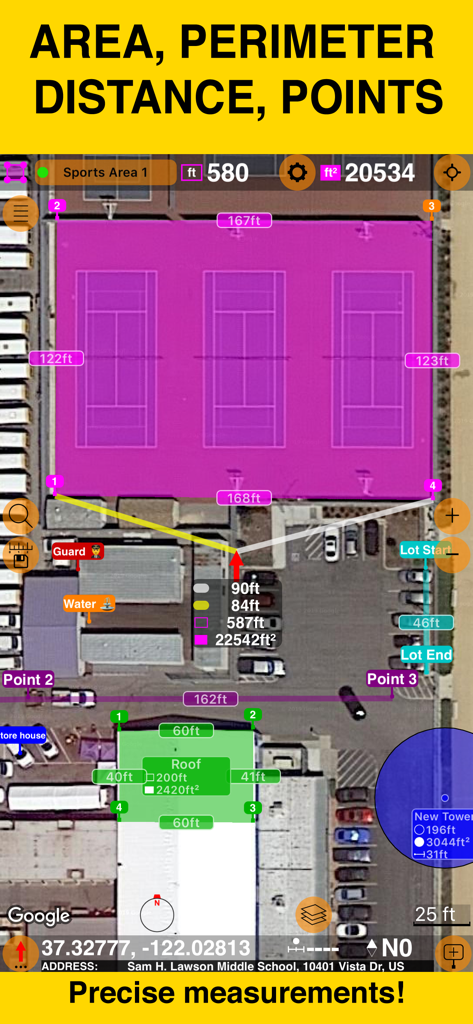
衛星地図上で正確な面積と周囲の測定値を示すPlanimeter 55アプリのスクリーンショット

衛星地図上で正確な面積と周囲の測定値を示すPlanimeter 55アプリのスクリーンショット

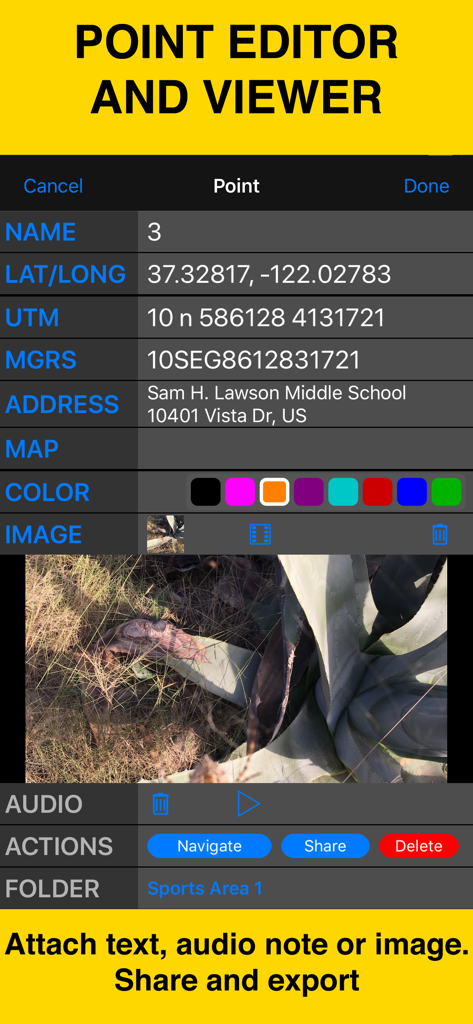
Planimeter 55のインターフェース。点の座標、住所、添付された現場写真を表示。

Planimeter 55のインターフェース。点の座標、住所、添付された現場写真を表示。

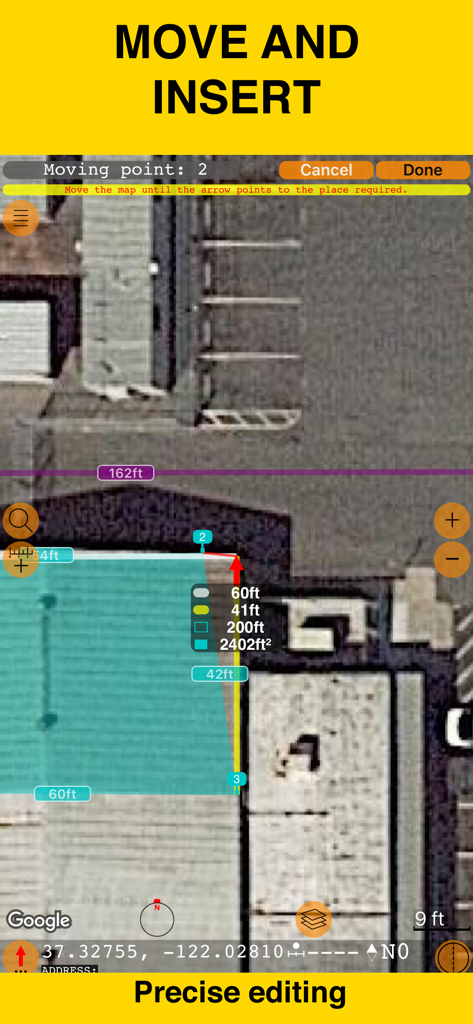
衛星地図上での正確な編集と面積測定のためのPlanimeter 55アプリのインターフェース

衛星地図上での正確な編集と面積測定のためのPlanimeter 55アプリのインターフェース

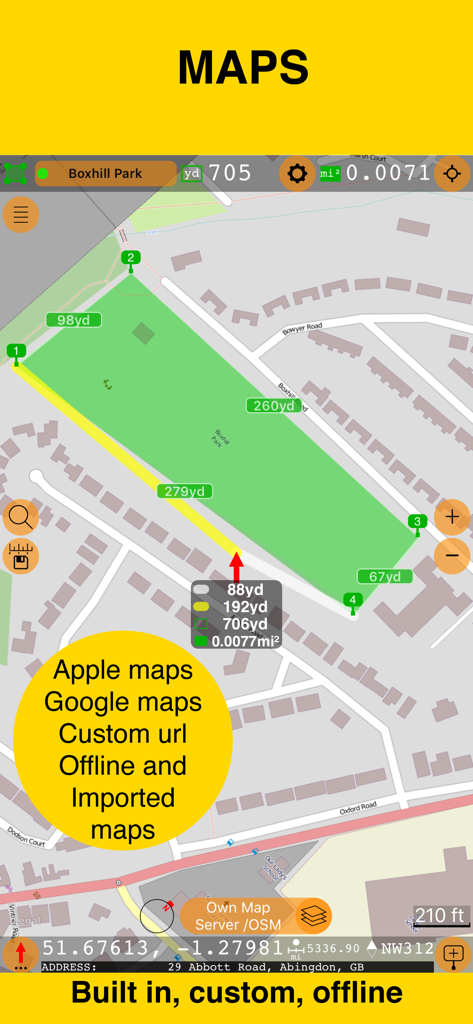
Planimeter 55のインターフェース。地図上の面積測定を示し、Apple、Google、オフラインマップのサポートを強調するテキストが表示されています。

Planimeter 55のインターフェース。地図上の面積測定を示し、Apple、Google、オフラインマップのサポートを強調するテキストが表示されています。

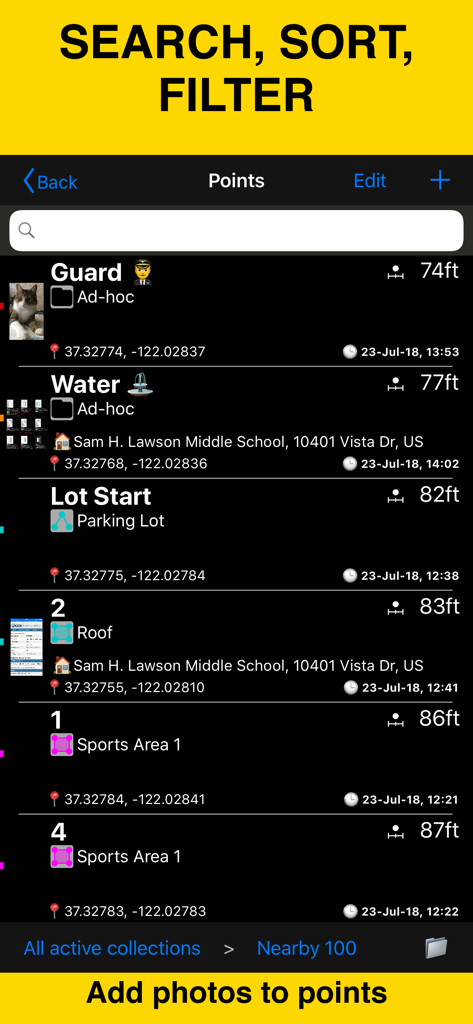
Planimeter 55アプリの画面。現場データ管理のために、座標、距離、添付写真を含むマッピングされた点のリストを表示。

Planimeter 55アプリの画面。現場データ管理のために、座標、距離、添付写真を含むマッピングされた点のリストを表示。

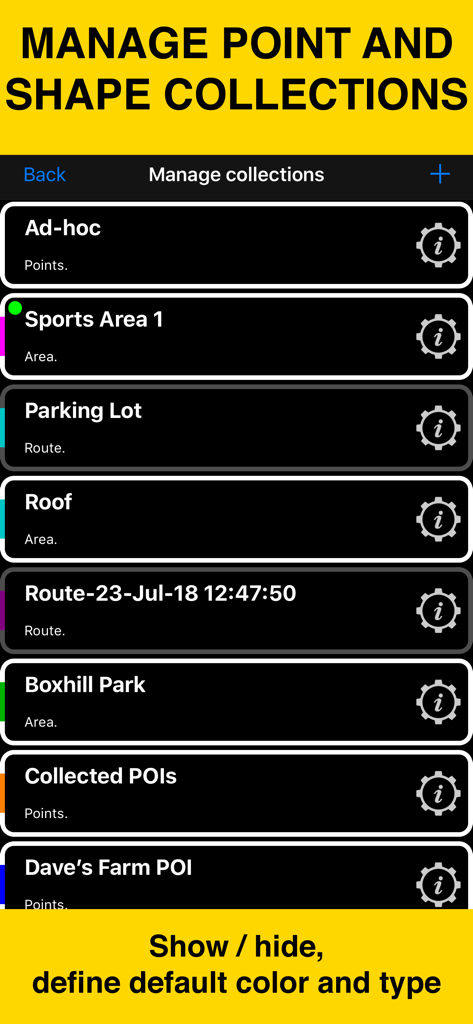
Planimeter 55モバイルアプリの画面。マッピングプロジェクトの点と形状のコレクションの管理を表示。

Planimeter 55モバイルアプリの画面。マッピングプロジェクトの点と形状のコレクションの管理を表示。

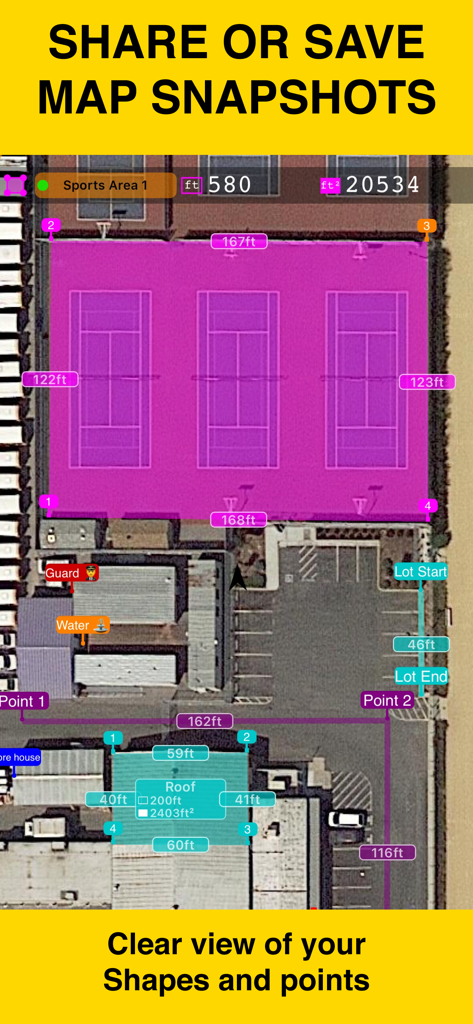
Planimeter 55を使用して、スポーツコートと建物の屋根の面積と距離の測定値を示す衛星地図ビュー。

Planimeter 55を使用して、スポーツコートと建物の屋根の面積と距離の測定値を示す衛星地図ビュー。

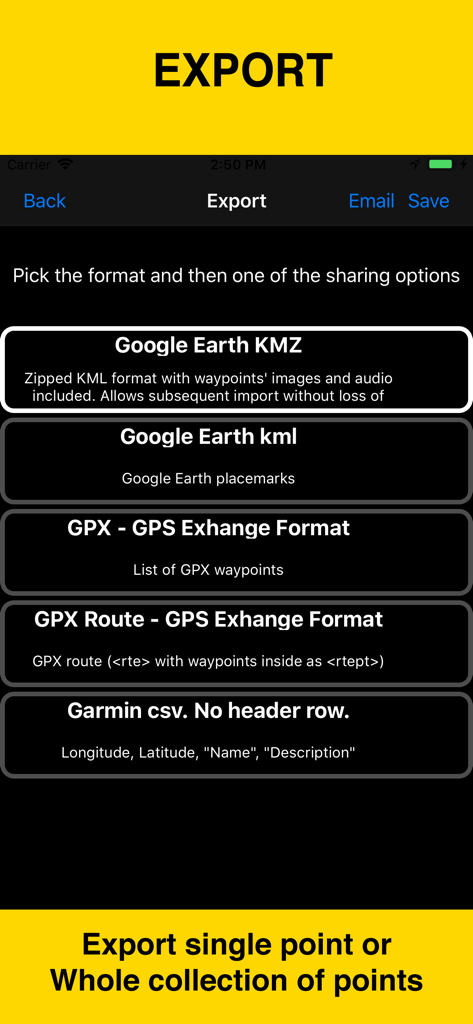
Planimeter 55アプリのエクスポート画面。Google Earth KMZ、KML、GPX、Garmin CSVなどのデータ形式オプションを表示。

Planimeter 55アプリのエクスポート画面。Google Earth KMZ、KML、GPX、Garmin CSVなどのデータ形式オプションを表示。

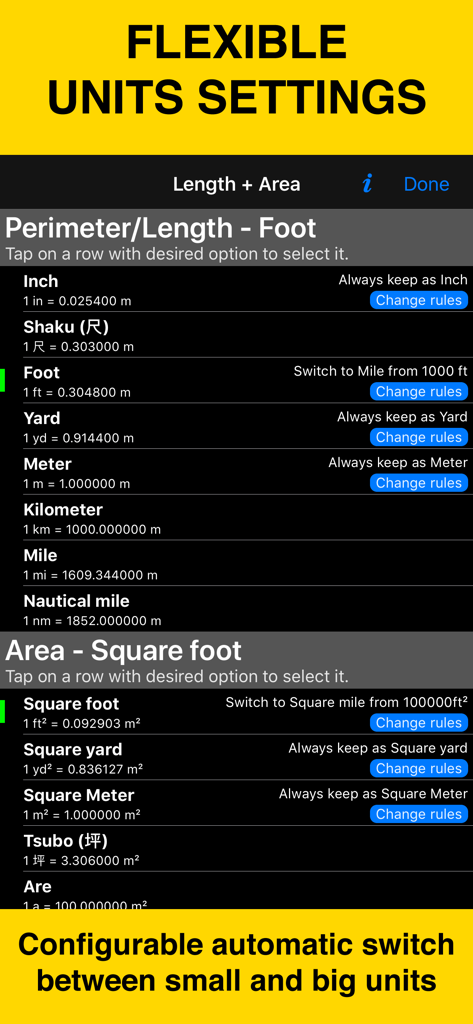
Planimeter 55の設定画面。長さと面積の測定のための柔軟な単位オプションを表示。

Planimeter 55の設定画面。長さと面積の測定のための柔軟な単位オプションを表示。

あらゆるプロジェクトにプロフェッショナルな精度を

このアプリを際立たせるツール、 175K+ 人のユーザーが選択.

📐

面積と距離を瞬時に計算

地図を動かすだけで、屋根、畑、駐車場のリアルタイム測定が可能です。測定ホイールなしで、数秒で正確な見積もりを作成するのに最適です。

📸

位置情報付き現場記録

特定のGPSポイントに写真、音声メモ、テキストを添付します。現場の状態の完全なデジタル記録を保持し、プロジェクト管理を効率化し、クライアントに作業の証拠を提供します。

🗺️

プロ仕様のマッピングと共有

高精細なGoogleマップの衛星ズームと、地方での作業のためのオフラインマップにアクセスできます。測定結果をKMZファイルまたはプロフェッショナルなスクリーンショットとしてエクスポートし、入札書やプロジェクトフォルダに含めることができます。

世界中のユーザーに愛されています

Trusted by 175K+ 人がこのアプリを愛用しています.

"

"Planimeter 55は私の入札方法を完全に変えました。測定のためだけに現場まで何時間も運転する代わりに、高精細な衛星ズームを使って正確なリモート見積もりを提供できるようになりました。ポイントに位置情報付き写真を添付することで、私のチームは整理され、顧客も感銘を受けます。私の造園業にとって不可欠なツールです。"

クリス・M、造園業者
"

"広大な田舎の土地を管理するのは頭痛の種でしたが、このアプリはそれをシームレスにしてくれます。携帯電話の電波が届かない場所での作業では、オフラインマップサポートが命綱です。正確に面積を計算し、メモや音声で境界をマークし、そのすべてを記録のためにKMZにエクスポートできます。これは私のツールキットの中で最も信頼できるツールです。"

サラ・J、土地管理スペシャリスト

アプリについて

について知っておくべきこと Planimeter 55. Measure on map..

説明

Measure distance, perimeter, and area on a map with ease. Add stand-alone points to mark locations and understand exactly what’s where. Capture photos with location, direction, altitude, and timestamp data. Share and export your projects seamlessly. Planimeter 55 is the ideal tool for measuring construction sites, roofs, lawns, fences, paving, pools, parking lots, fields, and paths. Or simply for placing stand-alone points on a map for better spatial understanding. Why choose Planimeter 55? • Precise control of your planned or measured areas. As you move the map, the app instantly displays the calculated area or distance, including the lengths of adjacent lines—even before you add a new point. • Native Google Maps support for enhanced zoom. Zoom in closer on satellite and hybrid maps for high-detail measurements. • Detailed point management. Assign individual colors to points and attach text notes, audio recordings, or images for comprehensive data collection. • Easy point editing. Move points directly on the main map screen (tap a point and select Move) or in the dedicated point editor. Before confirming, you’ll see the updated area, perimeter, and distance calculations in real time. • Organize your data. Show or hide shapes and point collections to focus on what’s important for your current project. • Flexible measurement units. Customize when distances display in feet or meters versus miles or kilometers. The same flexibility applies to area units. • Custom URL maps, offline maps, and map imports. Planimeter 55 includes Apple Maps and Google Maps by default. You can also add custom URL maps, download offline maps, or import your own maps (mbtiles, sqlitedb) created on your PC or Mac. • KMZ export and import. Transfer shapes and point collections, including images and audio notes, to continue your work across multiple devices. • Built-in camera tool. Attach geo-referenced photos to your points for a complete survey experience. What’s included in the Basic Version: • Create an unlimited number of points and temporary measurement shapes (areas or routes). • To measure a new shape, simply discard the previous one and start again. Unlock the Pro Pack Upgrade for even more: • Full support for Google Maps, custom URL maps, offline maps, and imported maps (with enhanced zoom for satellite and hybrid maps). • Save and manage multiple point collections and shapes. • Import and export individual points or entire shapes and collections. • Save and share map snapshots showing only the objects you’ve created—without UI buttons or tools. Support and Help Access Documentation or Support and Feedback via the MENU (hamburger icon) within the app. For direct support, email stan@blocoware.com. We respond to all emails within a few hours, or up to 9 hours if they arrive during CET/EU night hours. Wishing you happy measuring! The Planimeter 55 Team Terms of Use: https://www.apple.com/legal/internet-services/itunes/dev/stdeula/

最新バージョン

4.3

サイズ

70.9 MB

リリース日

Aug 4, 2018

プロフェッショナルな精度で測定する準備はできましたか?

業界で最も信頼されているマッピングツールで時間とコストを節約している175,000人以上の請負業者や土地管理者仲間になりましょう。今すぐPlanimeter 55をダウンロードしてください。

ダウンロード: App Store