Screen Recorder ®

Screen Recorder ®

ダウンロード: App Store
Spark by MWM logo
ロゴ: Screen Recorder ®

Screen Recorder ®:HDで作成、リアクション、ライブ配信

クリエイターのための究極のオールインワンスタジオ。Facecamリアクションで壮大なゲームプレイをキャプチャし、プロフェッショナルなツールで編集し、YouTube、Twitch、Facebookに直接ライブ配信しましょう。

開発元

Poster App LLP

カテゴリ

Utilities

ダウンロード

1M+

ユーザー評価

4.7/5

評価数

51K+

対応言語

9

実際に見てみよう

このインターフェースを利用する 1M+ 人のユーザー.

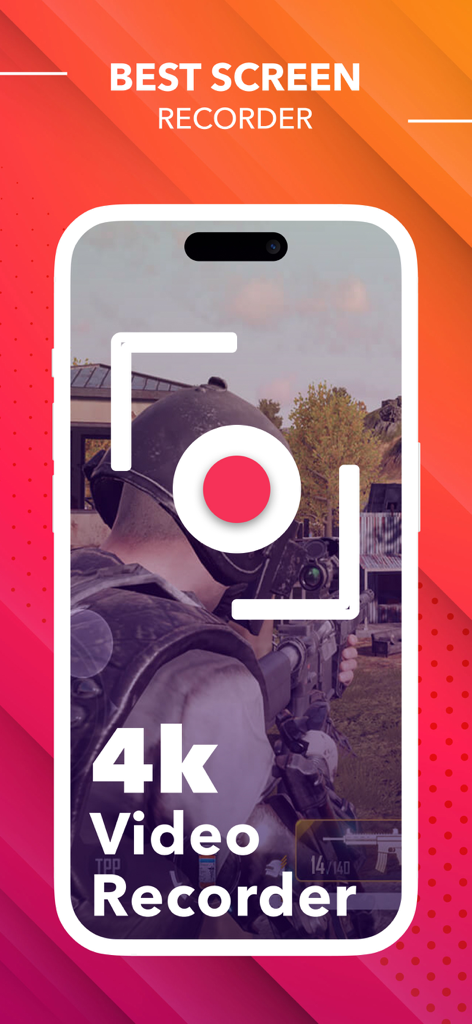
高画質のゲームプレイをキャプチャする4Kモバイル画面レコーダー

高画質のゲームプレイをキャプチャする4Kモバイル画面レコーダー

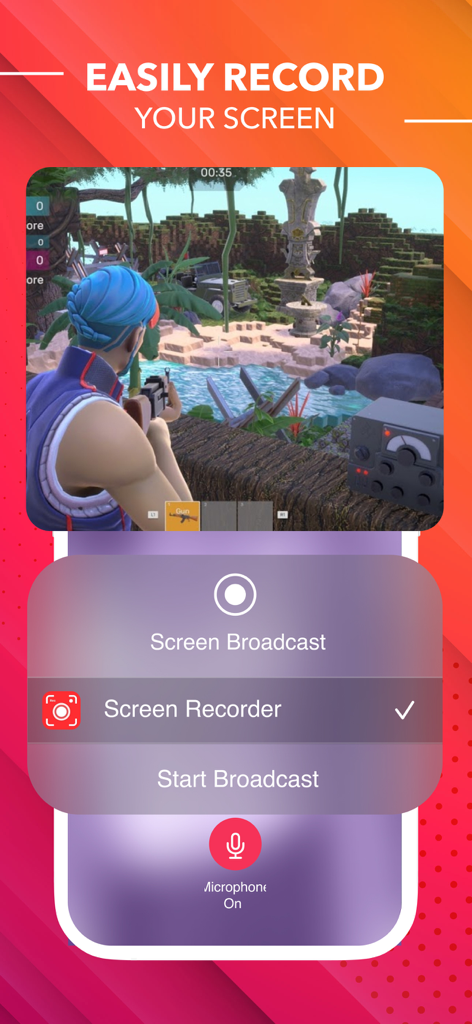
ブロードキャスト設定でモバイルビデオゲームをキャプチャするScreen Recorderインターフェース

ブロードキャスト設定でモバイルビデオゲームをキャプチャするScreen Recorderインターフェース

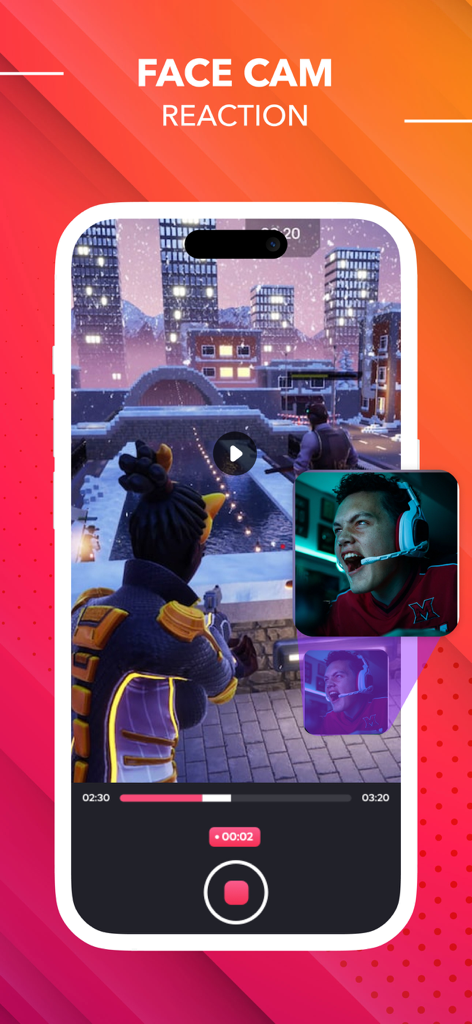
Facecamリアクションオーバーレイ付きのモバイルゲームを表示する画面レコーダーアプリインターフェース

Facecamリアクションオーバーレイ付きのモバイルゲームを表示する画面レコーダーアプリインターフェース

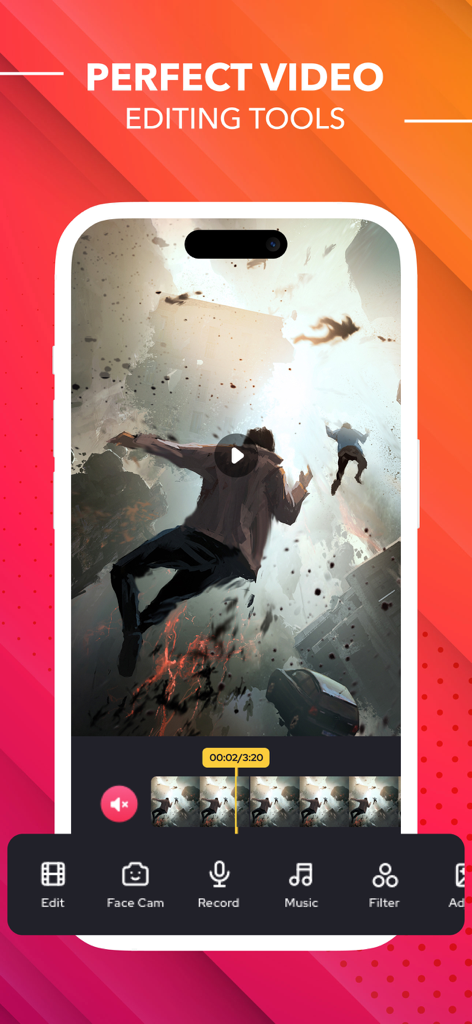
音楽フィルターとFacecamオプションを備えたモバイル画面レコーダーアプリインターフェースでビデオ編集ツールを表示

音楽フィルターとFacecamオプションを備えたモバイル画面レコーダーアプリインターフェースでビデオ編集ツールを表示

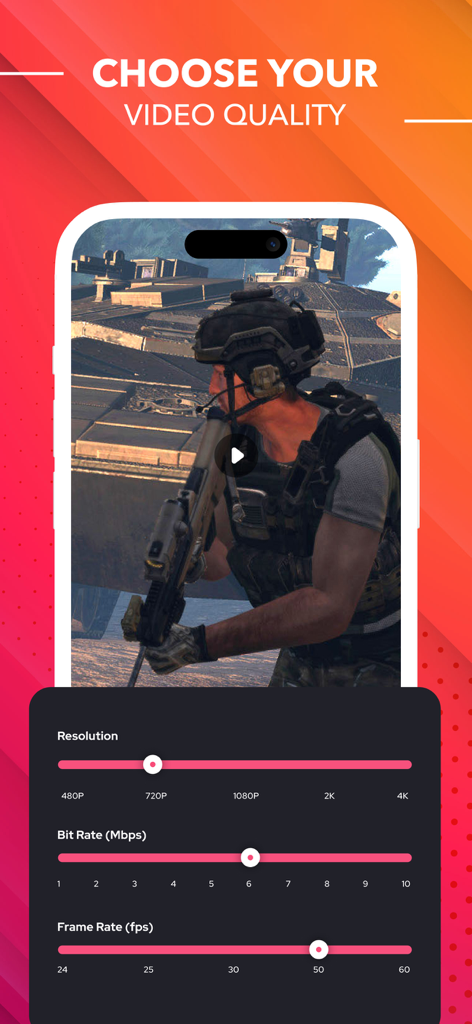
ビデオ解像度、ビットレート、フレームレートの調整可能な設定を表示するモバイル画面レコーダーインターフェース

ビデオ解像度、ビットレート、フレームレートの調整可能な設定を表示するモバイル画面レコーダーインターフェース

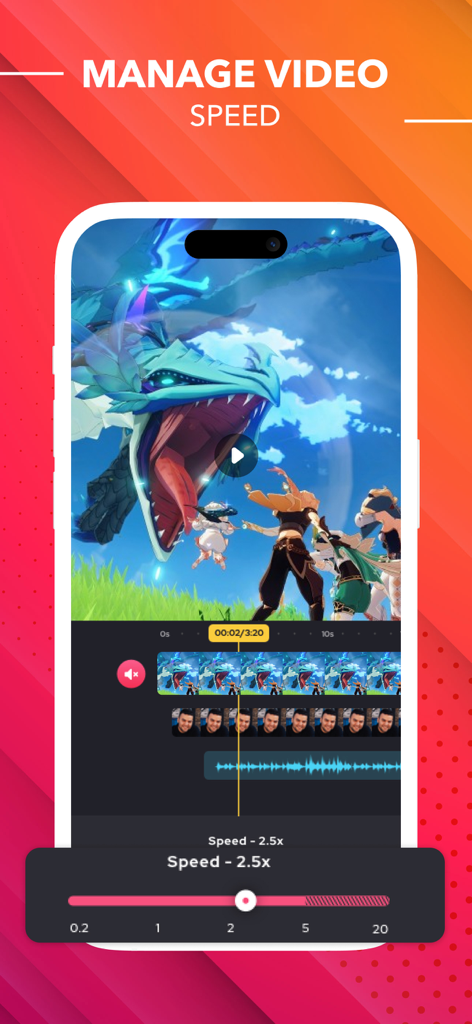
モバイル編集用のビデオ速度調整ツールを表示するScreen Recorderアプリのインターフェース

モバイル編集用のビデオ速度調整ツールを表示するScreen Recorderアプリのインターフェース

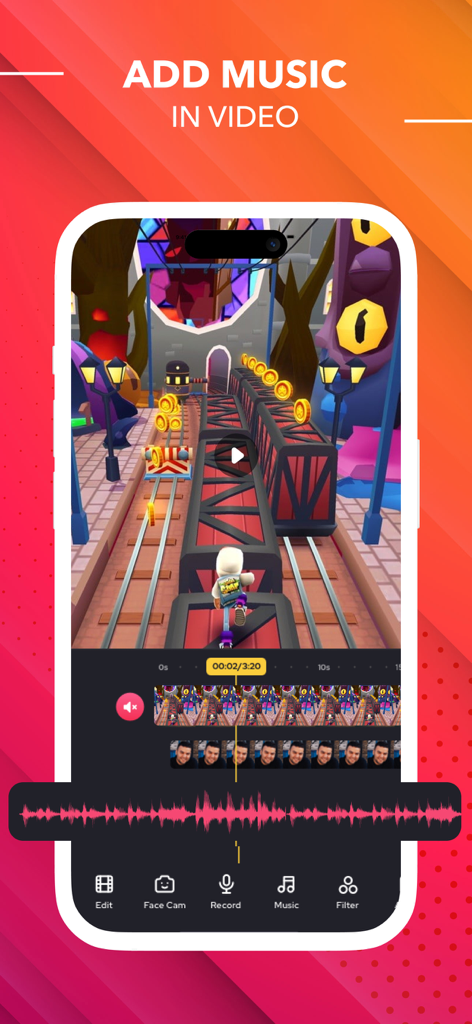
録画されたビデオクリップに音楽を追加するビデオ編集機能を示すScreen Recorderのモバイルアプリインターフェース

録画されたビデオクリップに音楽を追加するビデオ編集機能を示すScreen Recorderのモバイルアプリインターフェース

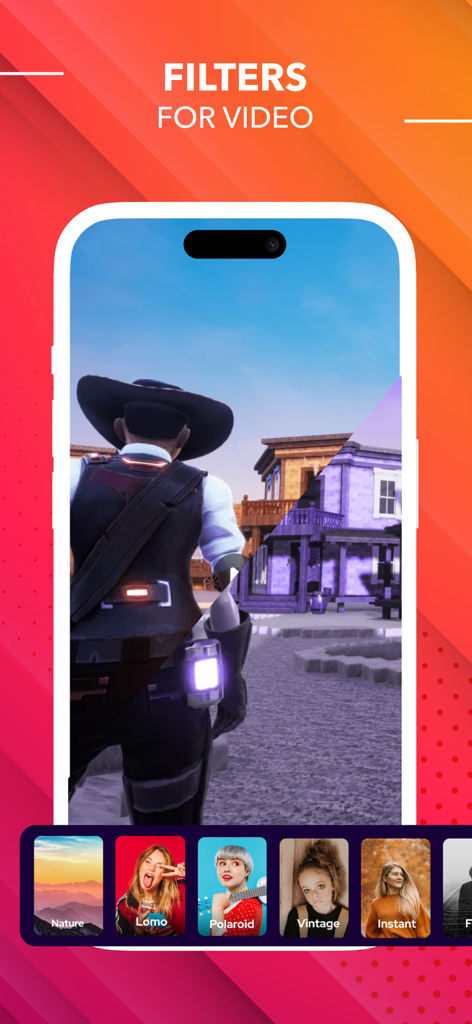
モバイルクリエイター向けのビデオフィルターを表示するScreen Recorderアプリ

モバイルクリエイター向けのビデオフィルターを表示するScreen Recorderアプリ

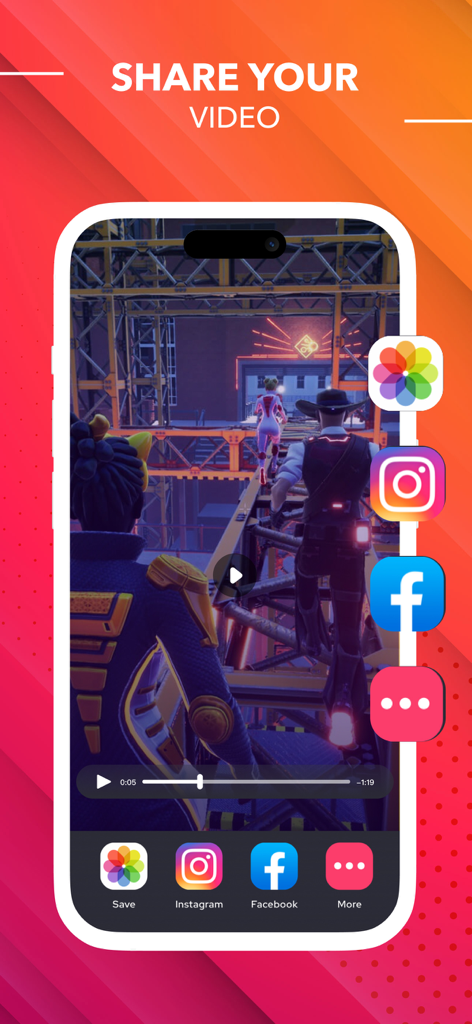
InstagramやFacebookなどのソーシャルメディアプラットフォームに録画されたゲームビデオを共有するためのモバイルアプリインターフェース

InstagramやFacebookなどのソーシャルメディアプラットフォームに録画されたゲームビデオを共有するためのモバイルアプリインターフェース

あなたの内なるクリエイターを解き放とう

このアプリを際立たせるツール、 1M+ 人のユーザーが選択.

🤳

リアルタイムFacecamリアクション

画面と顔を同時に録画して、TikTok、Instagram、YouTube向けの魅力的なリアクション動画を作成しましょう。

✂️

プロレベルのモバイルエディター

アプリを離れることなく、クリップをトリミングし、トレンドの音楽を追加し、カスタムテキストやステッカーを瞬時に挿入できます。

🌐

ワンタップライブストリーミング

YouTube、Twitch、Facebookにゲームプレイやデモをライブ配信して、どこでも視聴者を増やしましょう。

世界中のユーザーに愛されています

Trusted by 1M+ 人がこのアプリを愛用しています.

"

"このアプリは私のゲームチャンネルにとってゲームチェンジャーです!リアクションカメラ機能は非常にスムーズで、録画直後にクリップを編集して音楽を追加できるので、何時間も節約できます。基本的なネイティブレコーダーよりもはるかに強力で、TikTokのフォロワーも品質の向上に気づいてくれています。"

Tyler K., 意欲的なコンテンツクリエイター
"

"リモートコンサルタントとして、クライアント向けの簡単な「ハウツー」デモを毎日作成するために使用しています。ボイスオーバーと同時に内部オーディオを録音できるため、指示が非常に明確になります。外出先でプロフェッショナルな見た目のチュートリアルを作成するための最も直感的なツールです。"

Sarah J., マーケティングプロフェッショナル

アプリについて

について知っておくべきこと Screen Recorder ®.

説明

Best HD screen recorder and screenshot capture application for recording video games, live shows, internet videos, video chats, and other purposes. With our reliable screen recorder software, you can capture online videos and Livestream your screen to YouTube, Facebook, and Twitch. After you've recorded your screen, you can add video reactions with voice commentary to improve the quality of your clip. Provide you with the greatest screen recording experience possible! The best screen recorder app for: -Video tutorials -How-to videos -Demo videos -Training videos -YouTube videos -Instructional videos Advantages of using screen recorder app -Livestream your screen to different social media platforms like YouTube, Facebook, or more. -Record live shows, gameplay, video chats, etc. -Record screen with audio commentary -Add video reactions -Create high-quality HD video clips Key Features Screen Recording -Just one tap to record video calls, video games, online videos, tutorials, video demos, and even live shows smoothly, clearly. -Record popular games, live shows, video chats with friends and family, capture video chatting, and share recorded video with ease. -Capture the screen using the notification bar or a floating window. -Recording can be started and stopped easily via the notification bar or in a floating window. -External audio can also be recorded. This makes it extremely simple to produce tutorials, promotional videos, comment on your game and gameplay, and record videos. Video Editing -Easily trim, combine, and add music to your recorded videos. -Add music, select from a large library of music. -Add text, custom video subtitles. -Add frames and stickers, also enable adding local pictures and custom watermark to your clips. -Change speed, change video speed of various parts. -Filters, which can be used to add a range of filter effects to your video. -Crop video, which can be cropped to whatever ratio you desire. -Merge several movies and pick from a number of transition effects. Reaction Commentary -Voice recording, which can be used to create a commentary video. -While viewing videos, record video commentary in real-time. -Simple controls for video editing. -Record numerous snippets over your video and adjust each one separately. Reaction Camera -Convert video formats to GIF - Supports Facecam, allowing you to create response videos using the Facecam function. -Respond immediately on Instagram and Facebook. -Include intros and outros, as well as emojis and text, as well as other advanced in-app editing tools! -You can really see how your friends react to what you share with them! -React to web pages as well as photographs! Screen Recorder offers auto-renewing subscription options: ● You can subscribe for unlimited access to all features and content offered for purchases within ##Screen Recorder## ● Subscriptions are billed monthly & Yearly on the subscription plan ● Payment will be charged to iTunes Account at confirmation of purchase ● Subscription automatically renews unless auto-renew is turned off at least 24-hours before the end of the current period ● Account will be charged for renewal within 24-hours prior to the end of the current period, and identify the cost of the renewal ● Subscriptions may be managed by the user and auto-renewal may be turned off by going to the user's Account Settings after purchase ● Any unused portion of a free trial period, if offered, will be forfeited when the user purchases a subscription to that publication, where applicable -No cancellation of the current subscription is allowed during the active subscription period. -Any unused portion of a free trial period will be forfeited if you purchase a subscription to that. Privacy Policy: https://screenrecord.posterapplab.com/screenrecoder/privacy-policy Terms - https://screenrecord.posterapplab.com/screenrecoder/terms-and-conditions

最新バージョン

1.114

サイズ

143.4 MB

リリース日

Oct 12, 2021

すべてのピクセルを最高のコンテンツに変えよう。

100万人以上のクリエイター、ゲーマー、プロフェッショナルが参加しています。驚異的なHDでキャプチャ、編集、リアクションしましょう。オールインワンのモバイルスタジオがタップひとつで利用できます。

ダウンロード: App Store
FAQ

よくある質問

について知っておくべきこと Screen Recorder ®

Screen Recorder ® アプリは何に使われますか?

Screen Recorder ® アプリは、ビデオゲーム、ライブショー、オンラインビデオ、ビデオチャットの録画に使用できるHDスクリーンレコーダーおよびスクリーンショットキャプチャツールです。ライブストリーミングもサポートしています。

Screen Recorder ® はソーシャルメディアにライブストリーミングできますか?

はい、Screen Recorder ® は、YouTube、Facebook、Twitchなどのさまざまなソーシャルメディアプラットフォームに画面をライブストリーミングでき、コンテンツ共有機能を強化します。

Screen Recorder ® にはビデオ編集機能が含まれていますか?

はい、Screen Recorder ® は包括的なビデオ編集ツールを提供しています。ユーザーは、トリミング、結合、音楽、テキスト、フレーム、ステッカー、フィルターの追加、ビデオ速度の変更が可能です。

Screen Recorder ® はどのように画面録画を開始および停止しますか?

Screen Recorder ® は、ワンタップでスムーズに録画を開始および停止します。これは、通知バーまたはフローティングウィンドウインターフェイスを介して便利に行うことができます。

Screen Recorder ® を使用して、ビデオにボイスオーバーを追加できますか?

はい、Screen Recorder ® はボイスオーバーの追加を許可しています。ユーザーは外部オーディオを録音し、リアルタイムで解説ビデオを作成でき、チュートリアルやゲームプレイに最適です。

Screen Recorder ® はリアクションビデオ用のFacecamをサポートしていますか?

はい、Screen Recorder ® はFacecamをサポートしています。この機能により、ユーザーは魅力的なリアクションビデオを作成し、InstagramやFacebookなどのプラットフォームで即座に反応できます。

Screen Recorder ® で利用可能なビデオ品質設定は何ですか?

Screen Recorder ® は調整可能なビデオ品質設定を提供しています。ユーザーは、最大4Kの解像度を選択し、ビットレート(Mbps)を変更し、最大60のフレームレート(fps)を設定できます。

Screen Recorder ® のサブスクリプションプランはありますか?

はい、Screen Recorder ® は自動更新サブスクリプションオプションを提供しています。月額または年額で請求されるこれらのプランは、すべての機能とコンテンツへの無制限アクセスを提供します。

Screen Recorder ® のサブスクリプションをキャンセルするにはどうすればよいですか?

ユーザーは、購入後にアカウント設定に移動することで、Screen Recorder ® サブスクリプションを管理し、自動更新をオフにすることができます。アクティブ期間中の現在のサブスクリプションのキャンセルは許可されていません。

Screen Recorder ® にはプライバシーポリシーがありますか?

はい、Screen Recorder ® にはプライバシーポリシーがあります。URL:https://screenrecord.posterapplab.com/screenrecoder/privacy-policy で確認できます。