Video Player - All in One

Video Player - All in One

ダウンロード: App Store
Spark by MWM logo
ロゴ: Video Player - All in One

Video Player - All in One: iPhoneに必要な唯一のメディアプレーヤー

「フォーマットがサポートされていません」エラーにさよなら。マルチトラックオーディオ、再生速度制御、簡単なオフライン同期などのプロレベルの機能で、4K、MKV、AVIファイルをシームレスに再生します。

開発元

Devkrushna Infotech Private Limited

カテゴリ

Photo & Video

ダウンロード

2M+

ユーザー評価

4.5/5

評価数

34K+

対応言語

11

完全なコントロールを体験

このインターフェースを利用する 2M+ 人のユーザー.

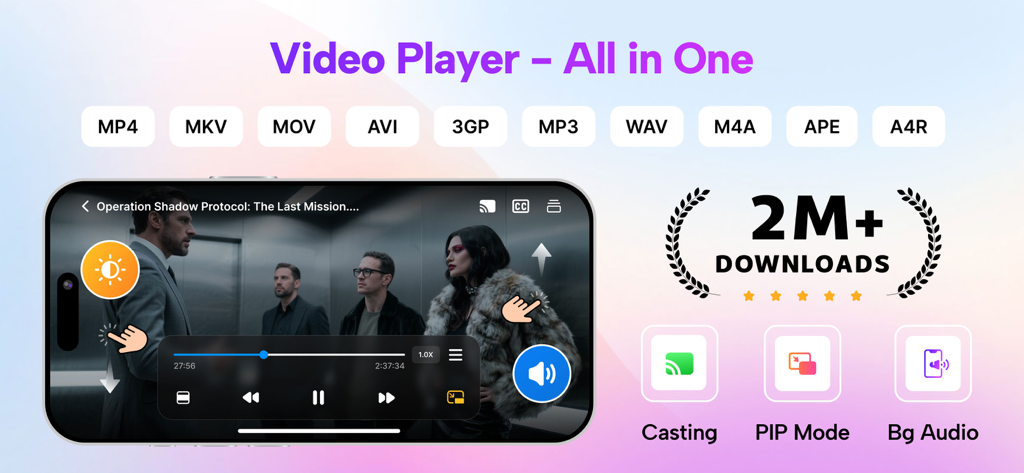
Video Player All in Oneアプリのプロモーションバナー。サポートされているフォーマットと、キャストやPIPモードなどの機能が表示されています。

Video Player All in Oneアプリのプロモーションバナー。サポートされているフォーマットと、キャストやPIPモードなどの機能が表示されています。

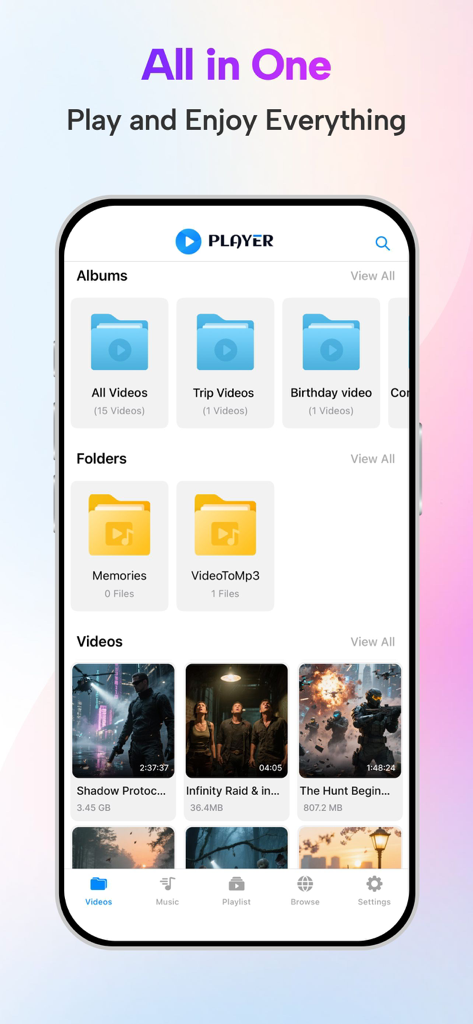
Video Player All in Oneアプリのインターフェイス。整理されたビデオアルバムとフォルダが表示されています。

Video Player All in Oneアプリのインターフェイス。整理されたビデオアルバムとフォルダが表示されています。

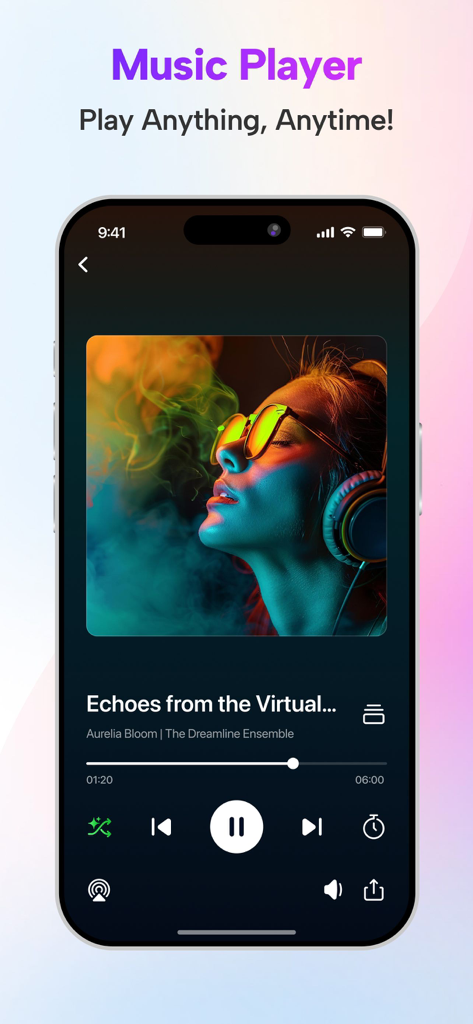
Video Playerアプリの音楽プレーヤーインターフェイス。曲の詳細と再生コントロールが表示されています。

Video Playerアプリの音楽プレーヤーインターフェイス。曲の詳細と再生コントロールが表示されています。

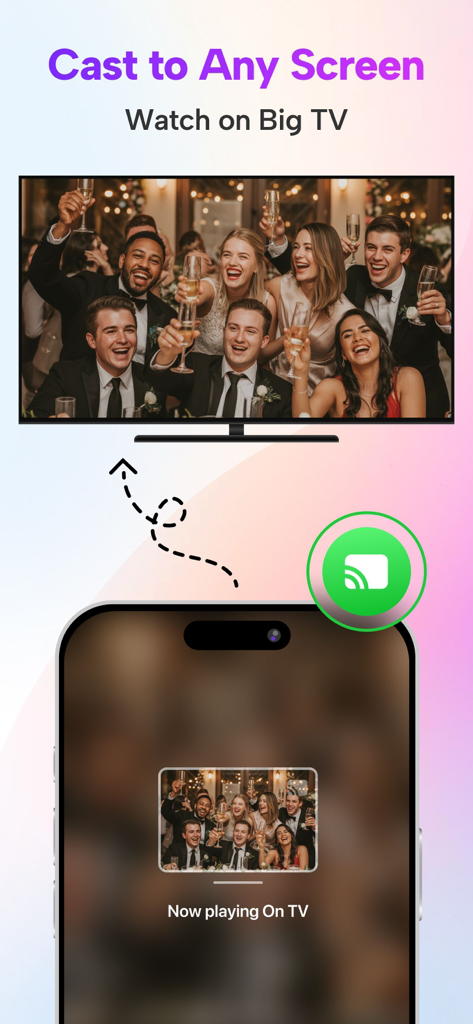
iPhoneアプリのインターフェイス。モバイルフォンから大画面テレビにビデオをキャストする方法を示しています。

iPhoneアプリのインターフェイス。モバイルフォンから大画面テレビにビデオをキャストする方法を示しています。

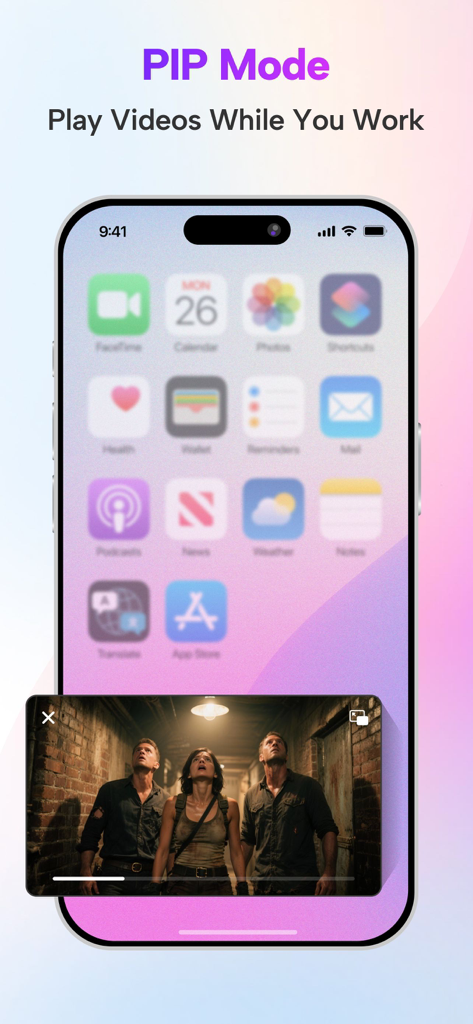
iPhoneのピクチャインピクチャモードの画面。ホーム画面上でビデオを再生しています。

iPhoneのピクチャインピクチャモードの画面。ホーム画面上でビデオを再生しています。

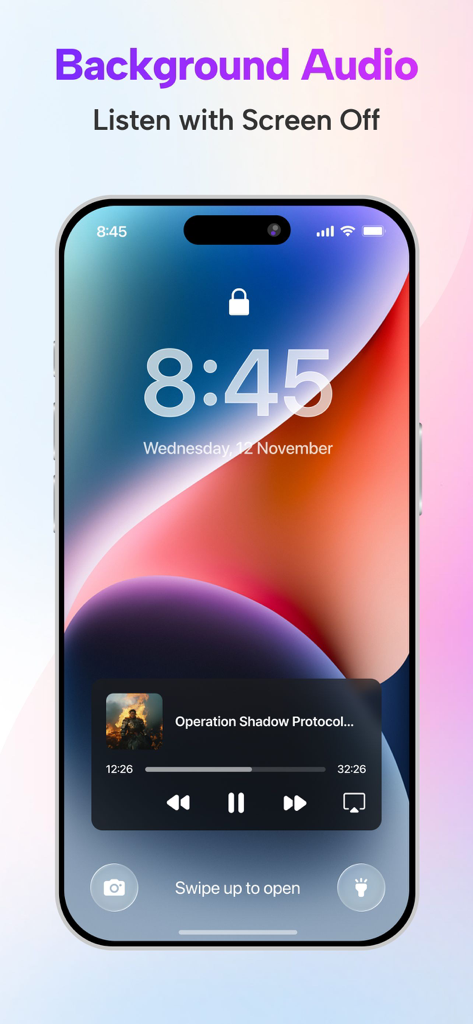
iPhoneのロック画面。Video Playerアプリのバックグラウンドオーディオ再生機能が表示されています。

iPhoneのロック画面。Video Playerアプリのバックグラウンドオーディオ再生機能が表示されています。

メディアコレクションのための究極のハブ

このアプリを際立たせるツール、 2M+ 人のユーザーが選択.

🚀

あらゆるフォーマットを4Kで再生

MKV、AVIからMOV、MP4まで、時間のかかるファイル変換なしで、驚異的な4Kで高解像度コンテンツをお楽しみください。

📂

完全なオフラインコントロール

ライブラリをどこへでも持ち運べます。iCloudまたはiTunes経由でファイルを同期し、映画や音楽をカスタムフォルダに整理して、通勤中の完璧なオフライン再生を実現しましょう。

🛠️

プロレベルのカスタマイズ

マルチトラックオーディオ切り替え、可変再生速度、明るさと音量のための正確なジェスチャーコントロールで、体験をカスタマイズしましょう。

世界中のユーザーに愛されています

Trusted by 2M+ 人がこのアプリを愛用しています.

"

"ついに、私の4K MKVファイルを途切れなく処理してくれるプレーヤーが登場しました。常に旅行しているので、iCloud経由でライブラリを同期してオフラインで視聴できるのは、ゲームチェンジャーです。再生速度制御は、私のチュートリアルには必須です。"

Mark R.、デジタルノマド
"

"国際的な映画が大好きなので、マルチトラックオーディオサポートは私にとって不可欠です。このアプリは、映画をフォルダに整理するのをとても簡単にし、明るさと音量のジェスチャーコントロールは信じられないほど直感的です。"

Elena S.、映画愛好家

レビュー分析

ユーザーレビューの分析.

感情スコア

16%
ネガティブ

概要

The app receives overwhelmingly negative feedback, largely due to an excessive and intrusive advertisement experience, with users reporting frequent, long, unclosable, and inappropriate ads that disrupt playback, even for paying subscribers. Significant functional issues include videos failing to play, lack of zoom, poor format support, and critical bugs such as audio-video sync problems and choppy Bluetooth audio, particularly noted in Tesla cars. Subtitle functionality is also a consistent pain point, with issues importing external files and displaying them correctly. Despite these numerous complaints, a small segment of users appreciate the app's core video player capabilities and its background playback feature.

主なテーマ

Ads(23)
Playback & Bugs(7)
Core Player Features(7)
Subtitles(4)
Security Concerns(3)
Pricing & Subscription(2)
File Management(2)

アプリについて

について知っておくべきこと Video Player - All in One.

説明

Video Player is support all video format 4k, HD, MKV, AVI, MOV, MP4, 3GP, MPEG and all music & audio file formats. Video Player has a media library for audio and video files, and allows to browse folders directly. It allows file synchronization with your Computer(iTunes),iCloud Drive. - Connect your device to iTunes and select your device. Select "File Sharing" on the left side menu of iTunes and look for "VideoPlayer" to transfer files. Video Player show and Play all video from Your Gallery(Photos). Features: - Supports all video format - Multi-track audio (if available multi audio in video, like english, hindi, french...) - Playback speed control - Easy screen brightness and volume control - You can take screenshot from video This is a full port of VLC media player to IOS platform. Video Player can play any video files, make playlist of your favorite videos and provide easy controllable player. Video Player Pro Subscription: - With Video Player Pro Subscription, you will have access to all premium features like create unlimited folders, manage multiple playlists, unlimited URL streaming with an Ads-Free experience. - Video Player Pro Subscription is billed monthly, six month and annually at the rate corresponding to the selected plan. - Payment will be charged to iTunes Account at confirmation of purchase. - Subscription automatically renews unless auto-renew is turned off at least 24-hours before the end of the current period. - Account will be charged for renewal within 24-hours prior to the end of the current period, and identify the cost of the renewal. - Subscriptions may be managed by the user and auto-renewal may be turned off by going to the user's Account Settings after purchase. - Any unused portion of a free trial period, if offered, will be forfeited when the user purchases a subscription to that publication, where applicable. Terms of Use :- https://www.devkrushna.com/policy/privacypolicy.html Privacy Policy :- https://www.devkrushna.com/policy/privacypolicy.html Disclaimer: video player is based on VLC for iOS Beta, and licensed under the GNU General Public License version 3 or later. GNU General Public License: http://www.gnu.org/licenses/

最新バージョン

1.8.4

サイズ

112.0 MB

リリース日

Dec 22, 2020

どこでも、あらゆるファイルを再生する準備はできましたか?

「フォーマットがサポートされていません」エラーのフラストレーションに終止符を打った200万人以上のユーザーに加わりましょう。4K MKVからマルチトラックオーディオまで、すべてを簡単に処理できるVLC搭載プレーヤーをダウンロードしてください。

ダウンロード: App Store
FAQ

よくある質問

について知っておくべきこと Video Player - All in One

「Video Player - All in One」アプリは、どのようなビデオおよびオーディオ形式をサポートしていますか?

「Video Player - All in One」アプリは、4k、HD、MKV、AVI、MOV、MP4、3GP、MPEGなどのすべてのビデオ形式、およびすべての音楽およびオーディオファイル形式をサポートしています。

ユーザーはどのようにして「Video Player - All in One」アプリにファイルを転送できますか?

ユーザーは、iTunesファイル共有またはiCloud Drive同期を介して「Video Player - All in One」アプリにファイルを転送できます。また、デバイスの写真ギャラリーから直接ビデオを再生することもできます。

「Video Player - All in One」は再生速度制御とマルチトラックオーディオを提供していますか?

はい、「Video Player - All in One」アプリは再生速度制御を提供し、マルチトラックオーディオをサポートしており、ビデオで利用可能な場合、異なるオーディオ言語を選択できます。

ユーザーは「Video Player - All in One」アプリから直接ビデオのスクリーンショットを撮ることができますか?

はい、ユーザーは「Video Player - All in One」アプリ内で直接ビデオのスクリーンショットを撮ることができます。この機能は、そのコア機能の1つとしてリストされています。

「Video Player Pro」サブスクリプションにはどのようなプレミアム機能が含まれていますか?

「Video Player Pro」サブスクリプションでは、無制限のフォルダ、複数のプレイリスト、無制限のURLストリーミング、および「Video Player」アプリ内での広告なしのエクスペリエンスにアクセスできます。

「Video Player Pro」サブスクリプションの請求オプションは何ですか?

「Video Player Pro」サブスクリプションは、選択したプランに応じて、月次、6か月、または年次で請求されます。支払いは、購入確認時にiTunesアカウントに請求されます。

「Video Player Pro」サブスクリプションは自動更新されますか?

はい、「Video Player Pro」サブスクリプションは、現在の請求期間が終了する少なくとも24時間前に自動更新をオフにしない限り、自動的に更新されます。

ユーザーは「Video Player Pro」サブスクリプションを管理し、自動更新をオフにするにはどうすればよいですか?

ユーザーは、購入後にアカウント設定にアクセスすることで、「Video Player Pro」サブスクリプションを管理し、自動更新をオフにすることができます。これは標準的なiTunesの慣行に従っています。

「Video Player - All in One」はVLCメディアプレーヤーに基づいていますか?

はい、「Video Player - All in One」アプリはVLCメディアプレーヤーのiOSプラットフォームへの完全なポートであり、GNU一般公衆利用許諾契約第3版以降の下でライセンスされています。

「Video Player - All in One」アプリは他の画面へのキャストをサポートしていますか?

はい、「Video Player - All in One」アプリはキャストをサポートしています。ユーザーは「任意の画面にキャスト」して、アプリのプロモーション資料に示されているように、大画面テレビでビデオを視聴できます。

「Video Player - All in One」にはピクチャー・イン・ピクチャー(PIP)モードが含まれていますか?

はい、「Video Player - All in One」アプリにはピクチャー・イン・ピクチャー(PIP)モードが搭載されており、ユーザーは他のタスクを実行しながらビデオの再生を続けることができます。

ユーザーは「Video Player - All in One」アプリでバックグラウンドでビデオのオーディオを聴くことができますか?

はい、「Video Player - All in One」アプリはバックグラウンドオーディオ機能を提供します。ユーザーは画面がオフになっていてもビデオのオーディオを聴くことができます。