AppLocker • Passcode lock apps

AppLocker • Passcode lock apps

Download on App Store
Spark by MWM logo
Logo of AppLocker • Passcode lock apps
AppLocker: Secure Your Apps and Protect Your Digital Privacy

Lend your iPhone with complete peace of mind. Use passcode, Face ID, or emergency passwords to lock sensitive apps, hide private photos, and keep your personal data safe from prying eyes.

Publisher

Denk Alexandru

Category

Productivity

Downloads

111K+

User Rating

4.3/5

Total Ratings

400

Locales

1

Privacy at a Glance

Discover the interface used by 111K+ users.
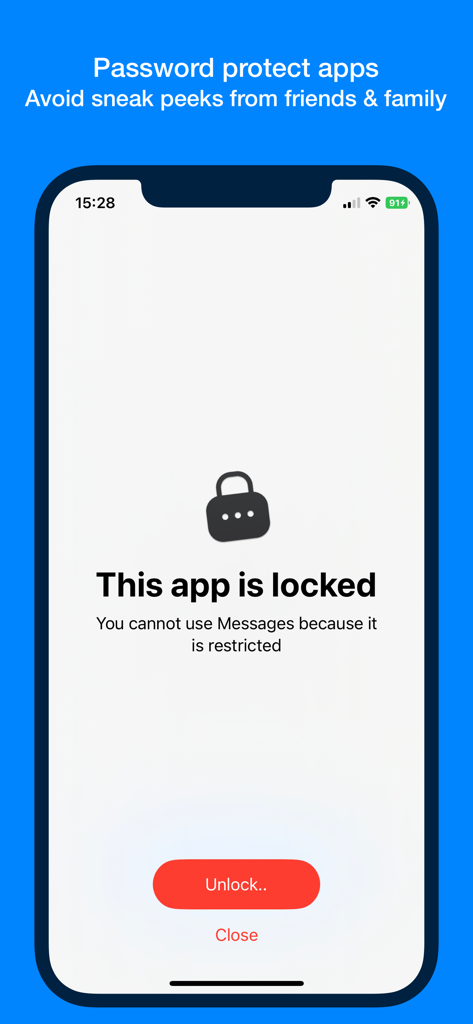
An iPhone screen displaying a locked state for the Messages app with a lock icon and an unlock button to prevent unauthorized access.

An iPhone screen displaying a locked state for the Messages app with a lock icon and an unlock button to prevent unauthorized access.

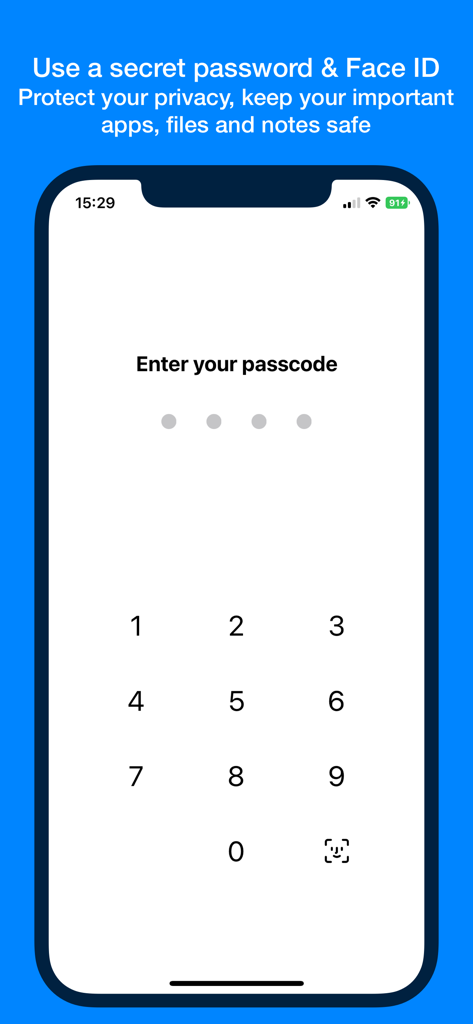
AppLocker passcode entry screen with numeric keypad and Face ID option

AppLocker passcode entry screen with numeric keypad and Face ID option

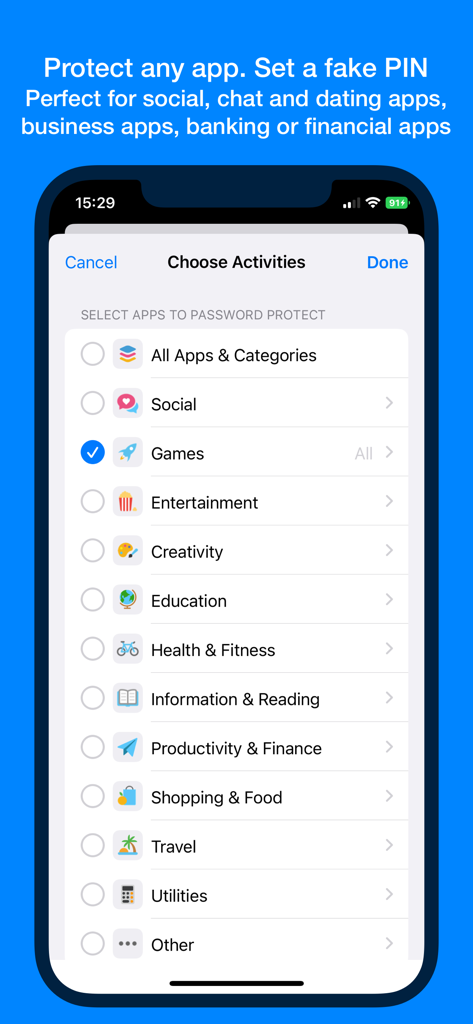
AppLocker interface for selecting app categories to password protect

AppLocker interface for selecting app categories to password protect

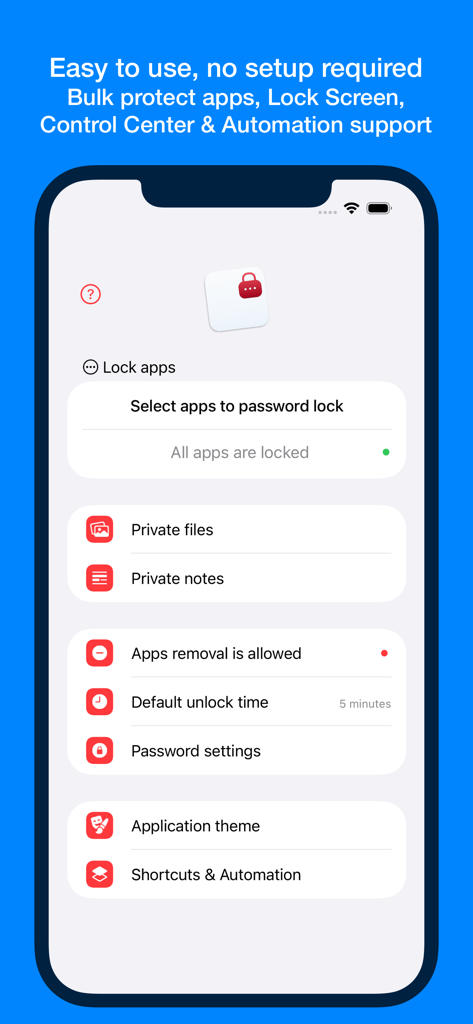
Interface of the AppLocker app on an iPhone showing options to lock apps and secure private files and notes

Interface of the AppLocker app on an iPhone showing options to lock apps and secure private files and notes

Total Privacy Control

The tools that make this app stand out, trusted by 111K+ users.

🛡️

Individual App Security

Lock specific apps like Photos, Social Media, and Messages to keep snooping friends or curious family members away from your personal life.

🤫

Emergency Decoy Mode

Create a fake password that hides your configuration and shows an empty vault, perfect for maintaining privacy in high-pressure situations.

🏦

Financial & Work Shield

Add an extra layer of biometric protection to banking apps, crypto wallets, and professional tools like Slack or Mail to prevent accidental leaks.

Loved by users worldwide

Trusted by 111K+ people who love this app.

"

"Absolute game changer for my privacy. I often lend my phone to friends to show them photos, and the panic of them swiping into my private messages or dating apps is gone. The Face ID integration makes it seamless to use while keeping everything else strictly off-limits."

Sarah Jenkins
"

"Finally, a way to hand my phone to my kids without worrying! I use AppLocker to secure my banking and work apps before letting them play games. The emergency password feature is a brilliant touch for that extra layer of security. It's the most reliable app locker I've found on iOS."

David Miller

About the app

Everything you need to know about AppLocker • Passcode lock apps.

Description

With AppLocker you can password protect individual apps on your iPhone and iPad - all at once or one at a time. It works with any app, Facebook, Photos, Tinder, Mail or banking and financial apps. You can also unlist apps from your device. Stop worrying about your privacy when you lend your phone or tablet to a friend, colleague or family member. No one will mess with your important apps anymore. Just start AppLocker, configure a password and select the apps you want to keep private. FEATURES • Block access to applications that you want private and avoid sneak peeks from friends, family members or co-workers (all at once or individually) • Emergency Password: create a fake password that hides the entire configuration making the app look empty • Lock Screen & Control Center actions, Shortcuts and Automation full support • No one can use or see the content without entering the password first • It works with any app installed on your phone: social, chat and dating apps, business apps, banking or financial apps • AppLocker will protect you by using a secret password and optionally Face or Touch ID. Keep your important apps safe, including removal protection • Private gallery: keep secret files, photos or videos • Private notes: keep secret notes • Easy to use, no configuration required. Also works great as a self control or parental system We read your support emails every day, day by day. Write with confidence any question, feedback or complaint and you will receive an answer in a very short period of time. We offer two auto-renewing subscription and a one time payment option: • Basic, a 1 Month subscription • Premium, a 12 Months subscription • Lifetime access: one time payment only Prices may vary by location. Subscriptions will auto-renew unless canceled. • Payment will be charged to iTunes Account at confirmation of purchase • Subscription may be managed by the user and auto-renewal may be turned off by going to the user’s Account Setting after purchase. • No cancellation of the current subscription is allowed during active subscription period. • Subscription automatically renews unless auto-renew is turned off at least 24-hours before the end of the current period. • Your account will be charged for renewal for the amount of your current subscription within 24-hours prior to the end of the current period. All cost for subscriptions are mentioned above. Privacy Policy https://alexdenk.eu/subscriptions-privacy-policy.html Terms of Use https://alexdenk.eu/subscriptions-terms-of-use.html

Latest Version

2.7.4

Size

13.5 MB

First Released

Jul 11, 2016

Take Control of Your Digital Privacy Today

Protect your photos, finances, and messages with AppLocker. Hand over your phone with total peace of mind—no more worrying about prying eyes.

Download on App Store