Buffer: Plan & Schedule Posts

Buffer: Plan & Schedule Posts

Download on App Store
Spark by MWM logo
Logo of Buffer: Plan & Schedule Posts

Buffer: Plan, Schedule, and Grow Your Brand Without the Busywork

The all-in-one toolkit for solo creators and digital entrepreneurs to stay consistent across TikTok, Instagram, and LinkedIn—without feeling overwhelmed.

Publisher

Buffer, Inc.

Category

Social Networking

Downloads

2M+

User Rating

4.7/5

Total Ratings

57K+

Locales

2

Your Social Strategy, Visualized

Discover the interface used by 2M+ users.
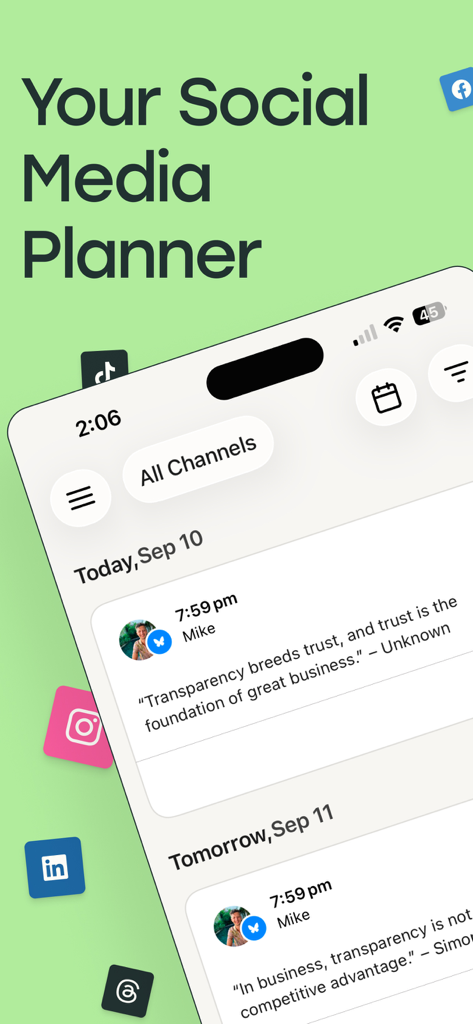
Buffer mobile app interface showing a social media planner with scheduled posts across various platforms

Buffer mobile app interface showing a social media planner with scheduled posts across various platforms

Buffer mobile app interface showing a social media post being scheduled for multiple platforms simultaneously

Buffer mobile app interface showing a social media post being scheduled for multiple platforms simultaneously

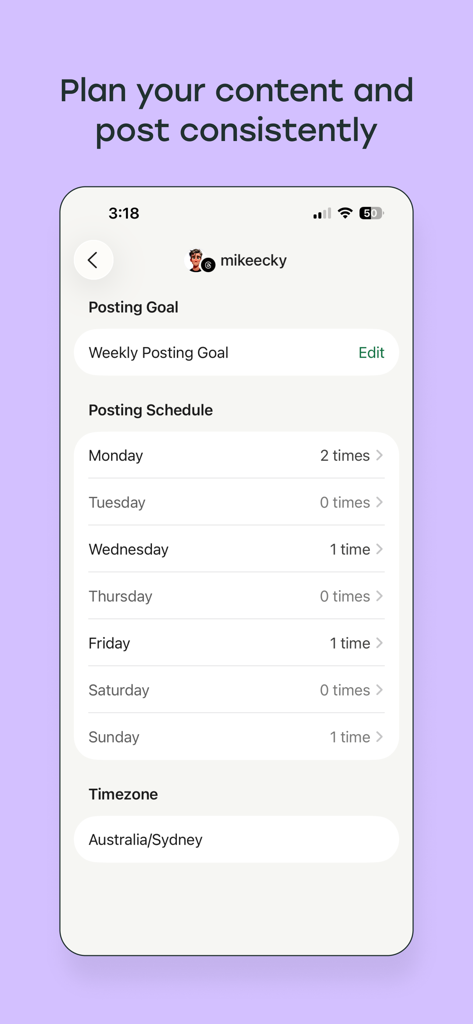
Buffer app screen showing a weekly social media posting schedule and consistency goals.

Buffer app screen showing a weekly social media posting schedule and consistency goals.

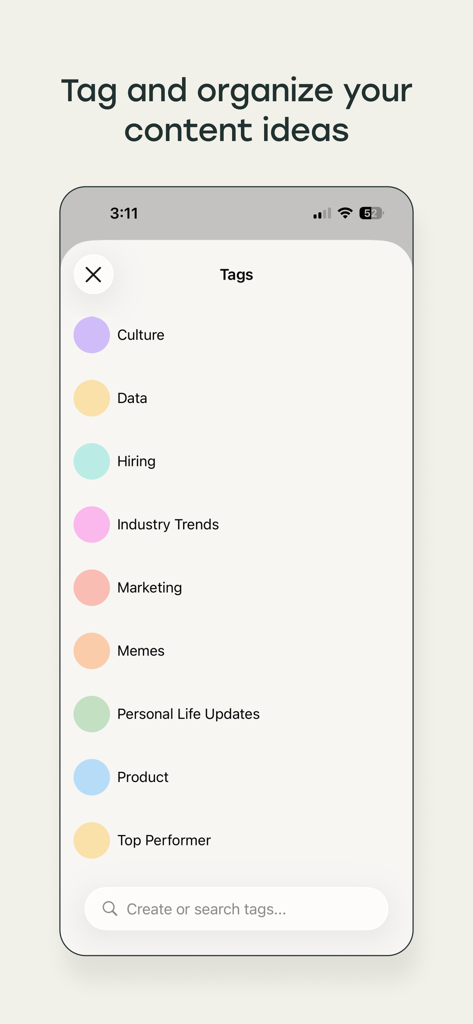
A mobile app interface from Buffer showing a list of color-coded tags for organizing social media content ideas such as Marketing and Industry Trends.

A mobile app interface from Buffer showing a list of color-coded tags for organizing social media content ideas such as Marketing and Industry Trends.

Buffer mobile app dashboard showing a thirty-six week posting streak and a list of managed social media channels.

Buffer mobile app dashboard showing a thirty-six week posting streak and a list of managed social media channels.

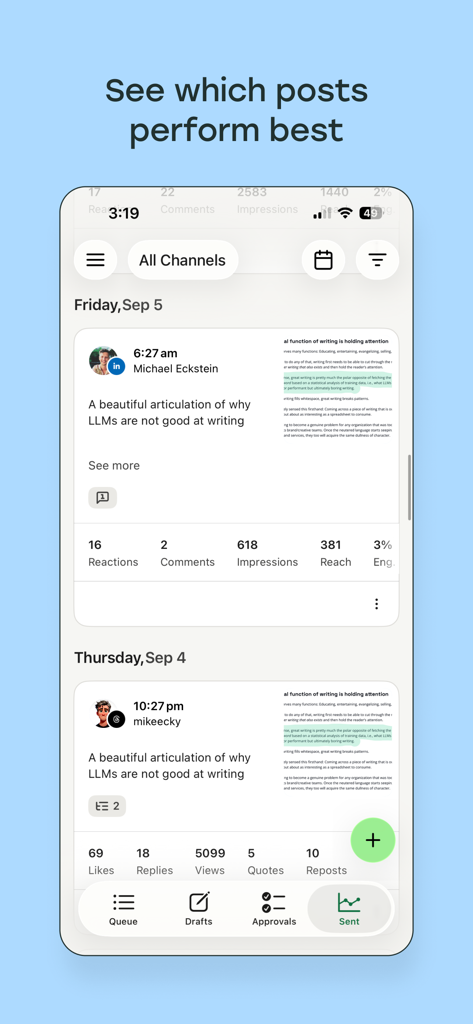
A mobile app screen from Buffer showing engagement analytics for sent social media posts on LinkedIn and X.

A mobile app screen from Buffer showing engagement analytics for sent social media posts on LinkedIn and X.

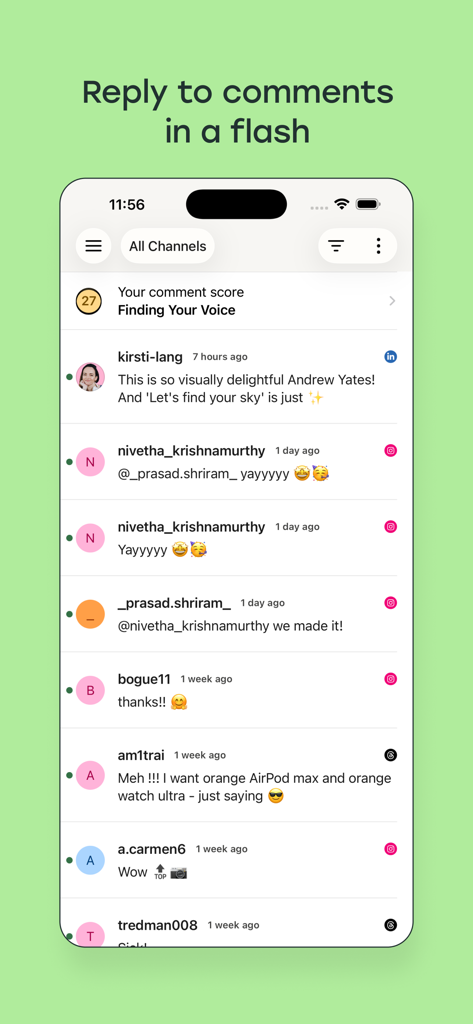
Interface showing a unified social media inbox for replying to comments in the Buffer app

Interface showing a unified social media inbox for replying to comments in the Buffer app

Grow Your Brand, Save Your Time

The tools that make this app stand out, trusted by 2M+ users.

📱

One Tap, Every Platform

Stop jumping between apps. Schedule Reels, TikToks, and LinkedIn posts simultaneously to stay consistent everywhere.

💡

Capture Ideas Instantly

Use the Action Button or iOS Shortcuts to save inspiration the moment it strikes, keeping your creative flow uninterrupted.

📈

Simple Growth Analytics

Ditch the complex spreadsheets. Get clear, visual reports on what’s working so you can focus on content that converts.

Loved by users worldwide

Trusted by 2M+ people who love this app.

"

"As a creator balancing TikTok, LinkedIn, and Instagram, I used to feel constantly overwhelmed by the posting cycle. Buffer changed everything. I can capture ideas instantly using the Action Button on my iPhone and schedule my entire week in one sitting. It is the only tool that actually helps me stay consistent without burning out."

Elena Rodriguez, Independent Content Creator
"

"Running a boutique brand means I do not have a full marketing team, so efficiency is everything. Buffer is my secret weapon. The visual calendar makes it so easy to see my strategy at a glance, and the simple analytics tell me exactly what my customers love. It has completely streamlined my digital presence."

Marcus Thompson, Small Business Owner

About the app

Everything you need to know about Buffer: Plan & Schedule Posts.

Description

Post to every social platform with a single app — simple, flexible, and powerful. Buffer helps creators stay consistent without the busywork. Plan and publish your posts automatically, engage with your audience, and keep track of what’s working, all from your phone. Whether you’re sharing your first TikTok, building an audience on LinkedIn, or running multiple accounts, Buffer gives you the tools to grow without feeling overwhelmed. What’s new in v15.0 • Fresh new design with Apple’s Liquid Glass system • Brand-new Apple Watch app (queues, goals, streaks, ideas) • Capture ideas instantly with the iOS Shortcut, Action Button, or on your wrist • New calendar day view across all channels WHY CREATORS LOVE BUFFER PLAN, SCHEDULE, AND PUBLISH • Share to Instagram, Threads, TikTok, Facebook, LinkedIn, YouTube, Pinterest, Bluesky, Mastodon, and more. • Schedule YouTube Shorts, TikToks, Instagram Reels, and Stories. • Cross-post content across platforms with a single tap KEEP YOUR IDEAS ORGANIZED • Save inspiration in a central content library • Use tags to keep ideas organized by theme or campaign • Move ideas straight to your schedule when ready SEE WHAT WORKS • Simple analytics and reports show your top-performing posts • Track growth, clicks, and engagement A CALENDAR BUILT FOR CREATORS • Get an at-a-glance view of your upcoming posts • Drill down from a monthly to weekly view NEED HELP? Our friendly team is here for you with world-class support via email and social. Email: hello@buffer.com Twitter: @buffer Facebook: http://facebook.com/bufferapp Instagram: @buffer Pinterest: https://www.pinterest.com/bufferapp/ TikTok: https://www.tiktok.com/@bufferapp Privacy Policy: https://buffer.com/privacy Terms of Use: https://buffer.com/legal/terms-of-use/year/2023

Latest Version

15.1.8

Size

173.5 MB

First Released

Dec 22, 2011

Ready to grow your brand without the burnout?

Join 2M+ creators who use Buffer to automate their posting, organize their ideas, and win back their time.

Download on App Store
FAQ

Frequently Asked Questions

Everything you need to know about Buffer: Plan & Schedule Posts

What is Buffer: Plan & Schedule Posts?

Buffer is a social media management app that helps creators plan, schedule, and publish posts automatically across various social platforms. It assists in audience engagement and tracks post performance.

Which social media platforms does Buffer support?

Buffer supports Instagram, Threads, TikTok, Facebook, LinkedIn, YouTube, Pinterest, Bluesky, and Mastodon. It also allows scheduling Shorts, Reels, and Stories.

Can Buffer schedule YouTube Shorts and Instagram Reels?

Yes, Buffer can schedule YouTube Shorts, TikToks, Instagram Reels, and Stories. This feature allows creators to manage diverse video content formats.

How does Buffer help organize content ideas?

Buffer helps organize content ideas by allowing users to save inspiration in a central library and use tags to categorize them by theme or campaign. Ideas can be moved to the schedule.

Does Buffer provide analytics for social media posts?

Yes, Buffer provides simple analytics and reports to show top-performing posts. Users can track growth, clicks, and engagement to understand content effectiveness.

Can users plan their posting schedule with Buffer?

Yes, Buffer allows users to plan their content and post consistently. It features a posting schedule and goals, such as a "Weekly Posting Goal", to manage frequency.

Is there an Apple Watch app for Buffer?

Yes, Buffer has a brand-new Apple Watch app. It supports features like queues, goals, streaks, and instantly capturing ideas from the wrist.

How can users capture ideas quickly in Buffer?

Users can capture ideas instantly using the iOS Shortcut, Action Button, or directly from their Apple Watch. Buffer provides multiple quick-capture methods.

Can Buffer help with social media engagement?

Yes, Buffer allows users to engage with their audience and reply to comments quickly. It helps creators manage interactions and monitor their comment score.

How can I contact Buffer support?

Users can contact Buffer support via email at hello@buffer.com or through their social media channels on Twitter, Facebook, Instagram, Pinterest, and TikTok.