Contacts Sync: Google & More

Contacts Sync: Google & More

Download on App Store
Spark by MWM logo
Logo of Contacts Sync: Google & More
Contacts Sync: Google & More: The Ultimate 2-Way Sync for iPhone and Work Accounts

Join 10 million+ professionals who trust the #1 sync app to bridge the gap between Google, Outlook, and iPhone. Effortlessly merge contacts, sync groups, and eliminate duplicates with reliable 24/7 background automation.

Publisher

Playa Apps

Category

Productivity

Downloads

7M+

User Rating

4.5/5

Total Ratings

52K+

Locales

11

Seamless Control at a Glance

Discover the interface used by 7M+ users.
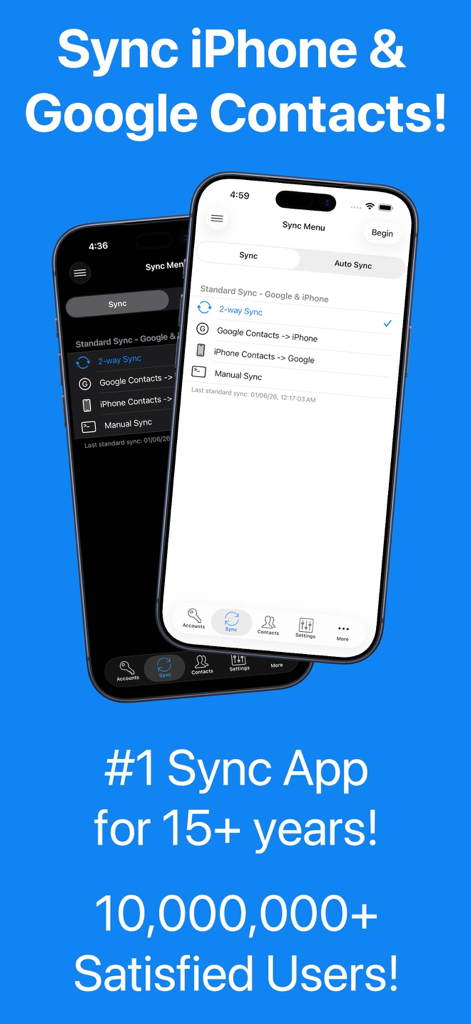
Interface of the Contacts Sync app showing options for 2-way sync between Google and iPhone contacts.

Interface of the Contacts Sync app showing options for 2-way sync between Google and iPhone contacts.

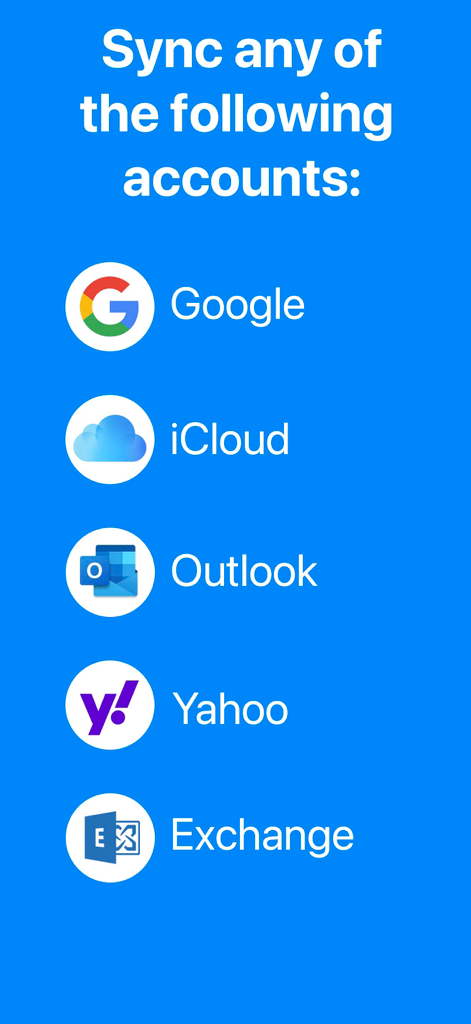
Visual list of supported sync accounts including Google iCloud Outlook Yahoo and Exchange

Visual list of supported sync accounts including Google iCloud Outlook Yahoo and Exchange

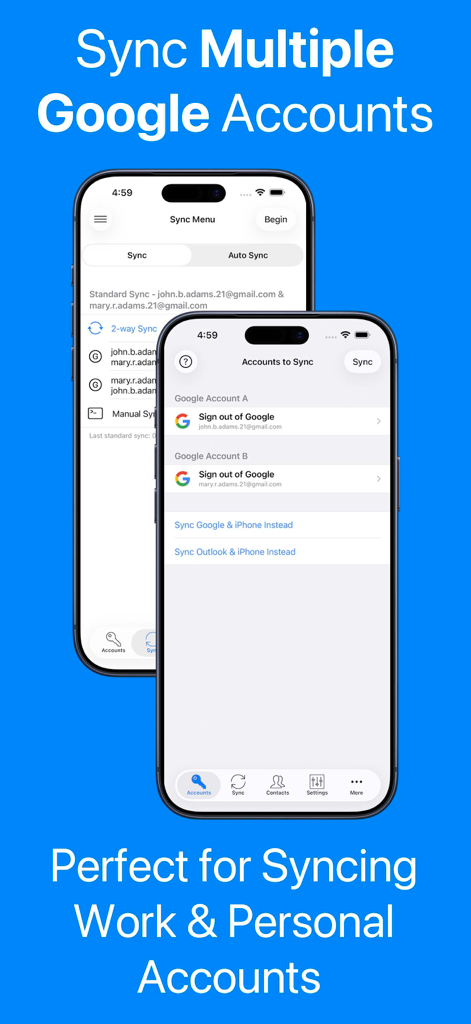
A screenshot showing how to sync multiple work and personal Google accounts using the Contacts Sync app on iPhone.

A screenshot showing how to sync multiple work and personal Google accounts using the Contacts Sync app on iPhone.

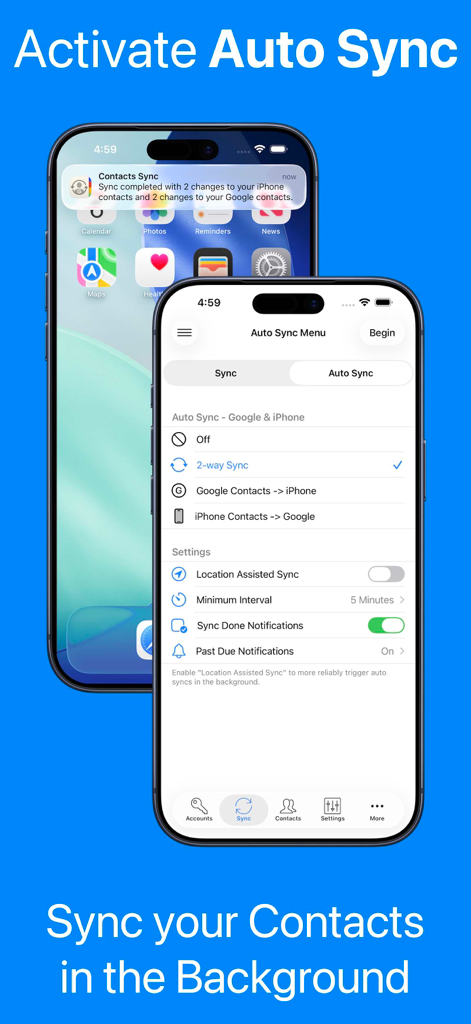
Screenshot of the Contacts Sync app showing auto sync settings and a background sync notification on an iPhone.

Screenshot of the Contacts Sync app showing auto sync settings and a background sync notification on an iPhone.

A blue information screen stating the app is 100 percent private and secure with a yellow padlock icon

A blue information screen stating the app is 100 percent private and secure with a yellow padlock icon

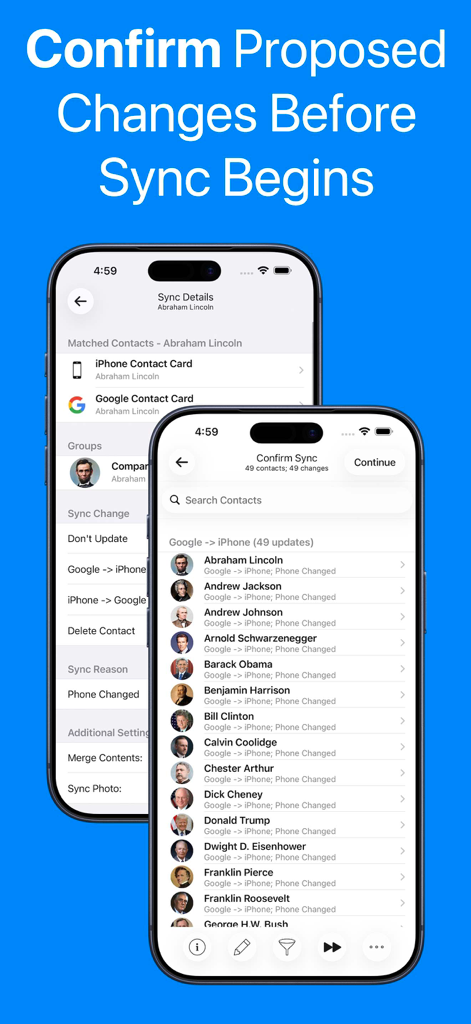
Interface showing contact update list and sync details to confirm changes before syncing Google and iPhone accounts.

Interface showing contact update list and sync details to confirm changes before syncing Google and iPhone accounts.

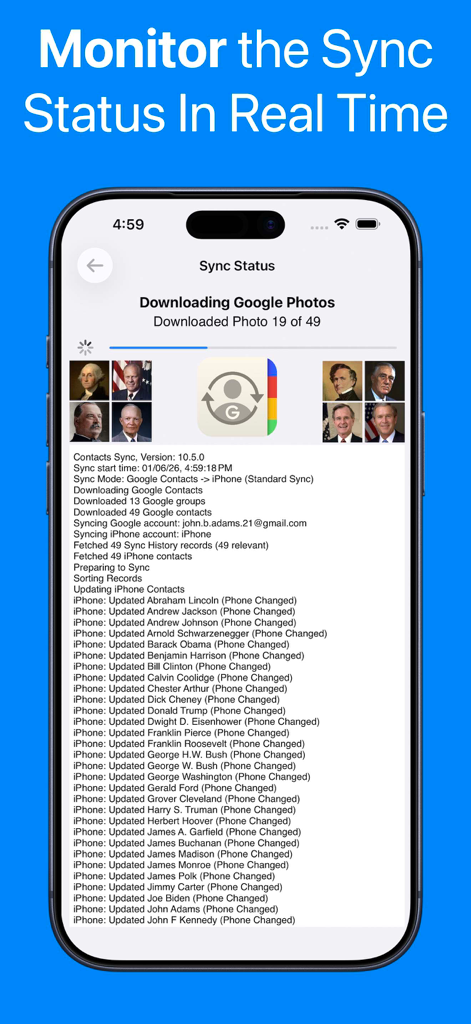
Real time sync status screen showing progress bar and detailed contact update log

Real time sync status screen showing progress bar and detailed contact update log

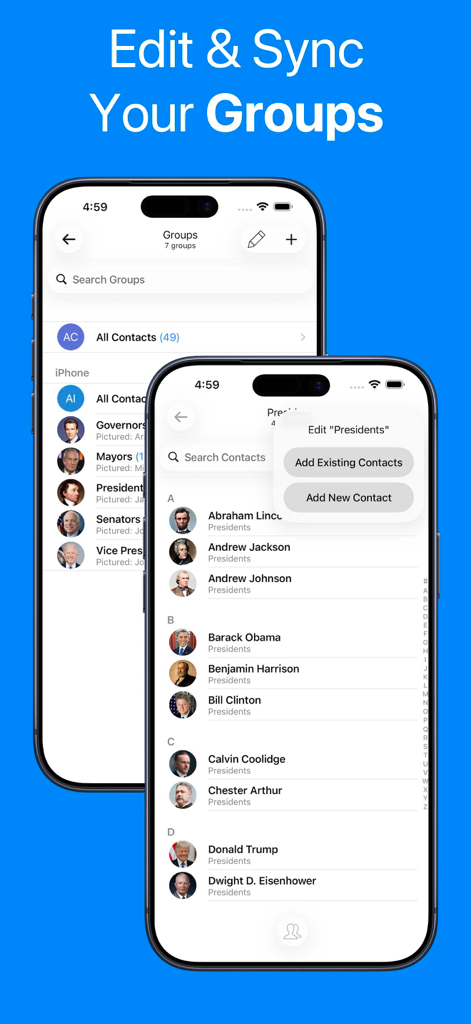
Mobile app interface showing contact group management and sync features on an iPhone

Mobile app interface showing contact group management and sync features on an iPhone

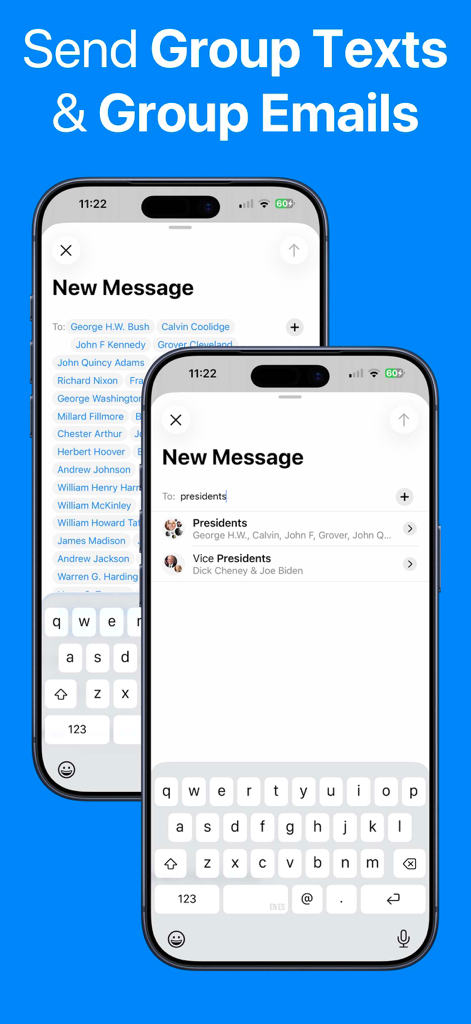
iPhone screens demonstrating the ability to send group texts and emails using synced contact groups

iPhone screens demonstrating the ability to send group texts and emails using synced contact groups

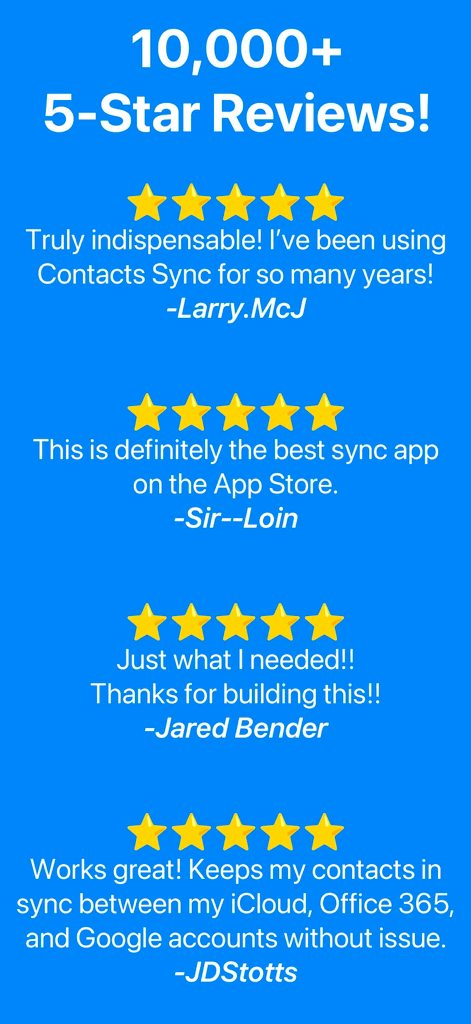
A collection of 5-star user reviews for the Contacts Sync app showcasing its reliability and popularity with over 10000 reviews.

A collection of 5-star user reviews for the Contacts Sync app showcasing its reliability and popularity with over 10000 reviews.

Sync Smarter, Not Harder

The tools that make this app stand out, trusted by 7M+ users.

🔄

True 2-Way Sync

Update a contact on your desktop and see it instantly on your iPhone. Experience perfect bidirectional harmony between Google, Outlook, and iCloud.

👥

Sync Groups & Labels

Your Google Labels and Outlook Categories automatically become iPhone Groups. Effortlessly send group texts or emails to your clients and team on the go.

🛡️

Set It and Forget It

Let our background sync and duplicate remover handle the digital housekeeping 24/7. Focus on your business while we ensure your address book stays pristine.

Loved by users worldwide

Trusted by 7M+ people who love this app.

"

"As a real estate agent, I need my Google contact labels to reflect as groups on my iPhone for quick client outreach. This app is the only one that handles the sync perfectly, allowing me to send group messages instantly. It has saved me hours of manual data entry."

Sarah M., Senior Realtor
"

"I manage my professional life in Outlook and my personal life on an iPhone. The 2-way sync is flawless, and the duplicate remover finally cleaned up my messy address book. It’s a true 'set it and forget it' solution that just works in the background."

David L., Project Manager

About the app

Everything you need to know about Contacts Sync: Google & More.

Description

••• SYNC GOOGLE, ICLOUD, & OUTLOOK! ••• #1 SYNC APP FOR 15+ YEARS! ••• TRUSTED BY 10,000,000+ USERS! With Contacts Sync, you can quickly & easily sync your Google or Outlook contacts with iPhone, giving you access to your contacts wherever you go. This app distinguishes itself with its reliability, ease of use, speed, and with a true "2-way sync" that merges changes made to either account. This is the #1 app for syncing contacts both in terms of downloads & reviews. Also of significance, this app syncs your Google labels or Outlook categories with your iPhone lists. For instance, you may have organized your Google contacts into groups such as "friends," "family," and "coworkers." After a sync, your iPhone and Google groups will match. With your groups configured on iPhone, you can easily send group emails or group messages. SYNC THE FOLLOWING ACCOUNTS: • Sync Google with iPhone • Sync Outlook with iPhone • Sync 2 Google accounts SYNC ANY IPHONE ACCOUNT: • Choose to sync all of your iPhone contacts, or choose to sync contacts from a specific iPhone account, such as iCloud, a local iPhone address book, Outlook, or a CardDAV account SYNC TYPES: • Choose from one of the following sync types: 2-Way Sync, 1-Way Sync, and Manual Sync • Choose a 2-Way Sync to sync changes in both directions • Choose a 1-Way Sync to transfer changes in one direction only • Choose a Manual Sync to sync specific contacts only SYNCS ALL FIELDS: • Syncs all fields including names, phonetic names, nicknames, email addresses, phone numbers, postal addresses, company names, job titles, departments, birthdays, anniversaries, events, notes, web page addresses, relationships, instant messaging accounts, & social profiles • Syncs contact photos • Syncs custom labels & custom fields INITIAL SYNC: • During the initial sync, the contents of matching contacts will be merged CONFIRM CHANGES BEFORE SYNCING: • Review each change before the sync actually begins AUTOMATIC SYNC: • Automatically syncs contacts in the background 24/7 APPLY FILTERS INCLUDING GROUP FILTER: • Apply the group filter, new contact filter, and more! DUPLICATE CONTACTS: • Eliminate duplicate contacts in Google directly from the app, and then sync to remove the same duplicates from iPhone SUBSCRIPTIONS: • Contacts Sync offers a "Premium" subscription which unlocks all of the premium features in the app, including the ability to sync an unlimited numbers of contacts and to auto sync in the background. • Without an upgrade, the app will sync no more than 40 contacts • The "Premium" subscription is priced at $1.99 USD per week, $2.99 USD per month, or $9.99 USD per year • Payment will be charged to iTunes Account at confirmation of purchase • Subscription automatically renews unless auto-renew is turned off at least 24-hours before the end of the current period • Account will be charged for renewal within 24-hours prior to the end of the current period • Subscriptions may be managed by the user and auto-renewal may be turned off by going to the user's Account Settings after purchase • Any unused portion of a free trial period, if offered, will be forfeited when the user purchases a subscription to that publication, where applicable • Terms of use: https://playaapps.zendesk.com/hc/articles/360004197333 • Privacy Policy: https://playaapps.zendesk.com/hc/articles/226767688

Latest Version

10.5.0

Size

32.2 MB

First Released

Aug 22, 2011

Join 10 Million Professionals Who Never Manually Sync Again

Take control of your address book with the world’s most trusted 2-way sync. Save time, eliminate duplicates, and keep your business moving—24/7.

Download on App Store
FAQ

Frequently Asked Questions

Everything you need to know about Contacts Sync: Google & More

What is Contacts Sync and what does it do?

Contacts Sync is an iOS app that synchronizes contacts between iPhone and services like Google, iCloud, and Outlook. It provides reliable, fast, and easy-to-use two-way synchronization for your contact data.

Does Contacts Sync support syncing multiple Google accounts?

Yes, Contacts Sync supports syncing multiple Google accounts with your iPhone. This feature allows users to manage and combine contacts from both work and personal accounts seamlessly.

What types of synchronization does Contacts Sync offer?

Contacts Sync offers three types of synchronization: 2-Way Sync for changes in both directions, 1-Way Sync for changes in one direction, and Manual Sync for specific contacts.

Can Contacts Sync automatically update contacts?

Yes, Contacts Sync includes an Automatic Sync feature. This capability allows the app to sync contacts continuously in the background, ensuring they remain updated 24/7.

Is user data private and secure with Contacts Sync?

Yes, Contacts Sync ensures 100% privacy and security. It operates without servers or cloud storage, does not resell data, and keeps all user data exclusively on the iPhone.

Does Contacts Sync integrate with contact groups?

Yes, Contacts Sync integrates with contact groups by syncing Google labels or Outlook categories with iPhone lists. This enables users to easily send group emails or messages.

What contact information does Contacts Sync synchronize?

Contacts Sync synchronizes all contact fields. This includes names, phone numbers, email addresses, postal addresses, company details, birthdays, photos, custom labels, and custom fields.

How much does the Contacts Sync Premium subscription cost?

The Contacts Sync Premium subscription is priced at $1.99 USD weekly, $2.99 USD monthly, or $9.99 USD yearly. This subscription unlocks unlimited contact syncing and auto sync features.

Can I confirm changes before Contacts Sync begins?

Yes, Contacts Sync allows users to review every proposed change before the synchronization process starts. This feature ensures user confirmation for all contact updates.

What is the contact synchronization limit without a Premium subscription in Contacts Sync?

Without a Premium subscription, Contacts Sync limits synchronization to a maximum of 40 contacts. Upgrading to Premium removes this limit and enables additional features like auto sync.