Alli360: Screen Time Control

Alli360: Screen Time Control

Download on App StoreDownload on Google Play
Spark by MWM logo
Logo of Alli360: Screen Time Control

Alli360: End the Screen Time Struggles and Reclaim Family Balance

Empower your children with healthy digital habits. Set automated schedules to block distractions during school and sleep while ensuring they stay reachable for what matters most.

Download on App Store

Publisher

ANKO SOLUTIONS LLC

Category

Utilities

Downloads

100K+

User Rating

1.6/5

Total Ratings

400

Locales

31

Balance at a Glance

Discover the interface used by 100K+ users.
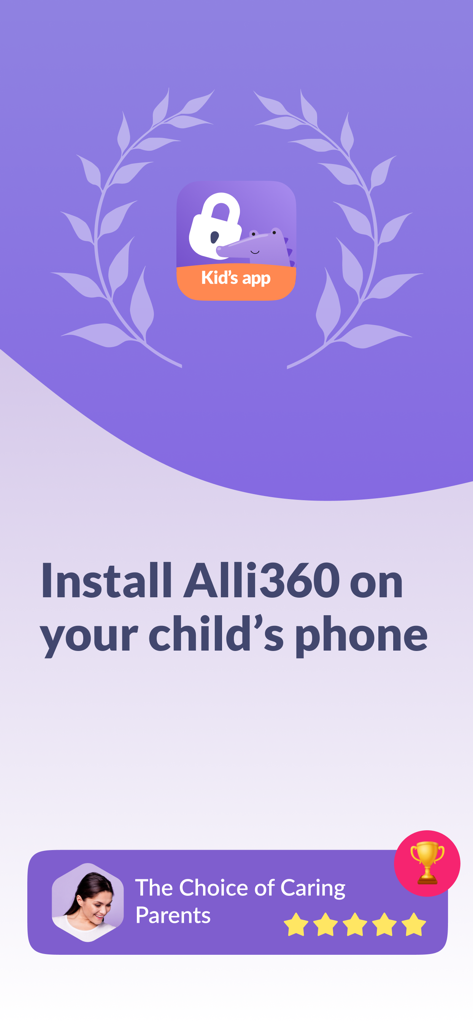
Instructional screen to install Alli360 on a child's phone featuring a 5-star rating from parents.

Instructional screen to install Alli360 on a child's phone featuring a 5-star rating from parents.

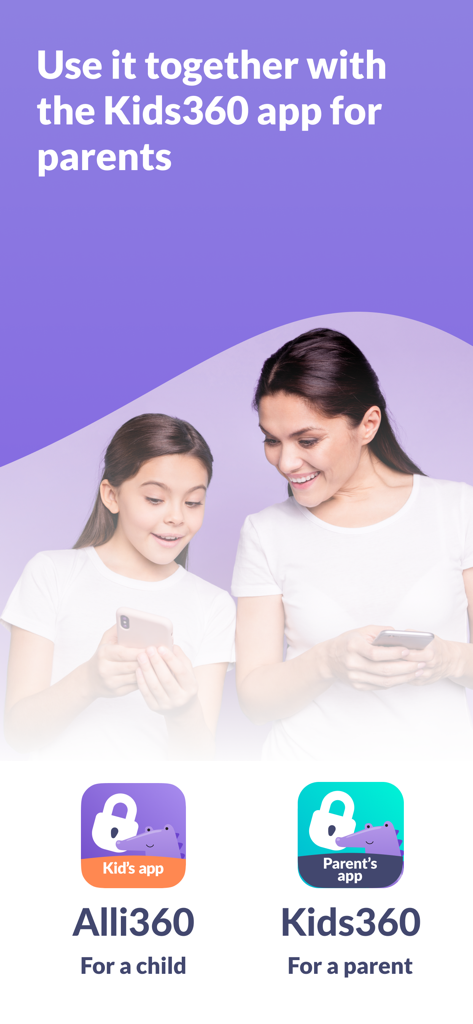
Mother and daughter using Alli360 and Kids360 parental control apps together

Mother and daughter using Alli360 and Kids360 parental control apps together

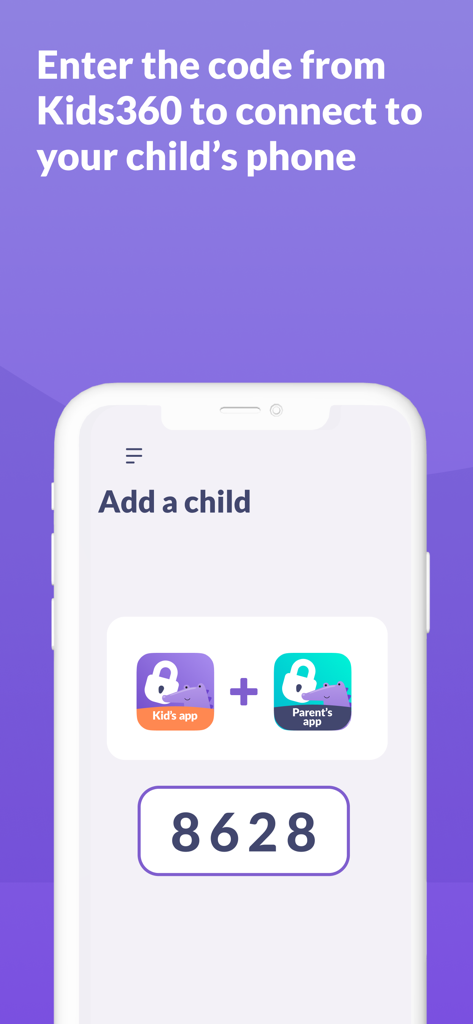
Screenshot of Alli360 app showing the Add a child screen with a pairing code to connect the kid's and parent's apps.

Screenshot of Alli360 app showing the Add a child screen with a pairing code to connect the kid's and parent's apps.

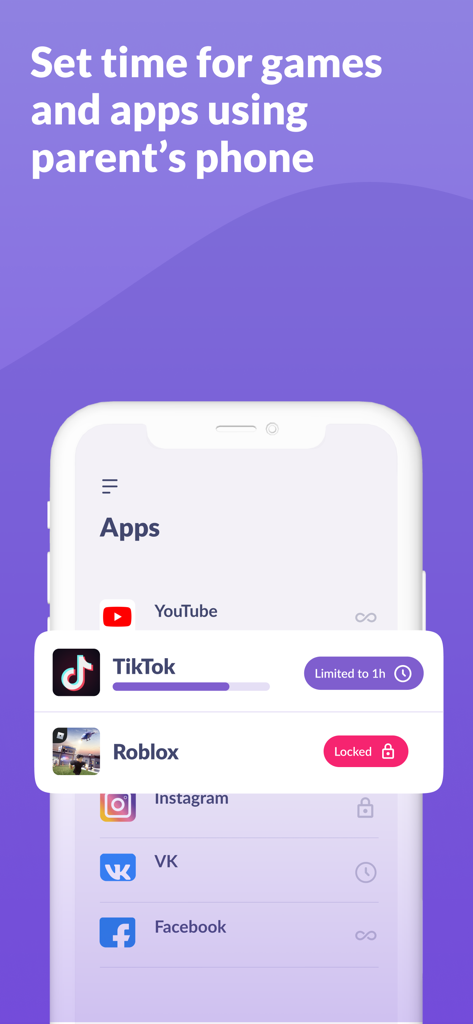
Alli360 app interface showing screen time limits for TikTok and restricted access for Roblox

Alli360 app interface showing screen time limits for TikTok and restricted access for Roblox

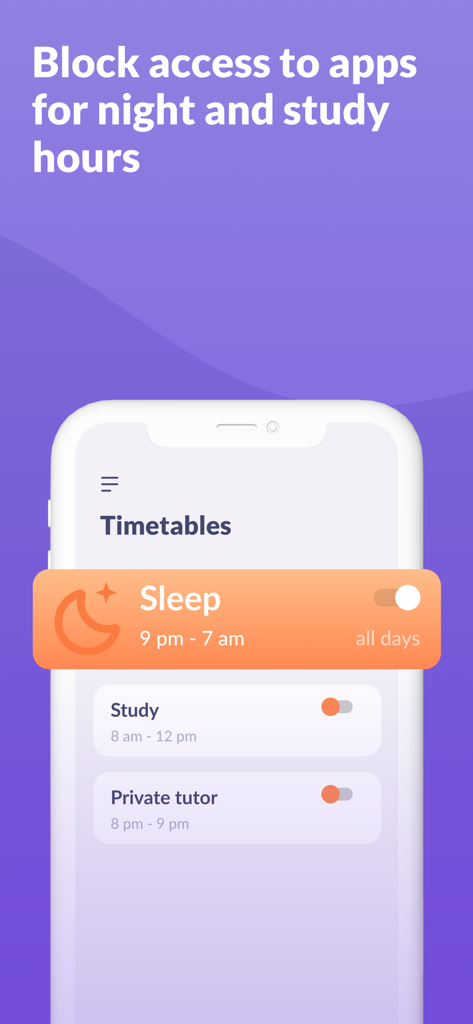
Alli360 app interface showing timetables to block apps during sleep and study hours

Alli360 app interface showing timetables to block apps during sleep and study hours

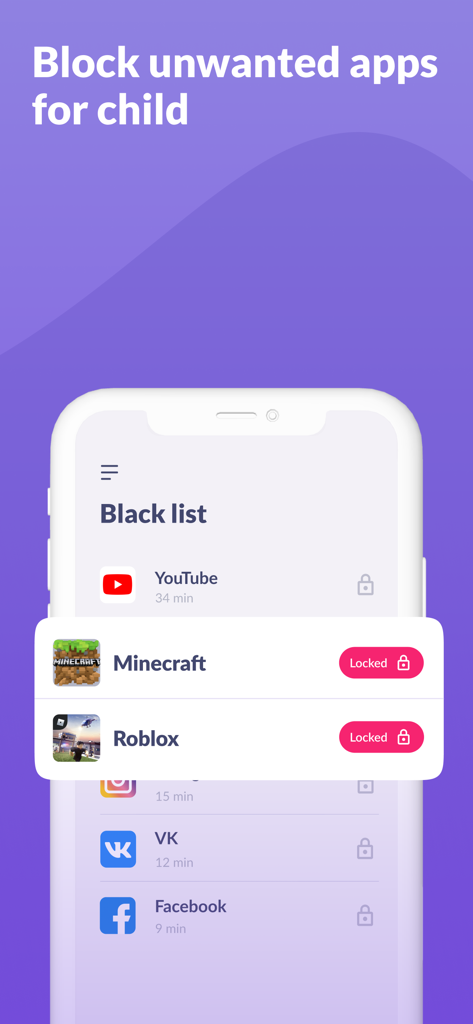
Smartphone screen showing the Alli360 app interface where parents can block specific apps and games like Minecraft and Roblox

Smartphone screen showing the Alli360 app interface where parents can block specific apps and games like Minecraft and Roblox

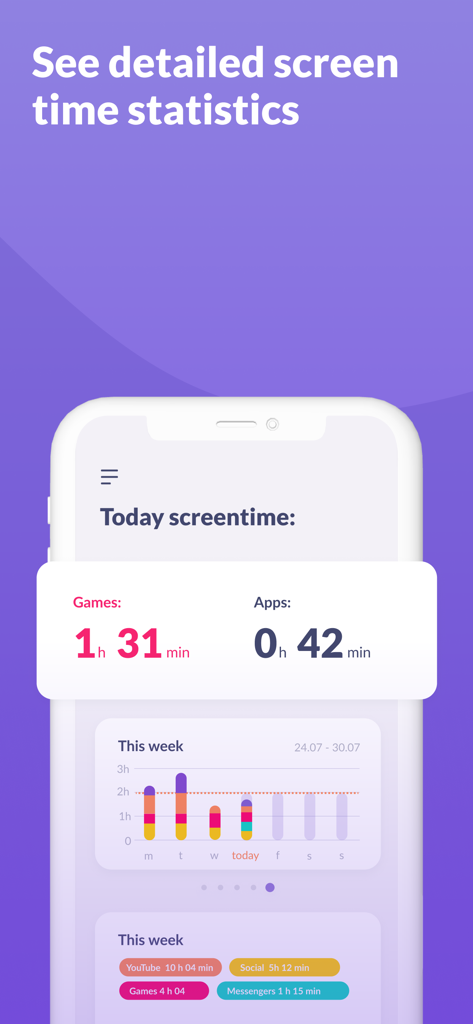
Alli360 app dashboard showing detailed daily and weekly screen time statistics for games and applications.

Alli360 app dashboard showing detailed daily and weekly screen time statistics for games and applications.

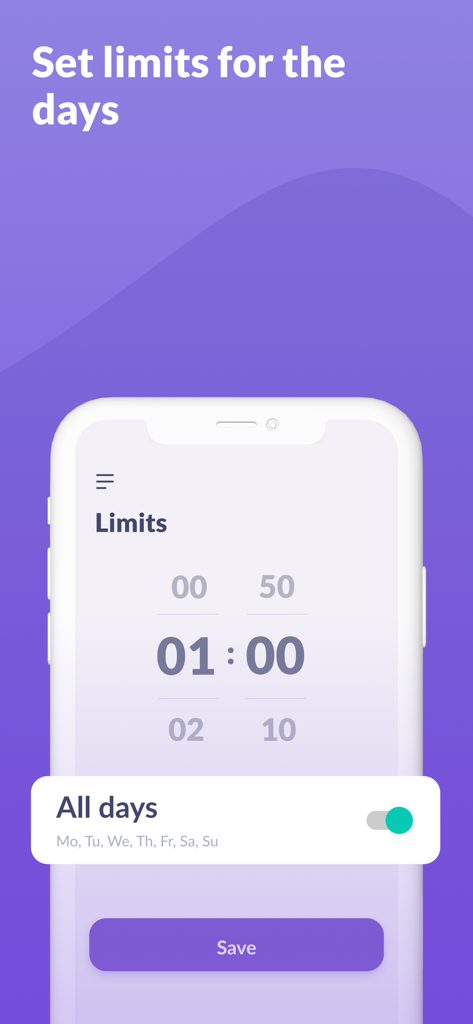
Interface of the Alli360 app showing how to set daily screen time limits for children

Interface of the Alli360 app showing how to set daily screen time limits for children

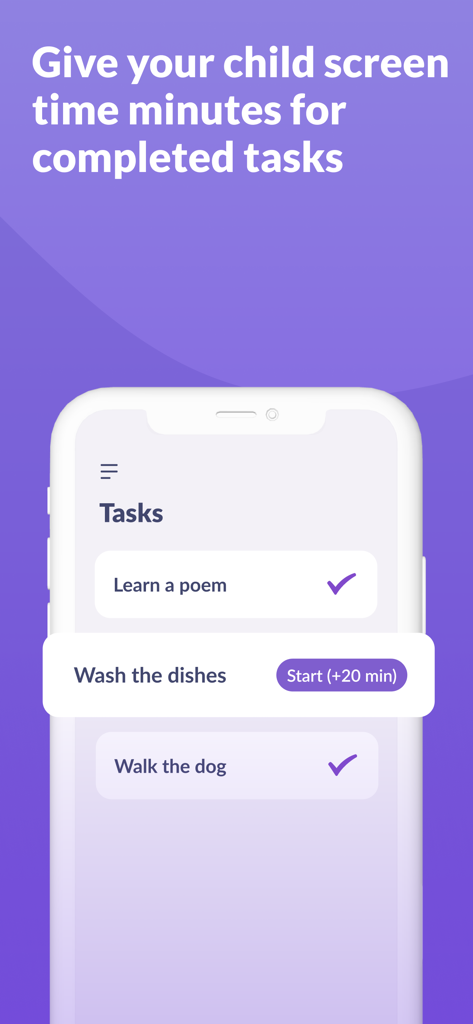
A mobile interface for Alli360 showing a task list where children can earn extra screen time minutes by completing chores like washing dishes.

A mobile interface for Alli360 showing a task list where children can earn extra screen time minutes by completing chores like washing dishes.

Build Healthy Digital Habits Together

The tools that make this app stand out, trusted by 100K+ users.

šŸŒ™

Smart Bedtime Schedules

Automatically restrict games and social media at night so your child gets the rest they need without the late-night doomscrolling.

šŸ“ž

Always Stay Connected

While entertainment apps are blocked, essential tools for calls, texts, and safety remain active so you can always reach your child.

šŸŽ“

Focus-First School Mode

Set custom schedules that whitelist educational apps and block distractions during study hours to help improve academic performance.

Loved by users worldwide

Trusted by 100K+ people who love this app.

"

"Alli360 has completely ended the nightly 'phone wars' in our house. I love that the app becomes the 'bad guy' by automatically locking games at 9 PM, so I don't have to. It gives me such peace of mind knowing my son can still call me or use his study apps, but isn't doomscrolling until midnight. It's the perfect balance of safety and independence."

Sarah Jenkins
"

"As a parent, the 'Always in Touch' feature is what sold me. I wanted to limit my daughter's social media usage without cutting off her ability to call for a ride or message us in an emergency. The setup was incredibly straightforward, and seeing the weekly usage reports helped us have a healthy conversation about digital wellness. Truly a must-have tool for modern parenting."

David Miller

About the app

Everything you need to know about Alli360: Screen Time Control.

Description

ā€œAlli360ā€ — is a service that helps parents to set time limits for children in entertainment applications and games The ā€œAlli360ā€ app complements the ā€œKids360 for parentsā€ app and must be installed on the device the teen is using This app provides you with the following options: Time limit - set a time limit for specific applications and games your teens uses Schedule - set schedules for school time and rest in the evening: games, social networks, and entertainment apps will not be available during the specified time List of applications - select applications you want to limit or block completely Time spent - see how much time your teen spends on their smartphone and identify their most used applications Always keep in touch - applications for calls, messages, taxis, and other non-entertainment applications will always be available and you will always be able to contact your school student. The ā€œKids360ā€ app is designed for family safety and parental control. Thanks to the application tracker, you will always know how much time teen is spending on their smartphone. The app cannot be installed on the cell phone without your child’s knowledge, its use is available only with the explicit consent. Personal data is stored in strict accordance with legislation and GDPR policies. How to start using the "Kids360" app: 1. Install the ā€œKids360 for parentsā€ app on your mobile device; 2. Install the ā€œKids360ā€ app on your teen's phone and enter the link code with the parental device; 3. Allow monitoring of your teenager's smartphone in the app. In case of technical problems, you can always contact the 24-hour support service in the app or via the following email support@kids360.app You can monitor your time on the smartphone for free after connecting second device. Time management functions in applications are available during the trial period and by purchasing a subscription. The app asks for the following permissions: 1. Display over other apps - to block applications when time limit rules occur 2. Special features - to limit time at the smartphone screen 3. Usage access - to collect statistics about the application uptime 4. Autostart - for constant operation of the application tracker on the device 5. Device admin apps - to protect against unauthorized deletion.

Latest Version

1.31.9

Size

370.6 MB

First Released

Aug 4, 2022

Bring Balance Back to Your Family’s Digital Life

Join over 100,000 parents using Alli360 to set healthy boundaries, reduce screen-time friction, and ensure your child is always just a call away.

Download on App StoreDownload on Google Play